⚠ 這是歷史版本頁面 — 查看 FxSound 最新版本 →

- 目前版本1.1.33.0
- 更新日期2025-05-23
- 檔案大小68.82 MB
- 檔案名稱fxsound_setup.exe
- 作業系統Windows 7 / Windows 8 / Windows 10 / Windows 11
- 支援語系English
- 授權型式開源軟體
- 開發商 FxSound
- 軟體分類Windows 軟體 / 音訊軟體
##
編輯短評
FxSound 是一款專為 Windows 電腦設計的音訊增強軟體,主要用來改善音樂、電影、遊戲與線上會議的音質。它不像傳統等化器只調整頻段,而是透過先進演算法強化低音、清晰度與整體深度,讓聲音更有臨場感。這款軟體原名 DFX Audio Enhancer,多年來持續演進,目前仍維持活躍更新,在音訊軟體分類中評價普遍不錯,受到不少使用者肯定。
如果你覺得筆電或桌機內建喇叭聲音偏薄、低音不足,或想在看片、玩遊戲時獲得更沉浸的聽感,FxSound 就很適合。它與 Virtual DJ 或 iTunes 這類播放或混音工具定位不同,是純粹的音質增強輔助,安裝後可搭配任何播放器使用。由於是開源軟體,可自由下載使用,但介面僅提供英文,且只支援 Windows,中文使用者可能需要稍微適應英文操作。
##
翻譯排程處理中,以下暫以英文原文呈現
軟體介紹
FxSound is a powerful audio enhancement software designed for PC/Laptop users looking to improve their audio experience.
Whether you are listening to music, watching movies, gaming, or attending online meetings, FxSound for Windows 11/10 optimizes sound quality by enhancing bass, clarity, and overall depth.
Unlike traditional equalizers, it uses advanced algorithms to refine and enrich audio output, providing a more immersive experience.
Originally known as DFX Audio Enhancer, it has evolved over the years, bringing new features and optimizations to deliver high-quality sound without requiring high-end hardware.
It is particularly beneficial for users with low-quality speakers or headphones, as it compensates for the limitations of audio output devices.
Key Features
Audio Enhancement – FxSound automatically improves sound clarity, depth, and bass.
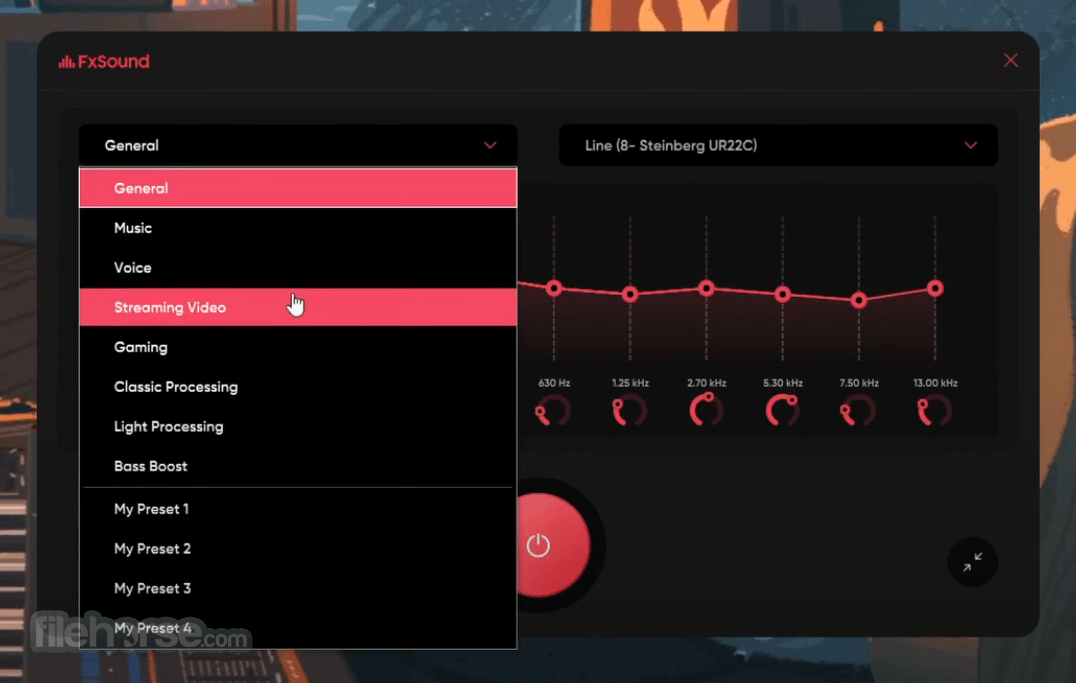
Presets and Customization – Users can select from various presets or manually adjust equalizer settings.
Real-time Processing – Enhances audio in real-time without noticeable lag.
Compatible with All Apps – Works with music players, streaming services, gaming applications, and video conferencing software.
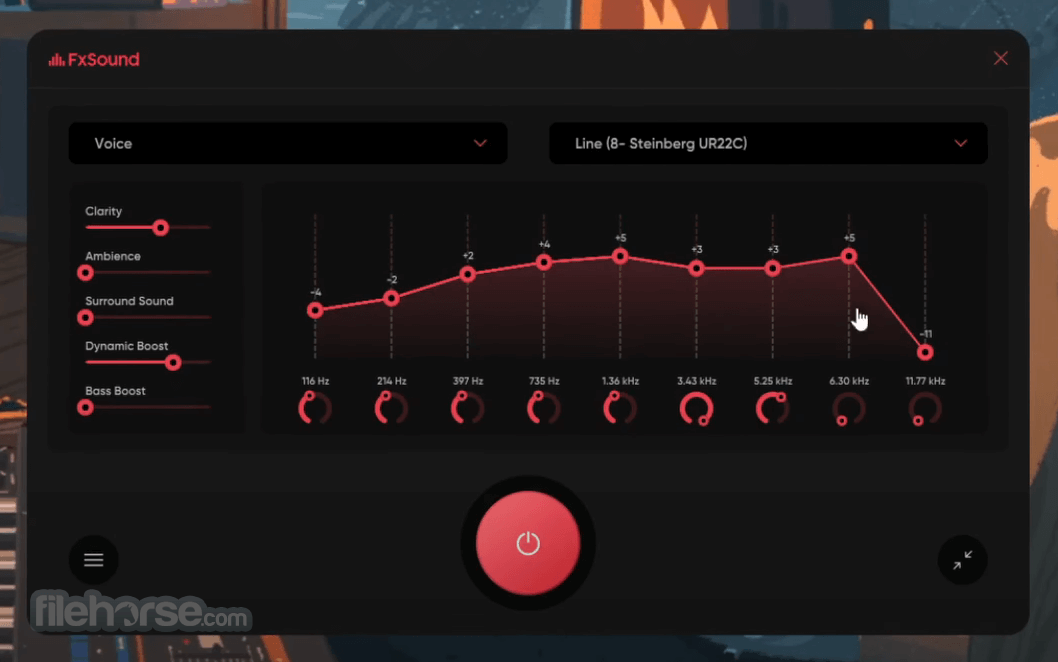
Intuitive Equalizer – A customizable equalizer that allows users to fine-tune their listening experience.
3D Surround Sound – Creates a virtual surround sound experience.
Low Resource Usage – Lightweight application that does not consume excessive system resources.
Background Operation – Runs silently in the background with minimal interference.
User Interface
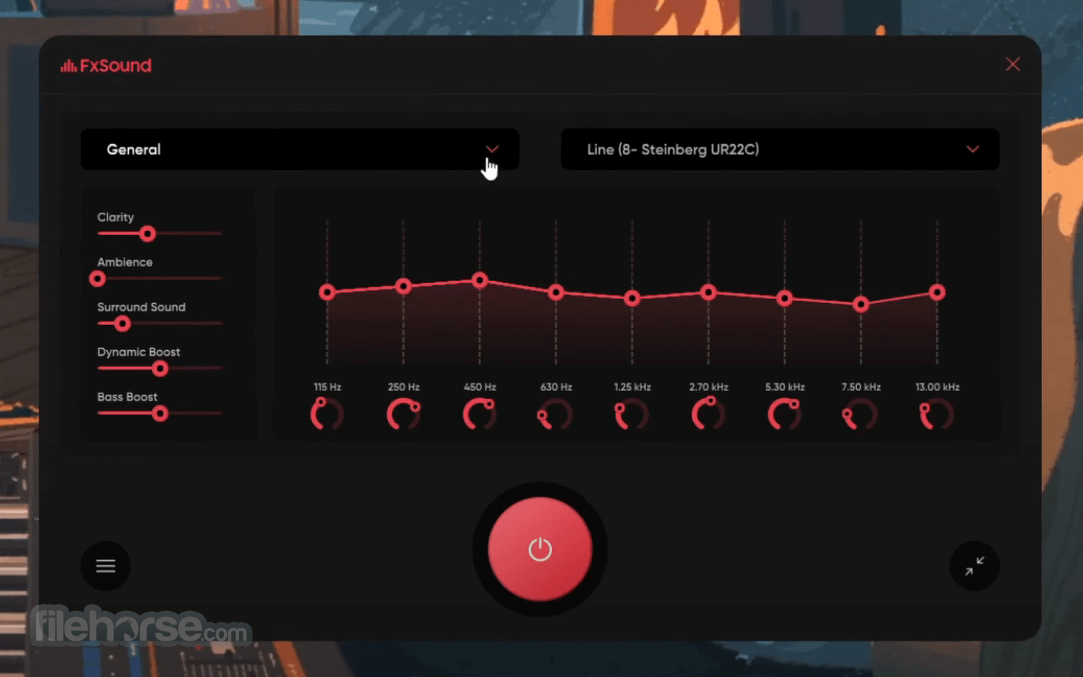
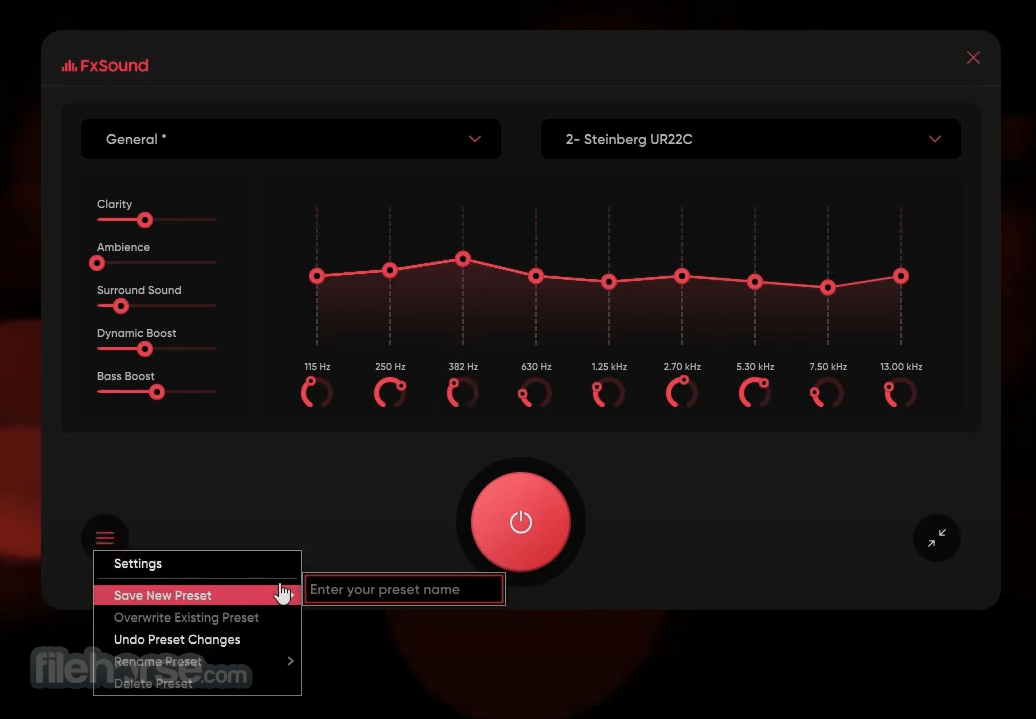
FxSound features a sleek and minimalistic interface designed for ease of use. The dashboard provides access to the main controls, including volume, equalizer, and effect adjustments.
The software is beginner-friendly, with a simple layout that makes it easy for users to apply presets or manually tweak settings. The real-time visualizer also allows users to see how audio is being processed.
Installation and Setup
Select a Preset – Choose from available presets such as Music, Movies, Gaming, or Voice Clarity.
Adjust the Equalizer – Manually adjust bass, treble, and other frequencies to personalize sound.
Enable Surround Sound – Activate the 3D sound feature for a more immersive experience.
Optimize for Different Uses – Switch presets based on your activity (e.g., gaming vs. streaming music).
Enjoy Automatic Enhancement – Let FxSound automatically enhance audio while running in the background.
FAQ
Is FxSound free to use?
It offers both free and premium versions. The free version includes basic audio enhancement features, while the premium version provides more customization options and advanced effects.
Does FxSound work with all audio applications?
Yes, it works with any application that outputs audio, including music players, streaming services, games, and online conferencing apps like Zoom and Skype.
Will FxSound impact my system performance?
No, FxSound is lightweight and runs efficiently in the background without consuming excessive system resources.
Can I customize my audio settings?
Yes, it includes a fully adjustable equalizer that allows users to tweak bass, treble, and other sound elements to suit their preferences.
Does FxSound support Windows 10 and Windows 11?
Yes, this program is compatible with Windows 10 and Windows 11, as well as older versions like Windows 7 and 8.
Alternatives
Boom 3D: A high-quality sound enhancer with 3D surround sound support.
Dolby Access: Offers a similar immersive audio experience with virtual surround sound.
Voicemeeter Banana: A virtual audio mixer with advanced sound processing features.
Equalizer APO: A free and open-source parametric equalizer for Windows.
Pricing
It offers a free open-source version with full features.
System Requirements
FxSound is an excellent choice for Windows users looking to enhance their audio experience without investing in expensive sound systems. It offers an easy-to-use interface, customizable settings, and real-time audio enhancement for music, movies, gaming, and voice clarity.
While the free version provides essential features, the premium version unlocks the full potential of the software. Overall, FxSound is a great solution for those seeking better sound quality on their PCs.
Download FxSound Latest Version Why is this app published on FileHorse? (More info)
Whether you are listening to music, watching movies, gaming, or attending online meetings, FxSound for Windows 11/10 optimizes sound quality by enhancing bass, clarity, and overall depth.
Unlike traditional equalizers, it uses advanced algorithms to refine and enrich audio output, providing a more immersive experience.
Originally known as DFX Audio Enhancer, it has evolved over the years, bringing new features and optimizations to deliver high-quality sound without requiring high-end hardware.
It is particularly beneficial for users with low-quality speakers or headphones, as it compensates for the limitations of audio output devices.
Key Features
Audio Enhancement – FxSound automatically improves sound clarity, depth, and bass.
Presets and Customization – Users can select from various presets or manually adjust equalizer settings.
Real-time Processing – Enhances audio in real-time without noticeable lag.
Compatible with All Apps – Works with music players, streaming services, gaming applications, and video conferencing software.
Intuitive Equalizer – A customizable equalizer that allows users to fine-tune their listening experience.
3D Surround Sound – Creates a virtual surround sound experience.
Low Resource Usage – Lightweight application that does not consume excessive system resources.
Background Operation – Runs silently in the background with minimal interference.
User Interface
FxSound features a sleek and minimalistic interface designed for ease of use. The dashboard provides access to the main controls, including volume, equalizer, and effect adjustments.
The software is beginner-friendly, with a simple layout that makes it easy for users to apply presets or manually tweak settings. The real-time visualizer also allows users to see how audio is being processed.
Installation and Setup
- Download the latest version of this app from the official website or FileHorse.
- Run the installer and follow the on-screen instructions.
- Once installed, launch FxSound and allow it to integrate with your system’s audio output.
- Choose a preset or customize the equalizer settings to your preference.
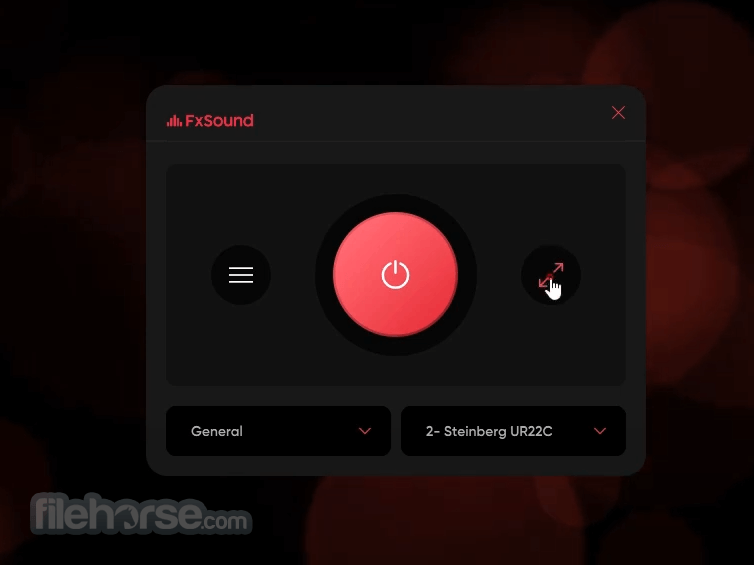
- Minimize the application to let it run in the background while you enjoy enhanced audio.
Select a Preset – Choose from available presets such as Music, Movies, Gaming, or Voice Clarity.
Adjust the Equalizer – Manually adjust bass, treble, and other frequencies to personalize sound.
Enable Surround Sound – Activate the 3D sound feature for a more immersive experience.
Optimize for Different Uses – Switch presets based on your activity (e.g., gaming vs. streaming music).
Enjoy Automatic Enhancement – Let FxSound automatically enhance audio while running in the background.
FAQ
Is FxSound free to use?
It offers both free and premium versions. The free version includes basic audio enhancement features, while the premium version provides more customization options and advanced effects.
Does FxSound work with all audio applications?
Yes, it works with any application that outputs audio, including music players, streaming services, games, and online conferencing apps like Zoom and Skype.
Will FxSound impact my system performance?
No, FxSound is lightweight and runs efficiently in the background without consuming excessive system resources.
Can I customize my audio settings?
Yes, it includes a fully adjustable equalizer that allows users to tweak bass, treble, and other sound elements to suit their preferences.
Does FxSound support Windows 10 and Windows 11?
Yes, this program is compatible with Windows 10 and Windows 11, as well as older versions like Windows 7 and 8.
Alternatives
Boom 3D: A high-quality sound enhancer with 3D surround sound support.
Dolby Access: Offers a similar immersive audio experience with virtual surround sound.
Voicemeeter Banana: A virtual audio mixer with advanced sound processing features.
Equalizer APO: A free and open-source parametric equalizer for Windows.
Pricing
It offers a free open-source version with full features.
System Requirements
- Operating System: Windows 7, 8, 10, and 11
- Processor: Intel or AMD, 1 GHz or faster
- RAM: 2 GB minimum (4 GB recommended)
- Storage: 50 MB of free disk space
- Internet Connection: Required for activation and updates
- Noticeable improvement in sound quality.
- Works with all audio applications.
- Easy-to-use interface with preset options.
- Low system resource usage.
- Affordable pricing with a free version available.
- Limited features in the free version.
- Some users may prefer a fully manual equalizer without presets.
- Requires an internet connection for activation and updates.
- Not a replacement for high-end hardware.
FxSound is an excellent choice for Windows users looking to enhance their audio experience without investing in expensive sound systems. It offers an easy-to-use interface, customizable settings, and real-time audio enhancement for music, movies, gaming, and voice clarity.
While the free version provides essential features, the premium version unlocks the full potential of the software. Overall, FxSound is a great solution for those seeking better sound quality on their PCs.
Download FxSound Latest Version Why is this app published on FileHorse? (More info)
##
影片介紹
##
畫面截圖
- 2026-08-10 FxSound 1.2.11.0 69.3 MB
- 2026-04-10 FxSound 1.2.6.0 69.16 MB
- 2025-12-27 FxSound 1.2.5.0 69.16 MB
- 2025-11-19 FxSound 1.2.3.0 70.37 MB
- 2025-09-08 FxSound 1.1.36.0 70.34 MB
- 2025-08-18 FxSound 1.1.34.0 69.93 MB
- 2025-05-23 FxSound 1.1.33.0 68.82 MB
- 2025-03-12 FxSound 1.1.31.0 68.81 MB