PC Game Booster 8.0.5002
v 8.0.5002
Windows
試用版
7.22/10 (90)
- 目前版本8.0.5002
- 更新日期2026-04-25
- 檔案大小25.5 MB
- 檔案名稱gamebooster-8.0.5002-setup.exe
- 作業系統Windows 8 / Windows 10 / Windows 11
- 支援語系English
- 授權型式試用版
- 開發商 Smart PC Utilities, Ltd.
- 軟體分類Windows 軟體 / 系統優化
##
編輯短評
PC Game Booster 是一款專為遊戲打造的系統優化工具,前身名為 Game Fire,核心訴求是「一鍵加速」:透過暫停非必要的 Windows 功能、整理系統記憶體、關閉背景應用程式、重組遊戲檔案,並套用多項系統微調,將資源集中給正在執行的遊戲,藉此換取更順暢的幀率表現。它的最大辨識度在於操作門檻低,不需手動調整繁雜設定,按一下就能完成優化,官方也提供了影片介紹。在同類系統優化工具中,它屬於評價中等、討論度穩定的選擇,開發商持續維護,但更新頻率不算頻繁。
這套軟體適合不想深入研究系統設定、只求遊戲時少一點卡頓的輕中度玩家,尤其是配備中低階電腦、玩遊戲時常被背景程式拖累的使用者。與 Glary Utilities 這類全面型優化工具相比,PC Game Booster 更聚焦在遊戲情境,功能相對單純,但若你需要的是磁碟清理、登錄檔修復等日常維護,它就不是主力工具。要注意的是,它提供的是試用版,且介面僅有英文,對不熟悉英文操作的使用者稍有門檻;下載前也建議先確認是否支援你的 Windows 版本。
##
翻譯排程處理中,以下暫以英文原文呈現
軟體介紹
PC Game Booster - (formerly Game Fire) is a powerful game booster, that enables you to enjoy a smoother and more pleasant gaming experience with a touch of a button by optimizing your computer for peak performance and focusing all system resources to run your favorite games.
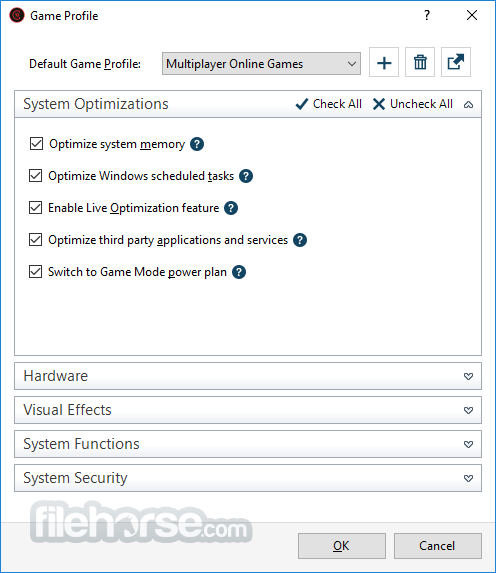
It boosts your computer performance by suspending unnecessary Windows features, defraging system memory, optimizing Windows scheduled tasks, turning off unnecessary applications, defragging game files, and applying several system tweaks.
Is the tool safe to use a game booster for Desktop? Yes, as all optimizations made by the app to your system settings are temporary.
You can restore the previous system state in seconds by turning off Game Mode, even if you do not turn off Game Mode, the system will be restored to the normal state in the next startup.
Features and Highlights
Best Gaming Experience
PC Game Booster for PC/Laptop can significantly enhance your gaming experience by boosting system performance and reliability in order to eliminate in-game lags and improve game FPS (frames per second).
The program optimizes your computer performance by turning off unnecessary system features, applying various system tweaks, and focusing computer resources on games you are playing. The end result would be a great gaming experience with a single mouse click.
Real-time Optimization
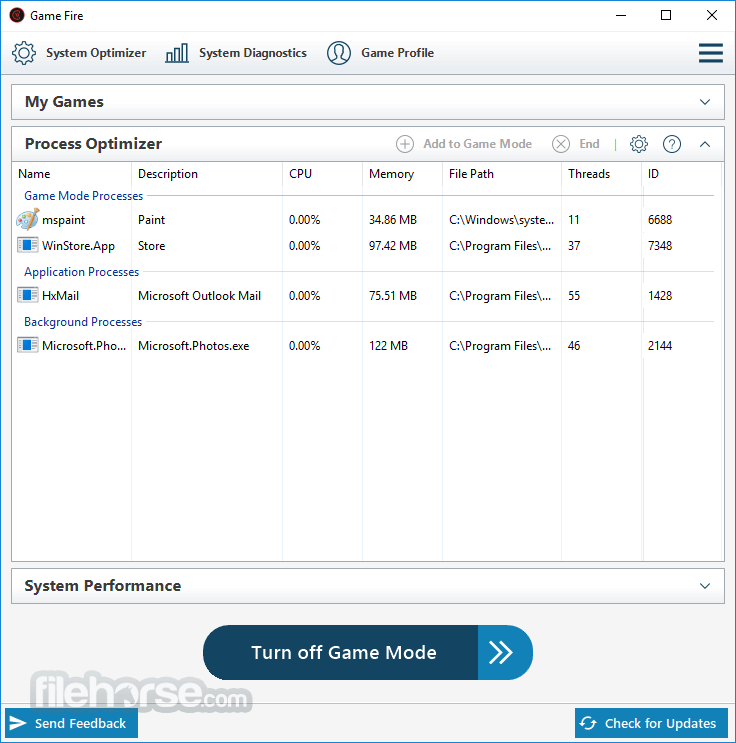
Unlike other game boosters, the software can boost games and applications performance in real-time allowing them to fully utilize available computer resources like CPU and memory and at the same time, it deprioritizes unnecessary and background processes.
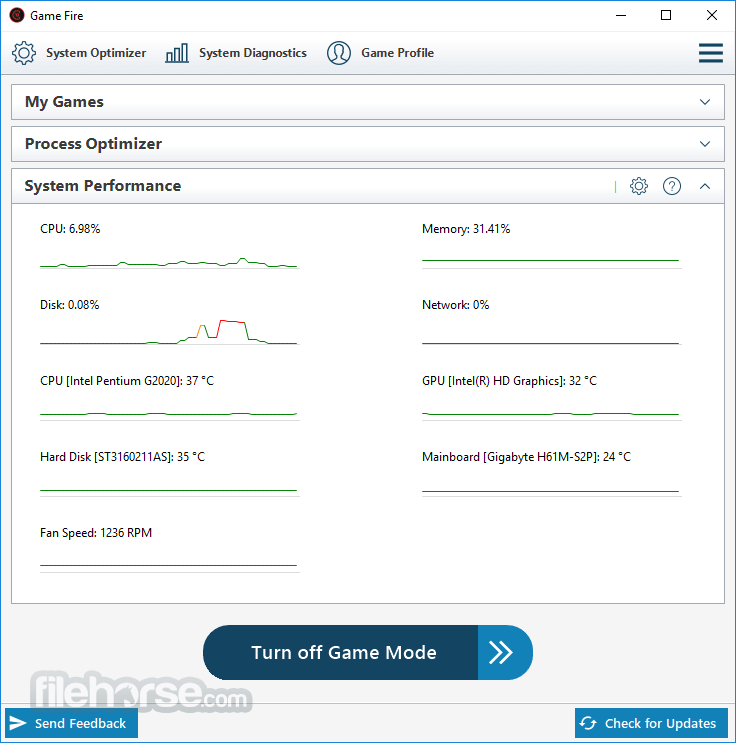
The program also provides real-time system health and performance information like the CPU and GPU temperature and clock speed.
Customizable Optimization
It allows experienced users to have control over every aspect of the optimization process using an easy and powerful user interface.
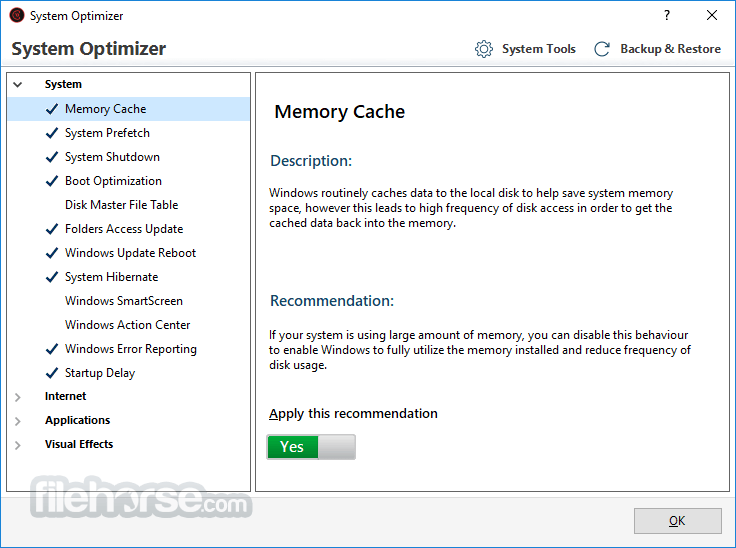
The program also provides a wide range of powerful PC optimization tools that can squeeze every bit of performance out of your computer like a disk defragment utility, settings tweaking tool, applications optimizer, and many more.
Game Manager
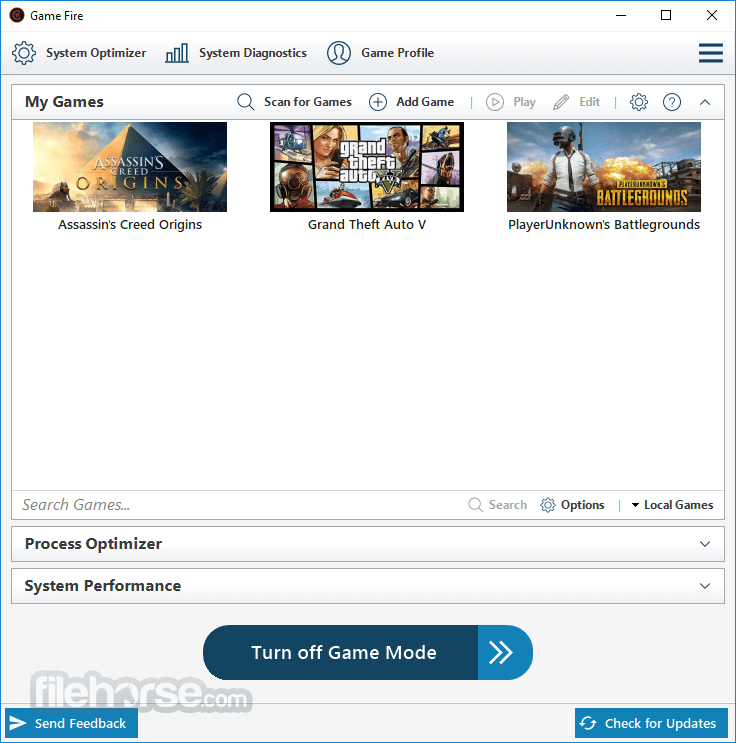
Apart from boosting games performance, It enhances your gaming experience by allowing you to manage all of your favorite games whether local or online including games from popular gaming platforms like Steam from one place that you can reach from anywhere on your computer.
Safe Optimization
The app is a safe game booster as no over-clocking is done to your hardware and almost all changes made by GameFire to your system settings are temporary.
Why Choose PC Game Booster - (formerly Game Fire)?
Real-Time Game Booster
Enhance your computer's performance instantly, allowing games and applications to make full use of system resources.
System Optimizer
Fine-tune your system and internet settings for a smoother, more stable gaming experience with fewer interruptions.
All-in-One Optimizer
Manage and optimize apps, processes, Windows services, and scheduled tasks—all from a single, user-friendly interface.
Automatic Updates
Stay up-to-date with the latest optimizations, improvements, and bug fixes delivered automatically.
Pricing
FREE PLAN
Basic Games Optimization
PROFESSIONAL PLAN - $17.95
Razer Cortex - Boosts performance by freeing up system resources.
Wise Game Booster - Optimizes PC for smoother gaming.
WTFast - Reduces lag and optimizes online connections.
MSI Afterburner - Overclocks GPU for enhanced gaming performance.
Game Booster by IObit - Auto-optimizes system for gaming.
AMD Adrenalin - Advanced GPU management and gaming tools.
CCleaner - Cleans junk files to improve PC speed.
Process Lasso - Dynamically adjusts system priorities.
FPS Monitor - Tracks real-time gaming performance.
System Requirements
Microsoft Windows 11
Microsoft Windows 10 (32-Bit and 64-bit).
Microsoft Windows 8.1 (32-Bit and 64-bit).
Microsoft Windows 7 with Service Pack 1 (32-Bit and 64-bit).
Microsoft .NET Framework 4.8
PROS
Download PC Game Booster Latest Version Why is this app published on FileHorse? (More info)
It boosts your computer performance by suspending unnecessary Windows features, defraging system memory, optimizing Windows scheduled tasks, turning off unnecessary applications, defragging game files, and applying several system tweaks.
- Reduce load on system resources
- Achieve higher in-game FPS
- Real-time performance optimization
- Tweak system settings with one click
Is the tool safe to use a game booster for Desktop? Yes, as all optimizations made by the app to your system settings are temporary.
You can restore the previous system state in seconds by turning off Game Mode, even if you do not turn off Game Mode, the system will be restored to the normal state in the next startup.
Features and Highlights
Best Gaming Experience
PC Game Booster for PC/Laptop can significantly enhance your gaming experience by boosting system performance and reliability in order to eliminate in-game lags and improve game FPS (frames per second).
The program optimizes your computer performance by turning off unnecessary system features, applying various system tweaks, and focusing computer resources on games you are playing. The end result would be a great gaming experience with a single mouse click.
Real-time Optimization
Unlike other game boosters, the software can boost games and applications performance in real-time allowing them to fully utilize available computer resources like CPU and memory and at the same time, it deprioritizes unnecessary and background processes.
The program also provides real-time system health and performance information like the CPU and GPU temperature and clock speed.
Customizable Optimization
It allows experienced users to have control over every aspect of the optimization process using an easy and powerful user interface.
The program also provides a wide range of powerful PC optimization tools that can squeeze every bit of performance out of your computer like a disk defragment utility, settings tweaking tool, applications optimizer, and many more.
Game Manager
Apart from boosting games performance, It enhances your gaming experience by allowing you to manage all of your favorite games whether local or online including games from popular gaming platforms like Steam from one place that you can reach from anywhere on your computer.
Safe Optimization
The app is a safe game booster as no over-clocking is done to your hardware and almost all changes made by GameFire to your system settings are temporary.
Why Choose PC Game Booster - (formerly Game Fire)?
Real-Time Game Booster
Enhance your computer's performance instantly, allowing games and applications to make full use of system resources.
System Optimizer
Fine-tune your system and internet settings for a smoother, more stable gaming experience with fewer interruptions.
All-in-One Optimizer
Manage and optimize apps, processes, Windows services, and scheduled tasks—all from a single, user-friendly interface.
Automatic Updates
Stay up-to-date with the latest optimizations, improvements, and bug fixes delivered automatically.
Pricing
FREE PLAN
Basic Games Optimization
PROFESSIONAL PLAN - $17.95
- Full Games Optimization
- Optimize Windows Visual Effects
- Optimize All Windows Services & Tasks
- Optimize Third-party Apps
- Automatic RAM Optimization
- Real-time Game Booster
- Deprioritize Unnecessary Processes
- TuneUp System Settings
- Boost Internet and Network Speed
- Automatic High Priority Updates
- 24/7 Premium Support
Razer Cortex - Boosts performance by freeing up system resources.
Wise Game Booster - Optimizes PC for smoother gaming.
WTFast - Reduces lag and optimizes online connections.
MSI Afterburner - Overclocks GPU for enhanced gaming performance.
Game Booster by IObit - Auto-optimizes system for gaming.
AMD Adrenalin - Advanced GPU management and gaming tools.
CCleaner - Cleans junk files to improve PC speed.
Process Lasso - Dynamically adjusts system priorities.
FPS Monitor - Tracks real-time gaming performance.
System Requirements
Microsoft Windows 11
Microsoft Windows 10 (32-Bit and 64-bit).
Microsoft Windows 8.1 (32-Bit and 64-bit).
Microsoft Windows 7 with Service Pack 1 (32-Bit and 64-bit).
Microsoft .NET Framework 4.8
PROS
- Enhanced Gaming Performance
- Real-time System Optimization
- Customizable Optimization Profiles
- User-friendly Interface
- Support for Low-end PCs
- Limited Free Version Features
- No Mac OS Compatibility
- Occasional Software Lags
- Complex Settings for Beginners
- Potential System Resource Usage
Download PC Game Booster Latest Version Why is this app published on FileHorse? (More info)
##
影片介紹
##
畫面截圖