⚠ 這是歷史版本頁面 — 查看 Git for Windows 最新版本 →

- 目前版本2.53.0
- 更新日期2026-02-03
- 檔案大小61.6 MB
- 檔案名稱Git-2.53.0-64-bit.exe
- 作業系統Windows 7 64 / Windows 8 64 / Windows 10 64 / Windows 11
- 支援語系English
- 授權型式開源軟體
- 開發商 The Git Development Community
- 軟體分類Windows 軟體 / 開發者工具
##
編輯短評
Git for Windows 是 Windows 平台上专为软件开发设计的版本控制工具,主要用来追踪源代码的每次变更,并协助多位程序员在协作时同步工作进度。它最鲜明的特色是采用完全分散式的架构,每台电脑都拥有完整的仓库,能独立记录版本与完整档案历史,不依赖中央服务器,这让它在灵活性与扩展性上表现突出。这款软件由 Git 开发社群长期维护,更新相当活跃,在开发者工具中属于主流首选,用户评价普遍不错,虽然评分人数不多,但口碑稳定。
这套工具适合需要严谨版本管理的软件开发者,尤其是团队协作时,能有效追踪每次修改并回溯错误。与同分类的 BlueStacks、Turbo C++ 等工具相比,Git for Windows 专注在版本控制领域,功能更专精,但学习曲线较陡,需要花时间熟悉指令与流程。它采用开源授权,可免费使用,目前仅提供英文界面,中文用户可能需要额外安装语言包或适应英文操作,平台限定在 Windows 系统,其他系统需另寻对应版本。
##
翻譯排程處理中,以下暫以英文原文呈現
軟體介紹
Git for Windows is a professional version-control application that can track changes in source code during software development, and one of the most used software solutions for coordinating work between programmers.
In addition to tracking changes in code, it can also track changes in any other type of apps. To provide most scalability and versatility, Git is not created to fit in the traditional client-server system but is instead fully distributed, enabling every computer to have their own full-fledged repository that tracks version tracking and complete file history without relying on communication with a central server.
Conceived in 2005 by the father of Linus operating system Linus Torvalds, the oversight over Git was moved to Junio Hamano who was responsible for implementing numerous changes and upgrades over 30 different versions.
As of early 2026, Git for Windows PC has reached version 2.50, with extensive updates that will enhance the app's features for tracking and planning non-linear software development, distributed coding, compatibility with current and upcoming protocols, handling of very large projects, cryptographic authentication, plugin support, data garbage management, object packing, data structures and more.
While it was originally created for use in a Linux environment, this app has received extensive support for BSD, macOS, Solaris, and Windows OS.
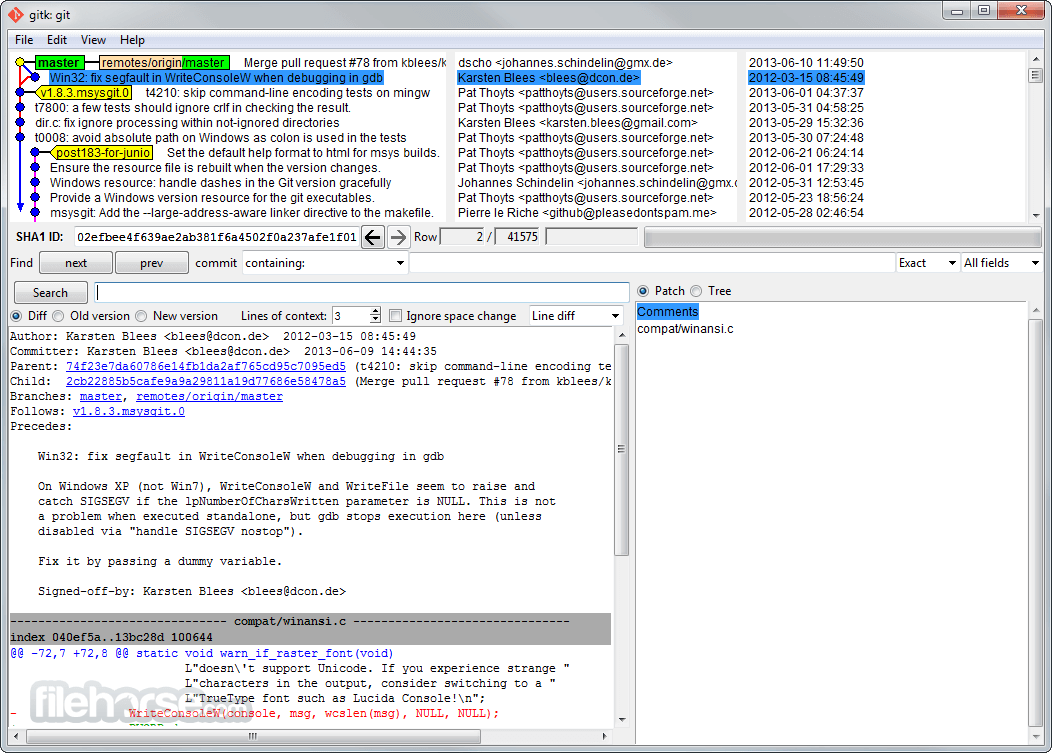
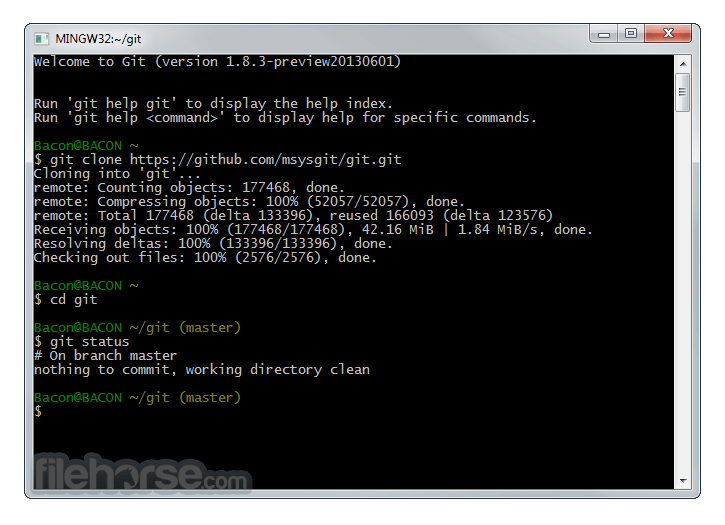
Git for Windows remains one of the most popular versions of the app, with a lightweight native set of tools that feature both command line and GUI interface that can serve both novices and seasoned professionals.
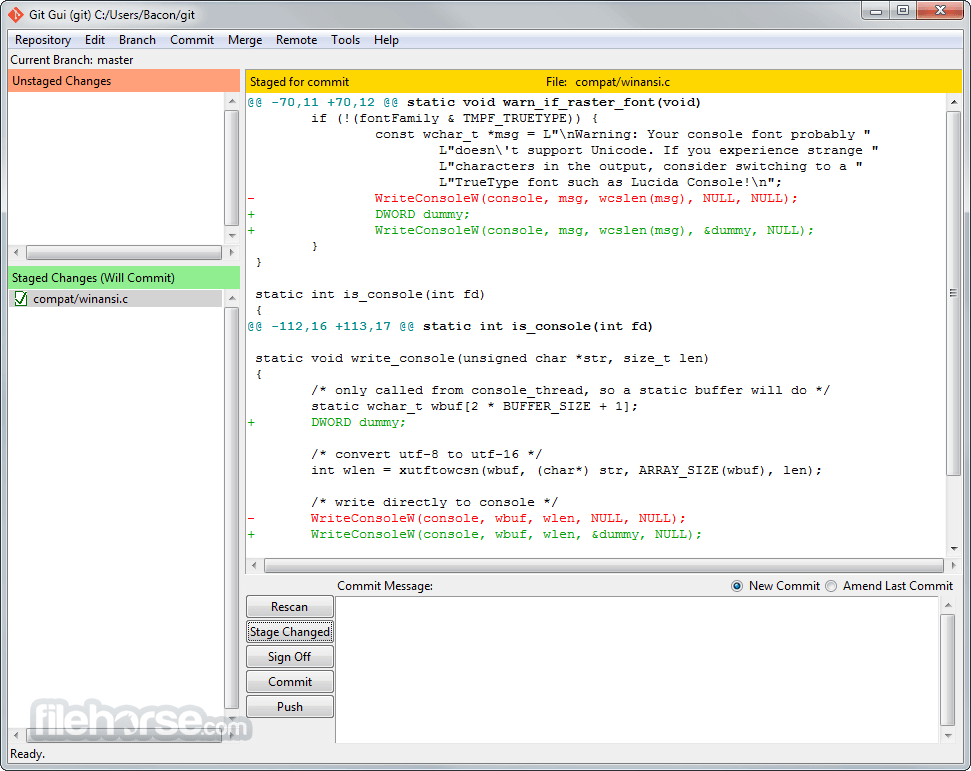
The app consists from Git BASH, Git GUI, and Shell integration for easier access, but it is worth to notice that Git source code can be accessed via a wide array of custom GUI application that can enhance your particular workflow for branding and merging of code, distributed version tracking, data assurance, area staging, and streamlined access.
As of early 2026, the Git database can be accessed by 30 different GUI clients.
Git for Desktop is 100% free for both home and professional use and is developed under open source license that ensures timely arrival of new features, stability upgrades, and enhancements.
How to Use
Download Git for PC Latest Version Why is this app published on FileHorse? (More info)
In addition to tracking changes in code, it can also track changes in any other type of apps. To provide most scalability and versatility, Git is not created to fit in the traditional client-server system but is instead fully distributed, enabling every computer to have their own full-fledged repository that tracks version tracking and complete file history without relying on communication with a central server.
Conceived in 2005 by the father of Linus operating system Linus Torvalds, the oversight over Git was moved to Junio Hamano who was responsible for implementing numerous changes and upgrades over 30 different versions.
As of early 2026, Git for Windows PC has reached version 2.50, with extensive updates that will enhance the app's features for tracking and planning non-linear software development, distributed coding, compatibility with current and upcoming protocols, handling of very large projects, cryptographic authentication, plugin support, data garbage management, object packing, data structures and more.
While it was originally created for use in a Linux environment, this app has received extensive support for BSD, macOS, Solaris, and Windows OS.
Git for Windows remains one of the most popular versions of the app, with a lightweight native set of tools that feature both command line and GUI interface that can serve both novices and seasoned professionals.
The app consists from Git BASH, Git GUI, and Shell integration for easier access, but it is worth to notice that Git source code can be accessed via a wide array of custom GUI application that can enhance your particular workflow for branding and merging of code, distributed version tracking, data assurance, area staging, and streamlined access.
As of early 2026, the Git database can be accessed by 30 different GUI clients.
Git for Desktop is 100% free for both home and professional use and is developed under open source license that ensures timely arrival of new features, stability upgrades, and enhancements.
How to Use
- Download and install Git for Windows
- Configure Git with username and email
- Initialize a new Git repository
- Clone an existing repository
- Stage and commit changes
- Create and switch branches
- Merge branches and resolve conflicts
- Push and pull changes to/from a remote repository
- Use Git Bash or GUI for commands
- Set up SSH keys for authentication
- Operating System: Windows 11, 10, 8 or 7 (32/64-bit)
- Processor: 1 GHz or faster
- RAM: 512 MB minimum (1 GB recommended)
- Storage: At least 200 MB of free space
- Internet: Required for remote repository access
- Free and open-source
- Distributed version control
- Fast and efficient performance
- Strong branching and merging
- Compatible with multiple platforms
- Complex command-line usage
- Large repositories can slow down
- Confusing merge conflicts
- Requires manual configuration
Download Git for PC Latest Version Why is this app published on FileHorse? (More info)
##
畫面截圖
- 2026-08-12 Git for Windows 2.55.0.4 62.4 MB
- 2026-07-15 Git for Windows 2.55.0.3 62.4 MB
- 2026-07-03 Git for Windows 2.55.0.2 62.4 MB
- 2026-06-30 Git for Windows 2.55.0 62.4 MB
- 2026-04-21 Git for Windows 2.54.0 62.2 MB
- 2026-04-15 Git for Windows 2.53.0.3 61.6 MB
- 2026-02-03 Git for Windows 2.53.0 61.6 MB
- 2025-11-17 Git for Windows 2.52.0 63.2 MB