⚠ 這是歷史版本頁面 — 查看 GOG Galaxy 最新版本 →

- 目前版本2.0.18.56
- 更新日期2020-07-20
- 檔案大小231 MB
- 檔案名稱setup_galaxy_2.0.18.56.exe
- 作業系統Windows 8 / Windows 10 / Windows 11
- 支援語系English
- 授權型式免費軟體
- 開發商 GOG Team
- 軟體分類Windows 軟體 / 遊戲
##
編輯短評
GOG Galaxy 是 GOG 平台推出的官方遊戲客戶端,主要用來購買、下載、啟動與更新遊戲,並整合跨平台的線上對戰功能。它最鮮明的特色是強調「你買的遊戲就是你的」,同時提供雲端存檔、遊戲內介面、頻寬限制、截圖與桌面通知等實用功能,把 GOG.com 的體驗帶到現代水準。這套軟體自推出以來持續維護,更新頻率不算密集但仍在運作,在遊戲平台客戶端中屬於有特定支持者的選擇,評價普遍不錯。
它適合重視遊戲所有權、不喜歡被單一平台綁死的玩家,尤其是常在 GOG 與其他平台之間切換的人。與 BlueStacks 或 SmartGaGa 這類 Android 模擬器不同,GOG Galaxy 是原生 PC 遊戲平台,定位完全不一樣。使用上要注意它目前僅提供英文介面,且免費授權,Windows 與 macOS 都有版本;若你習慣中文介面或依賴其他平台的獨佔功能,可能需要額外評估。
##
翻譯排程處理中,以下暫以英文原文呈現
軟體介紹
GOG Galaxy is the gaming Client for PC designed for convenient purchasing, playing and updating games, as well as online play between gaming platforms, GOG Galaxy (Good Old Games) is also built with optionality in mind, and a belief that you should own the games you buy.
Universal Cloud Saves, in-game overlay, bandwidth limiting, capturing screenshots, desktop notifications, and more... GOG Galaxy is as much about bringing the GOG.com experience up to modern par as it is about offering completely new features and standards.
It is an application, thanks to which you’ll be able to combine multiple libraries into one and connect with your friends across all gaming platforms, consoles included.
If your games and gaming buddies are scattered between different launchers and platforms, this is a solution for you! Keeping track of all achievements earned by you and your friends, hours played, and games owned across platforms has never been this easy. And the application is entirely free; all you need is a GOG account to use it.
Features and Highlights
One library
Import all your games from PC and consoles, build and organize them into one master collection.
Game stats
Keep track of all your achievements, hours played, and games owned, combined across platforms.
Game launcher
Install and launch any PC game you own, no matter the platform.
Full customization
Create custom library views by filtering, sorting, tagging, and adding your own visuals like game backgrounds and covers.
Games discovery
Follow upcoming releases, and discover games popular among your friends and the gaming community.
One friend's list
Bring together your friends from all platforms, and see their online status.
Activity feed
See your friends’ cross-platform achievements, game time milestones, and recently played games.
Leaderboards
Compete with friends and see who is the master collector, completionist, or spends the most time playing.
Cross-platform chat
No matter which platform your friends are on, you can chat with them.
No spying
It`s not spying on data from your computer.
No data sharing
Never share your personal data with third parties.
Your data belongs to you
With a single click, you can remove your imported data from servers.
Community platform integrations
Connect more platforms and add new features with open-source integrations.
Sync between devices
All customizations and changes to your library are saved in the cloud and synced between all your devices.
Save custom views
Save any view like a customized library or favorite games and friends to access them instantly.
Enhanced experience
All new library management and friends features take your experience to the next level.
Auto-Updates
Keep your GOG.COM games always up to date.
Cloud Saves
Your saves are automatically backed up to the Cloud and are synced between your computers.
Multiplayer & Matchmaking
GOG GALAXY-powered multiplayer games offer matchmaking and online play.
Rollbacks
Restore your game to prior versions if an update breaks it for you.
User Interface
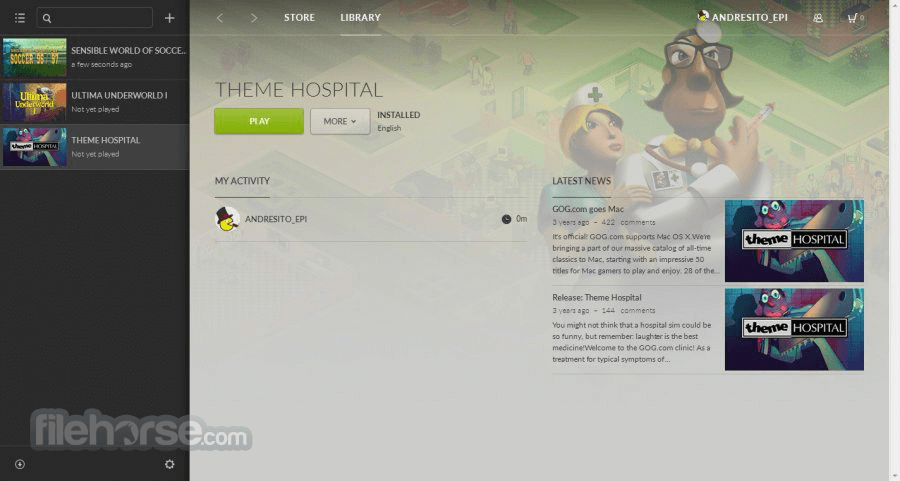
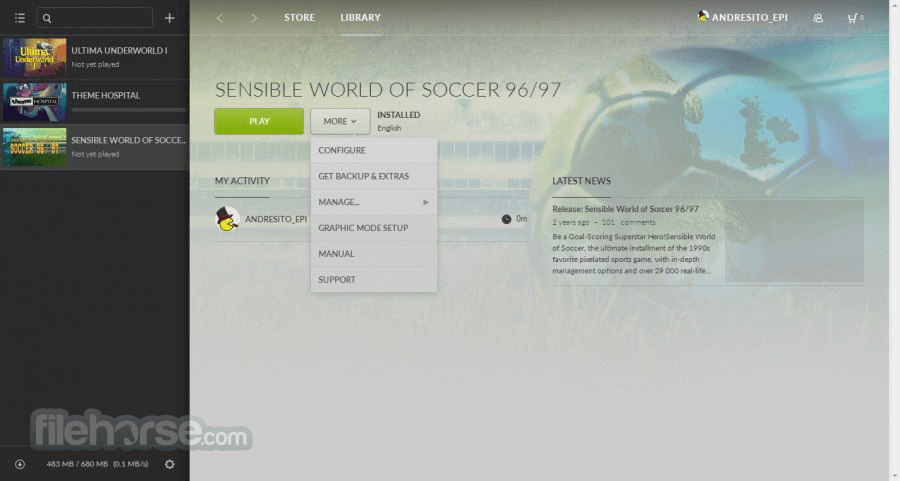
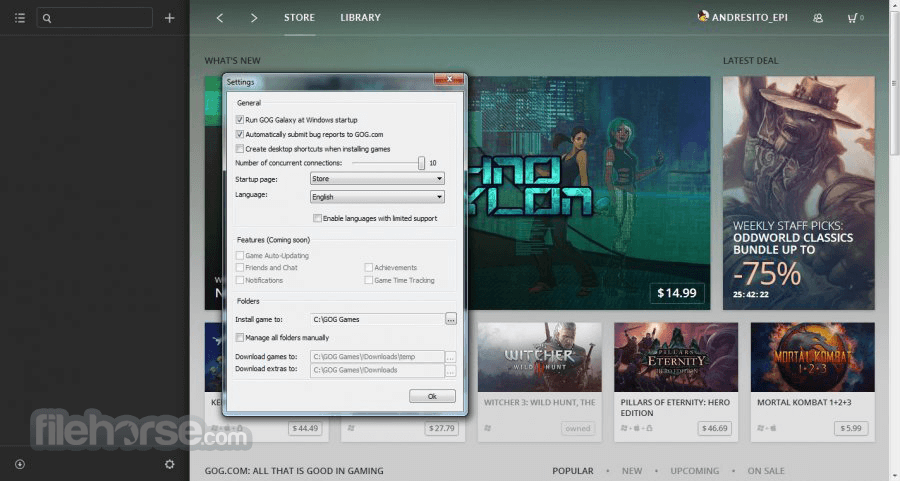
It boasts a sleek, minimalist interface designed with user convenience in mind. The main dashboard features a central hub displaying games from linked libraries, while a sidebar provides quick access to friends, notifications, and settings.
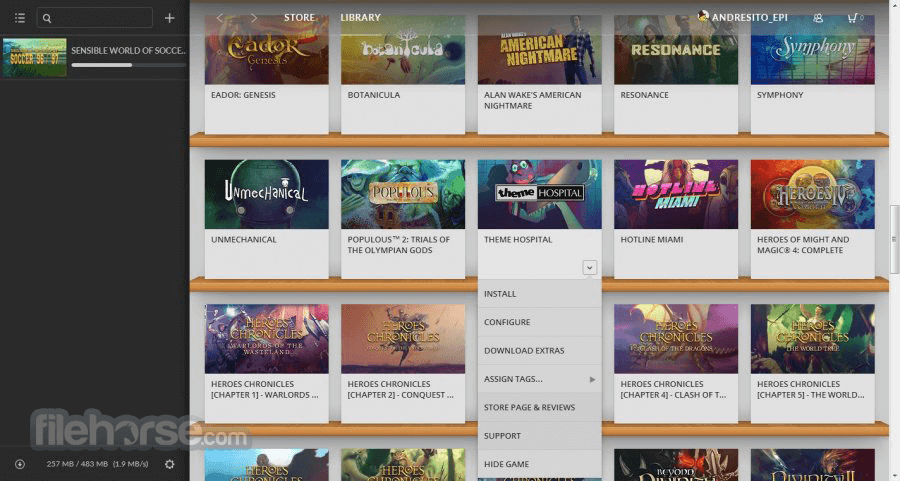
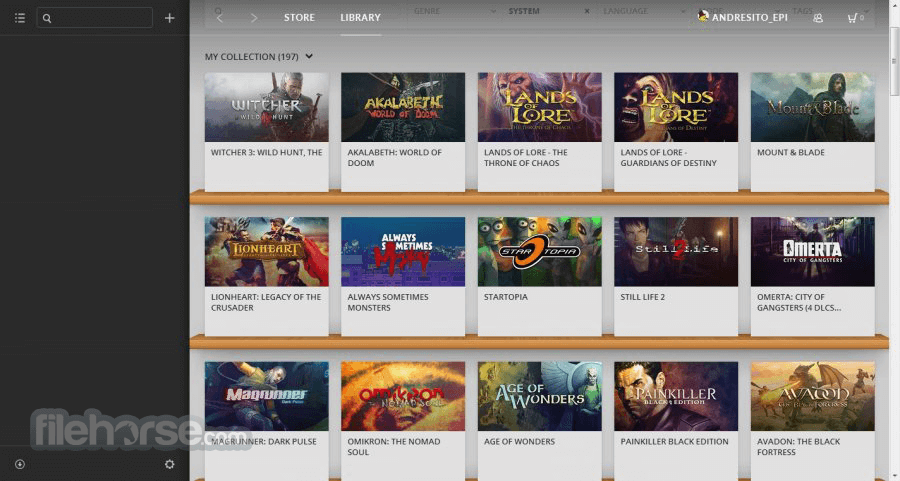
Games can be sorted by platform, genre, and custom tags, and users can easily switch between grid and list views.
The interface emphasizes ease of navigation, with intuitive tabs and customizable layouts, making it ideal for gamers who like to keep their libraries neatly organized.
Installation and Setup
How to Use
Is GOG Galaxy free to use?
Yes, this software is entirely FREE. Although some premium games need to be purchased, the client itself is free, as are many games and promotions.
Can I play my Steam games through GOG Galaxy?
Yes. By linking your Steam account, you can view, organize, and launch Steam games from within the app.
How does GOG Galaxy handle DRM?
The app emphasizes DRM-free games, but it supports DRM-protected titles from linked platforms, like Steam, without imposing any additional DRM.
Can I play offline with GOG Galaxy?
Yes, you can play any DRM-free game offline. Some multiplayer games or games from other platforms may require an online connection to launch.
How are game saves managed in GOG Galaxy?
It supports cloud saves for many games, particularly DRM-free titles. You can access your saves across devices, provided cloud saving is enabled.
Alternatives
Steam - Steam is the leading PC gaming client with a massive library, community features, and regular sales. However, it primarily supports DRM-protected games.
Epic Games Launcher - Known for free weekly games and exclusives, Epic offers a more limited selection but provides DRM-free options on some games.
EA App - The EA app for Windows is Electronic Arts' all-new, enhanced platform, where you can easily play your favorite games.
Ubisoft Connect - Ubisoft’s client for its own games, including social and achievement-based features, but has a narrower library than this app.
Xbox Game Pass - If you prefer a subscription-based model, Xbox Game Pass for PC offers access to a library of games.
Pricing
This program itself is free, though game prices vary depending on the title.
Games available through the GOG platform tend to be competitively priced, with frequent discounts and bundles.
Galaxy also offers free demos, classic games, and exclusive sales for DRM-free titles.
System Requirements
It has grown from a simple GOG launcher into a comprehensive multi-platform client that offers tremendous value to PC gamers. Its commitment to DRM-free gaming and a unified library makes it a unique choice in the gaming ecosystem, ideal for users who want easy access to titles across multiple services.
Although it doesn’t have the same range of games as Steam or Epic, GOG Galaxy’s sleek interface, game organization options, and compatibility with other platforms are excellent.
Also Available: Download GOG Galaxy for Mac
Download GOG Galaxy Latest Version Why is this app published on FileHorse? (More info)
Universal Cloud Saves, in-game overlay, bandwidth limiting, capturing screenshots, desktop notifications, and more... GOG Galaxy is as much about bringing the GOG.com experience up to modern par as it is about offering completely new features and standards.
It is an application, thanks to which you’ll be able to combine multiple libraries into one and connect with your friends across all gaming platforms, consoles included.
If your games and gaming buddies are scattered between different launchers and platforms, this is a solution for you! Keeping track of all achievements earned by you and your friends, hours played, and games owned across platforms has never been this easy. And the application is entirely free; all you need is a GOG account to use it.
Features and Highlights
One library
Import all your games from PC and consoles, build and organize them into one master collection.
Game stats
Keep track of all your achievements, hours played, and games owned, combined across platforms.
Game launcher
Install and launch any PC game you own, no matter the platform.
Full customization
Create custom library views by filtering, sorting, tagging, and adding your own visuals like game backgrounds and covers.
Games discovery
Follow upcoming releases, and discover games popular among your friends and the gaming community.
One friend's list
Bring together your friends from all platforms, and see their online status.
Activity feed
See your friends’ cross-platform achievements, game time milestones, and recently played games.
Leaderboards
Compete with friends and see who is the master collector, completionist, or spends the most time playing.
Cross-platform chat
No matter which platform your friends are on, you can chat with them.
No spying
It`s not spying on data from your computer.
No data sharing
Never share your personal data with third parties.
Your data belongs to you
With a single click, you can remove your imported data from servers.
Community platform integrations
Connect more platforms and add new features with open-source integrations.
Sync between devices
All customizations and changes to your library are saved in the cloud and synced between all your devices.
Save custom views
Save any view like a customized library or favorite games and friends to access them instantly.
Enhanced experience
All new library management and friends features take your experience to the next level.
Auto-Updates
Keep your GOG.COM games always up to date.
Cloud Saves
Your saves are automatically backed up to the Cloud and are synced between your computers.
Multiplayer & Matchmaking
GOG GALAXY-powered multiplayer games offer matchmaking and online play.
Rollbacks
Restore your game to prior versions if an update breaks it for you.
User Interface
It boasts a sleek, minimalist interface designed with user convenience in mind. The main dashboard features a central hub displaying games from linked libraries, while a sidebar provides quick access to friends, notifications, and settings.
Games can be sorted by platform, genre, and custom tags, and users can easily switch between grid and list views.
The interface emphasizes ease of navigation, with intuitive tabs and customizable layouts, making it ideal for gamers who like to keep their libraries neatly organized.
Installation and Setup
- Download the installer from the official GOG website or FileHorse.
- Run the installer and follow the on-screen instructions to complete the installation.
- Upon launching Galaxy, users can sign in with an existing GOG account or create a new one.
- To integrate other platforms, navigate to the Settings menu and select Integrations, where accounts from Steam, Epic, and other services can be linked.
- The setup process is user-friendly and typically takes only a few minutes. Once linked, Galaxy will automatically import games from these platforms, allowing for unified access.
How to Use
- Organize Games: After linking accounts, games will populate the library, where users can sort them by platform or create custom tags.
- Launch Games: Simply click on a game title to launch it, either directly or via the linked platform if required.
- Manage Updates: The program handles updates automatically, but users can turn off auto-updates or revert to previous versions if needed.
- Social Features: To add friends, navigate to the Friends tab, where you can view online friends, invite others, or join multiplayer sessions.
- Achievements & Progress Tracking: Players can view personal achievements and track game time and progress through the Profile section.
Is GOG Galaxy free to use?
Yes, this software is entirely FREE. Although some premium games need to be purchased, the client itself is free, as are many games and promotions.
Can I play my Steam games through GOG Galaxy?
Yes. By linking your Steam account, you can view, organize, and launch Steam games from within the app.
How does GOG Galaxy handle DRM?
The app emphasizes DRM-free games, but it supports DRM-protected titles from linked platforms, like Steam, without imposing any additional DRM.
Can I play offline with GOG Galaxy?
Yes, you can play any DRM-free game offline. Some multiplayer games or games from other platforms may require an online connection to launch.
How are game saves managed in GOG Galaxy?
It supports cloud saves for many games, particularly DRM-free titles. You can access your saves across devices, provided cloud saving is enabled.
Alternatives
Steam - Steam is the leading PC gaming client with a massive library, community features, and regular sales. However, it primarily supports DRM-protected games.
Epic Games Launcher - Known for free weekly games and exclusives, Epic offers a more limited selection but provides DRM-free options on some games.
EA App - The EA app for Windows is Electronic Arts' all-new, enhanced platform, where you can easily play your favorite games.
Ubisoft Connect - Ubisoft’s client for its own games, including social and achievement-based features, but has a narrower library than this app.
Xbox Game Pass - If you prefer a subscription-based model, Xbox Game Pass for PC offers access to a library of games.
Pricing
This program itself is free, though game prices vary depending on the title.
Games available through the GOG platform tend to be competitively priced, with frequent discounts and bundles.
Galaxy also offers free demos, classic games, and exclusive sales for DRM-free titles.
System Requirements
- OS: Windows 11, 10, 8, or 7
- Processor: Intel Core i3 or equivalent
- Memory: 4GB RAM
- Graphics: DirectX 10 compatible or higher
- Storage: 200MB for installation, plus additional space for games
- Unified library across platforms
- DRM-free gaming emphasis
- Customizable interface and organization
- Automatic updates with a rollback feature
- Cross-platform social and multiplayer options
- Limited DRM-free options on non-GOG games
- Not as extensive a library as Steam or Epic Games
- Some games may need to launch through other clients
- Occasional issues with integrations and cloud saves
It has grown from a simple GOG launcher into a comprehensive multi-platform client that offers tremendous value to PC gamers. Its commitment to DRM-free gaming and a unified library makes it a unique choice in the gaming ecosystem, ideal for users who want easy access to titles across multiple services.
Although it doesn’t have the same range of games as Steam or Epic, GOG Galaxy’s sleek interface, game organization options, and compatibility with other platforms are excellent.
Also Available: Download GOG Galaxy for Mac
Download GOG Galaxy Latest Version Why is this app published on FileHorse? (More info)
##
影片介紹
##
畫面截圖
- 2026-08-07 GOG Galaxy 2.0.83.4 275 MB
- 2026-08-07 GOG Galaxy 2.1.8.32 1 MB
- 2020-12-13 GOG Galaxy 2.0.30.20 232 MB
- 2020-12-10 GOG Galaxy 2.0.28.9 232 MB
- 2020-10-02 GOG Galaxy 2.0.23.4 231 MB
- 2020-08-22 GOG Galaxy 2.0.20.39 231 MB
- 2020-07-31 GOG Galaxy 2.0.19.37 231 MB
- 2020-07-20 GOG Galaxy 2.0.18.56 231 MB