
Google AppSheet - Build apps with no code
v Google AppSheet - Build apps with no code
Windows
未分類
10/10 (4)
- 目前版本Google AppSheet - Build apps with no code
- 更新日期2026-02-19
- 作業系統Windows 7 / Windows 8 / Windows 10 / Windows 11
- 支援語系English
- 授權型式未分類
- 開發商 Google
- 軟體分類Windows 軟體 / 開發者工具
##
編輯短評
Google AppSheet 是 Google 推出的無程式碼應用程式開發平台,讓使用者不必撰寫程式碼,就能建立客製化應用程式與自動化流程。它與 Google Workspace 雲端環境深度整合,可連接 Google Sheets、Excel、Cloud SQL 等多種資料來源,特別適合想快速打造資料管理工具的入門者。這套工具在開發者工具分類中屬於小眾選擇,評分人數不多但評價相當正面,目前維持基本更新,並非活躍度極高的產品。
這套服務最適合熟悉 Google Sheets 但不會寫程式的使用者,例如小型團隊想建立內部表單、庫存追蹤或專案管理工具時,可以省下聘請開發者的成本。與 BlueStacks、Turbo C++ 等需要安裝的桌面開發工具不同,AppSheet 是雲端服務,需透過瀏覽器使用,且僅支援英文介面。授權方式未明確分類,使用前建議先確認 Google 帳戶的相關方案限制,以免後續功能受影響。
##
軟體介紹
Google AppSheet 是一個精簡的網頁應用程式開發平台,讓使用者無需撰寫程式碼即可建立自訂應用程式並自動化流程。
它與 Google Workspace 雲端環境完全整合,並可連接多種資料來源,例如 Google Sheets、Excel、Cloud SQL 等。
這項服務從根本設計上就是為了賦能居家愛好程式設計師、學生和 IT 專業人員,輕鬆打造能節省時間且與 Google Workspace 平台完全整合的應用程式。
這些易於建立的應用程式最常見的使用情境包括資料收集、流程自動化、外勤服務、運輸監控、客戶調查、事件報告管理等。
為了加速部署到任何專案中,這個應用程式開發平台可直接從任何現代網頁瀏覽器存取,新手和資深使用者都能利用大量專業設計的範本,快速開發新的網頁和行動應用程式。
自上市以來,這項服務已用於建立超過 450 萬個應用程式,廣泛應用於各種產業、使用情境和部門。
主要特色
要讓這個應用程式開發平台開始運作,使用者只需登入自己的 Google 帳戶,並前往 Google Workspace Marketplace 即可。
此外,這項服務也可以作為 Google Sheets 的附加元件來存取。安裝完成後,使用者即可連接資料來源,開始建立自訂應用程式和自動化流程。
使用方式
這個平台讓所有人都能使用友善的使用者介面來建立應用程式和自動化流程,完全不需要撰寫程式碼。
使用者可以善用各種資料整合和自動化功能,為自己的特定使用情境打造客製化解決方案。
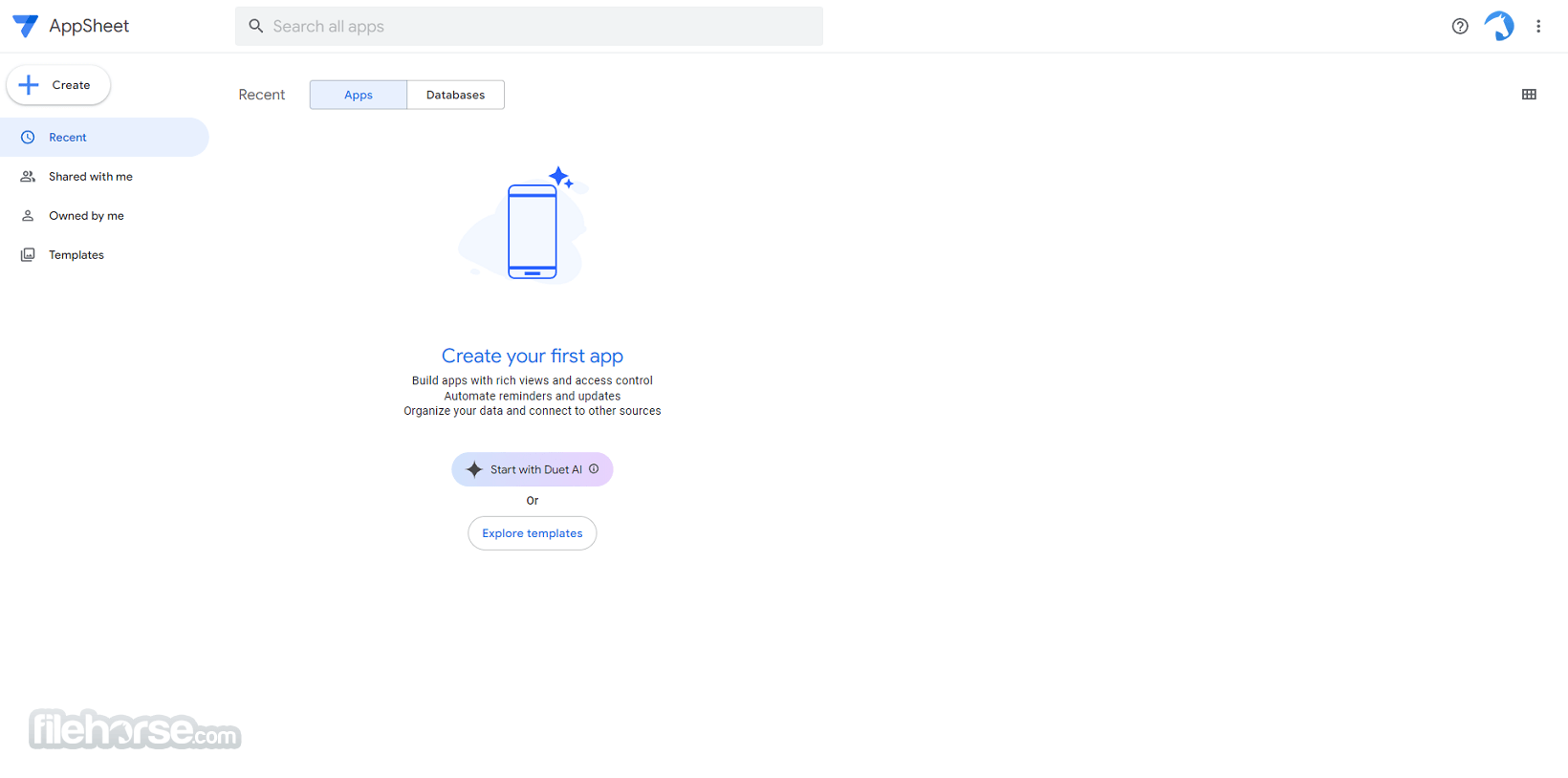
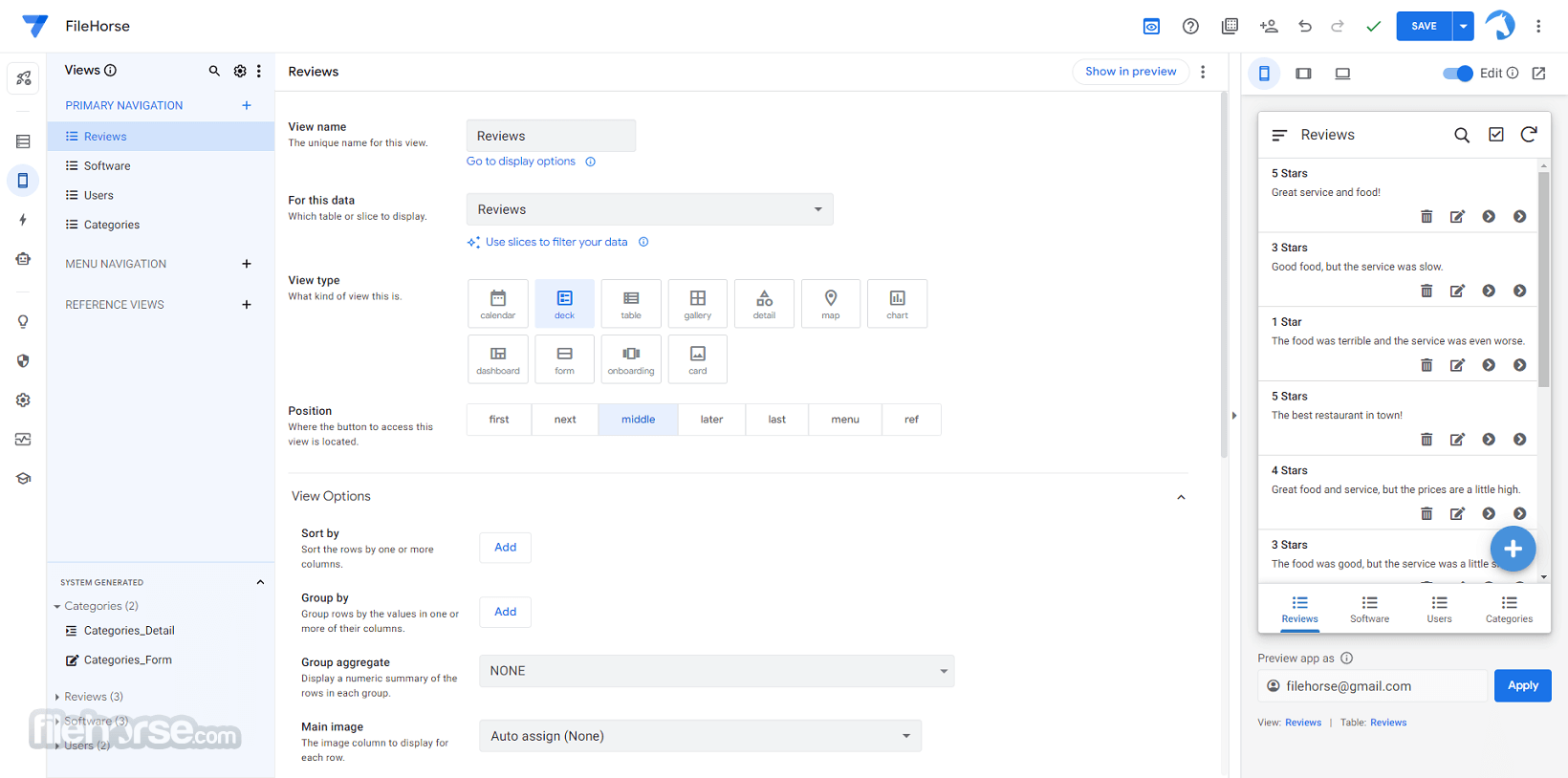
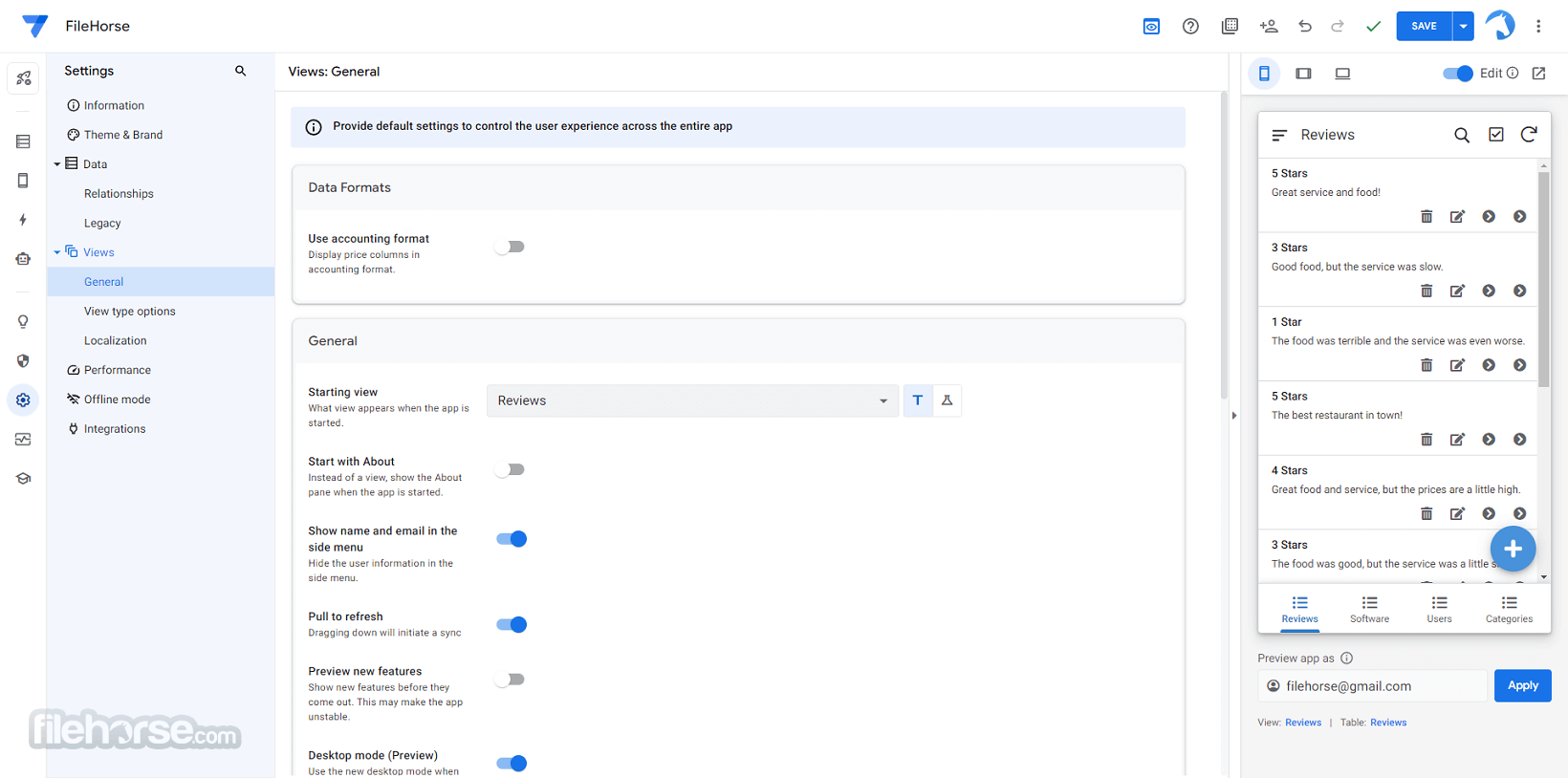
主儀表板提供所有主要工具的簡易存取,包括應用程式預覽模組、資料整合工具,以及建立功能完整的雲端感知應用程式所需的許多其他服務。
新手使用者可以透過 Google 提供的內建文件,學習建立應用程式的最佳實務做法。
它與 Google Workspace 雲端環境完全整合,並可連接多種資料來源,例如 Google Sheets、Excel、Cloud SQL 等。
這項服務從根本設計上就是為了賦能居家愛好程式設計師、學生和 IT 專業人員,輕鬆打造能節省時間且與 Google Workspace 平台完全整合的應用程式。
這些易於建立的應用程式最常見的使用情境包括資料收集、流程自動化、外勤服務、運輸監控、客戶調查、事件報告管理等。
為了加速部署到任何專案中,這個應用程式開發平台可直接從任何現代網頁瀏覽器存取,新手和資深使用者都能利用大量專業設計的範本,快速開發新的網頁和行動應用程式。
自上市以來,這項服務已用於建立超過 450 萬個應用程式,廣泛應用於各種產業、使用情境和部門。
主要特色
- 無程式碼開發 – 不需撰寫任何一行程式碼,就能建立應用程式和自動化流程!
- 精簡 工作流程 – 透過大量專業設計的應用程式範本,快速上手並開始運作。
- 資料 整合 – 連接多種資料來源,包括 Google Sheets、Excel、Cloud SQL、Gmail、Spaces、Salesforce 等。
- Google Workspace 整合 – 透過熱門的 Google 服務無縫協作並收集資料。
- 各種類型的應用程式 – 可部署於桌面、行動裝置和網頁。
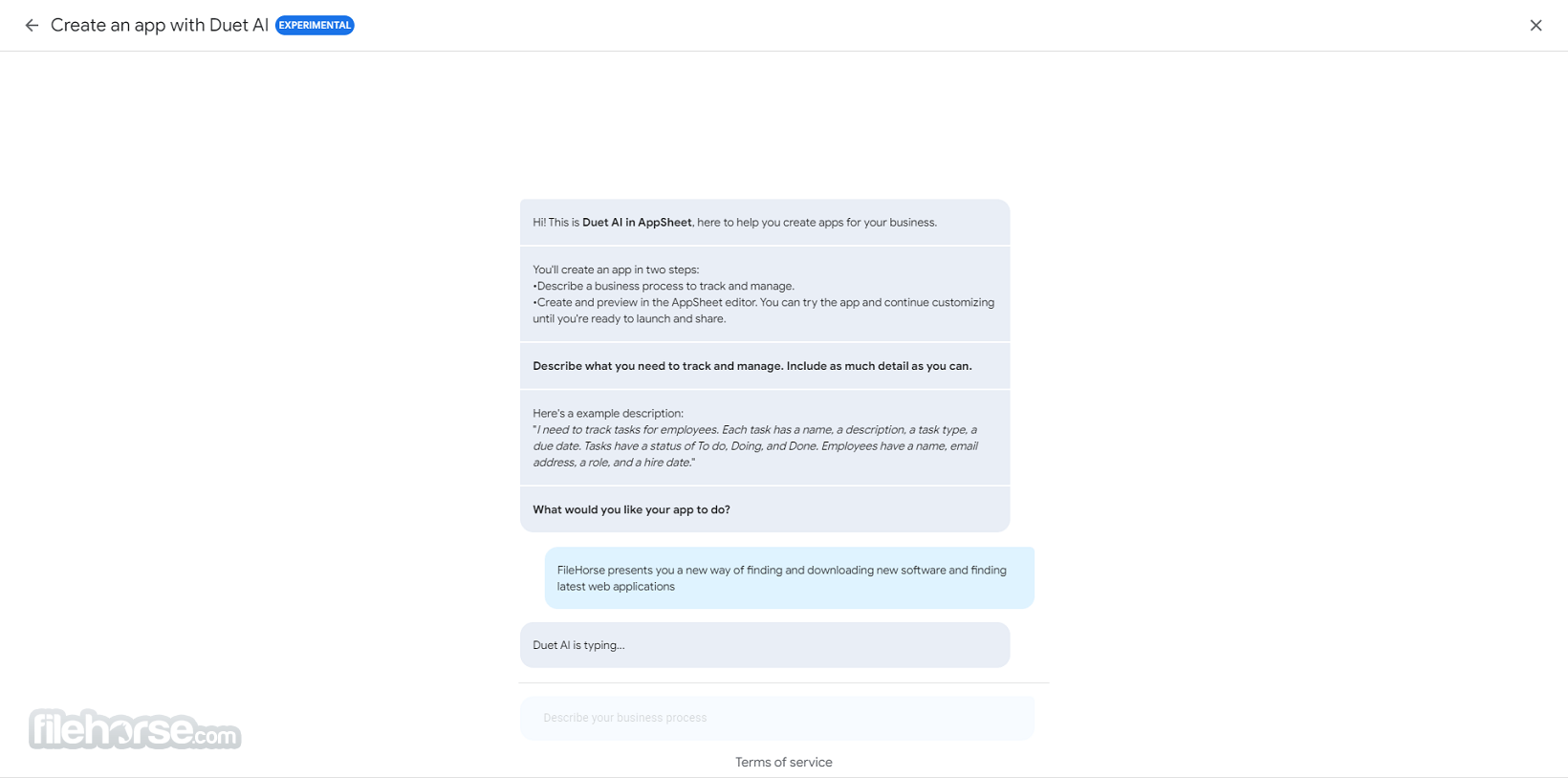
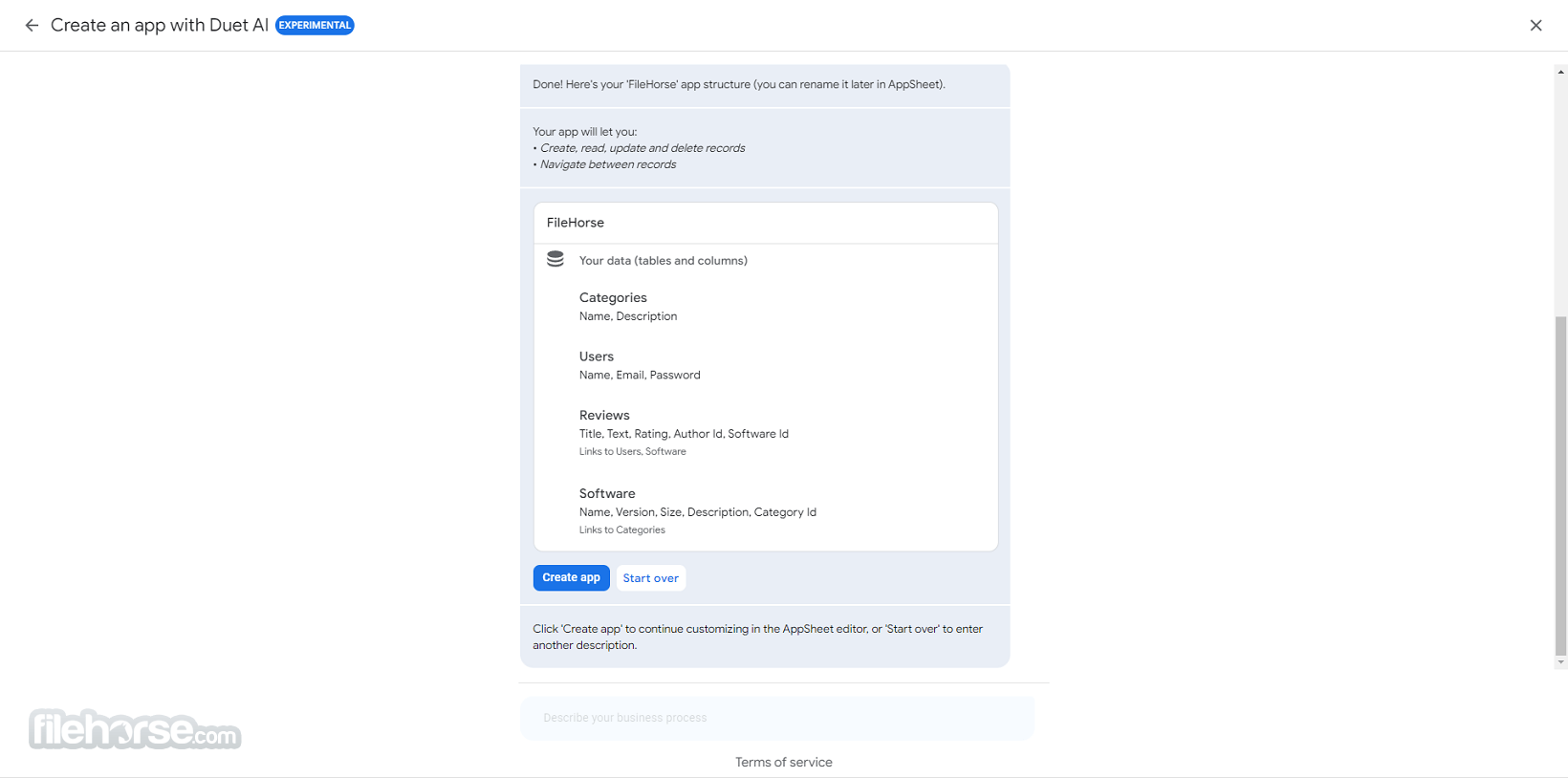
- Duet AI – 借助功能強大的 AI 程式設計夥伴來建立應用程式。
要讓這個應用程式開發平台開始運作,使用者只需登入自己的 Google 帳戶,並前往 Google Workspace Marketplace 即可。
此外,這項服務也可以作為 Google Sheets 的附加元件來存取。安裝完成後,使用者即可連接資料來源,開始建立自訂應用程式和自動化流程。
使用方式
這個平台讓所有人都能使用友善的使用者介面來建立應用程式和自動化流程,完全不需要撰寫程式碼。
使用者可以善用各種資料整合和自動化功能,為自己的特定使用情境打造客製化解決方案。
主儀表板提供所有主要工具的簡易存取,包括應用程式預覽模組、資料整合工具,以及建立功能完整的雲端感知應用程式所需的許多其他服務。
新手使用者可以透過 Google 提供的內建文件,學習建立應用程式的最佳實務做法。
##
畫面截圖
##
更新日誌
Google AppSheet - Build apps with no code- Expanded AI Integration (Gemini Support): Deeper integration with Google’s Gemini AI to help generate app logic, expressions, and automation workflows more efficiently.
- Smart App Suggestions: AI-assisted recommendations for views, actions, and data structure improvements based on your app’s schema.
- Enhanced Automation Engine: Improved performance and reliability for Bots, including better error handling and execution tracking.
- New Data Validation Controls: More granular input validation and conditional logic to improve data accuracy.
- Improved UX Customization: Additional layout options and refined view controls for dashboards and mobile experiences.
- Performance & Sync Improvements: Faster app loading and more efficient background data synchronization.
- Security & Governance Updates: Enhanced enterprise controls, better audit logging, and expanded role-based access management.
AppSheet offers a user-friendly interface for app development, allowing users of all knowledge levels to easily create and customize the appearance of their apps using the UX section of the editor.
This includes creating different app pages, customizing themes, accent colors, and fonts, and setting up format rules for data.
The editor is optimized for use both on desktop and mobile devices, with a touch-friendly UI and the ability to create both desktop and mobile-focused apps.
FAQ
What is Google AppSheet?
It is a no-code app development platform fully integrated into Google’s cloud ecosystem that allows users to easily build custom applications and automate processes without writing code.
Is it safe?
100% yes! This is a reputable web service developed and maintained directly by Google. It features many data and user access security features.
Alternatives
Appy Pie – An easy-to-use no-code development platform for creating apps for iOS and Android devices.
Zoho Creator – Cloud service that facilitates fast creation of custom applications for desktop, mobile, and web use.
Microsoft Power Apps – A competing no-code app-building platform that is integrated into the Microsoft ecosystem.
Pricing
This is a premium service that can be accessed through multiple subscription plans, with pricing based on per-user / per month billing.
Starter Plan - $5/user/month – Designed for users who want to build basic apps with core functionality and automation features.
Core Plan – $10/user/month – The most popular tier, offering advanced features, enhanced security controls, automation, and standard support options.
Enterprise Plan (Custom Pricing) – Intended for organizations that require advanced governance, team management tools, API access, enhanced security, and enterprise-grade data services. Pricing is available upon request through Google sales.
AppSheet also offers a limited free prototype mode for testing and development purposes.
System Requirements
Since this is a web-based platform, it can be easily accessed through any modern web browser on both desktop and mobile devices.
It can be accessed as a standalone editor or as an add-on in Google Sheets.
PROS
- No-code app development.
- App deployment on desktop, mobile, and web.
- Google Workspace and 3rd party service integrations.
- Extensive data source imports.
- User-friendly interface.
- Flexible premium subscription options.
- No free tier of use.
- Useful advanced features are limited to more expensive subscription tiers.
Google AppSheet is a powerful no-code platform that empowers users to create custom applications and automated processes without the need for coding. It is fully integrated into the Google Cloud ecosystem and allows users to easily import data from various sources, including Google Sheets, Excel, Cloud SQL, and others.
Apps created on this platform can be used in an incredible number of situations, including internal employee support and field services.
Download Google AppSheet Latest Version Why is this app published on FileHorse? (More info)