⚠ 這是歷史版本頁面 — 查看 GPU-Z Portable 最新版本 →

GPU-Z Portable 2.53.0
v 2.53.0
Windows
免費軟體
8.46/10 (15)
- 目前版本2.53.0
- 更新日期2023-04-18
- 檔案大小9.54 MB
- 檔案名稱GPU-ZPortable_2.53.0.paf.exe
- 作業系統Windows 7 / Windows 8 / Windows 10 / Windows 11
- 支援語系English
- 授權型式免費軟體
- 開發商 John T. Haller
- 軟體分類Windows 軟體 / 系統優化
##
編輯短評
GPU-Z Portable 是一款專注於顯示卡與 GPU 資訊檢測的輕量工具,免安裝即可執行,很適合需要快速判斷顯示卡型號、架構、記憶體類型與時脈等細節的場合。它同時提供即時的溫度、負載與功耗監控,並支援 NVIDIA、AMD、Intel 三大陣營的顯示晶片,還內建 BIOS 備份功能,對進階使用者來說相當實用。此軟體由 TechPowerUp 開發,搭配 John T. Haller 的便攜封裝,長期以來在同類工具中算是主流首選之一,目前仍維持一定更新節奏,評價普遍不錯,不過參與評分的人數不算多,參考時可稍微留意。
這套工具適合電腦維修人員、硬體愛好者,或是需要在多台機器上快速診斷顯示卡狀況的使用者。由於是免安裝版本,執行後不會在系統留下痕跡,拿來當隨身碟裡的檢測工具相當方便。與其他系統優化或硬體檢測軟體相比,GPU-Z 的定位更聚焦在顯示卡單一領域,資訊深度比綜合型工具更細,但相對地它不做效能跑分或驅動更新。需要注意的是,目前介面僅提供英文,沒有中文版,對不熟悉硬體術語的使用者來說可能稍有門檻;授權方面則是完全免費,Windows 平台可直接使用。
##
翻譯排程處理中,以下暫以英文原文呈現
軟體介紹
GPU-Z Portable is a free, lightweight utility designed to provide in-depth information about a computer’s graphics card and GPU.
Developed by TechPowerUp, this portable version requires no installation, making it a convenient tool for professionals and enthusiasts who need to monitor or diagnose GPU performance on multiple systems without leaving traces.
Main Features
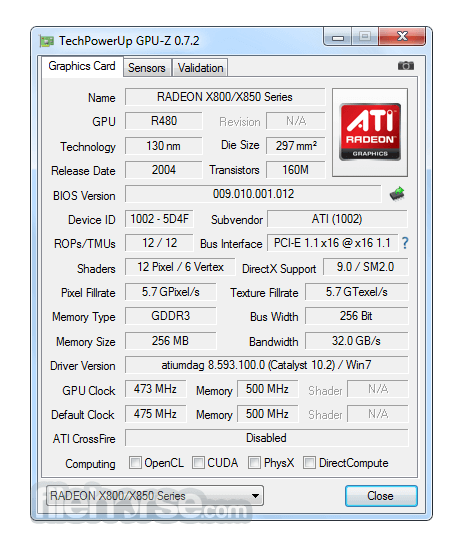
Detailed GPU information, including name, architecture, memory type, and clock speeds
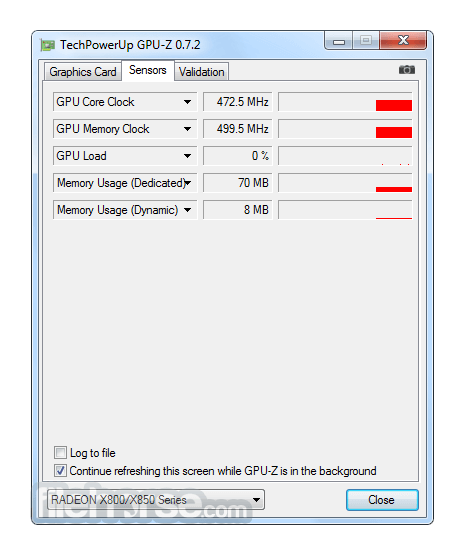
Real-time monitoring of GPU temperature, load, and power consumption
Support for NVIDIA, AMD, and Intel graphics cards
BIOS backup feature for advanced users
No installation required – runs directly from a USB drive
User Interface
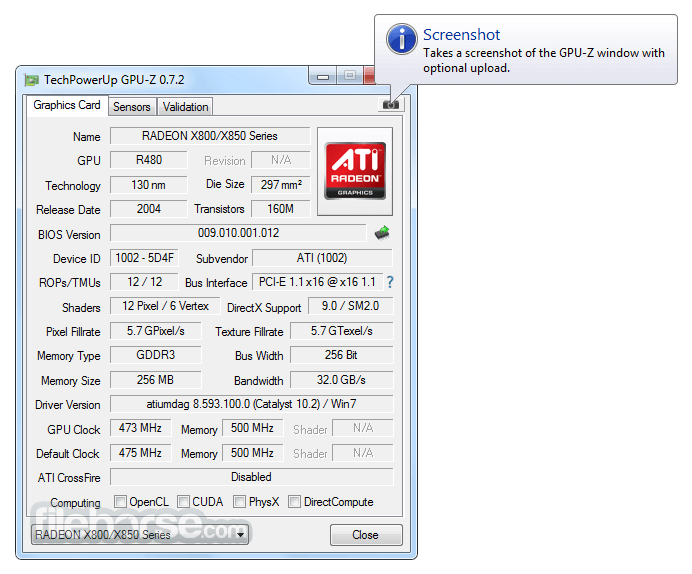
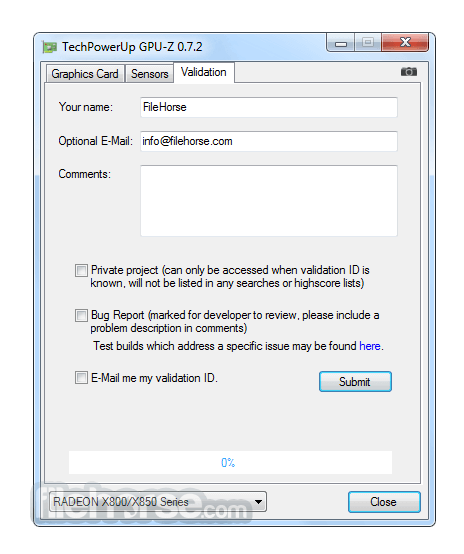
GPU-Z Portable for Windows has a straightforward, tabbed interface with a clean and organized layout. The main window displays real-time statistics and hardware details, while additional tabs provide sensor readings, advanced information, and validation options.
Installation and Setup
Since it is a portable version, no installation is required. Simply download the executable file from the TechPowerUp website, place it in any directory or USB drive, and run it.
How to Use
Is GPU-Z Portable free to use?
Yes, it is completely free.
Does GPU-Z Portable work with all GPUs?
It supports most NVIDIA, AMD, and Intel graphics cards.
Can I use GPU-Z to check for GPU overheating?
Yes, the sensors tab provides temperature readings.
Does GPU-Z Portable require administrator privileges?
Some features, like BIOS backup, may need admin access.
How is it different from the installed version?
The portable version doesn’t require installation and leaves no traces.
Alternatives
MSI Afterburner – Offers GPU monitoring along with overclocking capabilities.
HWMonitor – Provides hardware monitoring for multiple system components, including GPUs.
AIDA64 Extreme – A paid tool that offers deep system diagnostics, including GPU details.
Open Hardware Monitor – A free open-source alternative with real-time sensor readings.
Speccy – A lightweight system information tool from Piriform that includes GPU details.
Pricing
This program is completely FREE to download and use.
System Requirements
GPU-Z Portable is an essential tool for anyone who needs quick access to GPU details and real-time monitoring without the hassle of installation. While it lacks advanced overclocking features, it excels in providing accurate and detailed GPU data.
Download GPU-Z Portable Latest Version Why is this app published on FileHorse? (More info)
Developed by TechPowerUp, this portable version requires no installation, making it a convenient tool for professionals and enthusiasts who need to monitor or diagnose GPU performance on multiple systems without leaving traces.
Main Features
Detailed GPU information, including name, architecture, memory type, and clock speeds
Real-time monitoring of GPU temperature, load, and power consumption
Support for NVIDIA, AMD, and Intel graphics cards
BIOS backup feature for advanced users
No installation required – runs directly from a USB drive
User Interface
GPU-Z Portable for Windows has a straightforward, tabbed interface with a clean and organized layout. The main window displays real-time statistics and hardware details, while additional tabs provide sensor readings, advanced information, and validation options.
Installation and Setup
Since it is a portable version, no installation is required. Simply download the executable file from the TechPowerUp website, place it in any directory or USB drive, and run it.
How to Use
- Launch the app executable file.
- View GPU specifications on the main tab.
- Switch to the “Sensors” tab for real-time monitoring.
- Use the BIOS backup feature if needed.
- Exit the software without any residual files left behind.
Is GPU-Z Portable free to use?
Yes, it is completely free.
Does GPU-Z Portable work with all GPUs?
It supports most NVIDIA, AMD, and Intel graphics cards.
Can I use GPU-Z to check for GPU overheating?
Yes, the sensors tab provides temperature readings.
Does GPU-Z Portable require administrator privileges?
Some features, like BIOS backup, may need admin access.
How is it different from the installed version?
The portable version doesn’t require installation and leaves no traces.
Alternatives
MSI Afterburner – Offers GPU monitoring along with overclocking capabilities.
HWMonitor – Provides hardware monitoring for multiple system components, including GPUs.
AIDA64 Extreme – A paid tool that offers deep system diagnostics, including GPU details.
Open Hardware Monitor – A free open-source alternative with real-time sensor readings.
Speccy – A lightweight system information tool from Piriform that includes GPU details.
Pricing
This program is completely FREE to download and use.
System Requirements
- Windows 7, 8, 10, 11
- Intel, AMD, or NVIDIA GPU
- Minimal disk space (less than 10MB)
- No installation required
- Provides extensive GPU details
- Supports all major GPU brands
- Low system resource usage
- Free to use
- Lacks GPU tweaking features
- No built-in logging or alerts
GPU-Z Portable is an essential tool for anyone who needs quick access to GPU details and real-time monitoring without the hassle of installation. While it lacks advanced overclocking features, it excels in providing accurate and detailed GPU data.
Download GPU-Z Portable Latest Version Why is this app published on FileHorse? (More info)
##
畫面截圖
- 2026-06-17 GPU-Z Portable 2.70.0 11.65 MB
- 2026-02-13 GPU-Z Portable 2.69.0 11.58 MB
- 2025-08-14 GPU-Z Portable 2.68.0 11.42 MB
- 2025-05-29 GPU-Z Portable 2.66.0 11.4 MB
- 2025-04-11 GPU-Z Portable 2.65.1 11.39 MB
- 2025-02-27 GPU-Z Portable 2.64.0 11.39 MB
- 2024-08-17 GPU-Z Portable 2.60.0 10.21 MB
- 2024-04-20 GPU-Z Portable 2.59.0 10.21 MB