HP PC Hardware Diagnostics
v HP PC Hardware Diagnostics
Windows
免費軟體
10/10 (1)
- 目前版本HP PC Hardware Diagnostics
- 更新日期2026-06-19
- 檔案大小1.2 MB
- 檔案名稱HP PC Hardware Diagnostics Windows Installer.exe
- 作業系統Windows 10 / Windows 11
- 支援語系English
- 授權型式免費軟體
- 開發商 HP Inc.
- 軟體分類Windows 軟體 / 驅動程式
##
翻譯排程處理中,以下暫以英文原文呈現
軟體介紹
HP PC Hardware Diagnostics is a free Windows utility designed to identify possible hardware failures in compatible HP laptops, desktops, and workstations.
Instead of relying only on Windows error messages, it directly checks important components such as the processor, memory, storage drives, battery, motherboard, and connected devices.
The HP PC Hardware Diagnostics for PC is particularly useful when a computer freezes, becomes unusually slow, displays battery warnings, produces storage errors, or behaves unpredictably.
Users can begin with a short system scan and move to more detailed component testing when the initial test does not identify the problem.
Results are clearly marked as passed, failed, or requiring further attention.
When hardware fails a test, the program may generate a failure ID that can help technicians identify the affected component.
Features
The interface is functional and focused on troubleshooting rather than visual customization.
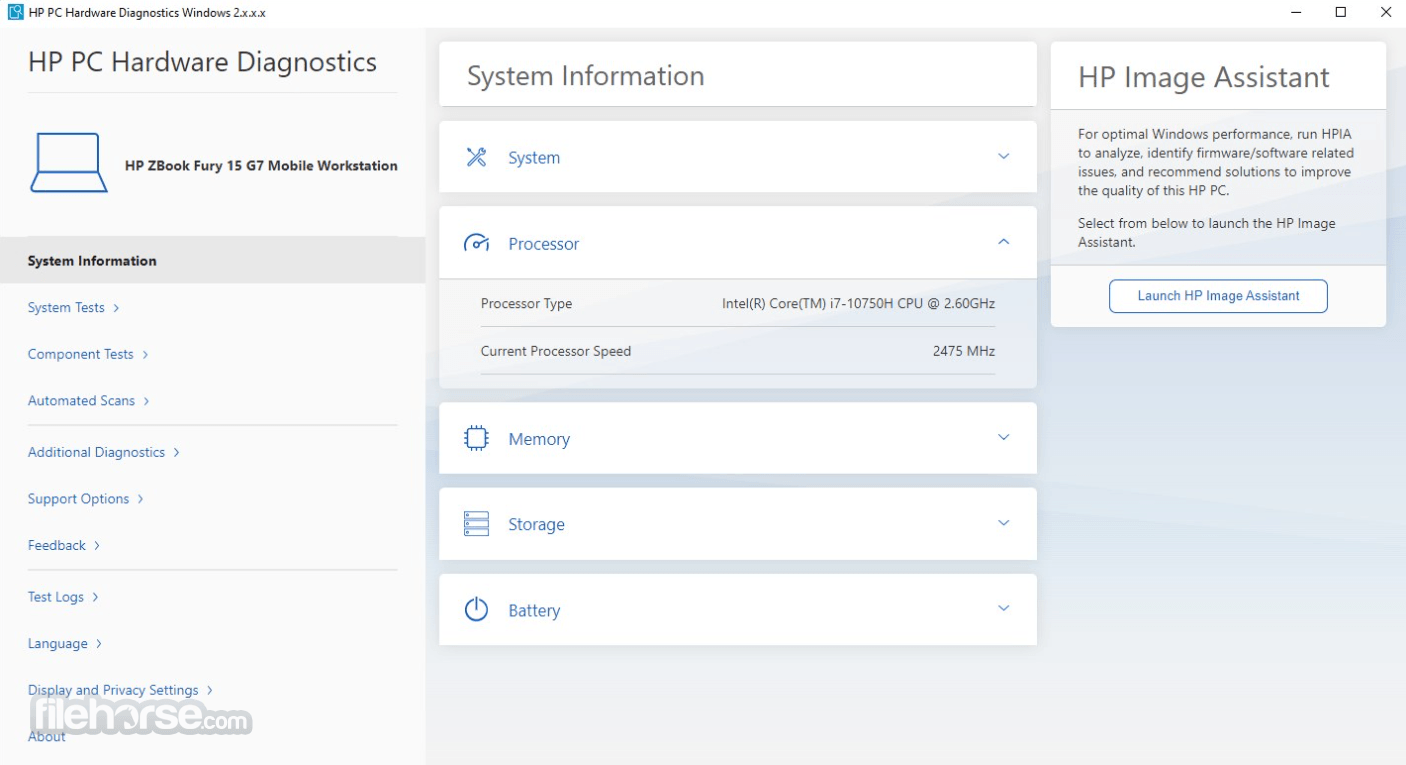
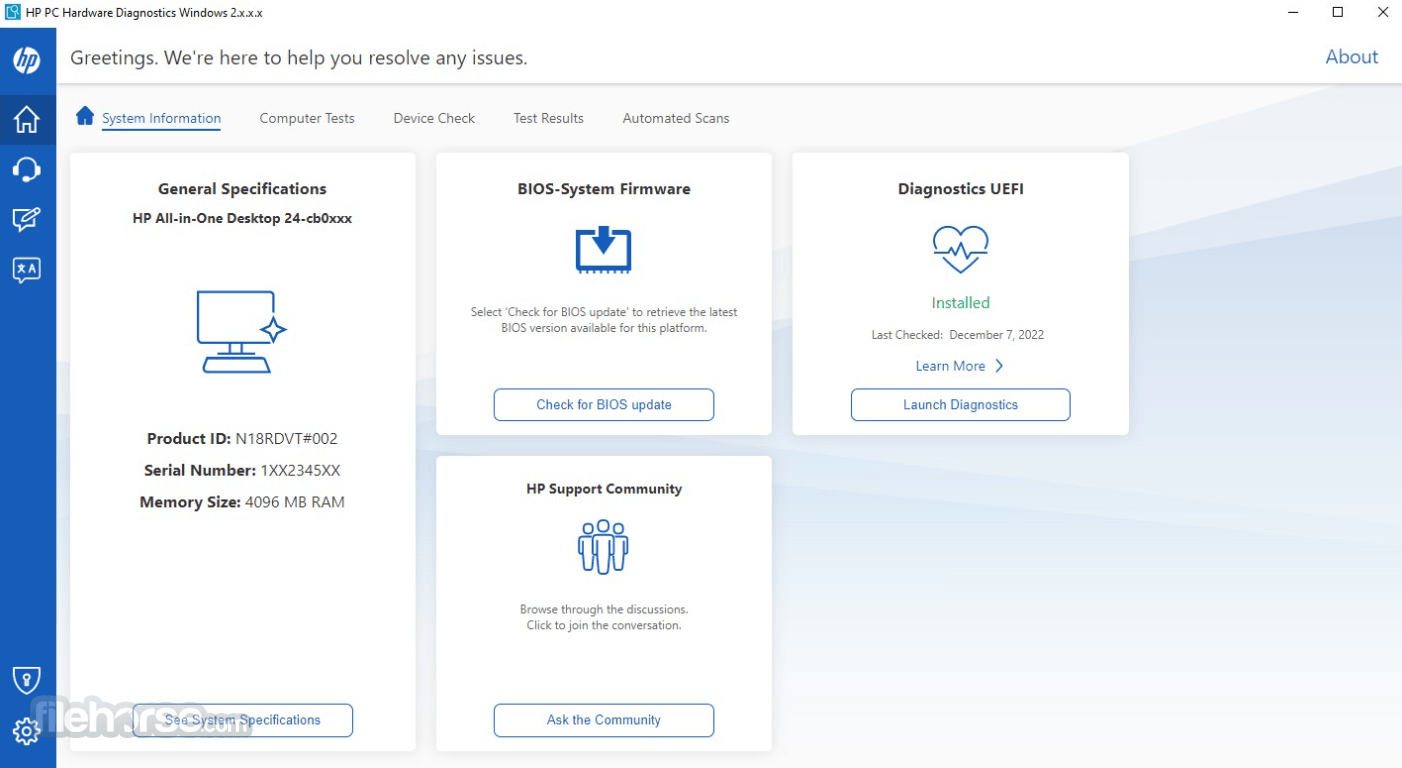
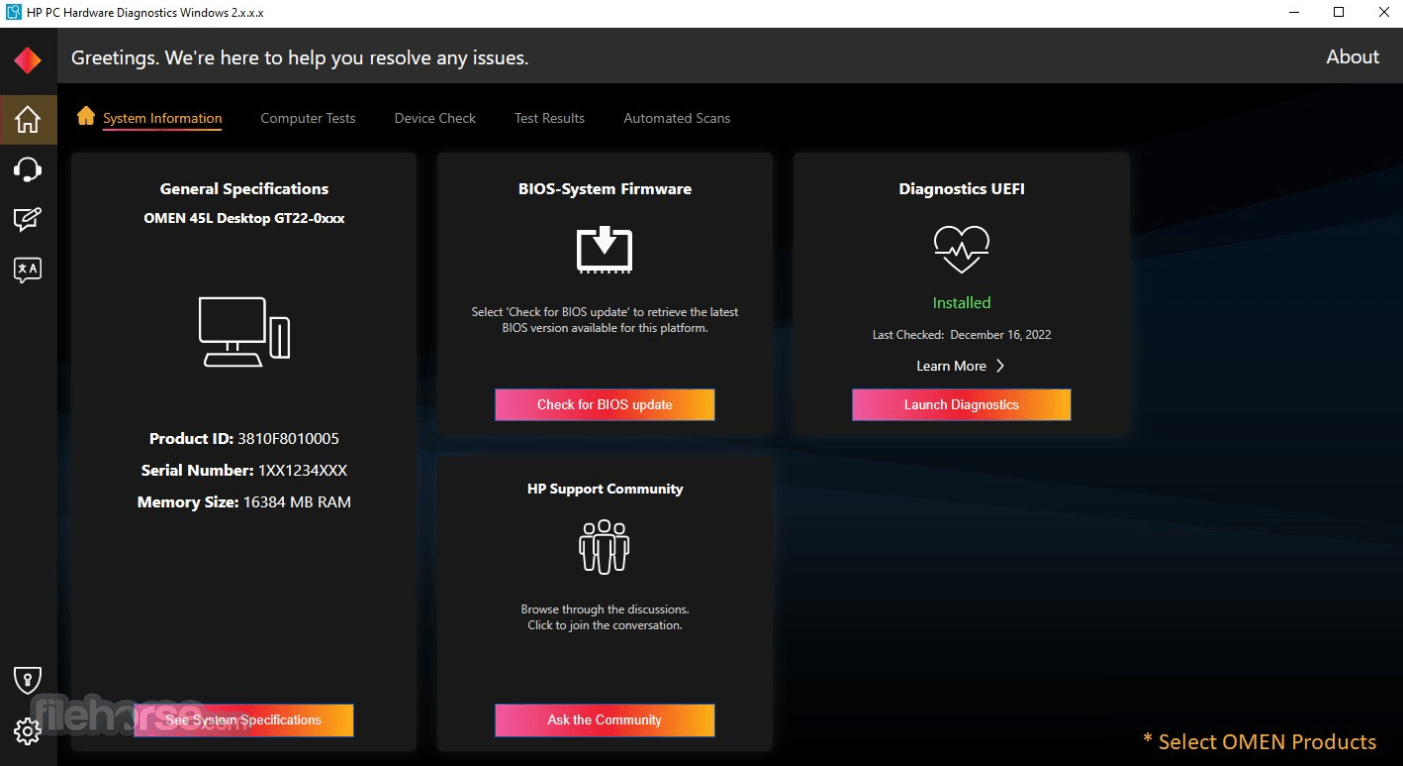
Its main screen provides direct access to computer tests, component tests, system information, and previous results.
Test progress, estimated completion information, and component status are displayed clearly. Beginners can run an automatic system test, while experienced users can select a specific component.
Some technical terminology may still require additional explanation, but the overall navigation is straightforward.
Installation and Setup
HP PC Hardware Diagnostics can be installed through the Microsoft Store and FileHorse.com or as a standalone package.
The Store edition requires a relatively large download, so installation may take several minutes.
After installation, open the application with administrator privileges. No account or subscription is normally required.
For the most reliable results, connect laptops to their power adapter, save open work, and close unnecessary applications before starting a test.
How to Use
Is HP PC Hardware Diagnostics free?
Yes. The Windows and UEFI diagnostic utilities are available without a paid subscription.
Does it repair damaged hardware?
No. It identifies likely failures but cannot physically repair or replace defective components.
Can it test a computer that will not start Windows?
Yes. The separate UEFI version runs before the operating system and can be opened from the HP startup menu.
How long does a diagnostic test take?
A fast system test usually takes only a few minutes. Extensive storage, memory, and system tests can take considerably longer.
Does passing every test guarantee that the PC is healthy?
No. Intermittent faults, driver conflicts, overheating under specific workloads, and software problems might not appear during every diagnostic session.
Alternatives
HWiNFO - Detailed hardware monitoring and system information for advanced users.
MemTest86 - Specialized pre-boot testing for RAM errors and instability.
CrystalDiskInfo - Monitors SSD and hard-drive health using available SMART information.
OCCT - Stress-testing software for processors, graphics cards, memory, and power stability.
Windows Memory Diagnostic - Built-in Windows utility for checking system memory.
Pricing
HP PC Hardware Diagnostics is FREE to download and use.
There are no premium plans, recurring fees, advertisements, or feature-based subscriptions.
System Requirements
HP PC Hardware Diagnostics provides HP computer owners with a convenient way to investigate battery, memory, storage, processor, and startup problems.
Its combination of quick scans, detailed component tests, failure codes, and pre-boot diagnostics makes it a valuable troubleshooting utility, although it diagnoses problems rather than repairing them.
Download HP PC Hardware Diagnostics Latest Version Why is this app published on FileHorse? (More info)
Instead of relying only on Windows error messages, it directly checks important components such as the processor, memory, storage drives, battery, motherboard, and connected devices.
The HP PC Hardware Diagnostics for PC is particularly useful when a computer freezes, becomes unusually slow, displays battery warnings, produces storage errors, or behaves unpredictably.
Users can begin with a short system scan and move to more detailed component testing when the initial test does not identify the problem.
Results are clearly marked as passed, failed, or requiring further attention.
When hardware fails a test, the program may generate a failure ID that can help technicians identify the affected component.
Features
- System Information: Displays essential details about the computer and installed hardware.
- Fast Test: Quickly checks the main system components for common failures.
- Extensive Test: Performs a deeper examination when the short scan finds nothing.
- Component Tests: Let users examine individual parts instead of scanning the entire PC.
- Memory Test: Checks RAM for errors that may cause crashes, freezes, or startup problems.
- Storage Test: Examines hard drives and SSDs for reliability and operational problems.
- Battery Check: Evaluates battery condition, charging behavior, and possible replacement needs.
- Processor Test: Checks essential CPU functions and confirms stable operation.
- Failure IDs: Produces diagnostic codes for certain detected hardware problems.
- Test History: Helps users review previous diagnostic results and recurring failures.
- UEFI Support: A separate pre-boot edition can test hardware when Windows will not load.
The interface is functional and focused on troubleshooting rather than visual customization.
Its main screen provides direct access to computer tests, component tests, system information, and previous results.
Test progress, estimated completion information, and component status are displayed clearly. Beginners can run an automatic system test, while experienced users can select a specific component.
Some technical terminology may still require additional explanation, but the overall navigation is straightforward.
Installation and Setup
HP PC Hardware Diagnostics can be installed through the Microsoft Store and FileHorse.com or as a standalone package.
The Store edition requires a relatively large download, so installation may take several minutes.
After installation, open the application with administrator privileges. No account or subscription is normally required.
For the most reliable results, connect laptops to their power adapter, save open work, and close unnecessary applications before starting a test.
How to Use
- Step 1: Open HP PC Hardware Diagnostics from the Windows Start menu.
- Step 2: Allow administrator access if Windows requests permission.
- Step 3: Select System Tests for a general examination of the computer.
- Step 4: Run the Fast Test to check the most important components.
- Step 5: Review whether each tested component passed or failed.
- Step 6: Run the Extensive Test if problems continue after a successful fast scan.
- Step 7: Open Component Tests when you want to examine memory, storage, battery, or another individual device.
- Step 8: Record any failure ID displayed by the application.
- Step 9: Use the separate UEFI diagnostics environment when Windows cannot start.
Is HP PC Hardware Diagnostics free?
Yes. The Windows and UEFI diagnostic utilities are available without a paid subscription.
Does it repair damaged hardware?
No. It identifies likely failures but cannot physically repair or replace defective components.
Can it test a computer that will not start Windows?
Yes. The separate UEFI version runs before the operating system and can be opened from the HP startup menu.
How long does a diagnostic test take?
A fast system test usually takes only a few minutes. Extensive storage, memory, and system tests can take considerably longer.
Does passing every test guarantee that the PC is healthy?
No. Intermittent faults, driver conflicts, overheating under specific workloads, and software problems might not appear during every diagnostic session.
Alternatives
HWiNFO - Detailed hardware monitoring and system information for advanced users.
MemTest86 - Specialized pre-boot testing for RAM errors and instability.
CrystalDiskInfo - Monitors SSD and hard-drive health using available SMART information.
OCCT - Stress-testing software for processors, graphics cards, memory, and power stability.
Windows Memory Diagnostic - Built-in Windows utility for checking system memory.
Pricing
HP PC Hardware Diagnostics is FREE to download and use.
There are no premium plans, recurring fees, advertisements, or feature-based subscriptions.
System Requirements
- Operating System: Windows 10 or Windows 11.
- Device: Compatible HP laptop, desktop, workstation, or all-in-one PC.
- Architecture: 64-bit system recommended.
- Storage: Approximately 1.2 GB for the Microsoft Store package.
- Permissions: Administrator access for complete testing.
- Internet: Required for downloading and updating the application.
- UEFI Edition: Supported HP firmware and a USB drive may be required for external installation.
- Free diagnostic utility.
- Simple test selection.
- Fast and extensive scans.
- Individual component testing.
- Useful battery and storage checks.
- Generates hardware failure codes.
- Pre-boot UEFI option available.
- Primarily intended for HP computers.
- Cannot repair defective components.
- The store package is relatively large.
- Technical results may confuse beginners.
- UEFI setup requires additional steps.
HP PC Hardware Diagnostics provides HP computer owners with a convenient way to investigate battery, memory, storage, processor, and startup problems.
Its combination of quick scans, detailed component tests, failure codes, and pre-boot diagnostics makes it a valuable troubleshooting utility, although it diagnoses problems rather than repairing them.
Download HP PC Hardware Diagnostics Latest Version Why is this app published on FileHorse? (More info)
##
畫面截圖