⚠ 這是歷史版本頁面 — 查看 ImageGlass 最新版本 →

ImageGlass 9.0.9.1230
v 9.0.9.1230
Windows
開源軟體
9.02/10 (43)
- 目前版本9.0.9.1230
- 更新日期2023-12-28
- 檔案大小39.6 MB
- 檔案名稱ImageGlass_9.0.9.1230_x64.msi
- 作業系統Windows 10 (64-bit) / Windows 11
- 支援語系English
- 授權型式開源軟體
- 開發商 Duong Dieu Phap
- 軟體分類Windows 軟體 / 影像設計
##
編輯短評
ImageGlass 是一款免費開源的 Windows 影像檢視器,主要用來取代系統內建的相片檢視器,解決預設工具開啟慢、支援格式少的問題。它主打輕量與快速,介面極簡且可自訂,並支援多種常見影像格式,因此特別受到攝影師與設計師的喜愛。開發團隊持續維護,更新相當活躍,使用者評價普遍正面。
這套軟體適合需要頻繁瀏覽大量圖片的用戶,例如攝影師、設計師或一般上班族。與 Photoshop 等重量級編輯軟體相比,它專注於檢視功能,沒有多餘的編輯工具,因此啟動與操作都更輕快。授權為開源軟體,可免費使用,但僅支援 Windows 平台,且目前介面只有英文,沒有中文版,使用前需留意。
##
翻譯排程處理中,以下暫以英文原文呈現
軟體介紹
ImageGlass (64-bit) is a free and open-source image viewer designed for Windows users seeking a lightweight yet feature-rich alternative to the default Windows Photo Viewer.
Developed with speed and simplicity in mind, ImageGlass provides a fluid image browsing experience and supports over 80 image formats.
Its minimalist design and customizable UI make it a favorite among users who need a snappy viewer without the bloat of editing tools or unnecessary features.
It’s especially popular with photographers, graphic designers, and anyone who deals with large sets of images regularly.
Main Features
Wide Format Support: It supports 80+ image formats, including PNG, JPEG, BMP, GIF, TIFF, ICO, SVG, WEBP, HEIC, and RAW files.
Customizable UI: Choose from various themes and layouts. You can move or hide interface elements based on your workflow preferences.
Image Conversion: Quickly convert images between popular formats like JPG, PNG, BMP, and TIFF.
Slideshow Mode: Enables users to view entire folders in a slideshow presentation with optional delay timing.
Clipboard Support: Copy, paste, and drag-drop images easily within the app or into other programs.
Zoom and Rotate: Fast zooming, panning, rotating, and flipping images.
Extension System: Developers can extend ImageGlass through plugins or scripts, offering advanced customization for power users.
Language Packs: Supports multiple languages and easy localization.
User Interface
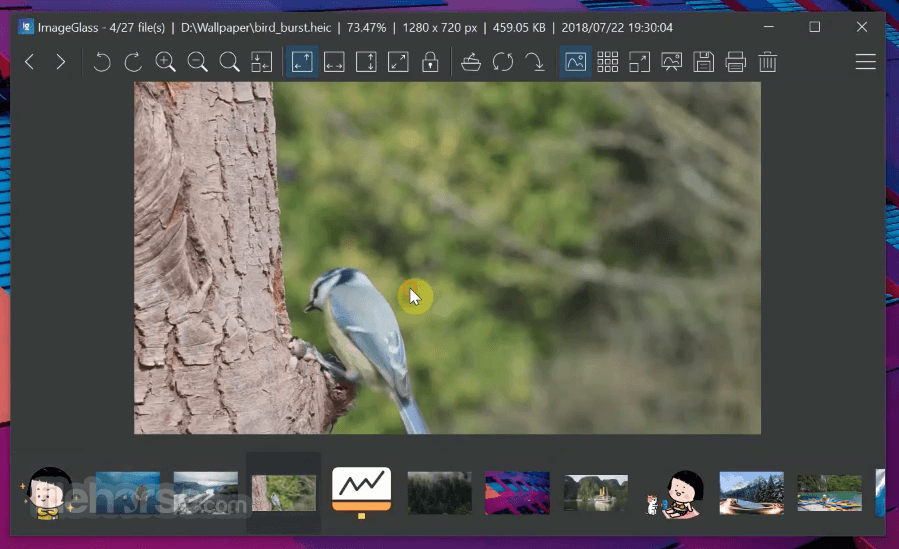
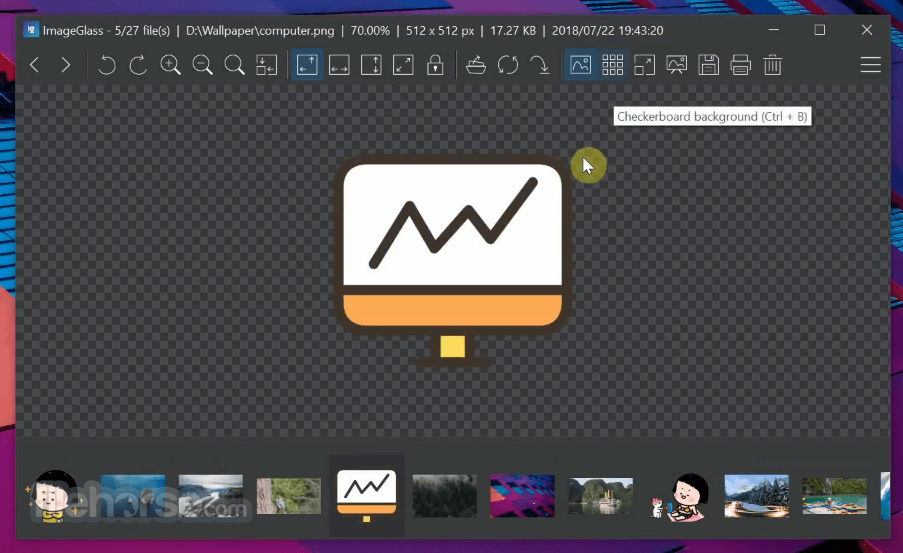
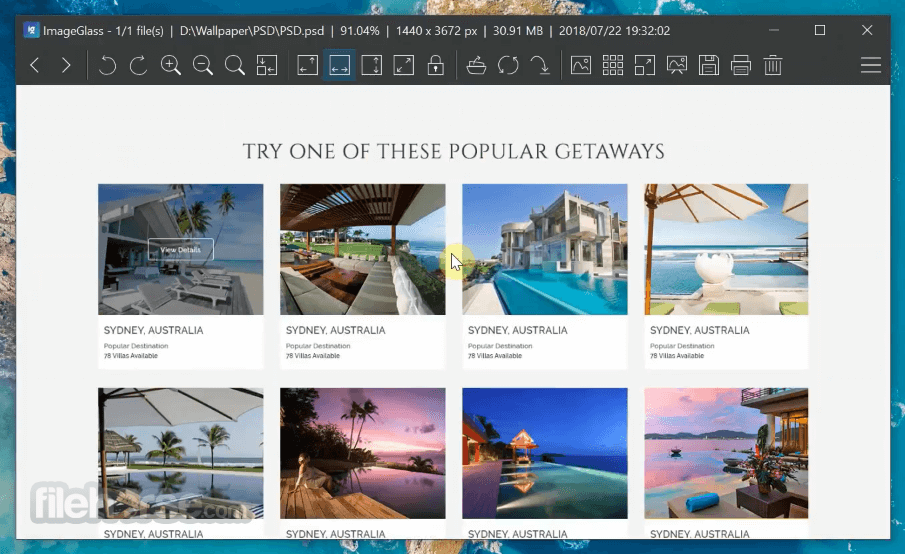
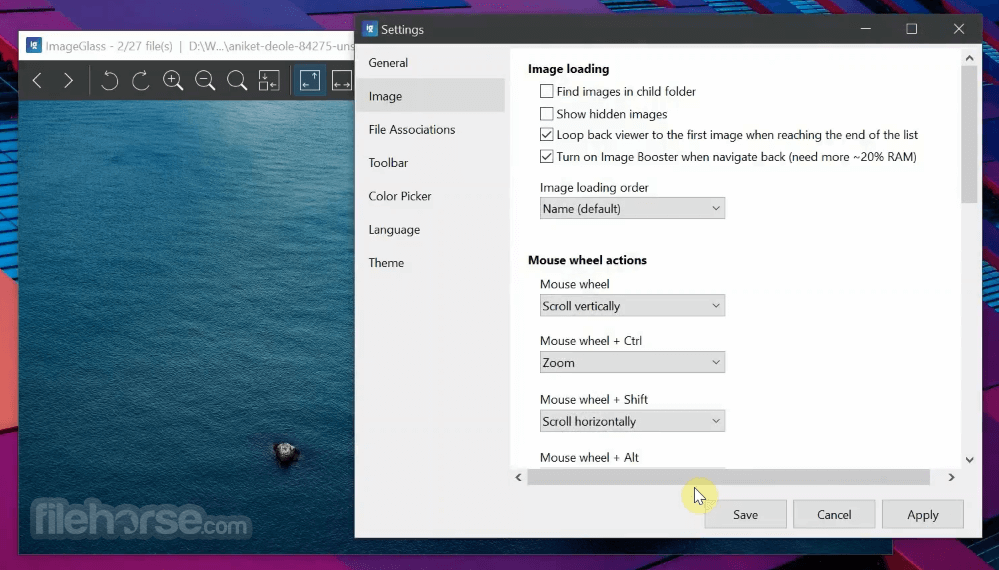
The app prides itself on a clean, intuitive interface. Upon opening the software, users are greeted with a simple viewer window displaying the image and a compact toolbar above it.
All essential controls—zoom, rotate, slideshow, full-screen, and conversion—are placed for quick access. Navigation buttons allow you to scroll through an entire folder seamlessly.
There's no clutter, and UI themes are available for those who prefer a dark mode or minimalist layout.
Installation and Setup
How to Use
Open Images: Drag and drop an image onto the app window, or use File > Open to browse.
Navigate Folders: Use arrow keys or toolbar buttons to move between images in the folder.
Zoom and Rotate: Use scroll wheel to zoom in/out, and toolbar buttons or keyboard shortcuts to rotate.
Switch Themes: Go to Settings > Theme to change the look and feel.
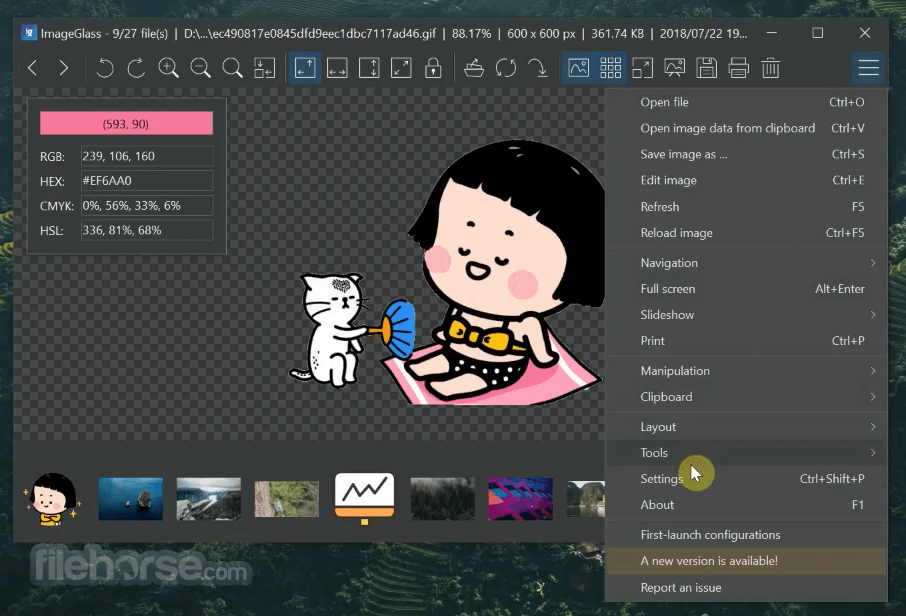
Convert Images: Click the image converter icon or go to Tools > Convert Image.
View Metadata: Access file properties and metadata under Tools > Image Info.
FAQs
Can ImageGlass open RAW files?
Yes, it supports various RAW image formats such as CR2, NEF, and ARW with the proper Windows codecs installed.
Is there any editing functionality in ImageGlass?
No. ImageGlass is an image viewer, not an editor. It focuses solely on viewing and basic manipulation like rotation and conversion.
Can I set ImageGlass as the default image viewer?
Yes. During installation or through the app settings, you can assign ImageGlass as the default image viewer for supported formats.
Is ImageGlass available for platforms other than Windows?
Currently, this software is only available for Windows operating systems. There are no official macOS or Linux versions.
Does ImageGlass support animated GIFs or WEBP?
Yes. The program plays animated formats like GIF and WEBP natively, with playback controls available.
Alternatives
IrfanView – Lightweight and fast with more editing features, but a dated UI.
XnView MP – Supports even more formats and batch processing.
FastStone Image Viewer – Good all-in-one viewer with editing and slideshow options.
Microsoft Photos – Default viewer in Windows 10/11, but slower and less format-friendly.
Pricing
The app is completely FREE and open-source. It is licensed under the GNU General Public License (GPL), and donations are accepted via the official website to support development.
System Requirements
ImageGlass (64-bit) is an excellent image viewer for Windows users looking for speed, simplicity, and wide format support. It strips away unnecessary complexity and delivers a smooth, hassle-free experience for browsing images.
While it lacks editing tools, it excels as a pure viewer, and its extensibility, theming, and responsive performance make it a top choice among power users and casual viewers alike.
Note: Requires .NET Framework.
Also Available: ImageGlass (32-bit)
Download ImageGlass Latest Version Why is this app published on FileHorse? (More info)
Developed with speed and simplicity in mind, ImageGlass provides a fluid image browsing experience and supports over 80 image formats.
Its minimalist design and customizable UI make it a favorite among users who need a snappy viewer without the bloat of editing tools or unnecessary features.
It’s especially popular with photographers, graphic designers, and anyone who deals with large sets of images regularly.
Main Features
Wide Format Support: It supports 80+ image formats, including PNG, JPEG, BMP, GIF, TIFF, ICO, SVG, WEBP, HEIC, and RAW files.
Customizable UI: Choose from various themes and layouts. You can move or hide interface elements based on your workflow preferences.
Image Conversion: Quickly convert images between popular formats like JPG, PNG, BMP, and TIFF.
Slideshow Mode: Enables users to view entire folders in a slideshow presentation with optional delay timing.
Clipboard Support: Copy, paste, and drag-drop images easily within the app or into other programs.
Zoom and Rotate: Fast zooming, panning, rotating, and flipping images.
Extension System: Developers can extend ImageGlass through plugins or scripts, offering advanced customization for power users.
Language Packs: Supports multiple languages and easy localization.
User Interface
The app prides itself on a clean, intuitive interface. Upon opening the software, users are greeted with a simple viewer window displaying the image and a compact toolbar above it.
All essential controls—zoom, rotate, slideshow, full-screen, and conversion—are placed for quick access. Navigation buttons allow you to scroll through an entire folder seamlessly.
There's no clutter, and UI themes are available for those who prefer a dark mode or minimalist layout.
Installation and Setup
- Download the 64-bit installer from the official website, FileHorse.com or Microsoft Store.
- Launch the installer and follow the simple installation wizard.
- Choose whether to make it your default image viewer.
- Optional: Download additional themes or language packs from the official website.
How to Use
Open Images: Drag and drop an image onto the app window, or use File > Open to browse.
Navigate Folders: Use arrow keys or toolbar buttons to move between images in the folder.
Zoom and Rotate: Use scroll wheel to zoom in/out, and toolbar buttons or keyboard shortcuts to rotate.
Switch Themes: Go to Settings > Theme to change the look and feel.
Convert Images: Click the image converter icon or go to Tools > Convert Image.
View Metadata: Access file properties and metadata under Tools > Image Info.
FAQs
Can ImageGlass open RAW files?
Yes, it supports various RAW image formats such as CR2, NEF, and ARW with the proper Windows codecs installed.
Is there any editing functionality in ImageGlass?
No. ImageGlass is an image viewer, not an editor. It focuses solely on viewing and basic manipulation like rotation and conversion.
Can I set ImageGlass as the default image viewer?
Yes. During installation or through the app settings, you can assign ImageGlass as the default image viewer for supported formats.
Is ImageGlass available for platforms other than Windows?
Currently, this software is only available for Windows operating systems. There are no official macOS or Linux versions.
Does ImageGlass support animated GIFs or WEBP?
Yes. The program plays animated formats like GIF and WEBP natively, with playback controls available.
Alternatives
IrfanView – Lightweight and fast with more editing features, but a dated UI.
XnView MP – Supports even more formats and batch processing.
FastStone Image Viewer – Good all-in-one viewer with editing and slideshow options.
Microsoft Photos – Default viewer in Windows 10/11, but slower and less format-friendly.
Pricing
The app is completely FREE and open-source. It is licensed under the GNU General Public License (GPL), and donations are accepted via the official website to support development.
System Requirements
- OS: Windows 11 or Windows 10 (64-bit)
- RAM: 2 GB or higher
- CPU: 1 GHz or faster processor
- Disk Space: ~50 MB for installation
- Display: 1024x768 resolution or higher
- Free and open-source
- Supports 80+ image formats
- Fast and lightweight
- Customizable interface
- No ads or bloatware
- No image editing tools
- Windows-only
- Limited plugin ecosystem
- Advanced features may require third-party codecs
ImageGlass (64-bit) is an excellent image viewer for Windows users looking for speed, simplicity, and wide format support. It strips away unnecessary complexity and delivers a smooth, hassle-free experience for browsing images.
While it lacks editing tools, it excels as a pure viewer, and its extensibility, theming, and responsive performance make it a top choice among power users and casual viewers alike.
Note: Requires .NET Framework.
Also Available: ImageGlass (32-bit)
Download ImageGlass Latest Version Why is this app published on FileHorse? (More info)
##
畫面截圖
- 2026-08-06 ImageGlass 9.6.1.807 136 MB
- 2026-08-01 ImageGlass 9.6.0.801 137 MB
- 2026-05-14 ImageGlass 9.5.0.515 136 MB
- 2026-01-03 ImageGlass 9.4.1.15 137 MB
- 2025-12-13 ImageGlass 9.4.0.1120 137 MB
- 2025-05-19 ImageGlass 9.3.2.520 134 MB
- 2025-05-17 ImageGlass 9.3.1.518 134 MB
- 2025-05-13 ImageGlass 9.3.0.514 134 MB