- 目前版本11.0
- 更新日期2026-04-03
- 檔案大小1.6 MB
- 檔案名稱InpaintSetup.exe
- 作業系統Windows XP / Vista / Windows 7 / Windows 8 / Windows 10
- 支援語系English
- 授權型式試用版
- 開發商 TeoreX
- 軟體分類Windows 軟體 / 影像設計
##
翻譯排程處理中,以下暫以英文原文呈現
軟體介紹
Inpaint will magically fill the selected area with intelligently-generated textures pulled from the surrounding image data. Inpaint photo restoration software for PC reconstructs the selected image area from the pixels near the area boundary.
Remove undesirable objects from your images, such as logos, watermarks, power lines, people, text, or any other undesired artifacts. There's no need to manually go through messing around with your old clone tool anymore!
Now you can use the app to easily remove all those unexpected objects that end up spoiling an otherwise really great photograph.
Features and Highlights
Magically remove tourists or other unwanted persons from your photo
Frustrated by nasty tourists stalking back and forth and spoiling the best shots? Take them away from your photos with the program! With a few simple gestures, you will get clear, spectacular pictures, just like you intended them to be. Inpaint's Magic Wand tool allows you to select unnecessary objects or persons on a photo in literally seconds, so all you have to do then is to let Inpaint do the rest.
Remove any unwanted elements
Aside from the information it truly wants to see on photographs, there are also many not-so-crucial for composition, if not worse. These are camera date stamps, watermarks placed by various websites, and other objects it doesn't want to be on a picture. After all, if you're gonna hang a photo on a wall, you want it to look eye-catching, not due to various visual wreckage on it. So remove it with the software! With simple and efficient tools, you are able to remove any unwanted elements totally effortlessly.
Remove objects from photos
The devil is always in the details. A tiny object in a photo can ruin the entire composition or even make it produce the effect opposite to that you initially were hoping for. Using the app, removing objects from photos is almost as easy as taking a shot itself. With merely three simple steps, you can make power lines, tourists, buildings, background wreckage, and other elements vanish as if they never were there.
Repair old photos
Old doesn't always mean bad. Some of the older photos it has are still important to us as they still carry value and bring positive emotions. Alas, scratches, spots, and tears are an inevitable legacy of old film photography, especially if we're talking about aged pictures. Happily, the digital copy of a scanned old photo can be easily retouched with Inpaint. This little yet capable helper will make all those frustrating defects go away with minimum efforts from your side. Just select problematic zones on the picture and fix them!
Improve your skin with the app
Nobody is ideal. Yet still, it wants to look better sometimes - retouch some wrinkles, remove skin defects. Indeed, what a wedding photo would bear redness or pimples on the bride's face? What about a prom album or a dating site? It allows you to quickly improve your skin in photos and conceal everything you don't want to show. Just apply the Marker tool or the Magic Want tool to every problem zone and instantly see the difference!
MultiView
Multi-View allows you to remove moving objects such as vehicles, construction work, or simply other tourists from the photo by blending different areas of two or more pictures of the same scene.
Batch
BatchInpaint is a batch version of the app. Now you can remove watermarks, date stamps, and other unwanted objects in a batch mode.
Top Reasons to use this restoration software
What is Inpaint actually good at compared to other photo editors?
Inpaint is specifically designed for one task—removing unwanted objects from photos. Instead of offering a full editing suite, it focuses on smart content-aware filling, allowing users to erase people, watermarks, wires, or imperfections with minimal effort and without needing advanced editing skills.
How well does Inpaint handle complex removals?
It works very well on simple backgrounds (sky, walls, textures), where results can look clean and natural. However, with complex scenes (crowds, detailed patterns), results may require multiple passes or manual refinement, as it is not as advanced as professional tools like Photoshop.
Is Inpaint still worth using in 2026?
Yes, but with a clear use case. In 2026, many apps offer AI object removal, but Inpaint still stands out for its lightweight, fast, and straightforward approach. It’s ideal if you want a simple, no-learning-curve tool focused purely on quick retouching rather than full editing workflows.
System Requirements
Also Available: Download Inpaint for Mac
Download Inpaint Latest Version Why is this app published on FileHorse? (More info)
Remove undesirable objects from your images, such as logos, watermarks, power lines, people, text, or any other undesired artifacts. There's no need to manually go through messing around with your old clone tool anymore!
Now you can use the app to easily remove all those unexpected objects that end up spoiling an otherwise really great photograph.
Features and Highlights
Magically remove tourists or other unwanted persons from your photo
Frustrated by nasty tourists stalking back and forth and spoiling the best shots? Take them away from your photos with the program! With a few simple gestures, you will get clear, spectacular pictures, just like you intended them to be. Inpaint's Magic Wand tool allows you to select unnecessary objects or persons on a photo in literally seconds, so all you have to do then is to let Inpaint do the rest.
Remove any unwanted elements
Aside from the information it truly wants to see on photographs, there are also many not-so-crucial for composition, if not worse. These are camera date stamps, watermarks placed by various websites, and other objects it doesn't want to be on a picture. After all, if you're gonna hang a photo on a wall, you want it to look eye-catching, not due to various visual wreckage on it. So remove it with the software! With simple and efficient tools, you are able to remove any unwanted elements totally effortlessly.
Remove objects from photos
The devil is always in the details. A tiny object in a photo can ruin the entire composition or even make it produce the effect opposite to that you initially were hoping for. Using the app, removing objects from photos is almost as easy as taking a shot itself. With merely three simple steps, you can make power lines, tourists, buildings, background wreckage, and other elements vanish as if they never were there.
Repair old photos
Old doesn't always mean bad. Some of the older photos it has are still important to us as they still carry value and bring positive emotions. Alas, scratches, spots, and tears are an inevitable legacy of old film photography, especially if we're talking about aged pictures. Happily, the digital copy of a scanned old photo can be easily retouched with Inpaint. This little yet capable helper will make all those frustrating defects go away with minimum efforts from your side. Just select problematic zones on the picture and fix them!
Improve your skin with the app
Nobody is ideal. Yet still, it wants to look better sometimes - retouch some wrinkles, remove skin defects. Indeed, what a wedding photo would bear redness or pimples on the bride's face? What about a prom album or a dating site? It allows you to quickly improve your skin in photos and conceal everything you don't want to show. Just apply the Marker tool or the Magic Want tool to every problem zone and instantly see the difference!
MultiView
Multi-View allows you to remove moving objects such as vehicles, construction work, or simply other tourists from the photo by blending different areas of two or more pictures of the same scene.
Batch
BatchInpaint is a batch version of the app. Now you can remove watermarks, date stamps, and other unwanted objects in a batch mode.
Top Reasons to use this restoration software
- Repair old photos
- Remove watermarks
- Delete unwanted people from a photo
- Erasing wires and power lines
- Remove unwanted objects
- Digital Facial retouching
- Remove date stamps
- Erase wrinkles and skin blemishes
- Remove tourists from travel photos
- Fill the black areas of a panorama
- Remove text or logo from images
- Remove moving objects from photos
- Easy to get used to & start
- Completely non-technical
- Improved Smart Selection Tool: Enhanced accuracy and usability for faster, more precise selections
- Advanced Object Removal: Upgraded algorithm delivers cleaner and more natural results
- Enhanced MultiView Inpainting: Better consistency and quality when editing across multiple views
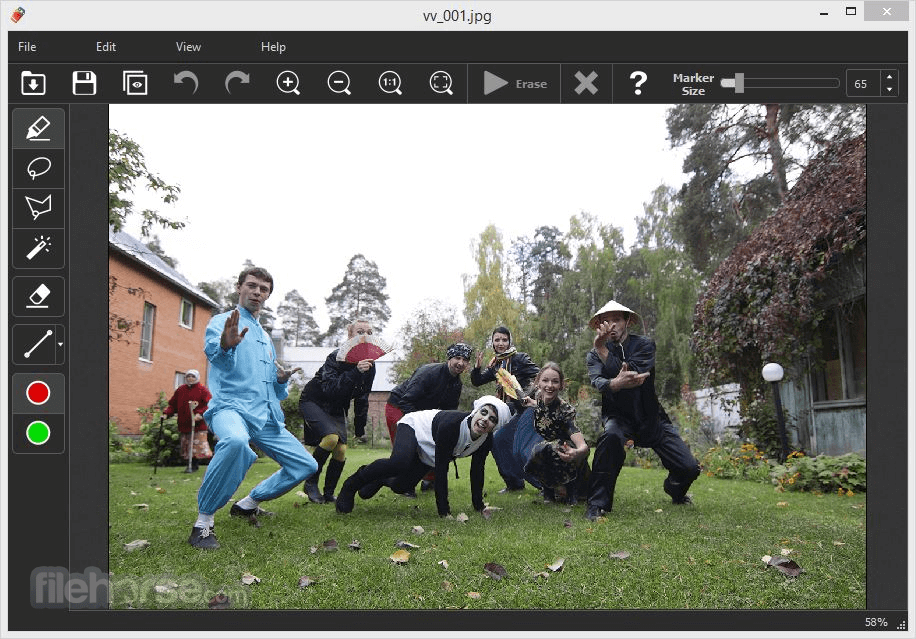
- Launch the program and open the image you want to edit
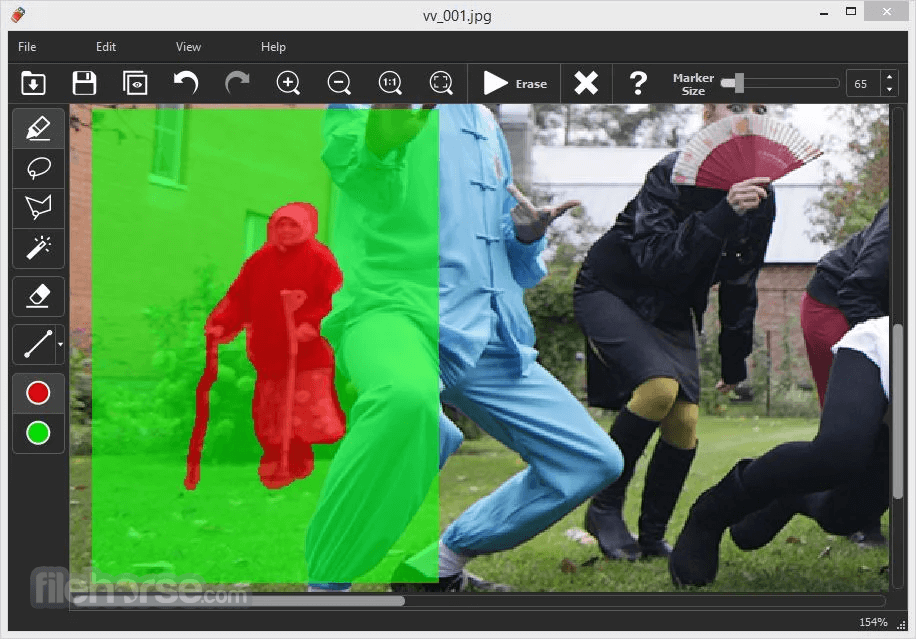
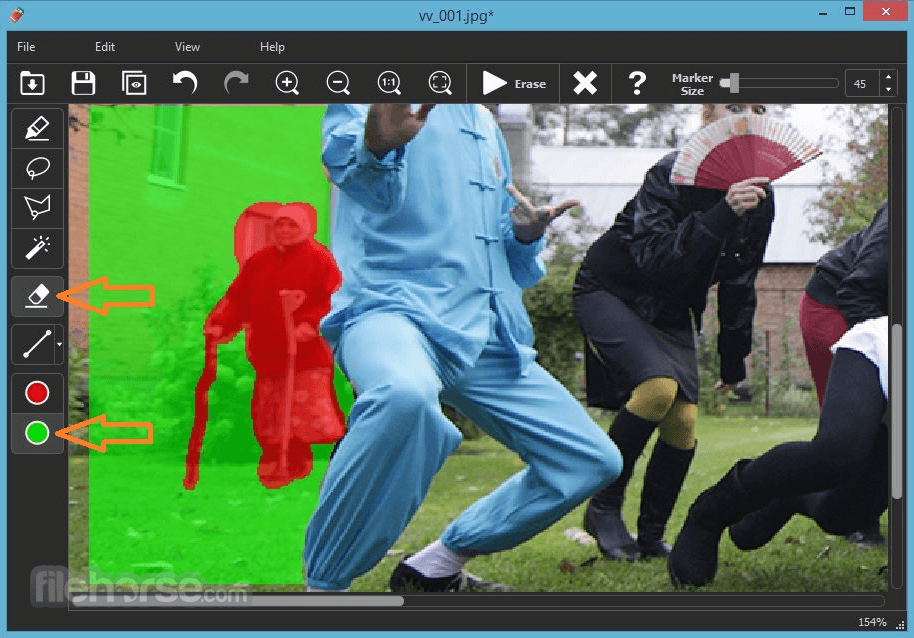
- Use the marker tool to highlight unwanted objects
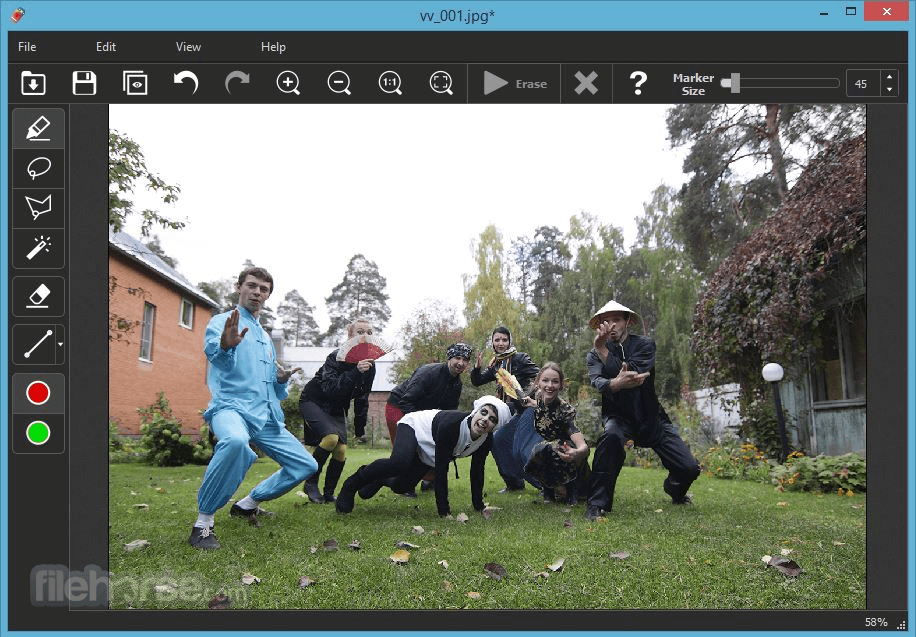
- Click the "Erase" button to remove the selected area
- Save the edited image to your device
What is Inpaint actually good at compared to other photo editors?
Inpaint is specifically designed for one task—removing unwanted objects from photos. Instead of offering a full editing suite, it focuses on smart content-aware filling, allowing users to erase people, watermarks, wires, or imperfections with minimal effort and without needing advanced editing skills.
How well does Inpaint handle complex removals?
It works very well on simple backgrounds (sky, walls, textures), where results can look clean and natural. However, with complex scenes (crowds, detailed patterns), results may require multiple passes or manual refinement, as it is not as advanced as professional tools like Photoshop.
Is Inpaint still worth using in 2026?
Yes, but with a clear use case. In 2026, many apps offer AI object removal, but Inpaint still stands out for its lightweight, fast, and straightforward approach. It’s ideal if you want a simple, no-learning-curve tool focused purely on quick retouching rather than full editing workflows.
System Requirements
- Operating System: Windows 7/8/10/11
- CPU: 1 GHz or faster processor
- RAM: 512 MB minimum
- Disk Space: 20 MB free space
- Display: 1024×768 resolution or higher
- Simple and clean user interface
- Quick object removal process
- Supports batch processing
- Lightweight and fast performance
- One-time purchase, no subscription
- Limited advanced editing tools
- No layer support or history panel
- Occasional artifacts in complex edits
- No mobile version for Android or iOS
- Lacks integrated cloud storage options
Also Available: Download Inpaint for Mac
Download Inpaint Latest Version Why is this app published on FileHorse? (More info)
##
畫面截圖