⚠ 這是歷史版本頁面 — 查看 Intel HAXM 最新版本 →

- 目前版本7.6.5
- 更新日期2020-09-17
- 檔案大小512 KB
- 檔案名稱haxm-windows_v7_6_5.zip
- 作業系統Windows 7 / Windows 7 64 / Windows 8 / Windows 8 64 / Windows 10 / Windows 10 64
- 支援語系English
- 授權型式開源軟體
- 開發商 Intel Corporation
- 軟體分類Windows 軟體 / 開發者工具
##
編輯短評
Intel HAXM 是一款由 Intel 開發的硬體加速執行管理工具,主要解決在 x86 架構電腦上運行 Android 模擬器速度緩慢的問題。它透過虛擬化技術提供高效能的硬體加速,讓開發者能在 Windows 或 macOS 環境下快速且穩定地開發 Android 應用程式。雖然目前已停止更新,但在同類工具中仍是評價不錯的選擇。
這套軟體適合 Android 開發者,通常在安裝 Android SDK 及相關插件後搭配使用,以獲得最佳的模擬效能。相較於 BlueStacks 或 VMware 等替代方案,它更專注於開發環境的底層加速而非一般使用者應用。使用者需注意此工具為開源軟體且僅提供英文介面,下載前請確認硬體平台是否符合要求。
##
翻譯排程處理中,以下暫以英文原文呈現
軟體介紹
Intel HAXM (also known as Intel Hardware Accelerated Execution Manager) is an advanced Android emulator and virtualization manager that allows developers to quickly and reliably develop Android applications directly in x86-based PCs running modern Windows OS.
Note: Intel HAXM has been discontinued, and version 7.8.0 is the final release.
When paired with other software packages that are needed to complete all the necessary components for app development (such as Android SDK and plugins needed to manage Google APIs), it can provide unrivaled hardware-based Android emulation needed for software projects of all sizes and complexities.
Because it relies on features that are built into Intel CPU products, Intel HAXM can only run as it was intended on processors that have hardware support for Intel VT-x, Intel EM64T (Intel 64), and Execute Disable (XD) Bit features.
Be aware that this software WILL NOT work on non-Intel CPUs or Intel processors that lack these hardware features. Another limitation is that HAXM can only work with Android x86 and x86_64 emulator images provided by Intel. It cannot process ARM Android emulator images or non-Intel x86 or x86_64 Android emulator images.
Originally developed for work on Windows OS and macOS, the reach of this cross-platform hardware-assisted virtualization engine was expanded to NetBSD and Linux. While it is recommended that Intel HAXM be downloaded and installed through the Android SDK (found in the Extras tab) or Android Studio (marked as the optional “Performance” item), it can also be manually downloaded by a standalone installer offered by Intel.
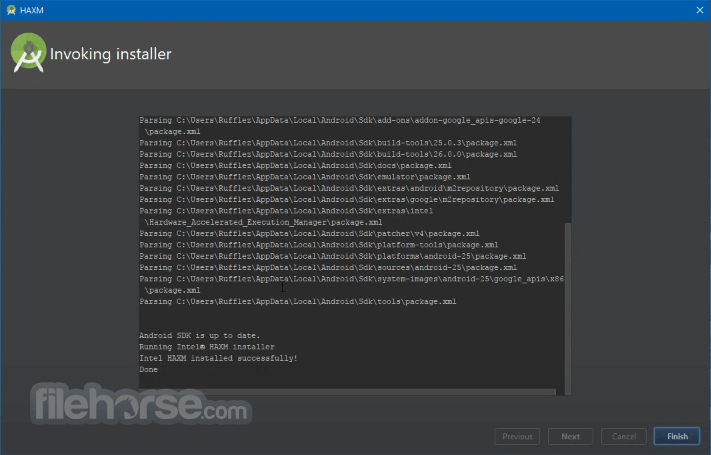
To verify if your installation has been completed successfully, open Command Prompt with Administrative Privileges, and execute the command “sc query intelhaxm” and wait for the status message "4 RUNNING".
The latest version of the Windows OS version of Intel Hardware Accelerated Execution Manager can be downloaded for FREE. Be aware that Intel HAXM does not automatically check for updates. To update this package to its latest version, you must do so manually.
Alternatives
BlueStacks - Primarily aimed at running Android apps on PC, BlueStacks also offers a robust virtualization engine for app testing and development.
Genymotion - A popular third-party Android emulator that provides fast and feature-rich virtualization, compatible with both Intel and AMD processors.
VirtualBox - An open-source virtualization tool that, while not as optimized for Android development, provides extensive virtualization capabilities for various operating systems.
Key Features
The engine itself does not have a traditional user interface as it operates as a background service, enhancing virtualization.
Its configuration and management are typically handled through the development environment (e.g., Android Studio) or command-line tools.
Installation and Setup
What is Intel HAXM?
Intel HAXM is a hardware-accelerated virtualization engine designed to improve the performance of Android emulators on Intel-based systems.
How do I know if my processor supports HAXM?
You can check for Intel VT-x support by consulting your processor’s specifications on Intel’s website or by using CPU identification tools like CPU-Z.
Why is my emulator still slow even with HAXM installed?
Performance issues may stem from inadequate RAM allocation, insufficient CPU cores, or other system resource limitations. Adjust the settings in your development environment to optimize performance.
Can I use HAXM on AMD processors?
No, the app is specifically designed for Intel processors with VT-x support. AMD processors require a different virtualization technology, such as AMD’s Hyper-V.
How do I update HAXM?
Updates can be obtained through the Android Studio SDK Manager or directly from Intel’s official website. Follow the installation instructions to update to the latest version.
Is Intel HAXM still supported in 2026?
No, Intel officially discontinued the HAXM project and stopped development, maintenance, and updates, recommending developers rely on modern virtualization solutions like Hyper-V or macOS Hypervisor Framework instead.
Pricing
This program is free to download and use, making it an accessible solution for developers looking to enhance their Android emulation performance without additional costs.
System Requirements
Intel HAXM was once an important tool for Android developers looking to significantly improve emulator performance through hardware-assisted virtualization. By leveraging Intel VT-x technology, it provided faster and more responsive emulation environments, helping streamline development and testing workflows.
However, Intel has officially retired the HAXM project, and version 7.8.0 is the final release. Since the project no longer receives maintenance, updates, or bug fixes, it should now be considered legacy software. Developers are encouraged to rely on modern virtualization technologies such as Microsoft Hyper-V or the macOS Hypervisor Framework, which now provide similar functionality and continue to receive active development.
Also Available: Download Intel HAXM for Mac
Download Intel HAXM Latest Version Why is this app published on FileHorse? (More info)
Note: Intel HAXM has been discontinued, and version 7.8.0 is the final release.
When paired with other software packages that are needed to complete all the necessary components for app development (such as Android SDK and plugins needed to manage Google APIs), it can provide unrivaled hardware-based Android emulation needed for software projects of all sizes and complexities.
Because it relies on features that are built into Intel CPU products, Intel HAXM can only run as it was intended on processors that have hardware support for Intel VT-x, Intel EM64T (Intel 64), and Execute Disable (XD) Bit features.
Be aware that this software WILL NOT work on non-Intel CPUs or Intel processors that lack these hardware features. Another limitation is that HAXM can only work with Android x86 and x86_64 emulator images provided by Intel. It cannot process ARM Android emulator images or non-Intel x86 or x86_64 Android emulator images.
Originally developed for work on Windows OS and macOS, the reach of this cross-platform hardware-assisted virtualization engine was expanded to NetBSD and Linux. While it is recommended that Intel HAXM be downloaded and installed through the Android SDK (found in the Extras tab) or Android Studio (marked as the optional “Performance” item), it can also be manually downloaded by a standalone installer offered by Intel.
To verify if your installation has been completed successfully, open Command Prompt with Administrative Privileges, and execute the command “sc query intelhaxm” and wait for the status message "4 RUNNING".
The latest version of the Windows OS version of Intel Hardware Accelerated Execution Manager can be downloaded for FREE. Be aware that Intel HAXM does not automatically check for updates. To update this package to its latest version, you must do so manually.
Alternatives
BlueStacks - Primarily aimed at running Android apps on PC, BlueStacks also offers a robust virtualization engine for app testing and development.
Genymotion - A popular third-party Android emulator that provides fast and feature-rich virtualization, compatible with both Intel and AMD processors.
VirtualBox - An open-source virtualization tool that, while not as optimized for Android development, provides extensive virtualization capabilities for various operating systems.
Key Features
- Hardware Acceleration: It uses Intel VT-x hardware extensions to accelerate the execution of virtualized environments, offering significant performance improvements over traditional software-based virtualization.
- Easy Integration: It integrates seamlessly with Android Studio and other Android development environments, providing a smooth setup and configuration process.
- Support for Multiple Architectures: While optimized for Intel processors, it supports both x86 and x86_64 architectures, making it versatile for different development needs.
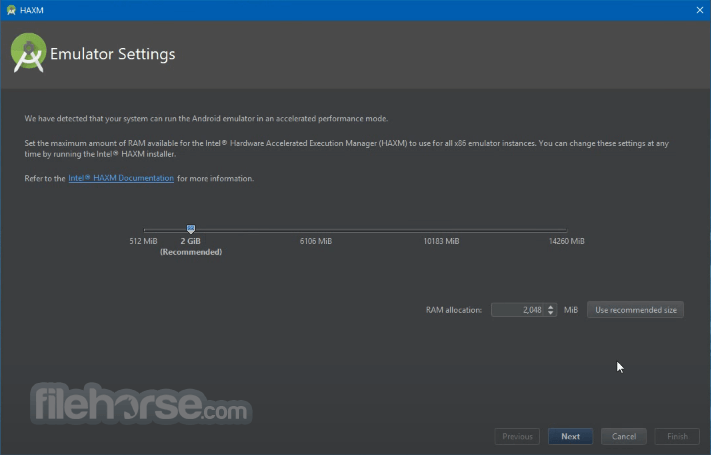
- Performance Optimization: It offers configurable RAM allocation and CPU utilization settings, allowing developers to optimize emulator performance based on their system’s capabilities.
- Cross-Platform Support: Although primarily designed for Windows, HAXM is also available for macOS, broadening its usability across different development setups.
The engine itself does not have a traditional user interface as it operates as a background service, enhancing virtualization.
Its configuration and management are typically handled through the development environment (e.g., Android Studio) or command-line tools.
Installation and Setup
- Prerequisites: Ensure that your Intel processor supports VT-x technology and that it is enabled in the BIOS.
- Download: Obtain the latest version of this program from Intel’s official website, FileHorse, or through the Android Studio SDK Manager.
- Install: Run the installer executable and follow the on-screen instructions.
- Configuration: After installation, configure this program through Android Studio by allocating appropriate RAM and CPU resources to the Android emulator.
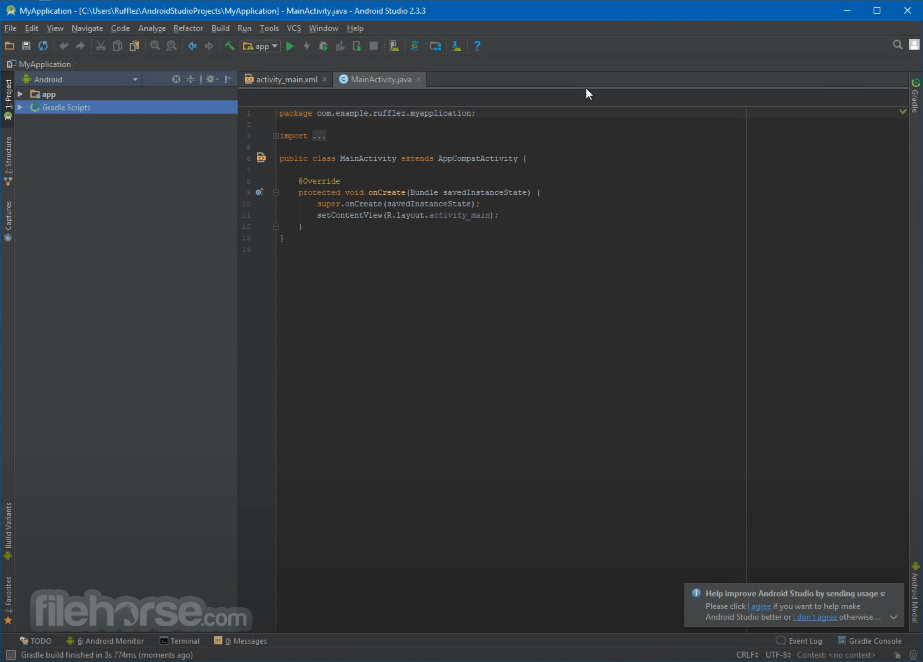
- Launch Android Studio: Open your Android development environment.
- Create an AVD (Android Virtual Device): Use the AVD Manager to create a new virtual device or modify an existing one.
- Configure: Allocate the desired amount of RAM and CPU cores to the emulator to optimize performance.
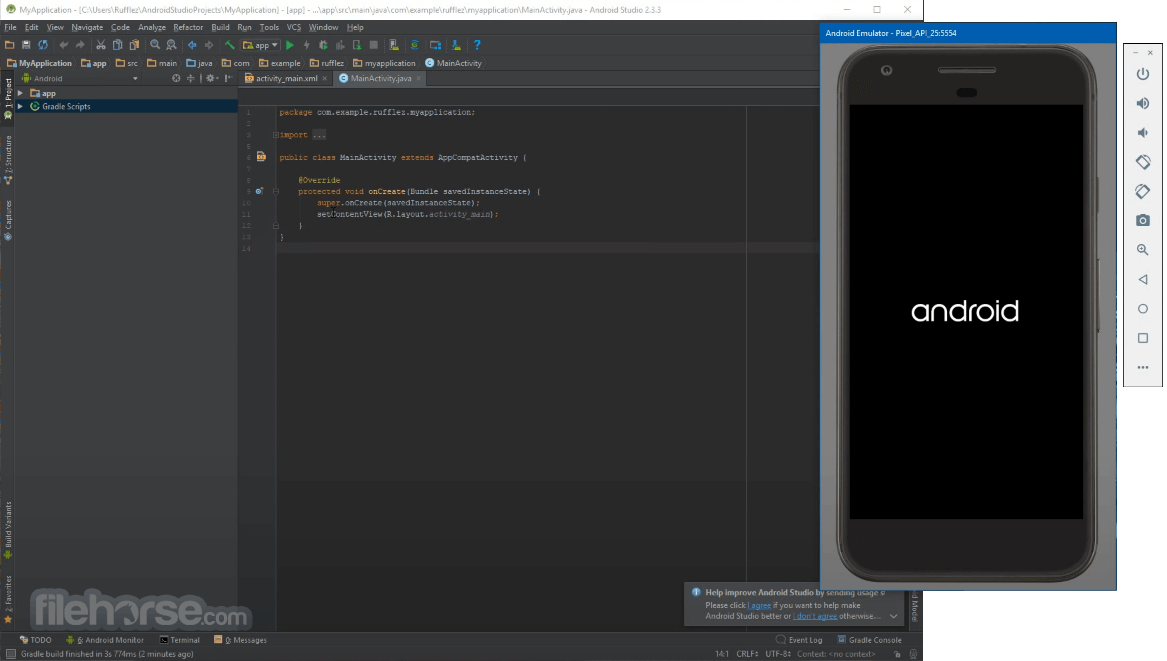
- Run the Emulator: Start the Android emulator. It will automatically accelerate the virtual environment, providing a faster and more responsive experience.
What is Intel HAXM?
Intel HAXM is a hardware-accelerated virtualization engine designed to improve the performance of Android emulators on Intel-based systems.
How do I know if my processor supports HAXM?
You can check for Intel VT-x support by consulting your processor’s specifications on Intel’s website or by using CPU identification tools like CPU-Z.
Why is my emulator still slow even with HAXM installed?
Performance issues may stem from inadequate RAM allocation, insufficient CPU cores, or other system resource limitations. Adjust the settings in your development environment to optimize performance.
Can I use HAXM on AMD processors?
No, the app is specifically designed for Intel processors with VT-x support. AMD processors require a different virtualization technology, such as AMD’s Hyper-V.
How do I update HAXM?
Updates can be obtained through the Android Studio SDK Manager or directly from Intel’s official website. Follow the installation instructions to update to the latest version.
Is Intel HAXM still supported in 2026?
No, Intel officially discontinued the HAXM project and stopped development, maintenance, and updates, recommending developers rely on modern virtualization solutions like Hyper-V or macOS Hypervisor Framework instead.
Pricing
This program is free to download and use, making it an accessible solution for developers looking to enhance their Android emulation performance without additional costs.
System Requirements
- Processor: Intel processor with VT-x support
- Operating System: Windows 11, 10, 8, or 7
- RAM: Minimum 2 GB (4 GB or more recommended)
- Storage: Sufficient disk space for the Android SDK and emulators
- Significant performance boost for Android emulators
- Seamless integration with Android Studio
- Free to use
- Easy installation and configuration
- Cross-platform support
- The project is discontinued and no longer receives updates or maintenance from Intel.
- Limited to Intel processors
- Requires VT-x support and BIOS configuration
- No graphical user interface for standalone management
- May still face performance limitations on low-spec hardware
Intel HAXM was once an important tool for Android developers looking to significantly improve emulator performance through hardware-assisted virtualization. By leveraging Intel VT-x technology, it provided faster and more responsive emulation environments, helping streamline development and testing workflows.
However, Intel has officially retired the HAXM project, and version 7.8.0 is the final release. Since the project no longer receives maintenance, updates, or bug fixes, it should now be considered legacy software. Developers are encouraged to rely on modern virtualization technologies such as Microsoft Hyper-V or the macOS Hypervisor Framework, which now provide similar functionality and continue to receive active development.
Also Available: Download Intel HAXM for Mac
Download Intel HAXM Latest Version Why is this app published on FileHorse? (More info)
##
畫面截圖
- 2026-03-12 Intel HAXM 7.8.0 512 KB
- 2022-02-15 Intel HAXM 7.7.1 512 KB
- 2021-06-02 Intel HAXM 7.7.0 512 KB
- 2021-04-07 Intel HAXM 7.6.6 512 KB
- 2020-09-17 Intel HAXM 7.6.5 512 KB
- 2020-04-21 Intel HAXM 7.6.1 2.6 MB
- 2020-01-20 Intel HAXM 7.5.6 2.6 MB
- 2019-10-29 Intel HAXM 7.5.4 2.6 MB