- 目前版本11.3.6009
- 更新日期2026-01-09
- 作業系統Windows 7 64 / Windows 8 64 / Windows 10 64 / Windows 11
- 支援語系English
- 授權型式未分類
- 開發商 iSpring Solutions Inc
- 軟體分類Windows 軟體 / 辦公商務
##
翻譯排程處理中,以下暫以英文原文呈現
軟體介紹
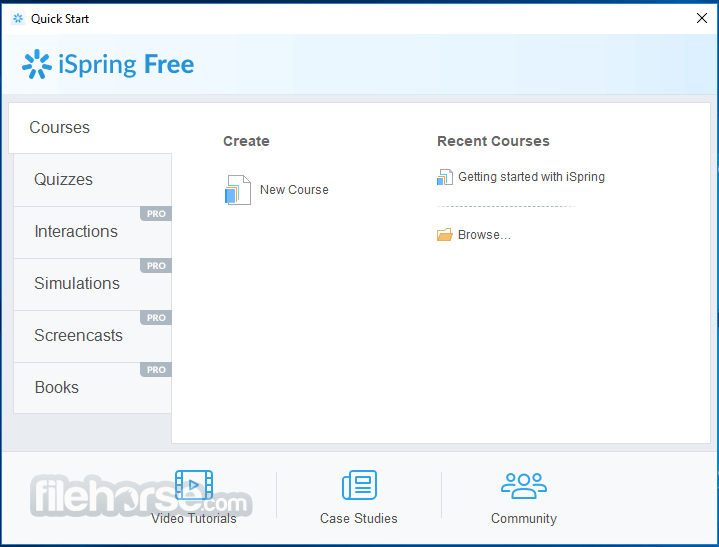
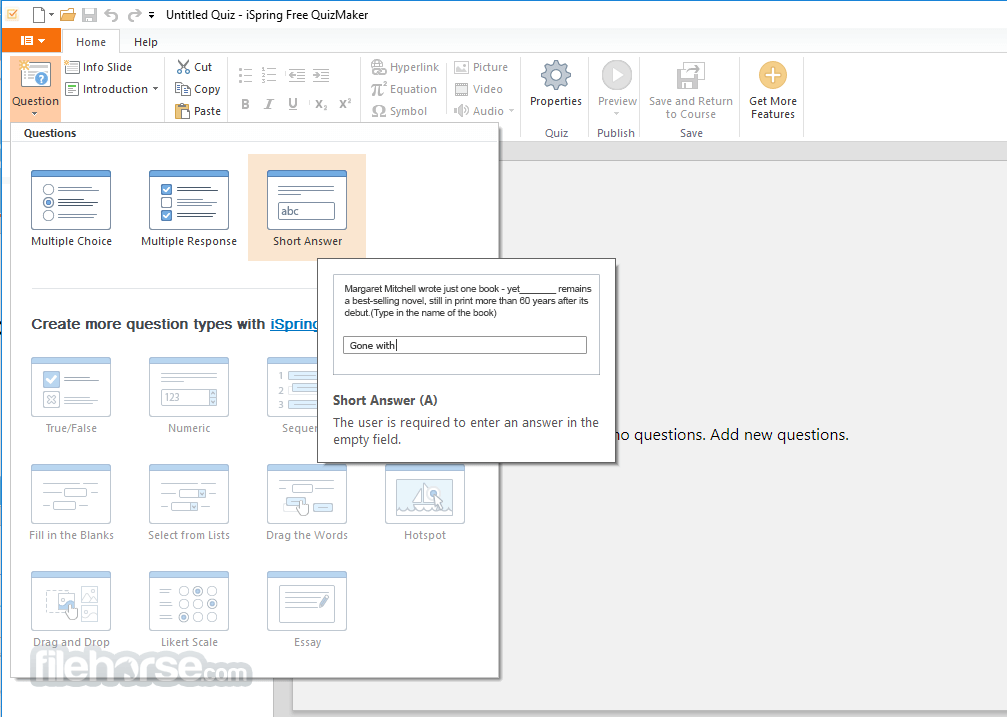
iSpring Free is a free eLearning authoring tool that allows you to create responsive courses and quizzes right in PowerPoint and convert them to HTML5 or SCORM. Three kinds of questions are available to assess knowledge retention in iSpring Free: Multiple-Choice, Multiple Response, and Short Answer. You can also set feedback, several attempts, and time limits.
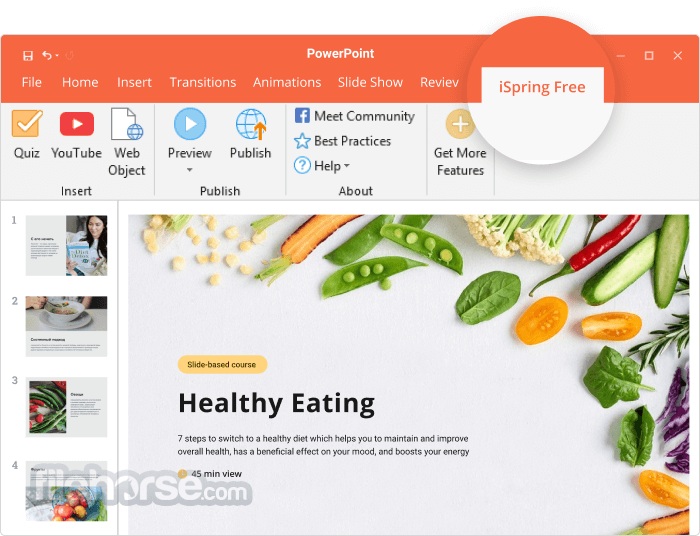
You can enhance your slides with YouTube videos and web objects. Find a relevant video on YouTube and add it to your course easily to better illustrate the topic. Insert live, navigable web objects on the slides, e.g., a page from Wikipedia or your corporate website.
Explore iSpring Suite
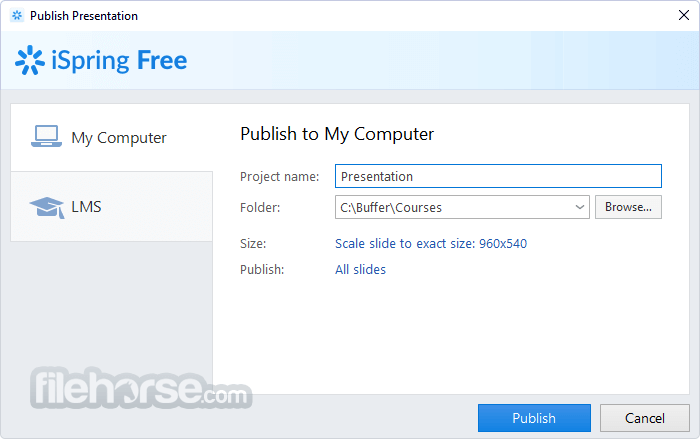
With iSpring Free, you can convert PowerPoint presentations to HTML5 and share them online easily. If you opt to publish your presentations as a SCORM course, you can upload the .zip file to an LMS and track how your learners progress. After conversion, all the transitions, animations, and triggers are kept intact.
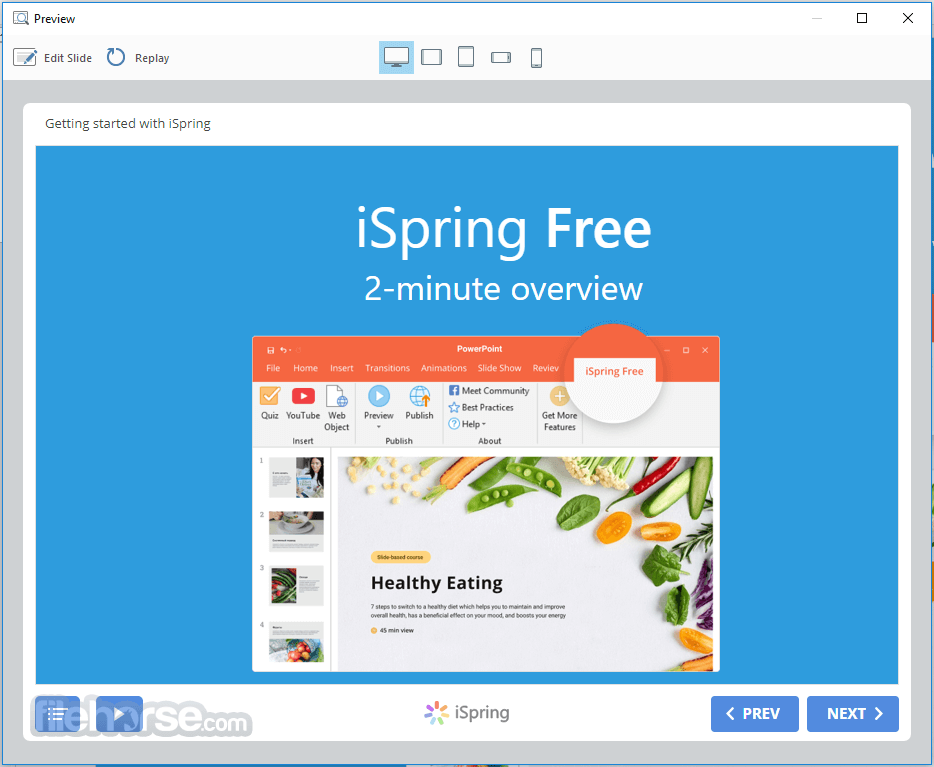
iSpring Free makes courses automatically adapt to all devices and look great on any screen, including PCs, Macs, tablets, and smartphones (with Windows, iOS, and Android OS). The app doesn’t limit the number of conversions, doesn’t expire, and doesn’t add huge promo banners to your content.
Features and Highlights
Transform your PowerPoint presentations into captivating online courses effortlessly. With iSpring Free, there's no need to navigate complex eLearning software - simply craft courses within the familiar PowerPoint environment while retaining all animations, triggers, transitions, and effects.
Enhance your courses seamlessly with interactive quizzes. Whether it's pre-assessments, self-assessments, or final tests, iSpring Free allows you to incorporate quizzes effortlessly. Elevate your tests with multimedia elements and tailor testing rules for cheat-proof assessments, including randomizing questions, shuffling answer options, and imposing time limits for each question.
Ensure your courses shine on any device without the hassle of reformatting. iSpring Free automatically optimizes your content for various screens, be it smartphones, tablets, or laptops.
Seamlessly integrate your courses with any SCORM-based Learning Management System (LMS). iSpring Free is fully SCORM compliant, guaranteeing smooth compatibility with platforms such as Moodle, Blackboard, Litmos, and beyond.
FAQs
What is iSpring Free, and what can you use it for?
iSpring Free is a PowerPoint-based eLearning authoring tool that lets you turn your slides into interactive online learning content. It supports quizzes, media embeds (images, video, audio), and converts your presentation into SCORM or HTML5 format for web or LMS use.
Does iSpring Free work with existing PowerPoint presentations?
Yes, iSpring Free installs as an add-in for Microsoft PowerPoint so you can enhance or convert your existing presentations right inside the program. It preserves your animations, triggers, and transitions when converting to eLearning formats.
What types of quizzes can I create with iSpring Free?
iSpring Free includes built-in quiz tools that let you add basic interactive elements like multiple choice, multiple response, and short answer questions. These quizzes help keep learners engaged and assess their understanding as part of your course.
How can I share or publish content created with iSpring Free?
After designing your course or quiz, you can publish it as a SCORM package and upload it to any SCORM-compatible LMS to track learner progress. Alternatively, you can export it as HTML5 and share it via a website, link, or email without needing an LMS.
Is iSpring Free suitable for all devices and screens?
Yes, courses created with iSpring Free are fully responsive, so they adapt to different screen sizes, including desktop, tablet, and mobile devices. That means learners can conveniently access your content on the device that works best for them.
PROS
Download iSpring Free Latest Version Why is this app published on FileHorse? (More info)
You can enhance your slides with YouTube videos and web objects. Find a relevant video on YouTube and add it to your course easily to better illustrate the topic. Insert live, navigable web objects on the slides, e.g., a page from Wikipedia or your corporate website.
Explore iSpring Suite
- Screen recordings and video lectures
- Interactive role-play simulations
- Even more interactive assessments
- Hundreds of ready-made templates and characters
- AI-based voiceovers
With iSpring Free, you can convert PowerPoint presentations to HTML5 and share them online easily. If you opt to publish your presentations as a SCORM course, you can upload the .zip file to an LMS and track how your learners progress. After conversion, all the transitions, animations, and triggers are kept intact.
iSpring Free makes courses automatically adapt to all devices and look great on any screen, including PCs, Macs, tablets, and smartphones (with Windows, iOS, and Android OS). The app doesn’t limit the number of conversions, doesn’t expire, and doesn’t add huge promo banners to your content.
Features and Highlights
Transform your PowerPoint presentations into captivating online courses effortlessly. With iSpring Free, there's no need to navigate complex eLearning software - simply craft courses within the familiar PowerPoint environment while retaining all animations, triggers, transitions, and effects.
Enhance your courses seamlessly with interactive quizzes. Whether it's pre-assessments, self-assessments, or final tests, iSpring Free allows you to incorporate quizzes effortlessly. Elevate your tests with multimedia elements and tailor testing rules for cheat-proof assessments, including randomizing questions, shuffling answer options, and imposing time limits for each question.
Ensure your courses shine on any device without the hassle of reformatting. iSpring Free automatically optimizes your content for various screens, be it smartphones, tablets, or laptops.
Seamlessly integrate your courses with any SCORM-based Learning Management System (LMS). iSpring Free is fully SCORM compliant, guaranteeing smooth compatibility with platforms such as Moodle, Blackboard, Litmos, and beyond.
FAQs
What is iSpring Free, and what can you use it for?
iSpring Free is a PowerPoint-based eLearning authoring tool that lets you turn your slides into interactive online learning content. It supports quizzes, media embeds (images, video, audio), and converts your presentation into SCORM or HTML5 format for web or LMS use.
Does iSpring Free work with existing PowerPoint presentations?
Yes, iSpring Free installs as an add-in for Microsoft PowerPoint so you can enhance or convert your existing presentations right inside the program. It preserves your animations, triggers, and transitions when converting to eLearning formats.
What types of quizzes can I create with iSpring Free?
iSpring Free includes built-in quiz tools that let you add basic interactive elements like multiple choice, multiple response, and short answer questions. These quizzes help keep learners engaged and assess their understanding as part of your course.
How can I share or publish content created with iSpring Free?
After designing your course or quiz, you can publish it as a SCORM package and upload it to any SCORM-compatible LMS to track learner progress. Alternatively, you can export it as HTML5 and share it via a website, link, or email without needing an LMS.
Is iSpring Free suitable for all devices and screens?
Yes, courses created with iSpring Free are fully responsive, so they adapt to different screen sizes, including desktop, tablet, and mobile devices. That means learners can conveniently access your content on the device that works best for them.
PROS
- Convert PowerPoint to HTML5/SCORM.
- Retain animations & transitions.
- Easily incorporate YouTube videos.
- Accessible on all devices.
- SCORM compliance for LMS integration.
- Limited interactive features.
- Basic assessment options.
- In the free/demo version, not all features are available.
- No advanced editing capabilities.
- Dependency on PowerPoint.
- Possible lack of customization.
Download iSpring Free Latest Version Why is this app published on FileHorse? (More info)
##
影片介紹
##
畫面截圖