⚠ 這是歷史版本頁面 — 查看 Kdenlive 最新版本 →

- 目前版本24.12.3
- 更新日期2025-03-11
- 檔案大小113 MB
- 檔案名稱kdenlive-24.12.3.exe
- 作業系統Windows 7 / Windows 7 64 / Windows 8 / Windows 8 64 / Windows 10 / Windows 10 64
- 支援語系English
- 授權型式開源軟體
- 開發商 Kdenlive Team
- 軟體分類Windows 軟體 / 影片軟體
##
編輯短評
Kdenlive 是一套以 KDE 桌面環境為出發點開發的開源非線性影片剪輯軟體,核心處理仰賴 MLT Framework,並整合 FFmpeg、frei0r 等眾多開源專案,因此能應付多數常見影音格式的匯入與輸出。它最具辨識度的特色是提供雙影片監看視窗、多軌時間軸與可自訂的操作介面,讓剪輯流程更貼近專業軟體的使用習慣。此專案長期由社群維護,近年更新仍算活躍,在 Windows 影片剪輯工具中屬於有一定能見度的免費選擇,不過整體評價偏向中上,並非壓倒性的主流首選。
這套軟體適合需要免費、無版權限制剪輯方案的個人創作者或學生,尤其若你原本就熟悉 KDE 或 Linux 生態,轉換到 Windows 使用時會更有親切感。與 KMPlayer、K-Lite Codec Pack 這類播放或解碼工具相比,Kdenlive 定位完全不同,它專注在剪輯而非播放;若你只需要看片或掛字幕,那些工具反而更輕量。需要注意的是,Windows 版本是移植專案,穩定性可能不如原生 Linux 版,且目前僅提供英文介面,對不習慣英文操作的使用者門檻稍高。授權為開源軟體,可免費下載使用,但建議先確認你的硬體能否順暢跑多軌即時預覽。
##
翻譯排程處理中,以下暫以英文原文呈現
軟體介紹
Kdenlive is an open-source video editor for Windows PC. Kdenlive is built on Qt and the KDE Frameworks libraries.
Most of the video processing is done by the MLT Framework, which relies on many other open-source projects like FFmpeg, frei0r, movit, ladspa, sox... This software is an acronym for KDE Non-Linear Video Editor.
It is primarily aimed at the GNU/Linux platform but also works on BSD and macOS. It is currently being ported to Windows as a GSOC project.
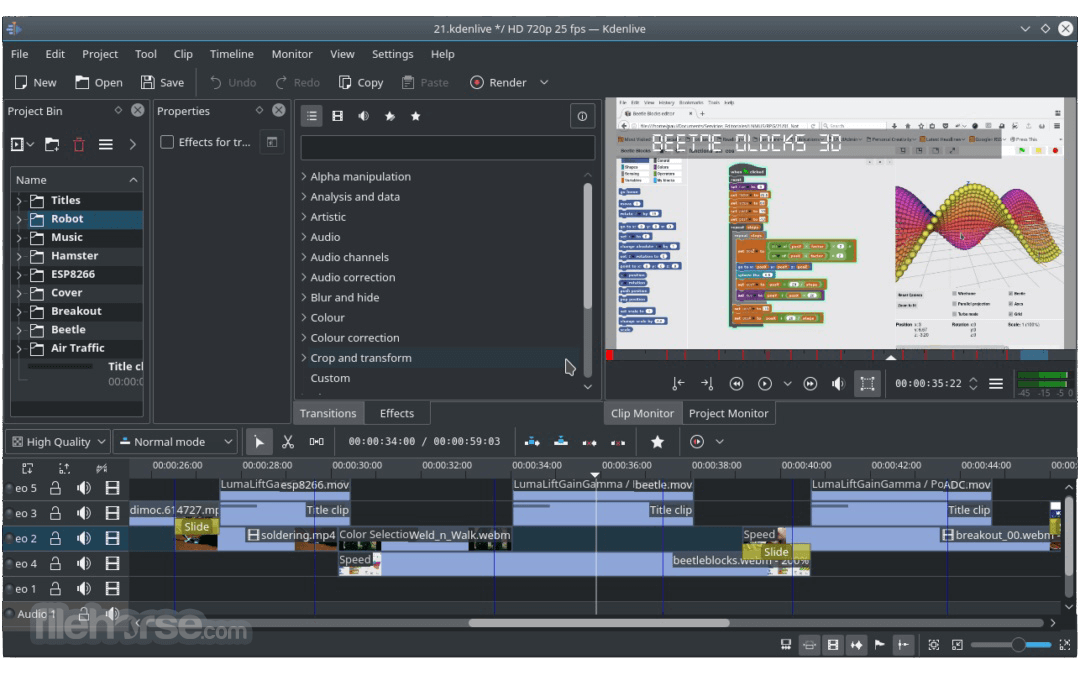
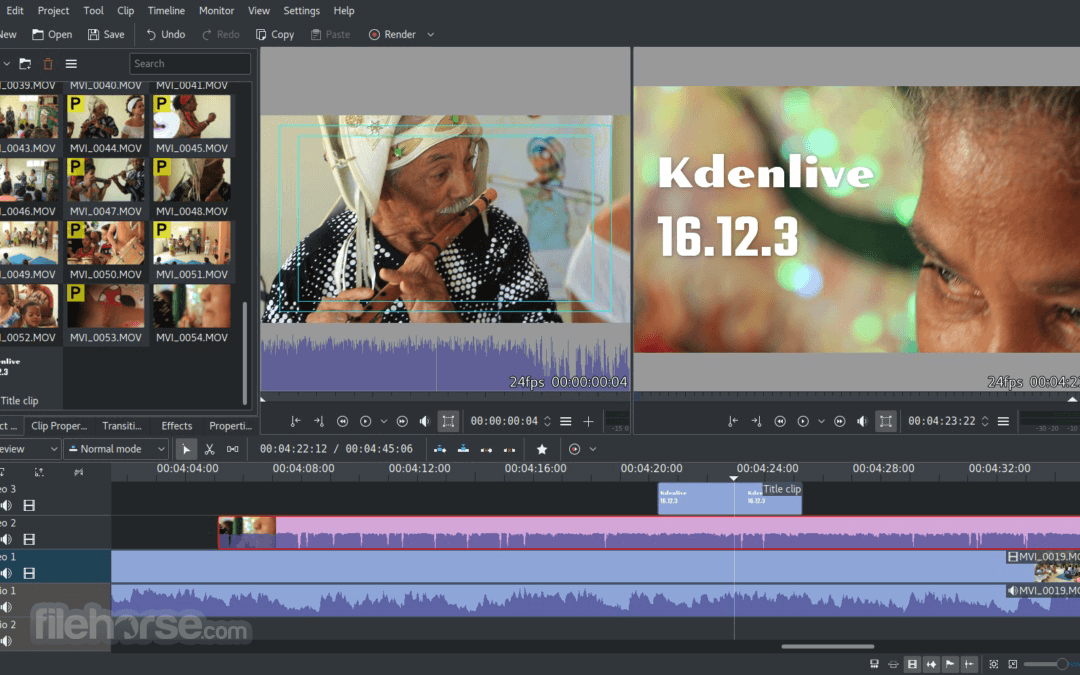
Download Kdenlive, amazing video editing GUI for KDE that provides dual video monitors, a multi-track timeline, clip list, customizable layout support, basic effects, and basic transitions.
Features and Highlights
Multi-track video editing
Kdenlive allows you to use and arrange several audio and video tracks, each one can be locked or muted to your convenience.
Use any audio/video format
Being based on the powerful FFmpeg libraries, Kden live can use almost any audio and video format directly without the need to convert or re-encode your clips.
Configurable interface and shortcuts
You can arrange and save your custom interface layouts to fit your workflow. Keyboard shortcuts can also be configured to match your preferences.
Many effects and transitions
Dozens of effects are available, ranging from color correction to audio adjustments, as well as all the standard transform options.
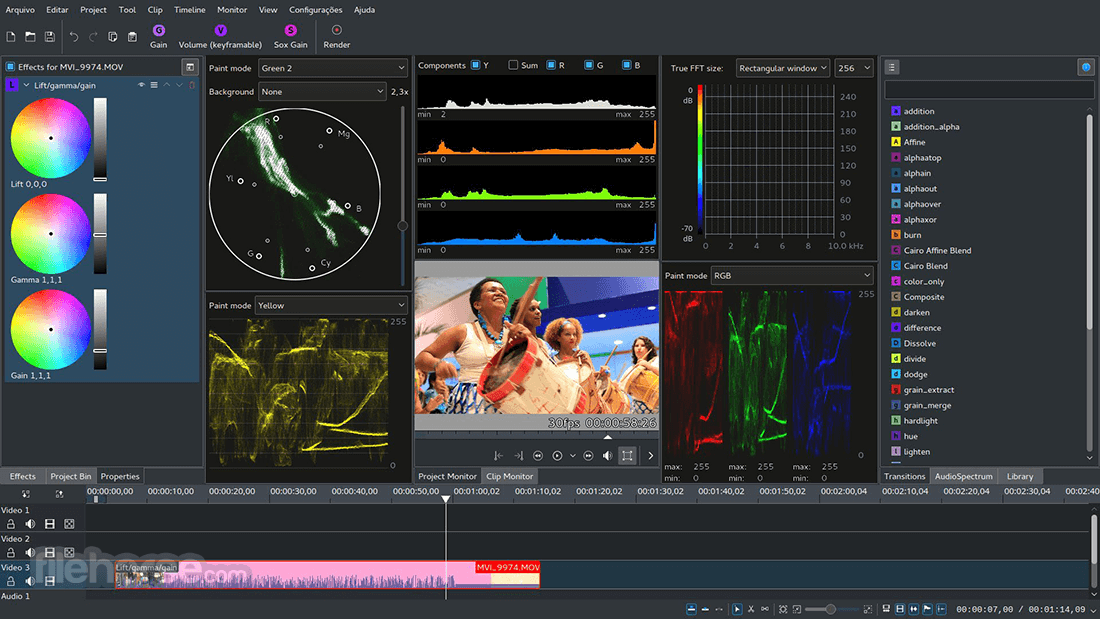
Audio and video scopes
Monitor your audio level or check the color scopes to make sure your footage is correctly balanced.
Proxy editing
Kdenlive can automatically create low-resolution copies of your source clips to allow you doing the editing on any computer, and then render using full resolution.
Automatic backup
Your project file is automatically backed up every few minutes, and older versions of the project file are also kept in case you need to roll back to a previous version.
Timeline preview
Sometimes when using hi-res footage or complex effects, real-time playback is not possible. Timeline preview allows you to pre-render parts of your timeline to get perfectly smooth playback.
Keyframeable effects
Most effects can be keyframed, allowing you to change the parameters over time, using linear or smooth curves to achieve the result you want.
Themable interface
The flexible theming engine is capable of a variety of light and dark themes.
Online resources
Download render profiles, wipes, and title templates directly from the interface.
Alternatives
If you are looking for Kdenlive alternatives, we recommend you to download Icecream Video Editor or DaVinci Resolve.
How to Use
Download Kdenlive Latest Version Why is this app published on FileHorse? (More info)
Most of the video processing is done by the MLT Framework, which relies on many other open-source projects like FFmpeg, frei0r, movit, ladspa, sox... This software is an acronym for KDE Non-Linear Video Editor.
It is primarily aimed at the GNU/Linux platform but also works on BSD and macOS. It is currently being ported to Windows as a GSOC project.
Download Kdenlive, amazing video editing GUI for KDE that provides dual video monitors, a multi-track timeline, clip list, customizable layout support, basic effects, and basic transitions.
Features and Highlights
Multi-track video editing
Kdenlive allows you to use and arrange several audio and video tracks, each one can be locked or muted to your convenience.
Use any audio/video format
Being based on the powerful FFmpeg libraries, Kden live can use almost any audio and video format directly without the need to convert or re-encode your clips.
Configurable interface and shortcuts
You can arrange and save your custom interface layouts to fit your workflow. Keyboard shortcuts can also be configured to match your preferences.
Many effects and transitions
Dozens of effects are available, ranging from color correction to audio adjustments, as well as all the standard transform options.
Audio and video scopes
Monitor your audio level or check the color scopes to make sure your footage is correctly balanced.
Proxy editing
Kdenlive can automatically create low-resolution copies of your source clips to allow you doing the editing on any computer, and then render using full resolution.
Automatic backup
Your project file is automatically backed up every few minutes, and older versions of the project file are also kept in case you need to roll back to a previous version.
Timeline preview
Sometimes when using hi-res footage or complex effects, real-time playback is not possible. Timeline preview allows you to pre-render parts of your timeline to get perfectly smooth playback.
Keyframeable effects
Most effects can be keyframed, allowing you to change the parameters over time, using linear or smooth curves to achieve the result you want.
Themable interface
The flexible theming engine is capable of a variety of light and dark themes.
Online resources
Download render profiles, wipes, and title templates directly from the interface.
Alternatives
If you are looking for Kdenlive alternatives, we recommend you to download Icecream Video Editor or DaVinci Resolve.
How to Use
- Install the software on your PC
- Launch Kdenlive and start a new project
- Import your video, audio, and image files
- Drag media files onto the timeline
- Use tools to trim, split, and arrange clips
- Add transitions and video effects
- Include titles and captions as needed
- Adjust audio levels and apply sound effects
- Preview your video in the project monitor
- Export the final video using render options
- OS: Windows 11, 10, 8 or 7 (64-bit only)
- CPU: Modern multi-core processor
- RAM: Minimum 4 GB (8 GB or more recommended)
- GPU: OpenGL 2.0 or higher compatible graphics card
- Storage: At least 500 MB for installation, SSD recommended
- Display: 1024x768 resolution or higher
- Free and open-source
- Professional editing features
- Wide format support
- Customizable interface
- Frequent updates and support
- Occasional stability issues
- Limited advanced audio tools
- Fewer built-in templates
- Slower rendering on low-end PCs
Download Kdenlive Latest Version Why is this app published on FileHorse? (More info)
##
影片介紹
##
畫面截圖
- 2026-07-07 Kdenlive 26.04.3 129 MB
- 2026-06-07 Kdenlive 26.04.2 128 MB
- 2026-05-11 Kdenlive 26.04.1 128 MB
- 2026-05-03 Kdenlive 26.04.0 128 MB
- 2025-11-09 Kdenlive 25.08.3 119 MB
- 2025-03-11 Kdenlive 24.12.3 113 MB
- 2025-02-15 Kdenlive 24.12.2 113 MB
- 2025-01-15 Kdenlive 24.12.1 115 MB