⚠ 這是歷史版本頁面 — 查看 KiCad 最新版本 →

- 目前版本8.0.8
- 更新日期2025-01-14
- 檔案大小1.1 GB
- 檔案名稱kicad-8.0.8-x86_64.exe
- 作業系統Windows 8 (64-bit) / Windows 10 (64-bit) / Windows 11
- 支援語系English
- 授權型式開源軟體
- 開發商 KiCad Team
- 軟體分類Windows 軟體 / 影像設計
##
編輯短評
KiCad 是一套開源的電子設計自動化(EDA)軟體,主要用來繪製電路圖(schematic)與印刷電路板(PCB)佈局,也能處理零件庫、Gerber 輸出等完整流程。它從九○年代發展至今,歷經多次改版,已成為電子業界與自造者社群中相當主流的免費工具,開發團隊持續維護,更新頻率穩定,在開源 EDA 領域的能見度與評價普遍不錯。最鮮明的特色是完整且不輸商業軟體的功能深度,從小型實驗板到多層複雜電路都能勝任。
這套軟體適合電子工程師、硬體開發者、學生或任何需要實際設計電路板的人,尤其當你不想負擔商業 EDA 的授權費用時,它是很務實的選擇。與 Adobe Photoshop 或 Google Earth 這類影像或地圖工具不同,KiCad 專注在電路設計,替代軟體如 Altium 或 Eagle 則各有授權或功能上的取捨。要注意的是,官方僅提供英文介面,但操作邏輯與文件資源豐富,Windows 與 macOS 都有版本,且為開源授權,可自由使用與散佈,免安裝版則需自行確認來源。
##
翻譯排程處理中,以下暫以英文原文呈現
軟體介紹
KiCad is an open-source electronic design automation (EDA) software suite used for creating schematics, printed circuit board (PCB) layouts, and more.
Initially developed in 1992 by Jean-Pierre Charras, KiCad for PC has evolved significantly over the years, becoming one of the most popular tools for electronics hobbyists, engineers, and professionals alike.
Its robust feature set, combined with its open-source nature, makes it a versatile choice for PCB design, capable of handling both small-scale and complex projects.
Main Features
Schematic Capture
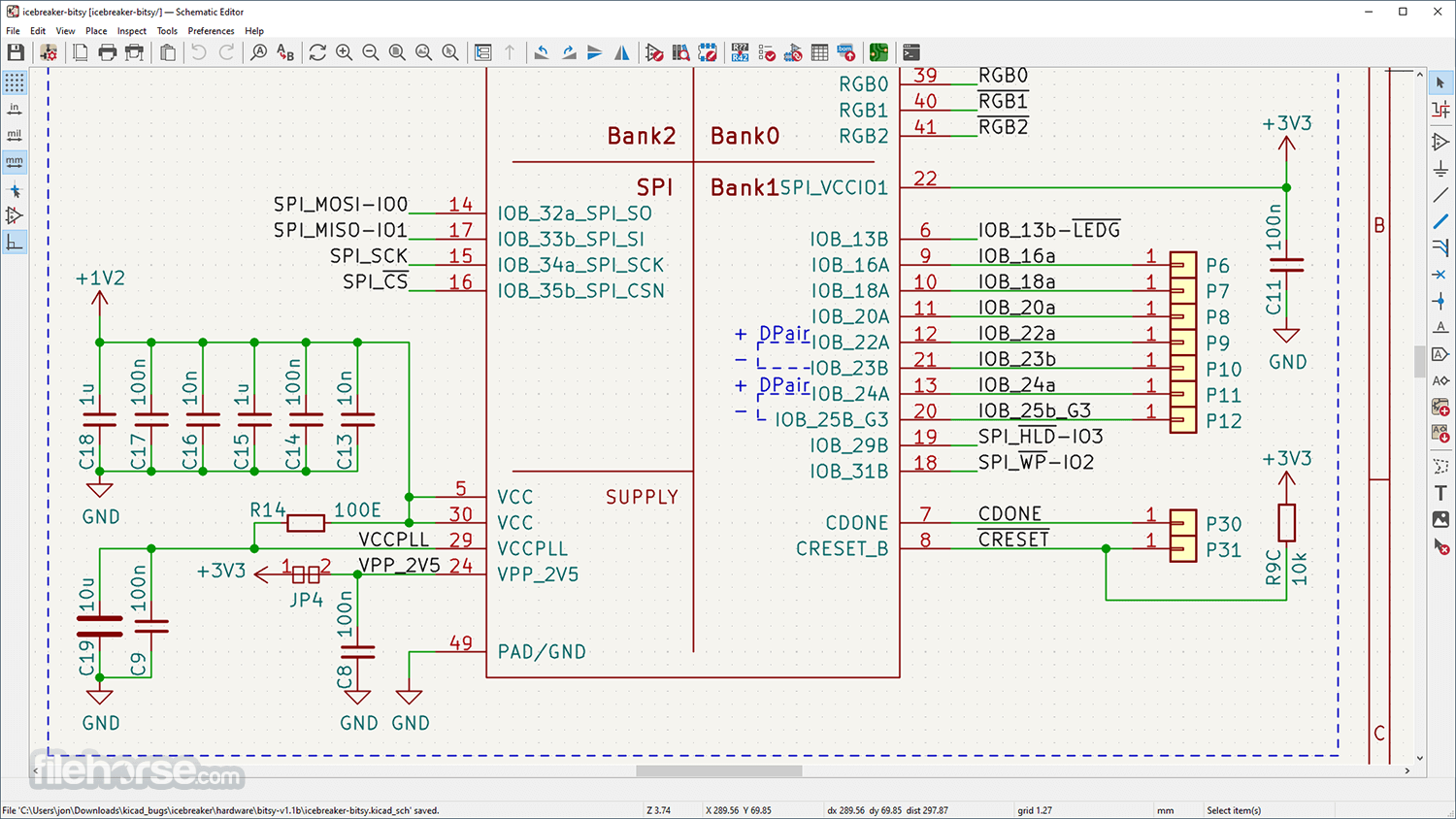
KiCad's Eeschema module allows users to create complex circuit schematics with ease. It includes a wide range of components and supports custom symbols. Users can easily create and manage hierarchical designs, which is particularly useful for large projects.
PCB Layout
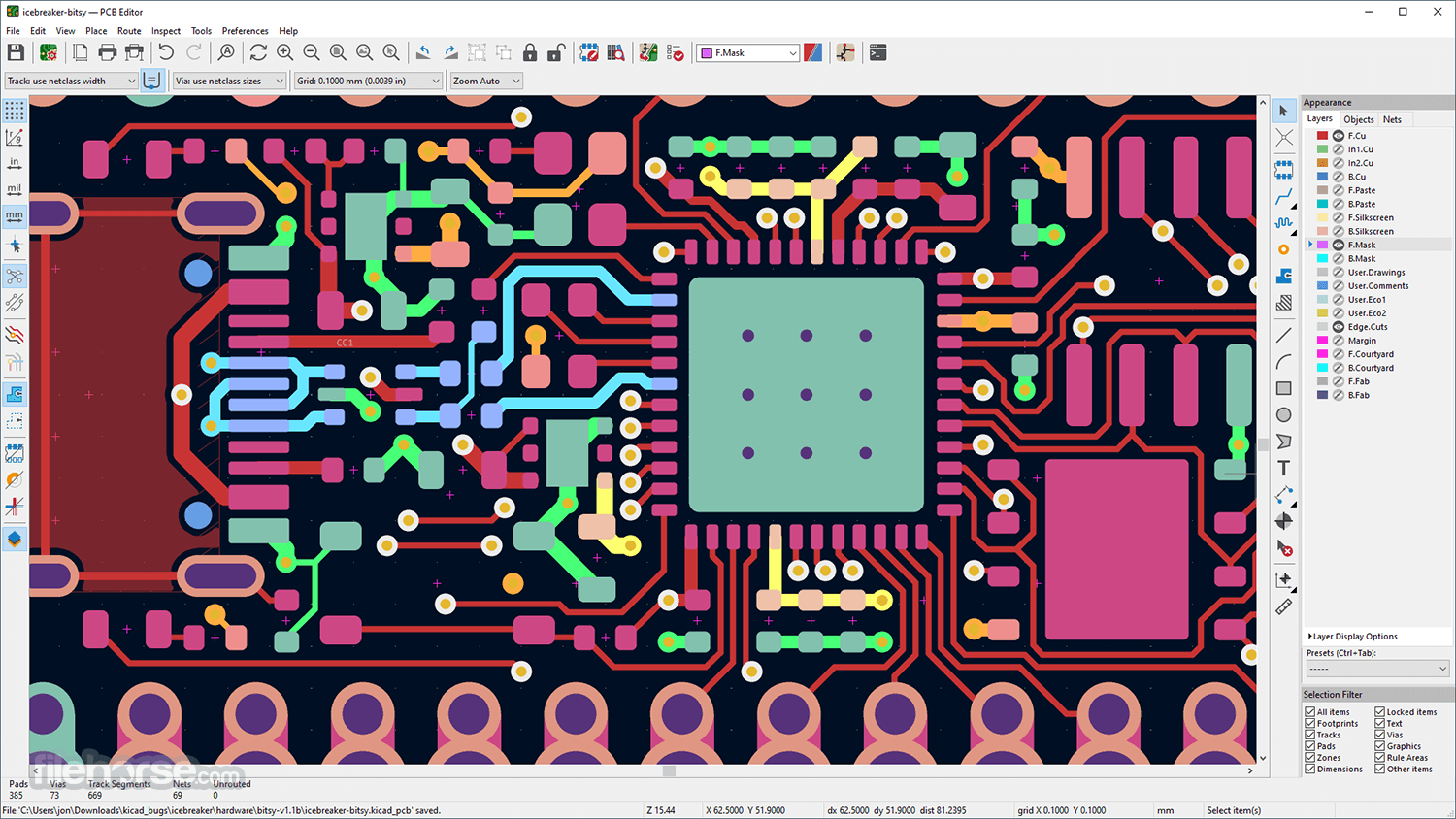
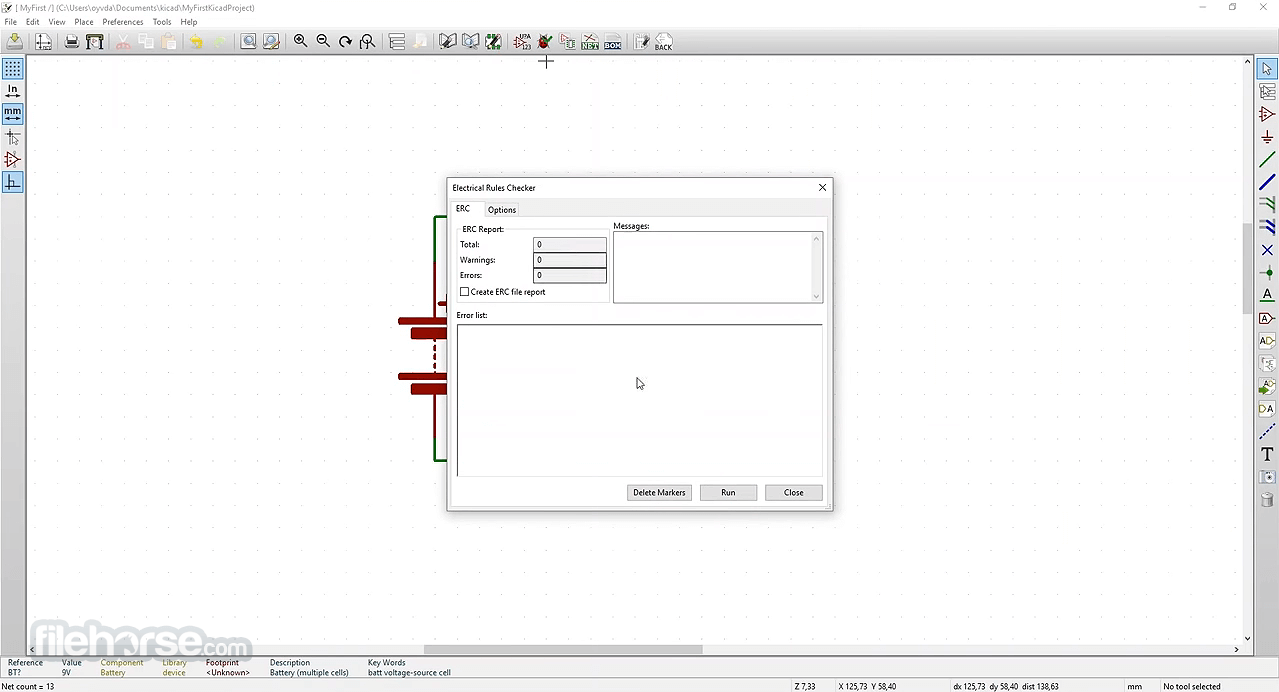
The PCBNew module is where the magic happens for PCB design. It supports multi-layer boards, differential pair routing, and high-speed design. The interactive routing tool offers real-time design rule checking, ensuring that your design is manufacturable.
3D Viewer
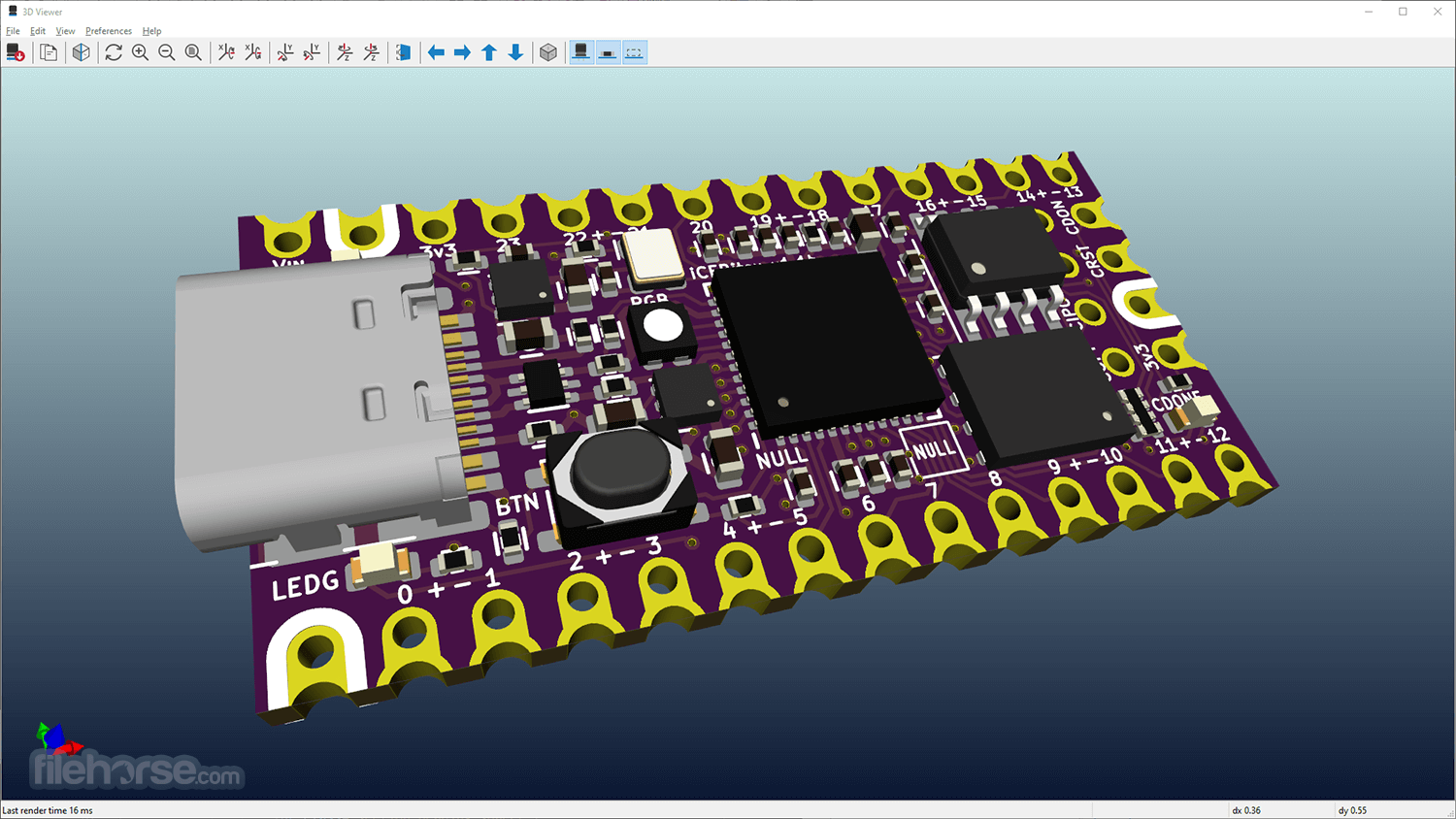
It includes a powerful 3D viewer that lets you visualize your PCB in a 3D space. This feature helps in understanding the placement of components and verifying the physical layout before manufacturing.
Library Management
It provides extensive libraries of components, footprints, and symbols. It also allows users to create and manage their own libraries, ensuring that you have the exact parts you need for your design.
SPICE Simulation
This program integrates with Ngspice for circuit simulation, allowing you to test your circuits before building them physically. This feature is invaluable for verifying the functionality of your design.
User Interface
KiCad’s user interface is clean and functional, though it may seem a bit overwhelming to beginners due to the vast array of tools and features available.
The interface is divided into different modules—Eeschema for schematic capture, PCBNew for PCB layout, and more—each with its own set of tools and options.
The learning curve can be steep, but once familiar with the interface, users will find it highly efficient and customizable. It supports multiple windows and tabs, allowing for easy navigation between different parts of a project.
Installation and Setup
Download: Visit the official website or FileHorse and download the installer for your operating system.
Installation: Run the installer and follow the on-screen instructions. The installation process typically takes a few minutes, depending on your system.
Initial Setup: Upon first launch, it prompts you to configure the default libraries and settings. This step is crucial as it ensures you have all the necessary components and tools available.
Getting Started: It offers a range of tutorials and documentation to help you get started. It’s recommended to go through these resources to familiarize yourself with the software.
How to Use
Is KiCad suitable for professional use?
Yes, this program is widely used by professionals for commercial projects. Its feature set is robust enough to handle complex designs, and being open-source, it receives continuous improvements from the community.
Can I import projects from other EDA tools into KiCad?
It supports importing designs from other EDA tools like Eagle. However, the import process might require some adjustments to ensure compatibility.
Does KiCad have simulation capabilities?
Yes, it integrates with Ngspice for SPICE-based circuit simulation. This feature allows you to simulate and verify your circuits before building them.
Is there a limit to the size or complexity of a project in KiCad?
No, the app does not impose any artificial limits on the size or complexity of your project. It can handle multi-layer boards, high pin-count components, and large designs.
How can I learn KiCad efficiently?
The community offers extensive documentation, tutorials, and forums. Additionally, there are many video tutorials available online that can help you learn the software quickly.
Alternatives
Eagle: A popular EDA tool by Autodesk, Eagle offers similar functionality but comes with a steeper price tag and limitations on board size in the free version.
Altium Designer: Altium is a high-end EDA tool used by professionals in the industry.
Fritzing: Fritzing is an open-source tool designed for beginners and hobbyists.
LTspice: Fast, and free SPICE simulator software, schematic capture and waveform viewer.
Pricing
This software is completely FREE and open-source, with no restrictions on its use.
This makes it an attractive option for both hobbyists and professionals who need powerful PCB design software without the high cost.
System Requirements
KiCad is a powerful and versatile EDA tool that is well-suited for both beginners and professionals. Its open-source nature, combined with a comprehensive feature set, makes it an excellent choice for PCB design.
While it has a learning curve, the benefits of using this program far outweigh the initial challenges. Whether you’re working on a small hobby project or a complex commercial design, it provides all the tools you need to bring your ideas to life.
Also Available: KiCad for Mac
Download KiCad Latest Version Why is this app published on FileHorse? (More info)
Initially developed in 1992 by Jean-Pierre Charras, KiCad for PC has evolved significantly over the years, becoming one of the most popular tools for electronics hobbyists, engineers, and professionals alike.
Its robust feature set, combined with its open-source nature, makes it a versatile choice for PCB design, capable of handling both small-scale and complex projects.
Main Features
Schematic Capture
KiCad's Eeschema module allows users to create complex circuit schematics with ease. It includes a wide range of components and supports custom symbols. Users can easily create and manage hierarchical designs, which is particularly useful for large projects.
PCB Layout
The PCBNew module is where the magic happens for PCB design. It supports multi-layer boards, differential pair routing, and high-speed design. The interactive routing tool offers real-time design rule checking, ensuring that your design is manufacturable.
3D Viewer
It includes a powerful 3D viewer that lets you visualize your PCB in a 3D space. This feature helps in understanding the placement of components and verifying the physical layout before manufacturing.
Library Management
It provides extensive libraries of components, footprints, and symbols. It also allows users to create and manage their own libraries, ensuring that you have the exact parts you need for your design.
SPICE Simulation
This program integrates with Ngspice for circuit simulation, allowing you to test your circuits before building them physically. This feature is invaluable for verifying the functionality of your design.
User Interface
KiCad’s user interface is clean and functional, though it may seem a bit overwhelming to beginners due to the vast array of tools and features available.
The interface is divided into different modules—Eeschema for schematic capture, PCBNew for PCB layout, and more—each with its own set of tools and options.
The learning curve can be steep, but once familiar with the interface, users will find it highly efficient and customizable. It supports multiple windows and tabs, allowing for easy navigation between different parts of a project.
Installation and Setup
Download: Visit the official website or FileHorse and download the installer for your operating system.
Installation: Run the installer and follow the on-screen instructions. The installation process typically takes a few minutes, depending on your system.
Initial Setup: Upon first launch, it prompts you to configure the default libraries and settings. This step is crucial as it ensures you have all the necessary components and tools available.
Getting Started: It offers a range of tutorials and documentation to help you get started. It’s recommended to go through these resources to familiarize yourself with the software.
How to Use
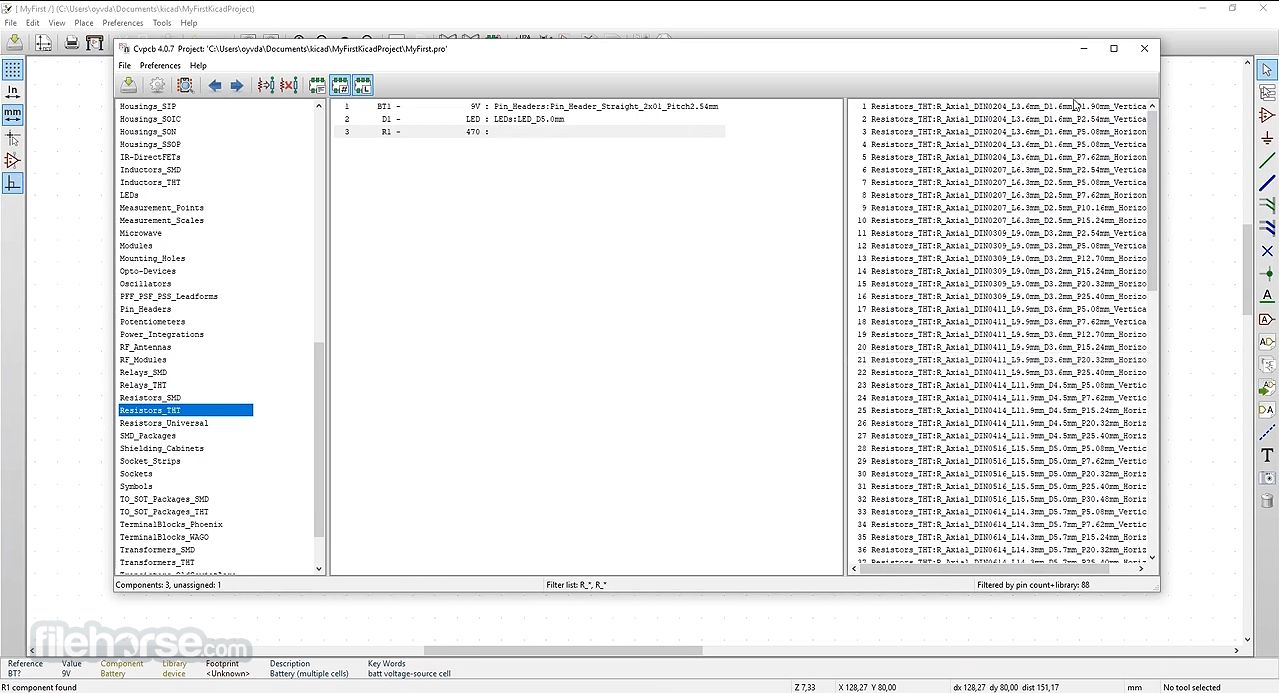
- Create a Project: Start by creating a new project. It organizes everything into a project directory, making it easy to manage files.
- Schematic Design: Use the Eeschema module to create your circuit schematic. Add components from the library, connect them using wires, and assign footprints to each component.
- PCB Layout: Once your schematic is complete, switch to PCBNew to start laying out your PCB. Import the netlist from Eeschema and place your components on the board. Use the routing tools to connect the components.
- 3D Visualization: Use the 3D viewer to check your PCB layout in a three-dimensional space. This step is essential for ensuring the physical design meets your expectations.
- Manufacturing Files: Generate Gerber files and other necessary manufacturing files from PCBNew. These files are what you will send to your PCB manufacturer.
Is KiCad suitable for professional use?
Yes, this program is widely used by professionals for commercial projects. Its feature set is robust enough to handle complex designs, and being open-source, it receives continuous improvements from the community.
Can I import projects from other EDA tools into KiCad?
It supports importing designs from other EDA tools like Eagle. However, the import process might require some adjustments to ensure compatibility.
Does KiCad have simulation capabilities?
Yes, it integrates with Ngspice for SPICE-based circuit simulation. This feature allows you to simulate and verify your circuits before building them.
Is there a limit to the size or complexity of a project in KiCad?
No, the app does not impose any artificial limits on the size or complexity of your project. It can handle multi-layer boards, high pin-count components, and large designs.
How can I learn KiCad efficiently?
The community offers extensive documentation, tutorials, and forums. Additionally, there are many video tutorials available online that can help you learn the software quickly.
Alternatives
Eagle: A popular EDA tool by Autodesk, Eagle offers similar functionality but comes with a steeper price tag and limitations on board size in the free version.
Altium Designer: Altium is a high-end EDA tool used by professionals in the industry.
Fritzing: Fritzing is an open-source tool designed for beginners and hobbyists.
LTspice: Fast, and free SPICE simulator software, schematic capture and waveform viewer.
Pricing
This software is completely FREE and open-source, with no restrictions on its use.
This makes it an attractive option for both hobbyists and professionals who need powerful PCB design software without the high cost.
System Requirements
- Operating System: Windows 11, 10, 8 or 7
- Processor: 1 GHz or faster processor
- Memory: 2 GB RAM minimum (4 GB or more recommended)
- Storage: 2 GB of available disk space
- Graphics: OpenGL 2.1 or higher-compatible graphics card
- Free and open-source
- Robust feature set for professional use
- Multi-platform support
- Extensive community resources
- User interface can be overwhelming at first
- Occasional bugs and glitches
KiCad is a powerful and versatile EDA tool that is well-suited for both beginners and professionals. Its open-source nature, combined with a comprehensive feature set, makes it an excellent choice for PCB design.
While it has a learning curve, the benefits of using this program far outweigh the initial challenges. Whether you’re working on a small hobby project or a complex commercial design, it provides all the tools you need to bring your ideas to life.
Also Available: KiCad for Mac
Download KiCad Latest Version Why is this app published on FileHorse? (More info)
##
畫面截圖
- 2026-07-23 KiCad 10.0.5 922 MB
- 2026-06-22 KiCad 10.0.4 922 MB
- 2026-05-16 KiCad 10.0.3 922 MB
- 2026-05-10 KiCad 10.0.2 922 MB
- 2026-04-16 KiCad 10.0.1 921 MB
- 2026-03-21 KiCad 10.0.0 934 MB
- 2026-01-02 KiCad 9.0.7 1 GB
- 2025-10-31 KiCad 9.0.6 1 GB