⚠ 這是歷史版本頁面 — 查看 Kingston SSD Manager 最新版本 →

Kingston SSD Manager 1.5.3.3
v 1.5.3.3
Windows
免費軟體
7.38/10 (31)
- 目前版本1.5.3.3
- 更新日期2023-08-15
- 檔案大小49.7 MB
- 檔案名稱KSM_setup_1.5.3.3.exe
- 作業系統Windows 8 / Windows 10 / Windows 11
- 支援語系English
- 授權型式免費軟體
- 開發商 Kingston Technology Corporation
- 軟體分類Windows 軟體 / 系統優化
##
編輯短評
Kingston SSD Manager 是金士頓官方推出的固態硬碟管理工具,主要用來監控與維護自家品牌的 SSD。它能查看硬碟健康狀態、剩餘壽命、磁碟使用量,以及型號、序號、韌體版本等識別資訊,並提供韌體更新、安全抹除資料、管理 TCG Opal 加密等功能。這套工具最大的辨識度在於它專為 Kingston 產品設計,能讀取其他軟體看不到的官方診斷數據;開發商持續維護,更新頻率穩定,在同類工具中屬於官方支援的熱門選擇,不過使用者評價普遍不錯,但樣本數不多。
如果你手上剛好有 Kingston 的固態硬碟,這套軟體就是最直接的監控方案,特別適合需要定期檢查硬碟健康、更新韌體或處理二手碟資料抹除的使用者。與 Rufus、Glary Utilities 等通用工具相比,它功能單一但更深入,只支援 Kingston 產品,且僅提供英文介面、限 Windows 平台,不支援 Mac 或 Linux。軟體本身免費,但安裝時需注意它會要求系統環境符合官方支援範圍,下載前建議先確認自己的硬碟型號是否在相容清單內。
##
翻譯排程處理中,以下暫以英文原文呈現
軟體介紹
Kingston SSD Manager is an application that provides users with the ability to monitor and manage various aspects of their Kingston® Solid State Drive.
SSD Manager is supported on all operating systems. The Kingston SSD Manager is not compatible with Mac OS or Linux distributions.
With SSD Manager you will be able to:
Install the software on your Windows PC or Laptop
Open the program and accept the license agreement
Select your Kingston SSD from the device list
View drive health, status, and usage details
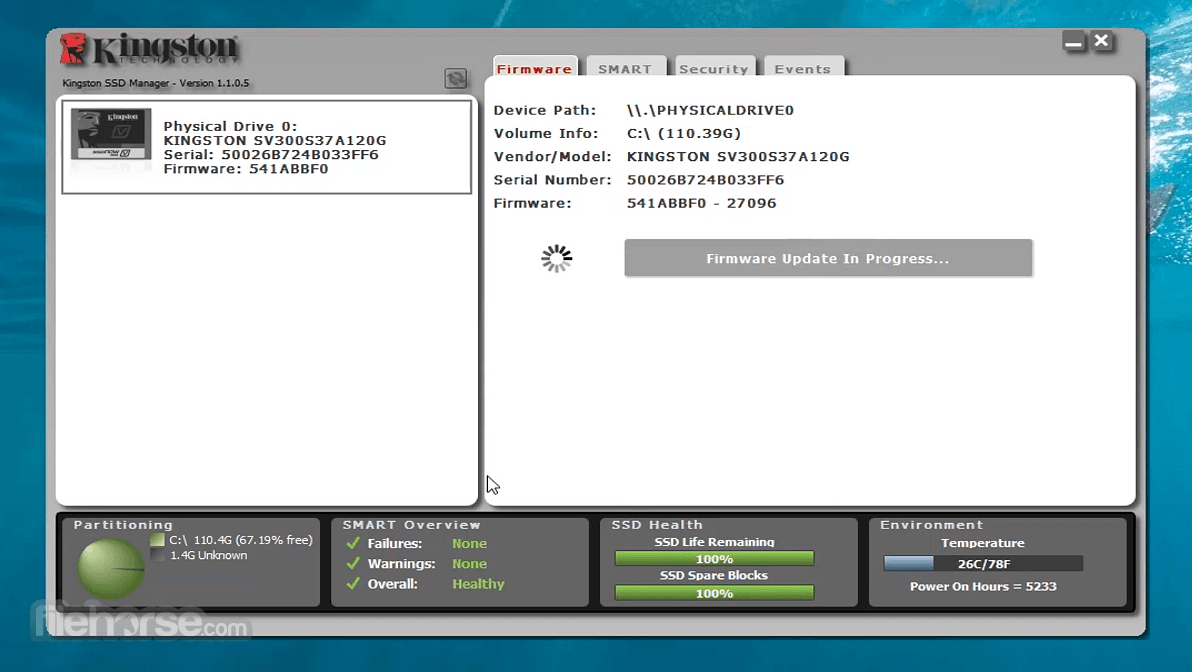
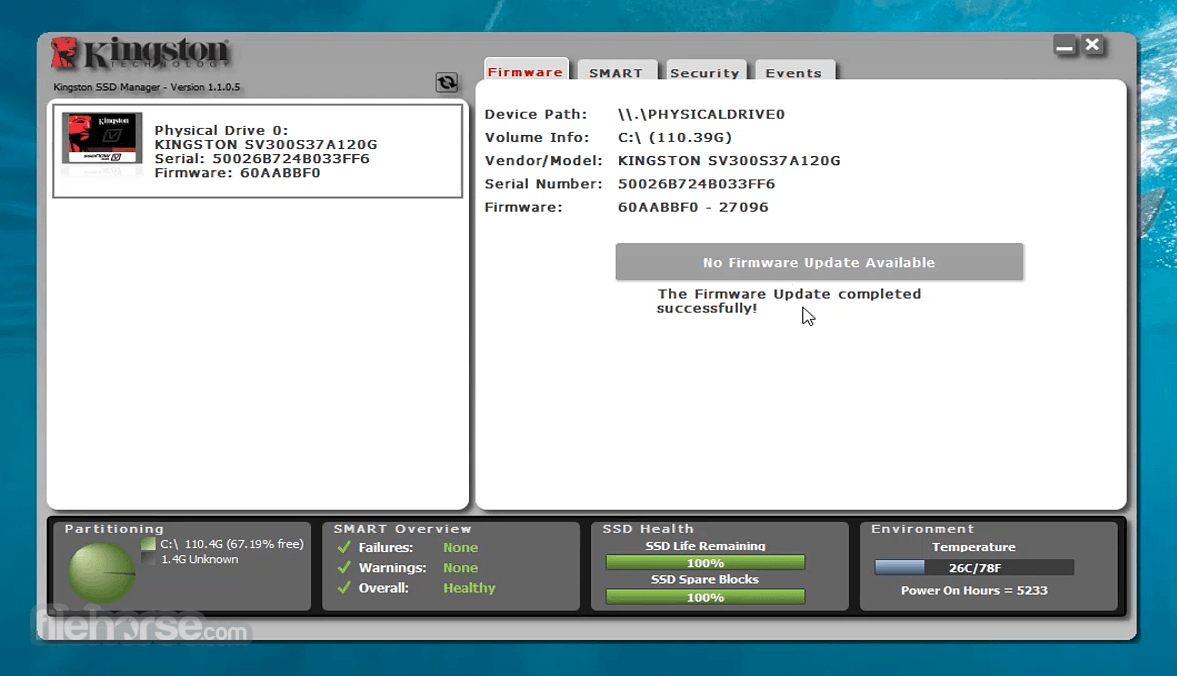
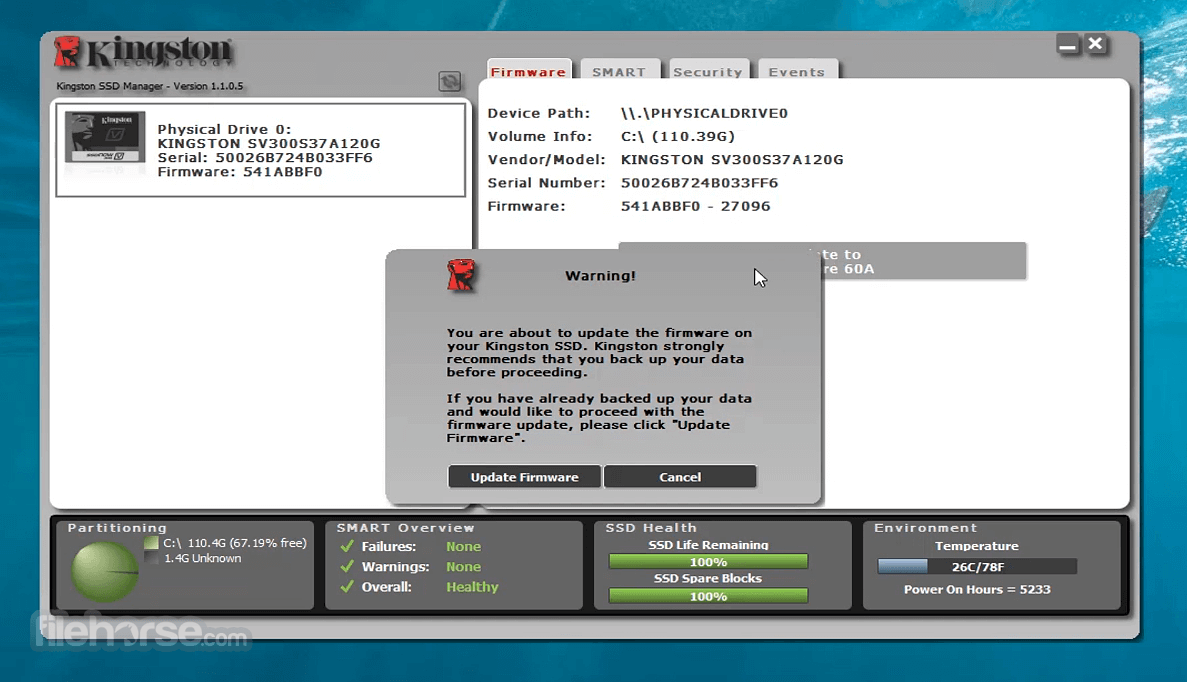
Update SSD firmware if available
Enable or disable security features like TCG Opal
Export drive health reports for diagnostics
Use the refresh button to update SSD information
Close the program after making necessary changes
System Requirements
Download Kingston SSD Manager Latest Version Why is this app published on FileHorse? (More info)
SSD Manager is supported on all operating systems. The Kingston SSD Manager is not compatible with Mac OS or Linux distributions.
With SSD Manager you will be able to:
- Monitor drive health, status, and disk usage
- View drive identification data including model name, serial number, firmware version, and other relevant information
- View and export detailed drive health and status reports
- Update drive firmware
- Securely erase data
- Manage TCG Opal and IEEE 1667
- Overprovision with Host Protected Area (HPA) (DC400 series only)
- Physical device path
- Volume information
- Vendor/Model
- Serial number
- Firmware version
- One or more Kingston® SSDs
- AHCI mode set in BIOS
- Administrator privileges in Windows®
- Click on the Kingston SSDManager (KSM) link to initialize the software download.
- Locate your download and extract the contents.
- Run the KSM Setup executable as administrator.
- Follow the prompts within the Setup Wizard and proceed with the KSM software installation.
- Once your installation is complete, the system may require a reboot.
- Attribute: The attribute number and description.
- Normalized: The current normalized value of the attribute.
- Worst: The lowest recorded normalized value of the attribute.
- Threshold: The value that the attribute should not exceed under normal operation.
- Raw: Raw value of the attribute.
- Flags: The number of flags associated with the attribute.
Install the software on your Windows PC or Laptop
Open the program and accept the license agreement
Select your Kingston SSD from the device list
View drive health, status, and usage details
Update SSD firmware if available
Enable or disable security features like TCG Opal
Export drive health reports for diagnostics
Use the refresh button to update SSD information
Close the program after making necessary changes
System Requirements
- Windows 11 or Windows 10 (64-bit only)
- Administrator privileges required
- Kingston SSD connected via SATA or NVMe
- .NET Framework 4.0 or higher
- Minimum 4GB RAM recommended
- Easy-to-use interface
- Firmware update support
- Real-time SSD health monitoring
- Secure erase functionality
- Supports multiple Kingston drives
- Windows only, no Mac/Linux support
- Limited to Kingston SSDs
- No performance benchmark tool
- May not detect external SSDs
- Advanced options are minimal
Download Kingston SSD Manager Latest Version Why is this app published on FileHorse? (More info)
##
畫面截圖
- 2026-04-09 Kingston SSD Manager 1.5.6.5 52.99 MB
- 2026-03-09 Kingston SSD Manager 1.5.6.3 52.99 MB
- 2025-12-03 Kingston SSD Manager 1.5.6.1 52.99 MB
- 2025-10-02 Kingston SSD Manager 1.5.6.0 53.54 MB
- 2025-08-22 Kingston SSD Manager 1.5.5.7 53.48 MB
- 2025-07-04 Kingston SSD Manager 1.5.5.6 53.49 MB
- 2025-05-02 Kingston SSD Manager 1.5.5.3 53.48 MB
- 2024-09-26 Kingston SSD Manager 1.5.4.9 53.69 MB