⚠ 這是歷史版本頁面 — 查看 KIOXIA SSD Utility 最新版本 →

KIOXIA SSD Utility 6.6.0.09
v 6.6.0.09
Windows
免費軟體
8.84/10 (6)
- 目前版本6.6.0.09
- 更新日期2026-05-21
- 檔案大小63.27 MB
- 檔案名稱SSDUtility_6.6.0.09_Windows.exe
- 作業系統Windows 10 / Windows 11
- 支援語系English
- 授權型式免費軟體
- 開發商 KIOXIA
- 軟體分類Windows 軟體 / 系統優化
##
翻譯排程處理中,以下暫以英文原文呈現
軟體介紹
The KIOXIA SSD Utility is a user-friendly graphical interface (GUI) software tool for Windows PC created to assist you in the upkeep and surveillance of your SSD.
This version of KIOXIA SSD Utility Management Software is compatible with KIOXIA-manufactured SSDs only (see compatible products in the table below). For Toshiba Memory-manufactured SSDs, please click here and download Toshiba OCZ SSD Utility old version.
Compatible Products
Summary
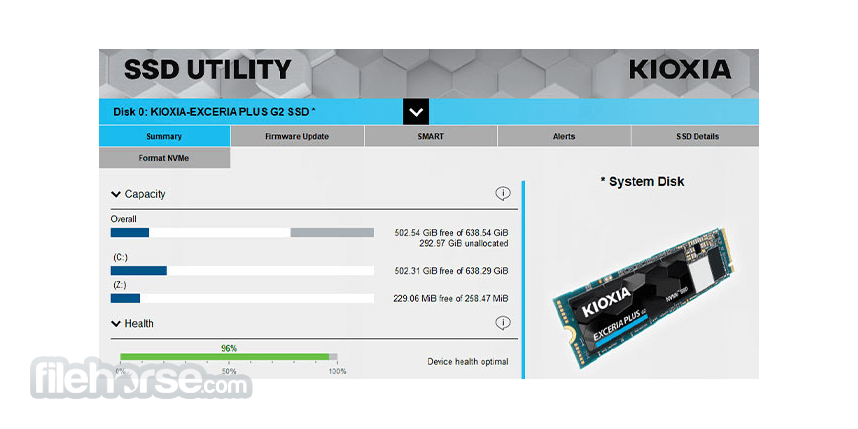
Gain a comprehensive real-time overview of your system's status, capacity, interface, health, updates, and more, all at your fingertips.
Firmware Update
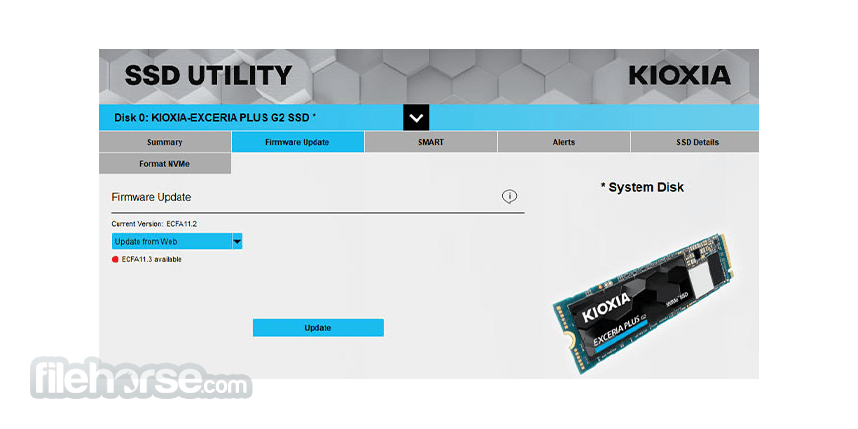
Periodically, we recommend updating your SSD's firmware to enhance its performance and stability. Now, you can easily perform these updates directly within SSD Utility.
Monitoring
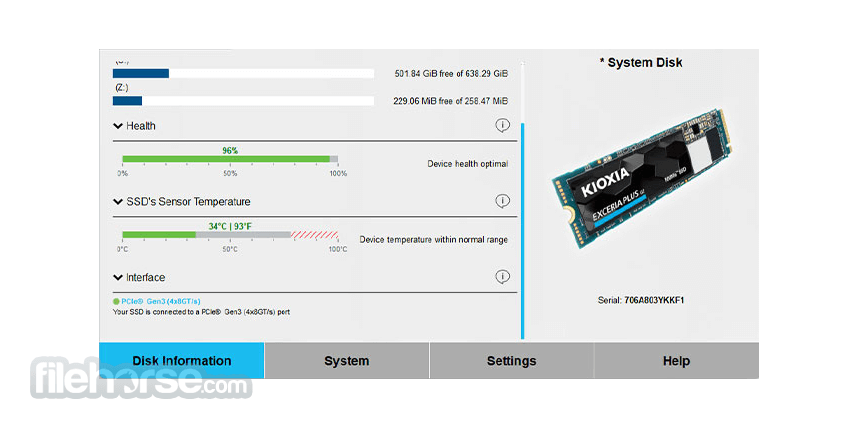
Keep tabs on your SSD's remaining lifespan and sensor temperature, ensuring it's connected to the appropriate ports and configured for optimal high-performance operation.
Secure Erase
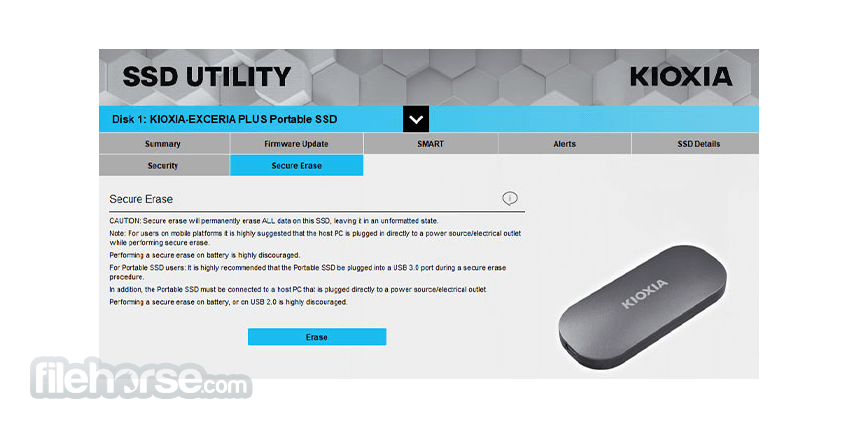
Safeguard your sensitive data by securely erasing it and restoring the SSD to its original, uninitialized state, preventing any potential data recovery.
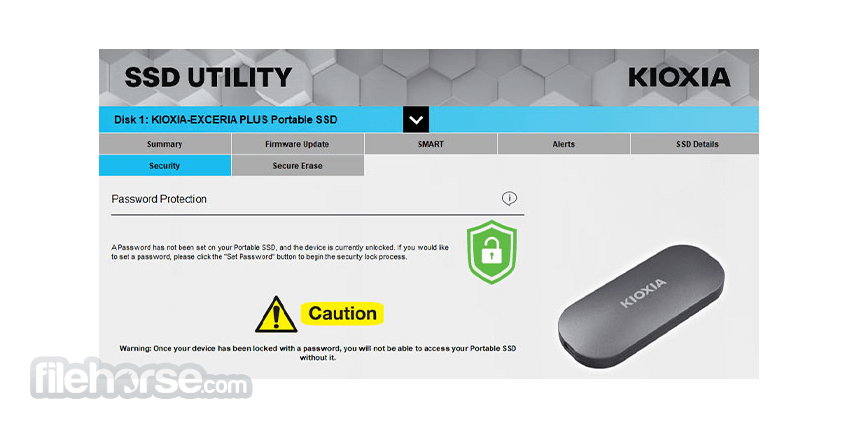
Password Protection
Enhance the security of your portable SSD by setting a password and locking it to prevent unauthorized access to your valuable data.
Support
Efficiently manage your support needs with the Save Support Package feature. Additionally, for assistance with settings or troubleshooting, SSD Utility conveniently provides direct links to support contact pages.
System Requirements
Windows 11, Windows 10 x64
Important Notice
Download KIOXIA SSD Utility Latest Version Why is this app published on FileHorse? (More info)
This version of KIOXIA SSD Utility Management Software is compatible with KIOXIA-manufactured SSDs only (see compatible products in the table below). For Toshiba Memory-manufactured SSDs, please click here and download Toshiba OCZ SSD Utility old version.
Compatible Products
- EXCERIA PRO G2 SSD
- EXCERIA PRO SSD
- EXCERIA PLUS G4 SSD
- EXCERIA PLUS G3 SSD
- EXCERIA PLUS G2 SSD
- EXCERIA PLUS SSD
- EXCERIA G3 SSD
- EXCERIA G2 SSD
- EXCERIA SSD
- EXCERIA BASIC SSD
- EXCERIA with Heatsink SSD
- EXCERIA SATA SSD
- EXCERIA PLUS G2 Portable SSD
- EXCERIA PLUS Portable SSD
Summary
Gain a comprehensive real-time overview of your system's status, capacity, interface, health, updates, and more, all at your fingertips.
Firmware Update
Periodically, we recommend updating your SSD's firmware to enhance its performance and stability. Now, you can easily perform these updates directly within SSD Utility.
Monitoring
Keep tabs on your SSD's remaining lifespan and sensor temperature, ensuring it's connected to the appropriate ports and configured for optimal high-performance operation.
Secure Erase
Safeguard your sensitive data by securely erasing it and restoring the SSD to its original, uninitialized state, preventing any potential data recovery.
Password Protection
Enhance the security of your portable SSD by setting a password and locking it to prevent unauthorized access to your valuable data.
Support
Efficiently manage your support needs with the Save Support Package feature. Additionally, for assistance with settings or troubleshooting, SSD Utility conveniently provides direct links to support contact pages.
System Requirements
Windows 11, Windows 10 x64
Important Notice
- Make backup copies of any data on the SSD that you want to keep; some operations result in the complete loss of data on the SSD.
- When using password protection on your portable SSD, please make sure that password protection is set.
- Windows: Make sure to set your SATA controller to AHCI (Advanced Host Controller Interface) Mode in the motherboard BIOS if it is not; for instructions, see the user documentation for your computer.
- SSD Utility is required to be run as a system administrator.
- An internet connection is required for the firmware update.
- User-friendly GUI for SSD management.
- Real-time system overview.
- Firmware updates within the app.
- Monitoring of SSD lifespan and temperature.
- Secure data erasure.
- Password protection for data security.
- Convenient support features.
- Compatible with Windows 11 and Windows 10.
- Limited compatibility with KIOXIA SSDs only.
- Requires an internet connection for firmware updates.
- May result in data loss during certain operations.
- Requires system administrator privileges.
- Requires SATA controller configuration in BIOS.
Download KIOXIA SSD Utility Latest Version Why is this app published on FileHorse? (More info)
##
畫面截圖