Lenovo Commercial Vantage
v Lenovo Commercial Vantage
Windows
免費軟體
10/10 (1)
- 目前版本Lenovo Commercial Vantage
- 更新日期2026-07-02
- 檔案大小1.4 MB
- 檔案名稱Lenovo Commercial Vantage Installer.exe
- 作業系統Windows 10 / Windows 11
- 支援語系English
- 授權型式免費軟體
- 開發商 Lenovo
- 軟體分類Windows 軟體 / 系統優化
##
翻譯排程處理中,以下暫以英文原文呈現
軟體介紹
Lenovo Commercial Vantage is a Windows device-management application designed primarily for Lenovo business computers
Lenovo Commercial Vantage for PC provides employees and IT administrators with a centralized place to manage hardware settings, install Lenovo updates, check system information, and adjust selected security and power options.
Unlike the standard Lenovo Vantage app, which focuses more heavily on individual consumers, Commercial Vantage is built for managed business environments.
Administrators can determine which features users can access, enforce selected configurations, and deploy the application across multiple company computers.
The software is especially useful for organizations using ThinkPad, ThinkCentre, ThinkStation, or other supported Lenovo commercial systems.
It reduces the need to open several separate utilities when checking updates, battery settings, warranty information, or device configuration.
Main Features
Lenovo Commercial Vantage uses a clean, business-oriented interface with clearly separated sections for device settings, updates, support, and system information.
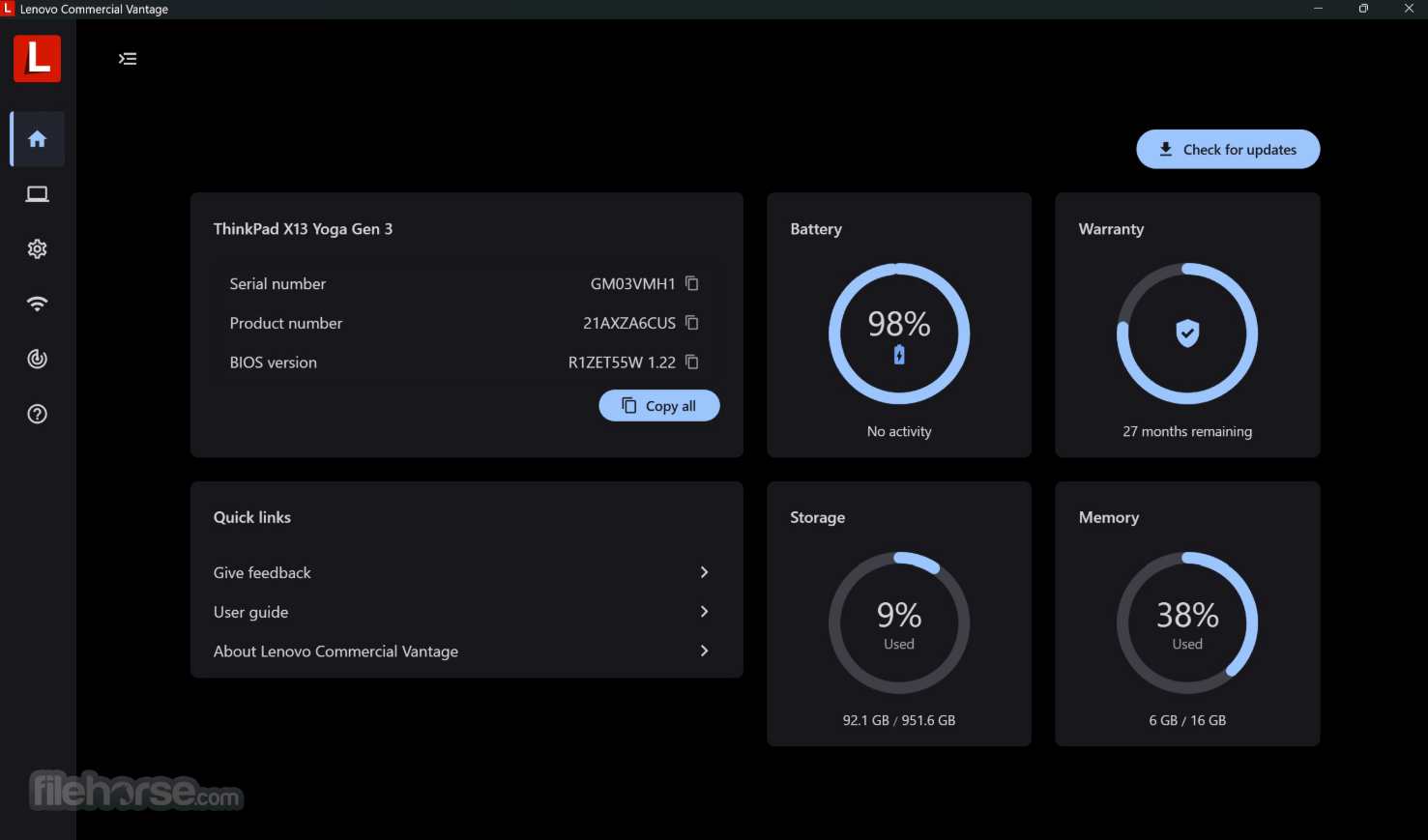
The dashboard presents important device details without overwhelming users with highly technical menus.
Navigation is straightforward, although the features displayed can vary depending on the Lenovo model and policies configured by an IT administrator.
Some controls may therefore be unavailable or hidden on managed computers.
Installation and Setup
The easiest installation method is through the Microsoft Store. Search for Lenovo Commercial Vantage, select the application, and click Install.
Companies managing multiple computers can deploy the Enterprise package using their existing device-management tools.
This package also provides administrative templates for controlling available features and update behavior.
After installation, launch the program and allow it to identify the Lenovo device.
Administrative permission may be required for BIOS, firmware, driver, or policy-related changes.
How to Use
Is Lenovo Commercial Vantage free?
Yes. The application can be installed and used without purchasing a separate subscription.
Is it the same as Lenovo Vantage?
No. Lenovo Vantage targets general consumers, while Commercial Vantage is optimized for business computers and centrally managed IT environments.
Can it update the BIOS?
Yes, it can detect and install compatible BIOS updates for supported Lenovo systems. The computer should remain connected to power during the process.
Does it work on non-Lenovo computers?
It is specifically designed for supported Lenovo PCs. Most device-management features will not work correctly on computers from other manufacturers.
Can an IT administrator disable features?
Yes. Organizations can use administrative policies to hide, restrict, or configure selected functions.
Alternatives
Lenovo Vantage – A consumer-focused utility for managing Lenovo updates, settings, support, and device optimization.
Lenovo System Update – A more focused tool for obtaining Lenovo drivers, BIOS updates, firmware, and applications.
Pricing
This program is available as freeware.
There are no standard subscription fees or premium plans required for its core device-management features.
System Requirements
Lenovo Commercial Vantage is a practical management utility for Lenovo business computers, combining updates, hardware controls, device information, and enterprise policies in one accessible interface.
The FileHorse review team recommends it to organizations and professionals who need a reliable way to maintain supported Lenovo PCs without relying on several separate utilities.
Download Lenovo Commercial Vantage Latest Version Why is this app published on FileHorse? (More info)
Lenovo Commercial Vantage for PC provides employees and IT administrators with a centralized place to manage hardware settings, install Lenovo updates, check system information, and adjust selected security and power options.
Unlike the standard Lenovo Vantage app, which focuses more heavily on individual consumers, Commercial Vantage is built for managed business environments.
Administrators can determine which features users can access, enforce selected configurations, and deploy the application across multiple company computers.
The software is especially useful for organizations using ThinkPad, ThinkCentre, ThinkStation, or other supported Lenovo commercial systems.
It reduces the need to open several separate utilities when checking updates, battery settings, warranty information, or device configuration.
Main Features
- System Update: Finds and installs compatible Lenovo drivers, firmware, BIOS updates, and selected applications.
- Hardware Settings: Provides access to supported display, audio, input, camera, keyboard, and device options.
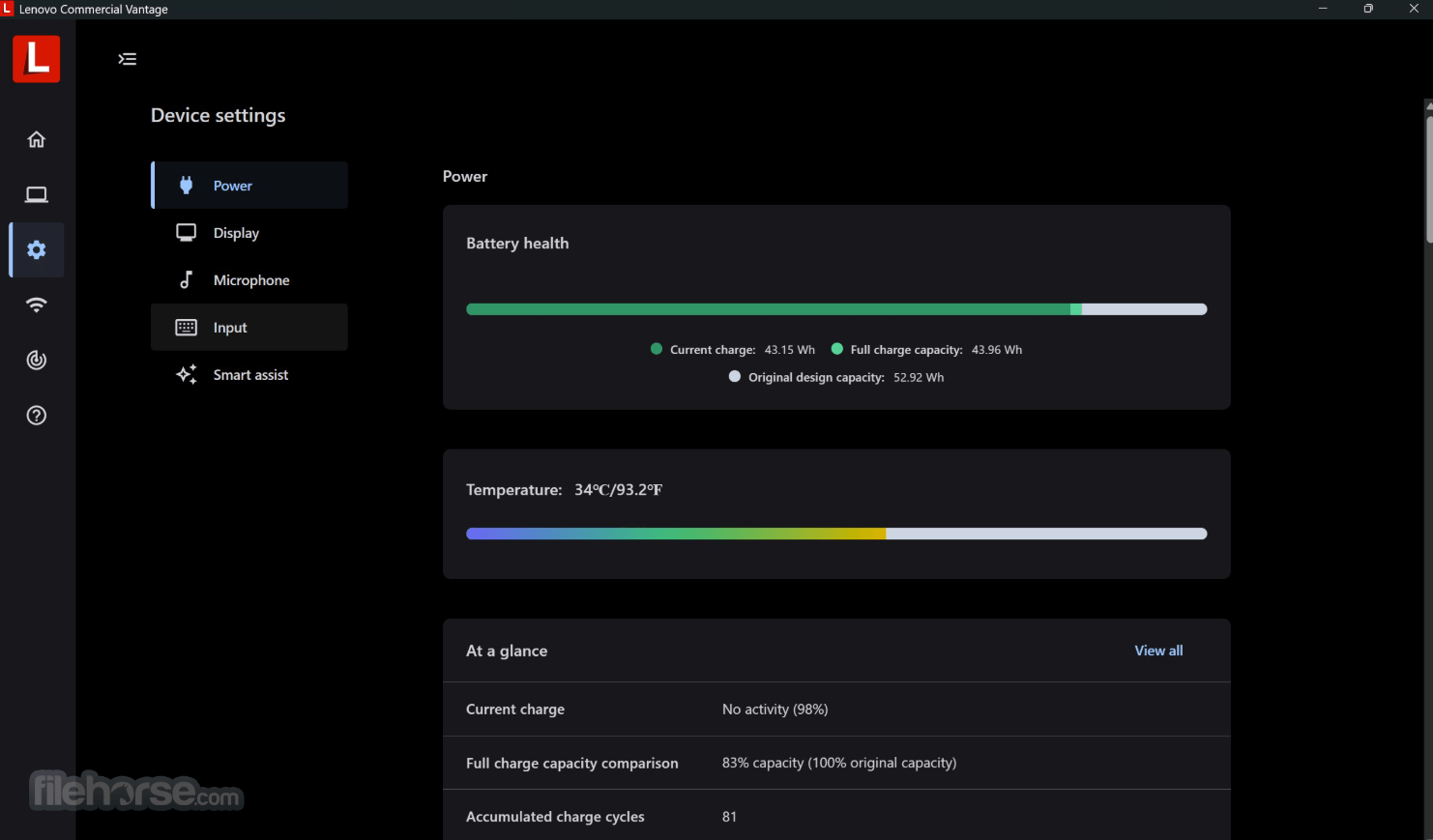
- Battery Management: Includes charging thresholds and power-related controls on compatible Lenovo laptops.
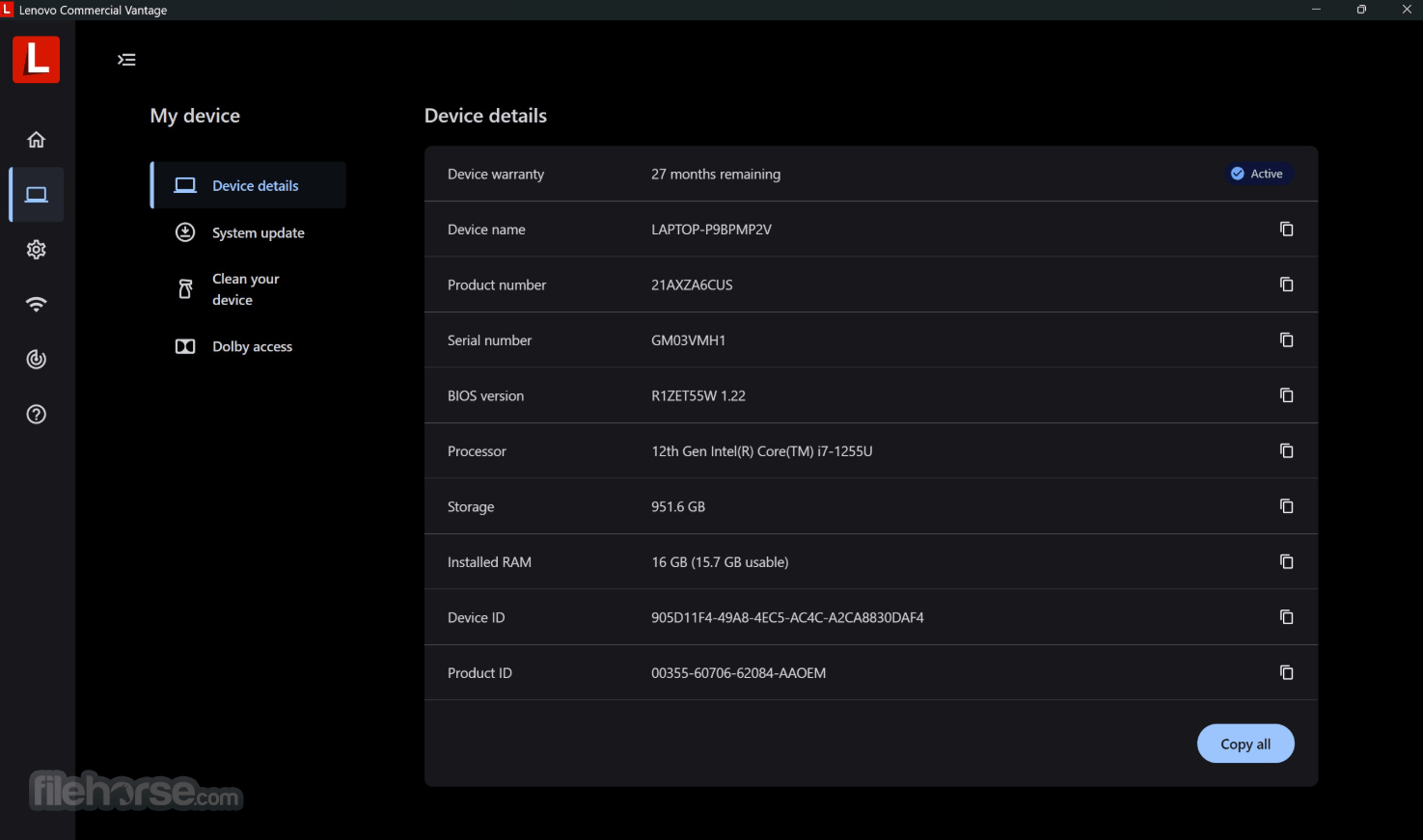
- Device Information: Displays the computer model, serial number, BIOS version, processor, memory, and operating-system details.
- Warranty Details: Helps users review available warranty and support information for their Lenovo PC.
- Security Controls: Offers access to supported privacy, camera, authentication, and hardware-security settings.
- IT Policy Management: Allows administrators to restrict features and define configurations through enterprise policies.
- Automated Updates: Can automatically obtain approved Lenovo updates according to the organization’s configuration.
- Optional Metrics Collection: Supports anonymized reliability and feature-usage data collection when enabled by an organization.
Lenovo Commercial Vantage uses a clean, business-oriented interface with clearly separated sections for device settings, updates, support, and system information.
The dashboard presents important device details without overwhelming users with highly technical menus.
Navigation is straightforward, although the features displayed can vary depending on the Lenovo model and policies configured by an IT administrator.
Some controls may therefore be unavailable or hidden on managed computers.
Installation and Setup
The easiest installation method is through the Microsoft Store. Search for Lenovo Commercial Vantage, select the application, and click Install.
Companies managing multiple computers can deploy the Enterprise package using their existing device-management tools.
This package also provides administrative templates for controlling available features and update behavior.
After installation, launch the program and allow it to identify the Lenovo device.
Administrative permission may be required for BIOS, firmware, driver, or policy-related changes.
How to Use
- Open Lenovo Commercial Vantage from the Windows Start menu.
- Review the detected computer model and system information.
- Open the System Update section.
- Scan for available drivers, firmware, BIOS, and Lenovo software updates.
- Review the detected updates before installing them.
- Connect the laptop to AC power before applying BIOS or firmware updates.
- Open Device Settings to configure available hardware features.
- Adjust battery charging, power, camera, audio, or input settings when supported.
- Restart the computer when requested to complete installation.
Is Lenovo Commercial Vantage free?
Yes. The application can be installed and used without purchasing a separate subscription.
Is it the same as Lenovo Vantage?
No. Lenovo Vantage targets general consumers, while Commercial Vantage is optimized for business computers and centrally managed IT environments.
Can it update the BIOS?
Yes, it can detect and install compatible BIOS updates for supported Lenovo systems. The computer should remain connected to power during the process.
Does it work on non-Lenovo computers?
It is specifically designed for supported Lenovo PCs. Most device-management features will not work correctly on computers from other manufacturers.
Can an IT administrator disable features?
Yes. Organizations can use administrative policies to hide, restrict, or configure selected functions.
Alternatives
Lenovo Vantage – A consumer-focused utility for managing Lenovo updates, settings, support, and device optimization.
Lenovo System Update – A more focused tool for obtaining Lenovo drivers, BIOS updates, firmware, and applications.
Pricing
This program is available as freeware.
There are no standard subscription fees or premium plans required for its core device-management features.
System Requirements
- Recommended OS: Windows 10 or Windows 11.
- Device: Supported Lenovo commercial desktop, laptop, or workstation.
- Architecture: Compatible Windows PC architecture supported by the selected Lenovo device.
- Internet Connection: Required for downloading updates and retrieving online device information.
- Microsoft Store: Required for standard Store-based installation.
- Administrator Rights: May be required for drivers, firmware, BIOS, and system-level changes.
- Centralizes important Lenovo device controls.
- Installs compatible drivers and firmware.
- Supports enterprise policy management.
- Provides useful battery charging controls.
- Displays detailed system information.
- Offers a clean and organized interface.
- Available completely free of charge.
- Intended only for supported Lenovo computers.
- Available features differ between models.
- Some controls may be disabled by administrators.
- BIOS updates require additional caution.
- Limited value on unmanaged consumer devices.
- Can overlap with Windows Update functions.
Lenovo Commercial Vantage is a practical management utility for Lenovo business computers, combining updates, hardware controls, device information, and enterprise policies in one accessible interface.
The FileHorse review team recommends it to organizations and professionals who need a reliable way to maintain supported Lenovo PCs without relying on several separate utilities.
Download Lenovo Commercial Vantage Latest Version Why is this app published on FileHorse? (More info)
##
畫面截圖