⚠ 這是歷史版本頁面 — 查看 Auto-Tune Pro 最新版本 →

- 目前版本X
- 更新日期2022-11-14
- 檔案大小244 MB
- 檔案名稱Auto-Tune_Pro_X_macOS.zip
- 作業系統Mac OS X
- 支援語系English
- 授權型式商業試用
- 開發商 Antares Audio Technologies
- 軟體分類Mac 軟體 / 音訊軟體
##
編輯短評
Auto-Tune Pro 是 Antares 推出的專業人聲音準修正工具,主要解決錄音過程中音準不穩、需要反覆重錄的痛點。它能在即時或後製階段細膩調整人聲細節,並提供經典的 Auto-Tune 效果,讓製作人快速把演唱修到可用的狀態。這套軟體在音樂產業中長期被視為人聲處理的主流首選,同類工具中依評分人數名列前茅,評價普遍不錯,且開發商持續維護更新,目前提供試用版供使用者評估。
這款軟體適合音樂製作人、錄音工程師與歌手,在錄音室混音、單曲後製或現場演出前置準備時都會用到。與 Logic Pro 等綜合型 DAW 內建功能相比,Auto-Tune Pro 專注於人聲修正與效果調校,操作介面更直接,但需留意它僅支援 macOS 平台、介面為英文,且試用版有功能限制,長期使用需購買正式授權。
##
翻譯排程處理中,以下暫以英文原文呈現
軟體介紹
Auto-Tune Pro for Mac is a vocal signature editing software designed for real-time pitch correction and effects, enabling audio producers to fine-tune vocal performances and get them ready for final mastering.
It is widely used in the music industry for enhancing vocal performances and achieving a consistent, professional sound across various tracks and projects.
The software offers a user-friendly interface and a range of features, making it an essential tool for audio professionals and musicians alike.
The latest generation of this software has adopted the use of several automatic services for effortless vocal pitch correction that enable both precise tuning and creative overhauls.
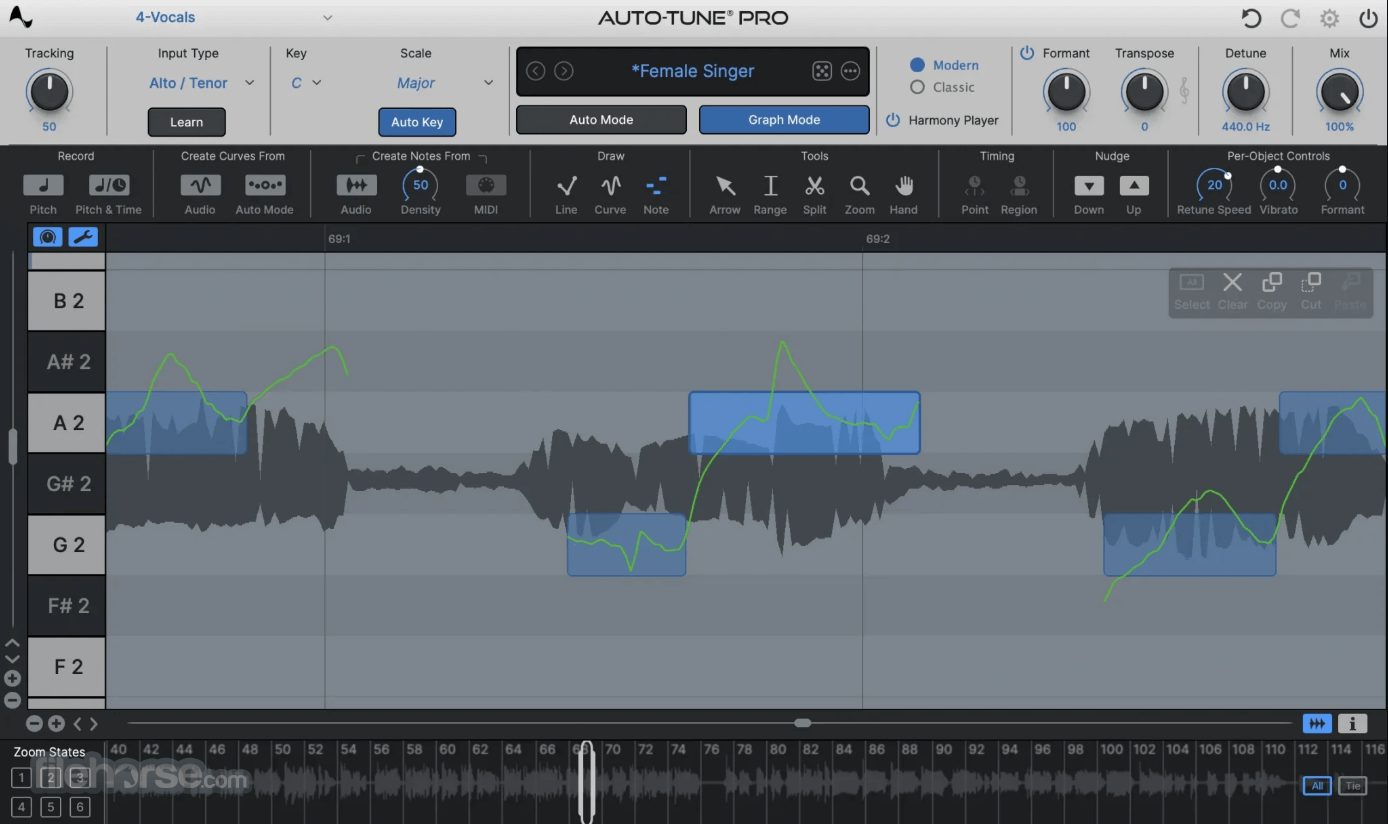
Workflow boosting features also include a new streamlined Graph Mode that enables easy real-time voice signature correction, Presets for easier management of Artist voice signatures, and powerful ARA2 support for digital audio workstation platforms such as Cubase, Logic, Studio One, and others.
This and much more are now available on all modern versions of Mac products, with full optimization for native Apple Silicon chip hardware acceleration of audio processing, enabling effortless audio management in projects of all sizes.
Main Features
To install and set up Auto-Tune Pro on a Mac computer, users need to first download the app from the official Antares website or our secure FileHorse servers and start the installer.
After following a few simple on-screen instructions, this software will be fully installed on all modern Macs. To finish the installation procedure and activate the app, simply sign in using an Antares account.
How to Use
This highly effective audio editing app enables seasoned audio engineers to take full control over the voice signatures of narrators, singers, and other voice performers.
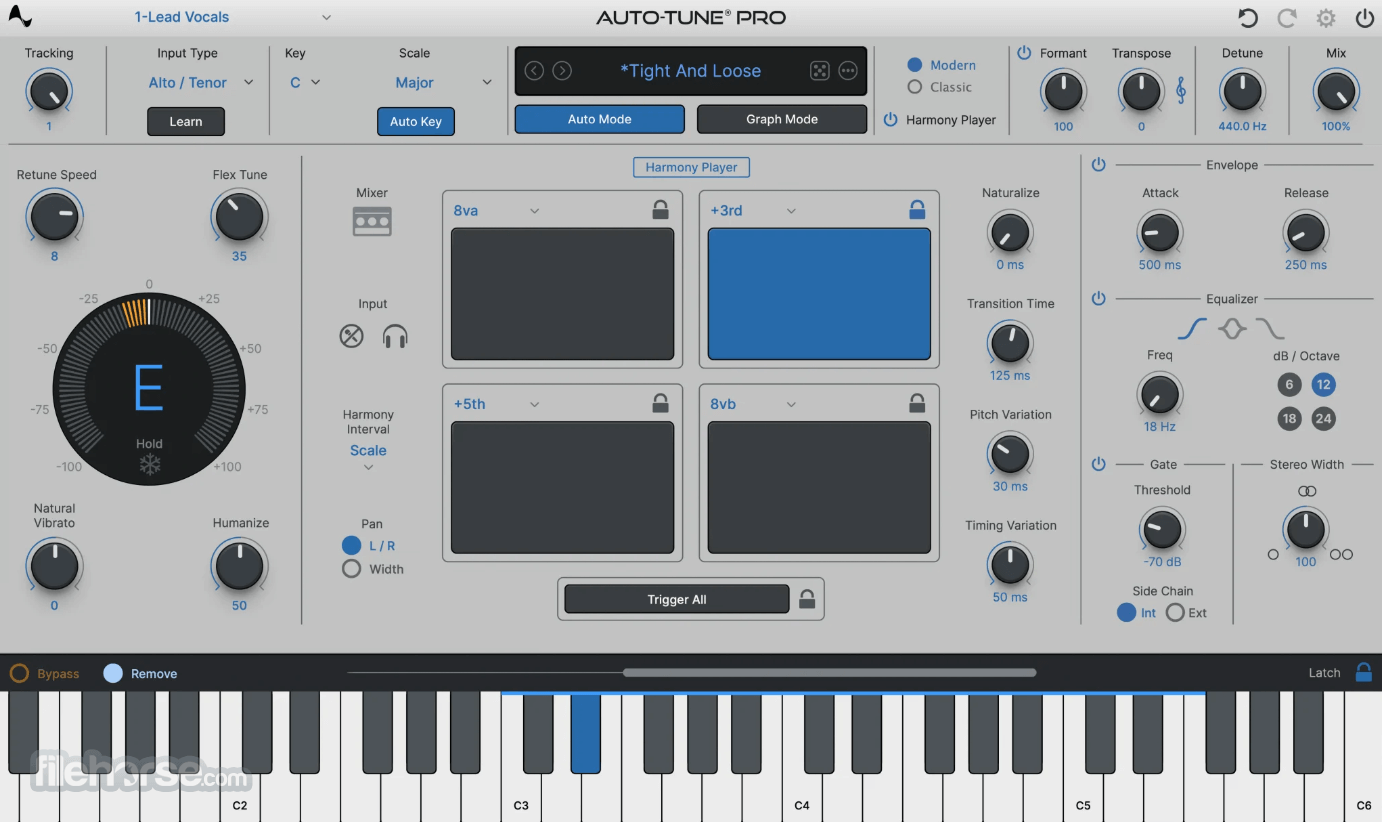
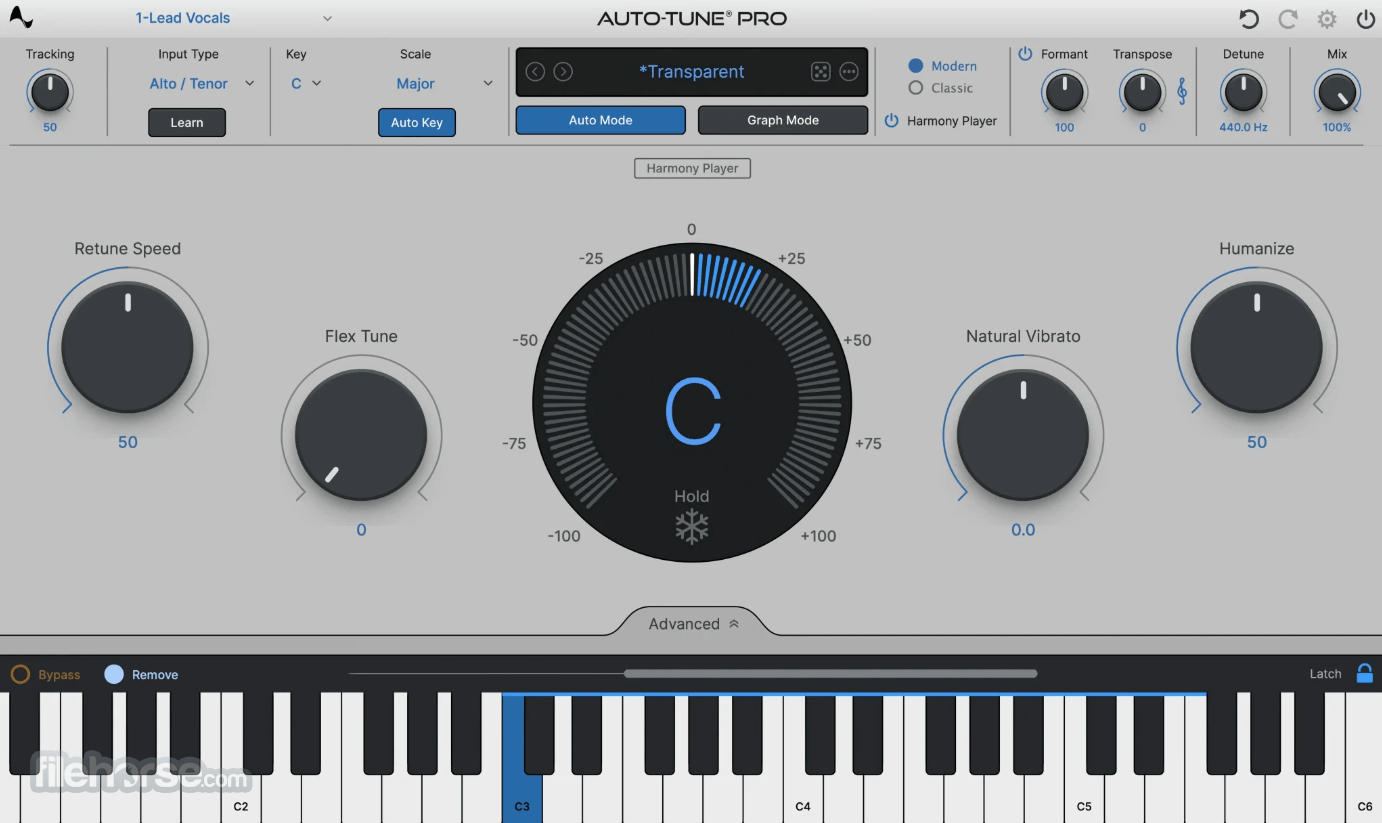
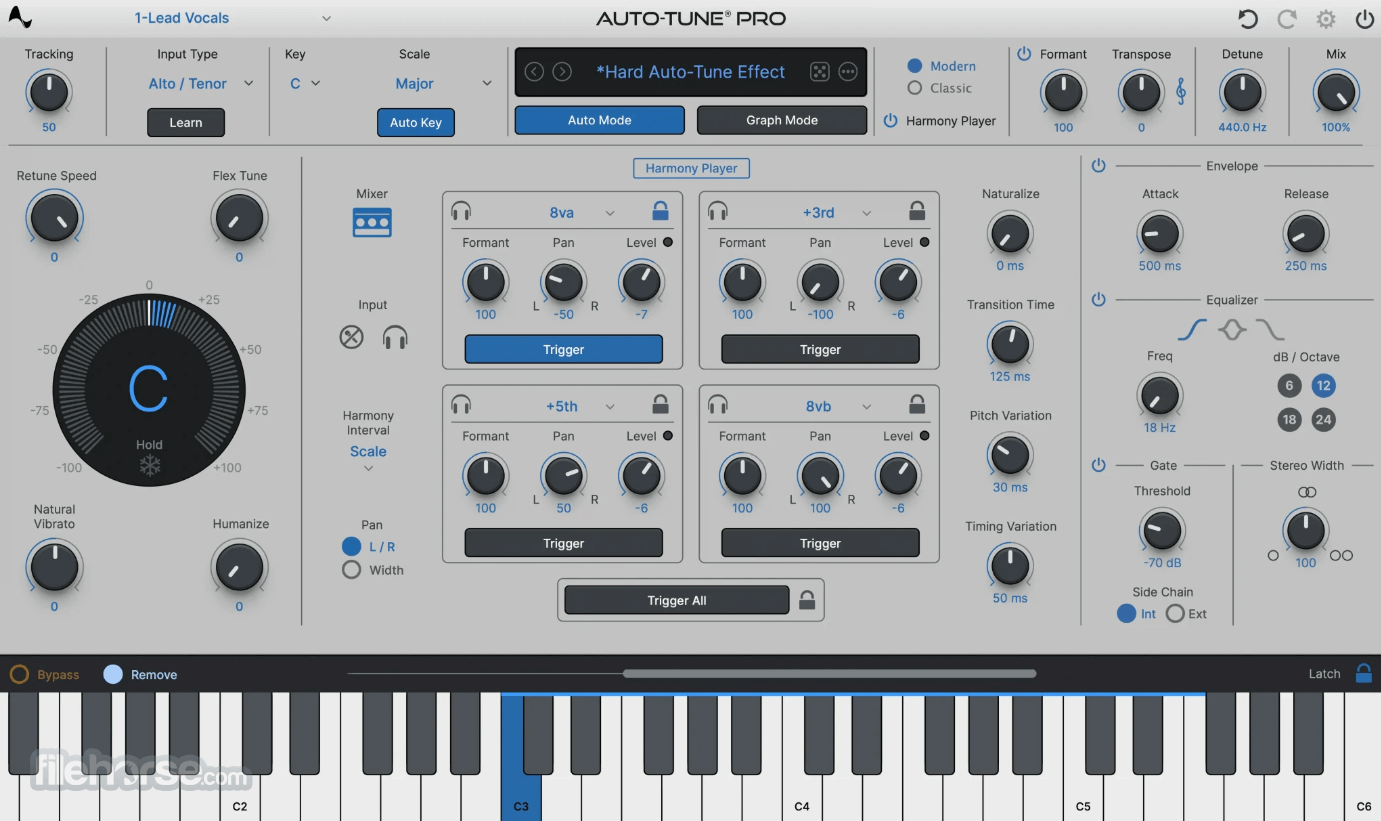
Users can select between Graph Mode and Auto Mode for pitch correction, and adjust various parameters such as Retune Speed, Flex-Tune, and Humanize to achieve the desired vocal sound. The software also includes a range of presets and a Presets Manager for quick access to commonly used settings.
The app can be used only to fine-tune voice performances or to dramatically overhaul performance with easy-to-manage tools.
The advanced tools include both Time Correction for non-destructive time editing and destructive Formant Correction, Vibrato Controls, and Throat Length Modeling services for dramatic voice signature editing.
User Interface
The user interface of this audio editing utility is designed to provide a seamless and intuitive pitch correction experience to seasoned audio engineers, on both Mac laptops and full desktop multi-monitor configurations.
It offers a customizable layout with panels for pitch correction modes, parameters, and presets, allowing users to focus on their creative process without being overwhelmed by complex controls.
Novices may be overwhelmed by its cluttered and tool-filled UI layout.
FAQs
What is Auto-Tune Pro for macOS?
It is a professional vocal editing software for real-time pitch correction and effects, widely used in the music industry for enhancing vocal performances.
Is it safe?
100% yes. This is a professional app from a reputable company with long experience in offering software support, security, and user privacy.
Alternatives
Melodyne - A vocal editing software that offers pitch correction and editing features for professional audio production.
Waves Tune - A real-time pitch correction software with additional features for selecting keys and bypassing notes, suitable for both audio producers and singers.
Pricing
This is a premium app that is available for purchase on the Antares website. Users can pick between two premium options – an affordable monthly/yearly subscription for the “Auto-Tune Unlimited” plan and a single-purchase perpetual license for the “Auto-Tune Pro X” version of the app.
Auto-Tune Unlimited - $30/m or $255/yr
Free Trial Includes:
This app is officially optimized for macOS 11 and higher, with built-in support for all versions of Apple Silicon.
PROS
Auto-Tune Pro for Mac is a versatile and powerful vocal editing software that offers real-time pitch correction and effects for professional audio production.
The presence of extensive pitch correction options, a user-friendly interface, and support for Apple Silicon processors make it a highly valuable tool for audio professionals and musicians looking to enhance their vocal performances in projects of all sizes and complexities.
Note: 14-day trial version. Requires a compatible host program that supports the VST format.
Also Available: Download Auto-Tune for Windows
Download Auto-Tune Pro for Mac Latest Version Why is this app published on FileHorse? (More info)
It is widely used in the music industry for enhancing vocal performances and achieving a consistent, professional sound across various tracks and projects.
The software offers a user-friendly interface and a range of features, making it an essential tool for audio professionals and musicians alike.
The latest generation of this software has adopted the use of several automatic services for effortless vocal pitch correction that enable both precise tuning and creative overhauls.
Workflow boosting features also include a new streamlined Graph Mode that enables easy real-time voice signature correction, Presets for easier management of Artist voice signatures, and powerful ARA2 support for digital audio workstation platforms such as Cubase, Logic, Studio One, and others.
This and much more are now available on all modern versions of Mac products, with full optimization for native Apple Silicon chip hardware acceleration of audio processing, enabling effortless audio management in projects of all sizes.
Main Features
- Real-time pitch correction for vocal performances.
- Various pitch correction modes, including Graph Mode and Auto Mode.
- Extensive advanced pitch correction options, such as Retune Speed, Flex-Tune, and Humanize parameters.
- Streamlined Graph Mode for precise pitch correction.
- Native support for Apple Silicon processors.
- Exclusive artist presets and a time-saving Presets Manager.
- Multi-View dashboard for accelerated editing.
- Built-in support for industry-leading DAW platforms.
- Large offering of step-by-step tutorials.
To install and set up Auto-Tune Pro on a Mac computer, users need to first download the app from the official Antares website or our secure FileHorse servers and start the installer.
After following a few simple on-screen instructions, this software will be fully installed on all modern Macs. To finish the installation procedure and activate the app, simply sign in using an Antares account.
How to Use
This highly effective audio editing app enables seasoned audio engineers to take full control over the voice signatures of narrators, singers, and other voice performers.
Users can select between Graph Mode and Auto Mode for pitch correction, and adjust various parameters such as Retune Speed, Flex-Tune, and Humanize to achieve the desired vocal sound. The software also includes a range of presets and a Presets Manager for quick access to commonly used settings.
The app can be used only to fine-tune voice performances or to dramatically overhaul performance with easy-to-manage tools.
The advanced tools include both Time Correction for non-destructive time editing and destructive Formant Correction, Vibrato Controls, and Throat Length Modeling services for dramatic voice signature editing.
User Interface
The user interface of this audio editing utility is designed to provide a seamless and intuitive pitch correction experience to seasoned audio engineers, on both Mac laptops and full desktop multi-monitor configurations.
It offers a customizable layout with panels for pitch correction modes, parameters, and presets, allowing users to focus on their creative process without being overwhelmed by complex controls.
Novices may be overwhelmed by its cluttered and tool-filled UI layout.
FAQs
What is Auto-Tune Pro for macOS?
It is a professional vocal editing software for real-time pitch correction and effects, widely used in the music industry for enhancing vocal performances.
Is it safe?
100% yes. This is a professional app from a reputable company with long experience in offering software support, security, and user privacy.
Alternatives
Melodyne - A vocal editing software that offers pitch correction and editing features for professional audio production.
Waves Tune - A real-time pitch correction software with additional features for selecting keys and bypassing notes, suitable for both audio producers and singers.
Pricing
This is a premium app that is available for purchase on the Antares website. Users can pick between two premium options – an affordable monthly/yearly subscription for the “Auto-Tune Unlimited” plan and a single-purchase perpetual license for the “Auto-Tune Pro X” version of the app.
Auto-Tune Unlimited - $30/m or $255/yr
Free Trial Includes:
- 22 professional plug-ins
- Every current edition of the iconic Auto-Tune
- Every professional vocal effects plug-in
- FREE automatic updates across all products
- FREE perpetual license to Mutator ($79 value)
This app is officially optimized for macOS 11 and higher, with built-in support for all versions of Apple Silicon.
PROS
- Real-time pitch correction for vocal performances.
- Extensive pitch correction options and modes.
- Native support for Apple Silicon processors.
- Exclusive artist presets and a time-saving Presets Manager.
- Multi-View feature for editing multiple instances of Auto-Tune from a single window.
- Flexible pricing options.
- Overwhelming UI for novices.
- No free version of the app.
Auto-Tune Pro for Mac is a versatile and powerful vocal editing software that offers real-time pitch correction and effects for professional audio production.
The presence of extensive pitch correction options, a user-friendly interface, and support for Apple Silicon processors make it a highly valuable tool for audio professionals and musicians looking to enhance their vocal performances in projects of all sizes and complexities.
Note: 14-day trial version. Requires a compatible host program that supports the VST format.
Also Available: Download Auto-Tune for Windows
Download Auto-Tune Pro for Mac Latest Version Why is this app published on FileHorse? (More info)
##
畫面截圖
- 2026-01-09 Auto-Tune Pro 11 327 MB
- 2022-11-14 Auto-Tune Pro X 244 MB