Cisdem Duplicate Finder 6.5.0
v 6.5.0
macOS
試用版
10/10 (2)
- 目前版本6.5.0
- 更新日期2026-02-24
- 檔案大小9.2 MB
- 檔案名稱cisdem-duplicatefinder.dmg
- 作業系統Mac OS X 10.10 or later
- 支援語系English
- 授權型式試用版
- 開發商 Cisdem Inc.
- 軟體分類Mac 軟體 / 系統優化
##
翻譯排程處理中,以下暫以英文原文呈現
軟體介紹
Cisdem Duplicate Finder for Mac helps you find duplicate files that have identical content regardless of name and displays them in an easy-to-understand report.
The program ensures 100% accuracy, you can keep the best instance of each duplicate item and reclaim more space on your computer.
Cisdem Duplicate Finder uses an advanced scanning algorithm to compare files based on content, not just name, time, or size.
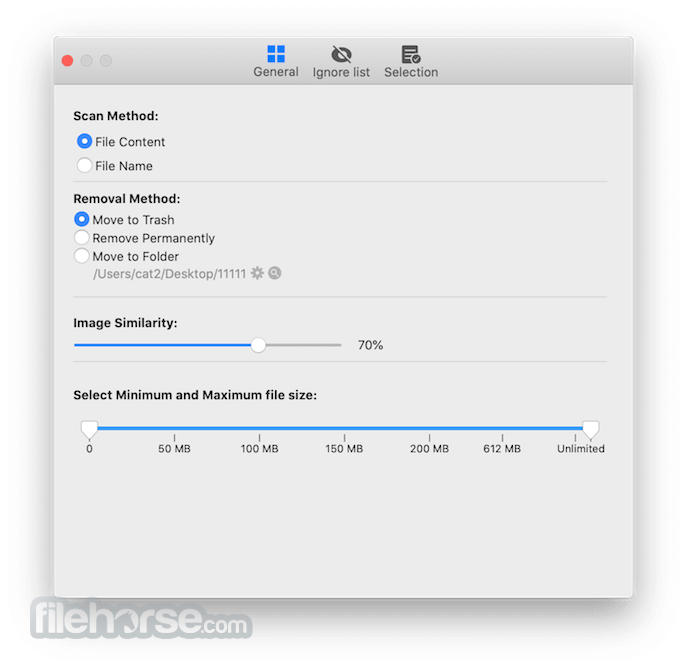
With its advanced and configurable scanning engine, you can easily control where and what files to be scanned.
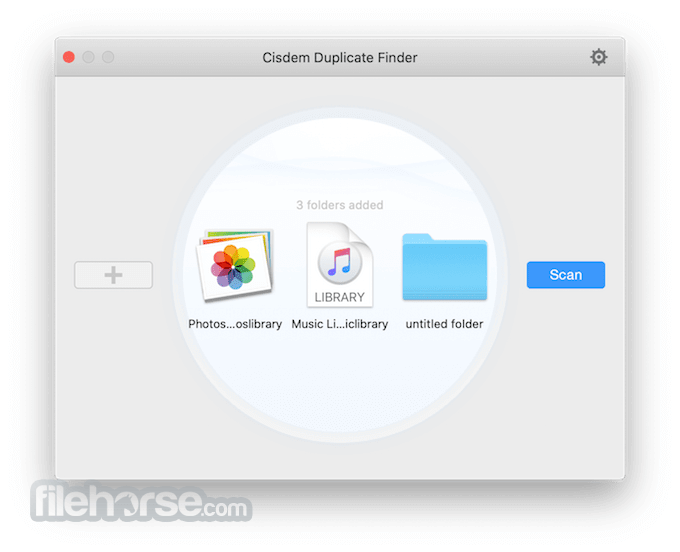
With an enhanced scanning algorithm, Cisdem Duplicate Finder can quickly filter out duplicates in Photos (iPhoto) and Music (iTunes), in the meantime, keep app file structure.
Search similar images smartly
Similar images eat up space too. You can use Cisdem Duplicate Finder for macOS to detect and remove similar images that are nearly identical with slight differences. It finds a series of shots and helps you keep the best picture after continuous shooting.
Easily find out all unnecessary duplicate files
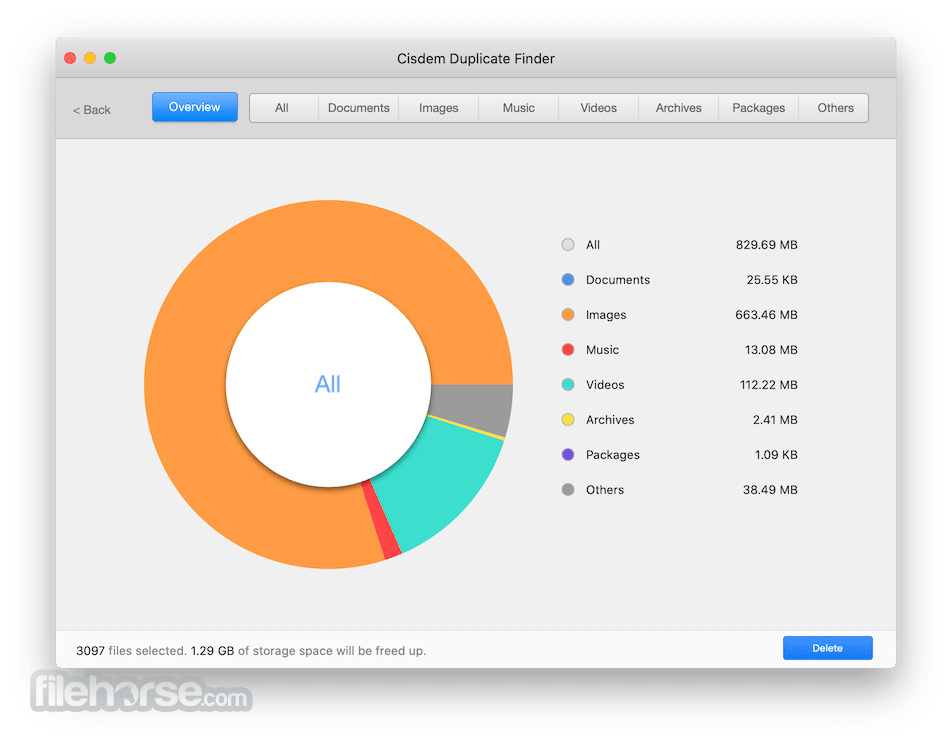
Group duplicate files into different categories: Documents, Images, Music, Videos, Archive, Packages, etc., display duplicates by name, size, count or type, show what duplicates take up the most space, find specific files with the built-in search tool and auto mark duplicates basing on your selection rules for easy removal.
Three steps to take the pain out of duplicate files
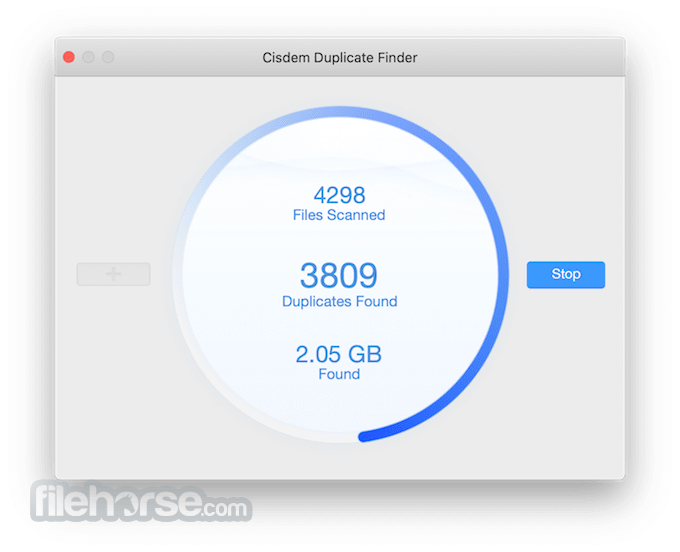
Trust Cisdem Duplicate Finder to auto select duplicates and keep the originals intact. Add your own autoselect rules, like automatically marking the oldest/newest duplicates, or smartly selecting by filename/prioritized location. Duplicate files can be moved to Trash, custom folder, or deleted permanently. Scan, Report and Delete!
What`s New
CleanMyMac – All-in-one Mac cleaner and optimizer.
MacKeeper – Security, cleaning, and performance tools.
MacPilot – Advanced system tweaks and customization.
Combo Cleaner for Mac – Antivirus and disk cleaner.
MacCleanse – Deep junk removal and privacy protection.
Avast Cleanup for Mac – Automated junk and cache cleaner.
System Requirements
Intel or Apple Silicon processor
512MB physical RAM (memory) or more
50MB free space or more for installation
OS X 10.11 El Capitan, macOS 10.12 Sierra, macOS 10.13 High Sierra, macOS 10.14 Mojave, macOS 10.15 Catalina, macOS 11.0 Big Sur, macOS 12.0 Monterey, macOS 13.0 Ventura, macOS 14.0 Sonoma and macOS 15.0 Sequoia
Languages supported
English, German, French, Italian, Spanish, Portuguese and Japanese.
PROS
Download Cisdem Duplicate Finder for Mac Latest Version Why is this app published on FileHorse? (More info)
The program ensures 100% accuracy, you can keep the best instance of each duplicate item and reclaim more space on your computer.
Cisdem Duplicate Finder uses an advanced scanning algorithm to compare files based on content, not just name, time, or size.
With its advanced and configurable scanning engine, you can easily control where and what files to be scanned.
- Scan files of a particular type or size for fast scanning.
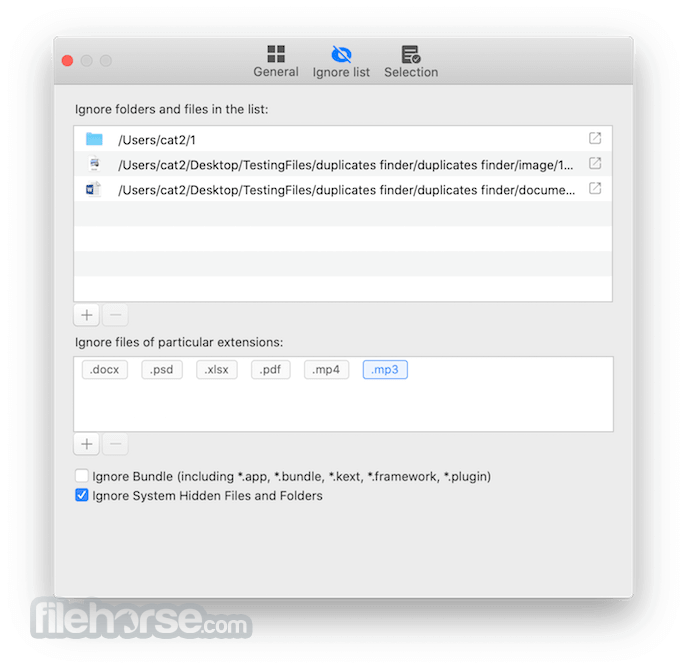
- Set up ignore list to keep specific files or folders untouched.
- Find duplicate images, videos, music, documents, archives, etc.
- Support external hard drives and network volumes.
With an enhanced scanning algorithm, Cisdem Duplicate Finder can quickly filter out duplicates in Photos (iPhoto) and Music (iTunes), in the meantime, keep app file structure.
Search similar images smartly
Similar images eat up space too. You can use Cisdem Duplicate Finder for macOS to detect and remove similar images that are nearly identical with slight differences. It finds a series of shots and helps you keep the best picture after continuous shooting.
Easily find out all unnecessary duplicate files
Group duplicate files into different categories: Documents, Images, Music, Videos, Archive, Packages, etc., display duplicates by name, size, count or type, show what duplicates take up the most space, find specific files with the built-in search tool and auto mark duplicates basing on your selection rules for easy removal.
Three steps to take the pain out of duplicate files
Trust Cisdem Duplicate Finder to auto select duplicates and keep the originals intact. Add your own autoselect rules, like automatically marking the oldest/newest duplicates, or smartly selecting by filename/prioritized location. Duplicate files can be moved to Trash, custom folder, or deleted permanently. Scan, Report and Delete!
What`s New
- Uses advanced scanning algorithms to find duplicate files by content, not just name.
- Detects duplicate images, videos, audio, documents and other file types across your Mac and external drives.
- Similar image detection (look-alike photos) with adjustable similarity levels.
- Auto-select rules for quick cleanup (e.g., keep newest or oldest copy).
- Multiple scan and view modes with preview before deletion.
- Exclude list & filters to ignore folders, sizes, or file types during scanning.
- Support for scanning external drives, network volumes and cloud storage folders.
- Deleted duplicates can be sent to Trash (safe recovery) or removed permanently.
- Improved accuracy and efficiency with smart content comparison.
- Latest reported updates include bug fixes and optimization for reliable scanning.
CleanMyMac – All-in-one Mac cleaner and optimizer.
MacKeeper – Security, cleaning, and performance tools.
MacPilot – Advanced system tweaks and customization.
Combo Cleaner for Mac – Antivirus and disk cleaner.
MacCleanse – Deep junk removal and privacy protection.
Avast Cleanup for Mac – Automated junk and cache cleaner.
System Requirements
Intel or Apple Silicon processor
512MB physical RAM (memory) or more
50MB free space or more for installation
OS X 10.11 El Capitan, macOS 10.12 Sierra, macOS 10.13 High Sierra, macOS 10.14 Mojave, macOS 10.15 Catalina, macOS 11.0 Big Sur, macOS 12.0 Monterey, macOS 13.0 Ventura, macOS 14.0 Sonoma and macOS 15.0 Sequoia
Languages supported
English, German, French, Italian, Spanish, Portuguese and Japanese.
PROS
- Accurate Duplicate Detection
- Supports Multiple File Types
- Fast Scanning Speed
- Auto-Select for Easy Cleanup
- User-Friendly Interface
- No Real-Time Duplicate Monitoring
- Limited Free Version
- Occasional False Detections
- No Cloud Storage Scanning
Download Cisdem Duplicate Finder for Mac Latest Version Why is this app published on FileHorse? (More info)
##
影片介紹
##
畫面截圖