⚠ 這是歷史版本頁面 — 查看 Dahua SmartPSS 2.03.5 (20210129) 最新版本 →

- 目前版本2.03.0 (20191203)
- 更新日期2019-12-03
- 檔案大小92.8 MB
- 檔案名稱General_SmartPSS_ChnEng_Mac_IS_V2.03.0.R.20191203.pkg
- 作業系統macOS 10.12 Sierra or later
- 支援語系English
- 授權型式免費軟體
- 開發商 Dahua Technology
- 軟體分類Mac 軟體 / 影片軟體
##
編輯短評
Dahua SmartPSS 是一套專為中小型企業設計的監控管理軟體,可集中管理多支網路攝影機與網路儲存設備,並提供警報設定、事件分析等完整功能。它最大的辨識度在於將複雜的監控系統整合於單一介面,方便管理者即時掌握員工、訪客與場所動態。這套軟體過去在同類工具中擁有一定使用率,評價普遍不錯,但官方已停止維護,並建議使用者改用後續的 SmartPSS Lite 版本。
這套軟體適合需要建置基本監控系統的店面、辦公室或倉庫,可用來管理攝影機、設定警報與檢視錄影。與一般影片剪輯或播放軟體不同,它並非用於後製,而是即時監控與錄影管理。由於已停止更新,macOS 版本可能無法相容於較新的 Mac 硬體,且僅提供英文介面,使用前需確認環境。若你只是要播放影片,VLC 等工具會更合適;若需要剪輯,則應考慮 Premiere 等專業軟體。
##
翻譯排程處理中,以下暫以英文原文呈現
軟體介紹
Dahua SmartPSS is a video surveillance app aimed at providing small and medium-sized businesses with complete control over a comprehensive camera surveillance platform for monitoring employees, visitors, premises, and assets.
Note: SmartPSS has been discontinued and is no longer supported for Windows and M Series Macintosh Computers. Please download and install SmartPSS Lite instead.
It allows users to easily set up their business security grid of surveillance cameras, and network storage devices, set up alarms for various events, access detailed analytics, and more.
It also provides comprehensive tools for setting up video walls and previews, enabling security personnel and authorized users to monitor data collected by cameras either in real-time or via stored video files.
Since its original arrival on the market, this app received numerous updates, including the ability for real-time detection of moving objects, support for H.265 and H.264 video compression codecs, advanced heat map and people counting services, and support for 64 Devices/256 active channels.
Its latest version is fully optimized not only for Intel-based Macs but also for the newest M-series processors, enabling lightweight and power-efficient operations even on laptop hardware.
All in all, this app provides real-time footage of multiple channels, making it a valuable tool for monitoring and managing security systems.
Main Features
To get this app up and running on any Intel and Apple Silicon Mac computer, users simply must download the SmartPSS app from the official website or secure FileHorse servers.
The automated installation procedure only requires users to follow a few simple on-screen instructions, and the initial app setup can only be finished after setting up a secure login password.
How to Use
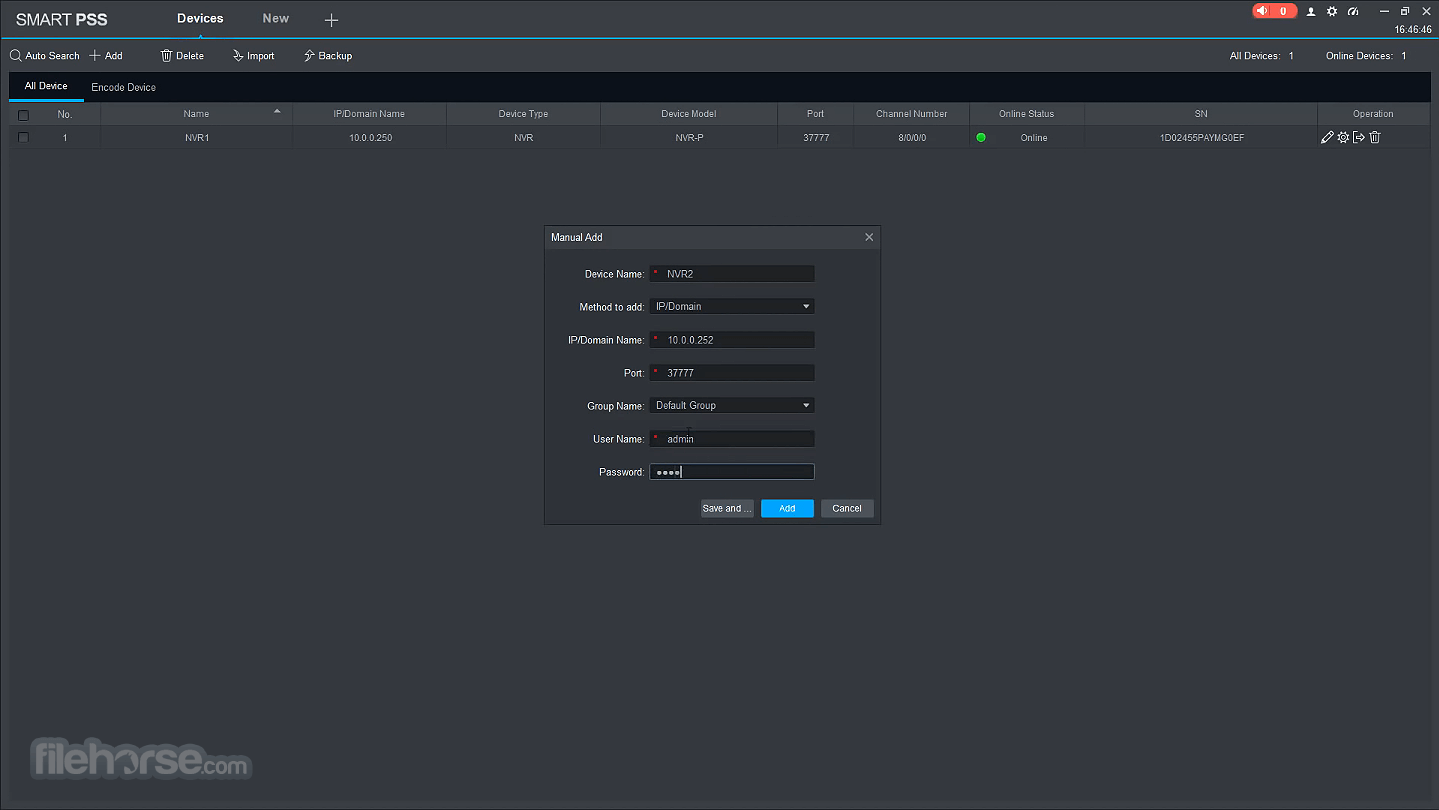
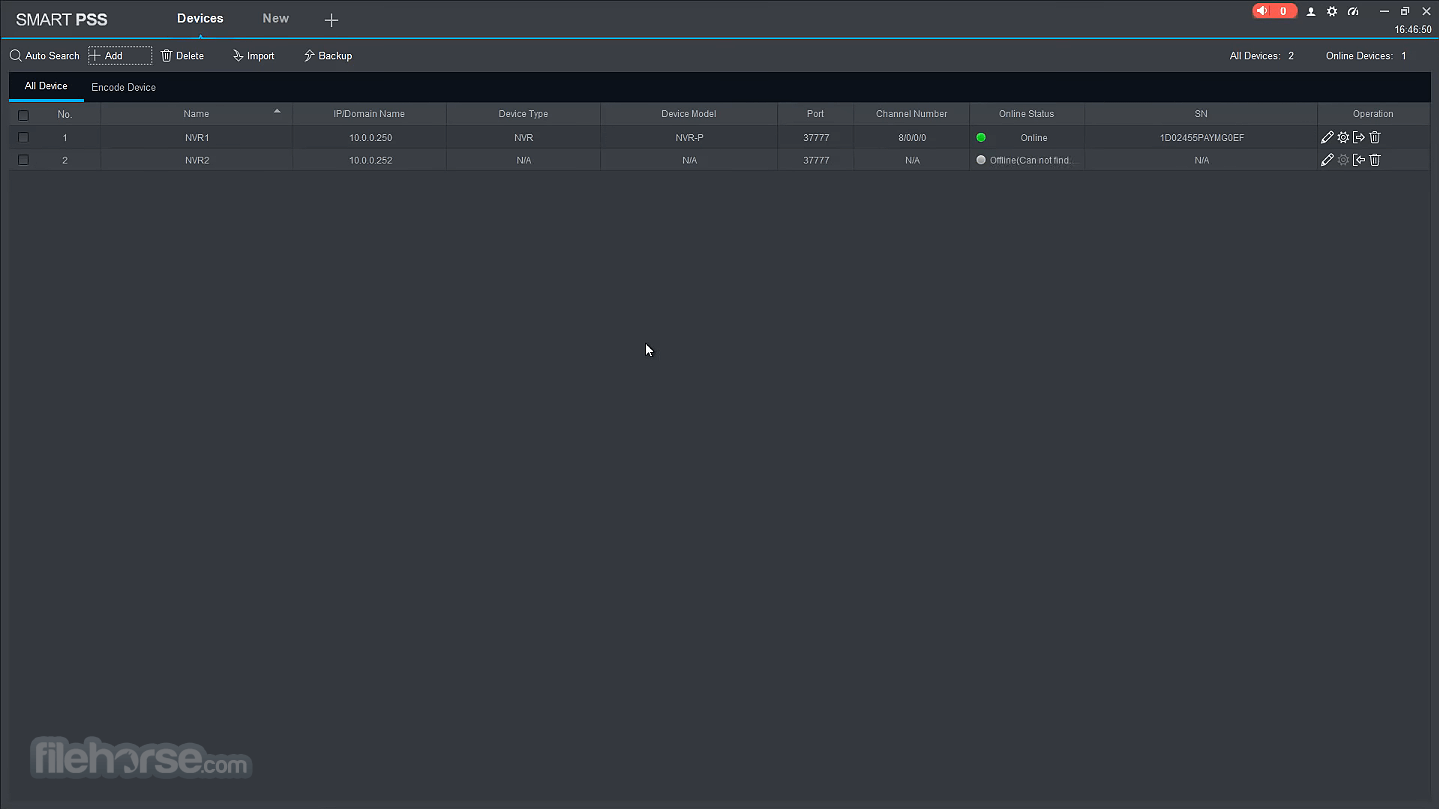
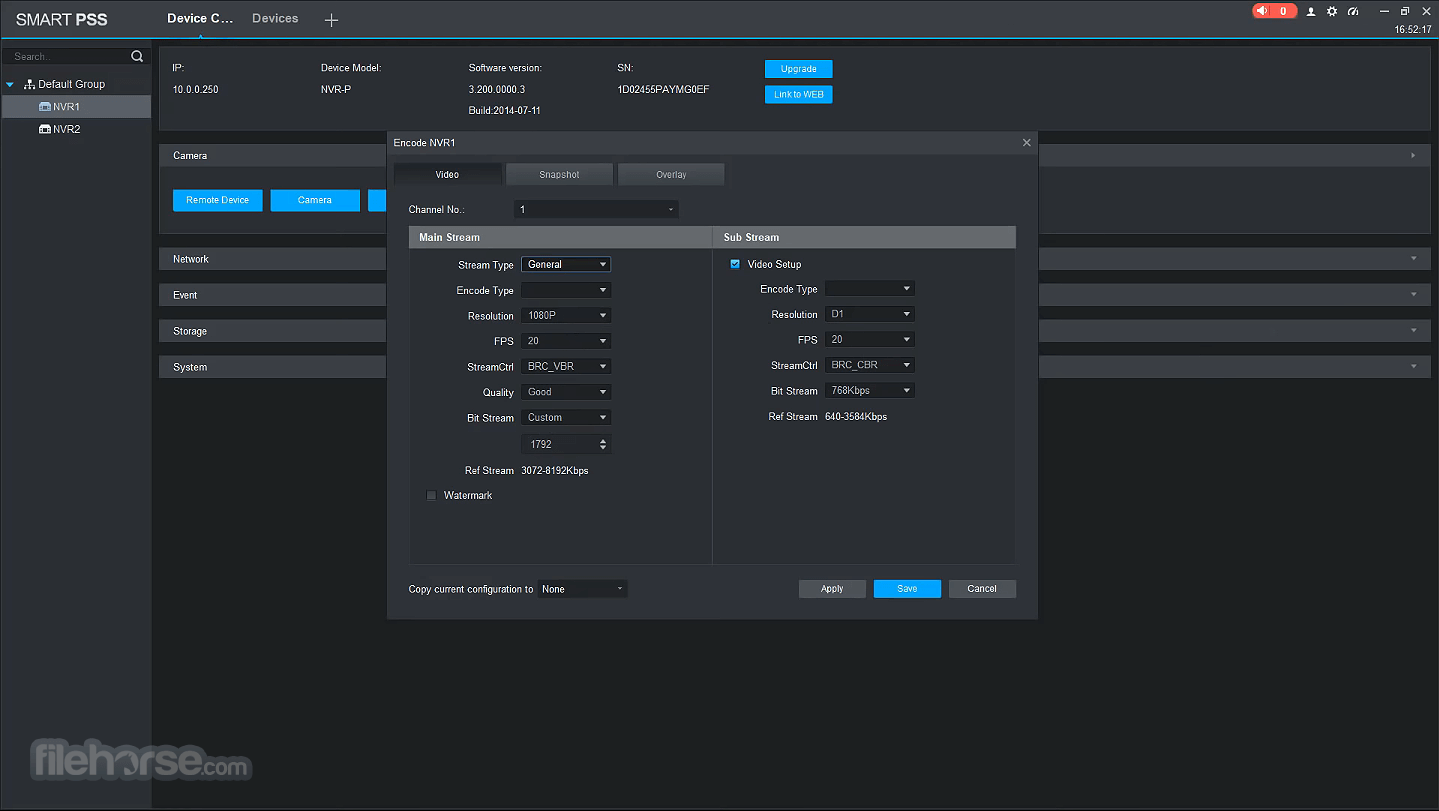
To start managing live camera views with this app, users first must visit the “Settings” area of the dashboard (or click on the “Devices” tab on top of the app) where they can add cameras, configure their operation, set up alarms, video wall, storage devices, and tweak other general options.
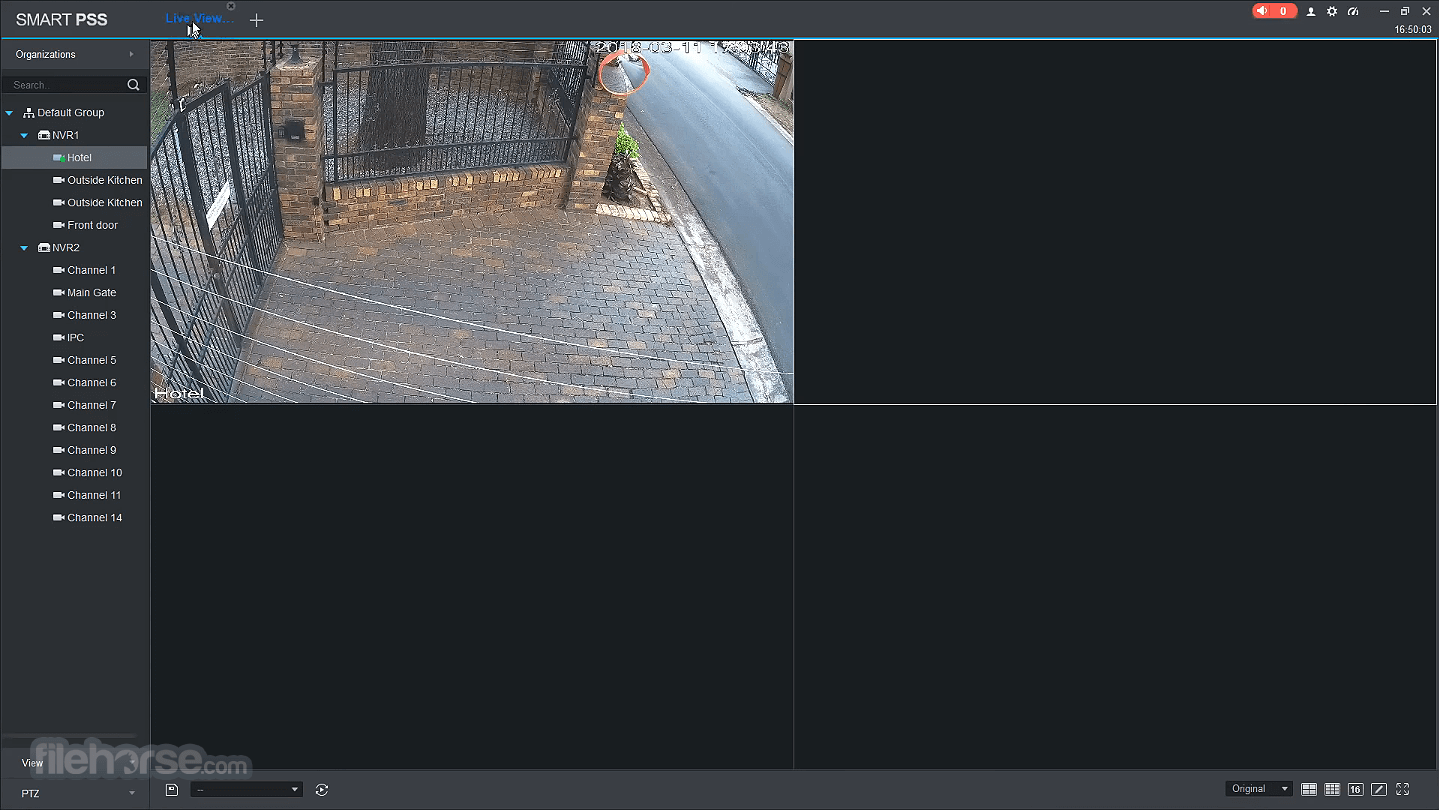
After cameras have been detected, they can be accessed via several options this app provides – LiveView, Playback, Video Wall, and others.
The main dashboard promotes comprehensive security features, including restricted area monitoring, Intercom between authenticated users, a comprehensive data report tool, alarm listings, and much more.
The official website hosts a comprehensive database of tutorials and documentation covering all possible usage scenarios of this security management system.
User Interface
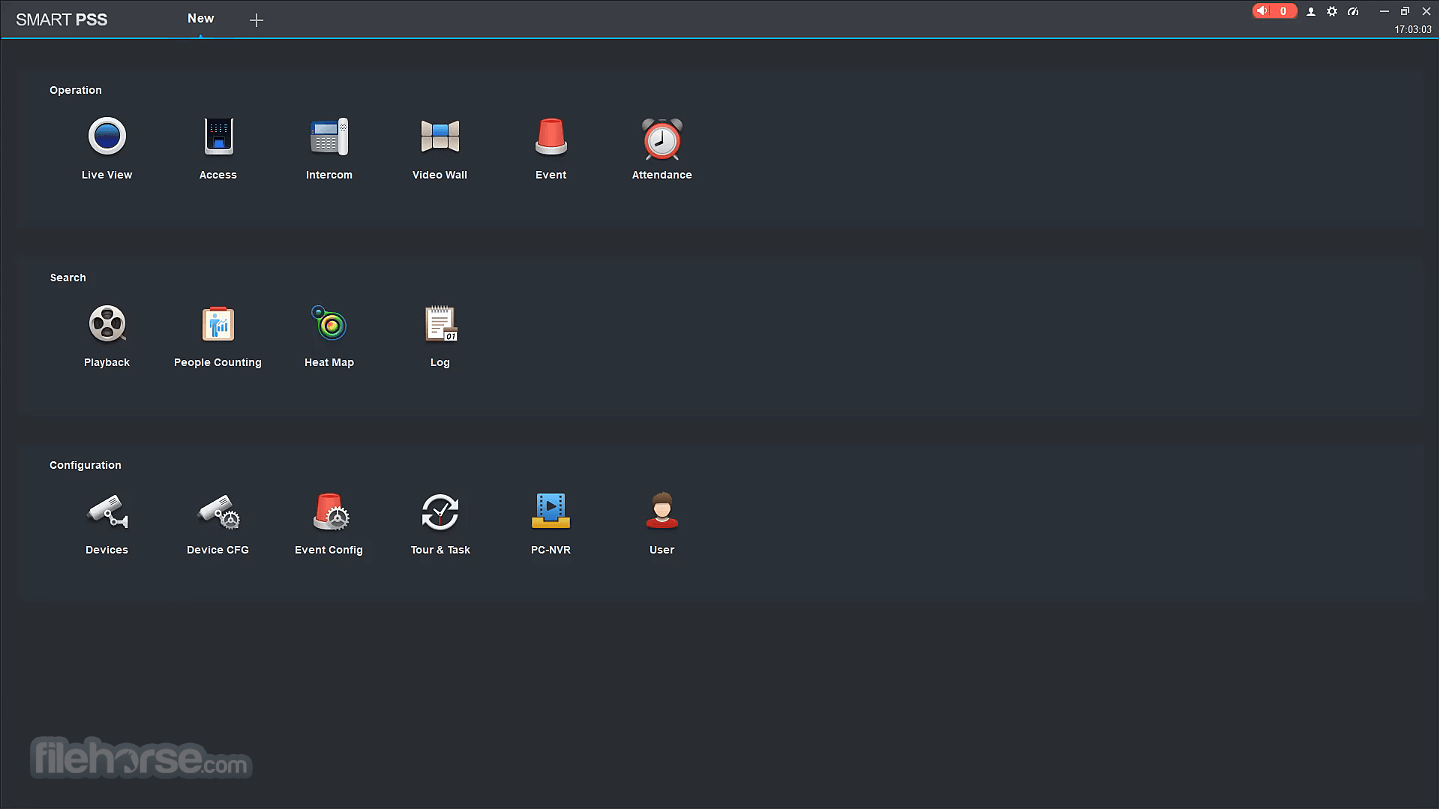
The main dashboard of the Dahua SmartPSS consists of the main Homepage and Devices tab (with the option to add other tabs according to the user’s needs).
Homepage screen showcases three separate modules that promote their individual tools – “Basic” (LiveView, Playback, Alarm, Access, and Intercom), “Advanced” (Video Wall, Data Report, and Log), and “Settings” (Devices, Device CFG, Alarm CFG, Tour & Task, PC-NVR, Video Wall CFG, Account, and General).
Advanced Services
What is Dahua SmartPSS for macOS?
It is an all-in-one video surveillance utility for camera surveillance system monitoring, with full support for all necessary management tools and services for small and medium-sized businesses.
Is it safe?
Yes. This app comes from a reputable developer who produces not only software security solutions but also a wide array of hardened hardware devices.
Alternatives
SecuritySpy for Mac – A comprehensive software for setting up secure camera surveillance systems for homes and business premises.
Sighthound – A popular CCTV camera surveillance utility for Mac computers.
Xeoma – A professional surveillance system that provides comprehensive camera monitoring features for both home and business users.
Pricing
This app is free.
System Requirements
Dahua SmartPSS for Mac is a valuable tool for surveillance device management, real-time camera monitoring, and playback, with a large offering of other advanced tools for businesses of all sizes.
It enables users to easily set up not only camera systems, but also manage user access to secure areas, perform audio announcements, recognize users, generate heatmaps, and much more. All of this makes it one of the most comprehensive surveillance management apps on the Mac platform.
Also Available: Download SmartPSS for Windows
Download Dahua SmartPSS for Mac Latest Version Why is this app published on FileHorse? (More info)
Note: SmartPSS has been discontinued and is no longer supported for Windows and M Series Macintosh Computers. Please download and install SmartPSS Lite instead.
It allows users to easily set up their business security grid of surveillance cameras, and network storage devices, set up alarms for various events, access detailed analytics, and more.
It also provides comprehensive tools for setting up video walls and previews, enabling security personnel and authorized users to monitor data collected by cameras either in real-time or via stored video files.
Since its original arrival on the market, this app received numerous updates, including the ability for real-time detection of moving objects, support for H.265 and H.264 video compression codecs, advanced heat map and people counting services, and support for 64 Devices/256 active channels.
Its latest version is fully optimized not only for Intel-based Macs but also for the newest M-series processors, enabling lightweight and power-efficient operations even on laptop hardware.
All in all, this app provides real-time footage of multiple channels, making it a valuable tool for monitoring and managing security systems.
Main Features
- Real-time camera monitoring and playback.
- Real-time target detection for moving objects.
- Supports up to 128 live camera feeds.
- Ability to count people and generate heatmaps.
- Efficient surveillance device management.
- Advanced alarm and analytic configuration.
- Video wall setup and preview.
- Full support for Dahua network cameras and storage devices.
- Translated to 18 international languages.
- Optimized for Apple Silicon Mac hardware.
To get this app up and running on any Intel and Apple Silicon Mac computer, users simply must download the SmartPSS app from the official website or secure FileHorse servers.
The automated installation procedure only requires users to follow a few simple on-screen instructions, and the initial app setup can only be finished after setting up a secure login password.
How to Use
To start managing live camera views with this app, users first must visit the “Settings” area of the dashboard (or click on the “Devices” tab on top of the app) where they can add cameras, configure their operation, set up alarms, video wall, storage devices, and tweak other general options.
After cameras have been detected, they can be accessed via several options this app provides – LiveView, Playback, Video Wall, and others.
The main dashboard promotes comprehensive security features, including restricted area monitoring, Intercom between authenticated users, a comprehensive data report tool, alarm listings, and much more.
The official website hosts a comprehensive database of tutorials and documentation covering all possible usage scenarios of this security management system.
User Interface
The main dashboard of the Dahua SmartPSS consists of the main Homepage and Devices tab (with the option to add other tabs according to the user’s needs).
Homepage screen showcases three separate modules that promote their individual tools – “Basic” (LiveView, Playback, Alarm, Access, and Intercom), “Advanced” (Video Wall, Data Report, and Log), and “Settings” (Devices, Device CFG, Alarm CFG, Tour & Task, PC-NVR, Video Wall CFG, Account, and General).
Advanced Services
- Joystick camera controls.
- 4K video support.
- Face detection and people counting.
- User account privileges management.
- Automatic Fisheye image correction.
- Splitting one channel into different windows.
- Wide format support – IPC, PTZ, NVR, EVS, HCVR, NVS, NKB, VDP, and others.
- Support for audio announcements.
- E-map function.
What is Dahua SmartPSS for macOS?
It is an all-in-one video surveillance utility for camera surveillance system monitoring, with full support for all necessary management tools and services for small and medium-sized businesses.
Is it safe?
Yes. This app comes from a reputable developer who produces not only software security solutions but also a wide array of hardened hardware devices.
Alternatives
SecuritySpy for Mac – A comprehensive software for setting up secure camera surveillance systems for homes and business premises.
Sighthound – A popular CCTV camera surveillance utility for Mac computers.
Xeoma – A professional surveillance system that provides comprehensive camera monitoring features for both home and business users.
Pricing
This app is free.
System Requirements
- OS: macOS 10.15.1 or newer
- CPU: 2.6GHz Dualcore Intel (M-series CPUs are recommended)
- Storage: 10GB of free space
- Comprehensive features for camera monitoring.
- Optimized for businesses with up to 128 cameras.
- Real-time video monitoring and playback.
- Alarm and analytic configuration.
- In-depth tutorials and documentation on the official website.
- User-friendly interface.
- Optimized for M-series Macs.
- Limited support for older macOS versions.
- This app has been discontinued.
Dahua SmartPSS for Mac is a valuable tool for surveillance device management, real-time camera monitoring, and playback, with a large offering of other advanced tools for businesses of all sizes.
It enables users to easily set up not only camera systems, but also manage user access to secure areas, perform audio announcements, recognize users, generate heatmaps, and much more. All of this makes it one of the most comprehensive surveillance management apps on the Mac platform.
Also Available: Download SmartPSS for Windows
Download Dahua SmartPSS for Mac Latest Version Why is this app published on FileHorse? (More info)
##
影片介紹
##
畫面截圖
- 2024-11-28 Dahua SmartPSS 2.03.5 (20210129) 92.6 MB
- 2019-12-03 Dahua SmartPSS 2.03.0 (20191203) 92.8 MB