⚠ 這是歷史版本頁面 — 查看 EdrawMax 最新版本 →

- 目前版本9.2
- 更新日期2019-10-11
- 檔案大小399 MB
- 檔案名稱edrawmax-9.2.dmg
- 作業系統macOS 12.0 Monterey or later
- 支援語系English
- 授權型式商業試用
- 開發商 EdrawSoft
- 軟體分類Mac 軟體 / 辦公商務
##
編輯短評
EdrawMax 是一款整合多種圖表繪製需求的 macOS 應用程式,從流程圖、組織圖、網路拓撲圖,到心智圖、建築平面圖、科學插圖甚至服裝設計稿都能一併處理。它最大的辨識度在於「一站式」的圖表工具定位,省去在不同軟體間切換的麻煩。這套軟體由 EdrawSoft 開發,長期以來持續更新,在同類工具中屬於主流選擇,不過目前收錄的版本更新頻率不算活躍,評價人數不多,整體口碑尚可。
如果你經常需要製作商務簡報、專案流程或工程圖表,又不想分別學習多套專業軟體,EdrawMax 會是方便的起點。與 Microsoft Office 內建的繪圖功能相比,它提供更豐富的範本和圖形庫,但代價是需要額外安裝並熟悉操作介面。目前提供的是試用版,僅支援英文介面,macOS 用戶可直接下載評估;若需要中文介面或長期使用,則要留意授權與語系上的限制。
##
翻譯排程處理中,以下暫以英文原文呈現
軟體介紹
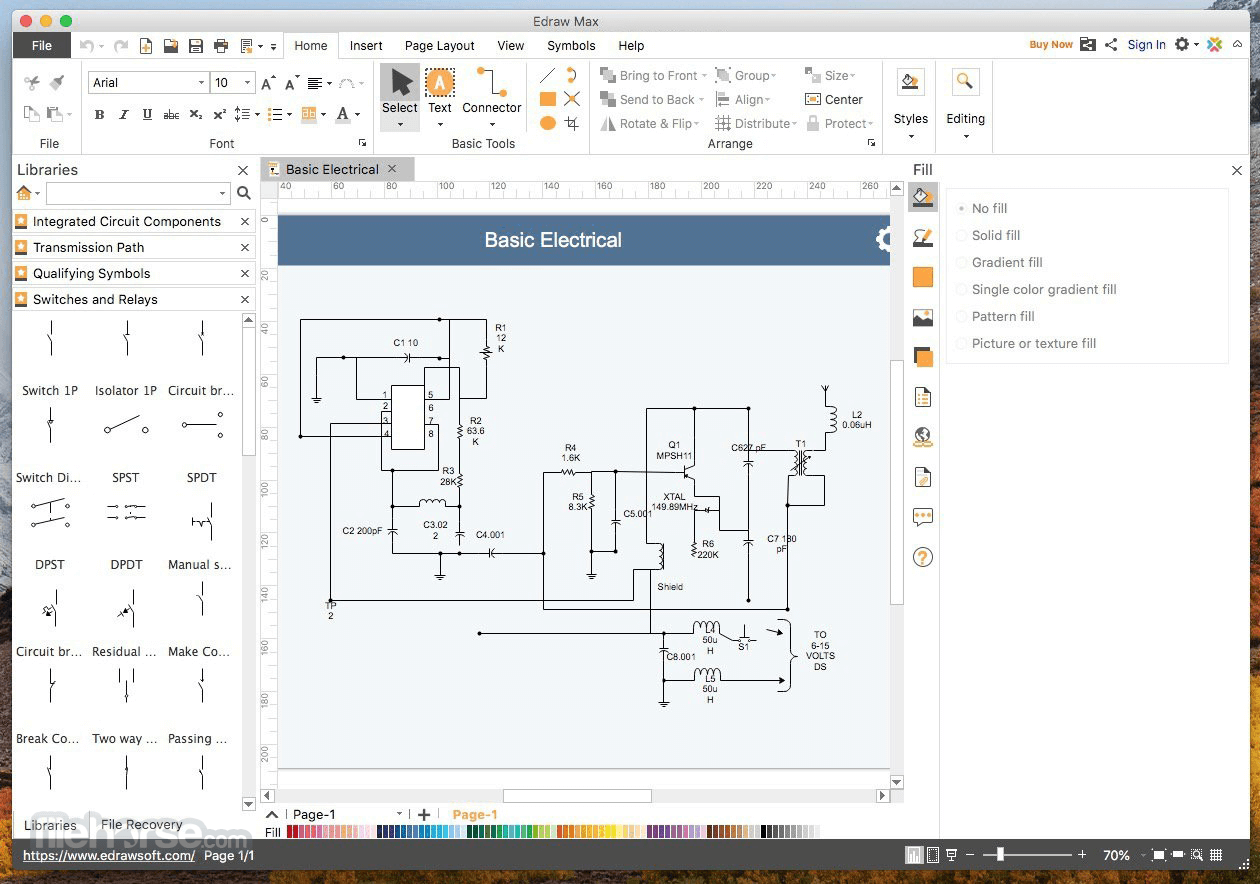
EdrawMax for Mac is an all-in-one diagram desktop app that makes it simple to create professional-looking flowcharts, organizational charts, network diagrams, business presentations, building plans, mind maps, science illustration, fashion designs, UML diagrams, workflows, program structures, web design diagrams, electrical engineering diagrams, directional maps, database diagrams and more.
Wondershare EdrawMax for macOS is an all-in-one diagramming software that empowers users to create a wide range of visuals, including flowcharts, mind maps, org charts, network diagrams, floor plans, and more.
It's developed by Wondershare, a company renowned for producing user-friendly and reliable software solutions.
With large pre-drawn libraries and more than 6000 vector symbols, drawing couldn't be easier!
Edraw Max enables you to create a wide range of diagrams using templates, shapes, and drawing tools while working in an intuitive and familiar Office-style environment.
EdrawMax is definitely the easiest and fastest visualization software to create diagrams of any kind for any user, whatever his role is.
Unlock your creativity with this easy-to-use intelligent software. Imagine with free templates. Design easily. And create amazingly. Fully compatible with Windows, Mac, and Linux.
Create diagram in seconds with EdrawMax AI
Features and Highlights
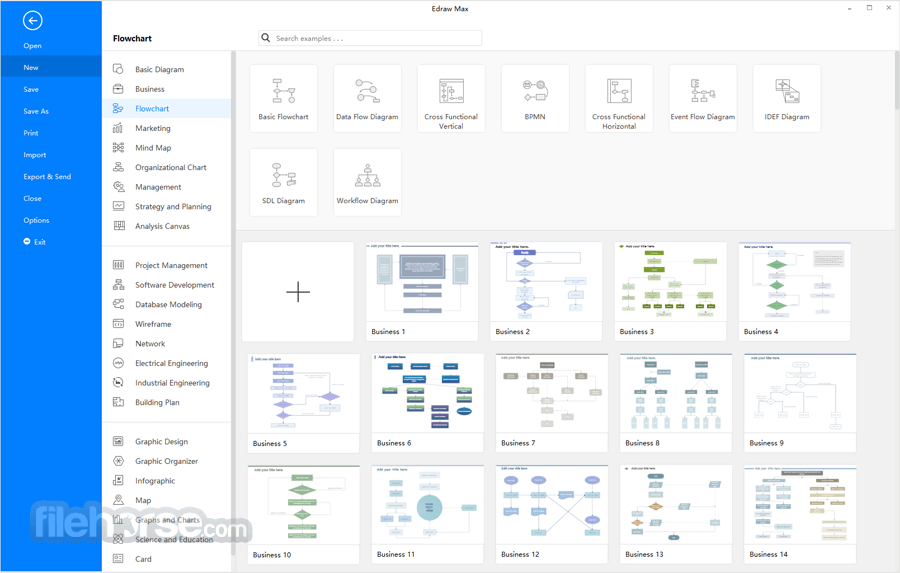
More Than 300 Diagram Types
It can simplify the creation of over 300 types of diagrams, empowering even novice users to build professional-looking and presentation-quality graphics. It helps to visualize information, enhance understanding, and promote communication for better decision making.
Ease of Use
The intuitive drag-and-drop interface makes it easy for beginners to start creating diagrams without a steep learning curve.
Templates and Symbols
It provides an extensive library of templates and symbols, helping users get started quickly and efficiently.
Start from Examples and Templates
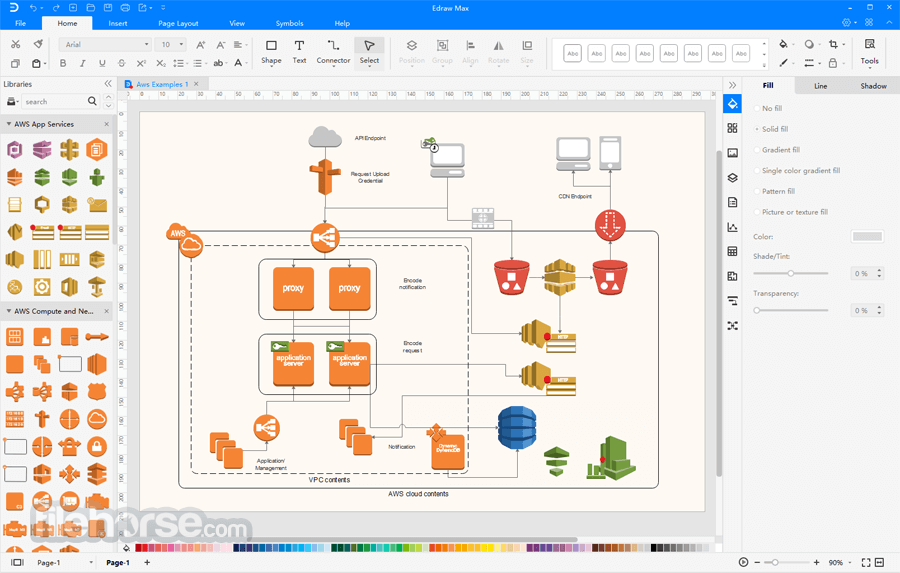
With diversified libraries and over 12000 vector symbols, drawing is easier than ever! Get started quickly with the extensive templates and examples, new and updated shapes, and out-of-the-box drawing tools.
Get a Professional-looking Diagram in Minutes
It is as easy to use as a word processor. Users work in an intuitive interface, with no prior experience required and without a learning curve. Thus, the software enables you to build better diagrams in only a few minutes.
Create Interactive Infographics Quickly
You can rapidly turn any diagram into a gateway of information by linking it to websites, attaching documents, adding annotations, or even linking it to other Edraw visuals. They are smart infographics that anyone can create.
No Drawing Skill Required
There are dynamic user guides within the software showing automatically. Together with the easy-to-use interface and in-built templates, even novice users can create professional and great-looking diagrams instantly. Therefore, Edraw has become one of the most popular diagramming solutions, gaining over 9 million downloads.
Collaboration
It offers real-time collaboration features, enabling teams to work together on diagrams remotely.
Cross-Platform Compatibility
The app is available for Windows, macOS, and Linux, ensuring accessibility across various operating systems.
Export and Sharing
You can export your diagrams in various formats, including PDF, Word, PowerPoint, and more. Sharing is seamless, whether you want to collaborate online or offline.
Data Visualization
It allows you to import data sets and convert them into visual graphs and charts.
Customizable Styles
Users can customize the appearance of their diagrams with various fonts, colors, and themes.
Integration
It integrates with popular tools like Microsoft Office, making it a versatile choice for professional users.
Education-Focused
The app is an excellent tool for educators, offering features like a mind map mode and a wide array of educational diagrams.
AI Revolutionizes Diagramming
It boasts a clean and user-friendly interface that caters to both beginners and advanced users.
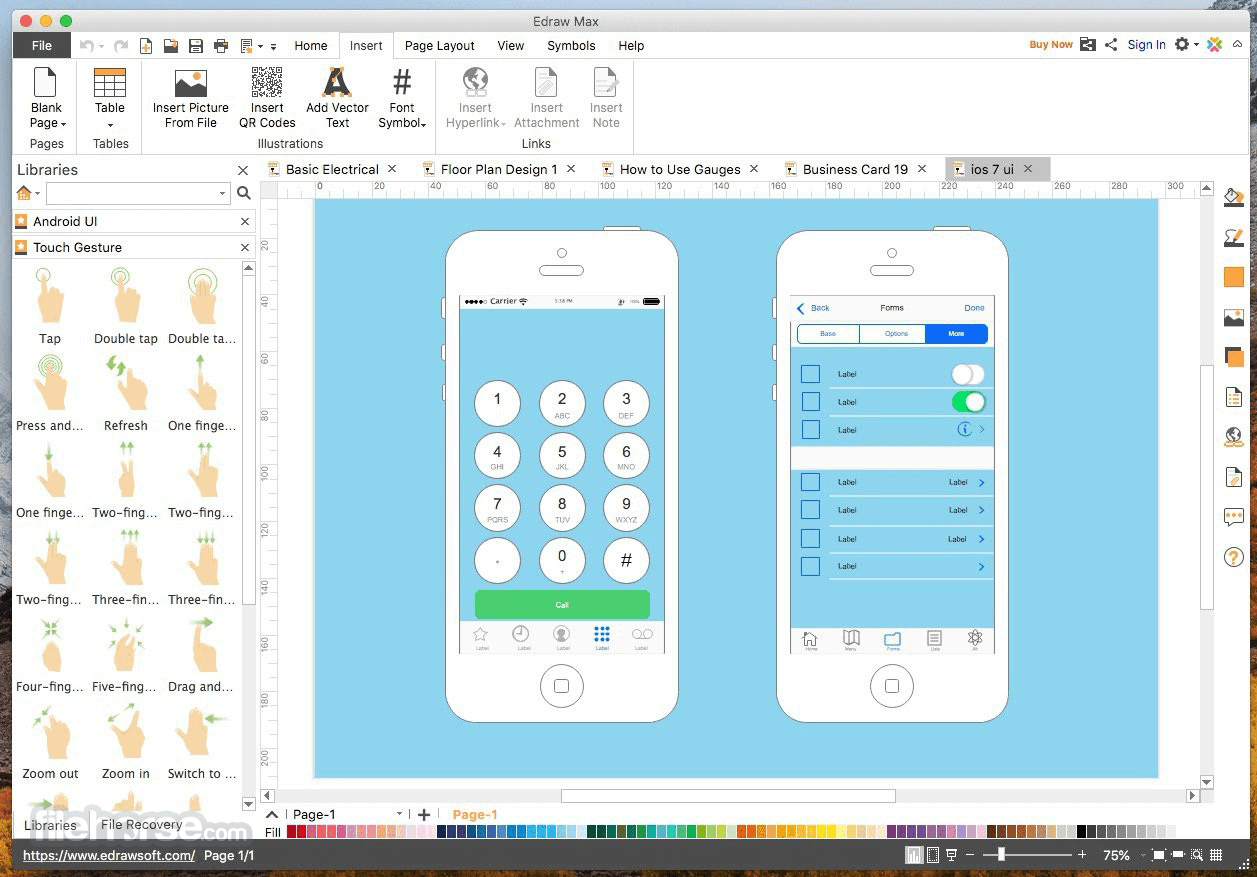
The toolbar is well-organized with icons that are easy to understand, and the drag-and-drop functionality simplifies the diagram creation process.
Additionally, the dark mode option provides a visually pleasing alternative for those who prefer it.
How to Use
Choose a Template: Start by selecting a template that matches the type of diagram you want to create.
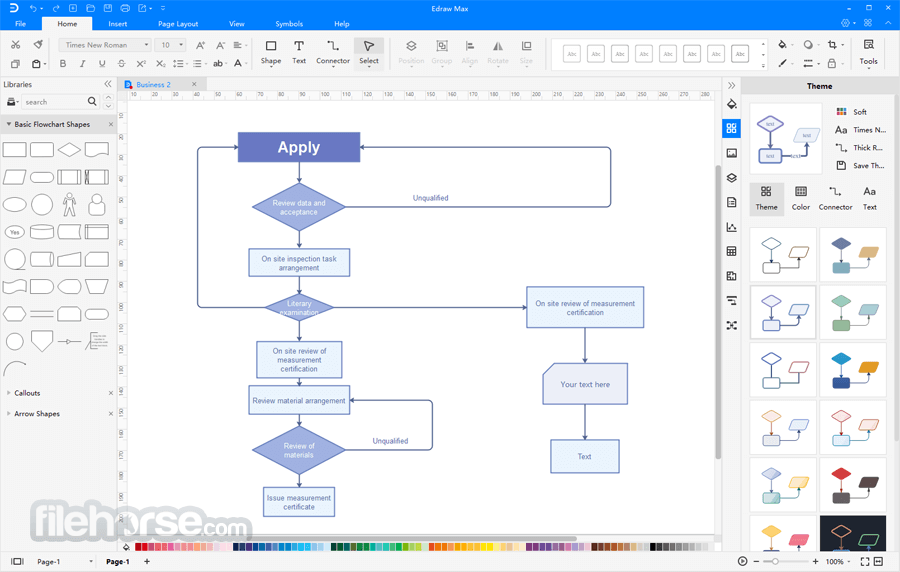
Drag and Drop: Drag and drop symbols and shapes onto the canvas to build your diagram.
Customize: Customize your diagram by changing colors, fonts, and styles. You can also add text and annotations.
Connect Shapes: Use connectors to link shapes and create a logical flow in your diagram.
Import Data: If you want to visualize data, import your dataset and choose the type of chart or graph you need.
Collaborate: If you're working with a team, collaborate in real-time by sharing your project with others.
Export and Share: Once your diagram is complete, export it in your preferred format or share it with others through the software's sharing options.
FAQ
Can I collaborate with others in real-time using EdrawMax?
Yes, it offers real-time collaboration features, allowing teams to work on diagrams simultaneously.
Does EdrawMax for Mac provide educational resources and templates?
Yes, it includes educational diagrams and templates, making it a valuable tool for educators and students.
What export options are available in EdrawMax?
It supports exporting diagrams in various formats, including PDF, Word, PowerPoint, PNG, and more.
Can I customize the appearance of my diagrams in EdrawMax?
Yes, you can customize the appearance of your diagrams by choosing different fonts, colors, themes, and styles.
Alternatives
XMind: The Most Popular Mind Mapping Software on The Planet.
MindManager: Create beautiful interactive maps, charts and diagrams for Mac!
MindNode: Straightforward and powerful free mind mapping Mac application.
Pricing
Annual Plan - US$99
A lifetime plan offers access to a product or service for its lifespan after a one-time payment, while a perpetual plan refers to the right to use a specific version of an app indefinitely.
Extra Edraw Community Templates
Gain access to 5,000+ extra delicately made templates on EdrawMax and 1,000+ extra templates on EdrawMind. Tap into professional inspiration and effortlessly kickstart your projects.
System Requirements
Also Available: Download EDraw Max for Windows
Download EDrawMax for Mac Latest Version Why is this app published on FileHorse? (More info)
Wondershare EdrawMax for macOS is an all-in-one diagramming software that empowers users to create a wide range of visuals, including flowcharts, mind maps, org charts, network diagrams, floor plans, and more.
It's developed by Wondershare, a company renowned for producing user-friendly and reliable software solutions.
With large pre-drawn libraries and more than 6000 vector symbols, drawing couldn't be easier!
Edraw Max enables you to create a wide range of diagrams using templates, shapes, and drawing tools while working in an intuitive and familiar Office-style environment.
EdrawMax is definitely the easiest and fastest visualization software to create diagrams of any kind for any user, whatever his role is.
Unlock your creativity with this easy-to-use intelligent software. Imagine with free templates. Design easily. And create amazingly. Fully compatible with Windows, Mac, and Linux.
Create diagram in seconds with EdrawMax AI
- AI Chat
- AI Drawing
- AI Ocr
- AI Diagramming
- AI Analysis
Features and Highlights
More Than 300 Diagram Types
It can simplify the creation of over 300 types of diagrams, empowering even novice users to build professional-looking and presentation-quality graphics. It helps to visualize information, enhance understanding, and promote communication for better decision making.
Ease of Use
The intuitive drag-and-drop interface makes it easy for beginners to start creating diagrams without a steep learning curve.
Templates and Symbols
It provides an extensive library of templates and symbols, helping users get started quickly and efficiently.
Start from Examples and Templates
With diversified libraries and over 12000 vector symbols, drawing is easier than ever! Get started quickly with the extensive templates and examples, new and updated shapes, and out-of-the-box drawing tools.
Get a Professional-looking Diagram in Minutes
It is as easy to use as a word processor. Users work in an intuitive interface, with no prior experience required and without a learning curve. Thus, the software enables you to build better diagrams in only a few minutes.
Create Interactive Infographics Quickly
You can rapidly turn any diagram into a gateway of information by linking it to websites, attaching documents, adding annotations, or even linking it to other Edraw visuals. They are smart infographics that anyone can create.
No Drawing Skill Required
There are dynamic user guides within the software showing automatically. Together with the easy-to-use interface and in-built templates, even novice users can create professional and great-looking diagrams instantly. Therefore, Edraw has become one of the most popular diagramming solutions, gaining over 9 million downloads.
Collaboration
It offers real-time collaboration features, enabling teams to work together on diagrams remotely.
Cross-Platform Compatibility
The app is available for Windows, macOS, and Linux, ensuring accessibility across various operating systems.
Export and Sharing
You can export your diagrams in various formats, including PDF, Word, PowerPoint, and more. Sharing is seamless, whether you want to collaborate online or offline.
Data Visualization
It allows you to import data sets and convert them into visual graphs and charts.
Customizable Styles
Users can customize the appearance of their diagrams with various fonts, colors, and themes.
Integration
It integrates with popular tools like Microsoft Office, making it a versatile choice for professional users.
Education-Focused
The app is an excellent tool for educators, offering features like a mind map mode and a wide array of educational diagrams.
AI Revolutionizes Diagramming
- AI Diagramming
- AI Chatbot
- AI Drawing
- AI Analysis
- AI Copywriting
- AI OCR
It boasts a clean and user-friendly interface that caters to both beginners and advanced users.
The toolbar is well-organized with icons that are easy to understand, and the drag-and-drop functionality simplifies the diagram creation process.
Additionally, the dark mode option provides a visually pleasing alternative for those who prefer it.
How to Use
Choose a Template: Start by selecting a template that matches the type of diagram you want to create.
Drag and Drop: Drag and drop symbols and shapes onto the canvas to build your diagram.
Customize: Customize your diagram by changing colors, fonts, and styles. You can also add text and annotations.
Connect Shapes: Use connectors to link shapes and create a logical flow in your diagram.
Import Data: If you want to visualize data, import your dataset and choose the type of chart or graph you need.
Collaborate: If you're working with a team, collaborate in real-time by sharing your project with others.
Export and Share: Once your diagram is complete, export it in your preferred format or share it with others through the software's sharing options.
FAQ
Can I collaborate with others in real-time using EdrawMax?
Yes, it offers real-time collaboration features, allowing teams to work on diagrams simultaneously.
Does EdrawMax for Mac provide educational resources and templates?
Yes, it includes educational diagrams and templates, making it a valuable tool for educators and students.
What export options are available in EdrawMax?
It supports exporting diagrams in various formats, including PDF, Word, PowerPoint, PNG, and more.
Can I customize the appearance of my diagrams in EdrawMax?
Yes, you can customize the appearance of your diagrams by choosing different fonts, colors, themes, and styles.
Alternatives
XMind: The Most Popular Mind Mapping Software on The Planet.
MindManager: Create beautiful interactive maps, charts and diagrams for Mac!
MindNode: Straightforward and powerful free mind mapping Mac application.
Pricing
Annual Plan - US$99
- 1-year free upgrades and priority support
- 1-year access to 3 Macs & online & 3 mobiles
- 1-year access to all features
- 1GB free cloud storage
- Online and mobile (Limited-Time Offer)
- Perpetual License (Mac)
- Perpetual access to all features
- 10GB free cloud storage
A lifetime plan offers access to a product or service for its lifespan after a one-time payment, while a perpetual plan refers to the right to use a specific version of an app indefinitely.
Extra Edraw Community Templates
Gain access to 5,000+ extra delicately made templates on EdrawMax and 1,000+ extra templates on EdrawMind. Tap into professional inspiration and effortlessly kickstart your projects.
System Requirements
- macOS
- 1 GHz processor or higher
- 1 GB RAM
- 800 MB of available hard-disk space
- 1280x768 screen resolution or higher
- Versatile diagramming software for various industries.
- Intuitive drag-and-drop interface.
- Real-time collaboration.
- Extensive library of templates and symbols.
- Cross-platform compatibility.
- Export options in multiple formats.
- Educational resources for teachers and students.
- Learning curve for advanced features.
- Some advanced templates and symbols may require the Annual/Perpetual plan.
- Monthly subscription pricing might be costly for occasional users.
Also Available: Download EDraw Max for Windows
Download EDrawMax for Mac Latest Version Why is this app published on FileHorse? (More info)
##
畫面截圖
- 2025-07-07 EdrawMax 14.5.2 541 MB
- 2019-10-11 EdrawMax 9.2 399 MB