⚠ 這是歷史版本頁面 — 查看 FreeCAD 最新版本 →

- 目前版本1.1.2
- 更新日期2026-07-24
- 檔案大小686 MB
- 檔案名稱FreeCAD_1.1.2-macOS-x86_64-py311.dmg
- 作業系統macOS 10.13 High Sierra or later
- 支援語系English
- 授權型式開源軟體
- 開發商 The FreeCAD Team
- 軟體分類Mac 軟體 / 影像設計
##
編輯短評
FreeCAD 是一款開源的參數化 3D CAD 軟體,主要針對產品設計、機械工程與建築用途而開發。它最核心的特色在於參數化建模,讓使用者能透過修改參數靈活調整設計內容,並具備高度模組化與可擴展性,提供豐富的工具集以滿足初學者到進階使用者的需求。從更新頻率來看,該軟體維護相當活躍,且在同類設計工具中評價普遍不錯。
這套軟體適合需要精確 3D 建模的工程師、建築師或產品設計師,尤其在需要頻繁修改模型參數的情境下非常實用。相較於 AutoCAD 等商業主流軟體,FreeCAD 提供開源免費的選擇,讓使用者能靈活取捨成本與功能。目前支援 macOS 與 Windows 平台,但下載前請留意其介面僅提供英文版。
##
翻譯排程處理中,以下暫以英文原文呈現
軟體介紹
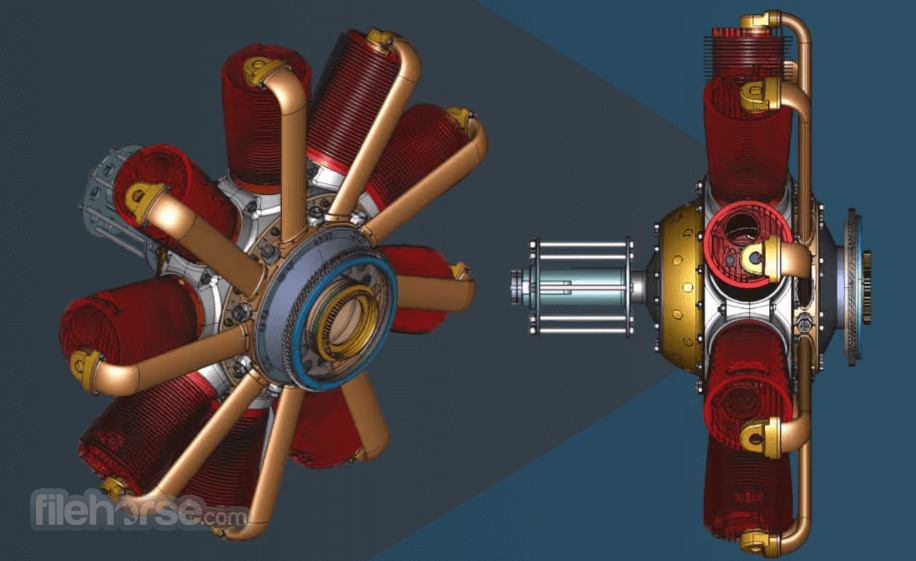
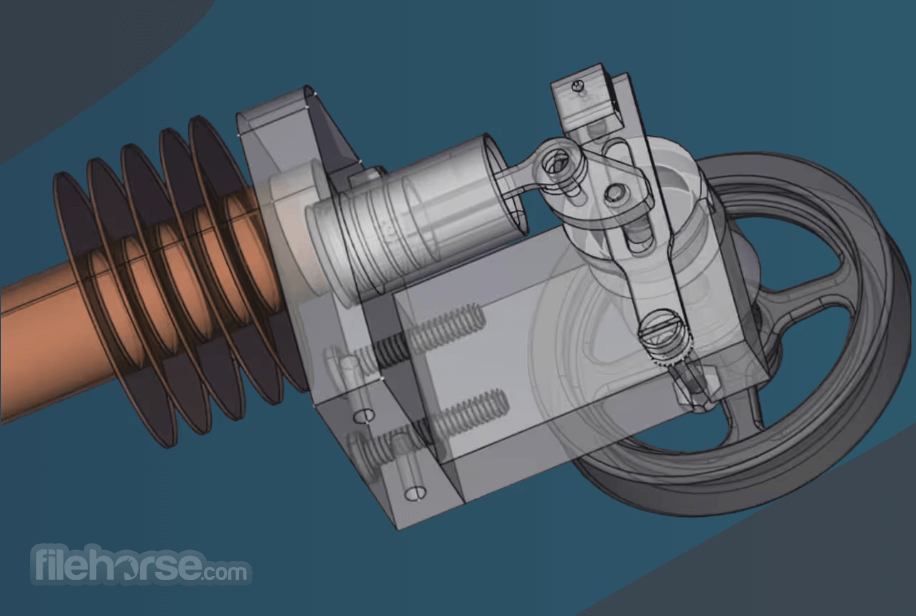
FreeCAD for Mac is a free and open-source parametric 3D CAD (computer-aided design) software designed primarily for product design, mechanical engineering, and architectural use.
Developed with a focus on modularity and extensibility, it offers an impressive range of tools that cater to both beginners and advanced users.
Key Features
Parametric Modeling: It allows users to design models with a focus on parametric constraints. This means you can modify your designs by changing parameters, ensuring maximum flexibility.
Modularity: Its modular architecture enables users to enhance functionality by installing plugins and extensions.
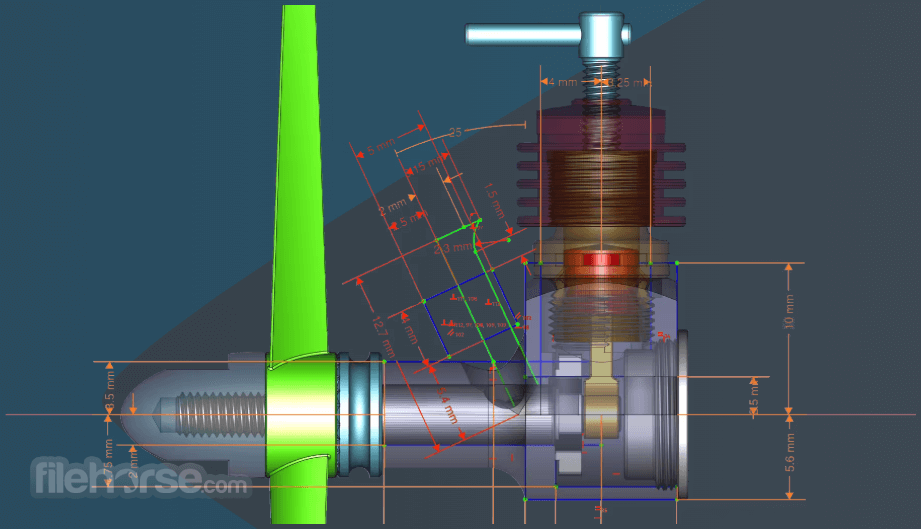
Sketcher Workbench: A robust 2D sketching environment to create and constrain shapes.
Path Workbench: Specifically designed for CAM (Computer-Aided Manufacturing) processes, enabling users to generate G-code for CNC machining.
Mesh Workbench: Allows for importing, analyzing, and repairing mesh-based objects.
Support for Multiple File Formats: It supports a variety of file formats, including STEP, IGES, STL, OBJ, and DXF, ensuring interoperability with other software.
Python Integration: With built-in support for Python scripting, users can automate tasks and create custom workflows.
Community and Documentation: An active community and comprehensive documentation provide robust support for new users.
What`s New
In memoriam: Bradley McLean (bgbsww)
As much as it is delighted to present this new version, it is also saddened to announce that its friend and prolific the software developer bgbsww passed away a few weeks before this release came out.
He was one of the main architects of the topological naming fixing effort, contributed a significant amount of additional code and tests, and became FreeCAD's TNP specialist. He also assisted virtually all other developers in adapting to the new algorithm. This release is dedicated to him.
New and Latest version
FreeCAD for macOS 1.0 was released on 18 November 2024, get it from the Download page.
User Interface
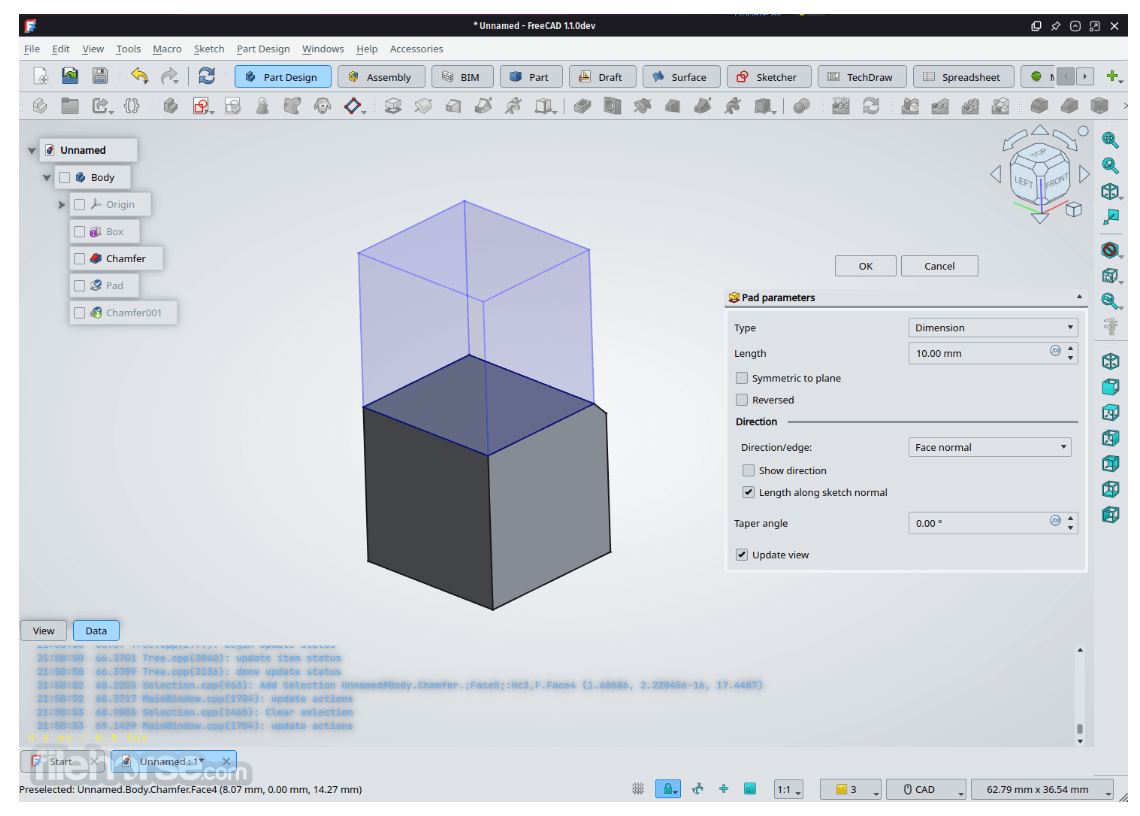
FreeCAD’s user interface is divided into workbenches, each tailored for specific tasks such as drafting, part design, or FEM analysis. While the interface might feel overwhelming for beginners due to its numerous options and tools, it’s highly customizable. Users can arrange toolbars, menus, and shortcuts to suit their workflow.
Colorful icons, tooltips, and a centralized tree structure make navigating projects intuitive once you’re familiar with the basics. However, the overall UI design might feel dated compared to some commercial CAD applications.
Installation and Setup
Download: It can be downloaded from its official website or software repositories like FileHorse or GitHub.
Installation: The setup process is straightforward.
Initial Configuration: Upon first launch, users can select their preferred unit system (e.g., metric or imperial) and load specific workbenches.
Dependencies: Ensure your system meets the minimum requirements, especially regarding graphics drivers.
How to Use
Starting a New Project:
Launch the application and create a new document.
Switch to the desired workbench, such as Part Design or Sketcher.
Creating Sketches:
Use the Sketcher workbench to draw 2D shapes.
Apply constraints to define dimensions and relationships.
Building 3D Models:
Extrude or revolve 2D sketches into 3D shapes.
Use Boolean operations to combine or subtract objects.
Simulation and Analysis:
Use the FEM workbench for structural analysis.
Generate CAM paths using the Path workbench.
Exporting Files:
Save your project in FreeCAD’s native format or export it to a compatible format like STEP or STL for use in other software.
FAQ
Is FreeCAD suitable for beginners?
Yes, but it has a steep learning curve. Beginners are encouraged to explore tutorials and start with simple projects.
Can FreeCAD replace commercial CAD software?
While it’s feature-rich, FreeCAD may lack some advanced capabilities and polish found in commercial tools like SolidWorks or AutoCAD.
Does FreeCAD support 2D drafting?
Yes, it includes a Draft workbench for creating 2D drawings and layouts.
Can I use FreeCAD for professional work?
Absolutely. Many users leverage FreeCAD for professional applications, especially in engineering and design fields.
Is FreeCAD actively maintained?
Yes, it has an active community and frequent updates to improve features and fix bugs.
Alternatives
Blender: A versatile open-source 3D modeling and rendering tool, better suited for animation and artistic projects.
LibreCAD: A simple, web-based CAD tool for beginners and hobbyists.
Fusion 360: A cloud-based CAD tool by Autodesk, ideal for both beginners and professionals.
Archicad: An architectural BIM CAD software.
Pricing
The program is completely FREE to use under the LGPL license. There are no premium features or hidden costs, making it an attractive choice for budget-conscious users.
System Requirements
Also Available: Download FreeCAD for Windows
Download FreeCAD for Mac Latest Version Why is this app published on FileHorse? (More info)
Developed with a focus on modularity and extensibility, it offers an impressive range of tools that cater to both beginners and advanced users.
Key Features
Parametric Modeling: It allows users to design models with a focus on parametric constraints. This means you can modify your designs by changing parameters, ensuring maximum flexibility.
Modularity: Its modular architecture enables users to enhance functionality by installing plugins and extensions.
Sketcher Workbench: A robust 2D sketching environment to create and constrain shapes.
Path Workbench: Specifically designed for CAM (Computer-Aided Manufacturing) processes, enabling users to generate G-code for CNC machining.
Mesh Workbench: Allows for importing, analyzing, and repairing mesh-based objects.
Support for Multiple File Formats: It supports a variety of file formats, including STEP, IGES, STL, OBJ, and DXF, ensuring interoperability with other software.
Python Integration: With built-in support for Python scripting, users can automate tasks and create custom workflows.
Community and Documentation: An active community and comprehensive documentation provide robust support for new users.
What`s New
In memoriam: Bradley McLean (bgbsww)
As much as it is delighted to present this new version, it is also saddened to announce that its friend and prolific the software developer bgbsww passed away a few weeks before this release came out.
He was one of the main architects of the topological naming fixing effort, contributed a significant amount of additional code and tests, and became FreeCAD's TNP specialist. He also assisted virtually all other developers in adapting to the new algorithm. This release is dedicated to him.
New and Latest version
FreeCAD for macOS 1.0 was released on 18 November 2024, get it from the Download page.
User Interface
FreeCAD’s user interface is divided into workbenches, each tailored for specific tasks such as drafting, part design, or FEM analysis. While the interface might feel overwhelming for beginners due to its numerous options and tools, it’s highly customizable. Users can arrange toolbars, menus, and shortcuts to suit their workflow.
Colorful icons, tooltips, and a centralized tree structure make navigating projects intuitive once you’re familiar with the basics. However, the overall UI design might feel dated compared to some commercial CAD applications.
Installation and Setup
Download: It can be downloaded from its official website or software repositories like FileHorse or GitHub.
Installation: The setup process is straightforward.
Initial Configuration: Upon first launch, users can select their preferred unit system (e.g., metric or imperial) and load specific workbenches.
Dependencies: Ensure your system meets the minimum requirements, especially regarding graphics drivers.
How to Use
Starting a New Project:
Launch the application and create a new document.
Switch to the desired workbench, such as Part Design or Sketcher.
Creating Sketches:
Use the Sketcher workbench to draw 2D shapes.
Apply constraints to define dimensions and relationships.
Building 3D Models:
Extrude or revolve 2D sketches into 3D shapes.
Use Boolean operations to combine or subtract objects.
Simulation and Analysis:
Use the FEM workbench for structural analysis.
Generate CAM paths using the Path workbench.
Exporting Files:
Save your project in FreeCAD’s native format or export it to a compatible format like STEP or STL for use in other software.
FAQ
Is FreeCAD suitable for beginners?
Yes, but it has a steep learning curve. Beginners are encouraged to explore tutorials and start with simple projects.
Can FreeCAD replace commercial CAD software?
While it’s feature-rich, FreeCAD may lack some advanced capabilities and polish found in commercial tools like SolidWorks or AutoCAD.
Does FreeCAD support 2D drafting?
Yes, it includes a Draft workbench for creating 2D drawings and layouts.
Can I use FreeCAD for professional work?
Absolutely. Many users leverage FreeCAD for professional applications, especially in engineering and design fields.
Is FreeCAD actively maintained?
Yes, it has an active community and frequent updates to improve features and fix bugs.
Alternatives
Blender: A versatile open-source 3D modeling and rendering tool, better suited for animation and artistic projects.
LibreCAD: A simple, web-based CAD tool for beginners and hobbyists.
Fusion 360: A cloud-based CAD tool by Autodesk, ideal for both beginners and professionals.
Archicad: An architectural BIM CAD software.
Pricing
The program is completely FREE to use under the LGPL license. There are no premium features or hidden costs, making it an attractive choice for budget-conscious users.
System Requirements
- Operating System: macOS
- Processor: Dual-core 2GHz or higher
- RAM: 4GB minimum, 8GB recommended
- Graphics: OpenGL-compatible GPU
- Storage: 2GB free space
- Completely free and open-source
- Highly customizable and extensible
- Cross-platform compatibility
- Supports a wide range of file formats
- Active community and extensive documentation
- Outdated user interface design
- Limited advanced features compared to commercial software
- Occasioal bugs due to its open-source nature
Also Available: Download FreeCAD for Windows
Download FreeCAD for Mac Latest Version Why is this app published on FileHorse? (More info)
##
畫面截圖
- 2026-07-26 FreeCAD 1.1.3 686 MB
- 2026-07-24 FreeCAD 1.1.2 686 MB
- 2026-04-15 FreeCAD 1.1.1 687 MB
- 2026-03-25 FreeCAD 1.1.0 686 MB
- 2025-08-06 FreeCAD 1.0.2 703 MB
- 2025-05-16 FreeCAD 1.0.1 705 MB
- 2024-11-19 FreeCAD 1.0.0 637 MB
- 2024-01-09 FreeCAD 0.21.2 883 MB