⚠ 這是歷史版本頁面 — 查看 Java JDK 最新版本 →

- 目前版本24
- 更新日期2025-03-27
- 檔案大小227.49 MB
- 檔案名稱jdk-24_macos-x64_bin.dmg
- 作業系統Mac OS X
- 支援語系English
- 授權型式免費軟體
- 開發商 Oracle
- 軟體分類Mac 軟體 / 開發者工具
##
編輯短評
Java JDK 是 Oracle 推出的 Java 開發工具包,為 macOS 上的開發者提供編譯、測試與執行 Java 應用程式所需的完整工具與函式庫。它最大的辨識度在於跨平台支援,無論在 macOS、Windows 或 Linux 上都能一致運作,是 Java 開發者不可或缺的基礎環境。此軟體長期維護、更新活躍,在同類開發者工具中屬於熱門選擇,使用者評價普遍不錯,整體表現穩定可靠。
這套工具適合需要撰寫、打包或部署 Java 程式的開發者,無論是學生、業餘專案或專業團隊,都會在建立 Java 應用時用到。與其他整合開發環境或虛擬化工具相比,JDK 提供的是底層編譯與執行能力,不包含圖形介面,需搭配編輯器使用。它為免費軟體,但僅提供英文介面,macOS 使用者可直接下載安裝,使用前建議留意 Oracle 的授權條款,以確保符合個人或商業用途需求。
##
翻譯排程處理中,以下暫以英文原文呈現
軟體介紹
The Java Development Kit for Mac (JDK) is a reliable and versatile software development environment that offers a collection of tools and libraries for developing, testing, and running Java-based applications.
This cross-platform software is designed to be used on various operating systems, including macOS, and is an essential tool for any Java developer.
The JDK platform provides a comprehensive set of tools and utilities that make it possible to develop, package, monitor, and deploy applications that are built for any standard Java platform, including Java Platform, Standard Edition (Java SE), Java Platform, Micro Edition (Java ME), and Java Platform, Enterprise Edition (Java EE).
More specifically, JDK is an implementation of the Java platform specification, which includes the compiler, standard class libraries, and many other services and tools that are necessary for the development, testing, and deploying of all types of apps, from local apps, web services, student projects, business apps, video games, and more.
Developed by Oracle, this popular SDK platform has recently been updated to its 22nd version, introducing many advanced features that can impact development for projects of all types and sizes.
Main Features
Users can download the latest version of this programming tool from the official Oracle website or secure FileHorse servers and follow the installation prompts.
Once installed, users can start using this software development platform immediately.
How to Use
Newcomers who encounter this SDK for the first time can learn much more about it via provided documentation, tutorials, and extensive online help posted by the large international community.
The simplest way to generate a new Java app is to open a terminal window and type the command javac to compile Java source code into Java bytecode. Users can also use the jar command to create a jar file from a set of class files.
Seasoned users are encouraged to get informed about the latest add-ons and updates provided by Oracle, and experiment with JDK.
User Interface
The JDK does not have a fully-featured graphical user interface. Instead, it is a command-line tool that is used to compile, package, and run Java applications.
FAQ
What is The Java Development Kit?
It is a software development environment that provides all the necessary tools and libraries for developing, testing, and running Java-based applications.
Is it safe?
Yes, this is a safe and secure application that is free from malware and viruses.
Alternatives
IntelliJ IDEA – A popular IDE for developing, testing, and deploying Java applications.
Eclipse – A versatile third-party IDE for the creation of Java applications.
NetBeans – Another popular IDE optimized for modern Java app development.
Pricing
This is a free IDE for app development.
System Requirements
JDK is compatible with both Intel and M-series Macs.
PROS
The Java Development Kit for Mac (JDK) is a powerful and reliable software development environment that offers a comprehensive set of tools and utilities for developing, testing, and running Java-based applications.
For decades it has been regarded as an essential tool for any Java developer, and it is widely used in a variety of industries, including finance, healthcare, and education.
Also Available: Download Java Development Kit for Windows
Download Java Development Kit for Mac Latest Version Why is this app published on FileHorse? (More info)
This cross-platform software is designed to be used on various operating systems, including macOS, and is an essential tool for any Java developer.
The JDK platform provides a comprehensive set of tools and utilities that make it possible to develop, package, monitor, and deploy applications that are built for any standard Java platform, including Java Platform, Standard Edition (Java SE), Java Platform, Micro Edition (Java ME), and Java Platform, Enterprise Edition (Java EE).
More specifically, JDK is an implementation of the Java platform specification, which includes the compiler, standard class libraries, and many other services and tools that are necessary for the development, testing, and deploying of all types of apps, from local apps, web services, student projects, business apps, video games, and more.
Developed by Oracle, this popular SDK platform has recently been updated to its 22nd version, introducing many advanced features that can impact development for projects of all types and sizes.
Main Features
- Java Compiler – Quickly and reliably convert source code into Java bytecode.
- Java Runtime Environment – Access all necessary libraries and utilities for running Java applications.
- Java Virtual Machine – The JDK includes a Java Virtual Machine that provides the necessary environment for running Java applications.
- Tools and Utilities – Access everything that is necessary for development, testing, and deploying Java applications.
- Support for Various Java Platforms – Java SE, Java ME, and Java EE.
Users can download the latest version of this programming tool from the official Oracle website or secure FileHorse servers and follow the installation prompts.
Once installed, users can start using this software development platform immediately.
How to Use
Newcomers who encounter this SDK for the first time can learn much more about it via provided documentation, tutorials, and extensive online help posted by the large international community.
The simplest way to generate a new Java app is to open a terminal window and type the command javac to compile Java source code into Java bytecode. Users can also use the jar command to create a jar file from a set of class files.
Seasoned users are encouraged to get informed about the latest add-ons and updates provided by Oracle, and experiment with JDK.
User Interface
The JDK does not have a fully-featured graphical user interface. Instead, it is a command-line tool that is used to compile, package, and run Java applications.
FAQ
What is The Java Development Kit?
It is a software development environment that provides all the necessary tools and libraries for developing, testing, and running Java-based applications.
Is it safe?
Yes, this is a safe and secure application that is free from malware and viruses.
Alternatives
IntelliJ IDEA – A popular IDE for developing, testing, and deploying Java applications.
Eclipse – A versatile third-party IDE for the creation of Java applications.
NetBeans – Another popular IDE optimized for modern Java app development.
Pricing
This is a free IDE for app development.
System Requirements
JDK is compatible with both Intel and M-series Macs.
PROS
- The official SDK platform for Java development.
- Comprehensive toolset.
- Support for various Java platforms.
- Free.
- The steep learning curve for newcomers.
The Java Development Kit for Mac (JDK) is a powerful and reliable software development environment that offers a comprehensive set of tools and utilities for developing, testing, and running Java-based applications.
For decades it has been regarded as an essential tool for any Java developer, and it is widely used in a variety of industries, including finance, healthcare, and education.
Also Available: Download Java Development Kit for Windows
Download Java Development Kit for Mac Latest Version Why is this app published on FileHorse? (More info)
##
畫面截圖
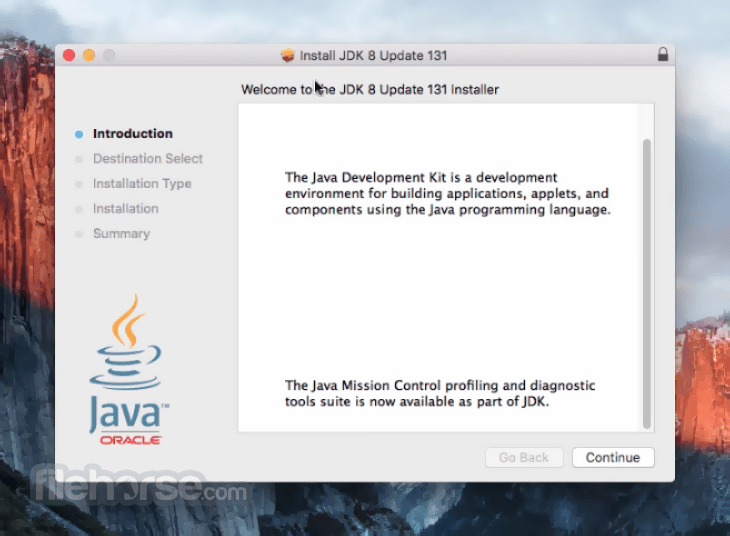
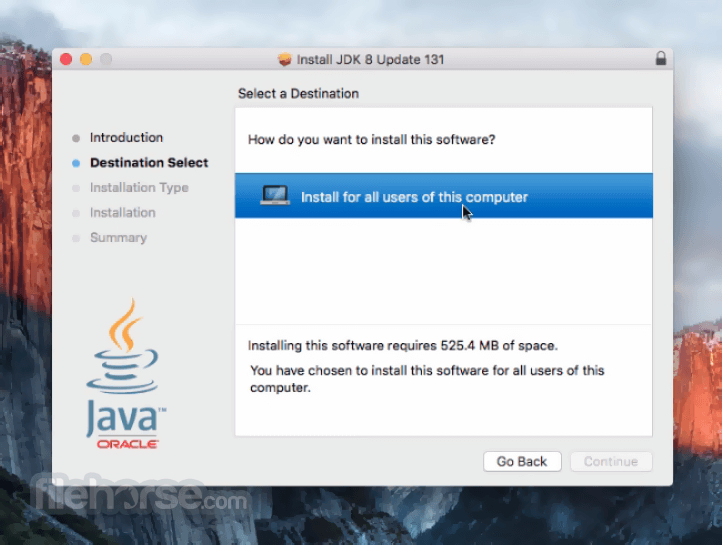
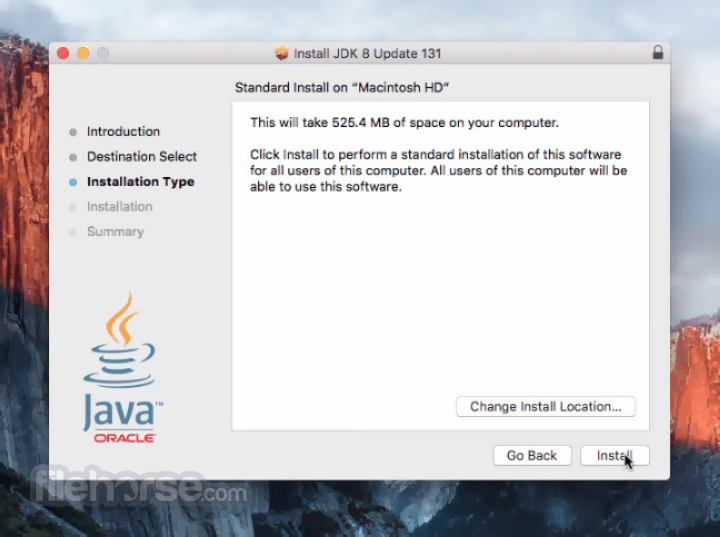
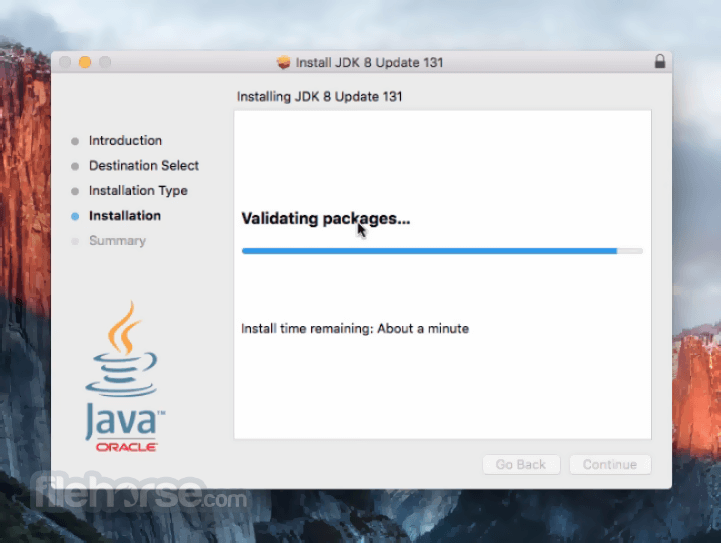
- 2026-07-22 Java JDK 26.0.2 203.27 MB
- 2026-04-22 Java JDK 26.0.1 205.44 MB
- 2026-03-18 Java JDK 26 205.49 MB
- 2025-09-18 Java JDK 25 199.95 MB
- 2025-07-16 Java JDK 24.0.2 227.51 MB
- 2025-04-16 Java JDK 24.0.1 227.59 MB
- 2025-03-27 Java JDK 24 227.49 MB
- 2025-01-22 Java JDK 23.0.2 228.47 MB