⚠ 這是歷史版本頁面 — 查看 Kindle 最新版本 →

Kindle 1.40.1
v 1.40.1
macOS
未分類
6.66/10 (53)
- 目前版本1.40.1
- 更新日期2023-03-30
- 檔案大小111.32 MB
- 檔案名稱KindleForMac-installer-1.40.65626.dmg
- 作業系統macOS 10.14 Mojave or later
- 支援語系English
- 授權型式未分類
- 開發商 Amazon Inc
- 軟體分類Mac 軟體 / 辦公商務
##
編輯短評
Kindle for Mac 是 Amazon 推出的免費閱讀應用,讓 Mac 使用者直接在電腦上存取自己的 Kindle 書庫,不必另外添購電子書閱讀器。它最鮮明的特色是能與其他 Kindle 裝置自動同步書籤與閱讀進度,換裝置接續閱讀相當順暢。這套軟體自 2016 年起持續收錄版本,至今仍維持更新,在同類辦公商務工具中算是熱門選擇,不過使用者評價普通,評分人數不多,口碑不算突出。
這款軟體適合已經在 Amazon 購買 Kindle 電子書、且習慣用 Mac 長時間閱讀的人,尤其常用大螢幕看書或需要跨裝置接續進度的讀者。與 Microsoft Office 等文書軟體相比,它專注在閱讀體驗,功能單一但更貼近需求;不過它僅支援英文介面,對中文使用者較不友善,且免費授權但需綁定 Amazon 帳號才能使用,下載前不妨先確認自己的書庫是否以 Kindle 格式為主。
##
翻譯排程處理中,以下暫以英文原文呈現
軟體介紹
Amazon Kindle for Mac is a free application that allows users to easily access their Kindle book libraries directly on their desktop or laptop computers, with full support for a seamless reading experience, automatic syncing of bookmarks and reading positions with other Kindle e-reader devices, and much more.
The app empowers Mac users to instantly access digital books from Kindle and Amazon stores, without the need for any other dedicated e-reader hardware or software.
Developers of the app have included many customization options that users can use to optimize the way they interact with the written content. This includes tools for adjusting font sizes, line spacing, margins, background colors, highlight tools, bookmark manager, and others.
One of the most notable support services this app offers is a built-in glossary that enables anyone to highlight any word or name and perform a web search for additional information.
In addition to the book packages distributed by Kindle and Amazon platforms, this app can also easily handle all modern digital book formats, including EPUB, MOBI, AZW, AZW3, and PDF, making it compatible with workflows both on desktop and laptop Macs.
Key Features
This app is distributed online via its Mac App Store page, official website, or the secure FileHorse servers.
To get it up and running on any modern Mac, users simply need to download the installation file, drag it to the Applications folder, and follow a few simple on-screen instructions.
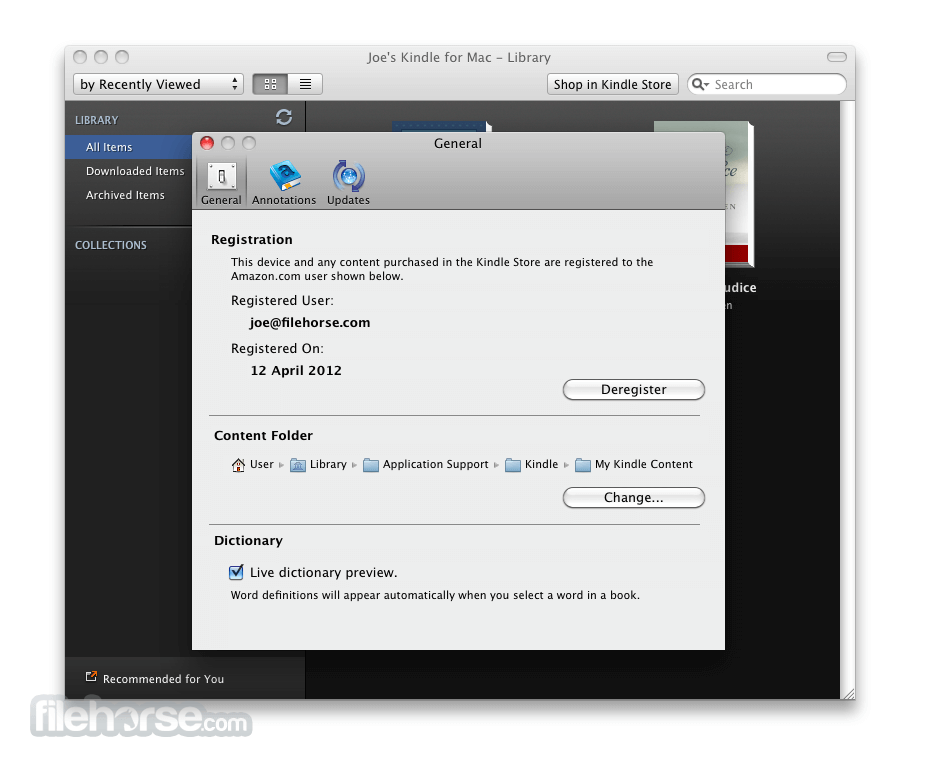
To finalize the installation, all users are required to log in using their active Amazon account credentials, which will provide access to all the user’s premium book purchases.
How to Use
Once inside the app, users are free to browse both their personal library of purchased books and the online marketplace of free and premium book releases.
Books can be loaded for reading with a single click of a mouse button, with easy-to-reach tools for on-screen content configuration (adjusting font sizes, line spacing, margins, and more).
During reading, users can easily switch between windowed and more immersive full-screen modes, choose a custom background color for an easier reading experience, and even adjust the brightness of their laptop screen directly from the app.
At any point during the reading, users can take advantage of the built-in dictionary service that can provide additional insights into definitions of words.
User Interface
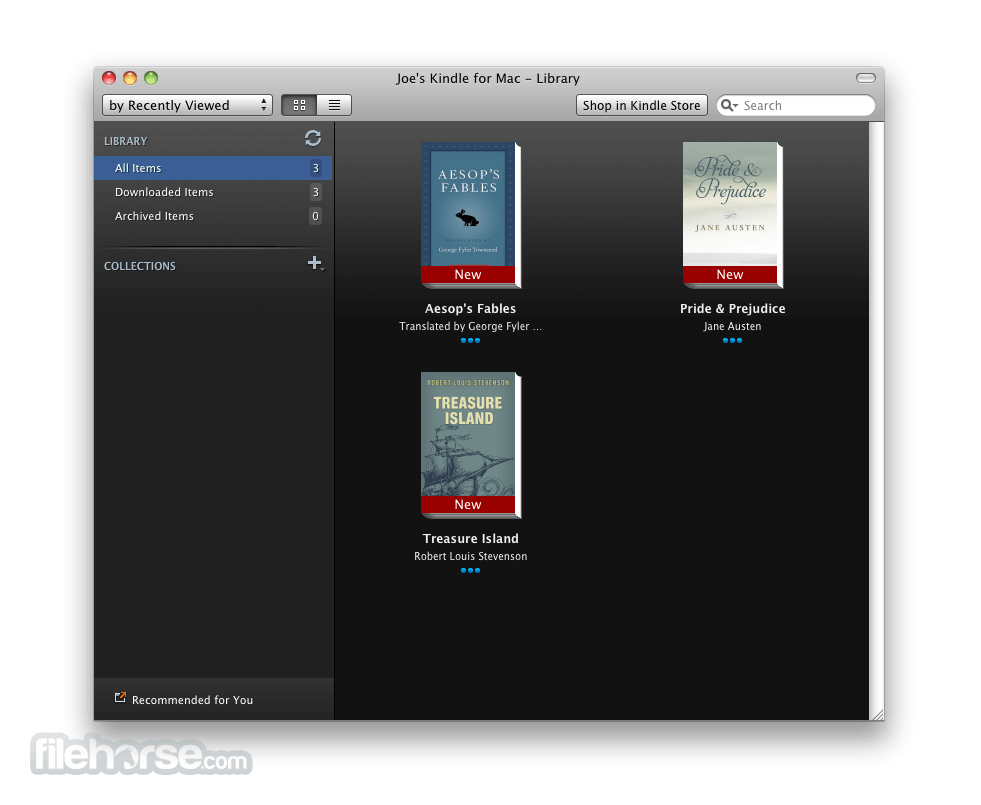
This app features a clean and intuitive user interface that is easy to navigate. The main dashboard displays the account’s Kindle library, with options to browse, search, and download books.
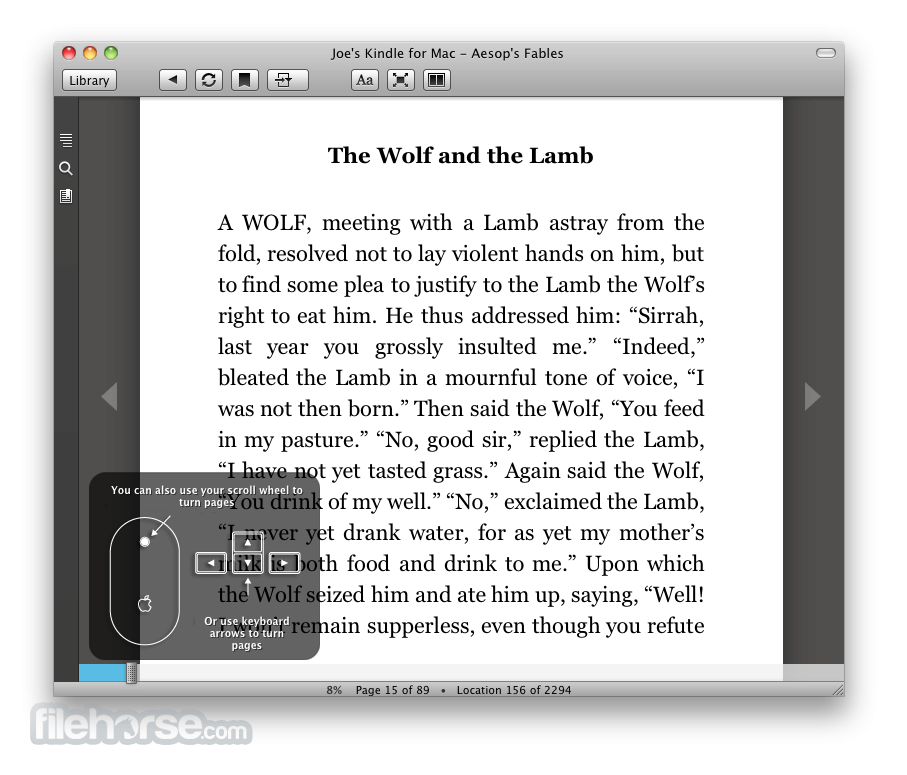
The reading interface is designed to mimic the experience of reading on a dedicated e-reader, with adjustable font sizes and customizable layouts.
FAQ
What is Kindle?
This lightweight Mac app allows users to read books purchased from Kindle and Amazon digital distribution platforms.
Is it safe?
Yes, this app is safe to use. It is developed by a reputable company and has advanced built-in account management features.
Languages
English, Dutch, French, German, Italian, Japanese, Portuguese, Simplified Chinese, Spanish, and Traditional Chinese.
Alternatives
Google Play Books – A digital bookstore app that offers e-books for purchase and download.
Kobo Reading App – A free e-book reading app with built-in highlighting and annotation tools.
Calibre – A free and open-source e-book management software that supports various digital book formats.
Pricing
This app is 100% free for download and use.
It features streamlined access to the large digital bookstore where users can purchase books, audiobooks, and tokens for the serial publication platform Kindle Vella.
System Requirements
Amazon Kindle for Mac is a feature-rich e-book reading application that offers seamless integration with the popular Kindle platform.
With its customizable reading options, offline reading capabilities, and automatic syncing with compatible Kindle devices and apps, it represents an excellent choice for users who want to read e-books distributed and sold by Amazon on their Mac computers.
Note: Requires Amazon registered account.
Also Available: Download Kindle for Windows
Download Kindle for Mac Latest Version Why is this app published on FileHorse? (More info)
The app empowers Mac users to instantly access digital books from Kindle and Amazon stores, without the need for any other dedicated e-reader hardware or software.
Developers of the app have included many customization options that users can use to optimize the way they interact with the written content. This includes tools for adjusting font sizes, line spacing, margins, background colors, highlight tools, bookmark manager, and others.
One of the most notable support services this app offers is a built-in glossary that enables anyone to highlight any word or name and perform a web search for additional information.
In addition to the book packages distributed by Kindle and Amazon platforms, this app can also easily handle all modern digital book formats, including EPUB, MOBI, AZW, AZW3, and PDF, making it compatible with workflows both on desktop and laptop Macs.
Key Features
- Cloud Library Access – Access the entire Kindle and Amazon book library without the need for a dedicated e-reader.
- Customizable Reading Experience – Adjust every book to best suit individual reading preferences.
- Sync Reading Progress – Move between Kindle reader apps and devices with ease, and even continue the book progress inside the Audible app.
- Organization – Organize books into collections for easy management and access.
- Wide Format Compatibility – Easily load all modern e-book file formats.
- Offline Reading – Download books for offline reading, ideal for long flights or daily commutes.
This app is distributed online via its Mac App Store page, official website, or the secure FileHorse servers.
To get it up and running on any modern Mac, users simply need to download the installation file, drag it to the Applications folder, and follow a few simple on-screen instructions.
To finalize the installation, all users are required to log in using their active Amazon account credentials, which will provide access to all the user’s premium book purchases.
How to Use
Once inside the app, users are free to browse both their personal library of purchased books and the online marketplace of free and premium book releases.
Books can be loaded for reading with a single click of a mouse button, with easy-to-reach tools for on-screen content configuration (adjusting font sizes, line spacing, margins, and more).
During reading, users can easily switch between windowed and more immersive full-screen modes, choose a custom background color for an easier reading experience, and even adjust the brightness of their laptop screen directly from the app.
At any point during the reading, users can take advantage of the built-in dictionary service that can provide additional insights into definitions of words.
User Interface
This app features a clean and intuitive user interface that is easy to navigate. The main dashboard displays the account’s Kindle library, with options to browse, search, and download books.
The reading interface is designed to mimic the experience of reading on a dedicated e-reader, with adjustable font sizes and customizable layouts.
FAQ
What is Kindle?
This lightweight Mac app allows users to read books purchased from Kindle and Amazon digital distribution platforms.
Is it safe?
Yes, this app is safe to use. It is developed by a reputable company and has advanced built-in account management features.
Languages
English, Dutch, French, German, Italian, Japanese, Portuguese, Simplified Chinese, Spanish, and Traditional Chinese.
Alternatives
Google Play Books – A digital bookstore app that offers e-books for purchase and download.
Kobo Reading App – A free e-book reading app with built-in highlighting and annotation tools.
Calibre – A free and open-source e-book management software that supports various digital book formats.
Pricing
This app is 100% free for download and use.
It features streamlined access to the large digital bookstore where users can purchase books, audiobooks, and tokens for the serial publication platform Kindle Vella.
System Requirements
- OS: macOS 12.0
- Storage: 100MB of free space
- Seamless integration with the Kindle ecosystem.
- Customizable reading experience.
- Automatic reading position syncing between devices.
- Offline reading.
- Free.
- No book export option.
Amazon Kindle for Mac is a feature-rich e-book reading application that offers seamless integration with the popular Kindle platform.
With its customizable reading options, offline reading capabilities, and automatic syncing with compatible Kindle devices and apps, it represents an excellent choice for users who want to read e-books distributed and sold by Amazon on their Mac computers.
Note: Requires Amazon registered account.
Also Available: Download Kindle for Windows
Download Kindle for Mac Latest Version Why is this app published on FileHorse? (More info)
##
畫面截圖
- 2026-08-01 Kindle 7.64
- 2023-03-30 Kindle 1.40.1 111.32 MB
- 2023-03-04 Kindle 1.40 111.21 MB
- 2022-10-05 Kindle 1.39 92.63 MB
- 2022-06-24 Kindle 1.37 92.13 MB
- 2022-06-15 Kindle 1.35 91.55 MB
- 2022-03-25 Kindle 1.34 91.52 MB
- 2021-09-10 Kindle 1.33 87.95 MB