⚠ 這是歷史版本頁面 — 查看 OnyX 最新版本 →

- 目前版本4.7.9
- 更新日期2025-05-29
- 檔案大小6.6 MB
- 檔案名稱OnyX.dmg
- 作業系統macOS 26.0 Tahoe or later
- 支援語系English
- 授權型式免費軟體
- 開發商 Titanium Software
- 軟體分類Mac 軟體 / 系統優化
##
編輯短評
OnyX 是 macOS 上知名的免費系統維護與最佳化工具,能協助使用者清理暫存、修復權限、執行例行維護,並深入調整 Dock、Finder、Safari 等內建程式的隱藏參數。它的最大特色是將許多原本需要指令或第三方軟體才能達成的調校選項整合在單一介面,操作直覺。開發團隊持續更新,近一年來版本釋出相當頻繁,在同類工具中屬於熱門選擇,使用者評價普遍不錯。
這套軟體適合熟悉 macOS 但不想碰終端機的進階使用者,當你覺得系統變慢、出現小毛病,或想自訂一些 Apple 沒公開的設定時,OnyX 能派上用場。相較於 CleanMyMac X 等付費工具,OnyX 完全免費,但功能偏向技術性調校,介面也較為樸素;它僅支援英文,且需對應 macOS 版本使用,下載前最好確認相容性。整體而言,它是追求免費、深度優化使用者的實用選擇。
##
翻譯排程處理中,以下暫以英文原文呈現
軟體介紹
OnyX is one of the best free utilities for the maintenance, personalization, and optimization of your macOS.
Not only that it is capable to run countless miscellaneous tasks of system maintenance, but it enables you to easily find and tweak many hidden parameters of Dock, Dashboard, Safari, Expose, Disk Utility, and Finder.
After just a few minutes spend optimizing your Mac with OnyX, not only that you will be able to optimize many aspects of your daily computer usage, streamlining the way you work certain things and increasing your productivity, but also making your Mac run faster and enabling it to run longer on your if you prefer using laptops.
Some of its most popular options are without a doubt ability to preview logs, CrashReporter reports, countless hidden parameters of the system, and removal of unused and large files or directories.
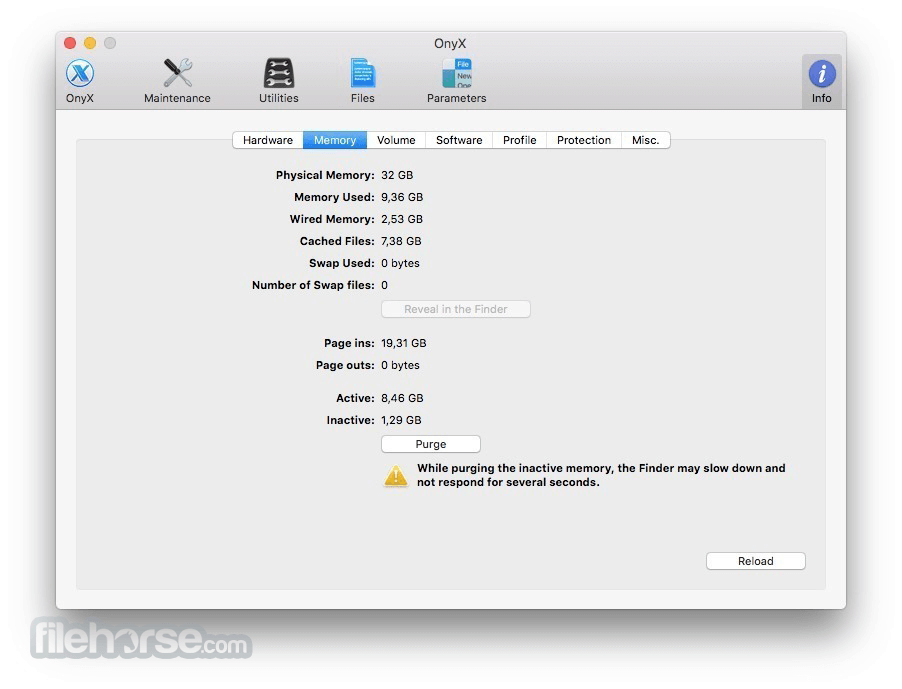
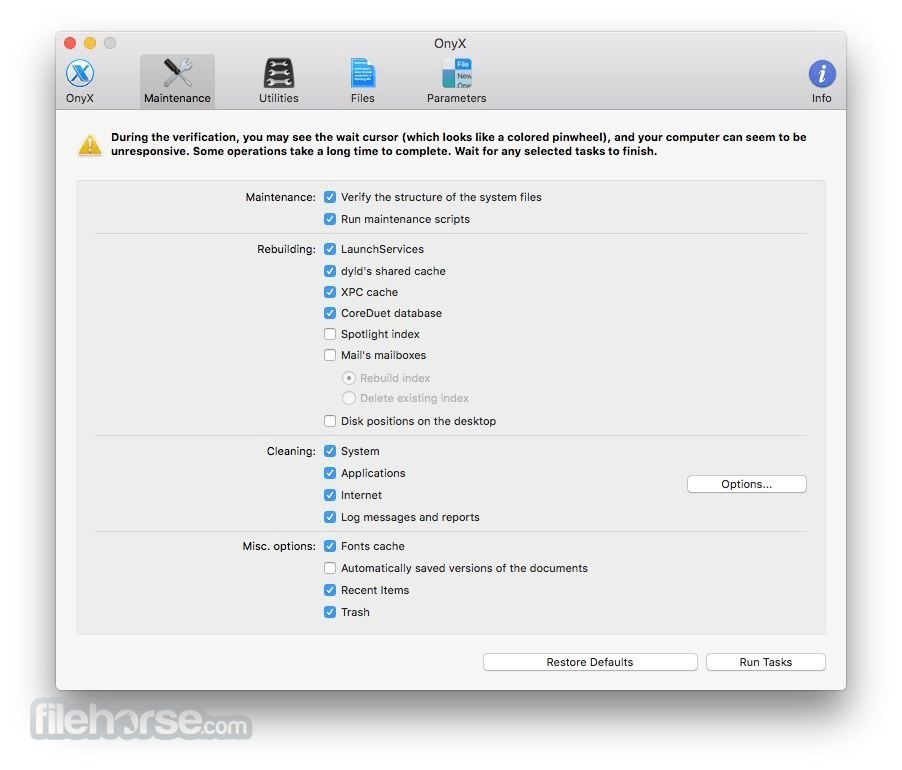
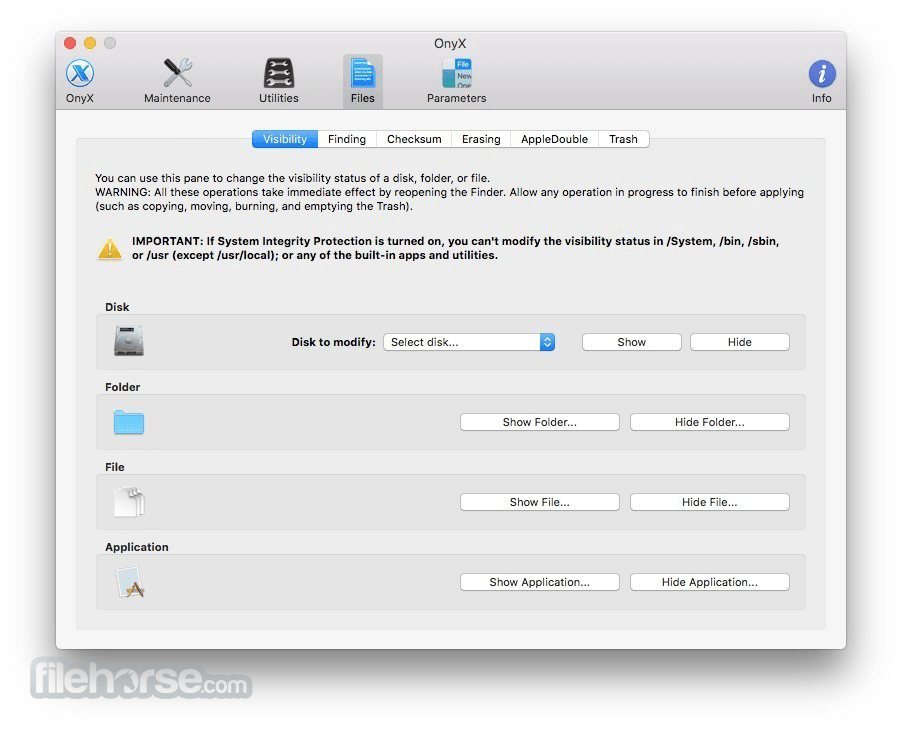
All of the functions of this app are accessible via a highly-intuitive interface that features eight main tabs filled with countless OS tweaks – Verify, Maintenance, Cleaning, Utilities, Automation, Parameters, Log, and Info.
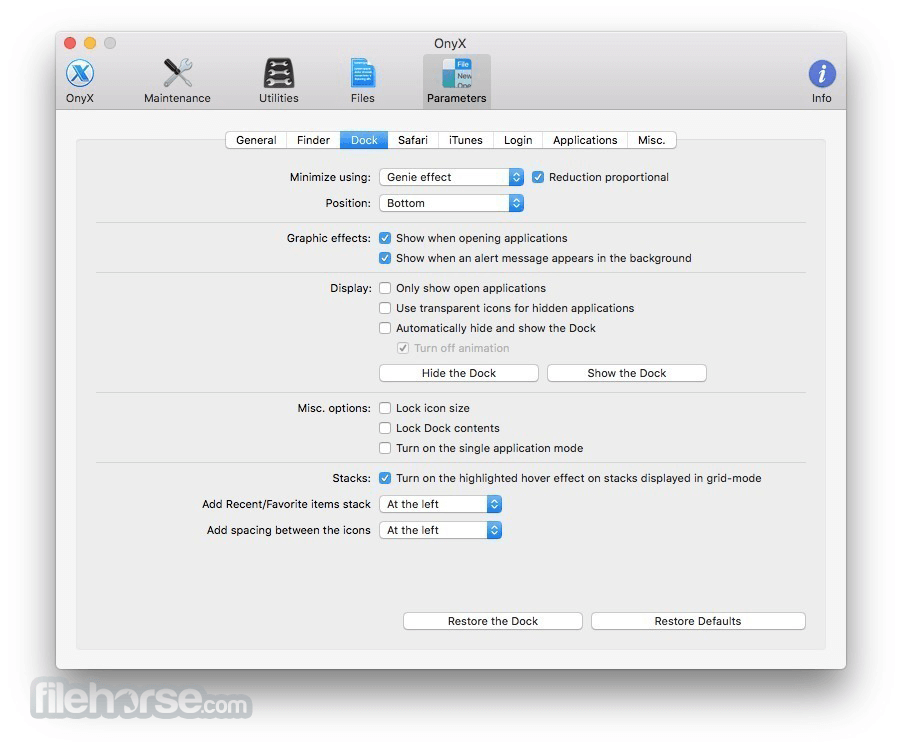
The parameters section is especially useful, enabling you to tweak core functions and services of many basic macOS apps that everyone uses countless times every day.
With all this power at the tip of your fingers, OnyX for Mac definitely represents the best possible way to control your system from most obvious tasks and easy tasks to deeply hidden options that were before accessible only to professionals (for the app also offers access to the powerful command line that can be used to run scripts and automated commands).
How to Use
Open the downloaded DMG file and install the app
Launch OnyX and authenticate with admin password
Choose Maintenance, Cleaning, or Utilities tab
Select desired tasks and confirm execution
Review system logs and results when complete
Use Automation tab for all-in-one system optimization
Always back up your data before major changes
System Requirements
Compatible with macOS Sonoma, Ventura, Monterey, Big Sur, Catalina, and earlier
Specific version of OnyX is required for each macOS version
Intel or Apple Silicon (M1/M2/M3) Mac
PROS
Download OnyX for Mac Latest Version Why is this app published on FileHorse? (More info)
Not only that it is capable to run countless miscellaneous tasks of system maintenance, but it enables you to easily find and tweak many hidden parameters of Dock, Dashboard, Safari, Expose, Disk Utility, and Finder.
After just a few minutes spend optimizing your Mac with OnyX, not only that you will be able to optimize many aspects of your daily computer usage, streamlining the way you work certain things and increasing your productivity, but also making your Mac run faster and enabling it to run longer on your if you prefer using laptops.
Some of its most popular options are without a doubt ability to preview logs, CrashReporter reports, countless hidden parameters of the system, and removal of unused and large files or directories.
All of the functions of this app are accessible via a highly-intuitive interface that features eight main tabs filled with countless OS tweaks – Verify, Maintenance, Cleaning, Utilities, Automation, Parameters, Log, and Info.
The parameters section is especially useful, enabling you to tweak core functions and services of many basic macOS apps that everyone uses countless times every day.
With all this power at the tip of your fingers, OnyX for Mac definitely represents the best possible way to control your system from most obvious tasks and easy tasks to deeply hidden options that were before accessible only to professionals (for the app also offers access to the powerful command line that can be used to run scripts and automated commands).
How to Use
Open the downloaded DMG file and install the app
Launch OnyX and authenticate with admin password
Choose Maintenance, Cleaning, or Utilities tab
Select desired tasks and confirm execution
Review system logs and results when complete
Use Automation tab for all-in-one system optimization
Always back up your data before major changes
System Requirements
Compatible with macOS Sonoma, Ventura, Monterey, Big Sur, Catalina, and earlier
Specific version of OnyX is required for each macOS version
Intel or Apple Silicon (M1/M2/M3) Mac
PROS
- Deep system cleaning tools
- Free with no ads or tracking
- Detailed system information access
- Optimized for each macOS version
- Customizable maintenance scripts
- Risky if misused by beginners
- No real-time performance monitor
- Dated user interface design
- No built-in recovery option
- Separate download per macOS version
Download OnyX for Mac Latest Version Why is this app published on FileHorse? (More info)
##
畫面截圖
- 2026-08-03 OnyX 5.0.2 7.41 MB
- 2026-06-16 OnyX 5.0.1 8.37 MB
- 2026-05-20 OnyX 5.0.0 7.66 MB
- 2026-04-23 OnyX 4.9.9 7.73 MB
- 2026-03-27 OnyX 4.9.8 7.75 MB
- 2026-02-23 OnyX 4.9.6 7.94 MB
- 2026-02-16 OnyX 4.9.5 8 MB
- 2026-01-05 OnyX 4.9.4 7.95 MB