⚠ 這是歷史版本頁面 — 查看 OpenEmu 最新版本 →

- 目前版本2.3.2
- 更新日期2021-01-08
- 檔案大小32.9 MB
- 檔案名稱OpenEmu_2.3.2.zip
- 作業系統macOS 10.14 Mojave or later
- 支援語系English
- 授權型式開源軟體
- 開發商 OpenEmu Team
- 軟體分類Mac 軟體 / 遊戲
##
編輯短評
OpenEmu 是專為 Mac 設計的開源模擬器,讓使用者能在現代電腦上重溫 NES、SNES、Game Boy、Genesis 等經典主機遊戲。它最大的特色是整合多種模擬核心,提供一致的操作介面,並簡化遊戲管理流程,讓玩家不必逐一設定繁瑣的模擬器參數。這款軟體長期持續維護,雖然更新步調不算頻繁,但在 Mac 模擬器圈內評價普遍不錯,屬於小眾但穩定的選擇。
適合想輕鬆玩老遊戲、又不想花時間研究複雜設定的 Mac 使用者,無論是懷舊玩家或想體驗經典作品的新手,都能透過它快速啟動遊戲。相較於其他遊戲平台,OpenEmu 專注於模擬,沒有內建商店或連線功能,但開源且免費,省去購買成本。需注意它僅支援 macOS,且介面目前只有英文,對中文使用者稍有不便,但操作邏輯直覺,上手門檻不高。
##
翻譯排程處理中,以下暫以英文原文呈現
軟體介紹
OpenEmu for Mac is a free and open-source emulator for Mac computers that allows users to play a wide variety of classic video games from various retro gaming consoles.
This app is designed to provide a seamless and user-friendly experience for retro gaming enthusiasts, making it easy to manage and play their favorite games from the past directly on the monitor of their latest Mac computer.
One of the most popular features of OpenEmu is its ability to support multiple gaming consoles, including NES, SNES, Game Boy, Genesis, and many others.
This high compatibility list allows users to access a vast library of classic games from different eras and genres, providing endless hours of entertainment and nostalgia.
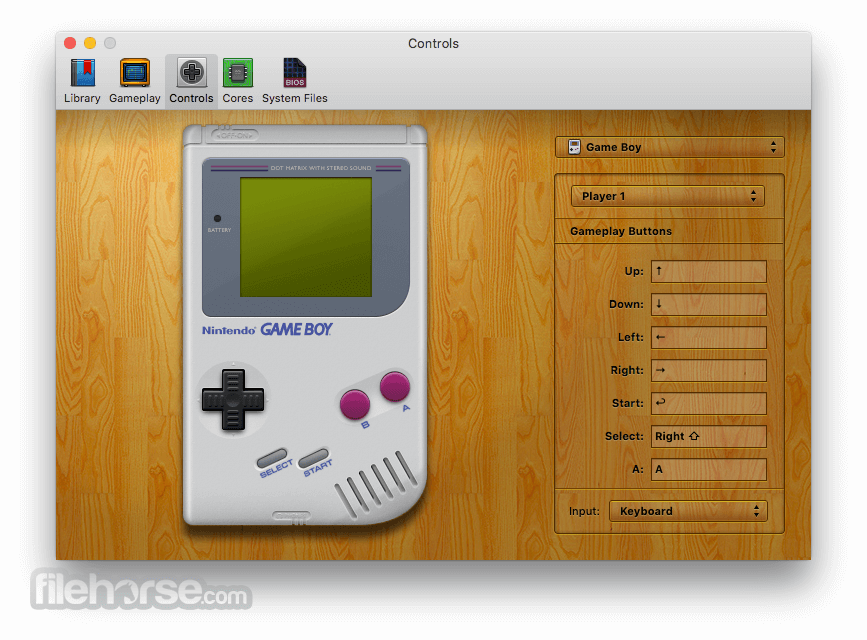
Additionally, OpenEmu includes built-in support for various customization options that allow users to tailor their gaming experience to their preferences, create and manage large libraries of retro gaming content, change the display settings, rebind controls, use retro or modern gamepads (wired or wireless), and much more.
Key Features
To install this highly capable emulator on any modern Mac computer, users are required to download the latest version of this app either from its official website or the secure FileHorse servers.
However, since the program is not coming from the officially identified developer, the app startup procedure is a bit different.
Users must find the app inside the Finder, right-click on it, and choose the Open option. This will add the app to the list of security exceptions, enabling the standard double-click startup of the app.
How to Use
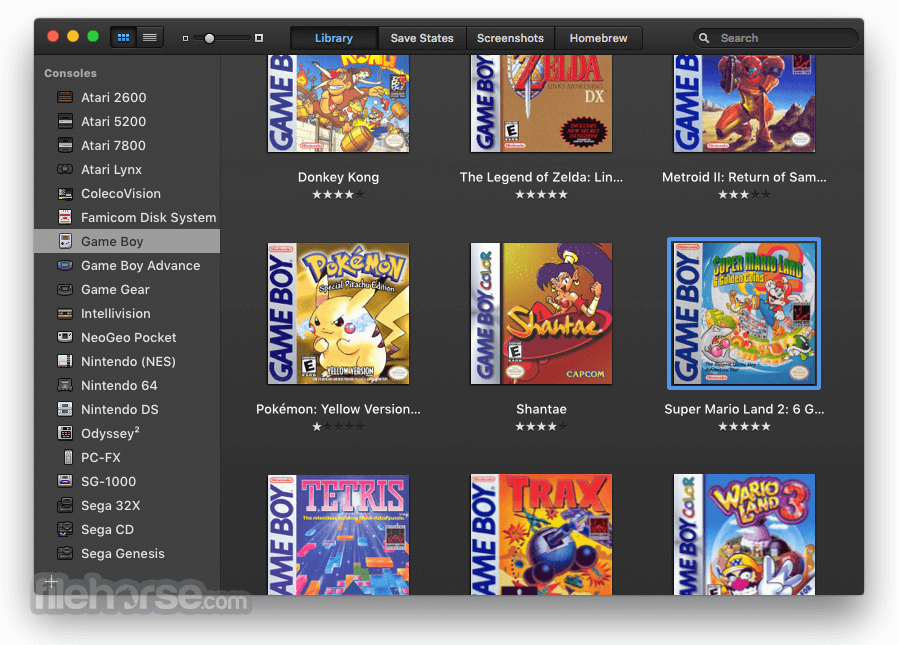
After starting the app, new games and cores (emulation plugins that add support for new retro console emulation) can be added via a built-in file browser or by simply dragging and dropping the files to the main dashboard screen.
The app supports all modern formats of game ROM files, including .nes, .smc, .gba, and others.
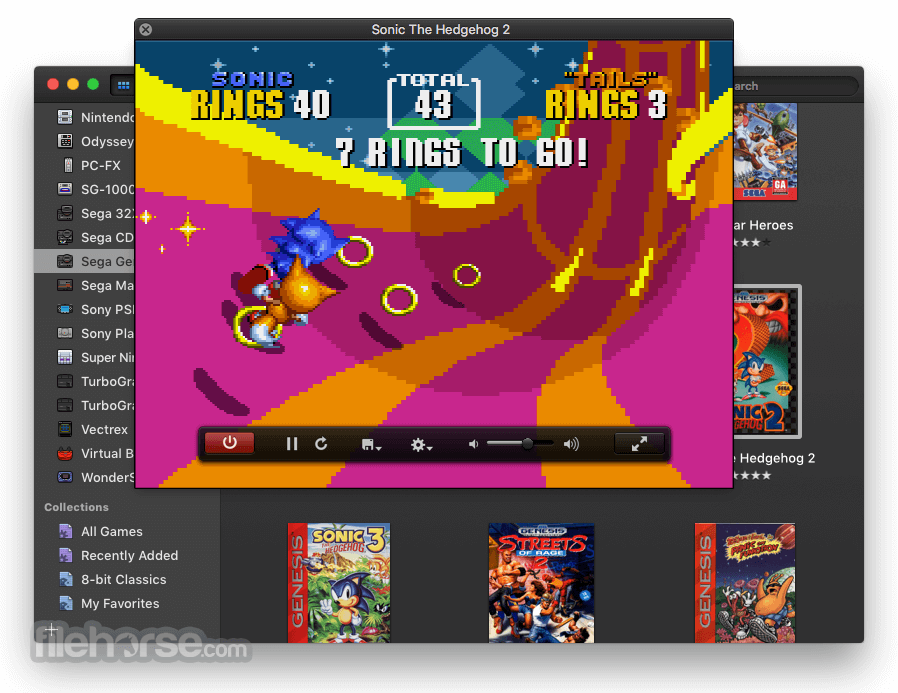
Once your games are added to the library, users can launch them by selecting the desired game and clicking the "Play" button.
User Interface
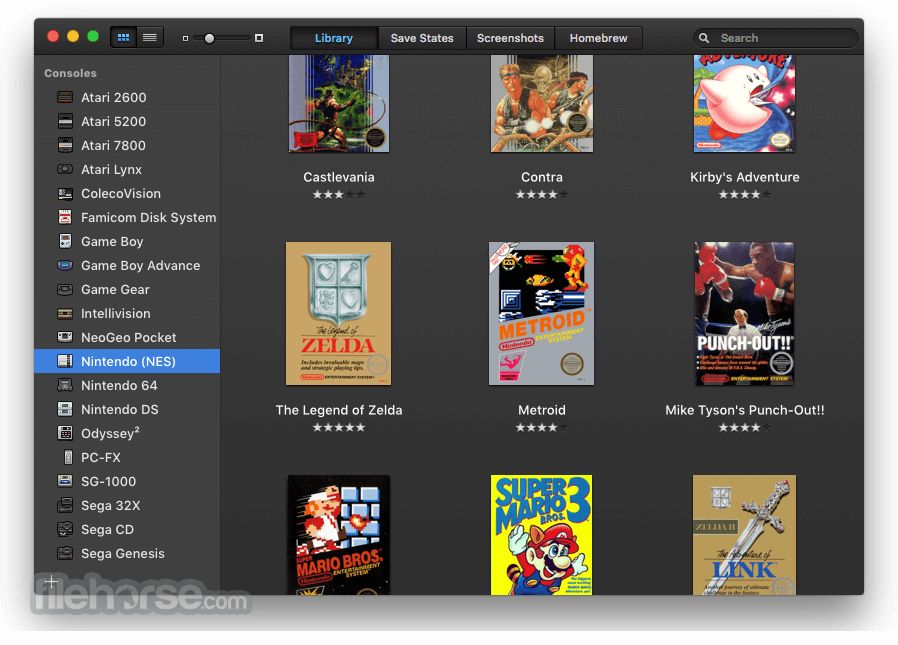
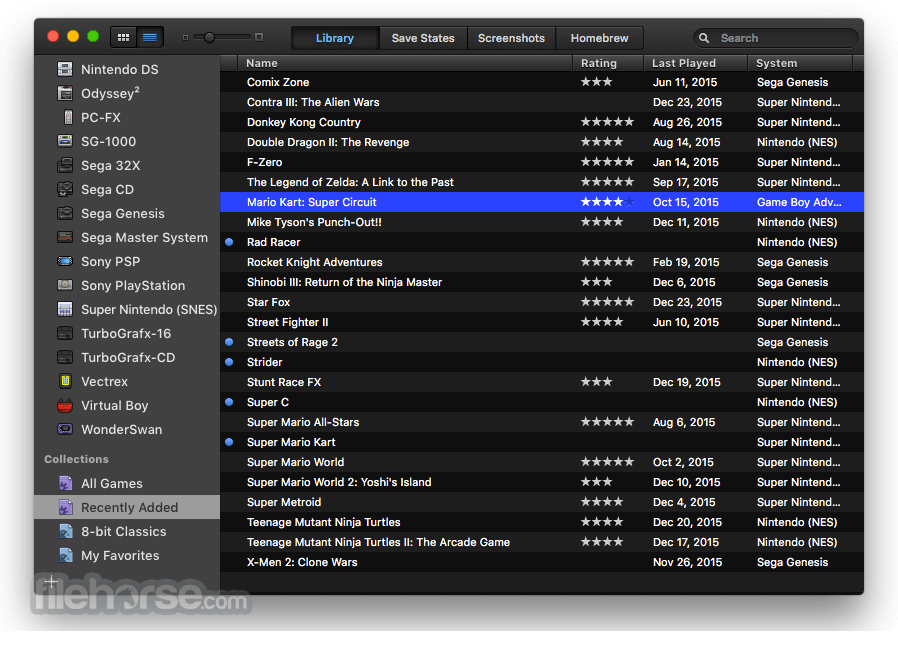
This emulator features a very clean, modern, and intuitive user interface that even complete newcomers can instantly learn to use in seconds. The app includes a main window that displays a currently available game library, with options to filter games by console or genre.
The app also includes a range of customization options, such as changing the display settings or using different controller configurations.
FAQs
What is OpenEmu?
It is a very popular open-source emulator that allows users to play classic video games from various gaming consoles on Mac computers.
Is it safe?
Yes. This is a safe tool that is regularly updated by the open-source community.
Alternatives
RetroArch - A free and open-source emulator that supports a wide range of gaming consoles and platforms.
Provenance - A popular mobile-friendly retro console emulator built for iOS devices.
Launchbox - A reliable emulator for Windows and Mac with support for dozens of retro home consoles.
Pricing
This is a 100% free app.
System Requirements
Specific hardware requirements depend on the complexity of emulation old gaming systems. Refer to the official documentation for specific information.
PROS
OpenEmu for Mac is one of the best gaming emulation software solutions on the market, allowing Mac users to gain access to tens of thousands of retro gaming titles across decades of home console history.
Featuring a streamlined user interface, customization options, and most importantly, reliable and accurate game emulation, this gaming app can provide hundreds of hours of entertainment with classic titles from the past.
Note: Requires a 64-bit processor.
Download OpenEmu for Mac Latest Version Why is this app published on FileHorse? (More info)
This app is designed to provide a seamless and user-friendly experience for retro gaming enthusiasts, making it easy to manage and play their favorite games from the past directly on the monitor of their latest Mac computer.
One of the most popular features of OpenEmu is its ability to support multiple gaming consoles, including NES, SNES, Game Boy, Genesis, and many others.
This high compatibility list allows users to access a vast library of classic games from different eras and genres, providing endless hours of entertainment and nostalgia.
Additionally, OpenEmu includes built-in support for various customization options that allow users to tailor their gaming experience to their preferences, create and manage large libraries of retro gaming content, change the display settings, rebind controls, use retro or modern gamepads (wired or wireless), and much more.
Key Features
- Multi-Console Emulation - Integrated support for over thirty retro consoles, all emulated with stunning accuracy.
- Automatic Metadata Download - Build local libraries of gaming content with automatic download of game box art and descriptions.
- Customizable Controls - Easily customize keyboard and controller configurations to best suit player preferences.
- Wide Controller Support - From generic drivers to highly specific drivers, all gamepads can interface with this app.
- Saved States - Instantly save game progress at any point and resume playing later.
- Cheat Codes - Easily infuse cheat codes for many games.
To install this highly capable emulator on any modern Mac computer, users are required to download the latest version of this app either from its official website or the secure FileHorse servers.
However, since the program is not coming from the officially identified developer, the app startup procedure is a bit different.
Users must find the app inside the Finder, right-click on it, and choose the Open option. This will add the app to the list of security exceptions, enabling the standard double-click startup of the app.
How to Use
After starting the app, new games and cores (emulation plugins that add support for new retro console emulation) can be added via a built-in file browser or by simply dragging and dropping the files to the main dashboard screen.
The app supports all modern formats of game ROM files, including .nes, .smc, .gba, and others.
Once your games are added to the library, users can launch them by selecting the desired game and clicking the "Play" button.
User Interface
This emulator features a very clean, modern, and intuitive user interface that even complete newcomers can instantly learn to use in seconds. The app includes a main window that displays a currently available game library, with options to filter games by console or genre.
The app also includes a range of customization options, such as changing the display settings or using different controller configurations.
FAQs
What is OpenEmu?
It is a very popular open-source emulator that allows users to play classic video games from various gaming consoles on Mac computers.
Is it safe?
Yes. This is a safe tool that is regularly updated by the open-source community.
Alternatives
RetroArch - A free and open-source emulator that supports a wide range of gaming consoles and platforms.
Provenance - A popular mobile-friendly retro console emulator built for iOS devices.
Launchbox - A reliable emulator for Windows and Mac with support for dozens of retro home consoles.
Pricing
This is a 100% free app.
System Requirements
Specific hardware requirements depend on the complexity of emulation old gaming systems. Refer to the official documentation for specific information.
PROS
- Free and open-source.
- Large support for retro gaming systems.
- Accurate emulation of thousands of gaming titles.
- User-friendly interface.
- Built-in customization options.
- Low hardware requirements.
- Limited support for newer consoles.
OpenEmu for Mac is one of the best gaming emulation software solutions on the market, allowing Mac users to gain access to tens of thousands of retro gaming titles across decades of home console history.
Featuring a streamlined user interface, customization options, and most importantly, reliable and accurate game emulation, this gaming app can provide hundreds of hours of entertainment with classic titles from the past.
Note: Requires a 64-bit processor.
Download OpenEmu for Mac Latest Version Why is this app published on FileHorse? (More info)
##
畫面截圖
- 2026-01-05 OpenEmu 2.4.1 37.7 MB
- 2023-12-30 OpenEmu 2.4 39.3 MB
- 2021-01-09 OpenEmu 2.3.3 32.9 MB
- 2021-01-08 OpenEmu 2.3.2 32.9 MB
- 2021-01-04 OpenEmu 2.3.1 32.9 MB
- 2020-12-23 OpenEmu 2.3 32.9 MB
- 2020-01-25 OpenEmu 2.2.1 41 MB
- 2019-12-27 OpenEmu 2.2 40.2 MB