⚠ 這是歷史版本頁面 — 查看 OsiriX Lite 最新版本 →

- 目前版本11.0.2
- 更新日期2020-04-17
- 檔案大小261 MB
- 檔案名稱OsiriX_Lite.dmg
- 作業系統Mac OS X 10.10 or later
- 支援語系English
- 授權型式試用版
- 開發商 Pixmeo
- 軟體分類Mac 軟體 / 影像設計
##
編輯短評
OsiriX Lite 是專為 macOS 設計的醫學影像處理工具,主要用來檢視與處理 DICOM 格式的影像,例如 MRI、CT、PET 等檢查結果,也能讀取共軛焦顯微鏡的檔案。它最大的特色是完整支援 DICOM 通訊協定,可以直接接收來自 PACS 或醫療儀器傳送的影像,對於需要頻繁調閱影像的醫療環境相當實用。這套軟體在 Mac 影像設計類別中屬於中段班的選擇,評分人數不多,但評價普遍不錯;不過它的更新步調較慢,近期沒有推出新版本,維護上算是長期但低頻率。
如果你是在醫院、診所或研究單位工作,需要處理醫學影像,OsiriX Lite 會是比一般影像編輯軟體更對口的工具——Photoshop 或 Illustrator 這類軟體並不支援 DICOM 格式,而 OsiriX 專注於此,但相對地功能較為專業,可能需要一些學習時間。它目前是試用版授權,僅支援 macOS 平台,而且介面只有英文,使用前要留意這些限制。若你只是偶爾看看影像,或許可以考慮其他免費或開源方案,但若需要穩定的 DICOM 接收與檢視,這套仍是值得一試的選擇。
##
翻譯排程處理中,以下暫以英文原文呈現
軟體介紹
OsiriX Lite for Mac is an image processing software dedicated to DICOM images (".dcm" / ".DCM" extension) produced by medical equipment (MRI, CT, PET, PET-CT, ...) and confocal microscopy (LSM and BioRAD-PIC format).
It can also read many other file formats: TIFF (8,16, 32 bits), JPEG, PDF, AVI, MPEG and Quicktime.
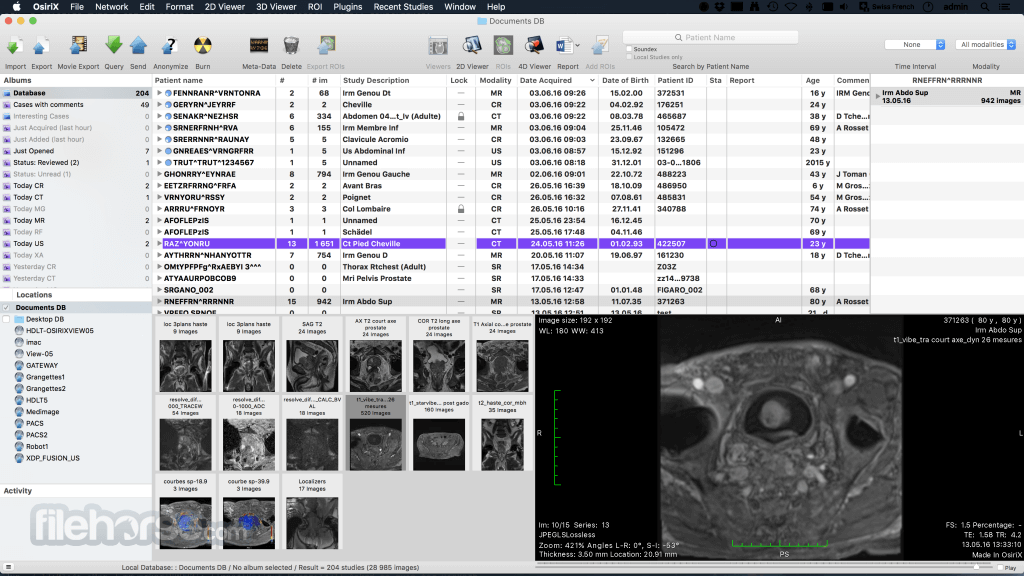
It is fully compliant with the DICOM standard for image communication and image file formats. OsiriX Lite is able to receive images transferred by DICOM communication protocol from any PACS or medical imaging modality (STORE SCP - Service Class Provider, STORE SCU - Service Class User, and Query/Retrieve).
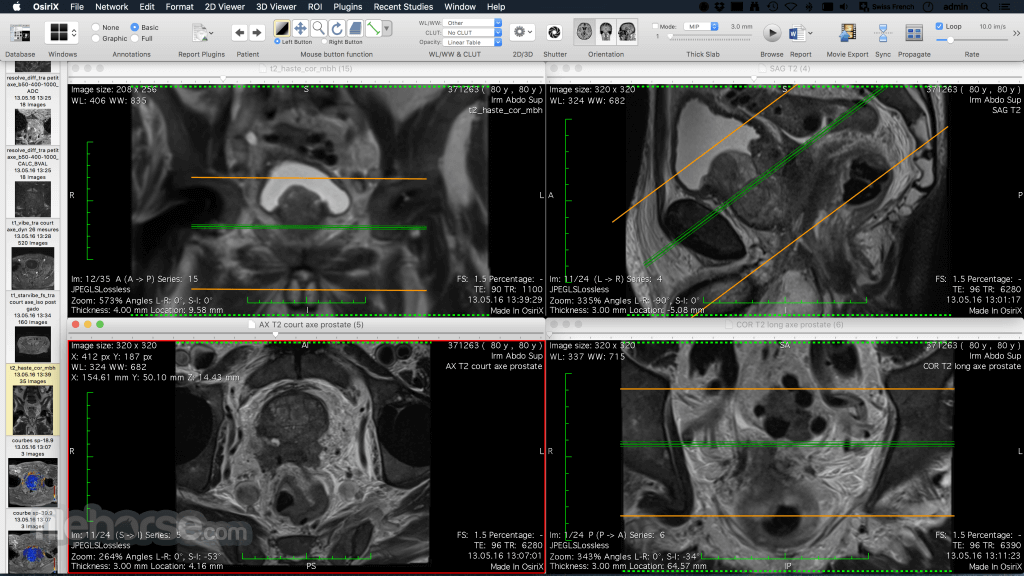
It has been specifically designed for navigation and visualization of multimodality and multidimensional images: 2D Viewer, 3D Viewer, 4D Viewer (3D series with temporal dimension, for example: Cardiac-CT) and 5D Viewer (3D series with temporal and functional dimensions, for example: Cardiac-PET-CT).
The 3D Viewer offers all modern rendering modes: Multiplanar reconstruction (MPR), Surface Rendering, Volume Rendering and Maximum Intensity Projection (MIP). All these modes support 4D data and are able to produce image fusion between two different series (for example: PET-CT).
With high performance and an intuitive interactive user interface, the app is the most widely used DICOM viewer in the world. It is the result of more than 10 years of research and development in digital imaging. It fully supports the DICOM standard for easy integration in your workflow environment and an open platform for development of processing tools.
It offers advanced post-processing techniques in 2D and 3D, an exclusive innovative technique for 3D and 4D navigation and complete integration with any PACS.
OsiriX Lite for macOS supports 64-bit computing and multithreading for the best performances on the most modern processors. OsiriX MD, the commercial version, is certified for medical use (FDA cleared and CE II labeled).
Features and Highlights
2D Viewer
It includes an intuitive interface to display the images. It supports high quality interpolation for best rendering, with Retina screens support. You can easily add Key Images and Region Of Interests (ROIs) on the images, including lines, polygons, 3D ball, and save them in the database. You can apply convolutions filter on images, such as bone or lung filters. OsiriX MD supports 4D images, such as cardiac or perfusion acquisitions and parametric images, such as PET-CT images. You can define ‘Hanging Protocols’ with multiple screens support.
3D Post-Processing
Osiri X Lite offers all the modern post-processing techniques, such as MPR (Multiplanar Reconstruction), 3D Rendering (MIP, Volume Rendering and Surface Rendering). OsiriX MD supports curved planar reconstruction (3D-MPR) to follow organs such as aorta or bronchi. You can export 3D reconstructions images as movies, and archive them on your PACS.
All Image Formats Support
OsiriX MD supports DICOM files and also several different types of non-DICOM images, such as LSM files, BioRadPIC, TIFF, ANALYZE, PNG, JPEG, PDF, Quicktime, AVI, MPEG, and more.
Medical Images Support
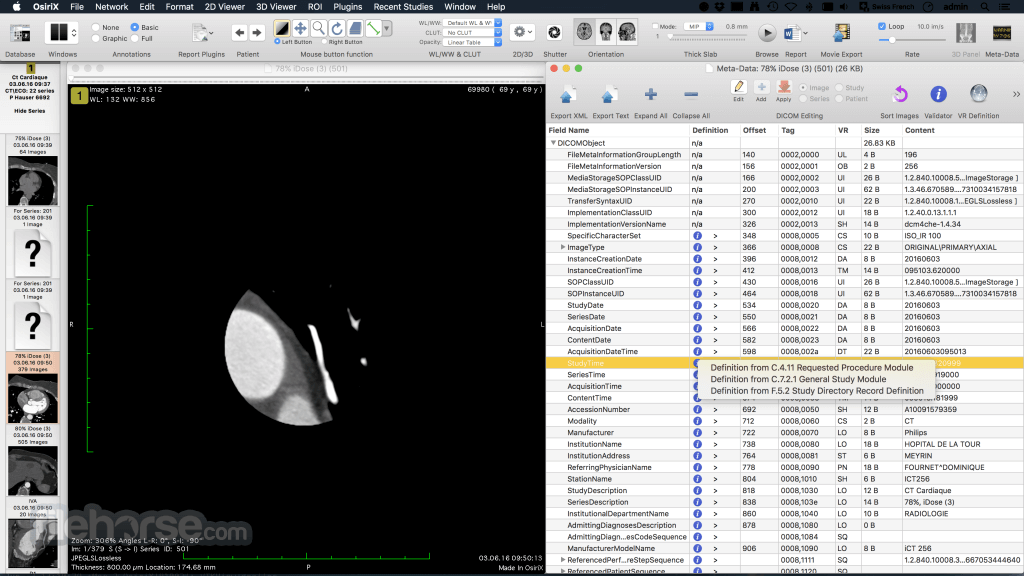
It reads and displays all types of DICOM files, produced by medical imaging modalities, including images produced by scanners, MRI, ultrasounds, or standard X-rays. It can read and display all the DICOM fields associated to the images, such as radiation dose, image position, referring physician, OsiriX can export DICOM files to CD/DVD or USB sticks, including a stand-alone cross-platform viewer to display the images.
DICOM Network Support
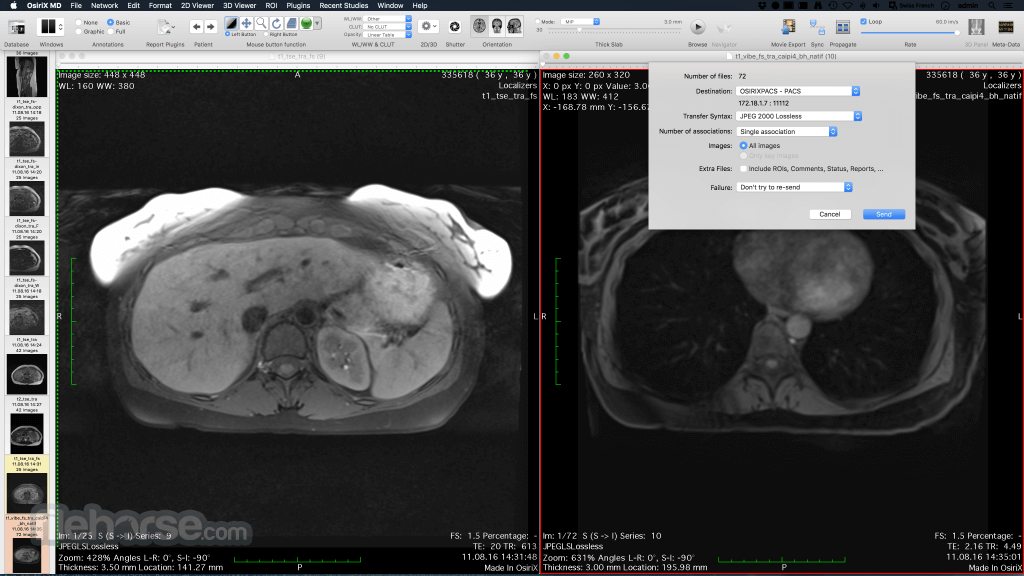
It can communicate with other equipments, including PACS server, through the DICOM Network protocol. It supports all the compression algorithms and transfers syntaxes. The program can receive or send DICOM files, through the DICOM Network protocol. OsiriX MD can directly print images on DICOM printers.
Expansion & Scientific Research
It supports a complete dynamic plugins architecture to extend the existing functions. These plugins can directly access the images pixels as 32-bit float for manipulation. These plugins can create and manage windows, use the entire Cocoa framework, including OpenGL views. An OsiriX MD plugin is faster than IDL, and easier than ImageJ.
How to Use
Install the app by dragging it to Applications
Launch the app and accept the license terms
Import DICOM files via File > Import
Use the 2D/3D viewer to analyze medical images
Adjust contrast, zoom, and filters as needed
Annotate, measure, and compare images
Export images or reports to disk or network
System Requirements
Download OsiriX Lite for Mac Latest Version Why is this app published on FileHorse? (More info)
It can also read many other file formats: TIFF (8,16, 32 bits), JPEG, PDF, AVI, MPEG and Quicktime.
It is fully compliant with the DICOM standard for image communication and image file formats. OsiriX Lite is able to receive images transferred by DICOM communication protocol from any PACS or medical imaging modality (STORE SCP - Service Class Provider, STORE SCU - Service Class User, and Query/Retrieve).
It has been specifically designed for navigation and visualization of multimodality and multidimensional images: 2D Viewer, 3D Viewer, 4D Viewer (3D series with temporal dimension, for example: Cardiac-CT) and 5D Viewer (3D series with temporal and functional dimensions, for example: Cardiac-PET-CT).
The 3D Viewer offers all modern rendering modes: Multiplanar reconstruction (MPR), Surface Rendering, Volume Rendering and Maximum Intensity Projection (MIP). All these modes support 4D data and are able to produce image fusion between two different series (for example: PET-CT).
With high performance and an intuitive interactive user interface, the app is the most widely used DICOM viewer in the world. It is the result of more than 10 years of research and development in digital imaging. It fully supports the DICOM standard for easy integration in your workflow environment and an open platform for development of processing tools.
It offers advanced post-processing techniques in 2D and 3D, an exclusive innovative technique for 3D and 4D navigation and complete integration with any PACS.
OsiriX Lite for macOS supports 64-bit computing and multithreading for the best performances on the most modern processors. OsiriX MD, the commercial version, is certified for medical use (FDA cleared and CE II labeled).
Features and Highlights
2D Viewer
It includes an intuitive interface to display the images. It supports high quality interpolation for best rendering, with Retina screens support. You can easily add Key Images and Region Of Interests (ROIs) on the images, including lines, polygons, 3D ball, and save them in the database. You can apply convolutions filter on images, such as bone or lung filters. OsiriX MD supports 4D images, such as cardiac or perfusion acquisitions and parametric images, such as PET-CT images. You can define ‘Hanging Protocols’ with multiple screens support.
3D Post-Processing
Osiri X Lite offers all the modern post-processing techniques, such as MPR (Multiplanar Reconstruction), 3D Rendering (MIP, Volume Rendering and Surface Rendering). OsiriX MD supports curved planar reconstruction (3D-MPR) to follow organs such as aorta or bronchi. You can export 3D reconstructions images as movies, and archive them on your PACS.
All Image Formats Support
OsiriX MD supports DICOM files and also several different types of non-DICOM images, such as LSM files, BioRadPIC, TIFF, ANALYZE, PNG, JPEG, PDF, Quicktime, AVI, MPEG, and more.
Medical Images Support
It reads and displays all types of DICOM files, produced by medical imaging modalities, including images produced by scanners, MRI, ultrasounds, or standard X-rays. It can read and display all the DICOM fields associated to the images, such as radiation dose, image position, referring physician, OsiriX can export DICOM files to CD/DVD or USB sticks, including a stand-alone cross-platform viewer to display the images.
DICOM Network Support
It can communicate with other equipments, including PACS server, through the DICOM Network protocol. It supports all the compression algorithms and transfers syntaxes. The program can receive or send DICOM files, through the DICOM Network protocol. OsiriX MD can directly print images on DICOM printers.
Expansion & Scientific Research
It supports a complete dynamic plugins architecture to extend the existing functions. These plugins can directly access the images pixels as 32-bit float for manipulation. These plugins can create and manage windows, use the entire Cocoa framework, including OpenGL views. An OsiriX MD plugin is faster than IDL, and easier than ImageJ.
How to Use
Install the app by dragging it to Applications
Launch the app and accept the license terms
Import DICOM files via File > Import
Use the 2D/3D viewer to analyze medical images
Adjust contrast, zoom, and filters as needed
Annotate, measure, and compare images
Export images or reports to disk or network
System Requirements
- macOS 10.15 Catalina or later
- Intel 64-bit or Apple Silicon Mac
- Minimum 8 GB RAM (16 GB recommended)
- Dedicated GPU for 3D rendering
- 500 MB of available disk space
- Advanced DICOM image support
- 2D and 3D medical visualization tools
- User-friendly interface for clinicians
- Fast image rendering performance
- Wide range of measurement tools
- Lite version has usage limitations
- No FDA or CE certification for Lite
- Not for diagnostic use
- Export functions may be restricted
- Requires macOS 10.15 or newer
Download OsiriX Lite for Mac Latest Version Why is this app published on FileHorse? (More info)
##
畫面截圖
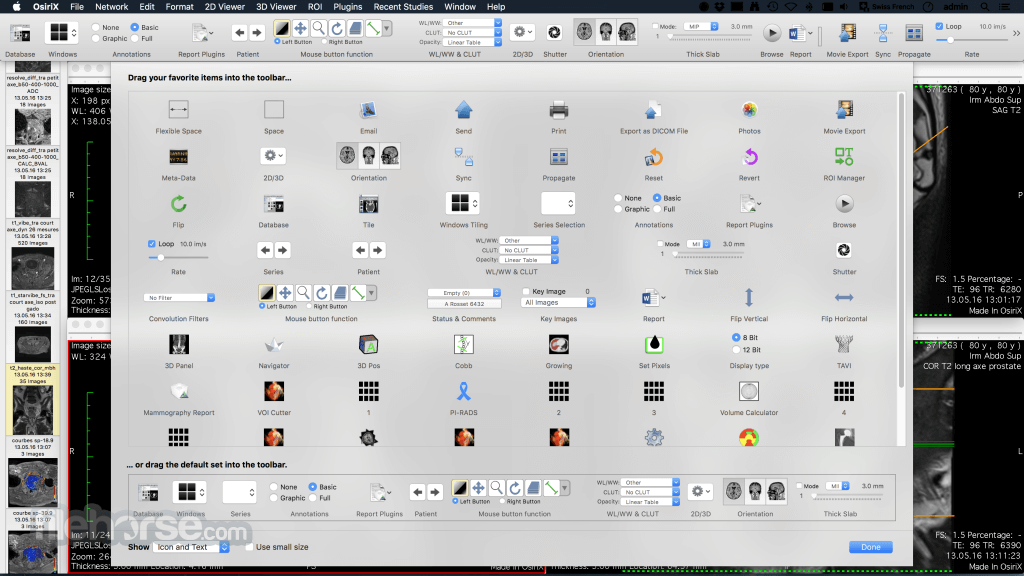
- 2025-04-24 OsiriX Lite 14.1.1 188.04 MB
- 2020-12-07 OsiriX Lite 12.0.1 253.58 MB
- 2020-07-03 OsiriX Lite 11.0.3 262.18 MB
- 2020-04-17 OsiriX Lite 11.0.2 261 MB
- 2019-07-11 OsiriX Lite 10.0.5 149.34 MB
- 2019-03-29 OsiriX Lite 10.0.3 155.18 MB