- 目前版本141
- 更新日期2026-01-04
- 檔案大小47.2 MB
- 檔案名稱picasamac39.dmg
- 作業系統Mac OS X
- 支援語系English
- 授權型式免費軟體
- 開發商 Google
- 軟體分類Mac 軟體 / 影像設計
##
翻譯排程處理中,以下暫以英文原文呈現
軟體介紹
Picasa for Mac was a popular photo management software developed by Google, which provided all Mac users with quick access to images stored on devices ability to browse photo libraries with curated albums and image tags.
Google replaced Picasa with Google Photos.
⚠️ Note: This product is not being developed anymore and might not function properly.
After its original release in 2002 (and purchase by Google in 2004), this app received considerable attention from the worldwide media and public, enabling it to become one of the most popular image organizer utilities.
It was discontinued in 2016 during a time when Google transferred many of its local services into the cloud. It was directly replaced by Google Photos, which became a primary photo backup and organizational tool for the Android OS.
Despite its discontinuation, to this day, Picasa remains appreciated for its simple interface and features such as face recognition, automatic scanning of watching folders, and non-destructive basic image filters.
The app can still be downloaded and used, but without any support from Google.
Key Features
The official version of this app is still operational on Windows and Mac operating systems, enabling fans of this legacy app to enjoy its basic feature set and offline image organization services.
The installation process involves downloading the app setup file from a trusted source (such as secure FileHorse servers), starting the installer, and following the on-screen instructions to fully deploy the software on any Intel-based Mac.
Since this is a legacy 32-bit app, it can’t be natively reproduced on modern Apple Silicon (M-series) Mac computers.
How to Use
This image organizer automatically scans for all image files on local storage and enables users to easily expand their photo library via external storage and camera memory sticks.
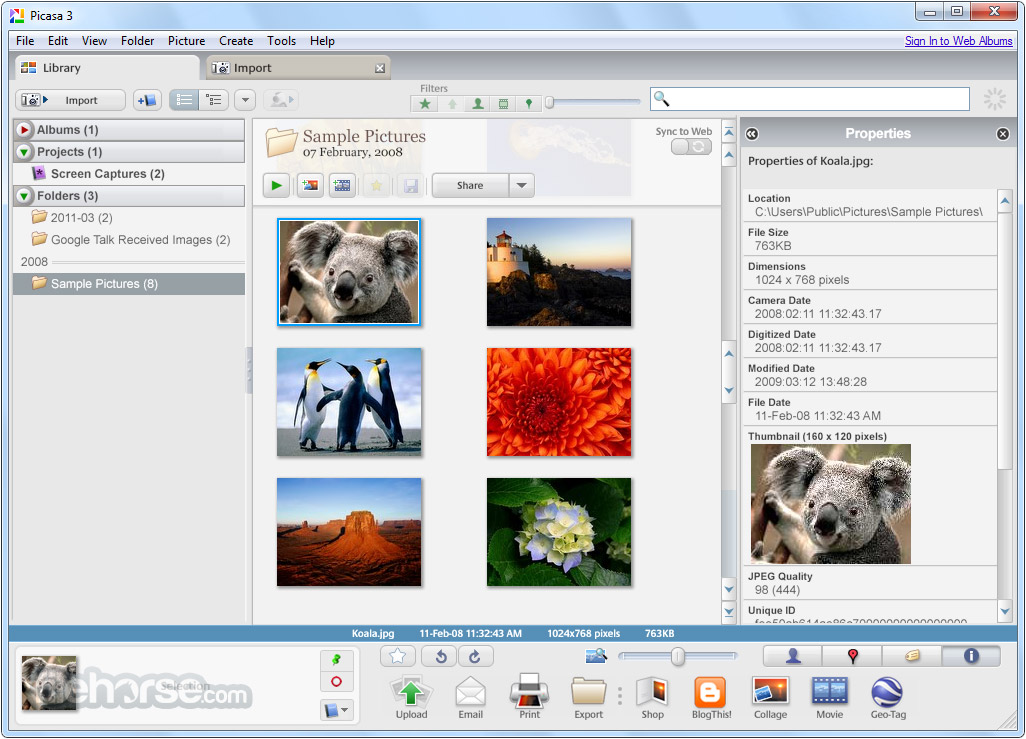
The simple main dashboard promotes easy browsing of the photo collection, and fast access to fun add-ons such as slide shows, galleries, sharing, printing, and more.
Individual photos are scanned and assigned a tag (including tags for detected faces of people), enabling fast and easy searching for photos via a simple keyword system.
User Interface
This app has a similar dashboard structure to many other modern image organizer products.
Due to its old age and discontinued status, it features an obsolete visual theme. However, its versatile toolset is still easily accessible.
FAQs
What is Picasa for Mac?
It was a photo management software developed by Google that allowed users to view, share, and edit photos. It was replaced with the cloud service Google Photos.
Is it safe?
No. This legacy app does not receive new stability, security, and feature updates. Users should install it only from trusted sources.
Alternatives
Photoshop Lightroom - A highly versatile photo editing and organizing tool for home users, enthusiasts, and professionals.
Photos - The official image viewer and photo library manager developed by Apple.
Pricing
This app is free.
System Requirements
The Legacy Mac version of this app is optimized for macOS X. Due to its 32-bit nature, it can’t be run on modern M-series Macs.
PROS
Although Picasa for Mac is no longer supported by Google, it remains a useful tool for managing and organizing photos.
Due to its age and lack of new stability, security, and feature improvements, this app is only recommended to users on old Intel-based Macs who are already used to its dashboard and features and don’t want to upgrade to some other modern alternative.
Also Available: Download Picasa for Windows
Download Picasa for Mac Latest Version Why is this app published on FileHorse? (More info)
Google replaced Picasa with Google Photos.
⚠️ Note: This product is not being developed anymore and might not function properly.
After its original release in 2002 (and purchase by Google in 2004), this app received considerable attention from the worldwide media and public, enabling it to become one of the most popular image organizer utilities.
It was discontinued in 2016 during a time when Google transferred many of its local services into the cloud. It was directly replaced by Google Photos, which became a primary photo backup and organizational tool for the Android OS.
Despite its discontinuation, to this day, Picasa remains appreciated for its simple interface and features such as face recognition, automatic scanning of watching folders, and non-destructive basic image filters.
The app can still be downloaded and used, but without any support from Google.
Key Features
- Comprehensive image organization tools.
- Easy management of large digital photo collections.
- Support for various photo file types.
- Impressive face recognition and geo-tagging.
- Automatic scanning of watching folders.
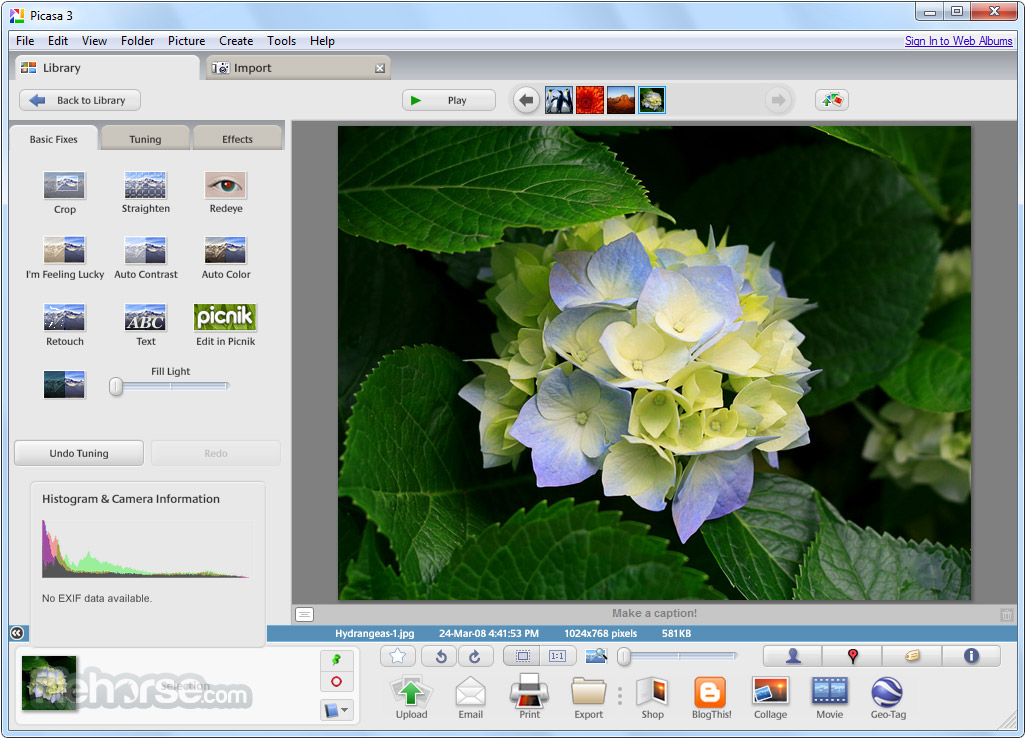
- Non-destructive basic image filters and cropping.
- Integration with Google's Picasa Web Albums for online sharing and storage.
The official version of this app is still operational on Windows and Mac operating systems, enabling fans of this legacy app to enjoy its basic feature set and offline image organization services.
The installation process involves downloading the app setup file from a trusted source (such as secure FileHorse servers), starting the installer, and following the on-screen instructions to fully deploy the software on any Intel-based Mac.
Since this is a legacy 32-bit app, it can’t be natively reproduced on modern Apple Silicon (M-series) Mac computers.
How to Use
This image organizer automatically scans for all image files on local storage and enables users to easily expand their photo library via external storage and camera memory sticks.
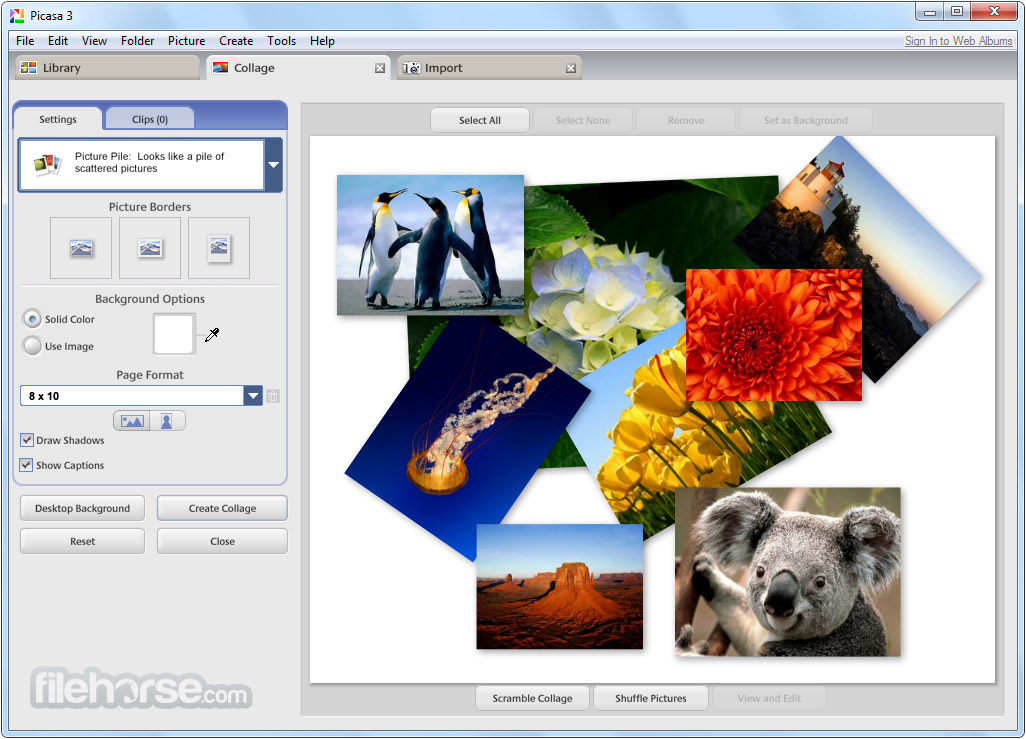
The simple main dashboard promotes easy browsing of the photo collection, and fast access to fun add-ons such as slide shows, galleries, sharing, printing, and more.
Individual photos are scanned and assigned a tag (including tags for detected faces of people), enabling fast and easy searching for photos via a simple keyword system.
User Interface
This app has a similar dashboard structure to many other modern image organizer products.
Due to its old age and discontinued status, it features an obsolete visual theme. However, its versatile toolset is still easily accessible.
FAQs
What is Picasa for Mac?
It was a photo management software developed by Google that allowed users to view, share, and edit photos. It was replaced with the cloud service Google Photos.
Is it safe?
No. This legacy app does not receive new stability, security, and feature updates. Users should install it only from trusted sources.
Alternatives
Photoshop Lightroom - A highly versatile photo editing and organizing tool for home users, enthusiasts, and professionals.
Photos - The official image viewer and photo library manager developed by Apple.
Pricing
This app is free.
System Requirements
The Legacy Mac version of this app is optimized for macOS X. Due to its 32-bit nature, it can’t be run on modern M-series Macs.
PROS
- Simple interface for managing photos.
- Automatic scanning of watching folders.
- Non-destructive image editing features.
- Support for face detection and geotagging.
- Integration with Picasa Web Albums for online sharing and storage.
- Limited support for RAW file formats.
- Discontinued since 2016.
Although Picasa for Mac is no longer supported by Google, it remains a useful tool for managing and organizing photos.
Due to its age and lack of new stability, security, and feature improvements, this app is only recommended to users on old Intel-based Macs who are already used to its dashboard and features and don’t want to upgrade to some other modern alternative.
Also Available: Download Picasa for Windows
Download Picasa for Mac Latest Version Why is this app published on FileHorse? (More info)
##
畫面截圖