⚠ 這是歷史版本頁面 — 查看 Pinegrow Web Editor 最新版本 →

- 目前版本7.72
- 更新日期2023-10-01
- 檔案大小215 MB
- 檔案名稱PinegrowMacX64.7.72.dmg
- 作業系統Mac OS X 10.10 or later
- 支援語系English
- 授權型式商業試用
- 開發商 Pinegrow Pte. Ltd.
- 軟體分類Mac 軟體 / 開發者工具
##
編輯短評
Pinegrow Web Editor 是一款在 Mac 上執行的桌面網頁編輯器,主打視覺化與程式碼並行的編輯方式,能同時處理多個頁面的即時更新,並內建 Bootstrap、Foundation 與 WordPress 等主流框架的智慧元件。它最特別的地方在於,你可以直接從元件庫拖曳拼出頁面草稿,再快速複製出不同版型做比較,省去大量重複刻版面的時間。這套工具目前仍持續更新,近一年內有多次版本釋出,屬於穩定維護中的產品,不過在開發者工具分類中算是較小眾的選擇,評分人數不多,但評價普遍不錯。
這套軟體適合需要快速產出響應式網頁原型、或想用視覺化方式管理既有專案的前端設計師與開發者。與同分類的熱門替代軟體相比,Pinegrow 更聚焦在網頁編輯本身,而非資料庫或虛擬化工具,因此若你的工作流程高度依賴 Bootstrap 或 WordPress 主題調整,它會比通用型工具更對症下藥。需要注意的是,它提供的是試用版,且僅支援英文介面,macOS 用戶可直接下載,Windows 另有對應版本;若你習慣免安裝的攜帶式工具,這款需要安裝的軟體可能不是最方便的選擇。
##
翻譯排程處理中,以下暫以英文原文呈現
軟體介紹
Pinegrow Web Editor for Mac is a desktop web editor that lets you build responsive websites faster with live multi-page editing, CSS & SASS styling and smart components for Bootstrap, Foundation and WordPress.
Create websites from scratch or edit your existing projects. Pinegrow for macOS has everything you need to build websites: HTML editing tools, styling, framework tools, component libraries and more.
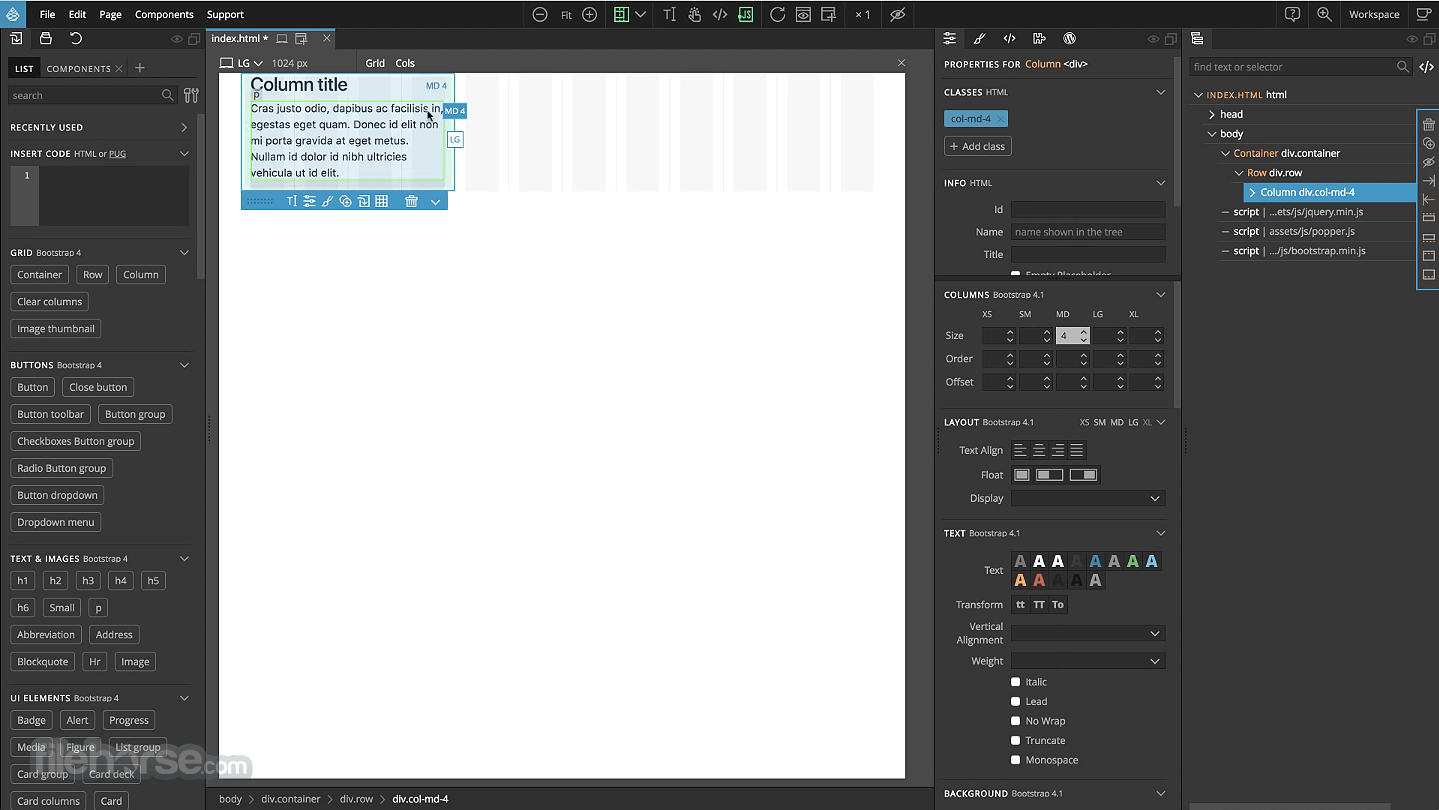
Use element library to quickly put together a page mockup. Duplicate the page and play with different layout variations.
Use variables instead and other SASS and LESS goodies. Use math expressions and functions like lighten and darken to create designs that can be customised by changing just a couple of variables - all in real time. Why stop at mockup? Just go ahead and turn it into a custom designed webpage by styling elements with CSS rules.
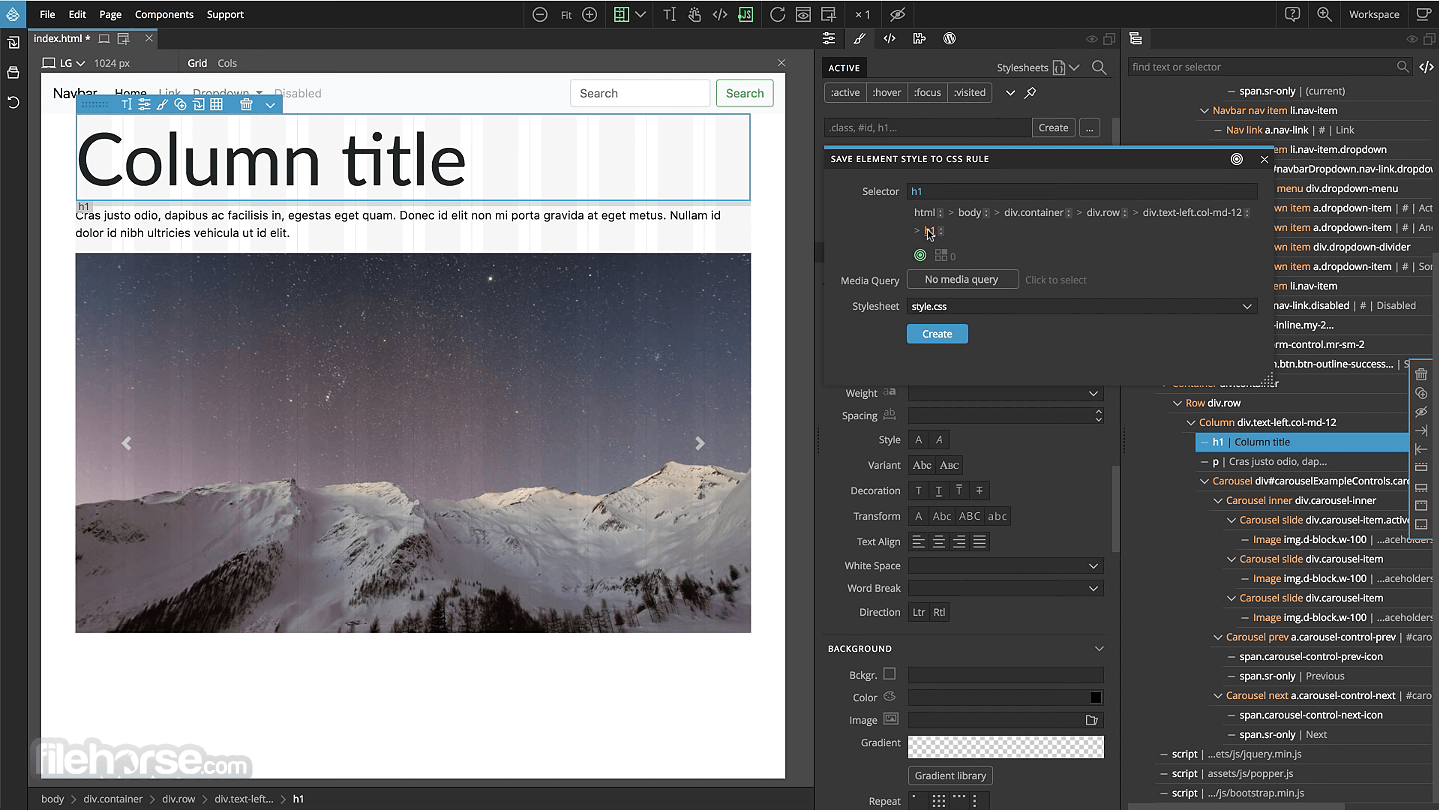
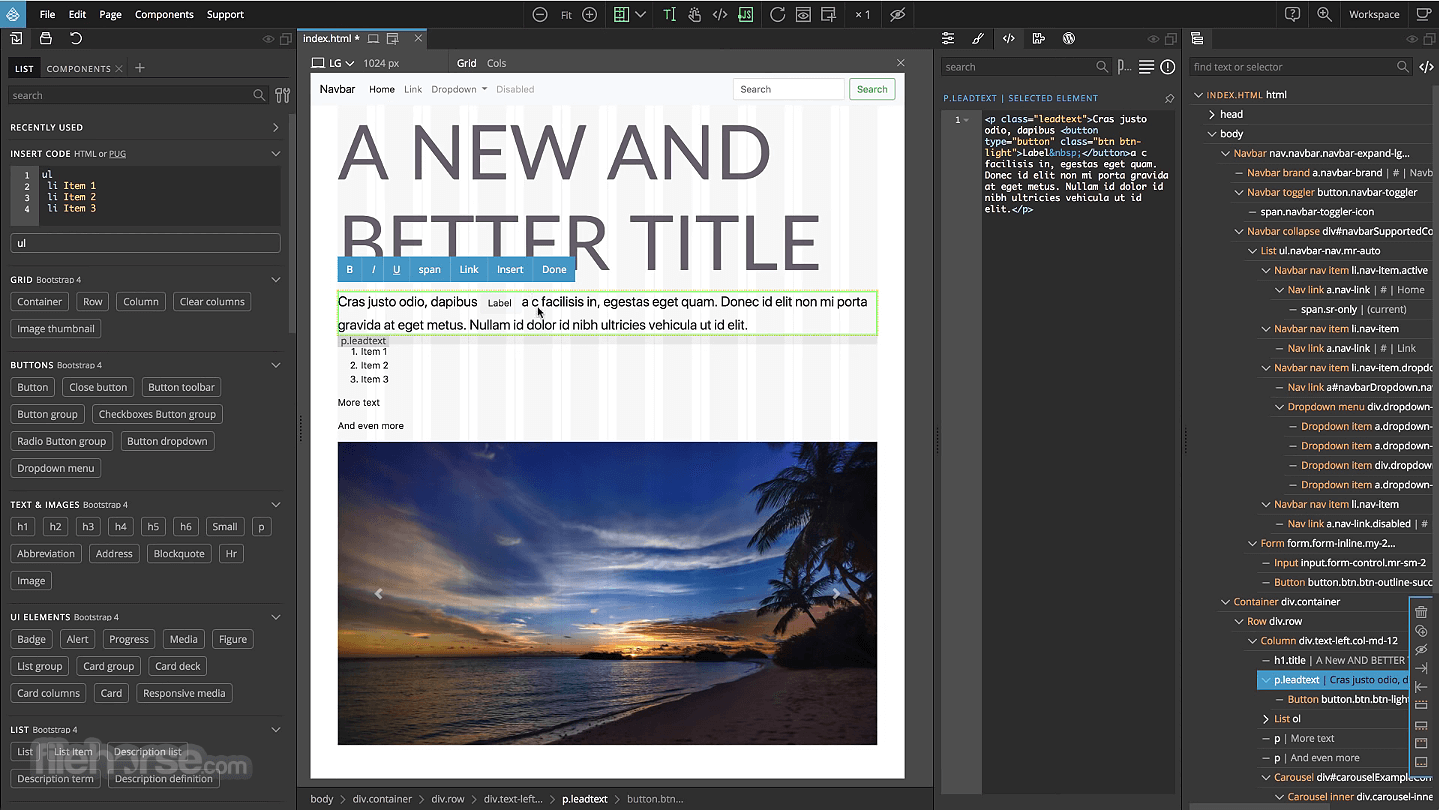
Edit rules through the Visual editor or write the code directly. Open multiple pages that share the same stylesheet. Style changes are reflected on all pages in real time.
View them at different screen sizes. Use Pinegrow Web Editor for Mac as a CMS for your static Html pages. Move elements around and double click on any element to edit its text content. Need a Bootstrap form or a navbar? Design it in the program, change its layout with a single click. Select the form and copy the HTML code.
Use standard source control tools like Git to manage your code and to collaborate on projects with your team members.
Features and Highlights
Speed up working with HTML
Quickly build the layout of your webpage with powerful visual tools for adding, editing, moving, cloning and deleting HTML elements. Insert N elements with repeater and modify the layout of multiple selected elements with one move.
Bootstrap 3 & 4 and Foundation
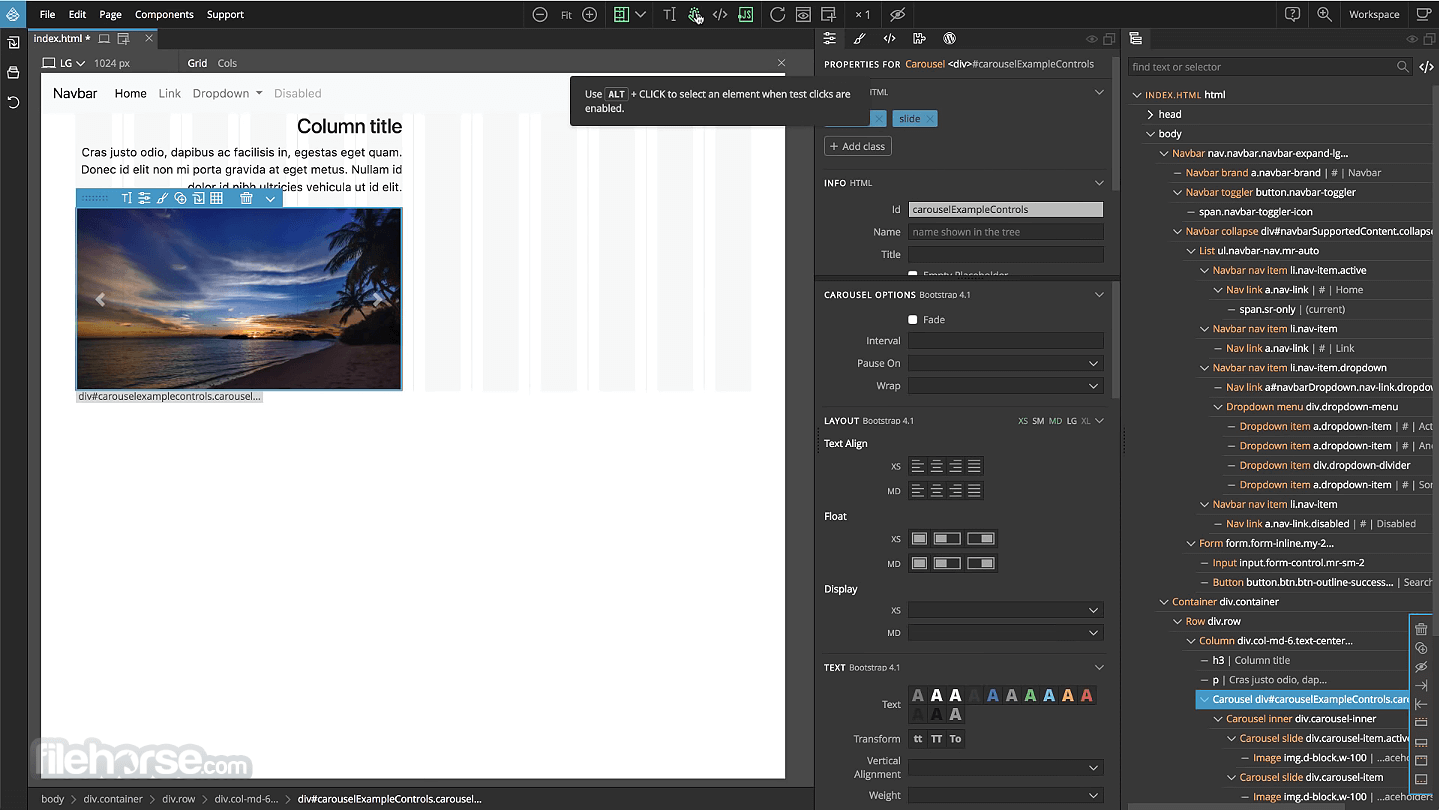
Turn hundreds of framework classes into powerful visual tools such as layouts with resizable columns, grid display, responsive controls for text, color, spacing, visibility and even Bootstrap flex classes. Insert elements from rich library of components.
Edit & test your page on all device sizes at once
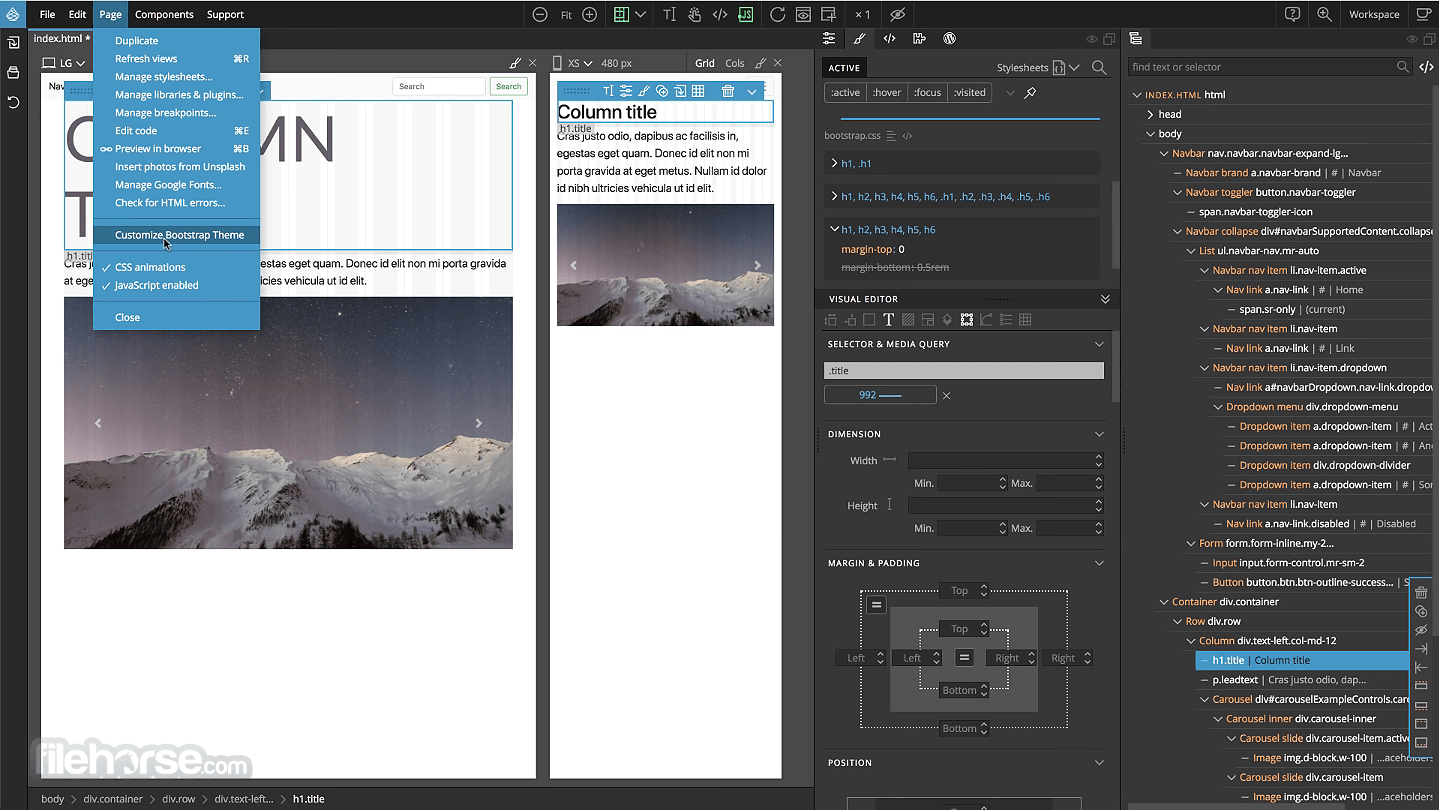
Use multi-page editing to edit the page at multiple device sizes. Easily design responsive websites with Media query helper tool. Add custom breakpoints or let the app detect them by analyzing stylesheets.
Pinegrow Pro
Lets you speed up your work even more with smart features such as master pages that let you define templates for your project. Turn page elements into reusable components with custom editable areas. Use the tool as CMS for static HTML websites.
Create production-ready WordPress themes
Open or create a HTML page in the Web Editor. Add WordPress actions to HTML elements and set their parameters. Export the WordPress theme. The app generates PHP code and splits the page into PHP theme files.
Pinegrow loves the code
The app doesn't hide the code from you. Edit pages visually and through code - at the same time. Changes made through visual UI are immediately reflected in the code view. Code edits - even if made in external code editor - are immediately visible on the page and in visual UI. (BTW, this makes Pine grow the perfect tool for learning about HTML & CSS).
Quickly build websites with Blocks
Use the collection of ready-made website blocks to quickly build great looking websites. Drag blocks to the page, customise the content, style CSS rules if you want - and your website is done. You can even create fully customisable WordPress themes with blocks.
Edit any page from the web
The program also lets you open any page from the web. Just enter the URL and start editing the remote page: change layout, edit text and images, modify CSS rules... This is great for editing CSS of server-generated pages and for trying out templates. Then save modified HTML and CSS files to your computer.
Use Pinegrow alongside your favorite code editor
The tool fits right into your workflow. Use it alongside your favorite code editor (with smart auto-refresh), source control system, package manager and deployment tools. Use plugin for Atom to live sync edits with the app.
Edit PHP, ASP and ERB HTML templates
Visually edit HTML layouts with dynamic server-side code tags. Double-click on any element that contains PHP, ASP or Ruby on Rails blocks to edit the code.
How to Use
macOS 10.13 (High Sierra) or later
Intel or Apple Silicon (M1/M2/M3) Mac
At least 4 GB RAM (8 GB recommended)
200 MB of available disk space
Internet connection for activation and updates
PROS
Also Available: Download Pinegrow Web Editor for Windows
Download Pinegrow Web Editor for Mac Latest Version Why is this app published on FileHorse? (More info)
Create websites from scratch or edit your existing projects. Pinegrow for macOS has everything you need to build websites: HTML editing tools, styling, framework tools, component libraries and more.
Use element library to quickly put together a page mockup. Duplicate the page and play with different layout variations.
Use variables instead and other SASS and LESS goodies. Use math expressions and functions like lighten and darken to create designs that can be customised by changing just a couple of variables - all in real time. Why stop at mockup? Just go ahead and turn it into a custom designed webpage by styling elements with CSS rules.
Edit rules through the Visual editor or write the code directly. Open multiple pages that share the same stylesheet. Style changes are reflected on all pages in real time.
View them at different screen sizes. Use Pinegrow Web Editor for Mac as a CMS for your static Html pages. Move elements around and double click on any element to edit its text content. Need a Bootstrap form or a navbar? Design it in the program, change its layout with a single click. Select the form and copy the HTML code.
Use standard source control tools like Git to manage your code and to collaborate on projects with your team members.
Features and Highlights
Speed up working with HTML
Quickly build the layout of your webpage with powerful visual tools for adding, editing, moving, cloning and deleting HTML elements. Insert N elements with repeater and modify the layout of multiple selected elements with one move.
Bootstrap 3 & 4 and Foundation
Turn hundreds of framework classes into powerful visual tools such as layouts with resizable columns, grid display, responsive controls for text, color, spacing, visibility and even Bootstrap flex classes. Insert elements from rich library of components.
Edit & test your page on all device sizes at once
Use multi-page editing to edit the page at multiple device sizes. Easily design responsive websites with Media query helper tool. Add custom breakpoints or let the app detect them by analyzing stylesheets.
Pinegrow Pro
Lets you speed up your work even more with smart features such as master pages that let you define templates for your project. Turn page elements into reusable components with custom editable areas. Use the tool as CMS for static HTML websites.
Create production-ready WordPress themes
Open or create a HTML page in the Web Editor. Add WordPress actions to HTML elements and set their parameters. Export the WordPress theme. The app generates PHP code and splits the page into PHP theme files.
Pinegrow loves the code
The app doesn't hide the code from you. Edit pages visually and through code - at the same time. Changes made through visual UI are immediately reflected in the code view. Code edits - even if made in external code editor - are immediately visible on the page and in visual UI. (BTW, this makes Pine grow the perfect tool for learning about HTML & CSS).
Quickly build websites with Blocks
Use the collection of ready-made website blocks to quickly build great looking websites. Drag blocks to the page, customise the content, style CSS rules if you want - and your website is done. You can even create fully customisable WordPress themes with blocks.
Edit any page from the web
The program also lets you open any page from the web. Just enter the URL and start editing the remote page: change layout, edit text and images, modify CSS rules... This is great for editing CSS of server-generated pages and for trying out templates. Then save modified HTML and CSS files to your computer.
Use Pinegrow alongside your favorite code editor
The tool fits right into your workflow. Use it alongside your favorite code editor (with smart auto-refresh), source control system, package manager and deployment tools. Use plugin for Atom to live sync edits with the app.
Edit PHP, ASP and ERB HTML templates
Visually edit HTML layouts with dynamic server-side code tags. Double-click on any element that contains PHP, ASP or Ruby on Rails blocks to edit the code.
How to Use
- Install the app by dragging it into the Applications folder
- Launch Pinegrow and create a new project or open a file
- Use visual tools to design and edit HTML and CSS
- Switch between visual and code editor views
- Use the tree panel to manage HTML elements
- Apply styles using the Style Panel or write CSS manually
- Preview your design with live multi-device view
- Save your work and export the clean code
- Use built-in components or add your own libraries
macOS 10.13 (High Sierra) or later
Intel or Apple Silicon (M1/M2/M3) Mac
At least 4 GB RAM (8 GB recommended)
200 MB of available disk space
Internet connection for activation and updates
PROS
- Visual and code editing in one place
- Supports Bootstrap and Tailwind CSS
- Real-time multi-page editing
- One-time purchase, no subscription
- Works offline after activation
- Limited templates and themes
- No built-in CMS integration
- Interface may feel cluttered
- Fewer tutorials than competitors
Also Available: Download Pinegrow Web Editor for Windows
Download Pinegrow Web Editor for Mac Latest Version Why is this app published on FileHorse? (More info)
##
畫面截圖
- 2026-06-18 Pinegrow Web Editor 9.3 287 MB
- 2026-04-30 Pinegrow Web Editor 9.2 287 MB
- 2026-03-30 Pinegrow Web Editor 9.1 287 MB
- 2026-01-26 Pinegrow Web Editor 9.01 275 MB
- 2026-01-21 Pinegrow Web Editor 9.0 274 MB
- 2025-10-28 Pinegrow Web Editor 8.6 262 MB
- 2025-05-15 Pinegrow Web Editor 8.5 254 MB
- 2025-03-13 Pinegrow Web Editor 8.4 251 MB