- 目前版本13.08
- 更新日期2026-04-30
- 檔案大小7.9 MB
- 檔案名稱prismpmaci.zip
- 作業系統Mac OS X 10.9 or later
- 支援語系English
- 授權型式試用版
- 開發商 NCH Software
- 軟體分類Mac 軟體 / 影片軟體
##
翻譯排程處理中,以下暫以英文原文呈現
軟體介紹
Prism Video Converter for Mac Software is a video file converter for macOS. It can convert video files from avi, mpg, vob, wmv and more into avi, asf or wmv files. Prism Video Converter is very easy to use.
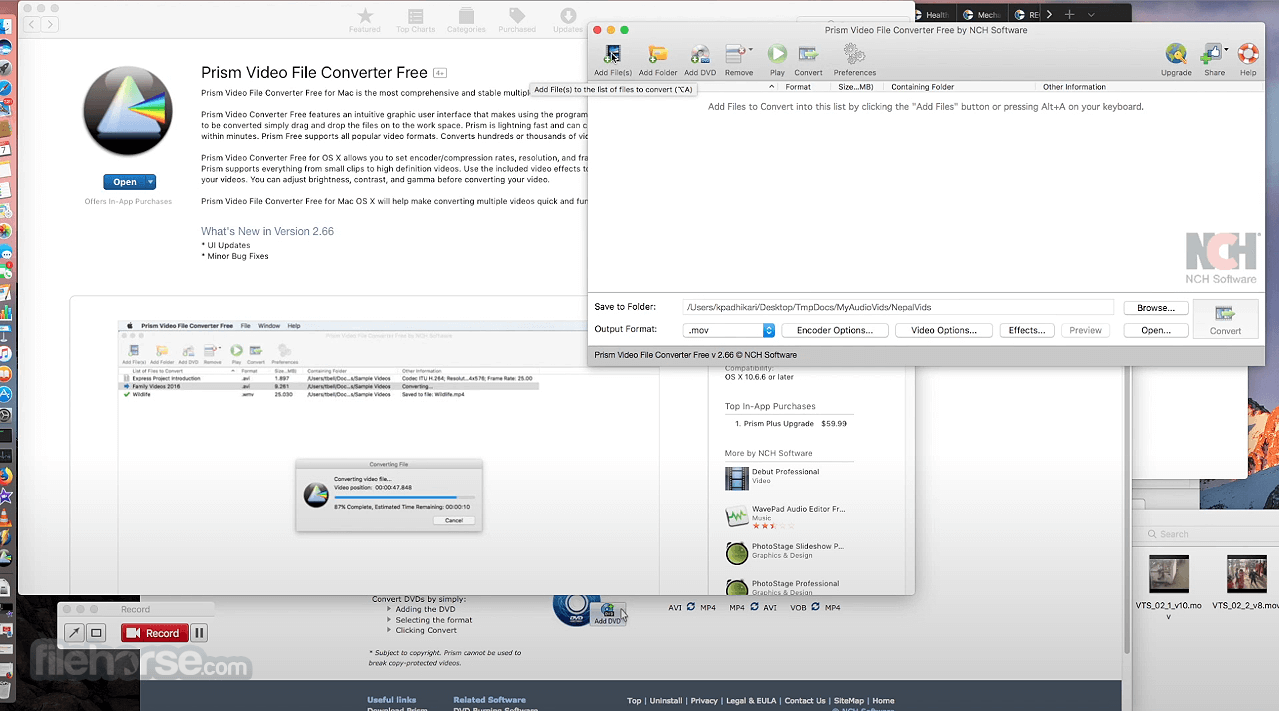
Just add the files you want to convert to the list, select the format you want to use, and click the convert button.
Prism for Mac Free is the most stable and comprehensive multi-format video converter available and is very easy to use. Get it Free.
A free version is available for non-commercial use only. The free video converter supports fewer encoding formats for home use.
Features and Highlights
Convert Many Video Formats
Prism converts avi, mpg, vob, asf, wmv, mp4 and all video formats that have a DirectShow based codec.
Adjust Video Settings Easily
Prism lets you set compression/encoder rates, resolution and frame rate of output files. Prism supports everything from HD to high compression for smaller files. You can even set a specific size for output files.
Preview Before Converting Videos
Preview original videos and what the video output results will be before converting to ensure effect settings including video rotation and captions are set up correctly.
Direct DVD Converting
Convert from DVDs by simply adding the DVD, selecting the format and clicking convert.
Add Video Effects
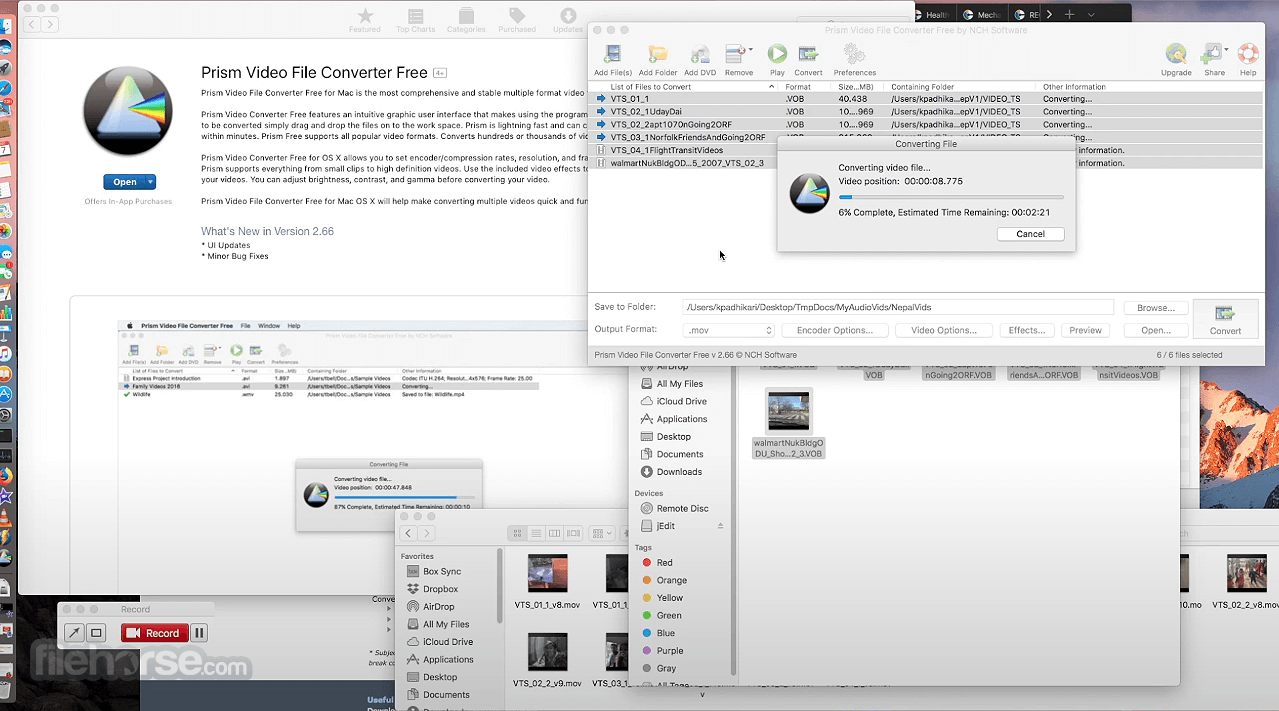
Convert individual files or a batch of files with added effects such as a watermark, text overlay, or rotate your videos to the correct orientation. Easily optimize the color by adjusting the brightness and contrast, or by applying a filter.
How to Use
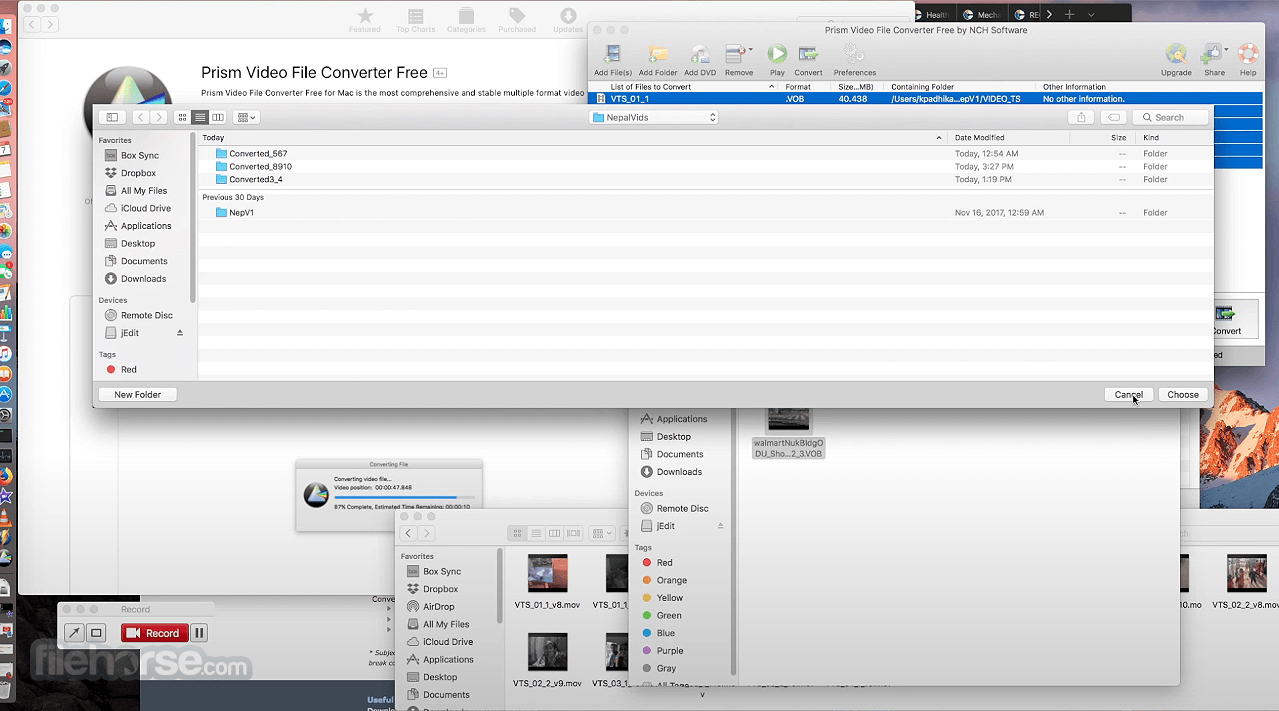
Launch the application and add video files to the queue
Choose the output format from the dropdown list
Adjust encoder settings, resolution, or effects if needed
Click the "Convert" button to begin processing
Locate the converted files in the output folder
System Requirements
macOS 10.10 (Yosemite) or later
Intel or Apple Silicon (M1/M2) processor
At least 2 GB RAM
100 MB free disk space
Internet connection for activation and updates
PROS
Also Available: Download Prism Video Converter for Windows
Download Prism Video Converter for Mac Latest Version Why is this app published on FileHorse? (More info)
Just add the files you want to convert to the list, select the format you want to use, and click the convert button.
Prism for Mac Free is the most stable and comprehensive multi-format video converter available and is very easy to use. Get it Free.
A free version is available for non-commercial use only. The free video converter supports fewer encoding formats for home use.
Features and Highlights
Convert Many Video Formats
Prism converts avi, mpg, vob, asf, wmv, mp4 and all video formats that have a DirectShow based codec.
Adjust Video Settings Easily
Prism lets you set compression/encoder rates, resolution and frame rate of output files. Prism supports everything from HD to high compression for smaller files. You can even set a specific size for output files.
Preview Before Converting Videos
Preview original videos and what the video output results will be before converting to ensure effect settings including video rotation and captions are set up correctly.
Direct DVD Converting
Convert from DVDs by simply adding the DVD, selecting the format and clicking convert.
Add Video Effects
Convert individual files or a batch of files with added effects such as a watermark, text overlay, or rotate your videos to the correct orientation. Easily optimize the color by adjusting the brightness and contrast, or by applying a filter.
How to Use
Launch the application and add video files to the queue
Choose the output format from the dropdown list
Adjust encoder settings, resolution, or effects if needed
Click the "Convert" button to begin processing
Locate the converted files in the output folder
System Requirements
macOS 10.10 (Yosemite) or later
Intel or Apple Silicon (M1/M2) processor
At least 2 GB RAM
100 MB free disk space
Internet connection for activation and updates
PROS
- Supports many video file formats
- Batch video conversion available
- Easy-to-use, beginner-friendly interface
- Option to preview before conversion
- Includes basic video effects and compression
- Free version has feature limitations
- Installer may include optional add-ons
- No advanced editing tools
- Interface looks slightly outdated
- Limited support for 4K output settings
Also Available: Download Prism Video Converter for Windows
Download Prism Video Converter for Mac Latest Version Why is this app published on FileHorse? (More info)
##
畫面截圖