⚠ 這是歷史版本頁面 — 查看 qBittorrent 最新版本 →

- 目前版本5.0.3
- 更新日期2024-12-18
- 檔案大小42.23 MB
- 檔案名稱qbittorrent-5.0.3.dmg
- 作業系統macOS 10.12 Sierra or later
- 支援語系English
- 授權型式開源軟體
- 開發商 qBittorrent Team
- 軟體分類Mac 軟體 / 檔案傳輸與網路
##
編輯短評
qBittorrent 是一款免費且開源的 BitTorrent 下載工具,主要用來處理 BT 協定的檔案傳輸與分享。它的介面設計相當簡潔,讓各種技術背景的使用者都能快速上手,同時也內建了許多實用功能,方便管理大量下載任務。這款軟體以輕量、無廣告著稱,長期以來被視為 µTorrent 的可靠替代方案,在同類工具中擁有穩定的使用者群,且開發團隊持續維護,更新頻率算是活躍。
如果你習慣使用 µTorrent 但對廣告感到困擾,或是需要一個單純、不干擾的下載工具,qBittorrent 會是值得考慮的選擇。它特別適合需要長時間掛機下載、或同時管理多個種子任務的使用者。相較於其他熱門替代軟體,qBittorrent 的取捨在於功能較為純粹,沒有額外的裝置互傳或網路模擬功能。需要注意的是,目前官方僅提供英文介面,對於需要中文操作介面的使用者來說,可能得另外尋找中文化版本,而授權方式為開源軟體,可自由使用與修改。
##
翻譯排程處理中,以下暫以英文原文呈現
軟體介紹
qBittorrent for Mac is a free and open-source BitTorrent client that empowers users of all technical levels to take full control over the BitTorrent file transfer protocol and download and share online content inside a very simple dashboard.
Built from the ground up to mimic the functionality of many other popular BitTorrent client apps, this lightweight free product has proven itself as one of the most reliable and easy-to-use alternatives to the µTorrent app.
This ad-free file transfer manager features many tools and services for boosting daily workflows when managing a large number of BitTorrent file transfer projects, including support for batch downloading, sequential downloading, RSS feed with filtering, built-in Search engine (with category filtering), advanced speed and scheduling manager, support for multiple transfer protocols, and much more.
Due to the great open-source development from its worldwide community that gets funded solely from donations, this easy-to-run and reliable software has received localization support for over 70 international countries.
Key Features
To install this popular app on any modern or legacy Mac computer, users simply must download the automated installer DMG archive, either from the official website or the secure FIleHorse servers.
Simply double-clicking on this file will start the installation procedure, which can be finalized in mere seconds by just following a few simple on-screen instructions. The app does not require users to log in with any account and therefore enables unrestricted use both at home, school, and work.
How to Use
Once fully installed, users can start this app by simply activating it from their Application folder. The app features a streamlined dashboard that promotes easy discovery of all its tools.
Users can add torrent or Magnet links to initiate downloads, and the built-in tool can even help them create new Torrents. The download status of the torrent can be managed via the main tools on the top of the app – Start, Pause, Stop, and Delete.
User Interface
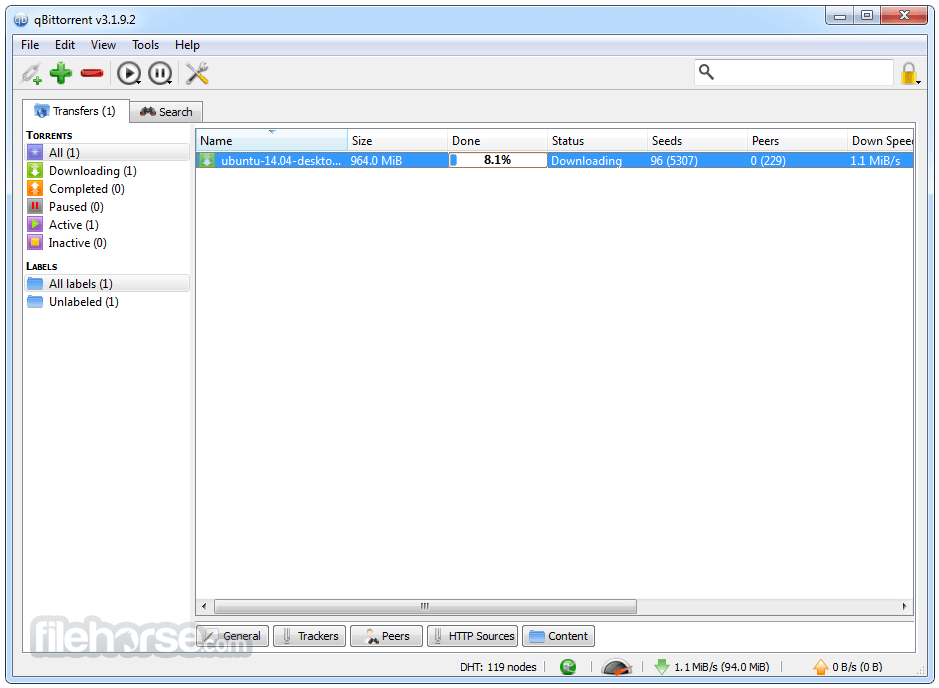
qBittorrent for macOS has a polished µTorrent-like user interface that is easy to use. The main window displays a list of all active and finished downloads, users can easily view more details by clicking on a download project.
Active downloads will be shown in the main panel, featuring detailed real-time monitoring data such as transmission speed, time to download completion, and much more.
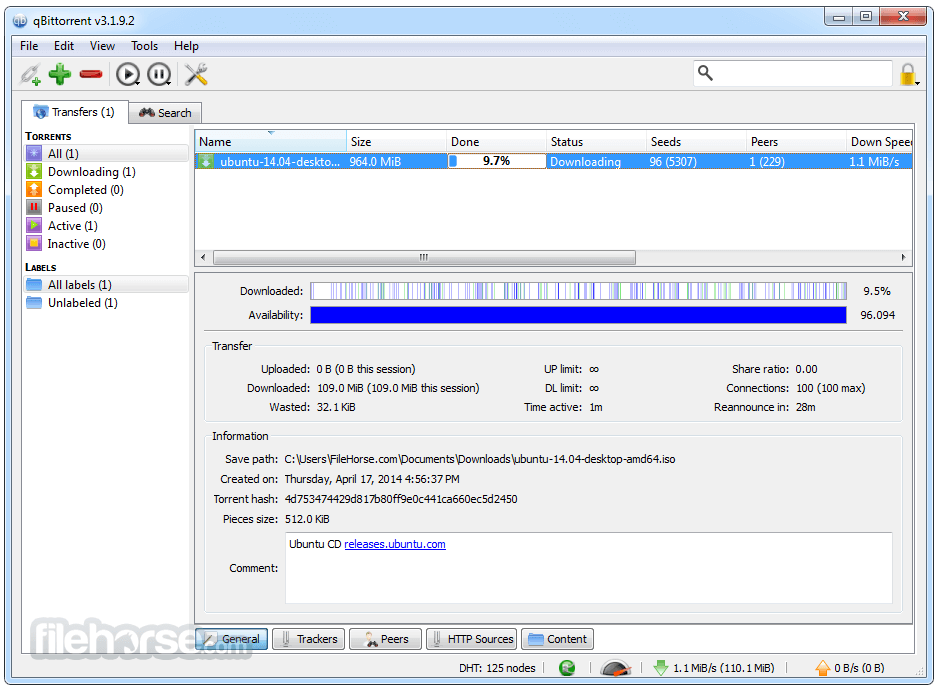
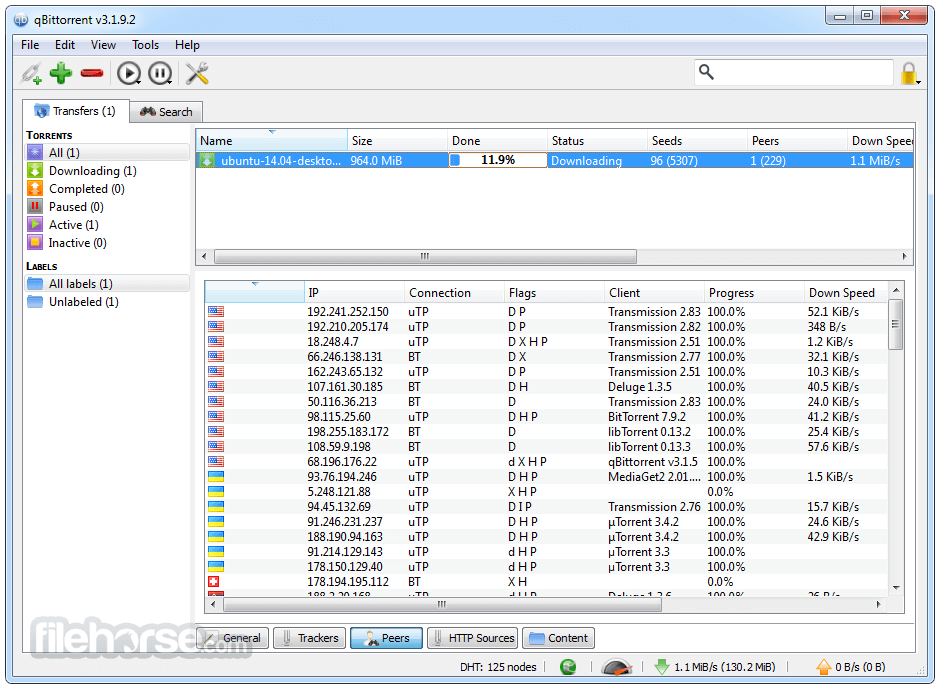
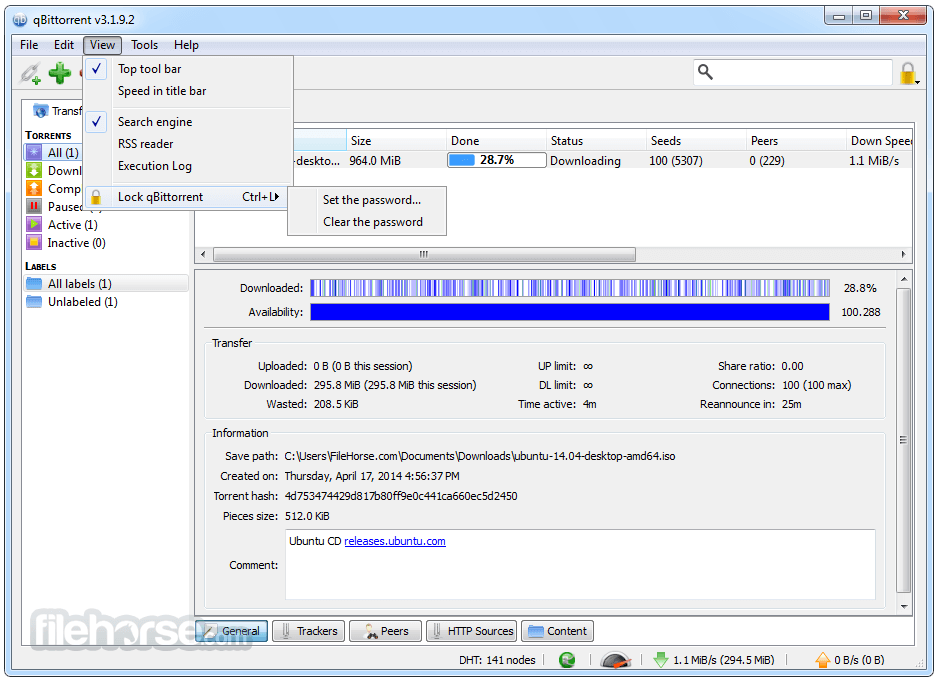
Details of the selected Torrent archive can be viewed via the tabbed interface at the bottom of the app (General, Trackers, peer, HTTP Sources, and Content).
The interface is available in around 70 languages, and remote users can log in to an alternate web dashboard that mimics the UI of the native local app.
FAQ
What is qBittorrent?
It is a free and open-source BitTorrent client featuring a fast and stable way to download and share files via distributed BitTorrent protocol.
Is it safe?
Yes! This is a secure and well-developed open-source BitTorrent app. However, users should be aware that downloading files from unknown sources could introduce their computer to malicious software.
Alternatives
uTorrent for Mac – The world’s most popular micro BitTorrent client, featuring a streamlined user interface and a wide array of support services.
Transmission for Mac – A lightweight BitTorrent Mac client with a simple and easy-to-use interface.
Pricing
This app is 100% free. It features no built-in ads, premium unlocks, or premium subscription offerings.
System Requirements
The app is optimized for macOS Catalina, Big Sur, or Monterey.
PROS
qBittorrent for Mac is a fast, stable, and feature-rich BitTorrent client that can enable anyone to take full control over their BitTorrent file transfers. Developed in an open-source environment, this lightweight app represents one of the best options for engaging in BitTorrent file transfer protocol projects.
Note: Requires 64-bit processor.
Also Available: Download qBittorrent for Windows
Download qBittorrent for Mac Latest Version Why is this app published on FileHorse? (More info)
Built from the ground up to mimic the functionality of many other popular BitTorrent client apps, this lightweight free product has proven itself as one of the most reliable and easy-to-use alternatives to the µTorrent app.
This ad-free file transfer manager features many tools and services for boosting daily workflows when managing a large number of BitTorrent file transfer projects, including support for batch downloading, sequential downloading, RSS feed with filtering, built-in Search engine (with category filtering), advanced speed and scheduling manager, support for multiple transfer protocols, and much more.
Due to the great open-source development from its worldwide community that gets funded solely from donations, this easy-to-run and reliable software has received localization support for over 70 international countries.
Key Features
- Lightweight and fast BitTorrent file transfers.
- Streamlined user interface with support for web access.
- Built-in search engine (with category filters).
- Wide support for BitTorrent extensions – DHT, Peer Exchange, private torrents, encrypted connections, and more.
- Batch and sequential download support.
- Advanced project and bandwidth queuing, prioritizing.
- Full support for IPv6 compliant and UPnP / NAT-PMP port forwarding.
- Cross Platform supports all modern Operating Systems.
- Translated into 70 international languages.
- Free for use without in-app ads.
To install this popular app on any modern or legacy Mac computer, users simply must download the automated installer DMG archive, either from the official website or the secure FIleHorse servers.
Simply double-clicking on this file will start the installation procedure, which can be finalized in mere seconds by just following a few simple on-screen instructions. The app does not require users to log in with any account and therefore enables unrestricted use both at home, school, and work.
How to Use
Once fully installed, users can start this app by simply activating it from their Application folder. The app features a streamlined dashboard that promotes easy discovery of all its tools.
Users can add torrent or Magnet links to initiate downloads, and the built-in tool can even help them create new Torrents. The download status of the torrent can be managed via the main tools on the top of the app – Start, Pause, Stop, and Delete.
User Interface
qBittorrent for macOS has a polished µTorrent-like user interface that is easy to use. The main window displays a list of all active and finished downloads, users can easily view more details by clicking on a download project.
Active downloads will be shown in the main panel, featuring detailed real-time monitoring data such as transmission speed, time to download completion, and much more.
Details of the selected Torrent archive can be viewed via the tabbed interface at the bottom of the app (General, Trackers, peer, HTTP Sources, and Content).
The interface is available in around 70 languages, and remote users can log in to an alternate web dashboard that mimics the UI of the native local app.
FAQ
What is qBittorrent?
It is a free and open-source BitTorrent client featuring a fast and stable way to download and share files via distributed BitTorrent protocol.
Is it safe?
Yes! This is a secure and well-developed open-source BitTorrent app. However, users should be aware that downloading files from unknown sources could introduce their computer to malicious software.
Alternatives
uTorrent for Mac – The world’s most popular micro BitTorrent client, featuring a streamlined user interface and a wide array of support services.
Transmission for Mac – A lightweight BitTorrent Mac client with a simple and easy-to-use interface.
Pricing
This app is 100% free. It features no built-in ads, premium unlocks, or premium subscription offerings.
System Requirements
The app is optimized for macOS Catalina, Big Sur, or Monterey.
PROS
- Fast and easy to use.
- Excellent UI and navigation options.
- Full control for management of BitTorrent file transfers.
- Built-in support for Search and RSS.
- Extensive networking customizations.
- Free for use.
- None.
qBittorrent for Mac is a fast, stable, and feature-rich BitTorrent client that can enable anyone to take full control over their BitTorrent file transfers. Developed in an open-source environment, this lightweight app represents one of the best options for engaging in BitTorrent file transfer protocol projects.
Note: Requires 64-bit processor.
Also Available: Download qBittorrent for Windows
Download qBittorrent for Mac Latest Version Why is this app published on FileHorse? (More info)
##
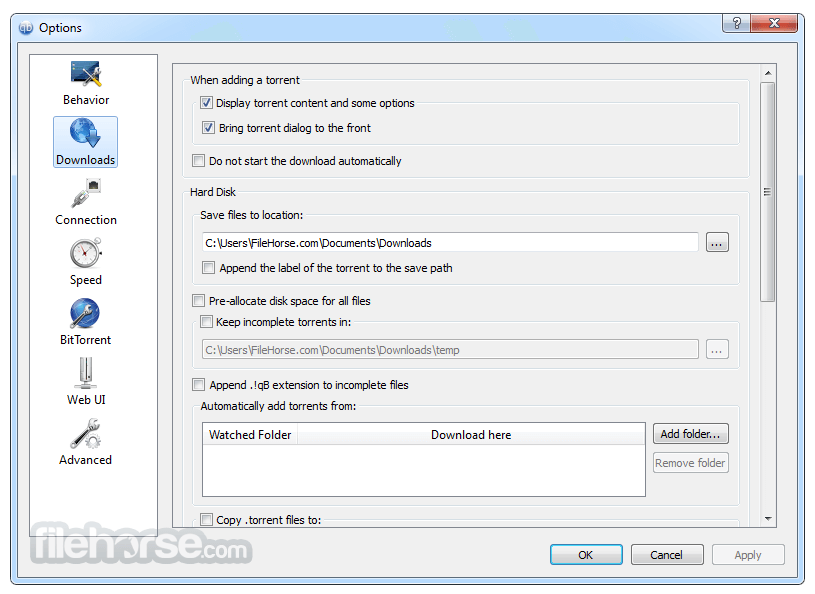
畫面截圖
- 2026-07-08 qBittorrent 5.2.3 46.08 MB
- 2026-06-17 qBittorrent 5.2.2 46.08 MB
- 2026-05-26 qBittorrent 5.2.1 46.02 MB
- 2026-05-03 qBittorrent 5.2.0 45.91 MB
- 2025-04-14 qBittorrent 5.0.5 42.62 MB
- 2025-02-19 qBittorrent 5.0.4 42.3 MB
- 2024-12-18 qBittorrent 5.0.3 42.23 MB
- 2024-11-18 qBittorrent 5.0.2 42.21 MB