⚠ 這是歷史版本頁面 — 查看 RealPlayer 12.0.1 Build 最新版本 →

- 目前版本884
- 更新日期2009-09-19
- 檔案大小15.31 MB
- 檔案名稱RealPlayer11GOLD.dmg
- 作業系統Mac OS X
- 支援語系English
- 授權型式試用版
- 開發商 RealNetworks Inc
- 軟體分類Mac 軟體 / 影片軟體
##
編輯短評
RealPlayer 是一款由 RealNetworks Inc 開發的多功能媒體播放器與影片下載工具。它旨在解決數位媒體管理的問題,讓使用者能將大量的音樂與影片整理成在地庫存,並提供直覺的介面操作以及燒錄實體光碟的功能。這款軟體在同類產品中具有一定的知名度,且長期以來持續維護更新,是許多使用者的穩定選擇。
無論是尋找簡單播放工具,或是需要全面管理媒體庫的使用者都適合安裝 RealPlayer。相較於專業的影片剪輯軟體如 Adobe Premiere Pro 或 After Effects,它更偏向日常播放與下載;而對於追求極簡的人則可參考 VLC Media Player。需留意此軟體提供 macOS 與 Windows 平台版本,目前為試用版授權且僅支援英文介面。
##
翻譯排程處理中,以下暫以英文原文呈現
軟體介紹
The RealPlayer for Mac is a versatile media player and video downloader that offers a wide range of features for managing and organizing your digital media into large local libraries.
It is designed from the ground up to cater to the needs of a variety of users, from those who want a simple app to play their favorite music and videos to those who need a comprehensive solution to manage their entire media library and even burn physical discs.
Featuring a user-friendly interface, extensive features, and seamless media processing capabilities, this app represents an excellent choice for anyone looking to enhance their multimedia experience on their Mac computer.
The app offers a variety of features that make it an ideal choice for users who are managing and enjoying their digital media located both on local storage and popular websites and video-sharing platforms.
In fact, this video player has a built-in capability to browse, catalog, and access media hosted on over 1000 popular online locations, including YouTube, Vimeo, Instagram, Facebook, and TikTok.
The users are empowered to easily manage their favorite online creators, and catalog videos by auto-detected on-screen people and other tools.
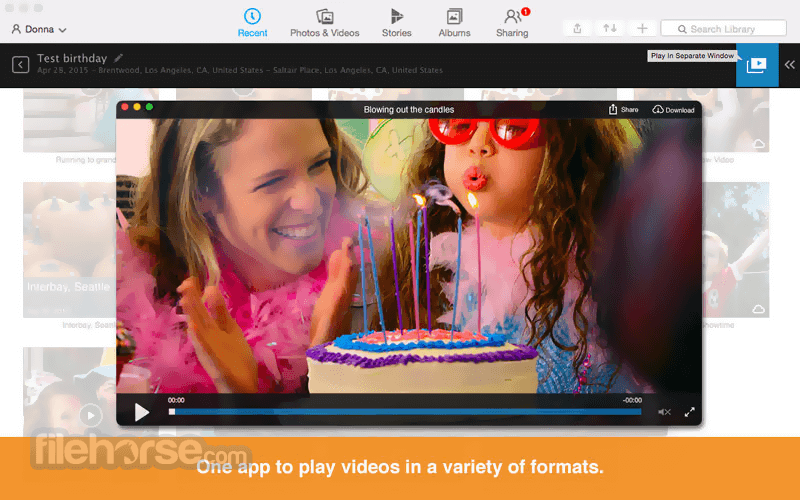
The app is also home to many advanced tools such as batch downloader, video duplicate remover, audio controls, in-app video previews, 4K video download support, DVD player/burner, and much more.
Main Features
To install this app on any modern Mac, users simply need to download the installer either from the official website or secure FileHorse servers and follow the installation prompts. Once installed, the app does not require any additional configuration steps.
How to Use
In addition to being an audio/video player, this tool features a full set of tools and services for accessing over 1000 of the most popular video hosting websites (including Social Media platforms such as Facebook, Instagram, and TikTok), and easily marking online audio/video content for fast and reliable download.
The app includes support for easy browsing of content based on the People detected in it, which is a service that is powered by the versatile solution “StarSearch”, developed directly by RealNetworks.
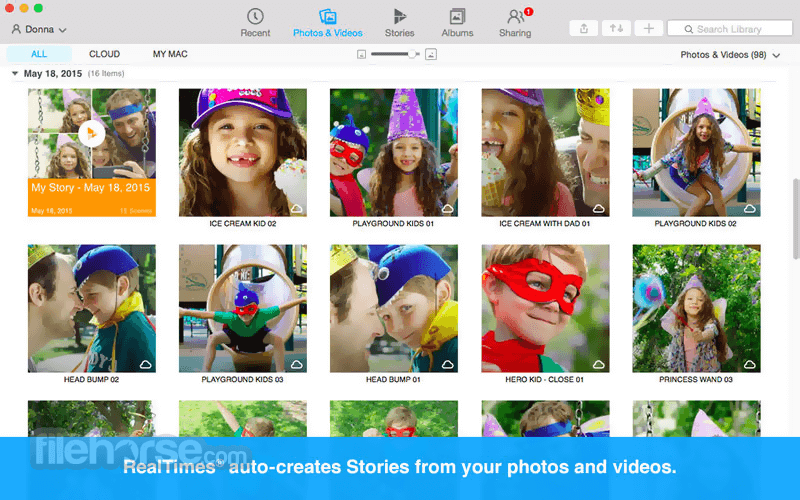
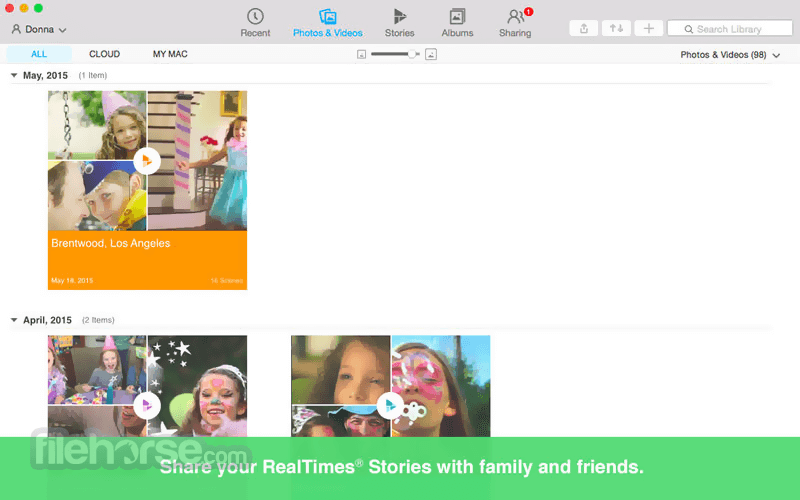
Online and downloaded content can be managed directly from within the app, enabling computer users of all ages and technical knowledge levels to easily build and organize their own local library of videos.
User Interface
The dashboard main screen displays your media library, with options to browse, search, and play media files.
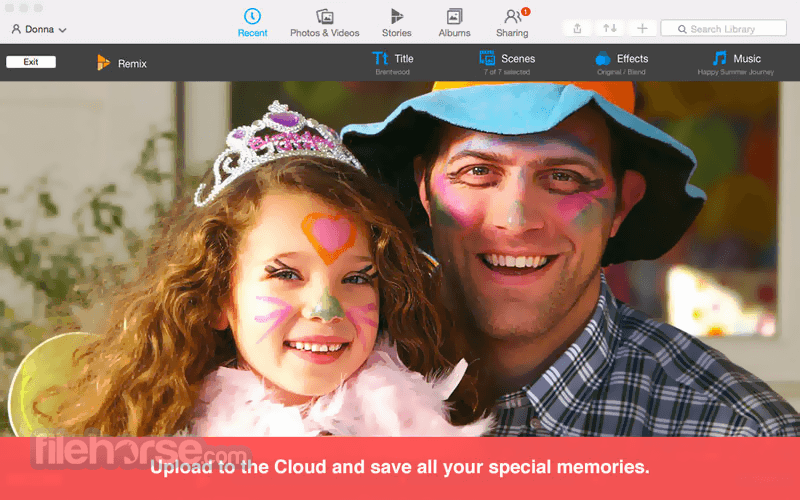
The app also offers advanced features such as the ability to customize playback settings, adjust audio and video settings, and access additional features like cloud storage and remote access.
A lot of tools this app offers are centered on media discovery on online hosting platforms, with the ability to subscribe to YouTube channels, follow specific Persons and videos about them that are released all across the web, and more.
FAQs
What is RealPlayer?
It is a media player that offers a wide range of features for managing and enjoying your digital media both locally and online.
Is it safe?
RealPlayer is a legitimate media player app developed by the reputable company RealNetworks.
Alternatives
VLC Media Player - The world’s most popular open-source video player.
KMPlayer - A highly capable media player available for all modern computer platforms.
QuickTime Player - A media player app that comes preinstalled in all modern versions of macOS.
Pricing
The latest version of this program is distributed only on Windows and iOS/Android devices; a standalone legacy app is offered for Intel-based macOS X computers.
PROS
RealPlayer for Mac is a great choice for anyone looking to enhance their multimedia experience on their Mac computer with a well-realized online downloader that can easily discover content from all popular video hosting destinations.
While its latest version is not available on Mac, it still represents a solid product for users who handle downloading a large number of videos from YouTube, social media platforms, and other websites.
Download RealPlayer for Mac Latest Version Why is this app published on FileHorse? (More info)
It is designed from the ground up to cater to the needs of a variety of users, from those who want a simple app to play their favorite music and videos to those who need a comprehensive solution to manage their entire media library and even burn physical discs.
Featuring a user-friendly interface, extensive features, and seamless media processing capabilities, this app represents an excellent choice for anyone looking to enhance their multimedia experience on their Mac computer.
The app offers a variety of features that make it an ideal choice for users who are managing and enjoying their digital media located both on local storage and popular websites and video-sharing platforms.
In fact, this video player has a built-in capability to browse, catalog, and access media hosted on over 1000 popular online locations, including YouTube, Vimeo, Instagram, Facebook, and TikTok.
The users are empowered to easily manage their favorite online creators, and catalog videos by auto-detected on-screen people and other tools.
The app is also home to many advanced tools such as batch downloader, video duplicate remover, audio controls, in-app video previews, 4K video download support, DVD player/burner, and much more.
Main Features
- Play audio and video files.
- Browse and find videos on 1000s of popular websites (including YouTube).
- Download audio and video content.
- Bath downloader.
- Organize local and cloud media libraries.
- Convert downloaded files to modern formats.
- Burn CDs and DVDs.
- Sync media with mobile devices.
To install this app on any modern Mac, users simply need to download the installer either from the official website or secure FileHorse servers and follow the installation prompts. Once installed, the app does not require any additional configuration steps.
How to Use
In addition to being an audio/video player, this tool features a full set of tools and services for accessing over 1000 of the most popular video hosting websites (including Social Media platforms such as Facebook, Instagram, and TikTok), and easily marking online audio/video content for fast and reliable download.
The app includes support for easy browsing of content based on the People detected in it, which is a service that is powered by the versatile solution “StarSearch”, developed directly by RealNetworks.
Online and downloaded content can be managed directly from within the app, enabling computer users of all ages and technical knowledge levels to easily build and organize their own local library of videos.
User Interface
The dashboard main screen displays your media library, with options to browse, search, and play media files.
The app also offers advanced features such as the ability to customize playback settings, adjust audio and video settings, and access additional features like cloud storage and remote access.
A lot of tools this app offers are centered on media discovery on online hosting platforms, with the ability to subscribe to YouTube channels, follow specific Persons and videos about them that are released all across the web, and more.
FAQs
What is RealPlayer?
It is a media player that offers a wide range of features for managing and enjoying your digital media both locally and online.
Is it safe?
RealPlayer is a legitimate media player app developed by the reputable company RealNetworks.
Alternatives
VLC Media Player - The world’s most popular open-source video player.
KMPlayer - A highly capable media player available for all modern computer platforms.
QuickTime Player - A media player app that comes preinstalled in all modern versions of macOS.
Pricing
- Free Plan: Access basic ad-supported video playback features, a library organization tool, and downloadable videos with up to 720p resolution.
- Downloader Express Plan: $24.99 lifetime license. Unlocks enhanced toolset for downloading videos from online sources, including 4K videos, batch downloader, album art metadata search, and more.
- Plus Plan: $39.99 lifetime license. Almost the entire feature set of this app, with access to 1GB of cloud secure storage, advanced audio/video processing, a DVD burning tool, and more. No in-app ads.
- Premium Plan: $4.99 per month for the most comprehensive service this app offers, including priority app updates, downloader for mobile devices, support for 3 active computers, and more.
The latest version of this program is distributed only on Windows and iOS/Android devices; a standalone legacy app is offered for Intel-based macOS X computers.
PROS
- Cloud-aware library organization.
- Access to over 1000 popular video hosting websites and platforms.
- Wide range of features.
- User-friendly interface.
- Free tier of use.
- Limited free version.
- The latest version is not in development for the Mac platform.
RealPlayer for Mac is a great choice for anyone looking to enhance their multimedia experience on their Mac computer with a well-realized online downloader that can easily discover content from all popular video hosting destinations.
While its latest version is not available on Mac, it still represents a solid product for users who handle downloading a large number of videos from YouTube, social media platforms, and other websites.
Download RealPlayer for Mac Latest Version Why is this app published on FileHorse? (More info)
##
畫面截圖
- 2026-01-05 RealPlayer 12.0.1 Build 1750 24.2 MB
- 2011-08-16 RealPlayer 12.0.0 Build 1725 24.08 MB
- 2010-12-23 RealPlayer 12.0.0 Build 1569 24.01 MB
- 2010-05-19 RealPlayer 12.0.0 Build 1379 24.04 MB
- 2009-10-07 RealPlayer 11.1.0 Build 1116 14.01 MB
- 2009-09-19 RealPlayer 11.0 Build 884 15.31 MB
- 2008-11-20 RealPlayer 11.0.1 Build 949 15.34 MB
- 2008-06-12 RealPlayer 11.0 Build 876 15.31 MB