⚠ 這是歷史版本頁面 — 查看 Samsung Kies 最新版本 →

- 目前版本3.0.1.14072.3
- 更新日期2014-07-18
- 檔案大小29.52 MB
- 檔案名稱KiesMac_Setup.dmg
- 作業系統Mac OS X
- 支援語系English
- 授權型式免費軟體
- 開發商 Samsung Electronics Co., Ltd.
- 軟體分類Mac 軟體 / 手機工具
##
編輯短評
Samsung Kies 是三星官方為旗下 Android 裝置推出的電腦端管理工具,主要解決手機與 Mac 之間的多媒體檔案同步、音樂影片管理,以及韌體更新等需求。它最大的辨識度在於由原廠直接提供,對三星用戶來說相容性相對有保障,操作介面也設計得相當直覺,適合各種年齡層與技術背景的使用者。這套軟體自推出以來已累積多個版本,目前仍持續維護,更新頻率不算頻繁,但在同類手機工具中屬於評價普遍不錯的熱門選擇。
如果你手上正好是三星手機或平板,又習慣用 Mac 整理媒體檔案,Kies 會是官方路線的實用工具;它特別適合需要大量同步音樂、影片,或想透過電腦更新裝置韌體的使用者。相較於 iTools Pro 或 Samsung Smart Switch 等替代方案,Kies 的優勢在於原廠整合,但功能上較偏傳統同步管理,若追求更現代化的跨裝置體驗,可能得考慮其他工具。需要注意的是,這套軟體僅提供英文介面,且僅支援 macOS 平台(另有 Windows 版),下載前請確認你的系統環境與裝置型號是否在支援範圍內。
##
翻譯排程處理中,以下暫以英文原文呈現
軟體介紹
Samsung Kies for Mac is the official software companion for Samsung Android devices, enabling users of all ages and technical knowledge levels to establish fast and secure communication between their home computers and recently manufactured Samsung mobile phones and tablets.
It features built-in tools for managing music and videos, syncing Android devices with Mac computers, and receiving firmware updates for their devices.
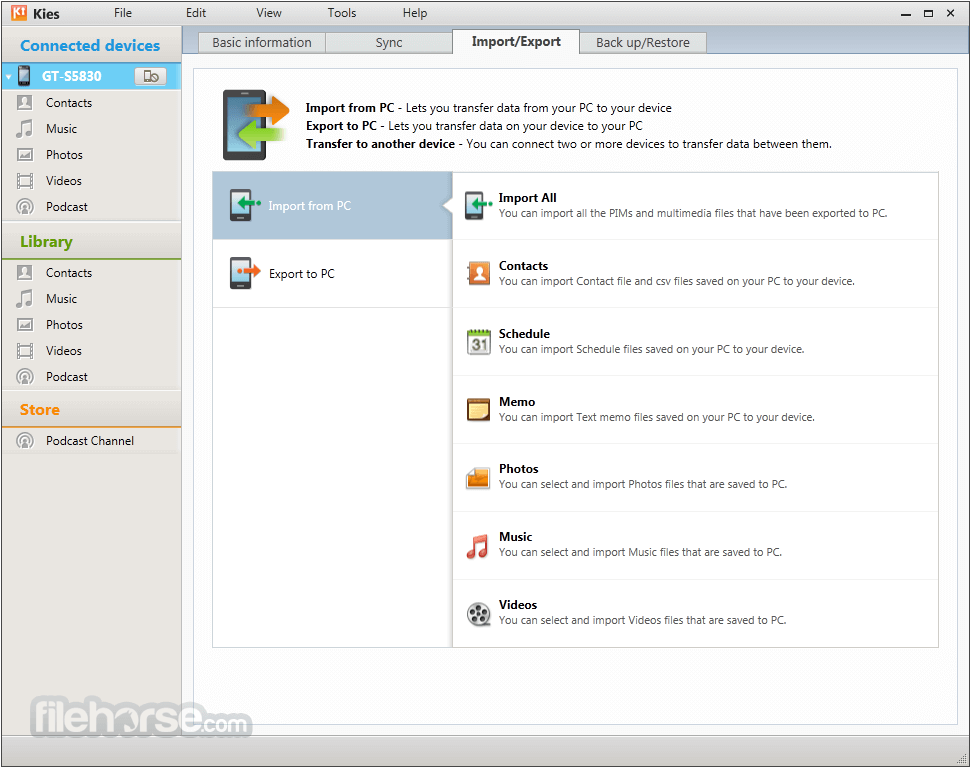
By having this application available on home Mac computers, users are empowered to dramatically simplify the process of managing multimedia content that is stored on their favorite Samsung Android devices, with single-click solutions for wired and wireless transfer of music, videos, and images, sync data between devices, create and manage backup/restore points, and even discover and manage podcasts and other media.
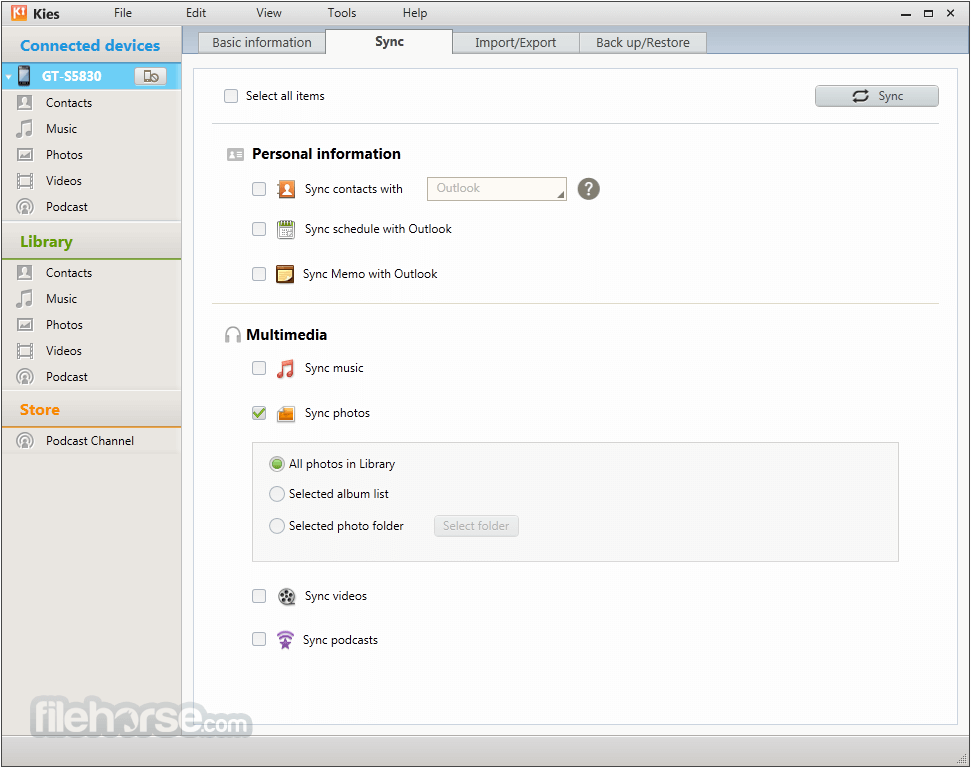
The app features in-depth configuration for automatic syncing of devices when it detects authenticated Samsung devices and user profiles, enabling safe and reliable backup of newly created photo and video files without any input from the user.
All in all, this free utility simplifies the process of managing multimedia content, enabling users to take full control of their data without cumbersome procedures for file transfers.
Key Features
This app is distributed online directly by Samsung as an automated installer. Users are recommended to download it either from the official website or from secure FileHorse servers.
Once the app is fully installed, users can start it without any need for additional configuration.
How to Use
To use this app, users simply need to connect their Samsung device to their Mac using a USB cable or discover it in their local network after joining the local WiFi.
The software will automatically detect the device and prompt the user to select the type of data they want to transfer or manage. Users can then select the specific files or folders they want to transfer, and the software will handle the rest.
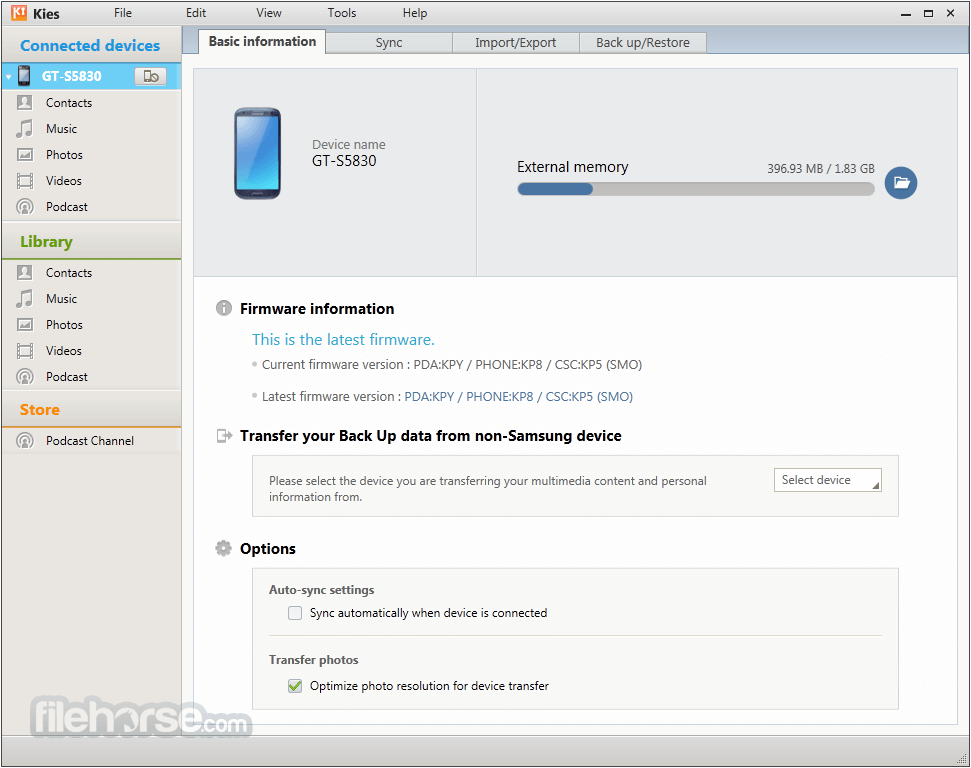
In addition to media management, users can also create backup/restore points and download new firmware updates for their Samsung smartphone or tablet devices.
User Interface
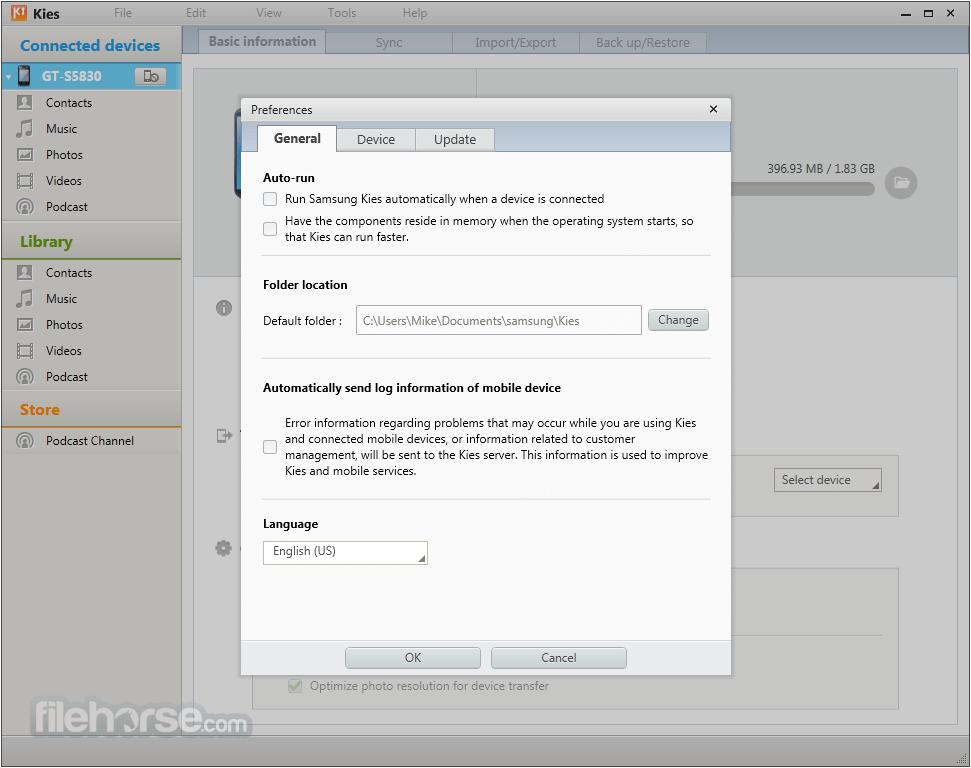
The user interface of Samsung Kies is clean and intuitive, making it easy for users to navigate and manage their content.
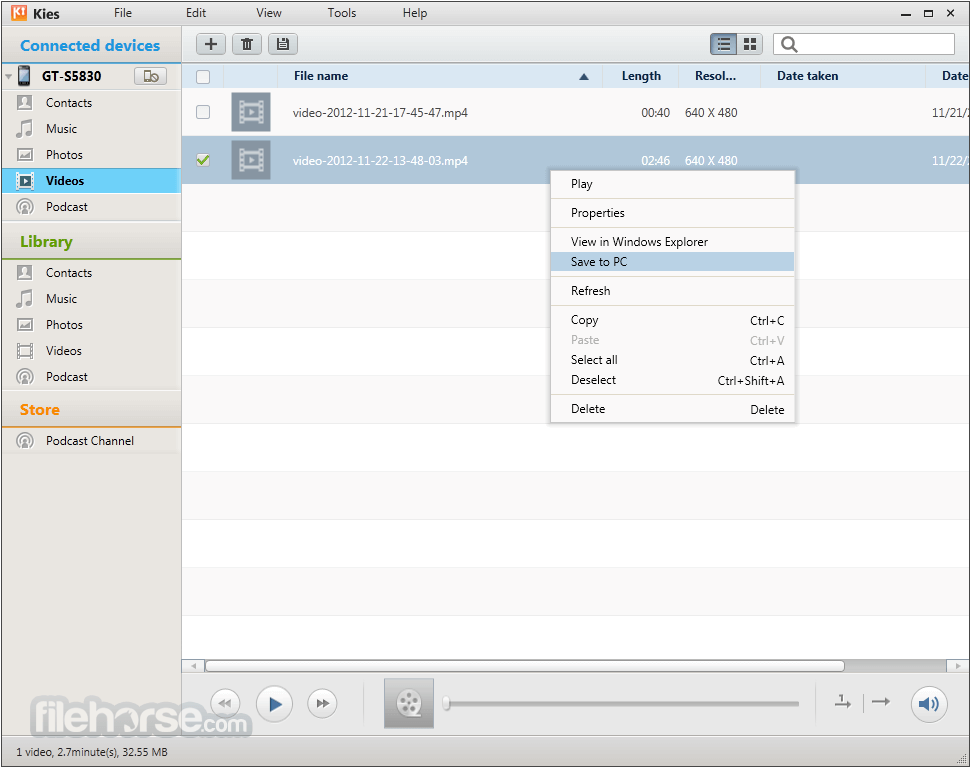
The software is organized into clear categories, such as music, videos, and images, and users can easily access the features they need with a few clicks.
FAQs
What is Samsung Kies?
It is an official Samsung app designed to facilitate streamlined communication between home computers and recently manufactured Android-based Samsung mobile phones and tablets.
Is it safe?
100% yes. This reliable and often-updated app has built-in security measures for protecting user data.
Alternatives
Smart Switch - A mobile device upgrade companion, enabling easy transfer of user data to a new Samsung device.
SyncMate - A popular file manager with built-in support for syncing files with Android devices.
AirDroid - A versatile mobile device manager that can facilitate streamlined file transfer and real-time service access on Android devices.
Pricing
This app is 100% free.
System Requirements
Samsung Kies for Mac simplifies the process of managing multimedia content on both Mac and Samsung devices, facilitating streamlined file syncing, backup, and restore, and firmware updating from inside one simple-to-use dashboard.
Its user-friendly interface and range of features make it an essential tool for anyone who has a modern Samsung Android device and wishes to securely transfer files and other data to computers wirelessly.
Also Available: Download Samsung Kies for Windows
Download Samsung Kies for Mac Latest Version Why is this app published on FileHorse? (More info)
It features built-in tools for managing music and videos, syncing Android devices with Mac computers, and receiving firmware updates for their devices.
By having this application available on home Mac computers, users are empowered to dramatically simplify the process of managing multimedia content that is stored on their favorite Samsung Android devices, with single-click solutions for wired and wireless transfer of music, videos, and images, sync data between devices, create and manage backup/restore points, and even discover and manage podcasts and other media.
The app features in-depth configuration for automatic syncing of devices when it detects authenticated Samsung devices and user profiles, enabling safe and reliable backup of newly created photo and video files without any input from the user.
All in all, this free utility simplifies the process of managing multimedia content, enabling users to take full control of their data without cumbersome procedures for file transfers.
Key Features
- Automatic Syncing - Ensure that all user data is up-to-date and easily accessible on all compatible platforms.
- Music and Video Management - Easily manage music and video libraries on both Mac and Samsung devices.
- Firmware Updates - Scan for any available software upgrades that can make Samsung devices more stable, reliable, and feature-rich.
- Backup and Restore - Create and manage backups to backup and restore their device data, including contacts, calendar events, and other important information.
- Wireless Connectivity - Full support for wireless connectivity between devices, eliminating the need for cables.
- Switch Phones with Ease - Quickly and securely transfer data when upgrading phones, even when switching from iPhone to Samsung.
This app is distributed online directly by Samsung as an automated installer. Users are recommended to download it either from the official website or from secure FileHorse servers.
Once the app is fully installed, users can start it without any need for additional configuration.
How to Use
To use this app, users simply need to connect their Samsung device to their Mac using a USB cable or discover it in their local network after joining the local WiFi.
The software will automatically detect the device and prompt the user to select the type of data they want to transfer or manage. Users can then select the specific files or folders they want to transfer, and the software will handle the rest.
In addition to media management, users can also create backup/restore points and download new firmware updates for their Samsung smartphone or tablet devices.
User Interface
The user interface of Samsung Kies is clean and intuitive, making it easy for users to navigate and manage their content.
The software is organized into clear categories, such as music, videos, and images, and users can easily access the features they need with a few clicks.
FAQs
What is Samsung Kies?
It is an official Samsung app designed to facilitate streamlined communication between home computers and recently manufactured Android-based Samsung mobile phones and tablets.
Is it safe?
100% yes. This reliable and often-updated app has built-in security measures for protecting user data.
Alternatives
Smart Switch - A mobile device upgrade companion, enabling easy transfer of user data to a new Samsung device.
SyncMate - A popular file manager with built-in support for syncing files with Android devices.
AirDroid - A versatile mobile device manager that can facilitate streamlined file transfer and real-time service access on Android devices.
Pricing
This app is 100% free.
System Requirements
- OS: macOS 10.5 or later
- CPU: 1.8GHz processor
- RAM: 512MB of memory
- Storage: 100MB of free space
- Easy to use.
- Advanced Android file and service synchronization.
- Built-in backup and firmware upgrade tools.
- Wireless connectivity.
- Free for use.
- The app is discontinued. Now is Samsung Switch.
- Not compatible with all Samsung smartphone models.
Samsung Kies for Mac simplifies the process of managing multimedia content on both Mac and Samsung devices, facilitating streamlined file syncing, backup, and restore, and firmware updating from inside one simple-to-use dashboard.
Its user-friendly interface and range of features make it an essential tool for anyone who has a modern Samsung Android device and wishes to securely transfer files and other data to computers wirelessly.
Also Available: Download Samsung Kies for Windows
Download Samsung Kies for Mac Latest Version Why is this app published on FileHorse? (More info)
##
畫面截圖
- 2026-01-05 Samsung Kies 3.1.0.15094_7 38.7 MB
- 2015-08-03 Samsung Kies 3.1.0.15073_10 38.7 MB
- 2015-01-24 Samsung Kies 3.0.1.14124_10 29.82 MB
- 2015-01-05 Samsung Kies 3.0.1.14124.6 29.7 MB
- 2014-12-24 Samsung Kies 3.0.1.14093.5 29.66 MB
- 2014-11-26 Samsung Kies 3.0.1.14093.4 29.74 MB
- 2014-07-18 Samsung Kies 3.0.1.14072.3 29.52 MB
- 2014-05-06 Samsung Kies 3.0.1.14043.5 29.35 MB