⚠ 這是歷史版本頁面 — 查看 Sonos 最新版本 →

- 目前版本16.5
- 更新日期2024-12-11
- 檔案大小60.1 MB
- 檔案名稱Sonos_82.2-59204.dmg
- 作業系統Mac OS X 10.11 or later
- 支援語系English
- 授權型式免費軟體
- 開發商 Sonos Inc.
- 軟體分類Mac 軟體 / 音訊軟體
##
編輯短評
Sonos 是一款專為管理 Sonos 音樂系統而設計的控制軟體,旨在優化居家聆聽體驗。它讓使用者能便捷地操作音樂播放,包含隨機播放切換以及整合 Google Play Music 的推薦功能與播放清單管理。這款工具維護活躍且評價普遍不錯,是該品牌硬體設備使用者的核心配套軟體。
這套免費軟體適合擁有 Sonos 音訊設備的使用者,主要用於居家音樂環境的遠端控制。相較於 Logic Pro 或 Auto-Tune Pro 等專業音訊製作工具,Sonos 側重於系統管理而非聲音編輯。使用者在下載前需留意此軟體僅提供英文語系,但可跨 macOS 與 Windows 平台使用。
##
翻譯排程處理中,以下暫以英文原文呈現
軟體介紹
Sonos for Mac (formerly Sonos Desktop Controller) allows you to control software for the Sonos Music System. The app is committed to keep improving the home listening experience. Enhancements and changes included in the latest free software update are listed below.
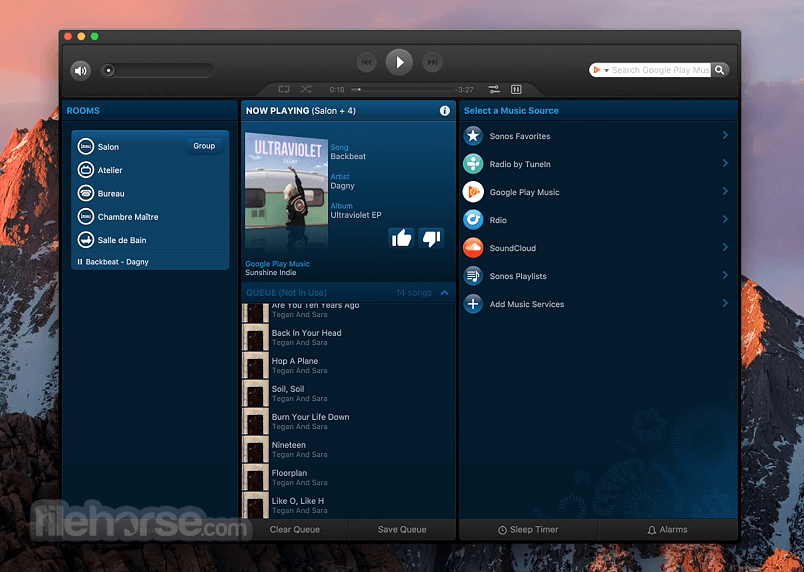
Select Google Play Music from the music menu and check out new features like recommendations based on the time of day, recent activity, enhanced playlist support and more.
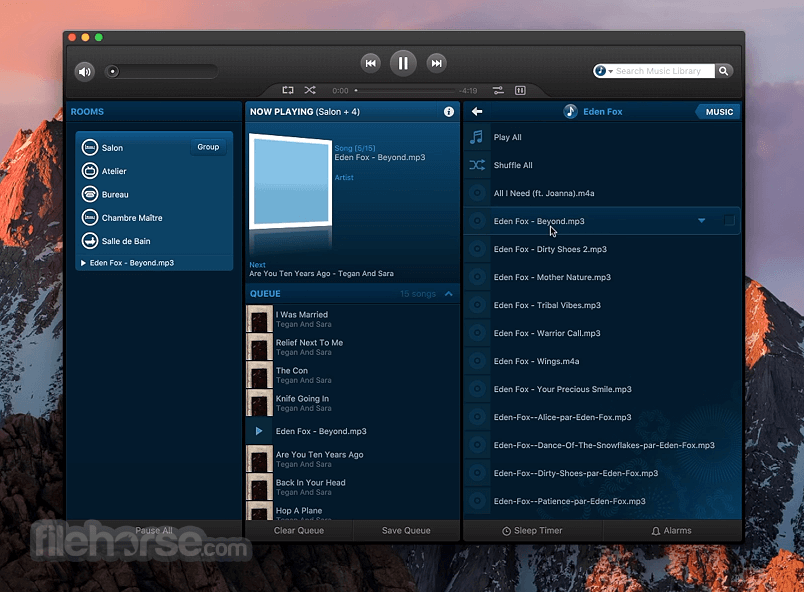
Turn on shuffle and the order of the tracks in the queue changes. Don’t like the new order? Turn shuffle off to return the tracks to their original playback order.
Turn shuffle on again and get a different mix! This release makes it easy to set up a home theater. Your SUB or surrounds can now bond to a PLAYBAR without the need for an app component to be wired to your router. Follow the steps in the app to set up your home theater.
If your Sonos for macOS home theater is already set up – no need to change a thing.
Music in your house
When it comes to playing music, we believe all rooms should be created equal. That's why you can put ZonePlayers in absolutely any room where you want music - either connected directly to speakers or to your home theater and stereo system.
With the app, no room is off-limits and you can add music to practically any number of rooms: the bedroom, the backyard, even the bathroom.
Music in your hands
The tool puts the control of all your music and all your rooms right where it should be -- in your hands. With the touch of a finger you can find and play a world of music, whether it's streaming directly from the Internet or stored on your computer. Tune in to your favorite radio station or browse through your entire music library.
ou can play the same song in every room or choose different songs for different rooms. It's up to you. And so is which Controller you use - the dedicated Sonos Controller, the app Controller for iPhone, the app Controller for Mac or PC, or a combination of all four.
How to Use
Install the app by dragging it to Applications
Open the app and sign in or create a Sonos account
Connect your Sonos speaker to the same Wi-Fi
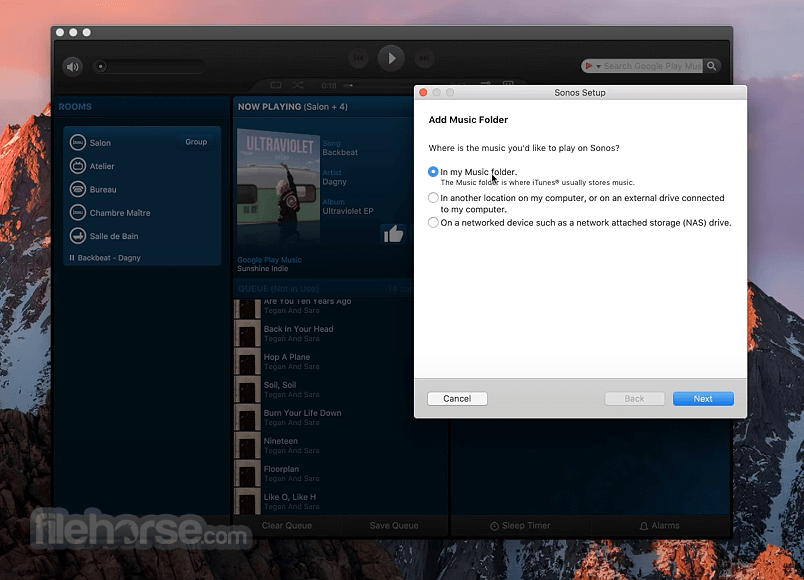
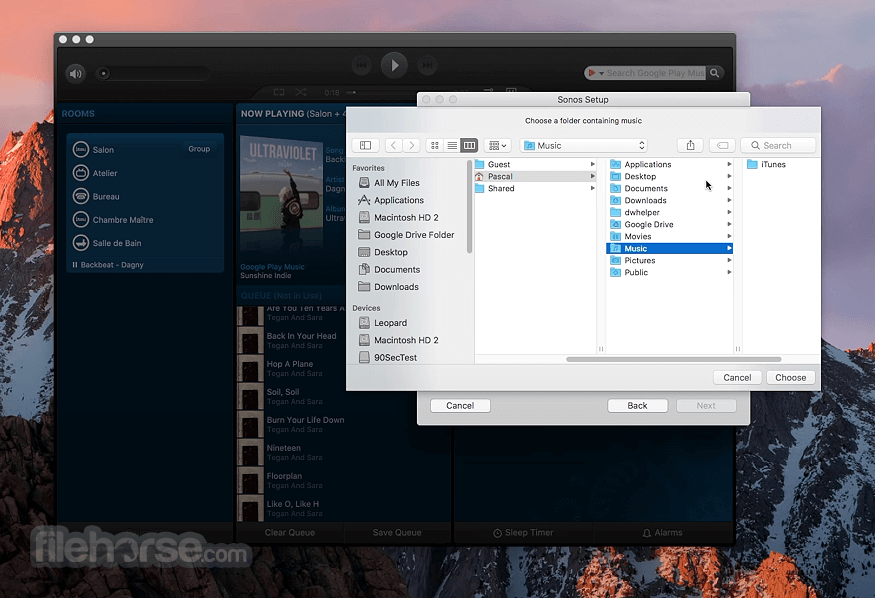
Follow setup instructions to add your speaker
Use the app to browse and play music
Create and manage playlists or favorites
Group speakers for multi-room sound
Adjust volume, bass, treble, and other settings
Update firmware when prompted in the app
System Requirements
Download Sonos for Mac Latest Version Why is this app published on FileHorse? (More info)
Select Google Play Music from the music menu and check out new features like recommendations based on the time of day, recent activity, enhanced playlist support and more.
Turn on shuffle and the order of the tracks in the queue changes. Don’t like the new order? Turn shuffle off to return the tracks to their original playback order.
Turn shuffle on again and get a different mix! This release makes it easy to set up a home theater. Your SUB or surrounds can now bond to a PLAYBAR without the need for an app component to be wired to your router. Follow the steps in the app to set up your home theater.
If your Sonos for macOS home theater is already set up – no need to change a thing.
Music in your house
When it comes to playing music, we believe all rooms should be created equal. That's why you can put ZonePlayers in absolutely any room where you want music - either connected directly to speakers or to your home theater and stereo system.
With the app, no room is off-limits and you can add music to practically any number of rooms: the bedroom, the backyard, even the bathroom.
Music in your hands
The tool puts the control of all your music and all your rooms right where it should be -- in your hands. With the touch of a finger you can find and play a world of music, whether it's streaming directly from the Internet or stored on your computer. Tune in to your favorite radio station or browse through your entire music library.
ou can play the same song in every room or choose different songs for different rooms. It's up to you. And so is which Controller you use - the dedicated Sonos Controller, the app Controller for iPhone, the app Controller for Mac or PC, or a combination of all four.
How to Use
Install the app by dragging it to Applications
Open the app and sign in or create a Sonos account
Connect your Sonos speaker to the same Wi-Fi
Follow setup instructions to add your speaker
Use the app to browse and play music
Create and manage playlists or favorites
Group speakers for multi-room sound
Adjust volume, bass, treble, and other settings
Update firmware when prompted in the app
System Requirements
- macOS 10.13 (High Sierra) or later
- Intel or Apple Silicon (M1/M2) processor
- 300 MB available disk space
- Minimum 4 GB RAM
- Wi-Fi connection for syncing with speakers
- Seamless multi-room audio control
- Intuitive and easy-to-use interface
- Supports major streaming services
- Quick device and speaker setup
- Regular updates and new features
- Limited advanced audio settings
- No support for older macOS versions
- Requires constant Wi-Fi connection
- Lacks offline mode functionality
- App can lag with many connected devices
Download Sonos for Mac Latest Version Why is this app published on FileHorse? (More info)
##
畫面截圖
- 2026-05-28 Sonos 17.2.3 60.3 MB
- 2025-08-17 Sonos 17.2 60.1 MB
- 2025-05-08 Sonos 17.0 60.1 MB
- 2025-03-18 Sonos 16.7 60.1 MB
- 2025-02-03 Sonos 16.6 60.1 MB
- 2025-01-09 Sonos 16.5.1 60.1 MB
- 2024-12-11 Sonos 16.5 60.1 MB
- 2024-10-16 Sonos 16.4.2 60.1 MB