⚠ 這是歷史版本頁面 — 查看 SwitchResX 最新版本 →

- 目前版本4.14.0
- 更新日期2025-01-18
- 檔案大小7.21 MB
- 檔案名稱SwitchResX4.zip
- 作業系統Mac OS X 10.9 or later
- 支援語系English
- 授權型式商業試用
- 開發商 Stephane Madrau
- 軟體分類Mac 軟體 / 系統優化
##
編輯短評
SwitchResX 是一款專為 macOS 設計的顯示解析度控制工具,主要解決系統內建顯示設定不夠彈性的問題,讓使用者能針對不同應用程式或使用情境自動切換解析度,甚至可將 Mac 輸出至電視時調整至最佳畫質。其最具辨識度的特色在於提供細緻的解析度與更新率調整,並支援多螢幕與鏡像模式,操作上只需點幾下滑鼠即可完成設定。這款工具長期以來持續維護,雖然更新頻率不算頻繁,但在同類系統優化工具中仍保有一定知名度,使用者評價普遍不錯。
這套軟體特別適合需要外接電視、投影機或對顯示設定有特殊需求的人,例如簡報、影音播放或展場展示等情境。與 CleanMyMac X 或 OnyX 這類系統清理工具相比,SwitchResX 專注於顯示控制,功能更為專一,但相對地不涵蓋其他優化項目。它採用試用版授權,僅支援 macOS 且介面為英文,對不熟悉英文的使用者可能稍有門檻。若只是偶爾調整解析度,macOS 內建選項或許已足夠,但若需要自動化切換或進階顯示參數,這套工具會是實用選擇。
##
翻譯排程處理中,以下暫以英文原文呈現
軟體介紹
With SwitchResX for Mac you get back control on your screen – or screens even! There are plenty of inbuilt options, that make life a lot easier and more comfortable just by clicking the mouse a few times:
More resolutions to choose from scratch, easy setup of new display settings, saving desktops right from the menu bar –there are plenty of helpful bits implemented in SwitchResX for macOS, that make life easier.
Maybe not for every day use,at home, but for maximum eye catching effects of a trade fair, in a shop window or elsewhere: With the tool you can mirror screens both horizontally and vertically, thus creating stunning effects. Straight from your menu bar!
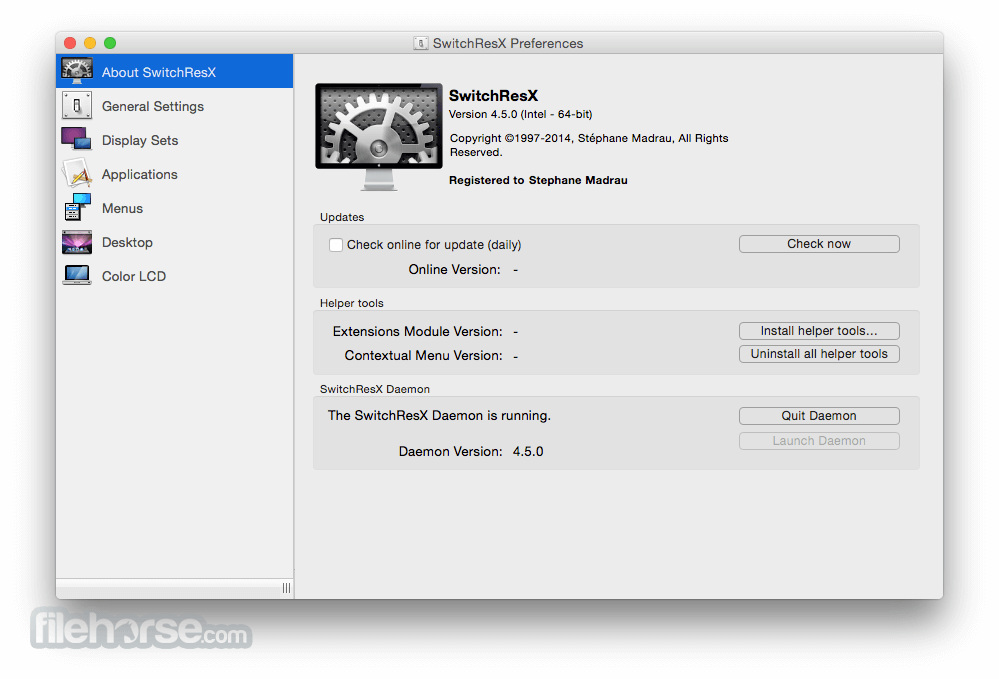
Like any good pal, It introduces itself to you first of all. Version installed, modules installed, daemon running? This is, where you get to know the details. And if you like, It keeps an eye open for new versions every day. You won't miss any update anymore and will always be up to date. Because SwitchResX is a really good pal!
Preference Pane And More
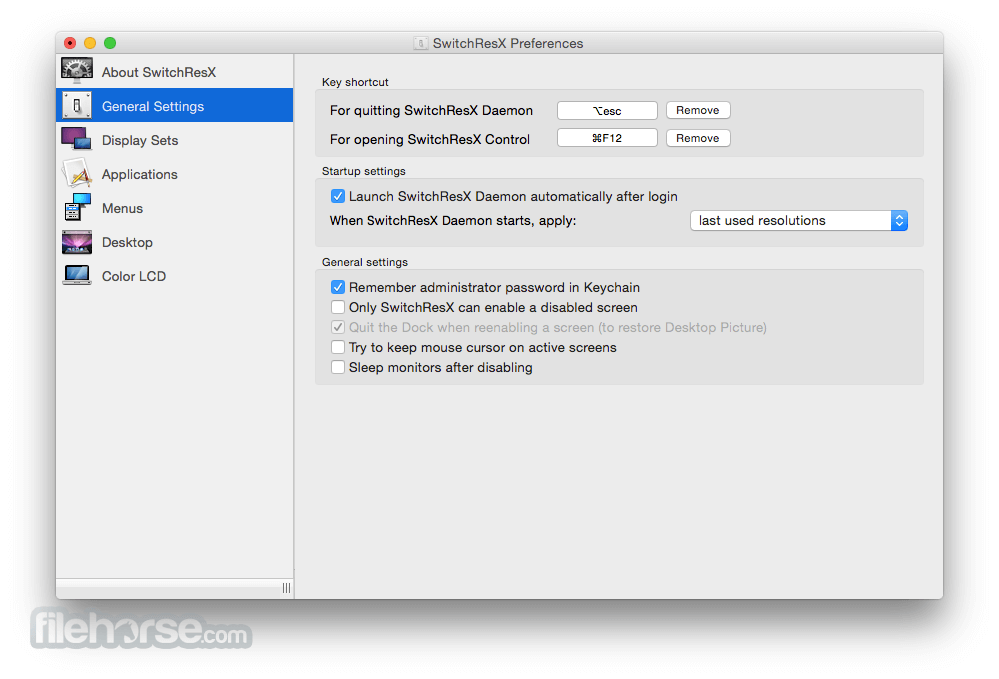
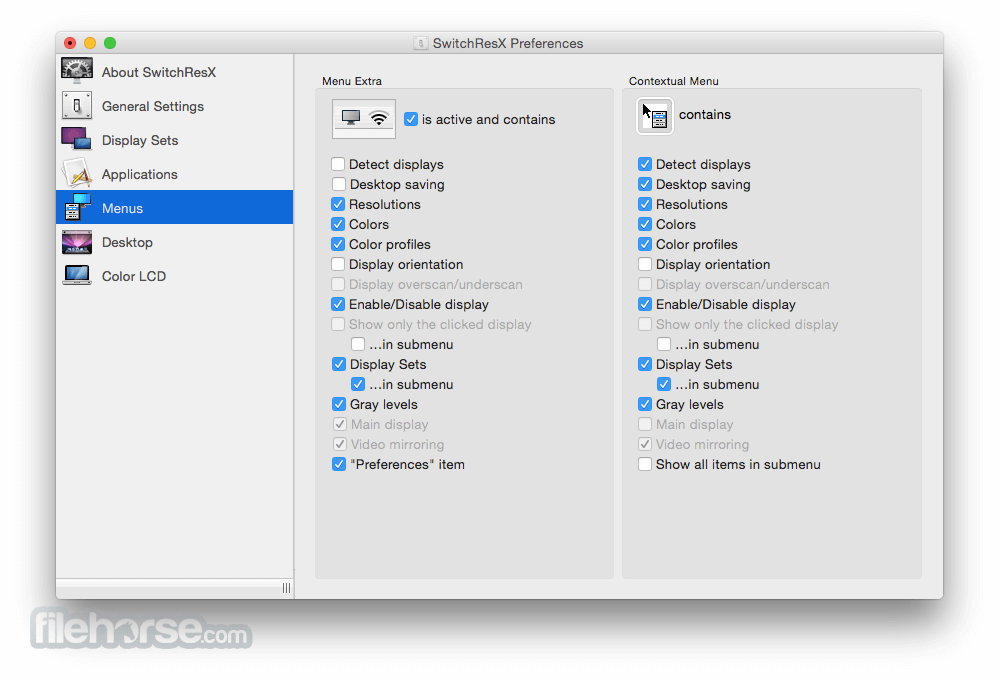
When installed, the app sits in the Preference Panes and can be activated like any other of those helpers. It pops open in a separate window for easy access of its’ vast amount of functions, that outrun Apples inbuilt Monitor preference pane easily.
Ultimate Control
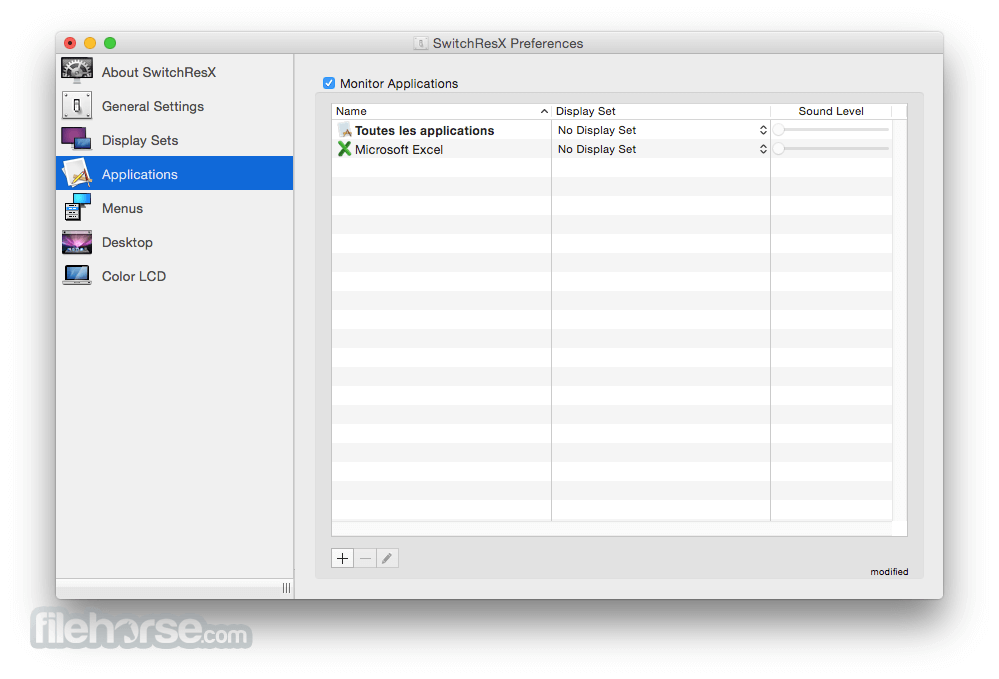
With the app you can keep control of your screen resolution and the way, every single app displays its content on your screen – or screens! Because Switch Res X can of course handle more than one screen totally individually, it gives you all the freedom and flexibility you need at any time.
Keep Control
With the program you can keep control of your screen resolution and the way, every single app displays its content on your screen – or screens! Because It can handle more than one screen totally individually, giving you all the freedom and flexibility you need at any time.
Features and Highlights
macOS 10.6 or later (including macOS 14 Sonoma)
Intel or Apple Silicon (M1/M2/M3) Macs
64-bit processor
Display(s) compatible with EDID overrides
Administrator access for full setup
PROS
Download SwitchResX for Mac Latest Version Why is this app published on FileHorse? (More info)
- Automatically change resolutions to match your different software needs.
- Match your Mac to your TV set's resolution to enjoy maximum quality of DVD and HD television.
- Play with mirrored images as an eyecatcher on a trade fair.
More resolutions to choose from scratch, easy setup of new display settings, saving desktops right from the menu bar –there are plenty of helpful bits implemented in SwitchResX for macOS, that make life easier.
Maybe not for every day use,at home, but for maximum eye catching effects of a trade fair, in a shop window or elsewhere: With the tool you can mirror screens both horizontally and vertically, thus creating stunning effects. Straight from your menu bar!
Like any good pal, It introduces itself to you first of all. Version installed, modules installed, daemon running? This is, where you get to know the details. And if you like, It keeps an eye open for new versions every day. You won't miss any update anymore and will always be up to date. Because SwitchResX is a really good pal!
Preference Pane And More
When installed, the app sits in the Preference Panes and can be activated like any other of those helpers. It pops open in a separate window for easy access of its’ vast amount of functions, that outrun Apples inbuilt Monitor preference pane easily.
Ultimate Control
With the app you can keep control of your screen resolution and the way, every single app displays its content on your screen – or screens! Because Switch Res X can of course handle more than one screen totally individually, it gives you all the freedom and flexibility you need at any time.
Keep Control
With the program you can keep control of your screen resolution and the way, every single app displays its content on your screen – or screens! Because It can handle more than one screen totally individually, giving you all the freedom and flexibility you need at any time.
Features and Highlights
- On top, It includes a huge amount of additional functions, like
- Saving desktop layouts to get everything back into position right the moment, you jump back to a certain resolution
- Disable or activate screens on demand, for example to use a Macbook in clamshell mode
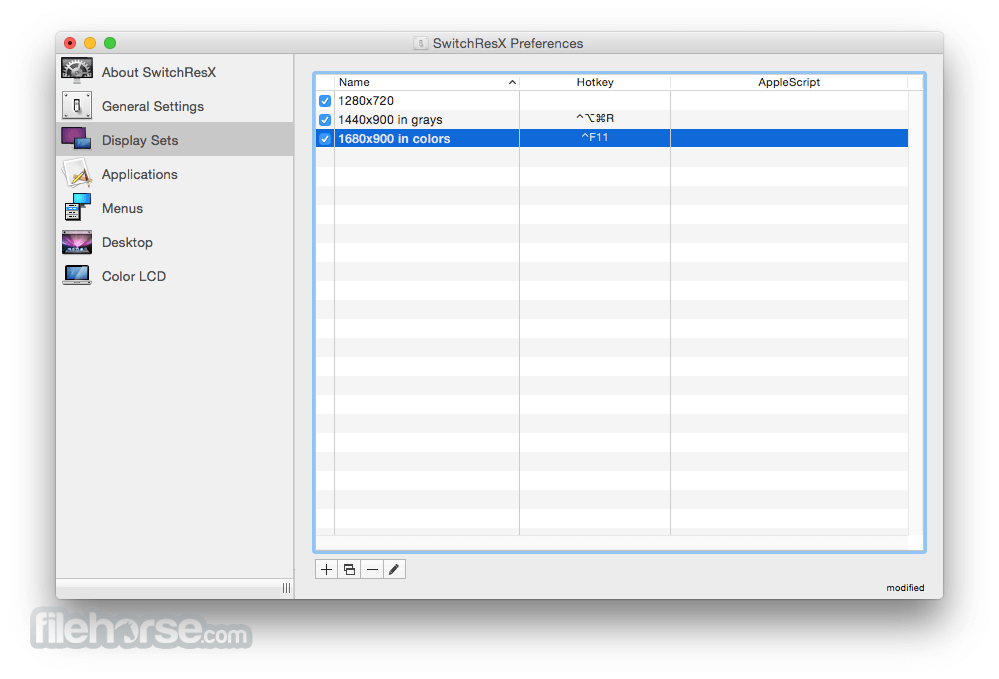
- Link screens to specific events like Key shortcuts, Applescript, Application launches and more
- Create and enable new custom resolutions to adapt to any available screen, including screens inbuilt into cars
- Rename resolutions to regular and useful terms like Gaming, Documents, Graphics, Presentation, TV etc.
- Arrange desktop items on a much finer grid than Apple' standard settings
- Keep a record of any change in screen setting automatically
- Saving desktop layouts to get everything into position right the moment, you jump to a certain resolution
- Disable or activate screens on demand, for example to use a Macbook in clamshell mode
- Link screens to specific events like Key shortcuts, Apple scripts, Application launched and more
- Create and enable new custom resolutions to adapt to any available screen, including screens inbuilt into cars
- Rename resolutions to regular useful terms like Gaming, Documents, Graphics Design, Presentation, TV etc.
- Arrange desktop oems on a much finer grid than Apple's standard settings
- Keep a record of any change in screen settings automatically
- Grant required system permissions
- Navigate to "Display Sets" for resolution profiles
- Select external or built-in display to configure
- Choose or create custom screen resolutions
- Enable HiDPI settings if supported by hardware
- Save and apply changes, then reboot if needed
- Use menu bar icon for quick resolution changes
- Create scripts for automated display switching
- Backup settings for reuse across macOS devices
macOS 10.6 or later (including macOS 14 Sonoma)
Intel or Apple Silicon (M1/M2/M3) Macs
64-bit processor
Display(s) compatible with EDID overrides
Administrator access for full setup
PROS
- Supports custom screen resolutions
- Enables HiDPI modes on non-Retina displays
- Multiple display profiles and automation
- Works with external monitors and TVs
- Advanced display control beyond macOS defaults
- Setup may require technical knowledge
- Some resolutions need a system reboot
- May cause issues with macOS updates
- Limited support for DRM-protected apps
- Complex UI for casual users
Download SwitchResX for Mac Latest Version Why is this app published on FileHorse? (More info)
##
畫面截圖
- 2025-10-25 SwitchResX 4.14.2 7.22 MB
- 2025-05-05 SwitchResX 4.14.1 7.21 MB
- 2025-01-18 SwitchResX 4.14.0 7.21 MB
- 2024-07-17 SwitchResX 4.13.5 6.98 MB
- 2024-02-09 SwitchResX 4.13.3 6.98 MB
- 2023-10-11 SwitchResX 4.13.2 6.61 MB
- 2023-05-08 SwitchResX 4.13.1 6.61 MB
- 2022-11-08 SwitchResX 4.12.2 6.58 MB