⚠ 這是歷史版本頁面 — 查看 TeamSpeak Client 最新版本 →

TeamSpeak Client 3.5.3
v 3.5.3
macOS
免費軟體
7.6/10 (40)
- 目前版本3.5.3
- 更新日期2020-05-12
- 檔案大小97.06 MB
- 檔案名稱TeamSpeak3-Client-macosx-3.5.3.dmg
- 作業系統Mac OS X 10.8 or later
- 支援語系English
- 授權型式免費軟體
- 開發商 TeamSpeak Systems GmbH
- 軟體分類Mac 軟體 / 社群通訊
##
編輯短評
TeamSpeak Client 是一款老牌的免費語音通訊軟體,主要解決多人同時線上對話時的音質與穩定度問題。它最大的特色在於採用集中式伺服器架構,所有語音串流都經由專用伺服器轉送,相較於點對點連線的方案,能提供更清晰、更一致的通話品質,特別適合需要數十人甚至上百人同時發言的群組情境。這款軟體在社群通訊分類中擁有穩定的使用者基礎,評價普遍不錯,不過近年更新頻率不高,屬於功能成熟、長期維護但步調較慢的類型。
如果你是需要舉辦線上會議、遊戲語音指揮,或是經營大型社群的成員,TeamSpeak Client 會是實用的選擇。與 Instagram、WhatsApp 等偏重即時訊息與多媒體分享的替代軟體相比,TeamSpeak 專注於純語音溝通,且需要自行尋找或架設伺服器,使用門檻稍高,但換來的是更專業的語音品質與管理彈性。軟體本身為免費授權,目前僅提供英文介面,macOS 用戶可直接下載使用,無需額外安裝步驟。
##
翻譯排程處理中,以下暫以英文原文呈現
軟體介紹
TeamSpeak Client for Mac is extremely popular free communication software that provides high quality voice chat via the Internet to users who are interested not only in 1 on 1 chat, but also group chat that can have dozens and sometimes hundreds of participants.
The base functionality of the app is in its connection between Mac clients and internet dedicated servers, which serve as transfer points for all your audio streams. This centralized structure provides higher quality sound than other solutions that use peer-to-peer connections.
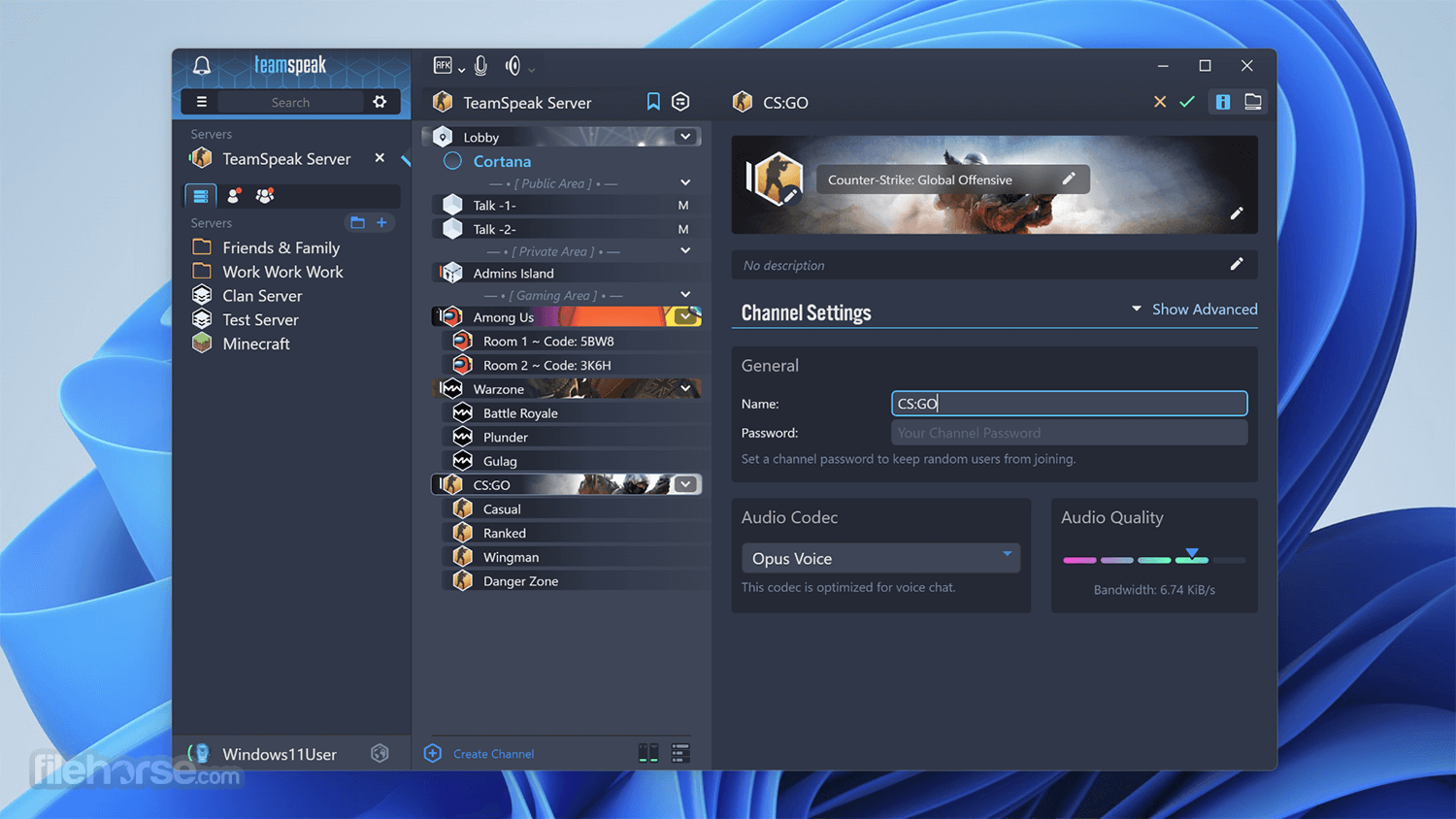
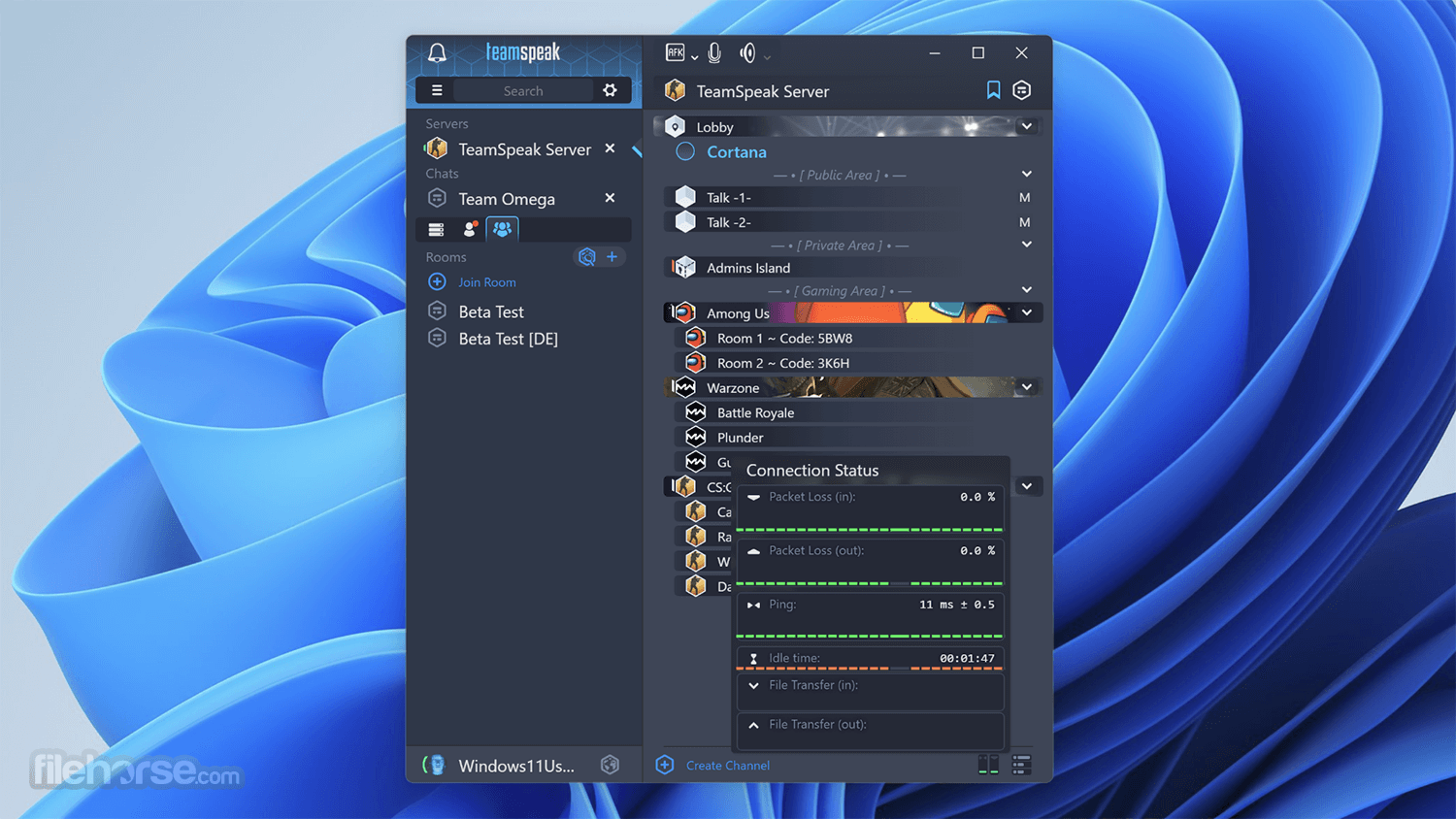
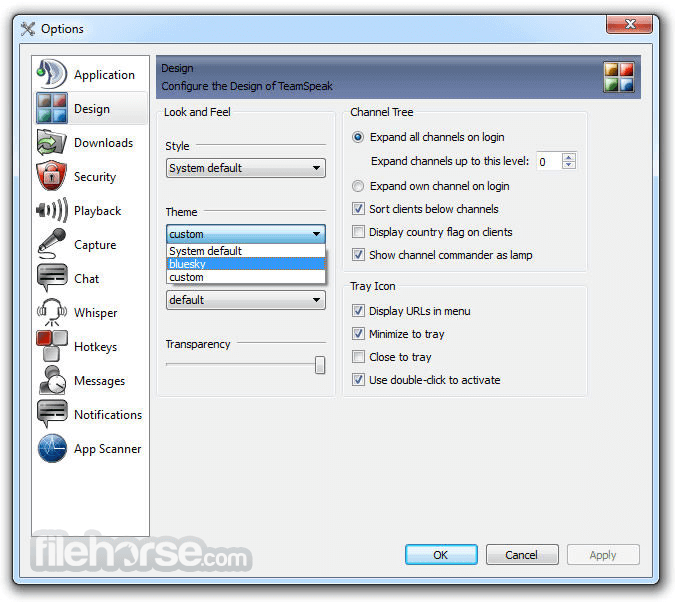
Interface of TeamSpeak for macOS client is well-organized, enabling users easy access to server load area, and listings of all the available rooms that were present on the server.
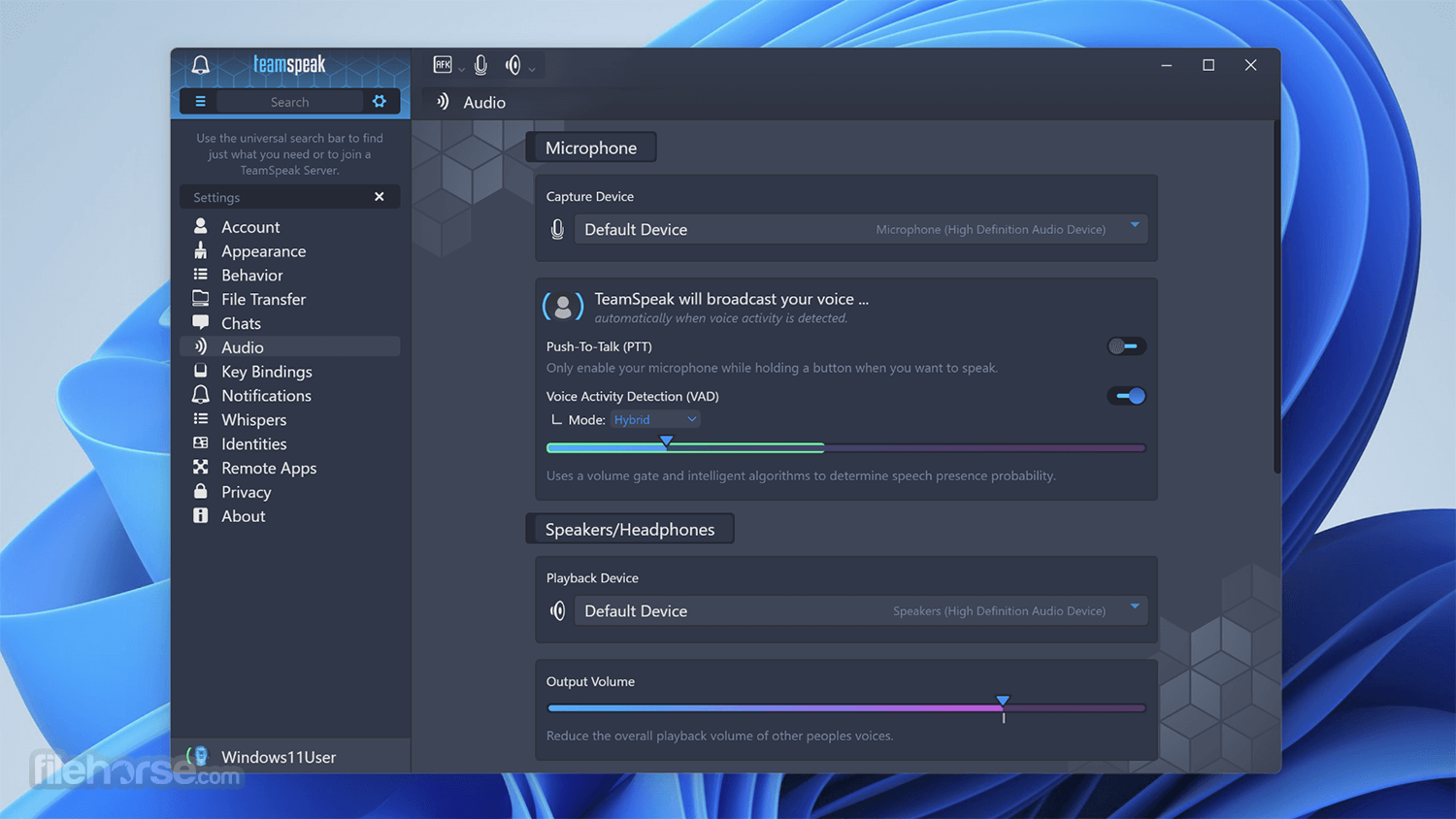
From there users can simply enter any room with the doubleclick of their mouse and easily access customization options (keyboard bindings for mute/unmute, set their microphone and speaker levels and more). During gaming sessions, Team Speak Client can also be accessed via very useful in-game overlay.
With the app you can easily talk with hundreds and thousands users simultaneously, enabling you to use it for large scale teleconferencing in both professional and home situations (such as video gaming or gathering with friends and family). The tool is absolutely free, and lets you incredible freedom and power in the world of online voice chat.
The app comes in two basic packages – TeamSpeak Client and TeamSpeak Server. Both are free for use, but can be expanded with more advanced server options and less restrictions with annual subscriptions that starts with $30.
TeamSpeak New and Improved Features:
Open the .dmg file and drag TeamSpeak to Applications
Launch TeamSpeak Client from Applications folder
Create or log into your TeamSpeak account
Connect to a server using IP address or domain
Set up microphone and audio preferences
Join or create channels for communication
Adjust permissions and user settings as needed
System Requirements
Download TeamSpeak Client for Mac Latest Version Why is this app published on FileHorse? (More info)
The base functionality of the app is in its connection between Mac clients and internet dedicated servers, which serve as transfer points for all your audio streams. This centralized structure provides higher quality sound than other solutions that use peer-to-peer connections.
Interface of TeamSpeak for macOS client is well-organized, enabling users easy access to server load area, and listings of all the available rooms that were present on the server.
From there users can simply enter any room with the doubleclick of their mouse and easily access customization options (keyboard bindings for mute/unmute, set their microphone and speaker levels and more). During gaming sessions, Team Speak Client can also be accessed via very useful in-game overlay.
With the app you can easily talk with hundreds and thousands users simultaneously, enabling you to use it for large scale teleconferencing in both professional and home situations (such as video gaming or gathering with friends and family). The tool is absolutely free, and lets you incredible freedom and power in the world of online voice chat.
The app comes in two basic packages – TeamSpeak Client and TeamSpeak Server. Both are free for use, but can be expanded with more advanced server options and less restrictions with annual subscriptions that starts with $30.
TeamSpeak New and Improved Features:
- Local addressbook allows you to connect quickly to your favorite servers
- Webserver list allows you to find Team Speak servers without their IP
- Flexible permission system, allowing you to configure your server the way you want it
- Channel and subchannel creation
- Built-in web administration interface allowing you full control over your server via your web browser
- One server-instance can run multiple virtual servers which results in hassle-free administration
- Telnet access to your server-instance as well as to all virtual servers
- Client is designed to work well with firewalls and routers
- Passworded servers and channels
- Completely configurable keybindings (hotkeys) to quickly join specified channels, mute your microphone, etc.
- Whisper functions so you can speak privately to inidividuals, groups of persons, or other channels
- Auto voice normalizing (no need to adjust your mic manually)
- Supports Microsoft Gamevoice (TM) hardware
- Event driven sound notifications (which can be configured individually)
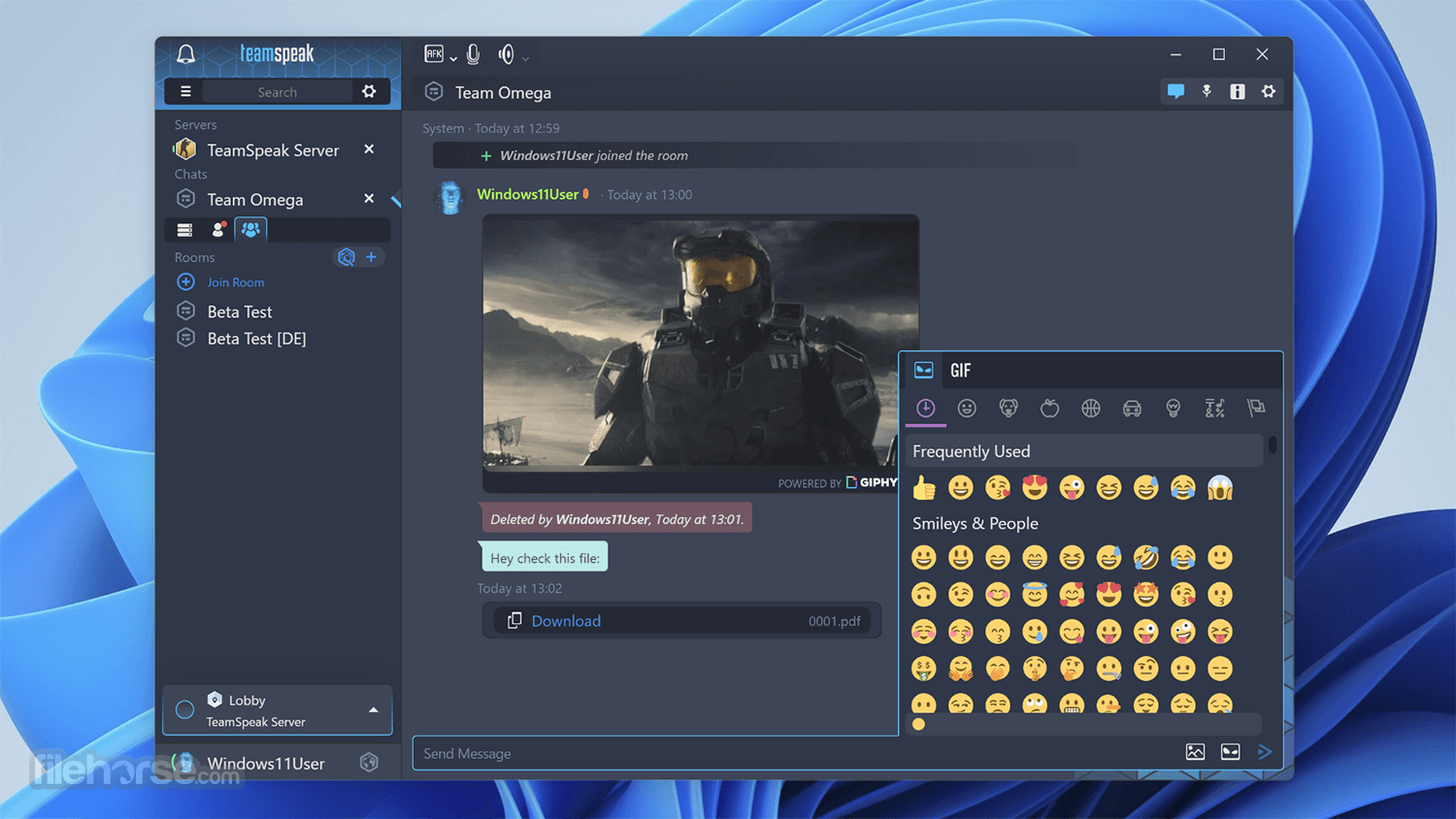
- Text messaging in the client (for those complicated URL's or IP's) and clickable links
- IRC-like admin functions for your server (like serveradmin, channel admin, operators)
- Channel moderation, which is useful for holding meetings in channels with many users
- Kicking / banning people
- Seemless optoinal MySQL integration, allowing you to customize your server database
- Minimal CPU and RAM requirements
- Given bandwidth requirements are met, servers can easily handle thousands of users
Open the .dmg file and drag TeamSpeak to Applications
Launch TeamSpeak Client from Applications folder
Create or log into your TeamSpeak account
Connect to a server using IP address or domain
Set up microphone and audio preferences
Join or create channels for communication
Adjust permissions and user settings as needed
System Requirements
- macOS 10.13 High Sierra or later
- Intel or Apple Silicon (Rosetta 2)
- At least 2 GB RAM
- 200 MB of free disk space
- Internet connection for server access
- High-quality voice communication
- Low system resource usage
- Supports advanced permissions
- Cross-platform compatibility
- Encryption for secure communication
- Outdated user interface
- Limited free server options
- Requires manual server setup
- No built-in video chat
- Fewer integrations than competitors
Download TeamSpeak Client for Mac Latest Version Why is this app published on FileHorse? (More info)
##
畫面截圖
- 2025-04-02 TeamSpeak Client 3.6.2 102 MB
- 2023-09-19 TeamSpeak Client 3.6.1 102.01 MB
- 2023-06-15 TeamSpeak Client 3.6.0 101.91 MB
- 2020-12-09 TeamSpeak Client 3.5.6 102.18 MB
- 2020-11-06 TeamSpeak Client 3.5.5 97.07 MB
- 2020-05-12 TeamSpeak Client 3.5.3 97.06 MB
- 2020-04-02 TeamSpeak Client 3.5.2 96.91 MB
- 2020-03-24 TeamSpeak Client 3.5.1 97.02 MB