⚠ 這是歷史版本頁面 — 查看 Toast Titanium 最新版本 →

- 目前版本14.1
- 更新日期2015-10-25
- 檔案大小650 MB
- 檔案名稱Toast_Titanium.zip
- 作業系統Mac OS X 10.11 or later
- 支援語系English
- 授權型式未分類
- 開發商 Corel Corporation
- 軟體分類Mac 軟體 / 桌面強化
##
編輯短評
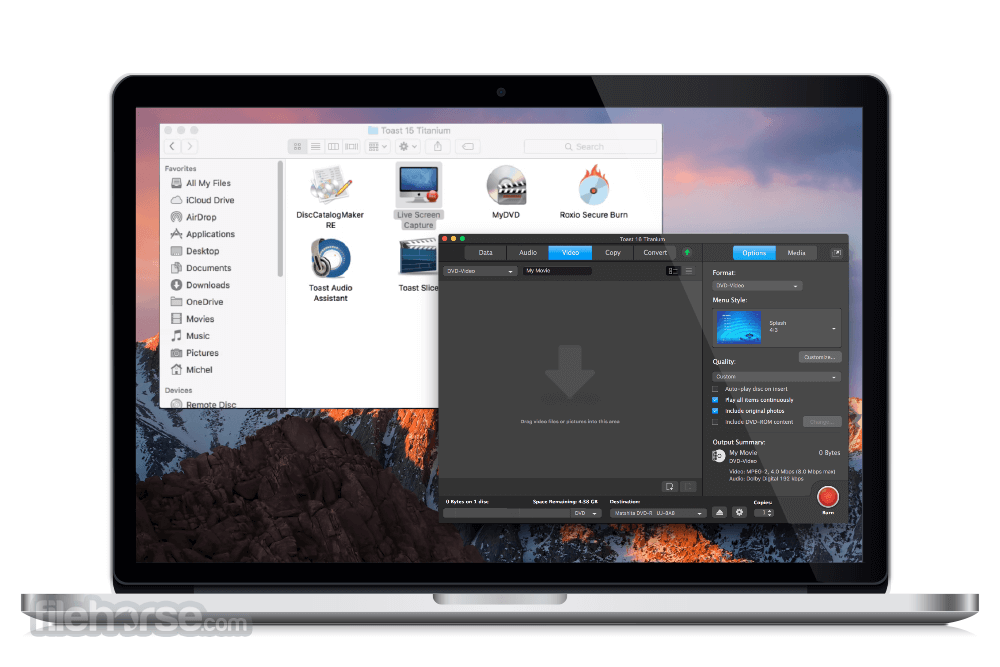
Toast Titanium 是 macOS 平台上歷史悠久的光碟燒錄工具,主要解決製作 DVD、CD 以及備份檔案到光碟或 USB 的需求。它最鮮明的特色是整合了 Roxio Secure Burn 加密保護功能,能將檔案以 Mac 或 Windows 相容格式寫入光碟,同時內建 Toast Slice 簡易影片剪輯與 MyDVD 選單製作工具,讓一般使用者也能快速產出具選單、章節的專業級 DVD 影片。這套軟體由 Corel 長期維護,在同類工具中屬於主流選擇,使用者評價普遍不錯,但近期更新頻率不算頻繁。
這套軟體適合需要實體光碟備份、製作紀念 DVD 影片,或想將螢幕錄影加上旁白後燒錄成光碟的使用者。與 MacUpdater、DAEMON Tools 等替代工具相比,Toast Titanium 的優勢在於功能整合度高,一次涵蓋燒錄、影片編輯與光碟選單製作,但代價是軟體體積較大、介面功能較多,對只需簡單燒錄的人來說可能略顯繁重。需要注意的是,它僅提供英文介面,且授權方式未明確分類,下載前建議先確認版本相容性與啟用方式。
##
翻譯排程處理中,以下暫以英文原文呈現
軟體介紹
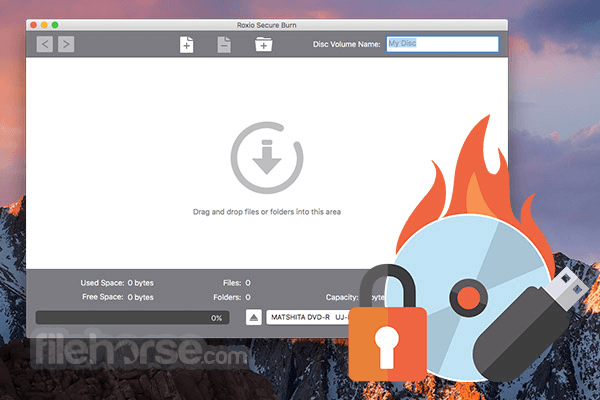
Roxio Toast Titanium for Mac, the leading DVD burner for Mac, makes burning even better, adding Roxio Secure Burn to protect your files on disc and USB in Mac- or Windows-compatible formats.
Get more style with more than 20 themed templates with menus, submenus, and chapters in Toast MyDVD, the pro-quality disc authoring tool. Quickly trim video with just a few clicks in the new Toast Slice simple video editor.
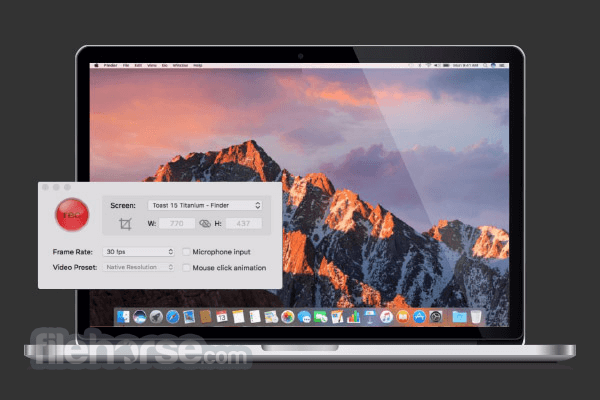
Record your screen and system audio, plus add voiceover. Create DVD movies with titles, menus and chapters! Get a DVD and CD burner for Mac in one.
Secure your files on disc or USB drives with Roxio Secure Burn. Download Toast Titanium for macOS today!
What's Included?
Roxio® Toast 20 Titanium: Disc burning and multimedia suite.
Roxio® Secure Burn™: File security and encryption tool.
Roxio® Akrilic™: AI-powered photo art creator.
MultiCam Capture™ Lite: Screen recording and webcam video capture.
What`s New
Edit
Trim unwanted segments from your clips with the simple video editing tools in Toast® Slice. Clean up and enhance audio tracks or recordings with easy-to-use tools.
Capture
Record directly from your screen or capture video from portable devices, discs or the web. Import audio from LPs, tapes and online sources.
Capture
Record directly from your screen or capture video from portable devices, discs or the web. Import audio from LPs, tapes and online sources.
Copy
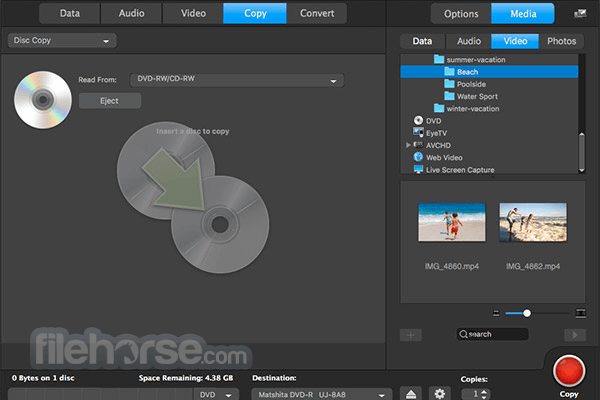
Copy CDs, DVDs and Blu-ray discs—even using multiple drives. Copy dual layer DVD-Video discs onto 4.7 GB single-layer discs.*
Burn
Toast is the easiest and fastest way to burn your digital media. It's a DVD and CD burner for Mac and PC in one. Burn music or data, or create DVD movies complete with titles, menus and chapters. With the added power of Roxio Secure Burn, you can secure your files on disc or USBs in both Mac- and Windows-compatible formats. Download Toast Titanium for Mac now!
Share
Publish your video directly to YouTube™, Facebook®, or Vimeo®. Toast will even automatically tweet your YouTube and Vimeo links.
Burn, copy, and secure data with ease
Toast® is fully compatible with M1 machines and the latest macOS. Toast 20 supports macOS Sonoma, macOS Ventura 13.3, macOS Monterey 12.0, macOS Big Sur 11.0, macOS Catalina 10.15, and macOS Mojave 10.14 (64 bit).
Minimum System Requirements
English, French, German, Italian, Spanish and Japanese
PROS
Download Toast Titanium for Mac Latest Version Why is this app published on FileHorse? (More info)
Get more style with more than 20 themed templates with menus, submenus, and chapters in Toast MyDVD, the pro-quality disc authoring tool. Quickly trim video with just a few clicks in the new Toast Slice simple video editor.
Record your screen and system audio, plus add voiceover. Create DVD movies with titles, menus and chapters! Get a DVD and CD burner for Mac in one.
Secure your files on disc or USB drives with Roxio Secure Burn. Download Toast Titanium for macOS today!
What's Included?
Roxio® Toast 20 Titanium: Disc burning and multimedia suite.
Roxio® Secure Burn™: File security and encryption tool.
Roxio® Akrilic™: AI-powered photo art creator.
MultiCam Capture™ Lite: Screen recording and webcam video capture.
What`s New
- New Easy File Conversion tool for quicker conversion between popular media formats.
- New Audio Tag Editing for audio discs: add album art, artist info, and custom metadata tags.
- Disc-authoring fixes and polish (e.g., better title highlighting in custom menus; fixes for menu template selection and thumbnails).
- Stability fixes (e.g., resolved crashes with certain external USB devices and when appending files to ISO 9660 discs).
- Conversion reliability fixes (e.g., resolved audio drop issues when converting DVDs to digital files).
- Added/continued Secure Burn to protect files on disc/USB (Mac- or Windows-compatible formats).
- More disc menu/templates for DVD authoring with menus, submenus, and chapters (Toast MyDVD).
- Includes Toast Slice simple video editor for quick trimming before burning/exporting.
Edit
Trim unwanted segments from your clips with the simple video editing tools in Toast® Slice. Clean up and enhance audio tracks or recordings with easy-to-use tools.
Capture
Record directly from your screen or capture video from portable devices, discs or the web. Import audio from LPs, tapes and online sources.
Capture
Record directly from your screen or capture video from portable devices, discs or the web. Import audio from LPs, tapes and online sources.
Copy
Copy CDs, DVDs and Blu-ray discs—even using multiple drives. Copy dual layer DVD-Video discs onto 4.7 GB single-layer discs.*
Burn
Toast is the easiest and fastest way to burn your digital media. It's a DVD and CD burner for Mac and PC in one. Burn music or data, or create DVD movies complete with titles, menus and chapters. With the added power of Roxio Secure Burn, you can secure your files on disc or USBs in both Mac- and Windows-compatible formats. Download Toast Titanium for Mac now!
Share
Publish your video directly to YouTube™, Facebook®, or Vimeo®. Toast will even automatically tweet your YouTube and Vimeo links.
Burn, copy, and secure data with ease
- Burn discs with the preferred DVD and CD burner for Mac
- Burn music, videos, photos, and data to CD and DVD with drag and drop controls
- Encrypt and password-protect your data on disc or USB
- Copy CDs, DVDs, and Blu-ray discs
- Burn videos to DVD with customizable menus and chapters
- Catalog discs to quickly browse and search files
- Capture video and audio from virtually anywhere
- Record your screen, webcam, and voiceover with screen recording software
- Capture and edit synced video with MultiCam recording and editing tools
- Trim video clips and enhance audio with intuitive tools
- Stylize your images or transform pictures into artwork with new smart art tools
- Convert video and audio files to your preferred format
- Convert DVDs to digital files
- Rip audio CDs to digital files, and automatically add album titles and artwork with Gracenote technology
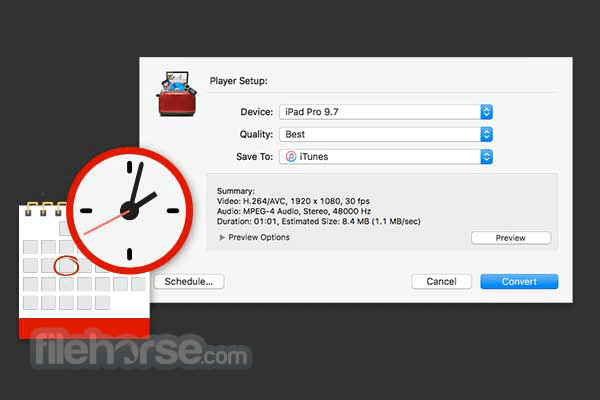
- Pause, resume, or schedule conversion projects
- Restore and convert LPs, tapes, and older devices
- Create hybrid discs with content for Mac, PC, or both
- Audio: AAC, AIFF, MP3, WAV, M4A, OGG, FLAC and Dolby Digital AC-3
- Video: AVCHD, AVCHD Lite, DV, FLV and F4V for Adobe Flash, MJPEG, MOV, MPEG-1/2/4, VOB, VIDEO_TS folder
- Photo: BMP, GIF, JPG, PDF, PSD, PNG, TIFF
- Disc Images: ISO, BIN/CUE, IMG, DMG, CDR, NRG
Toast® is fully compatible with M1 machines and the latest macOS. Toast 20 supports macOS Sonoma, macOS Ventura 13.3, macOS Monterey 12.0, macOS Big Sur 11.0, macOS Catalina 10.15, and macOS Mojave 10.14 (64 bit).
Minimum System Requirements
- Internet connection required for installation, registration and updates. Registration required for product use
- Requires macOS 10.14 (64-bit), macOS 10.15, macOS 11.0, macOS Monterey 12.0, macOS Ventura 13.3 or macOS Sonoma
- Mac computer with an Apple M1 chip or Intel processor
- 2 GB RAM recommended
- 1GB of free space to install all components
- DVD drive required for installation from disc. Digital download available
English, French, German, Italian, Spanish and Japanese
PROS
- Comprehensive Disc Burning – Supports CDs, DVDs, Blu-ray.
- Media Conversion Tools – Converts files to various formats.
- Screen & Audio Capture – Records video and audio easily.
- Backup & Archiving – Securely stores data on discs.
- Simple User Interface – Easy-to-use drag-and-drop design.
- High Price Tag – More expensive than competitors.
- Occasional Crashes – Stability issues on newer macOS.
- Slow Processing Speed – Can lag with large files.
- Limited Customer Support – Response time is slow.
- Feature Overload – Can be overwhelming for beginners.
Download Toast Titanium for Mac Latest Version Why is this app published on FileHorse? (More info)
##
畫面截圖
- 2026-02-19 Toast Titanium 20
- 2016-07-25 Toast Titanium 15.1 668 MB
- 2015-10-25 Toast Titanium 14.1 650 MB