⚠ 這是歷史版本頁面 — 查看 Tuxera NTFS 最新版本 →

- 目前版本2021
- 更新日期2022-05-19
- 檔案大小101 MB
- 檔案名稱tuxerantfs_2021.dmg
- 作業系統Mac OS X 10.7 or later
- 支援語系English
- 授權型式商業試用
- 開發商 Tuxera Inc.
- 軟體分類Mac 軟體 / 檔案傳輸與網路
##
編輯短評
Tuxera NTFS 是一款专为 macOS 设计的系统存储工具,主要解决 Mac 用户无法直接读写 NTFS 格式驱动器的问题,让 Windows 与 Mac 之间的数据交换更顺畅。它的最大特色是提供完整的 NTFS 读写能力,并强调高性能的存储操作,适合各种技术水平的用户。这款软件自推出以来长期维护,更新活跃,在同类工具中属于热门选择,使用者评价普遍不错。
这套工具适合经常需要在 Mac 和 Windows 之间传输数据的用户,例如使用外接硬盘或 U 盘的人。当遇到 NTFS 格式的驱动器时,它能派上用场,但相比其他传输工具,它更专注于 NTFS 读写,可能更专业。授权方面提供试用版,但完整版需购买,并有家庭、商业、教育三种授权选项。平台仅支持 macOS,兼容所有现代版本,也支持 PowerPC 和 Intel,但语系只提供英文,中文用户可能需要留意。
##
翻譯排程處理中,以下暫以英文原文呈現
軟體介紹
Tuxera NTFS for Mac is a useful system storage utility that allows users of all technical knowledge levels to read and write NTFS-formatted drives on their Mac computers.
It enables seamless data exchange between Windows and Mac systems, providing full read and write capability for NTFS drives with high-performance storage operations and data management.
Due to its focus on serving the needs of all users, this app can be purchased in three separate license tiers, aimed at home, business, and education users.
The app is compatible with all modern versions of macOS and supports PowerPC, Intel, and Apple silicon-based Macs.
Key Features
Installation and Setup
To install this app on any modern Mac, users simply need to download the installer file from Tuxera’s official website or secure FileHorse servers.
After the app is fully deployed, users can start it and follow the introductory on-screen procedure to set up, detect, and enable access to detected NTFS drives.
How to Use
Upon first startup of the app, users will be able to automatically detect NTFS drives and make them accessible for regular daily use. This includes full access to both reading and writing files, with many advanced features being available in the business license tier (such as access to drive flashing tools, and more).
The app promotes the use of the simple Disk Manager dashboard where users can scan for all connected disc drives, select NTFS drives, and Mount them with an easy-to-use tool.
This dashboard also features a built-in drive and partition Format tool, enabling users to have full control over all of their storage drives.
User Interface
Tuxera NTFS for Mac features a user-friendly interface that is similar to the Disk Utility of macOS. It includes options for formatting, checking, and seeing valuable metadata stats of NTFS drives.
Because all of these tools are hosted inside a single dashboard, users of all ages and technical knowledge levels can quickly learn to master them.
FAQ
What is Tuxera NTFS for Mac?
It is a streamlined software utility that enables Mac users to delete, rename, add, copy, and move files and folders to NTFS formatted drives.
Is Tuxera NTFS for Mac safe?
Yes. This is a safe app that provides reliable access to NTFS-formatted drives.
Alternatives
Paragon NTFS for Mac – A comprehensive utility that builds on Apple's Disk Utility functionality with many advanced features.
iBoysoft NTFS for Mac – A lightweight tool for mounting and unmounting NFTS drives on Mac computers.
Mounty for NTFS – A powerful Kernel driver that enables Mac users to easily access NTFS drives via a simple menu icon.
Pricing
All users of this app can access an introductory 15-day free trial, after which they must purchase a lifetime license key if they wish to continue using the app.
Premium license keys are separated into the following categories:
This app supports macOS 10.4 (Tiger) and all newer releases of this OS.
PROS
Tuxera NTFS for macOS is a versatile and powerful tool for reading and writing NTFS-formatted drives on Mac computers. It features a streamlined dashboard and full compatibility with Windows-formatted drives of all sizes, enabling users of all technical levels to take full advantage of all their storage drives.
Its wide compatibility with MacOS versions, CPU architectures, and advanced features make it an excellent choice for businesses and educational organizations.
Note: 15 days trial version.
Download Tuxera NTFS for Mac Latest Version Why is this app published on FileHorse? (More info)
It enables seamless data exchange between Windows and Mac systems, providing full read and write capability for NTFS drives with high-performance storage operations and data management.
Due to its focus on serving the needs of all users, this app can be purchased in three separate license tiers, aimed at home, business, and education users.
The app is compatible with all modern versions of macOS and supports PowerPC, Intel, and Apple silicon-based Macs.
Key Features
- Read and write NTFS-formatted drives.
- Seamless data exchange between Windows and Mac.
- Smart caching for high-performance read/write.
- Automatic translation of file names.
- Compatible with dual boot or virtual machine setups.
- Optimized for both local and network storage.
- Full support for flash management, secure SMB connections, and other advanced features.
Installation and Setup
To install this app on any modern Mac, users simply need to download the installer file from Tuxera’s official website or secure FileHorse servers.
After the app is fully deployed, users can start it and follow the introductory on-screen procedure to set up, detect, and enable access to detected NTFS drives.
How to Use
Upon first startup of the app, users will be able to automatically detect NTFS drives and make them accessible for regular daily use. This includes full access to both reading and writing files, with many advanced features being available in the business license tier (such as access to drive flashing tools, and more).
The app promotes the use of the simple Disk Manager dashboard where users can scan for all connected disc drives, select NTFS drives, and Mount them with an easy-to-use tool.
This dashboard also features a built-in drive and partition Format tool, enabling users to have full control over all of their storage drives.
User Interface
Tuxera NTFS for Mac features a user-friendly interface that is similar to the Disk Utility of macOS. It includes options for formatting, checking, and seeing valuable metadata stats of NTFS drives.
Because all of these tools are hosted inside a single dashboard, users of all ages and technical knowledge levels can quickly learn to master them.
FAQ
What is Tuxera NTFS for Mac?
It is a streamlined software utility that enables Mac users to delete, rename, add, copy, and move files and folders to NTFS formatted drives.
Is Tuxera NTFS for Mac safe?
Yes. This is a safe app that provides reliable access to NTFS-formatted drives.
Alternatives
Paragon NTFS for Mac – A comprehensive utility that builds on Apple's Disk Utility functionality with many advanced features.
iBoysoft NTFS for Mac – A lightweight tool for mounting and unmounting NFTS drives on Mac computers.
Mounty for NTFS – A powerful Kernel driver that enables Mac users to easily access NTFS drives via a simple menu icon.
Pricing
All users of this app can access an introductory 15-day free trial, after which they must purchase a lifetime license key if they wish to continue using the app.
Premium license keys are separated into the following categories:
- Personal License: $15 for a single home user, unlocking access to 3 home Mac computers.
- Business License: $11-15 per user for teams with 1-1000 active members.
- Education License: $11-15 per user for education organizations with 1-1000 active members.
This app supports macOS 10.4 (Tiger) and all newer releases of this OS.
PROS
- Seamless data exchange between Windows-formatted drives and Mac.
- Full read and write capability for NTFS drives of all sizes.
- Smart caching for high-performance read/write.
- Compatible with dual boot or virtual machine setups.
- No free tier of use.
Tuxera NTFS for macOS is a versatile and powerful tool for reading and writing NTFS-formatted drives on Mac computers. It features a streamlined dashboard and full compatibility with Windows-formatted drives of all sizes, enabling users of all technical levels to take full advantage of all their storage drives.
Its wide compatibility with MacOS versions, CPU architectures, and advanced features make it an excellent choice for businesses and educational organizations.
Note: 15 days trial version.
Download Tuxera NTFS for Mac Latest Version Why is this app published on FileHorse? (More info)
##
影片介紹
##
畫面截圖
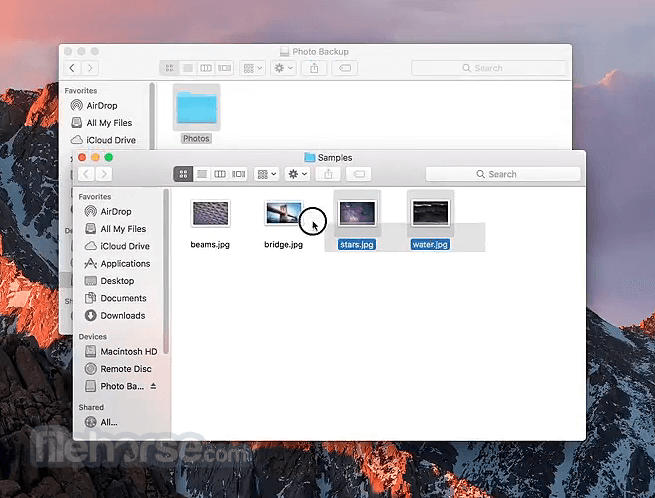
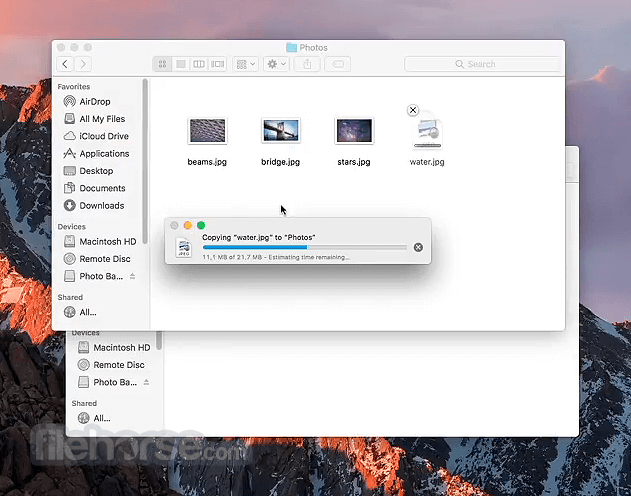
- 2026-04-07 Tuxera NTFS 2026 110 MB
- 2024-12-28 Tuxera NTFS 2024 110 MB
- 2023-11-03 Tuxera NTFS 2023.1 110 MB
- 2023-07-13 Tuxera NTFS 2022.1 103 MB
- 2022-11-17 Tuxera NTFS 2022 103 MB
- 2022-06-15 Tuxera NTFS 2021.1 101 MB
- 2022-05-19 Tuxera NTFS 2021 101 MB
- 2021-09-14 Tuxera NTFS 2020.2 98.1 MB