⚠ 這是歷史版本頁面 — 查看 Virtual DJ 2026 Build 最新版本 →

- 目前版本8970
- 更新日期2025-12-21
- 檔案大小920 MB
- 檔案名稱install_virtualdj_2026_b8970_mac.pkg
- 作業系統macOS 10.15 Catalina or later
- 支援語系English
- 授權型式試用版
- 開發商 Atomix Productions
- 軟體分類Mac 軟體 / 音訊軟體
##
編輯短評
Virtual DJ 是 Atomix Productions 推出的專業混音軟體,從 2003 年問世以來持續演進,如今已是同類工具中的主流首選之一。它涵蓋從入門玩家到職業 DJ 的完整需求,無論是獨立練習還是接上專業混音器都能順暢運作,最鮮明的特色在於其直覺的操作介面與豐富的即時混音功能,讓使用者能快速上手並發揮創意。這套軟體至今仍維持長期活躍的更新節奏,在 Mac 音訊軟體分類中屬於熱門選擇,使用者評價普遍不錯。
這款軟體適合想踏入 DJ 領域的新手,也夠格應付職業演出的嚴苛場合,尤其當你需要一套能同時對應家用與舞台設備的解決方案時特別實用。與 Serato DJ Pro 或 Logic Pro 等替代軟體相比,Virtual DJ 的取捨在於它更強調派對與現場氛圍的營造,而非純粹的音樂製作。要注意的是目前僅提供試用版授權,且介面只支援英文,macOS 與 Windows 雙平台都有版本,下載前記得確認自己的系統相容性。
##
翻譯排程處理中,以下暫以英文原文呈現
軟體介紹
Virtual DJ for Mac is a professional DJ software that is regarded today as one of the most popular DJ utilities on the entire planet. It is designed to support the creative work of DJs of all skill levels, from beginners to seasoned professionals, and is compatible with both standalone and professional DJ setups.
The original version of this app was first released to the public in the summer of 2003 by developers from Atomix Productions as the successor of their previous music software AtomixMP3.
Since then, the app received numerous upgrades and dramatic expansions of its core functionality, retaining the spot as one of the most praised and widely used DJ software on the market.
Today, this app offers a comprehensive feature list and innovative technology to revolutionize the way DJs mix, innovate, and experiment. It comes in the form of a stand-alone DJ mixer that allows users to start mixing as a DJ right away, with just their computer, to practice, learn, or prepare sets and playlists.
The app can be used with or without additional hardware accessories and supports a multitude of audio, video, and karaoke formats.
Developers have made sure that the app is highly compatible with both legacy and modern Mac hardware, including built-in support for Intel and M1 processors, and macOS 10.13 (or newer) compatibility.
Users can easily interface their Mac with more than 290 third-party-produced DJ controllers.
Key Features
To download and install Virtual DJ on a Mac computer, users can simply download the automated installer from secure FileHorse servers or visit the app’s official website.
The installation process is traditional, requiring users only to follow a few simple on-screen instructions and to input the credentials that will grant them access to the free tier of use.
The initial setup of the app varies on the presence of external DJ accessories. The app can detect an incredible variety of 3rd party hardware, enabling users to easily configure and add them to their regular music creation workflow.
How to Use
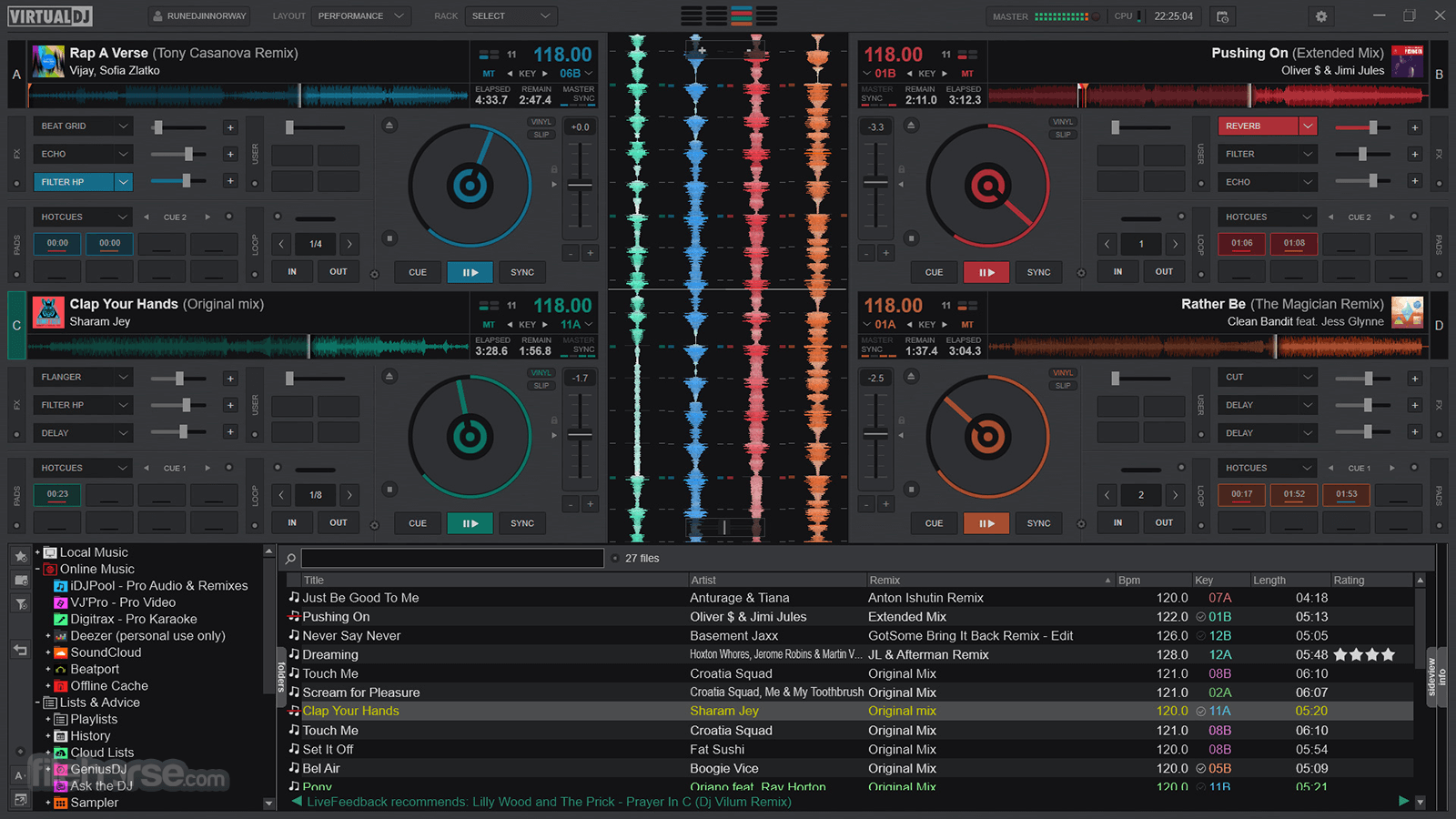
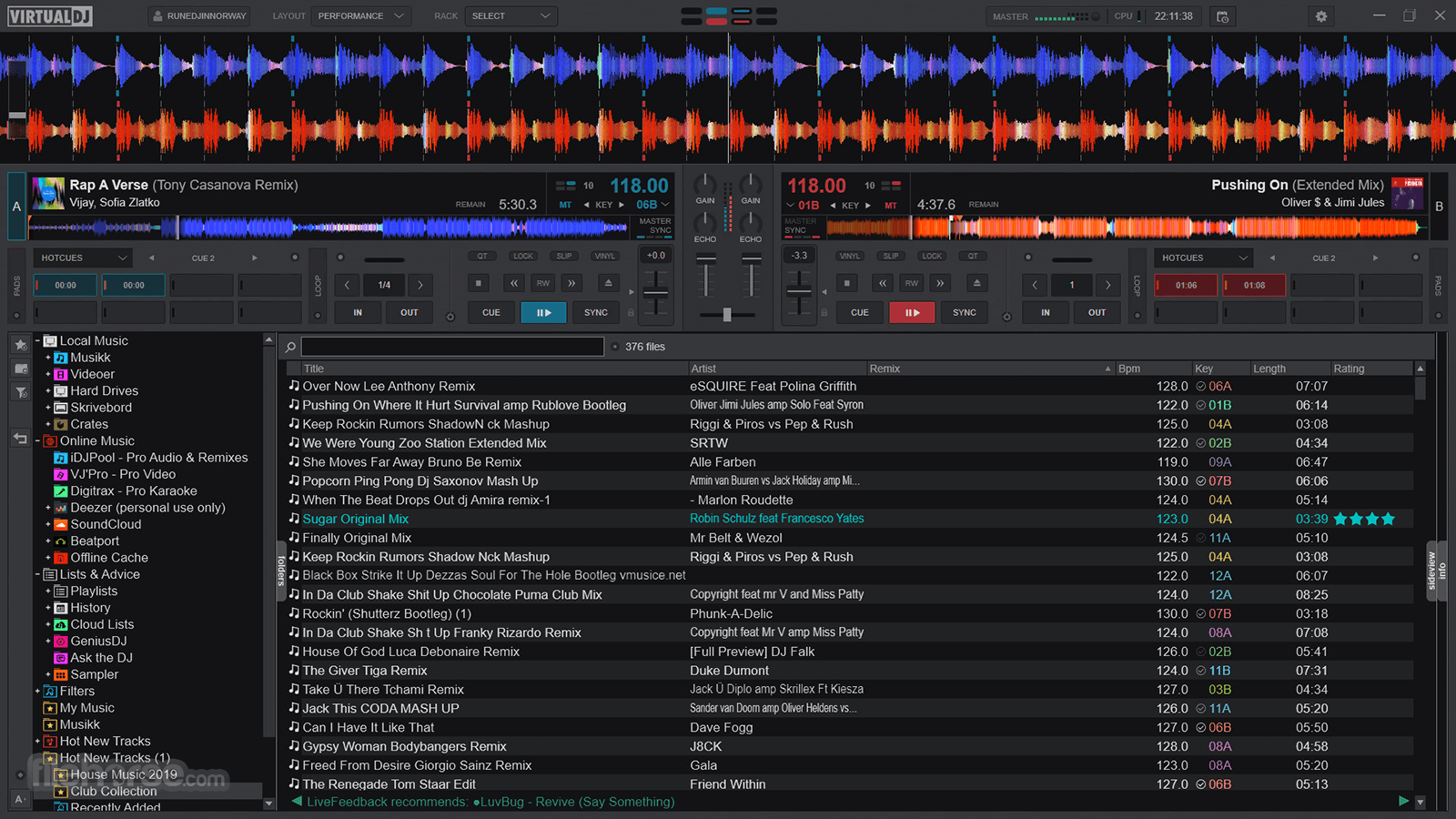
Like many other DJ apps, this popular music software utility offers all users access to a customizable dashboard where they can set up their preferred layout of tools (including a precise deck configuration with 2-99 turntables), import a library of songs, and start DJing.
The software is compatible with various DJ controllers, making it easy to integrate with professional hardware, but novices can also extract a lot of value from the regular base offering available on any modern Mac. They can start mixing with just a computer, practicing, learning new techniques, or preparing sets and playlists.
The app promotes the use of stylish visualizers that can enhance musical performance.
All loaded songs can be analyzed with built-in tools that can automatically perform Stem separation, enabling individual mixing of instruments, kicks, hi-hats, and vocals.
User Interface
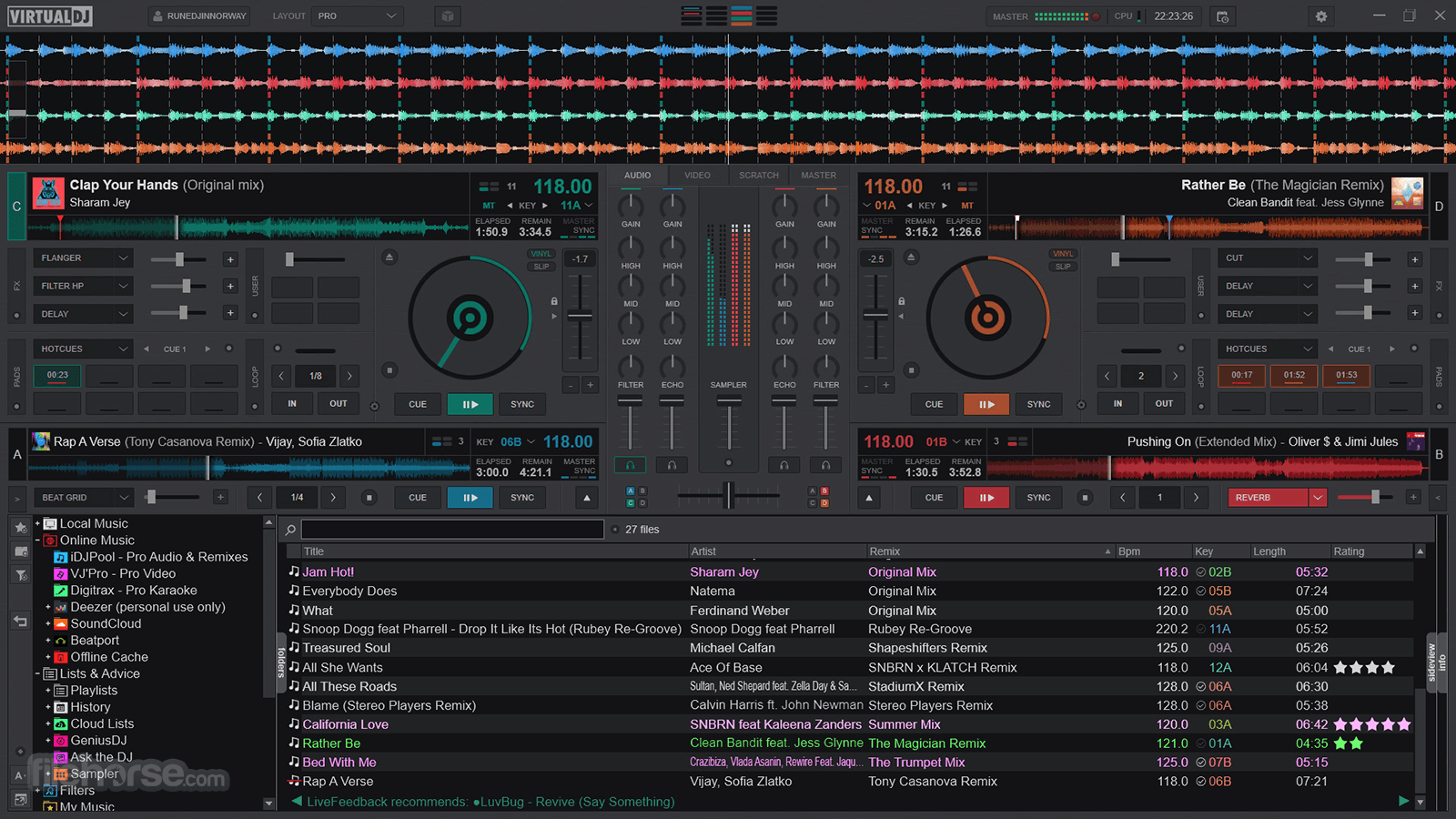
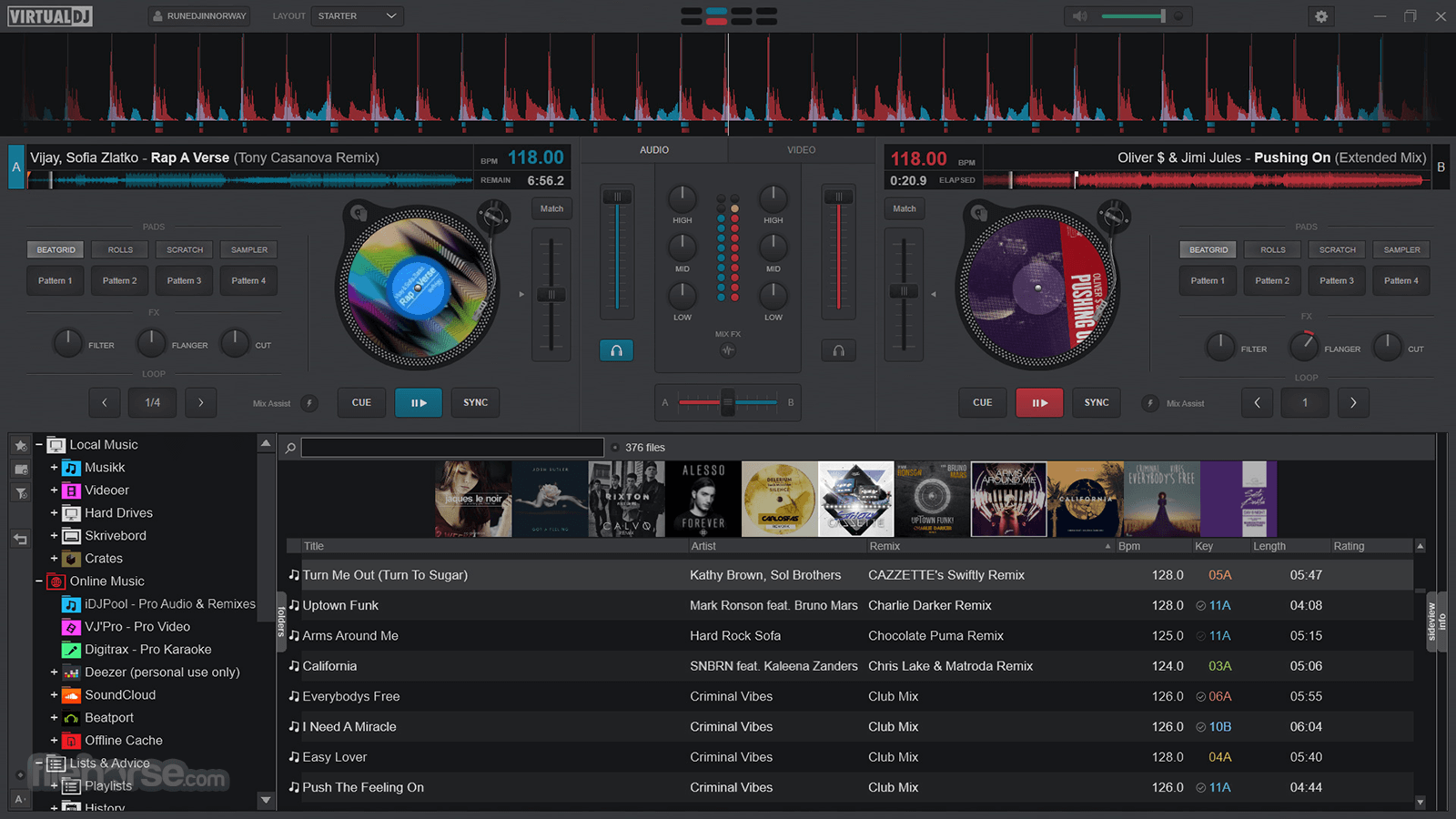
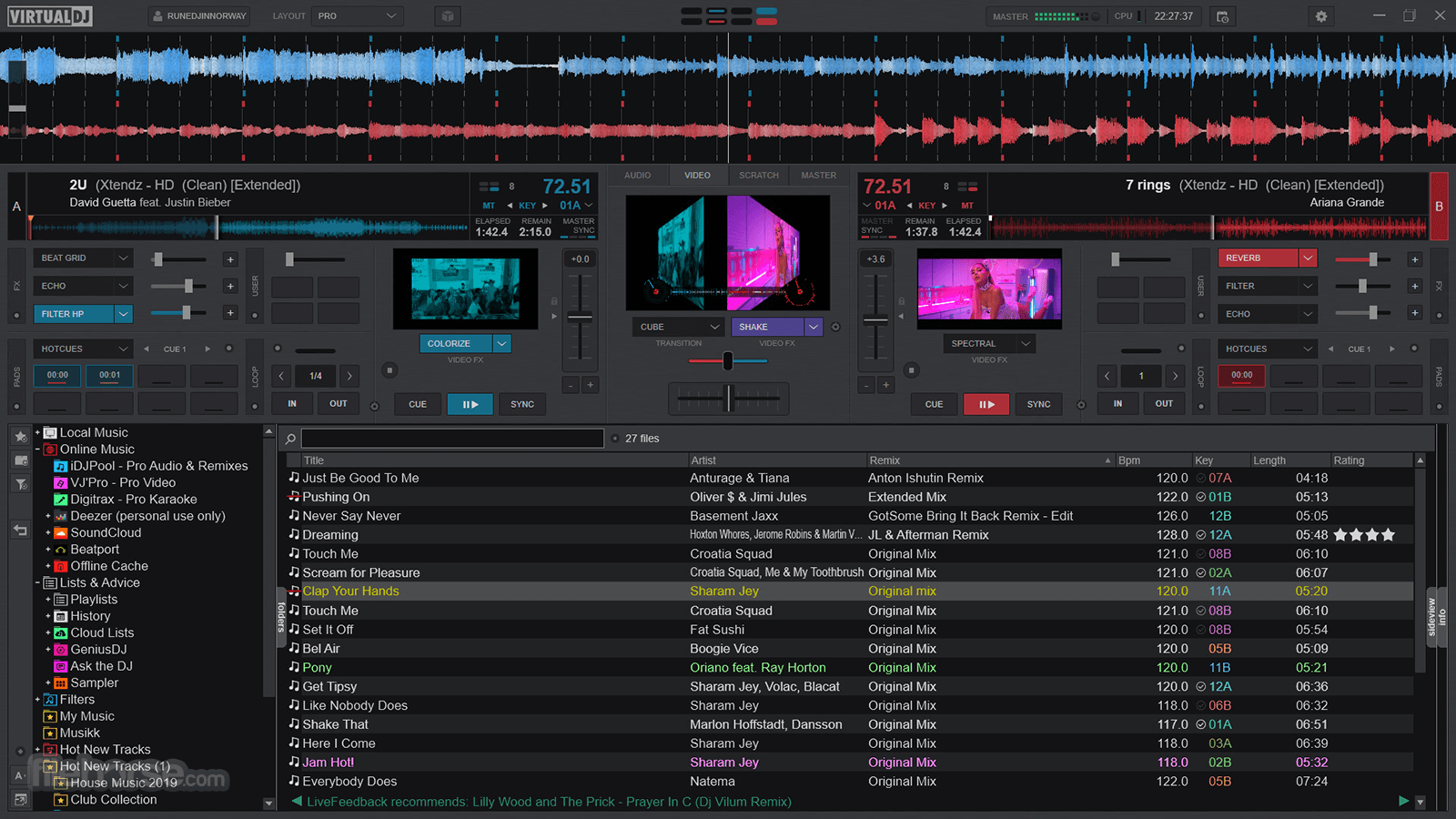
The Virtual DJ for macOS interface is intuitive and easy to navigate, with clear visuals and a variety of features to help users manage their mixes and performances.
The app has built-in support for hundreds of visual themes, enabling anyone to set up their DJ environment as stylish or professional as they like.
FAQ
What is a Virtual DJ?
It is a professional DJ software downloaded over 150 million times, making it one of the most widely used DJ software on the planet.
Is it safe?
100% yes! This is a reliable music app that is actively updated with new functionality and security features by a reliable developer.
What accessory makers are supported?
All of them! This includes names such as Pioneer DJ, Denon DJ, Vestax, Hercules, Gemini, Numark, American Audio, Stanton, and many others.
Alternatives
Serato DJ Pro for Mac – A popular DJ software with a focus on ease of use and compatibility with various DJ controllers.
Traktor for Mac – Versatile DJ software that is often preferred by professional DJs.
Mixxx for Mac – A free beginner-friendly open-source DJ software.
Pricing
Virtual DJ is compatible with macOS 10.13 or later (macOS 13 is recommended) and requires a minimum of 8 GB of RAM, an i5 or M1 processor, and a multi-channel sound card.
PROS
Virtual DJ for Mac is a popular choice for DJs of all ages and technical levels looking to take full control over their DJ mixing sessions.
This comprehensive tool comes with built-in support for extensive UI customization, automated tools for stem isolation, content library management, compatibility with all major DJ controllers, and a wide array of features that can improve the skills of any DJ. And the best thing yet, it can be tested for free on any modern Mac!
Note: Limited to 10 minute recording and broadcasting sessions. Complex audio configuration is disabled in the demo mode.
Also Available: Download Virtual DJ for Windows
Download Virtual DJ for Mac Latest Version Why is this app published on FileHorse? (More info)
The original version of this app was first released to the public in the summer of 2003 by developers from Atomix Productions as the successor of their previous music software AtomixMP3.
Since then, the app received numerous upgrades and dramatic expansions of its core functionality, retaining the spot as one of the most praised and widely used DJ software on the market.
Today, this app offers a comprehensive feature list and innovative technology to revolutionize the way DJs mix, innovate, and experiment. It comes in the form of a stand-alone DJ mixer that allows users to start mixing as a DJ right away, with just their computer, to practice, learn, or prepare sets and playlists.
The app can be used with or without additional hardware accessories and supports a multitude of audio, video, and karaoke formats.
Developers have made sure that the app is highly compatible with both legacy and modern Mac hardware, including built-in support for Intel and M1 processors, and macOS 10.13 (or newer) compatibility.
Users can easily interface their Mac with more than 290 third-party-produced DJ controllers.
Key Features
- Automatic AI-powered separation of songs.
- Mix music, karaoke, or video.
- Compatibility with more than 227 file formats.
- Native plug-and-play compatibility with over 290 DJ controllers.
- Advanced Pitch control with Master Tempo.
- Multiple deck configurations (2 - 99).
- Automatic BPM and Key detection.
- Hundreds of Audio/Video effects and plugins.
- Sandbox mode – Rehearse and prepare mixes live ahead of time!
- Record or create podcast episodes automatically.
- Direct broadcasting to social media and radio servers.
- Flexible pricing options, including a generous Free license tier.
To download and install Virtual DJ on a Mac computer, users can simply download the automated installer from secure FileHorse servers or visit the app’s official website.
The installation process is traditional, requiring users only to follow a few simple on-screen instructions and to input the credentials that will grant them access to the free tier of use.
The initial setup of the app varies on the presence of external DJ accessories. The app can detect an incredible variety of 3rd party hardware, enabling users to easily configure and add them to their regular music creation workflow.
How to Use
Like many other DJ apps, this popular music software utility offers all users access to a customizable dashboard where they can set up their preferred layout of tools (including a precise deck configuration with 2-99 turntables), import a library of songs, and start DJing.
The software is compatible with various DJ controllers, making it easy to integrate with professional hardware, but novices can also extract a lot of value from the regular base offering available on any modern Mac. They can start mixing with just a computer, practicing, learning new techniques, or preparing sets and playlists.
The app promotes the use of stylish visualizers that can enhance musical performance.
All loaded songs can be analyzed with built-in tools that can automatically perform Stem separation, enabling individual mixing of instruments, kicks, hi-hats, and vocals.
User Interface
The Virtual DJ for macOS interface is intuitive and easy to navigate, with clear visuals and a variety of features to help users manage their mixes and performances.
The app has built-in support for hundreds of visual themes, enabling anyone to set up their DJ environment as stylish or professional as they like.
FAQ
What is a Virtual DJ?
It is a professional DJ software downloaded over 150 million times, making it one of the most widely used DJ software on the planet.
Is it safe?
100% yes! This is a reliable music app that is actively updated with new functionality and security features by a reliable developer.
What accessory makers are supported?
All of them! This includes names such as Pioneer DJ, Denon DJ, Vestax, Hercules, Gemini, Numark, American Audio, Stanton, and many others.
Alternatives
Serato DJ Pro for Mac – A popular DJ software with a focus on ease of use and compatibility with various DJ controllers.
Traktor for Mac – Versatile DJ software that is often preferred by professional DJs.
Mixxx for Mac – A free beginner-friendly open-source DJ software.
Pricing
- Home Free – A basic free version of the app with a generous offering of basic tools.
- Home Pro – Enthusiast one-time license offer that unlocks access to licensed controllers.
- LE 8 – Advanced offering that supports transferring licenses from one Mac to another.
- Pro – Perfect subscription tier for professional DJs who want unrestricted access to all tools.
- Business – Maximum offering with advanced support and professional customization.
Virtual DJ is compatible with macOS 10.13 or later (macOS 13 is recommended) and requires a minimum of 8 GB of RAM, an i5 or M1 processor, and a multi-channel sound card.
PROS
- Comprehensive feature list.
- AI-powered stem separation.
- Direct broadcasting to social media.
- Wide Compatibility with DJ controllers.
- Built-in video visualization for music/karaoke/video mixing.
- Flexible pricing.
- None.
Virtual DJ for Mac is a popular choice for DJs of all ages and technical levels looking to take full control over their DJ mixing sessions.
This comprehensive tool comes with built-in support for extensive UI customization, automated tools for stem isolation, content library management, compatibility with all major DJ controllers, and a wide array of features that can improve the skills of any DJ. And the best thing yet, it can be tested for free on any modern Mac!
Note: Limited to 10 minute recording and broadcasting sessions. Complex audio configuration is disabled in the demo mode.
Also Available: Download Virtual DJ for Windows
Download Virtual DJ for Mac Latest Version Why is this app published on FileHorse? (More info)
##
畫面截圖
- 2026-08-13 Virtual DJ 2026 Build 9583 990 MB
- 2026-06-30 Virtual DJ 2026 Build 9482 990 MB
- 2026-04-19 Virtual DJ 2026 Build 9295 999 MB
- 2026-04-01 Virtual DJ 2026 Build 9246 999 MB
- 2026-01-14 Virtual DJ 2026 Build 9004 920 MB
- 2026-01-06 Virtual DJ 2026 Build 8985 920 MB
- 2025-12-23 Virtual DJ 2026 Build 8978 920 MB
- 2025-12-21 Virtual DJ 2026 Build 8970 920 MB