⚠ 這是歷史版本頁面 — 查看 VMware Fusion 25H2 Build 最新版本 →

VMware Fusion 13.5.1 Build 23298085
v 23298085
macOS
商業試用
6.8/10 (60)
- 目前版本23298085
- 更新日期2024-02-13
- 檔案大小692.34 MB
- 檔案名稱VMware-Fusion-13.5.1-23298085_universal.dmg
- 作業系統macOS 13.0 Ventura or later
- 支援語系English
- 授權型式商業試用
- 開發商 VMware, Inc.
- 軟體分類Mac 軟體 / 開發者工具
##
編輯短評
VMware Fusion 是 macOS 上的虛擬機器軟體,主要讓你在 Mac 上執行 Windows 應用程式,解決跨平台使用的需求。它最大的特色是採用 Cocoa 原生介面,能直接從 Dock 啟動 Windows 程式,並用 Expose 切換視窗,操作起來相當直覺。這套工具在開發者工具分類中屬於熱門選擇,但使用者評價普通,且更新步調較慢,近一年僅有一次更新,維護頻率不算高。
它適合需要在 Mac 上偶爾跑 Windows 軟體的人,例如開發者測試或處理特定辦公文件。與 Parallels Desktop 等替代軟體相比,VMware Fusion 的介面較為傳統,但虛擬化技術成熟,能同時執行 32 與 64 位元系統。要注意的是,它僅提供英文介面,且為試用版,需付費才能完整使用;另外只支援 macOS 平台,沒有 Windows 版本。
##
翻譯排程處理中,以下暫以英文原文呈現
軟體介紹
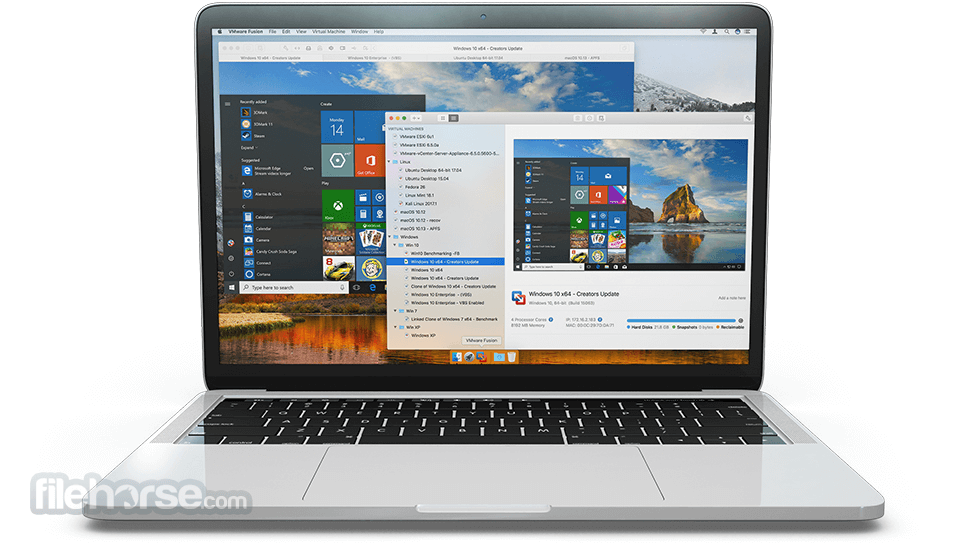
VMware Fusion for Mac is the most seamless way to run Windows applications on your Mac. The tool combines a clean and intuitive Cocoa-native interface that Mac users expect with a virtual platform trusted by millions of users today.
The app allows you to launch your Windows applications from the Dock and switch between Windows and Mac applications using Expose.
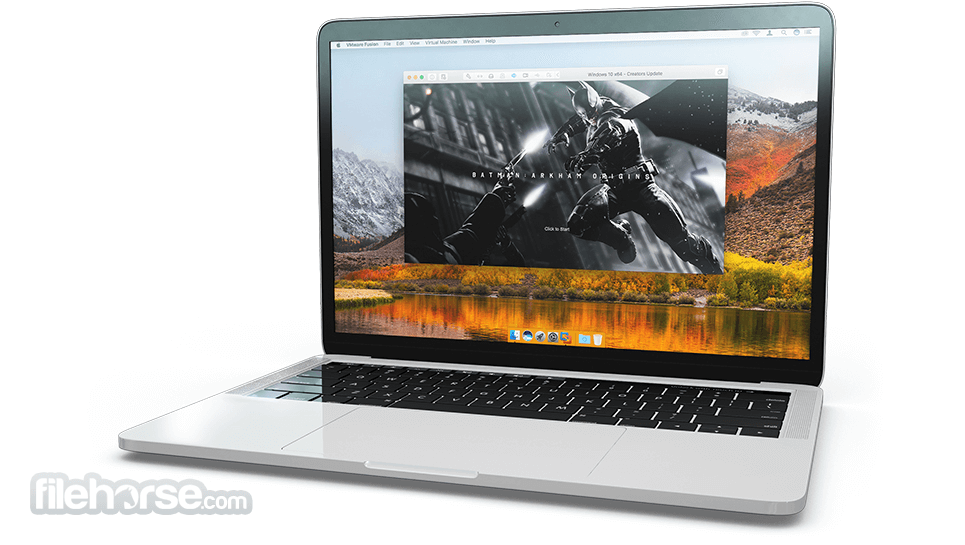
With the industry's most advanced virtualization technology VMware Fusion for Mac lets you leverage all the hardware available on your Mac to simultaneously run 32 and 64-bit operating systems, use two processor cores at the same time, run select 3D games and utilize USB 2.0/3.0 devices.
VMware Fusion for macOS is designed for every kind of Mac user. IT pros, developers and businesses choose VMware Fusion Pro for its broad OS support, rock-solid stability and advanced features simply not available in a non-virtualized environment.
What`s New
Run Nearly Any Operating System on a Mac
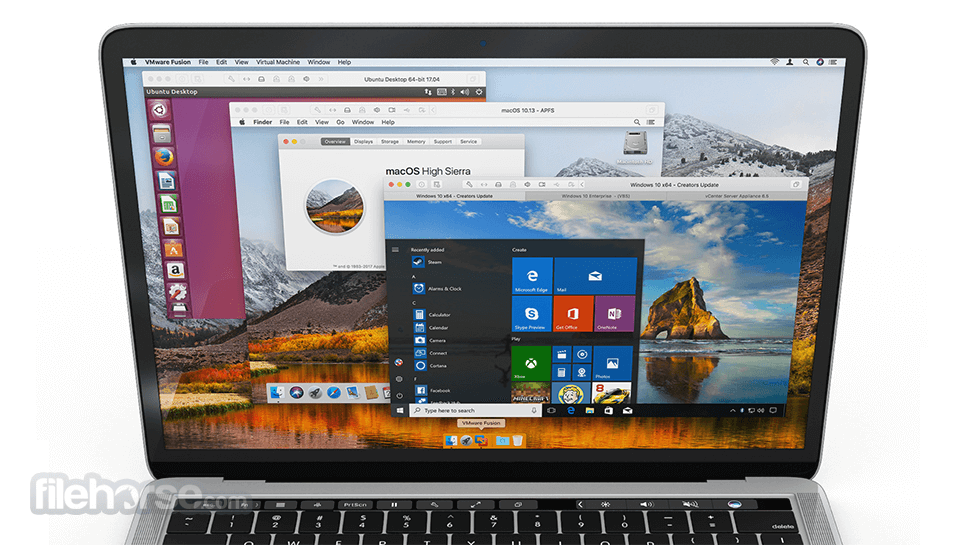
Running Windows on Mac is only the beginning. VMware Fusion lets you choose from hundreds of supported operating systems, from lesser-known Linux distributions to the latest Windows 11/10 release.
Connect to VMware vSphere
Securely connect with vSphere, ESXi and Workstation servers to launch, control and manage both virtual machines (VMs) and physical hosts. Thanks to the common VMware platform, VMs can be easily transferred from the vSphere data center to the Mac desktop and then run in Fusion.
Develop and Test for Any Platform
Fusion makes it simple to test nearly any OS and app on a Mac. Build and test apps in a sandbox while securely sharing local source files and folders. Fusion Pro now includes a RESTful API to integrate with modern development tools like Docker, Vagrant, Ansible, Chef, and others to fit the power of VMware into today’s Agile and DevOps-oriented production pipelines.
Design and Demo Complex Solutions
With the ability to run an entire virtual cloud stack on a single Mac, solution architects can demonstrate their entire software solution in real time, with safe rollback points to return to known configurations. Fully express the story of your software journey by running all of its components on a single notebook to show the world.
Ready for macOS High Sierra and Touch Bar
Launch virtual machines on Mac, including APFS support, or safely test the latest macOS in a sandbox on your current Mac without disruption. With an updated UI and support for the latest Touch Bar enabled Macs, Fusion is better than ever.
Support for Windows 10 Fall Creators Update
Stay on the cutting edge with full support for running the latest versions of Windows 11/10 as a virtual machine on your Mac.
Enhanced Virtual Networking
Create complex IPv4 or IPv6 virtual networks for VMs, or integrate with third-party software to design full data center topologies using real-world routing software and tools. New in Fusion Pro is Network Simulation for introducing packet loss, latency and bandwidth restrictions. *Pro Only
vSphere Connectivity
Connect to vCenter, ESXi or Workstation Pro servers to drive, control, and configure VMs or ESXi Hosts, or transfer virtual machines back and forth with a simple drag-and-drop. With a common underlying hypervisor, Fusion makes it easy to run or control VMs from the corporate data center from the comfort of your Mac.
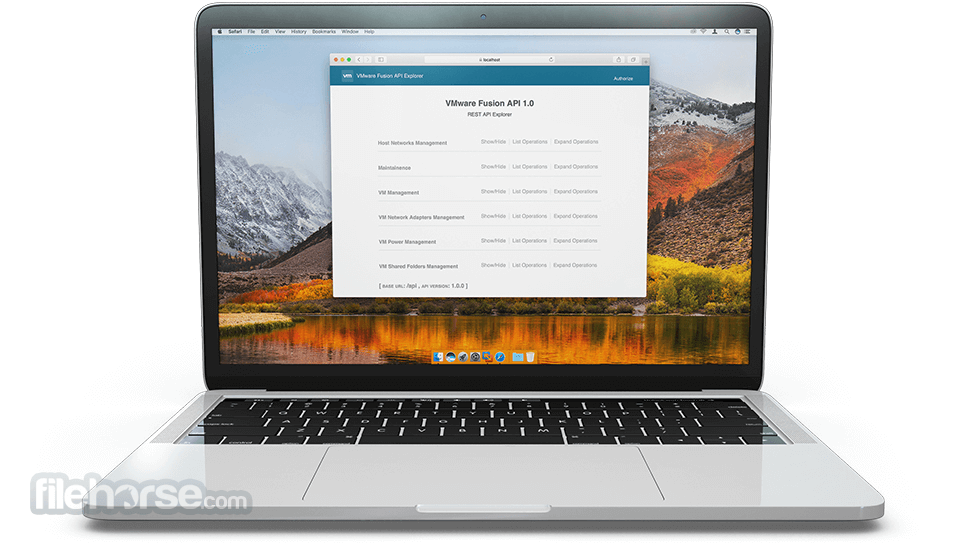
Fusion REST API
Fusion Pro now provides a secure RESTful API service designed for automation and third-party software integration. Leveraging the Swagger.io framework the Fusion API uses standard HTTP/S and JSON to control over 20 different VM and Host operations. Build custom deployment tools to deliver macOS-as-a-Service, or integrate Fusion into a modern, continuously iterative development pipeline with automated testing. *Pro Only
Unity View Mode
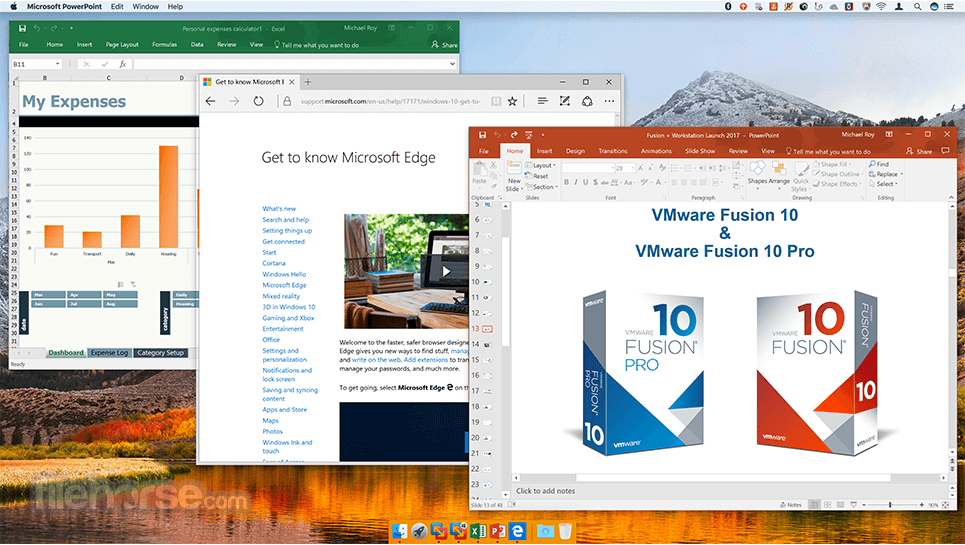
Fusion’s Unity View Mode hides the Windows desktop so you can run Windows apps just like Mac apps. Windows apps can launch directly from Dock, Spotlight or Launchpad and, once running, can be viewed in Exposé, Spaces and Mission Control just as if they were Mac apps.
PROS
Download VMware Fusion for Mac Latest Version Why is this app published on FileHorse? (More info)
The app allows you to launch your Windows applications from the Dock and switch between Windows and Mac applications using Expose.
With the industry's most advanced virtualization technology VMware Fusion for Mac lets you leverage all the hardware available on your Mac to simultaneously run 32 and 64-bit operating systems, use two processor cores at the same time, run select 3D games and utilize USB 2.0/3.0 devices.
VMware Fusion for macOS is designed for every kind of Mac user. IT pros, developers and businesses choose VMware Fusion Pro for its broad OS support, rock-solid stability and advanced features simply not available in a non-virtualized environment.
What`s New
- Now FREE for everyone (personal, commercial, and educational use) starting Nov 11, 2024.
- No more license-key prompt in newer builds (noted as a change starting around Fusion 13.6.2).
- Security-fix releases continue (recent builds highlight “security fixes” as a key change).
- Accessibility enhancements included in newer releases (improved usability).
- ThinPrint features removed in Fusion 13.5 (can affect printing-related workflows).
- Personal-use licensing is built into Fusion 13.5.2+, so new installs don’t require the old “get a free key” flow.
Run Nearly Any Operating System on a Mac
Running Windows on Mac is only the beginning. VMware Fusion lets you choose from hundreds of supported operating systems, from lesser-known Linux distributions to the latest Windows 11/10 release.
Connect to VMware vSphere
Securely connect with vSphere, ESXi and Workstation servers to launch, control and manage both virtual machines (VMs) and physical hosts. Thanks to the common VMware platform, VMs can be easily transferred from the vSphere data center to the Mac desktop and then run in Fusion.
Develop and Test for Any Platform
Fusion makes it simple to test nearly any OS and app on a Mac. Build and test apps in a sandbox while securely sharing local source files and folders. Fusion Pro now includes a RESTful API to integrate with modern development tools like Docker, Vagrant, Ansible, Chef, and others to fit the power of VMware into today’s Agile and DevOps-oriented production pipelines.
Design and Demo Complex Solutions
With the ability to run an entire virtual cloud stack on a single Mac, solution architects can demonstrate their entire software solution in real time, with safe rollback points to return to known configurations. Fully express the story of your software journey by running all of its components on a single notebook to show the world.
Ready for macOS High Sierra and Touch Bar
Launch virtual machines on Mac, including APFS support, or safely test the latest macOS in a sandbox on your current Mac without disruption. With an updated UI and support for the latest Touch Bar enabled Macs, Fusion is better than ever.
Support for Windows 10 Fall Creators Update
Stay on the cutting edge with full support for running the latest versions of Windows 11/10 as a virtual machine on your Mac.
Enhanced Virtual Networking
Create complex IPv4 or IPv6 virtual networks for VMs, or integrate with third-party software to design full data center topologies using real-world routing software and tools. New in Fusion Pro is Network Simulation for introducing packet loss, latency and bandwidth restrictions. *Pro Only
vSphere Connectivity
Connect to vCenter, ESXi or Workstation Pro servers to drive, control, and configure VMs or ESXi Hosts, or transfer virtual machines back and forth with a simple drag-and-drop. With a common underlying hypervisor, Fusion makes it easy to run or control VMs from the corporate data center from the comfort of your Mac.
Fusion REST API
Fusion Pro now provides a secure RESTful API service designed for automation and third-party software integration. Leveraging the Swagger.io framework the Fusion API uses standard HTTP/S and JSON to control over 20 different VM and Host operations. Build custom deployment tools to deliver macOS-as-a-Service, or integrate Fusion into a modern, continuously iterative development pipeline with automated testing. *Pro Only
Unity View Mode
Fusion’s Unity View Mode hides the Windows desktop so you can run Windows apps just like Mac apps. Windows apps can launch directly from Dock, Spotlight or Launchpad and, once running, can be viewed in Exposé, Spaces and Mission Control just as if they were Mac apps.
PROS
- Seamless macOS & Windows Integration
- Multiple VM & Snapshot Support
- Easy Drag-and-Drop File Sharing
- Works with Boot Camp Partitions
- High Resource Usage
- Paid License for Full Features
- Limited Gaming Performance
- No Native Apple Silicon Support (for some versions)
- Steeper Learning Curve for Beginners
Download VMware Fusion for Mac Latest Version Why is this app published on FileHorse? (More info)
##
畫面截圖
- 2026-02-18 VMware Fusion 25H2 Build 24995814 484.58 MB
- 2025-07-15 VMware Fusion 13.6.4 Build 24832108 530.91 MB
- 2025-03-04 VMware Fusion 13.6.3 Build 24585314 517.48 MB
- 2025-01-10 VMware Fusion 13.6.2 Build 24409261 539.77 MB
- 2024-02-13 VMware Fusion 13.5.1 Build 23298085 692.34 MB
- 2023-10-10 VMware Fusion 13.5.0 Build 22583790 689.4 MB
- 2022-11-18 VMware Fusion 13.0.0 Build 20802013 672.06 MB
- 2022-07-26 VMware Fusion 12.2.4 Build 20071091 621.77 MB