⚠ 這是歷史版本頁面 — 查看 XAMPP 最新版本 →

- 目前版本8.1.12
- 更新日期2022-11-22
- 檔案大小148.98 MB
- 檔案名稱xampp-osx-8.1.12-0-installer.dmg
- 作業系統Mac OS X 10.6 or later
- 支援語系English
- 授權型式開源軟體
- 開發商 apachefriends.org
- 軟體分類Mac 軟體 / 開發者工具
##
編輯短評
XAMPP 是一款開源的軟體套件,將 Apache、MySQL、PHP 與 Perl 整合在一起。它主要解決開發者在安裝網頁伺服器時常遇到的複雜設定問題,讓使用者能快速建立起本地開發環境。由於其配置方便且功能完整,在同類工具中屬於相當主流的選擇,且持續有更新維護,是許多開發者的首選工具。
這套工具適合需要快速搭建測試環境的網頁開發者,在本地端預覽網站或測試程式碼時非常實用。相較於單獨安裝各項組件,XAMPP 提供了一站式的便捷體驗。使用者需留意此軟體目前僅提供英文介面,除了 macOS 之外也支援 Windows 平台,適合追求快速部署、不希望花太多時間在環境設定上的開發人員下載使用。
##
翻譯排程處理中,以下暫以英文原文呈現
軟體介紹
XAMPP for Mac is a completely free, easy to install Apache distribution containing MySQL, PHP, and Perl. The XAMPP open source package has been set up to be incredibly easy to install and to use.
Many people know from their own experience that it's not easy to install an Apache web server and it gets harder if you want to add MySQL, PHP and Perl. The goal of the tool is to build an easy to install distribution for developers to get into the world of Apache. To make it convenient for developers, the app is configured with all features turned on.
In the case of commercial use please take a look at the product licenses, from the app point of view commercial use is also free. There are currently distributions for Windows, Linux, and macOS. The most popular PHP dev package and completely free of charge.
Install your favorite apps on top of XAMPP for macOS. Bitnami provides a free all-in-one tool to install Drupal, Joomla!, WordPress, Magento, MediaWiki, ownCloud, phpBB, Zurmo, OpenCart, Mautic, Mahara and many other popular open source apps on top of the app.
Main Features
Cross-Platform Compatibility: The package is compatible with multiple operating systems including Windows, Linux, and macOS.
Ease of Installation: Simplified installation process, requiring minimal configuration.
Components: Includes Apache HTTP Server, MariaDB, PHP, and Perl. Additionally, it comes with tools such as phpMyAdmin, OpenSSL, and Webalizer.
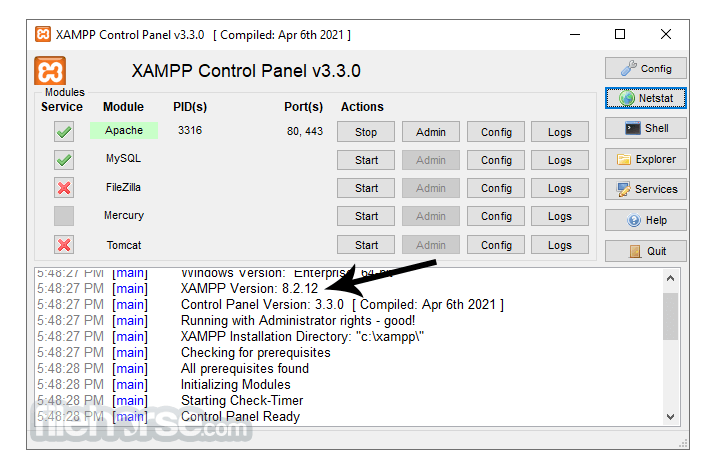
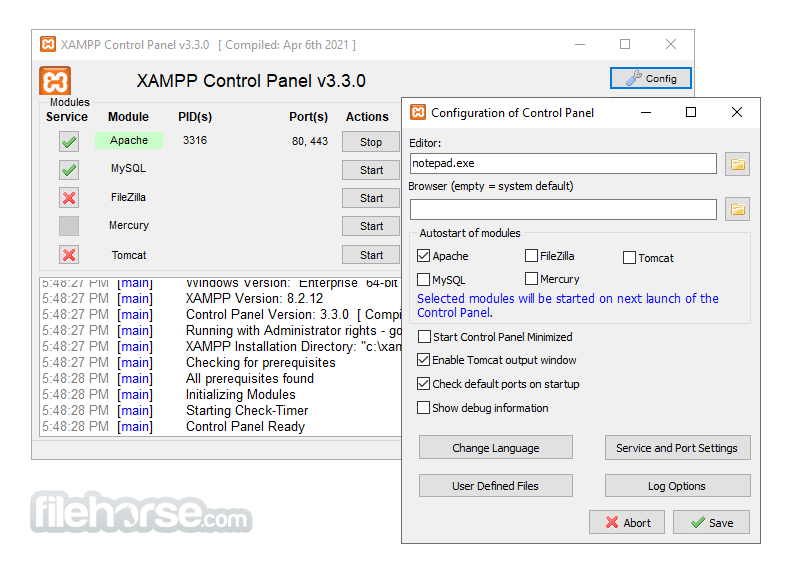
Control Panel: Intuitive Control Panel for managing individual components.
Portability: The software can be installed on a USB stick, allowing developers to carry their web server environment anywhere.
Addon Modules: Various addons such as Tomcat, FileZilla FTP Server, Mercury Mail Server, and Perl.
User Community: Active community forums and documentation for support and troubleshooting.
What`s New
The latest installer include the next main components:
Installation and Setup
Download: Obtain the app installer from the official Apache Friends website or FileHorse website.
Run Installer: Execute the downloaded file and follow the installation wizard.
Select Components: Choose the components you want to install. By default, all are selected.
Choose Installation Directory: Select the directory where you want the app installed.
Start Installation: Click 'Next' to begin the installation. This process may take a few minutes.
Setup Completion: Once the installation is complete, launch the Control Panel.
How to Use
FAQ
How do I change the default port of Apache?
Open the Control Panel, click on 'Config' next to Apache, then open httpd.conf and change the Listen 80 line to your desired port number. Save the file and restart Apache.
What should I do if MySQL is not starting?
Check the MySQL error log for detailed error messages. Common solutions include checking for port conflicts or ensuring no other MySQL service is running.
How do I secure my XAMPP installation?
Use the security console available at http://localhost/security to set passwords for MySQL, phpMyAdmin, and other components.
Can XAMPP for Mac be used for production?
THis program is designed for development environments. It is not recommended for production due to security and performance considerations.
How do I add a new PHP extension?
Edit the php.ini file located in the installation directory to include the desired extension. Then restart Apache to apply changes.
Alternatives
MAMP: Similar to this program but tailored for macOS. It includes Apache, MySQL, and PHP for Mac users.
Docker: It allows you to create isolated development environments using containers, making it platform-agnostic and highly customizable.
Pricing
This software is entirely FREE and open-source. There are no hidden costs or premium versions.
Users can download and use it without any financial investment, making it accessible for developers at all levels.
System Requirements
Download XAMPP for Mac Latest Version Why is this app published on FileHorse? (More info)
Many people know from their own experience that it's not easy to install an Apache web server and it gets harder if you want to add MySQL, PHP and Perl. The goal of the tool is to build an easy to install distribution for developers to get into the world of Apache. To make it convenient for developers, the app is configured with all features turned on.
In the case of commercial use please take a look at the product licenses, from the app point of view commercial use is also free. There are currently distributions for Windows, Linux, and macOS. The most popular PHP dev package and completely free of charge.
Install your favorite apps on top of XAMPP for macOS. Bitnami provides a free all-in-one tool to install Drupal, Joomla!, WordPress, Magento, MediaWiki, ownCloud, phpBB, Zurmo, OpenCart, Mautic, Mahara and many other popular open source apps on top of the app.
Main Features
Cross-Platform Compatibility: The package is compatible with multiple operating systems including Windows, Linux, and macOS.
Ease of Installation: Simplified installation process, requiring minimal configuration.
Components: Includes Apache HTTP Server, MariaDB, PHP, and Perl. Additionally, it comes with tools such as phpMyAdmin, OpenSSL, and Webalizer.
Control Panel: Intuitive Control Panel for managing individual components.
Portability: The software can be installed on a USB stick, allowing developers to carry their web server environment anywhere.
Addon Modules: Various addons such as Tomcat, FileZilla FTP Server, Mercury Mail Server, and Perl.
User Community: Active community forums and documentation for support and troubleshooting.
What`s New
The latest installer include the next main components:
- PHP 8.2.12, 8.1.25 or 8.0.30
- Apache 2.4.58
- MariaDB 10.4.32
- phpMyAdmin 5.2.1
- OpenSSL 3.1.3
- curl 8.4.0_6
- Tomcat 8.5.96
- Module Control: Start and stop services like Apache and MySQL with simple buttons.
- Logs: Access detailed logs for troubleshooting.
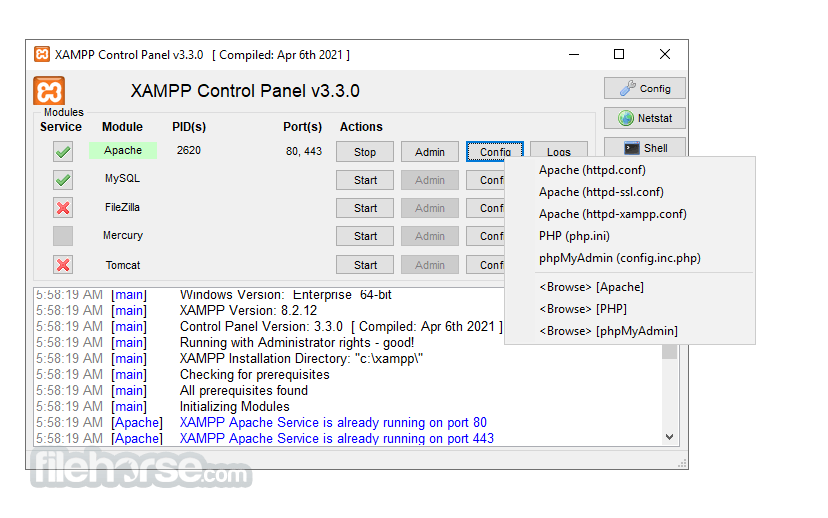
- Config: Quick access to configuration files for each component.
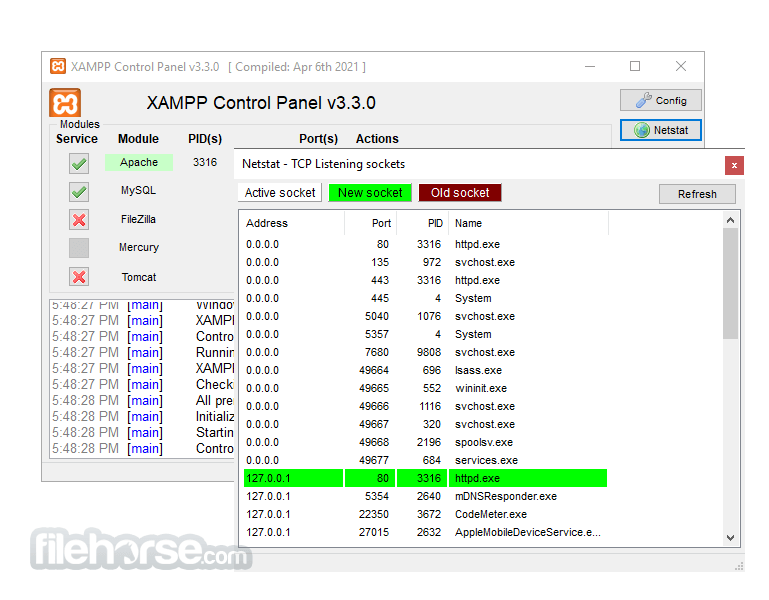
- NetStat: Monitor network status and connections.
Installation and Setup
Download: Obtain the app installer from the official Apache Friends website or FileHorse website.
Run Installer: Execute the downloaded file and follow the installation wizard.
Select Components: Choose the components you want to install. By default, all are selected.
Choose Installation Directory: Select the directory where you want the app installed.
Start Installation: Click 'Next' to begin the installation. This process may take a few minutes.
Setup Completion: Once the installation is complete, launch the Control Panel.
How to Use
- Starting Services: Open the Control Panel and start Apache and MySQL by clicking the 'Start' buttons.
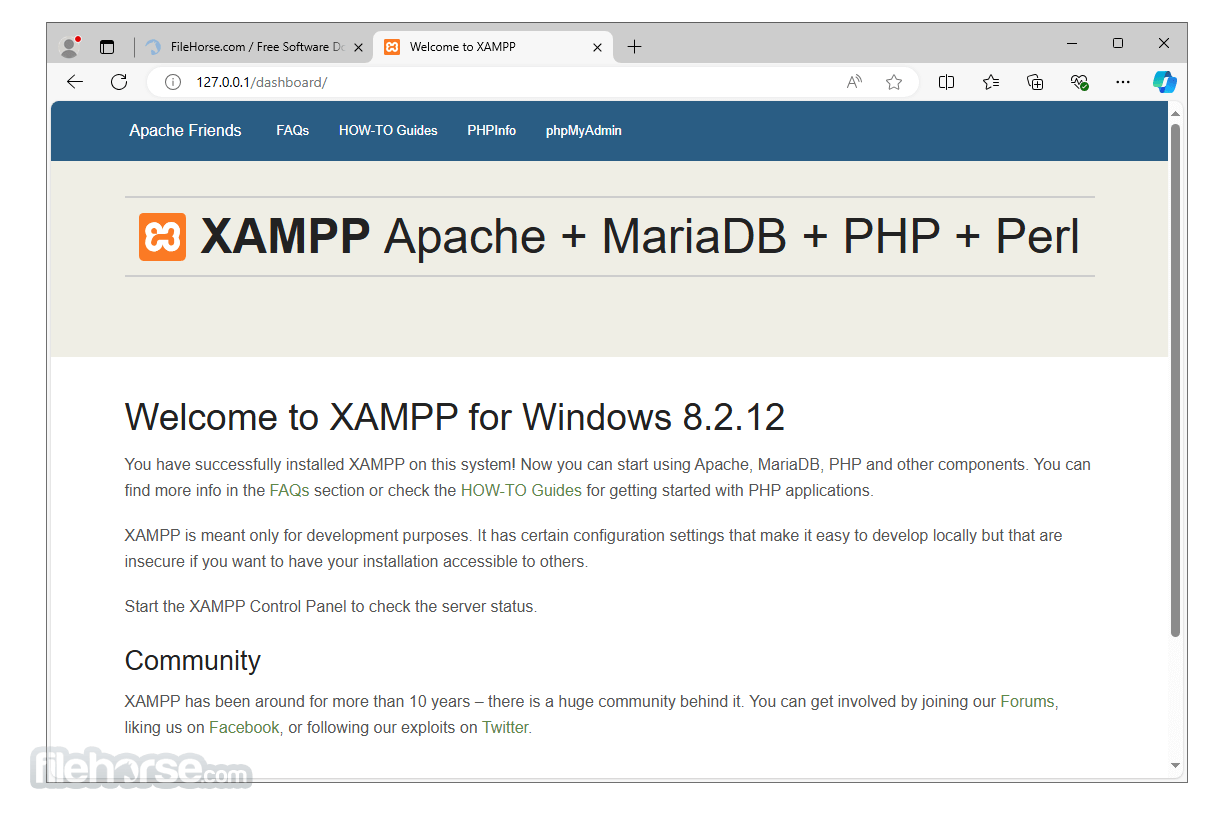
- Accessing Localhost: Open a web browser and go to http://localhost to see the dashboard.
- Creating Projects: Place your web files in the htdocs directory located in the installation folder.
- Using phpMyAdmin: Access phpMyAdmin via http://localhost/phpmyadmin to manage databases.
- Stopping Services: Return to the Control Panel and stop services by clicking the 'Stop' buttons.
FAQ
How do I change the default port of Apache?
Open the Control Panel, click on 'Config' next to Apache, then open httpd.conf and change the Listen 80 line to your desired port number. Save the file and restart Apache.
What should I do if MySQL is not starting?
Check the MySQL error log for detailed error messages. Common solutions include checking for port conflicts or ensuring no other MySQL service is running.
How do I secure my XAMPP installation?
Use the security console available at http://localhost/security to set passwords for MySQL, phpMyAdmin, and other components.
Can XAMPP for Mac be used for production?
THis program is designed for development environments. It is not recommended for production due to security and performance considerations.
How do I add a new PHP extension?
Edit the php.ini file located in the installation directory to include the desired extension. Then restart Apache to apply changes.
Alternatives
MAMP: Similar to this program but tailored for macOS. It includes Apache, MySQL, and PHP for Mac users.
Docker: It allows you to create isolated development environments using containers, making it platform-agnostic and highly customizable.
Pricing
This software is entirely FREE and open-source. There are no hidden costs or premium versions.
Users can download and use it without any financial investment, making it accessible for developers at all levels.
System Requirements
- Operating System: macOS
- Processor: 1 GHz or faster
- RAM: 512 MB or more (1 GB recommended)
- Disk Space: 1 GB free space
- Free and open-source
- Easy to install and use
- Cross-platform compatibility
- Comprehensive package with essential tools
- Strong community support
- Not recommended for production use
- Occasional port conflicts
- Limited out-of-the-box security
Download XAMPP for Mac Latest Version Why is this app published on FileHorse? (More info)
##
畫面截圖
- 2025-02-10 XAMPP 8.2.4 149.2 MB
- 2023-04-09 XAMPP 8.1.17 150.73 MB
- 2022-12-30 XAMPP 8.2.0 148.78 MB
- 2022-11-22 XAMPP 8.0.25 148.55 MB
- 2022-11-22 XAMPP 8.1.12 148.98 MB
- 2022-05-17 XAMPP 8.0.19 162.39 MB
- 2022-05-17 XAMPP 8.1.6 163.06 MB
- 2022-04-21 XAMPP 8.1.5 162.46 MB