⚠ 這是歷史版本頁面 — 查看 MAGIX Video Deluxe 最新版本 →

VEGAS Movie Studio Platinum 17.0
v 17.0
Windows
商業試用
7.6/10 (37)
- 目前版本17.0
- 更新日期2020-04-27
- 檔案大小6 MB
- 檔案名稱trial_vegasmoviestudio17platinum_dlm_k17w6.exe
- 作業系統Windows 10 / Windows 11
- 支援語系English
- 授權型式商業試用
- 開發商 MAGIX Software GmbH.
- 軟體分類Windows 軟體 / 影片軟體
##
編輯短評
MAGIX Video Deluxe 是 MAGIX 推出的影片剪辑軟體,主打直覺易用的操作介面,讓使用者透過互動式故事板快速組織素材,並以拖曳方式完成剪輯。它內建自動儲存與 GPU 硬體加速,能在剪輯過程中維持流暢,降低專案遺失或延遲的風險。這套軟體在站上收錄的版本不多,更新頻率不算頻繁,但仍在持續維護;以同分類的評分人數來看,屬於中段班的小眾工具,評價普遍不錯,只是討論熱度不如同類的熱門播放軟體。
這套軟體適合剛接觸影片剪輯、想快速做出成品的使用者,尤其是需要大量標題文字與簡易特效的專案,例如生活紀錄或社群短片。與 KMPlayer、K-Lite Codec Pack 這類播放或解碼工具不同,它提供的是完整的剪輯流程,但相對地也需要花時間熟悉時間軸操作。要注意的是,它僅提供英文介面,且為試用版授權,Windows 用戶下載前需確認自己對英文操作環境的接受度,並留意試用版的功能限制。
##
翻譯排程處理中,以下暫以英文原文呈現
軟體介紹
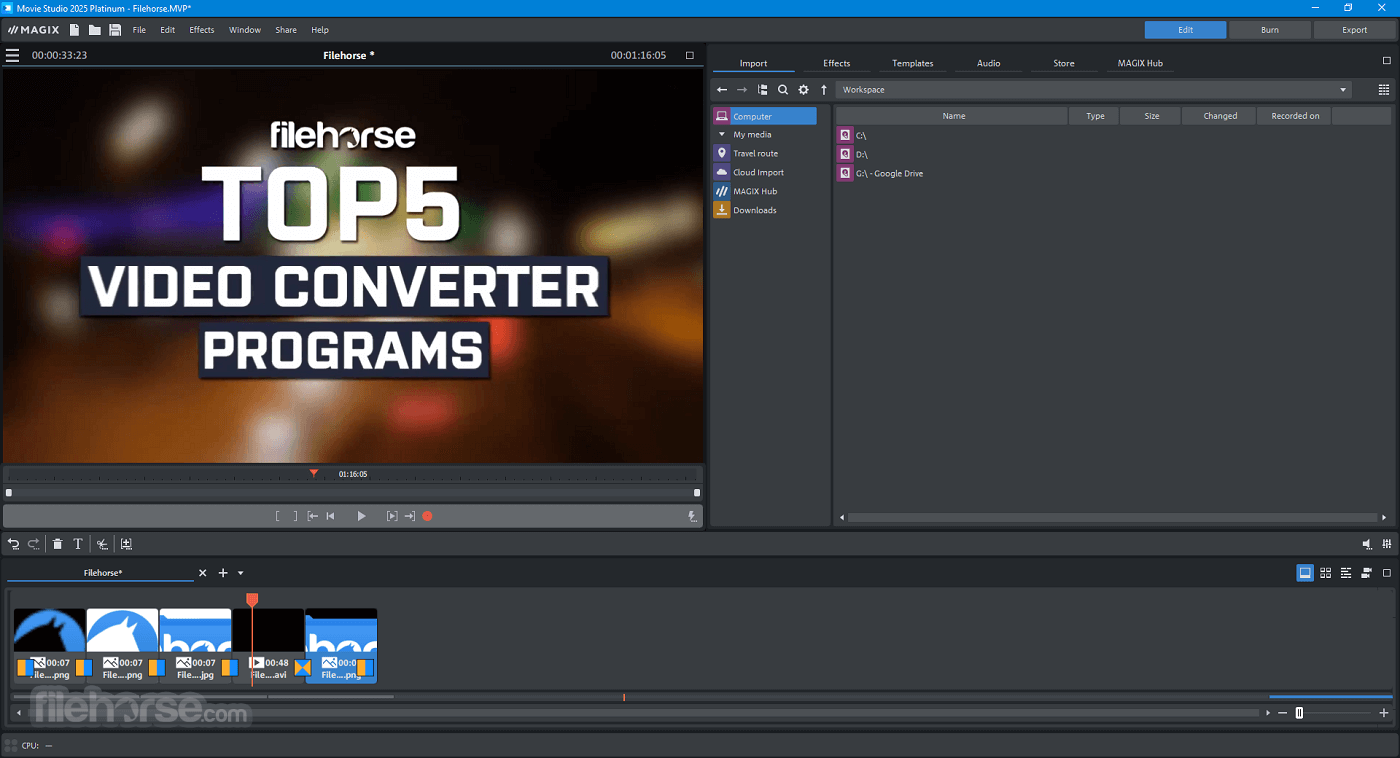
MAGIX Video Deluxe (formerly MAGIX Movie Studio Platinum) offers most user-friendly approach ever to creating beautiful videos. Work fast with interactive storyboards. Work confidently with automatic saves. Work smoothly with GPU and hardware acceleration.
Powerful and intuitive – nothing helps you create like VEGAS Movie Studio! Find the right video editing software for you. Easy click-and-drag workflow, dozens of audio and video effects, sophisticated titles and text, free Music Maker software, and more.
Explore all three versions and find the perfect AI movie editor for your storytelling.
Complete your movie editing kit with the Suite. Create beautiful videos with text tools, transitions, and tons of effects from industry leader NewBlueFX. Fuel your creativity with the full feature set of MAGIX Video Deluxe. Innovative, feature-packed, and complete. Get the most with this Suite!
What`s New in MAGIX Video Deluxe 2026?
AI Text-to-Speech & Speech-to-Text: Transform your text into lifelike audio commentaries and convert audio tracks into ultra-accurate subtitles in seconds. Supports over 100 languages and styles.
AI Style Transfer & AI Colorize: Unleash your creativity! Style Transfer makes your videos resemble the works of renowned artists with just one click, while Colorize breathes life into black-and-white footage by adding realistic colors.
Boris FX Chroma Key: The ultimate suite for color-based masking, combining eight effects into one plug-in for a seamless workflow. Achieve stunning results with every green screen.
Features and Highlights
Color match
Instantly match colors between two clips so you don't have to worry about off-color video. Use the Color Match plug-in to make two different scenes appear as though they were shot on the same day, at the same time, and with the same filter.
Image stabilization
Reduce jitter and shaky video footage with image stabilization technology. Shaky video footage, shot from handheld camcorders and smart phones, can be quickly salvaged.
Easy slideshow creation
Create dynamic slideshows from a set of images with a few simple clicks. Create pan/zoom effects and transitions across an assortment of still images.
Audio event FX
Audio Event effects provide more precise control over the placement of audio effects as you can apply unique effects directly to events.
Restore audio
Ensure a high-fidelity soundtrack. The Audio Restoration plug-in lets you remove clicks, pops, and other unwanted noise from your music and audio files
Surround sound mixing and encoding
Import multichannel (5.1) source files from your camcorder. Use the surround sound mixing and panning tools to create surround soundtracks for your DVD and Blu-ray Disc creations. Encode AC-3 stereo or 5.1 mixes with the included Dolby Digital AC-3 encoding software
Live recording
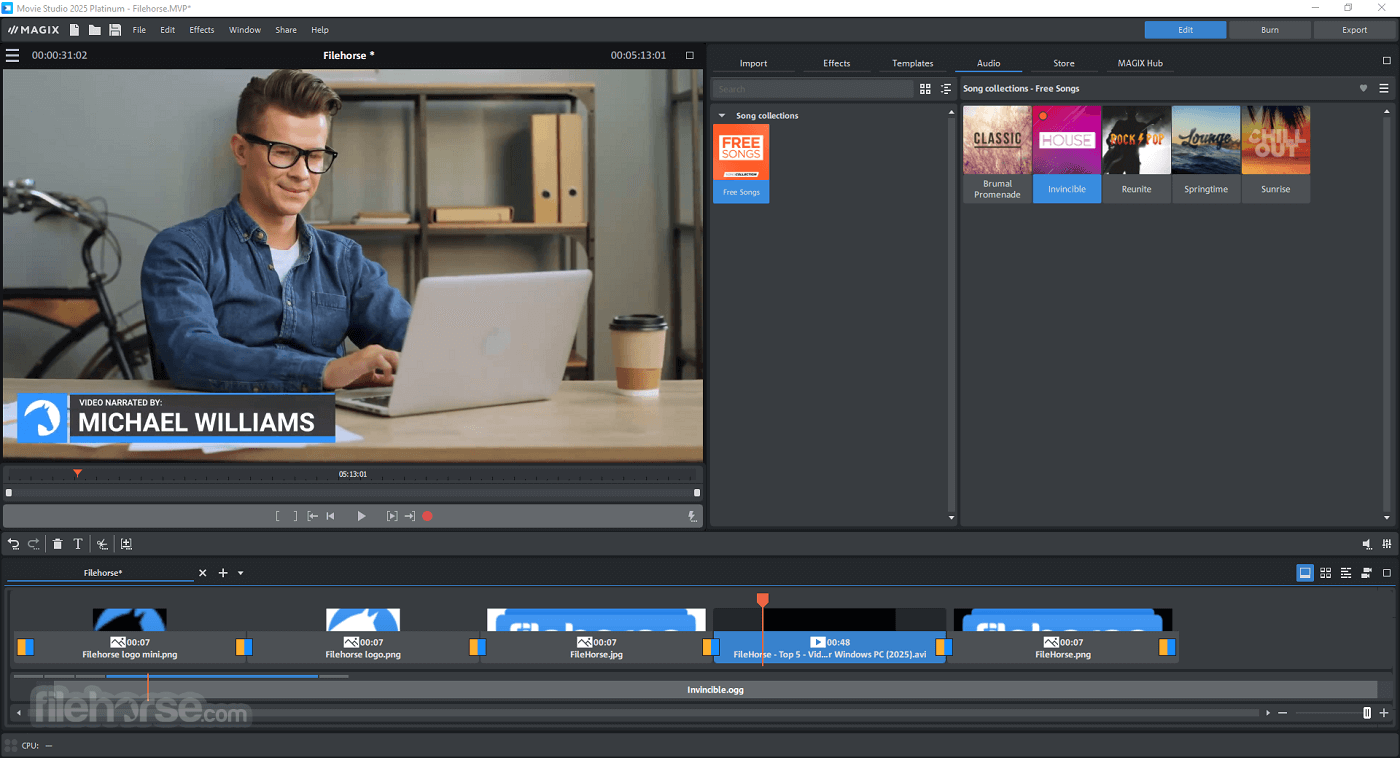
Record your own voiceover and music into this program. Work with up to 20 tracks, all of which can be used to record audio. You can also record different takes and use one or all of them in your project.
Deliver your best
Make sure your movie looks its best when you share it with others. The updated "Make movie" dialog makes it easy to select the best format for the desired destination.
Direct upload
When you're finished making your movie, upload it directly to YouTube or Facebook from the video application! Sharing your creativity has never been this easy.
Extensive video and audio support
DVD Architect Studio software supports popular video and audio formats so you can make DVD and Blu-ray Disc™ projects that will play on almost any DVD/BD player or DVD/BD-capable computer.
DVD preview
Watch your project on a simulated television monitor with a virtual remote control. Use the buttons on the remote control to navigate and play your movie.
Burn directly from the timeline
Burn a DVD or Blu-ray Disc directly from the app timeline. This method is fast and makes it incredibly easy to create a single-movie DVD or Blu-ray Disc that you can easily share with family and friends.
FAQ
Is MAGIX Video Deluxe free to use?
MAGIX offers a free 30-day trial version of Video Deluxe (Movie Studio). The trial version allows you to create videos up to three minutes in length, providing ample opportunity to explore all the features.
What can Movie Studio do?
It offers a comprehensive range of video editing features. You can easily add animations, slow-motion, time-lapse effects, and travel routes to your videos. Additionally, it allows for picture and sound enhancement and editing videos for YouTube.
Is Movie Studio suitable for beginners?
Yes, Movie Studio is a popular and trusted video editing program. Its intuitive interface, along with helpful hints and tutorials, makes it easy for beginners to create impressive videos quickly.
What are the system requirements for Movie Studio?
The program is designed to be user-friendly, ensuring that all basic features run smoothly on any machine, including low-performance computers.
Alternatives
Adobe Premiere Pro: A professional-grade video editing software with a wide range of features and advanced capabilities.
Camtasia: Create more professional videos without having to be a video pro!
InVideo: Make Professional Videos in 5 Minutes with 5,000+ Templates!
DaVinci Resolve: A feature-rich video editing software that offers professional-grade editing, color correction, visual effects, and audio post-production capabilities.
VEGAS Pro: A popular video editing program that offers a comprehensive set of features for professional editing.
Pricing
Video Deluxe 2026 Plus ($39.99):
Download MAGIX Video Deluxe Latest Version Why is this app published on FileHorse? (More info)
Powerful and intuitive – nothing helps you create like VEGAS Movie Studio! Find the right video editing software for you. Easy click-and-drag workflow, dozens of audio and video effects, sophisticated titles and text, free Music Maker software, and more.
Explore all three versions and find the perfect AI movie editor for your storytelling.
- Up to 2000 effects, titles, templates & transitions
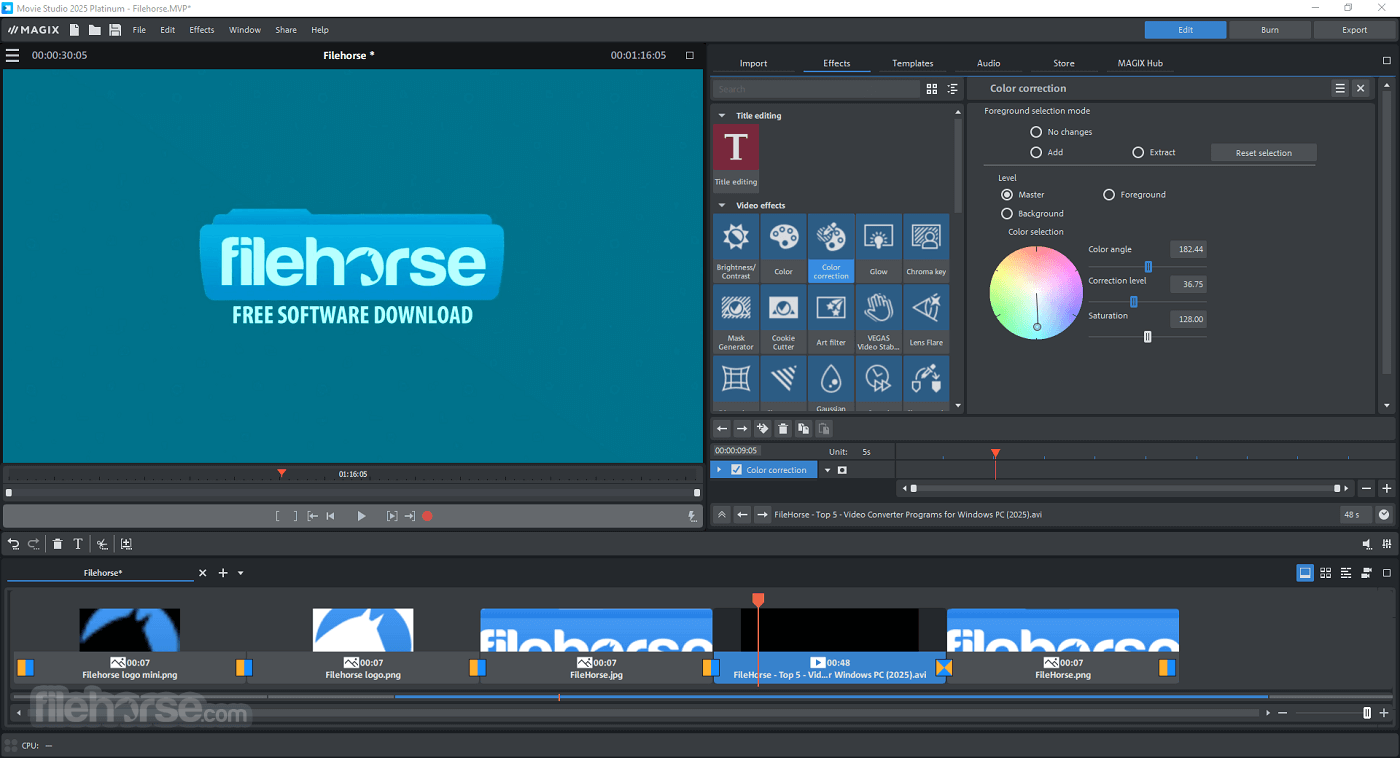
- Detailed color correction
- Accelerated export with support for Intel, NVIDIA and AMD cards
- Diverse editing tools including multicam editing for 4 cameras
- Travel Maps including brand-new features
- Automatic Shot Match
- Access to 1 million Storyblocks contents (video & music)
Complete your movie editing kit with the Suite. Create beautiful videos with text tools, transitions, and tons of effects from industry leader NewBlueFX. Fuel your creativity with the full feature set of MAGIX Video Deluxe. Innovative, feature-packed, and complete. Get the most with this Suite!
What`s New in MAGIX Video Deluxe 2026?
AI Text-to-Speech & Speech-to-Text: Transform your text into lifelike audio commentaries and convert audio tracks into ultra-accurate subtitles in seconds. Supports over 100 languages and styles.
AI Style Transfer & AI Colorize: Unleash your creativity! Style Transfer makes your videos resemble the works of renowned artists with just one click, while Colorize breathes life into black-and-white footage by adding realistic colors.
Boris FX Chroma Key: The ultimate suite for color-based masking, combining eight effects into one plug-in for a seamless workflow. Achieve stunning results with every green screen.
Features and Highlights
Color match
Instantly match colors between two clips so you don't have to worry about off-color video. Use the Color Match plug-in to make two different scenes appear as though they were shot on the same day, at the same time, and with the same filter.
Image stabilization
Reduce jitter and shaky video footage with image stabilization technology. Shaky video footage, shot from handheld camcorders and smart phones, can be quickly salvaged.
Easy slideshow creation
Create dynamic slideshows from a set of images with a few simple clicks. Create pan/zoom effects and transitions across an assortment of still images.
Audio event FX
Audio Event effects provide more precise control over the placement of audio effects as you can apply unique effects directly to events.
Restore audio
Ensure a high-fidelity soundtrack. The Audio Restoration plug-in lets you remove clicks, pops, and other unwanted noise from your music and audio files
Surround sound mixing and encoding
Import multichannel (5.1) source files from your camcorder. Use the surround sound mixing and panning tools to create surround soundtracks for your DVD and Blu-ray Disc creations. Encode AC-3 stereo or 5.1 mixes with the included Dolby Digital AC-3 encoding software
Live recording
Record your own voiceover and music into this program. Work with up to 20 tracks, all of which can be used to record audio. You can also record different takes and use one or all of them in your project.
Deliver your best
Make sure your movie looks its best when you share it with others. The updated "Make movie" dialog makes it easy to select the best format for the desired destination.
Direct upload
When you're finished making your movie, upload it directly to YouTube or Facebook from the video application! Sharing your creativity has never been this easy.
Extensive video and audio support
DVD Architect Studio software supports popular video and audio formats so you can make DVD and Blu-ray Disc™ projects that will play on almost any DVD/BD player or DVD/BD-capable computer.
DVD preview
Watch your project on a simulated television monitor with a virtual remote control. Use the buttons on the remote control to navigate and play your movie.
Burn directly from the timeline
Burn a DVD or Blu-ray Disc directly from the app timeline. This method is fast and makes it incredibly easy to create a single-movie DVD or Blu-ray Disc that you can easily share with family and friends.
FAQ
Is MAGIX Video Deluxe free to use?
MAGIX offers a free 30-day trial version of Video Deluxe (Movie Studio). The trial version allows you to create videos up to three minutes in length, providing ample opportunity to explore all the features.
What can Movie Studio do?
It offers a comprehensive range of video editing features. You can easily add animations, slow-motion, time-lapse effects, and travel routes to your videos. Additionally, it allows for picture and sound enhancement and editing videos for YouTube.
Is Movie Studio suitable for beginners?
Yes, Movie Studio is a popular and trusted video editing program. Its intuitive interface, along with helpful hints and tutorials, makes it easy for beginners to create impressive videos quickly.
What are the system requirements for Movie Studio?
The program is designed to be user-friendly, ensuring that all basic features run smoothly on any machine, including low-performance computers.
Alternatives
Adobe Premiere Pro: A professional-grade video editing software with a wide range of features and advanced capabilities.
Camtasia: Create more professional videos without having to be a video pro!
InVideo: Make Professional Videos in 5 Minutes with 5,000+ Templates!
DaVinci Resolve: A feature-rich video editing software that offers professional-grade editing, color correction, visual effects, and audio post-production capabilities.
VEGAS Pro: A popular video editing program that offers a comprehensive set of features for professional editing.
Pricing
Video Deluxe 2026 Plus ($39.99):
- Smooth, seamless editing with the INFUSION Engine and all-in-one media window.
- Includes AI tools for subtitles and realistic voiceovers.
- AI effects enhance image quality and visual styles.
- Precise color correction and automatic film-look adjustments.
- Over 2,000 effects, fades, templates, titles, and image stabilization.
- Access 1M+ royalty-free video and audio assets.
- MultiCam editing with up to 4 cameras.
- Additional creative content via in-app store.
- Available as perpetual or subscription license.
- Includes all Plus features plus exclusive proDAD VitaScene V5 Pro with 1,700+ effects and filters.
- Faster, AI-powered tools for subtitles and voiceovers.
- Improved color correction and look adjustment filters.
- 2,000+ professional effects, templates, and film-style transitions.
- Full access to 1M+ royalty-free media and image stabilization.
- MultiCam support for up to 4 cameras.
- Extra in-app creative content included.
- Includes all Premium features plus multiple proDAD add-ons (Hide V2, ReSpeedr V2, Mercalli V6, Disguise V2).
- Adds Ultimate Video Content Package with 100+ effects and transitions.
- Includes Ultimate Travel, Audio, Mix, and Christmas Song Collections.
- Offers 5 sound collections, 3 effect packs, and unique genre songs.
- Provides a voucher for extra content like Text-to-Speech, Subtitles, and Stock Media.
- Ideal for professional creators needing full creative flexibility and premium add-ons.
- User-Friendly Interface: Intuitive and easy to navigate, suitable for beginners and intermediate users.
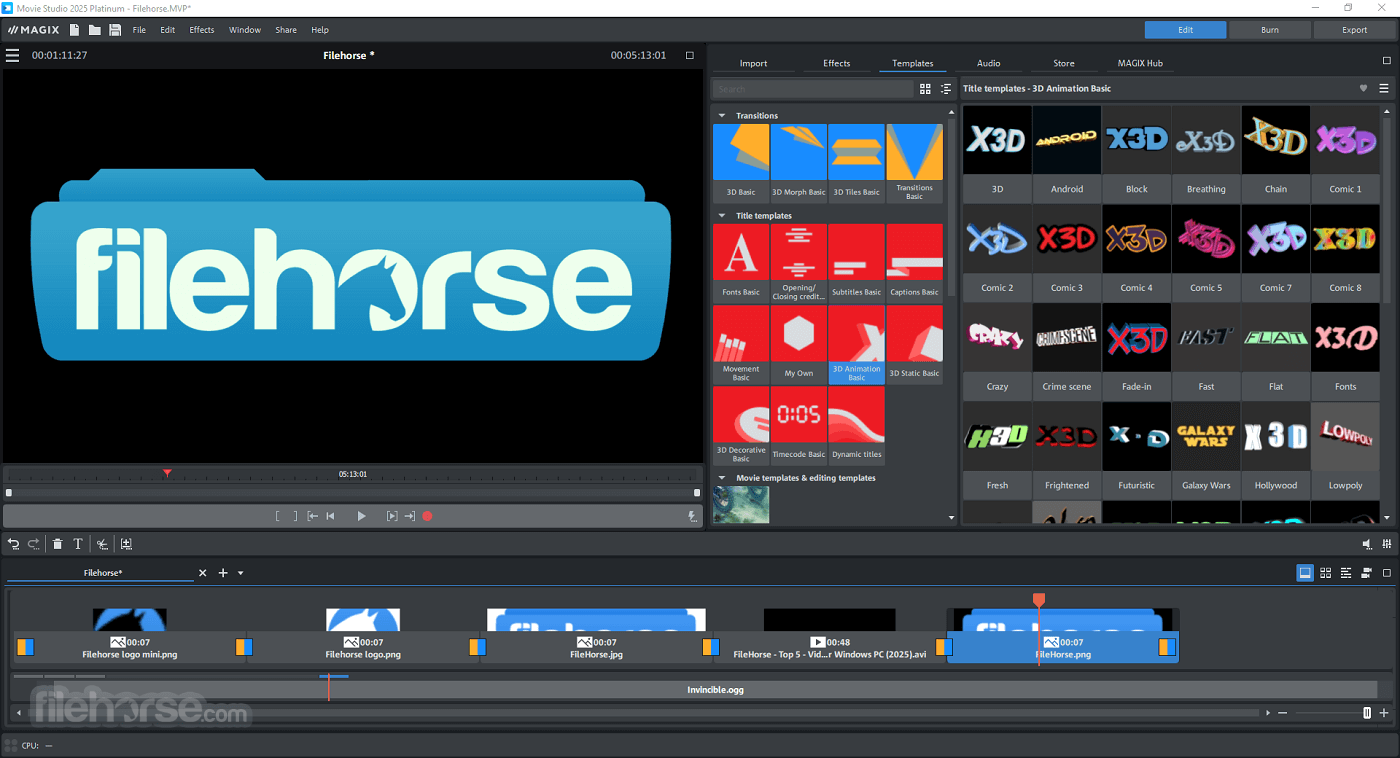
- Wide Range of Effects: Offers a variety of transitions, effects, and templates.
- Multicam Editing: Supports multicam editing, allowing for seamless editing of footage from multiple cameras.
- Audio Editing Tools: Comprehensive audio editing capabilities, including sound effects and music tracks.
- Affordable: Competitive pricing for the features offered.
- Performance Issues: Can be resource-intensive, leading to slow performance on less powerful machines.
- Occasional Bugs: Users report occasional crashes and bugs, which can disrupt the editing process.
- Export Options: Limited export options compared to some competitors.
- Learning Curve: While user-friendly, it still requires some time to learn for complete beginners.
Download MAGIX Video Deluxe Latest Version Why is this app published on FileHorse? (More info)
##
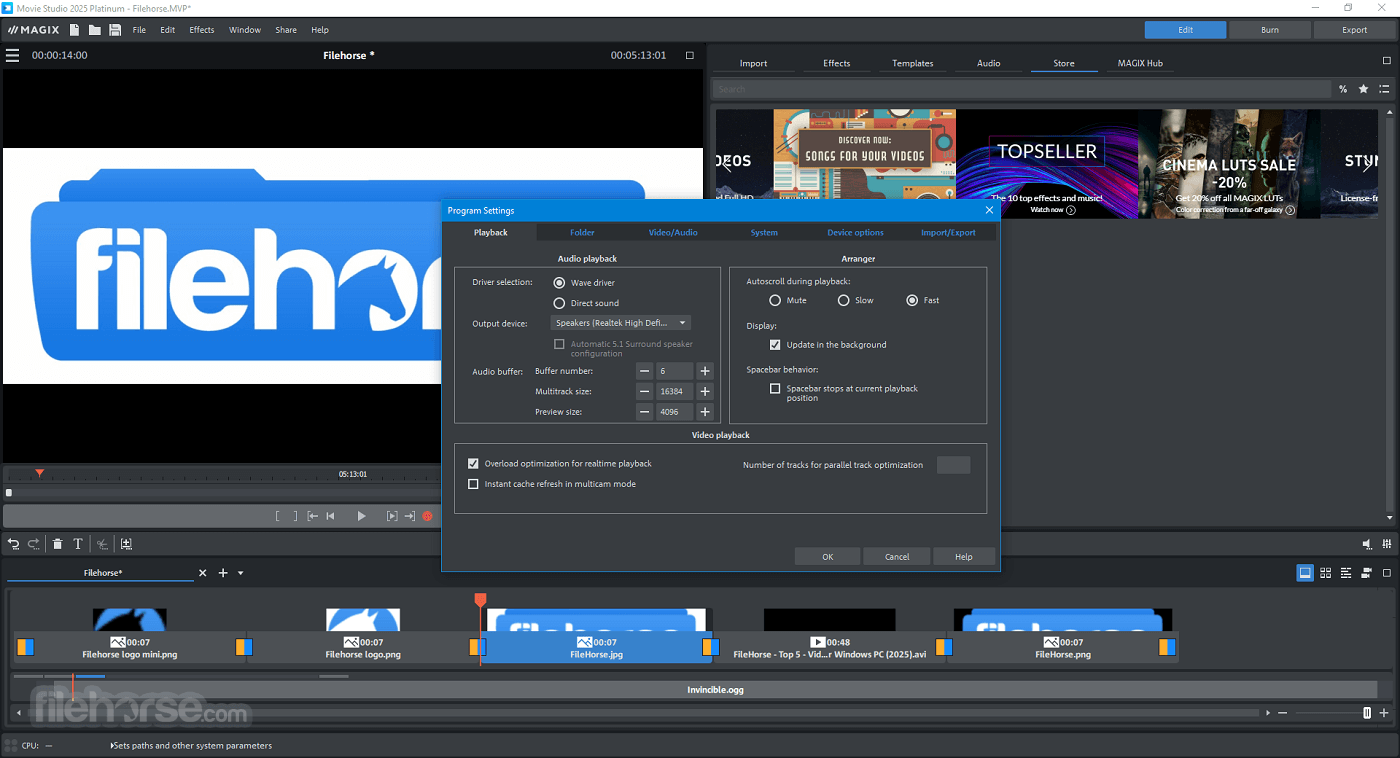
畫面截圖
- 2025-10-08 MAGIX Video Deluxe 2026 6.3 MB
- 2024-10-17 MAGIX Movie Studio Platinum 2025 6.3 MB
- 2023-08-07 MAGIX Movie Studio Platinum 2024 6.3 MB
- 2021-07-14 VEGAS Movie Studio Platinum 18.1 6 MB
- 2020-04-27 VEGAS Movie Studio Platinum 17.0 6 MB
- 2019-02-12 VEGAS Movie Studio Platinum 16.0 6 MB