⚠ 這是歷史版本頁面 — 查看 MakeMKV 1.18.4 Beta 最新版本 →

- 目前版本MakeMKV 1.17.2 Beta
- 更新日期2022-10-13
- 檔案大小14.44 MB
- 檔案名稱Setup_MakeMKV_v1.17.2.exe
- 作業系統Windows 7 / Windows 8 / Windows 10
- 支援語系English
- 授權型式商業試用
- 開發商 GuinpinSoft inc
- 軟體分類Windows 軟體 / 影片軟體
##
編輯短評
MakeMKV 是一款專門將 DVD 與藍光光碟轉換成 MKV 格式的影片轉檔工具,核心用途是繞過光碟上的專屬加密限制,把影片內容完整轉存為開放、無專利束縛的 MKV 檔案,過程中不重新壓縮影像與音訊,因此畫質與音質能原汁原味保留。它最突出的特色是操作門檻極低,不需設定複雜參數即可完成轉檔,同時支援保留多音軌、多字幕與章節資訊。此軟體自 2021 年起持續更新,近一年內仍有多次版本釋出,屬於長期維護中的工具;在影片軟體分類中評價中等偏上,雖非主流首選,但對有備份光碟需求的使用者來說,是口碑穩定的熱門選擇。
這套軟體最適合手邊有大量實體 DVD 或藍光光碟、想建立數位影片庫的人,尤其是那些希望日後在不同裝置上播放、不想被播放器綁定的使用者。與 KMPlayer 或 K-Lite Codec Pack 等播放導向的軟體不同,MakeMKV 專注於「轉檔」而非「播放」,兩者用途互補而非直接競爭;它的取捨在於輸出格式僅限 MKV,若需要轉成其他格式,還得搭配其他轉檔工具。授權方面為試用版,使用上需留意啟動限制;介面僅提供英文,對不熟悉英文操作介面的使用者稍有門檻,但功能流程簡單,實際上手難度不高。
##
翻譯排程處理中,以下暫以英文原文呈現
軟體介紹
MakeMKV is an easy-to-use software solution that enables you to convert your own videos into a free and patents-unencumbered format that can be played on any device.
It acts as a format converter or "transcoder" that converts video clips from proprietary, often encrypted, discs into MKV files without altering the original content.
The MKV format allows for multiple video and audio tracks to be stored along with their meta-information and chapter details. These files can be played on various platforms using a wide range of players, and can also be converted to other formats such as DVD and Blu-ray discs.
In addition, MakeMKV for Windows 11/10 offers the option to stream decrypted video instantly without any intermediate conversion, making it possible to watch your Blu-ray and DVD discs on your preferred device and operating system with your favorite player.
The acronym MKV stands for "Matroska Video", which refers to a container file format capable of holding unlimited video, audio, and subtitle tracks, as well as any associated metadata.
This allows for a complete movie with multiple sound and subtitle tracks, chapter information, and thumbnail to be stored in a single file. Due to its open and patent-free nature, Matroska has gained widespread support and is quickly becoming the industry standard for movie storage.
Despite its advantages as a storage format, playing MKV files directly can sometimes be problematic. While playing MKV files on a computer is generally not an issue, many hardware players require transcoding of MKV files into a format that the particular hardware player can understand.
However, since all meta-information is preserved in MKV files and compressed media data (video, audio, subtitles) is not altered in any way, it is always possible to transcode MKV files back into their original format without any losses.
For example, freeware transcoding tools can be used to transcode MKV files produced from a Blu-ray disc back into a Blu-ray image or set of M2TS files, while maintaining the original quality of the files.
FAQ
What is MakeMKV and what does it do?
MakeMKV is a software program that can be used to convert Blu-ray and DVD discs into high-quality MKV files, which can be played on a wide variety of devices.
Is MakeMKV free to use?
Yes, the app is FREE to use during its beta period, which has been extended indefinitely. However, it may prompt you to purchase a key after a certain number of days, but you can continue using the software without purchasing a key.
Does MakeMKV support copy-protected discs?
Yes, It can handle copy-protected discs, but you will need to have the appropriate decryption software installed on your computer to do so.
Can MakeMKV rip Blu-ray discs to lossless formats?
Yes, It can rip Blu-ray discs to lossless formats like FLAC and WAV, in addition to MKV.
What is the output video quality of MakeMKV files?
It files maintain the original video quality of the disc they were ripped from, meaning that they are of the highest possible quality.
Can MakeMKV rip only selected parts of a disc?
Yes, It allows you to select specific chapters or segments of a disc to rip, rather than the entire disc.
What operating systems does MakeMKV support?
It supports Windows, Mac, and Linux operating systems.
How long does it take to rip a disc with MakeMKV?
The time it takes to rip a disc with MakeMKV depends on the size of the disc and the speed of your computer's processor. Generally, it takes around 30-40 minutes to rip a standard DVD, and up to 2 hours for a Blu-ray disc.
What kind of hardware do I need to use MakeMKV?
It can be used on most modern computers with a DVD or Blu-ray drive. However, if you want to rip Blu-ray discs, your computer will need to have a Blu-ray drive.
Are there any alternatives to MakeMKV?
Yes, there are several alternative programs to MakeMKV, such as HandBrake and DVDFab. However, MakeMKV is known for its high-quality output and ease of use.
Features and Highlights
Insert the DVD or Blu-ray disc into your drive
Launch MakeMKV on your Windows PC
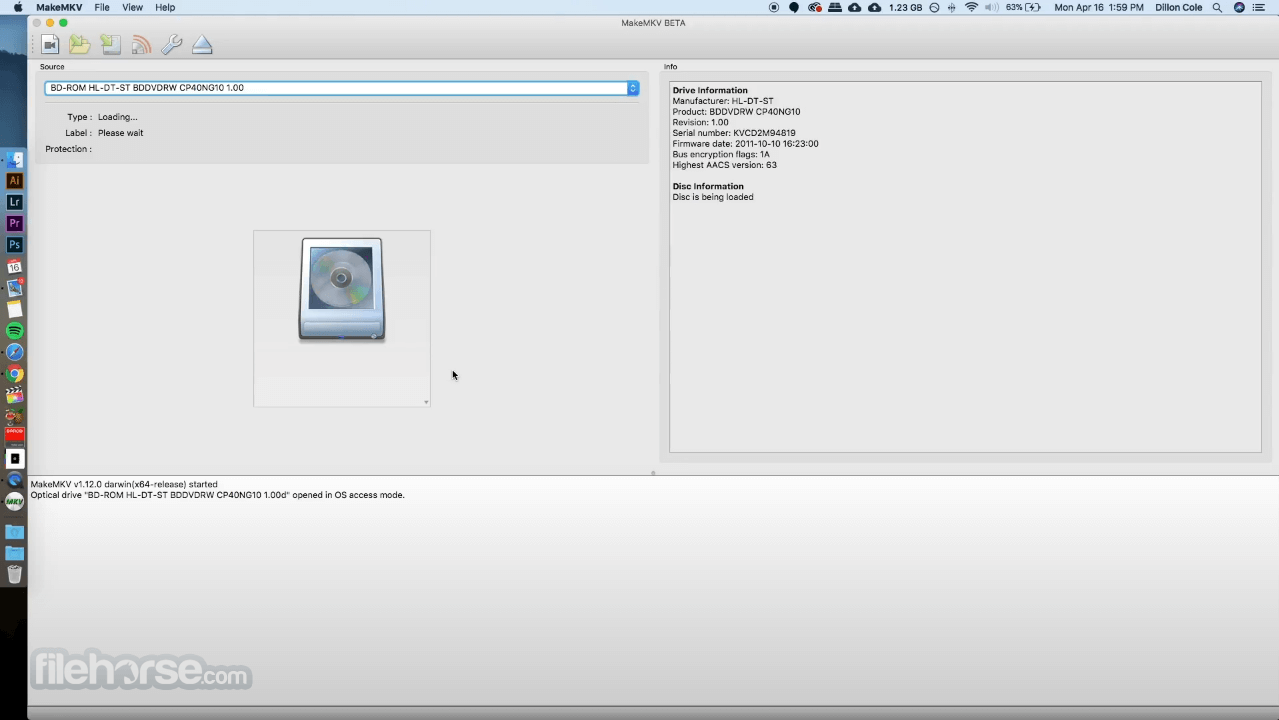
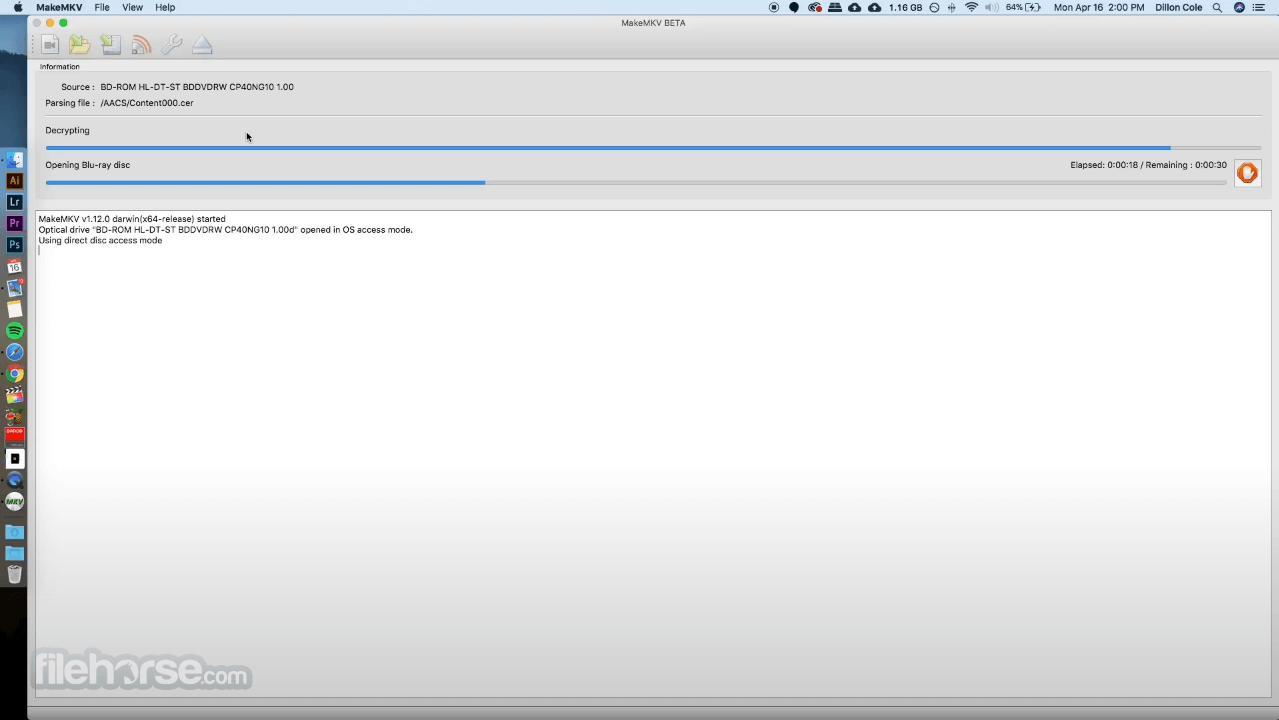
Click the drive icon to scan the inserted disc
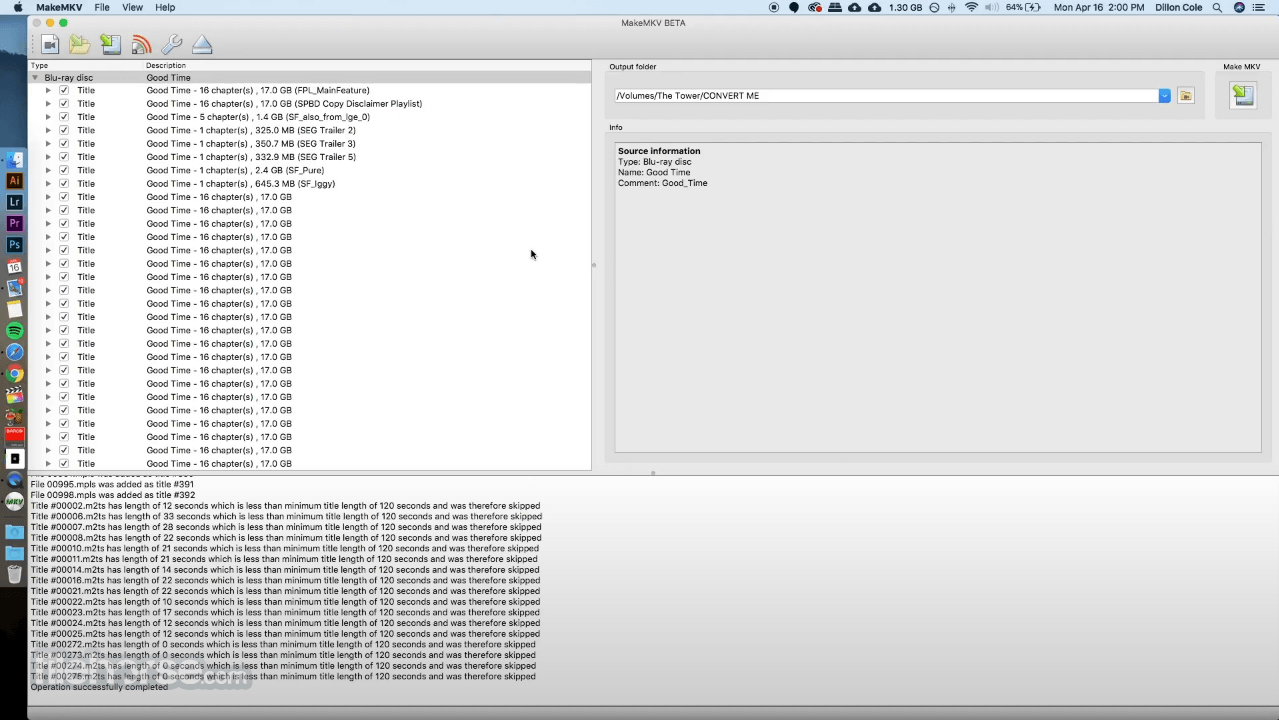
Select the titles, audio, and subtitles to convert
Choose the output folder for your MKV file
Click "Make MKV" to start the ripping process
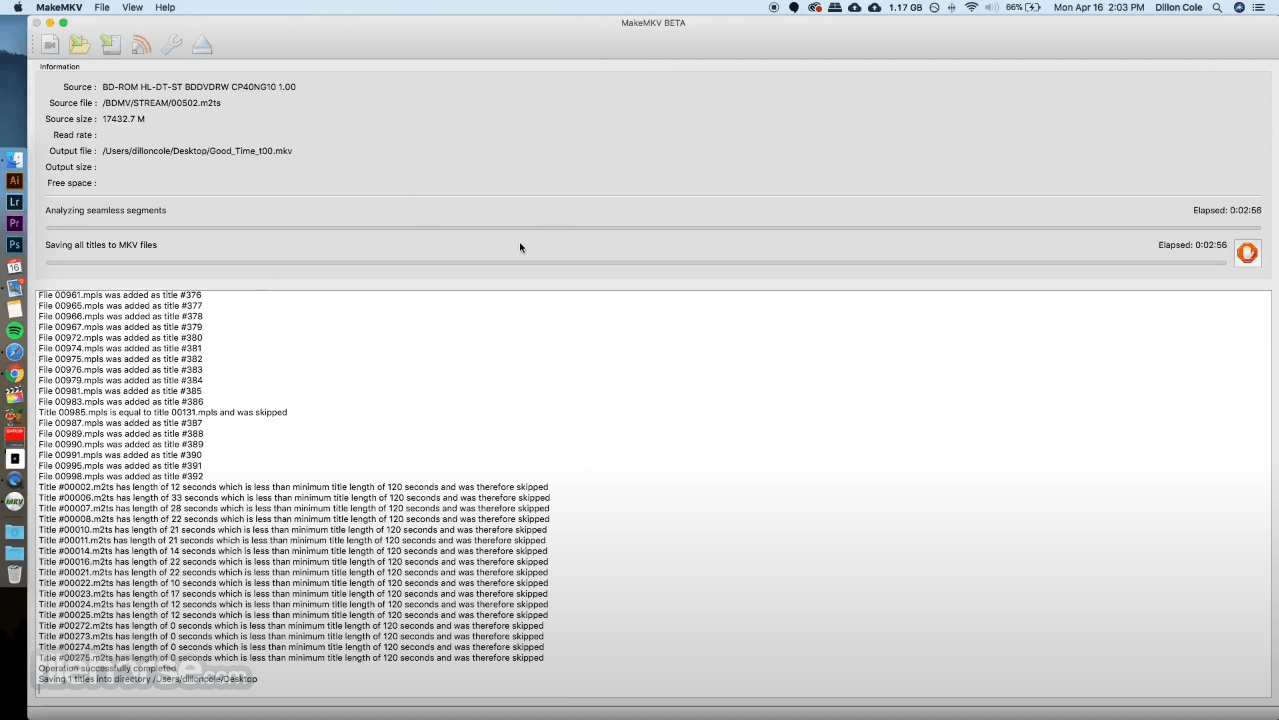
Wait for the process to complete and check the output
Beta version restrictions
MakeMKV BETA is time-limited and expires after 60 days, but downloading the latest version resets the timer.
HD-DVD support is partial—some discs may not open, and certain audio/subtitle tracks might be missing.
Full support is available for Blu-ray and DVD discs.
On Windows, administrator privileges are needed to run the BETA due to SCSI API limitations, though future versions may remove this requirement.
System Requirements
Also Available: Download MakeMKV for Mac
Download MakeMKV Latest Version Why is this app published on FileHorse? (More info)
It acts as a format converter or "transcoder" that converts video clips from proprietary, often encrypted, discs into MKV files without altering the original content.
The MKV format allows for multiple video and audio tracks to be stored along with their meta-information and chapter details. These files can be played on various platforms using a wide range of players, and can also be converted to other formats such as DVD and Blu-ray discs.
In addition, MakeMKV for Windows 11/10 offers the option to stream decrypted video instantly without any intermediate conversion, making it possible to watch your Blu-ray and DVD discs on your preferred device and operating system with your favorite player.
The acronym MKV stands for "Matroska Video", which refers to a container file format capable of holding unlimited video, audio, and subtitle tracks, as well as any associated metadata.
This allows for a complete movie with multiple sound and subtitle tracks, chapter information, and thumbnail to be stored in a single file. Due to its open and patent-free nature, Matroska has gained widespread support and is quickly becoming the industry standard for movie storage.
Despite its advantages as a storage format, playing MKV files directly can sometimes be problematic. While playing MKV files on a computer is generally not an issue, many hardware players require transcoding of MKV files into a format that the particular hardware player can understand.
However, since all meta-information is preserved in MKV files and compressed media data (video, audio, subtitles) is not altered in any way, it is always possible to transcode MKV files back into their original format without any losses.
For example, freeware transcoding tools can be used to transcode MKV files produced from a Blu-ray disc back into a Blu-ray image or set of M2TS files, while maintaining the original quality of the files.
FAQ
What is MakeMKV and what does it do?
MakeMKV is a software program that can be used to convert Blu-ray and DVD discs into high-quality MKV files, which can be played on a wide variety of devices.
Is MakeMKV free to use?
Yes, the app is FREE to use during its beta period, which has been extended indefinitely. However, it may prompt you to purchase a key after a certain number of days, but you can continue using the software without purchasing a key.
Does MakeMKV support copy-protected discs?
Yes, It can handle copy-protected discs, but you will need to have the appropriate decryption software installed on your computer to do so.
Can MakeMKV rip Blu-ray discs to lossless formats?
Yes, It can rip Blu-ray discs to lossless formats like FLAC and WAV, in addition to MKV.
What is the output video quality of MakeMKV files?
It files maintain the original video quality of the disc they were ripped from, meaning that they are of the highest possible quality.
Can MakeMKV rip only selected parts of a disc?
Yes, It allows you to select specific chapters or segments of a disc to rip, rather than the entire disc.
What operating systems does MakeMKV support?
It supports Windows, Mac, and Linux operating systems.
How long does it take to rip a disc with MakeMKV?
The time it takes to rip a disc with MakeMKV depends on the size of the disc and the speed of your computer's processor. Generally, it takes around 30-40 minutes to rip a standard DVD, and up to 2 hours for a Blu-ray disc.
What kind of hardware do I need to use MakeMKV?
It can be used on most modern computers with a DVD or Blu-ray drive. However, if you want to rip Blu-ray discs, your computer will need to have a Blu-ray drive.
Are there any alternatives to MakeMKV?
Yes, there are several alternative programs to MakeMKV, such as HandBrake and DVDFab. However, MakeMKV is known for its high-quality output and ease of use.
Features and Highlights
- Reads DVD and Blu-ray discs
- Reads Blu-ray discs protected with latest versions of AACS and BD+
- Preserves all video and audio tracks, including HD audio
- Preserves chapters information
- Preserves all meta-information (track language, audio type)
- Fast conversion - converts as fast as your drive can read data.
- No additional software is required for conversion or decryption.
- Available for Windows, macOS, and Linux
- Functionality to open DVD discs is free and will always stay free.
- All features (including Blu-ray decryption and processing) are free during BETA.
Insert the DVD or Blu-ray disc into your drive
Launch MakeMKV on your Windows PC
Click the drive icon to scan the inserted disc
Select the titles, audio, and subtitles to convert
Choose the output folder for your MKV file
Click "Make MKV" to start the ripping process
Wait for the process to complete and check the output
Beta version restrictions
MakeMKV BETA is time-limited and expires after 60 days, but downloading the latest version resets the timer.
HD-DVD support is partial—some discs may not open, and certain audio/subtitle tracks might be missing.
Full support is available for Blu-ray and DVD discs.
On Windows, administrator privileges are needed to run the BETA due to SCSI API limitations, though future versions may remove this requirement.
System Requirements
- OS: Windows 7 or later (including Windows 11)
- RAM: Minimum 512 MB (2 GB recommended)
- CPU: Intel or AMD processor, 1 GHz or faster
- Optical Drive: Blu-ray or DVD drive (for disc reading)
- Disk Space: At least 5 GB free (more for large Blu-ray rips)
- Internet: Required for accessing beta updates
- Simple and intuitive user interface
- Converts DVD and Blu-ray to MKV format
- Preserves all video, audio, and metadata
- Fast conversion with minimal quality loss
- Regular updates and beta support
- Only outputs in MKV file format
- Limited editing or compression options
- Requires separate player for MKV files
- Blu-ray support needs beta key renewal
- Large file sizes with no compression
Also Available: Download MakeMKV for Mac
Download MakeMKV Latest Version Why is this app published on FileHorse? (More info)
##
畫面截圖
- 2026-07-17 MakeMKV 1.18.4 Beta 15.67 MB
- 2026-01-25 MakeMKV 1.18.3 Beta 15.59 MB
- 2025-09-26 MakeMKV 1.18.2 Beta 14.86 MB
- 2025-04-06 MakeMKV 1.18.1 Beta 14.74 MB
- 2025-04-05 MakeMKV 1.18.0 Beta 14.74 MB
- 2025-02-02 MakeMKV 1.17.9 Beta 14.73 MB
- 2024-09-30 MakeMKV 1.17.8 Beta 14.72 MB
- 2024-05-16 MakeMKV 1.17.7 Beta 14.62 MB