⚠ 這是歷史版本頁面 — 查看 MariaDB 最新版本 →

- 目前版本11.0.3
- 更新日期2023-08-15
- 檔案大小62.28 MB
- 檔案名稱mariadb-11.0.3-winx64.msi
- 作業系統Windows 7 / Windows 8 / Windows 10 / Windows 11
- 支援語系English
- 授權型式開源軟體
- 開發商 MariaDB Foundation
- 軟體分類Windows 軟體 / 開發者工具
##
編輯短評
MariaDB 是一套開源的關聯式資料庫管理系統,定位為 MySQL 的直接替代品,由 MySQL 原始開發團隊在擔憂 Oracle 收購後續發展時所創建。它主打高效能、可靠度與安全性,並提供進階查詢最佳化與索引策略,同時支援叢集與複寫,適合高流量應用場景。目前由 MariaDB 基金會長期維護,更新步調雖不算頻繁但仍持續進行,在開發者與企業間是相當主流的資料庫選擇,評價普遍不錯。
這套軟體適合需要穩定、可擴展資料庫的開發者、企業 IT 人員或資料庫管理員,尤其當你希望避開 MySQL 的授權或生態疑慮時,MariaDB 是務實的替代方案。與同分類的熱門工具如 BlueStacks、Turbo C++ 或 VMware 相比,它屬於純粹的資料庫伺服器,用途截然不同,取捨在於你必須自行管理伺服器環境。授權為開源軟體,Windows 平台可正常運作,但僅提供英文介面,使用時需留意語系支援,若需要中文文件或社群資源,可能得額外尋找。
##
翻譯排程處理中,以下暫以英文原文呈現
軟體介紹
MariaDB is an open-source relational database management system (RDBMS) that serves as a drop-in replacement for MySQL.
It was created by the original developers of MySQL after concerns about Oracle's acquisition.
Known for its reliability, high performance, and strong security features, MariaDB is widely used by enterprises, developers, and database administrators.
Key Features
MariaDB primarily operates through a command-line interface (CLI) but can also be managed using GUI tools like phpMyAdmin, DBeaver, and HeidiSQL.
The lack of an official graphical interface may be a challenge for beginners, but third-party tools make database management easier for non-technical users.
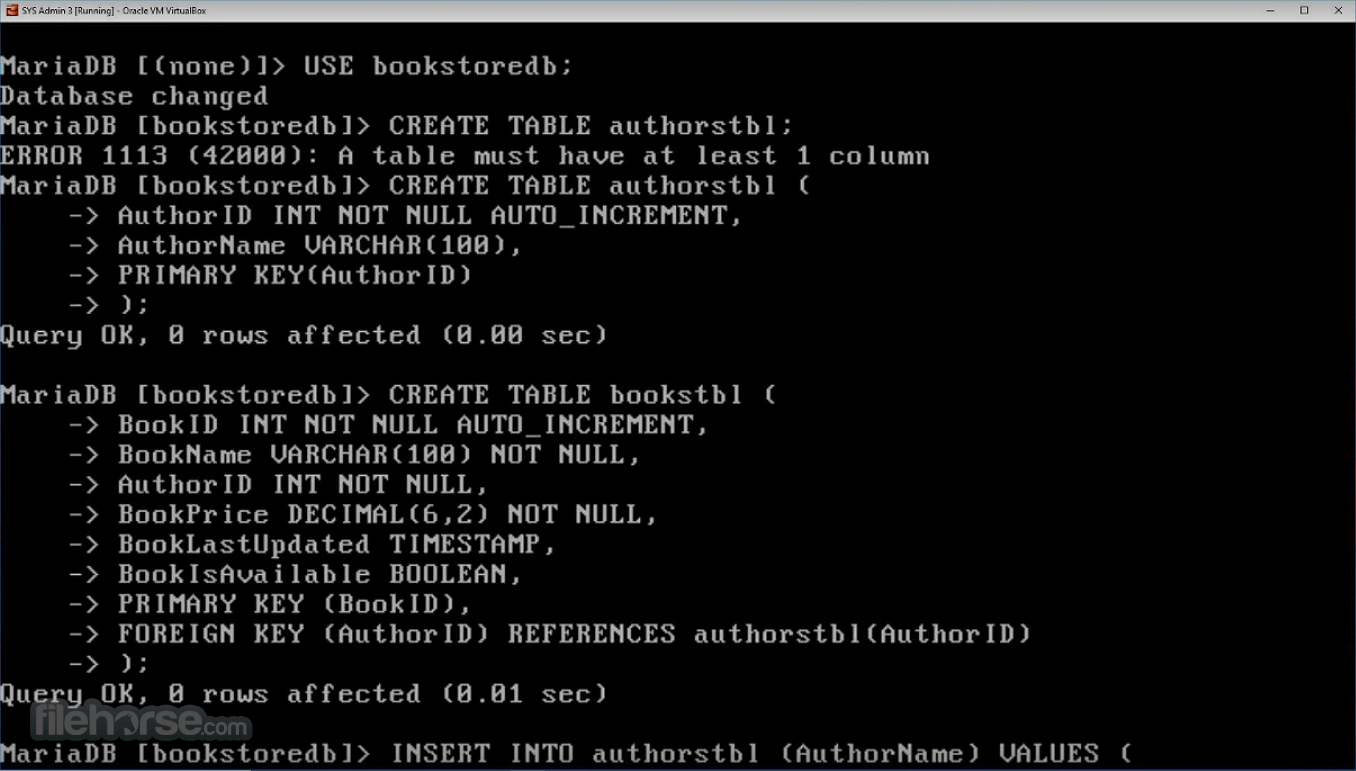
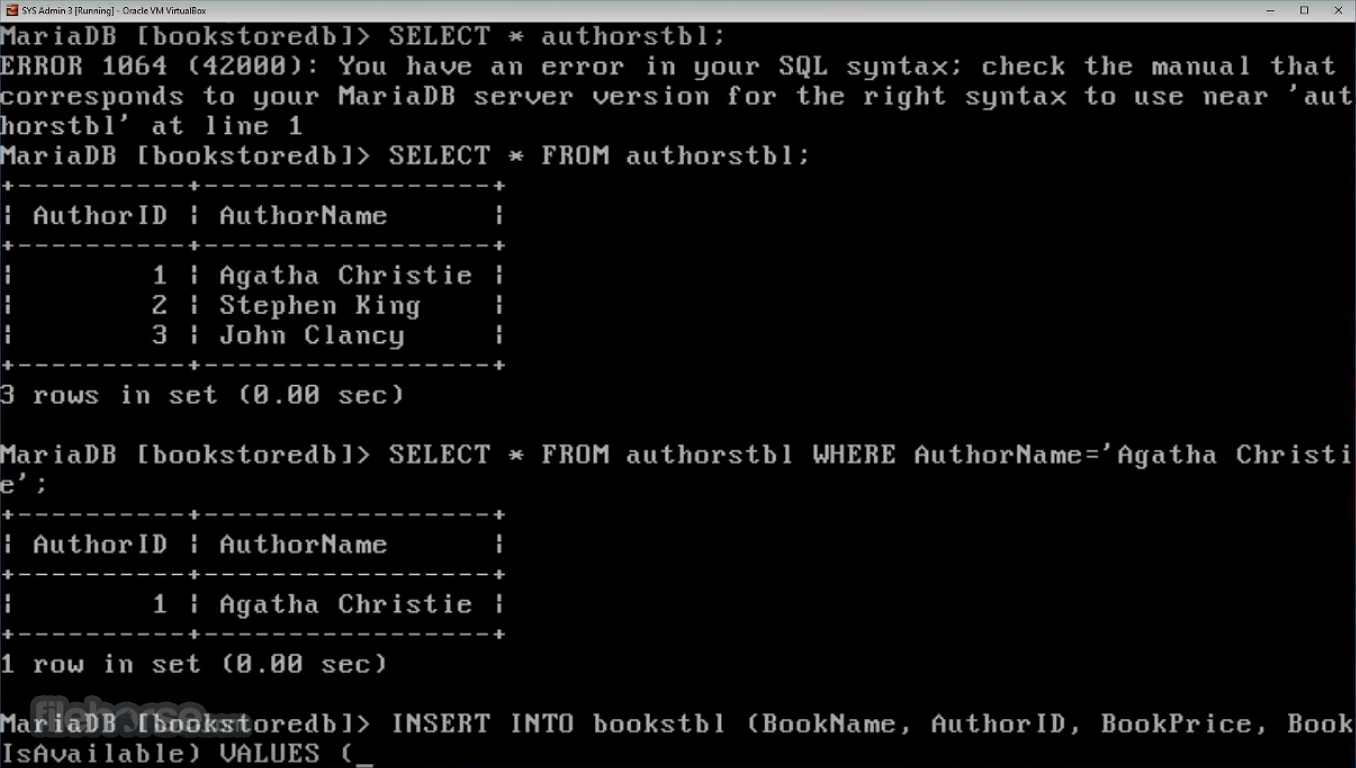
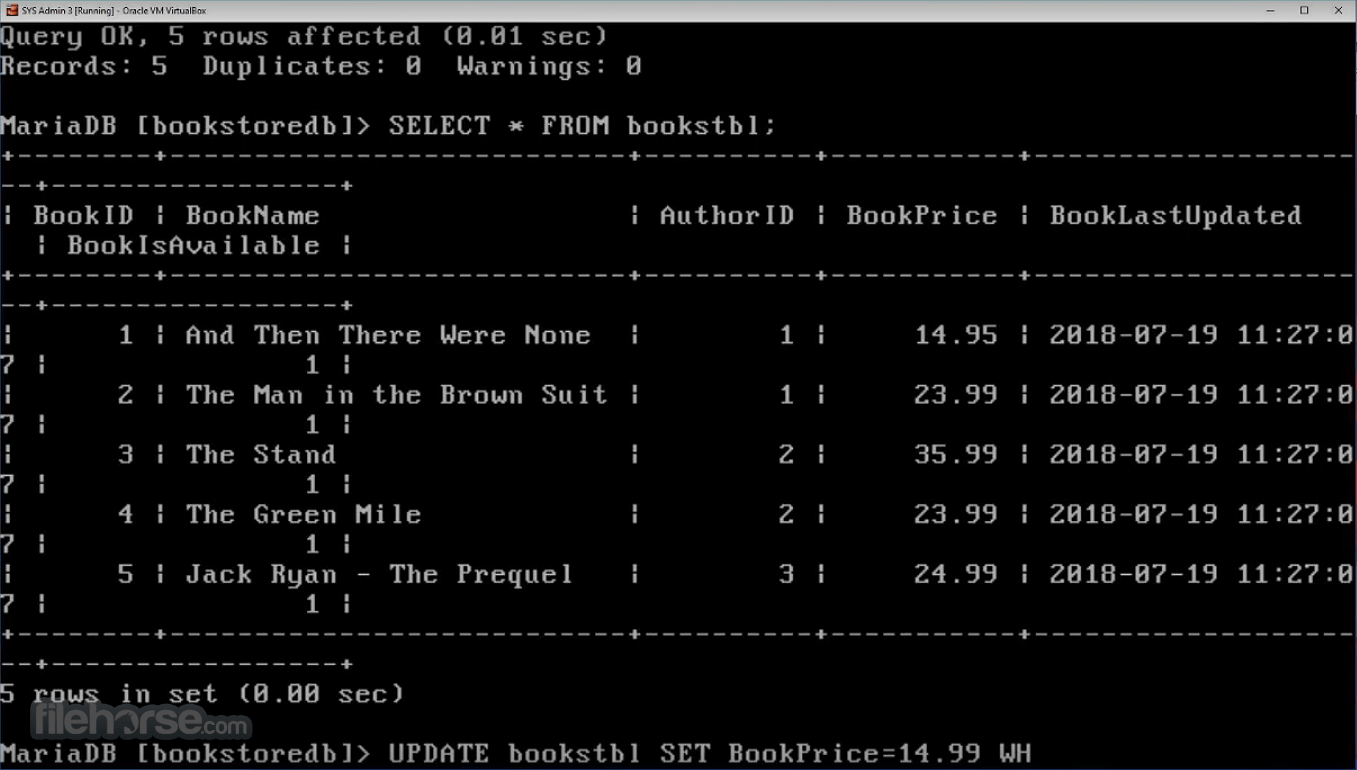
What’s NewStarting: Use the mysql command in the command prompt to access the MariaDB server. Creating a Database: Run CREATE DATABASE db_name; to create a new database. Adding Tables: Use CREATE TABLE table_name (...) to define tables within your database. Inserting Data: Run INSERT INTO table_name VALUES (...); to add records. Running Queries: Use SELECT * FROM table_name; to fetch data. Using GUI Tools: Connect MariaDB to phpMyAdmin or DBeaver for an easier user experience. FAQs
Is MariaDB free?
Yes, MariaDB is open-source and free to use under the GNU General Public License.
Can I migrate from MySQL to MariaDB easily?
Yes, MariaDB is a drop-in replacement for MySQL, allowing easy migration without major code changes.
Does MariaDB support stored procedures?
Yes, it supports stored procedures, triggers, and functions similar to MySQL.
Which GUI tools can I use with MariaDB?
Popular options include phpMyAdmin, DBeaver, Navicat, and HeidiSQL.
Is MariaDB suitable for enterprise applications?
Yes, it is used by large organizations, offering features like clustering, replication, and high security.
Alternatives
MySQL - The closest alternative, but now owned by Oracle.
PostgreSQL - Offers advanced features like full ACID compliance and better scalability.
Microsoft SQL Server - A proprietary solution with deep integration into the Windows ecosystem.
SQLite - Lightweight and file-based, suitable for small applications.
Oracle Database - High-end enterprise-grade database solution.
Pricing
MariaDB is free and open-source, but enterprise support plans are available through MariaDB Corporation with custom pricing based on features and support level.
System Requirements
MariaDB is a powerful, reliable, and high-performance database solution that serves as an excellent alternative to MySQL. Whether you are a developer, enterprise user, or database administrator, it offers flexibility, security, and scalability at no cost.
Download MariaDB Latest Version Why is this app published on FileHorse? (More info)
It was created by the original developers of MySQL after concerns about Oracle's acquisition.
Known for its reliability, high performance, and strong security features, MariaDB is widely used by enterprises, developers, and database administrators.
Key Features
- High Performance: MariaDB offers advanced query optimization and indexing strategies to improve speed and efficiency.
- Scalability: Supports clustering and replication, making it suitable for high-traffic applications.
- Storage Engines: Includes multiple storage engines like Aria, InnoDB, and ColumnStore for varied use cases.
- Security: Features robust encryption, authentication plugins, and role-based access control.
- Compatibility: Supports MySQL commands and utilities, ensuring easy migration.
- JSON Support: Offers efficient JSON functions for handling structured data.
- Galera Cluster: Enables synchronous multi-master replication for high availability.
MariaDB primarily operates through a command-line interface (CLI) but can also be managed using GUI tools like phpMyAdmin, DBeaver, and HeidiSQL.
The lack of an official graphical interface may be a challenge for beginners, but third-party tools make database management easier for non-technical users.
What’s New
- SQL Compatibility: Expanded SQL standard compatibility with support for TO_DATE(), SET PATH, IS JSON, XML data types, and enhanced CTE functionality
- Replication Improvements: Enhanced replication performance with optimized binary logging, configurable SSL defaults, and support for large row event fragmentation
- Query Optimization: Improved query execution through optimized LEFT JOIN processing and faster scans for range-partitioned tables
- Partitioning Enhancements: Introduced new hash algorithms for PARTITION BY KEY to improve partition distribution and efficiency
- Galera Cluster Updates: Added a dedicated mariadb-server-galera package with simplified installation and improved cluster management
- Security Improvements: Addressed multiple security vulnerabilities and strengthened overall database security with the latest CVE fixes
- Developer Enhancements: Added cursor support for prepared statements and improved integration for modern SQL development workflows
- Performance & Reliability: Included numerous engine optimizations, key management improvements, and overall stability enhancements
- Download: Get the Windows installer from the official website or FileHorse.
- Run the Installer: Follow the step-by-step setup wizard.
- Configure Database Settings: Choose authentication methods, default storage engines, and networking settings.
- Set Root Password: Secure access to the database.
- Complete Installation: It will be ready for use with command-line or GUI clients.
Is MariaDB free?
Yes, MariaDB is open-source and free to use under the GNU General Public License.
Can I migrate from MySQL to MariaDB easily?
Yes, MariaDB is a drop-in replacement for MySQL, allowing easy migration without major code changes.
Does MariaDB support stored procedures?
Yes, it supports stored procedures, triggers, and functions similar to MySQL.
Which GUI tools can I use with MariaDB?
Popular options include phpMyAdmin, DBeaver, Navicat, and HeidiSQL.
Is MariaDB suitable for enterprise applications?
Yes, it is used by large organizations, offering features like clustering, replication, and high security.
Alternatives
MySQL - The closest alternative, but now owned by Oracle.
PostgreSQL - Offers advanced features like full ACID compliance and better scalability.
Microsoft SQL Server - A proprietary solution with deep integration into the Windows ecosystem.
SQLite - Lightweight and file-based, suitable for small applications.
Oracle Database - High-end enterprise-grade database solution.
Pricing
MariaDB is free and open-source, but enterprise support plans are available through MariaDB Corporation with custom pricing based on features and support level.
System Requirements
- Operating System: Windows 10, Windows 11, Windows Server 2016/2019/2022
- RAM: Minimum 1GB (Recommended 4GB or more for larger databases)
- Disk Space: At least 500MB for installation
- Processor: 64-bit Intel or AMD CPU
- Free and open-source with active community support
- Drop-in replacement for MySQL with enhanced performance
- Highly scalable with replication and clustering support
- Strong security features for enterprise use
- Broad compatibility with MySQL applications and tools
- No official GUI; relies on third-party tools
- Some MySQL proprietary features are not supported
- May require manual configuration for optimal performance
- Learning curve for beginners unfamiliar with SQL
- Enterprise support requires a paid plan
MariaDB is a powerful, reliable, and high-performance database solution that serves as an excellent alternative to MySQL. Whether you are a developer, enterprise user, or database administrator, it offers flexibility, security, and scalability at no cost.
Download MariaDB Latest Version Why is this app published on FileHorse? (More info)
##
畫面截圖
- 2026-08-13 MariaDB 11.8.2 76.81 MB
- 2025-02-13 MariaDB 11.7.2 75.41 MB
- 2024-11-22 MariaDB 11.6.2 75 MB
- 2024-08-31 MariaDB 11.5.2 74.4 MB
- 2024-05-23 MariaDB 11.3.2 73.35 MB
- 2023-11-22 MariaDB 11.2.2 72.39 MB
- 2023-08-22 MariaDB 11.1.2 62.38 MB
- 2023-08-15 MariaDB 11.0.3 62.28 MB