⚠ 這是歷史版本頁面 — 查看 MediaCoder 最新版本 →

MediaCoder 0.8.60
v 0.8.60
Windows
免費軟體
6.72/10 (21)
- 目前版本0.8.60
- 更新日期2020-02-07
- 檔案大小79.33 MB
- 檔案名稱MediaCoder-x64-0.8.60.exe
- 作業系統Windows 7 64 / Windows 8 64 / Windows 10 64 / Windows 11
- 支援語系English
- 授權型式免費軟體
- 開發商 Stanley Huang
- 軟體分類Windows 軟體 / 影片軟體
##
編輯短評
MediaCoder 是一款專為 Windows 設計的影音轉檔工具,主要解決不同格式間的音訊與影片轉換需求,同時也支援從 DVD/CD 擷取音軌,以及裁剪、合併、加入字幕等基本編輯。它的最大特色是支援廣泛的編解碼器與容器格式,幾乎能應付常見的轉檔情境。軟體目前仍持續更新,近一年內有多次版本釋出,不過在台灣的使用者討論度不算高,評分人數也不多,整體評價屬於中等水準。
這套工具適合需要頻繁轉換影片格式的用戶,例如將高畫質影片轉成行動裝置可播放的格式,或是把 DVD 內容數位化保存。相較於 KMPlayer 或 K-Lite 這類播放或解碼工具,MediaCoder 專注在轉檔本身,功能更深入,但操作介面較為技術導向,新手可能需要花時間摸索。它提供免費授權,但僅有英文介面,且只支援 Windows 平台,使用前需留意這些限制。
##
翻譯排程處理中,以下暫以英文原文呈現
軟體介紹
MediaCoder is a versatile and comprehensive media transcoding app for Windows PC. It allows users to convert audio and video files between various formats, rip DVDs/CDs, and perform basic editing tasks.
With support for a wide range of codecs and formats, MediaCoder for PC is a go-to solution for individuals and professionals seeking efficient media conversion tools.
Main Features
Lossy Audio Compression Formats
MP3, Vorbis, LC-AAC, HE-AAC, Opus, AC-3, MPEG Audio, MusePack, Speex, AMR, Windows Media Audio, ADPCM, mp3PRO.
Lossless Audio Compression Formats
FLAC, WavPack, Monkey's Audio, OptimFrog, ALAC, TTA, PCM.
Video Compression Formats
H.264/AVC, H.265/HEVC, VP8/VP9, MPEG 1/2/4, Flash Video, XviD, DivX, Theora, Dirac, H.263, RealVideo, Windows Media Video, Huffyuv, MJPEG.
Container Formats
MP4, WebM, F4V, FLV, Matroska, AVI, MPEG-PS, MPEG-TS, ASF, MTS/M2TS/AVCHD, Quicktime/MOV, PMP, RealMedia, OGM.
Storage Media and Streaming (Input)
Bluray, DVD, VCD, SVCD, CD, CUESheet, HTTP, FTP, RTSP, UDP.
Installation and Setup
The installation process for this utility is straightforward and user-friendly.
Simply download the installer from the official website or FileHorse, run the setup file, and follow the on-screen instructions to complete the installation.
Once installed, MediaCoder is ready to use with default settings, but users can customize preferences and configure advanced options as needed.
How to Use
Is MediaCoder free to use?
Yes, the tool is available for FREE, but there is also a premium version with additional features and support.
What operating systems does MediaCoder support?
The tool is compatible with Windows operating systems, including Windows 7, 8, 10 or 11.
Can MediaCoder transcode files with DRM protection?
No, it does not support transcoding files with DRM protection.
Does MediaCoder support batch processing?
Yes, it allows users to batch process multiple files for simultaneous conversion.
Are there any limitations on file size or duration for transcoding?
It does not impose strict limitations on file size or duration, but larger files may require more processing time and system resources.
Alternatives
HandBrake: A popular open-source video transcoder with support for various formats and platforms.
FFmpeg: A powerful command-line tool for transcoding multimedia files with extensive codec support.
UniConverter: An easy-to-use video converter with support for a wide range of formats and devices.
Operating System Compatibility
MediaCoder is a powerful and versatile media transcoding software that offers a comprehensive set of features for converting audio and video files. With support for a wide range of formats, batch processing capabilities, and advanced encoding options, it's an excellent choice for both casual users and professionals seeking efficient media conversion tools.
While there are some limitations and occasional stability issues, it remains a top contender in the realm of media transcoding software for Windows users.
Download MediaCoder Latest Version Why is this app published on FileHorse? (More info)
With support for a wide range of codecs and formats, MediaCoder for PC is a go-to solution for individuals and professionals seeking efficient media conversion tools.
Main Features
- Transcode audio and video files between different formats.
- Rip DVDs and CDs to digital formats.
- Perform basic editing tasks such as cropping, merging, and adding subtitles.
- Support for a wide range of codecs and formats, including popular ones like MP4, AVI, MP3, and AAC.
- Batch processing capabilities for converting multiple files simultaneously.
- Advanced options for fine-tuning encoding parameters.
- GPU acceleration for faster transcoding speeds.
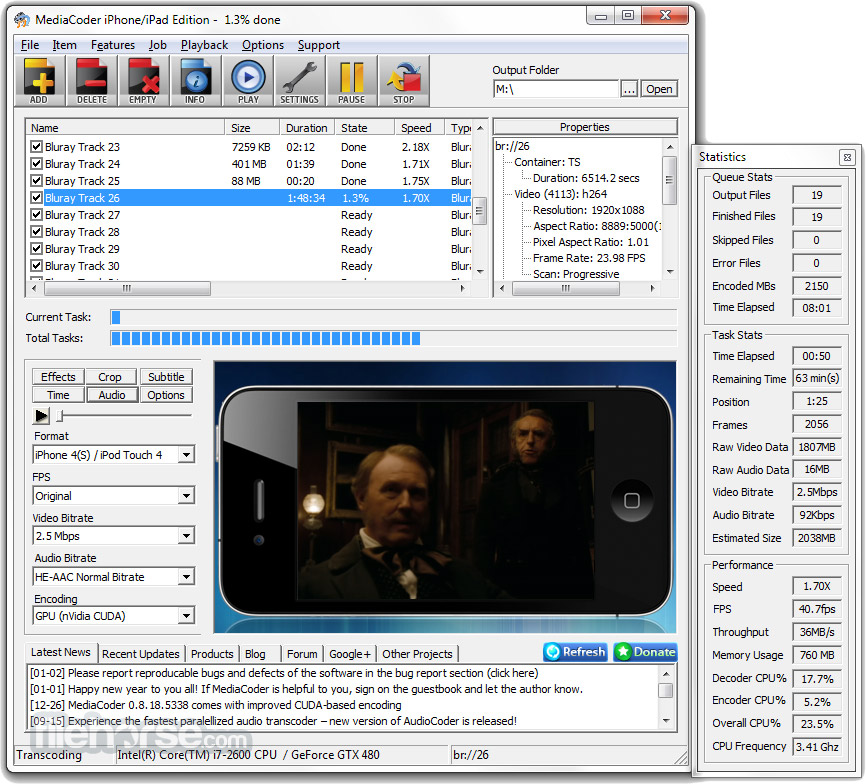
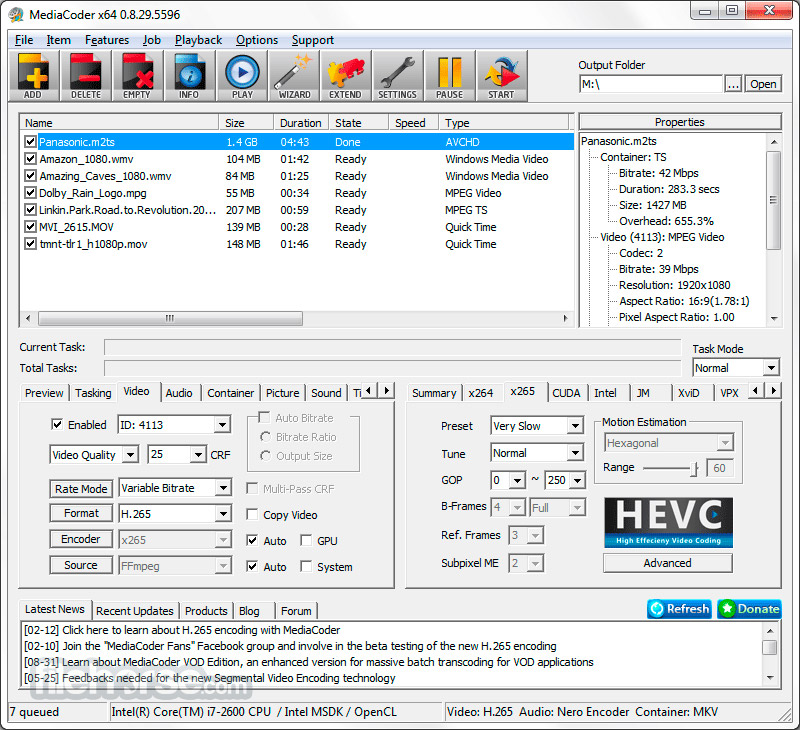
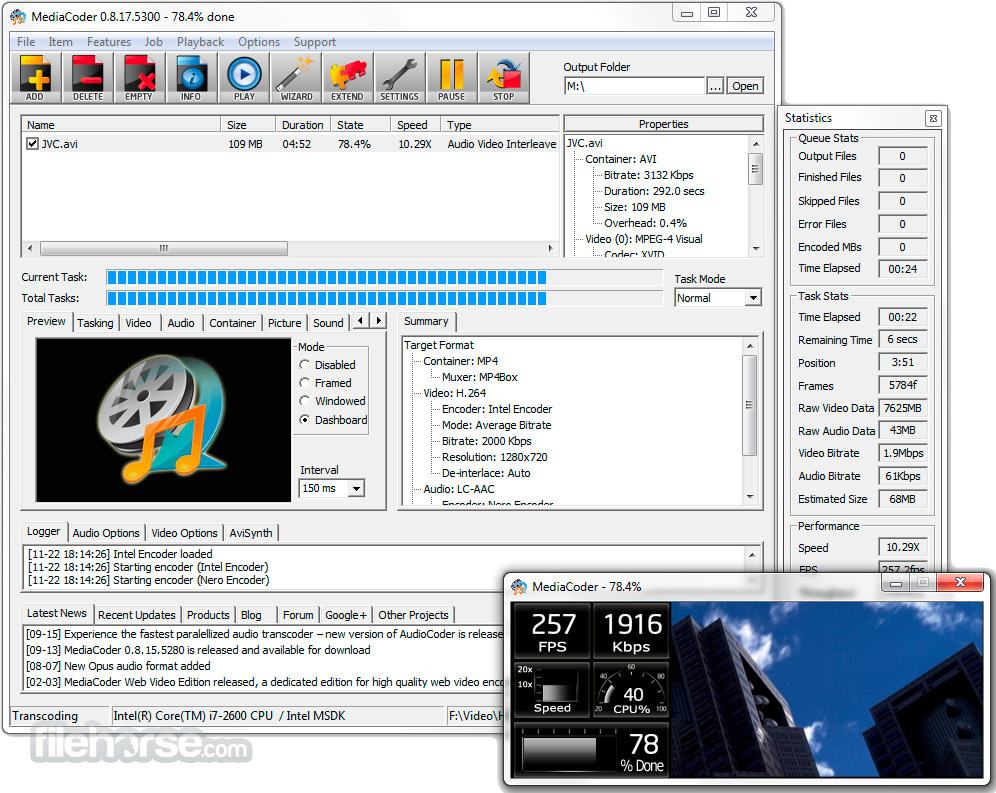
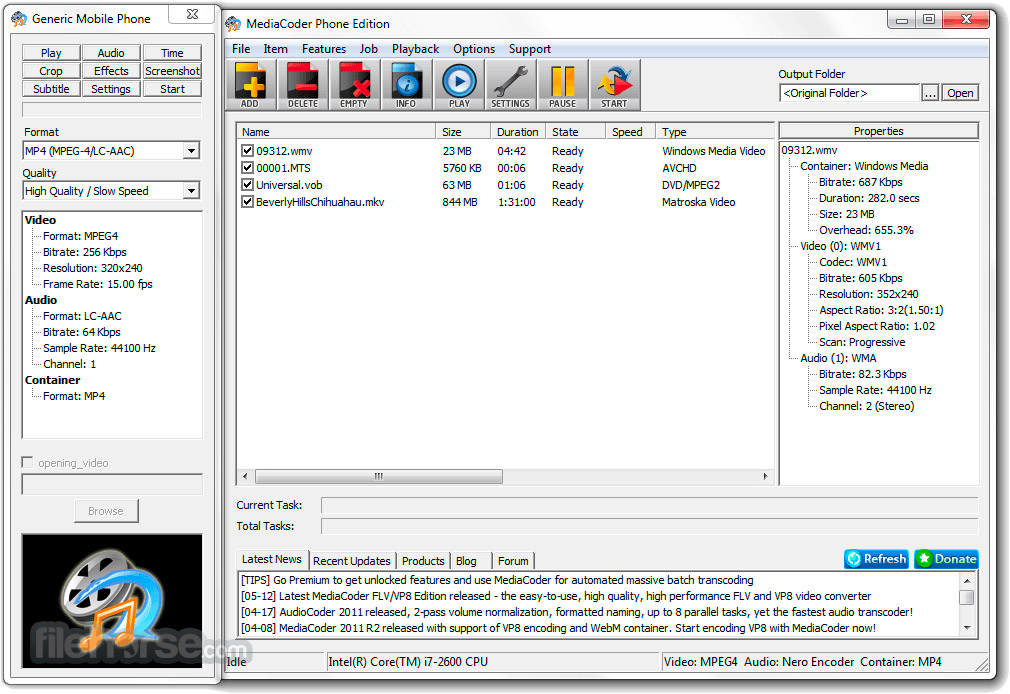
- It features a clean and intuitive user interface, with clearly labeled buttons and menus for easy navigation. The layout is designed to streamline the transcoding process, allowing users to quickly select input files, choose output settings, and initiate the conversion process.
Lossy Audio Compression Formats
MP3, Vorbis, LC-AAC, HE-AAC, Opus, AC-3, MPEG Audio, MusePack, Speex, AMR, Windows Media Audio, ADPCM, mp3PRO.
Lossless Audio Compression Formats
FLAC, WavPack, Monkey's Audio, OptimFrog, ALAC, TTA, PCM.
Video Compression Formats
H.264/AVC, H.265/HEVC, VP8/VP9, MPEG 1/2/4, Flash Video, XviD, DivX, Theora, Dirac, H.263, RealVideo, Windows Media Video, Huffyuv, MJPEG.
Container Formats
MP4, WebM, F4V, FLV, Matroska, AVI, MPEG-PS, MPEG-TS, ASF, MTS/M2TS/AVCHD, Quicktime/MOV, PMP, RealMedia, OGM.
Storage Media and Streaming (Input)
Bluray, DVD, VCD, SVCD, CD, CUESheet, HTTP, FTP, RTSP, UDP.
Installation and Setup
The installation process for this utility is straightforward and user-friendly.
Simply download the installer from the official website or FileHorse, run the setup file, and follow the on-screen instructions to complete the installation.
Once installed, MediaCoder is ready to use with default settings, but users can customize preferences and configure advanced options as needed.
How to Use
- Launch the tool and select the files you want to transcode by clicking on the "Add" button.
- Choose the output format and encoding settings from the dropdown menus and settings panel.
- Optionally, edit the files using the built-in editing tools, such as cropping or adding subtitles.
- Click on the "Start" button to initiate the transcoding process.
- Monitor the progress and view the log for any errors or warnings.
Is MediaCoder free to use?
Yes, the tool is available for FREE, but there is also a premium version with additional features and support.
What operating systems does MediaCoder support?
The tool is compatible with Windows operating systems, including Windows 7, 8, 10 or 11.
Can MediaCoder transcode files with DRM protection?
No, it does not support transcoding files with DRM protection.
Does MediaCoder support batch processing?
Yes, it allows users to batch process multiple files for simultaneous conversion.
Are there any limitations on file size or duration for transcoding?
It does not impose strict limitations on file size or duration, but larger files may require more processing time and system resources.
Alternatives
HandBrake: A popular open-source video transcoder with support for various formats and platforms.
FFmpeg: A powerful command-line tool for transcoding multimedia files with extensive codec support.
UniConverter: An easy-to-use video converter with support for a wide range of formats and devices.
Operating System Compatibility
- Windows XP/Vista/7/8/8.1/10 (32-bit version)
- Windows 7/8/8.1/10/11 (64-bit version)
- Windows Server 2003/2008/2012/2017
- Quad-core CPU or better
- 8GB or more RAM
- Intel HD Graphics 3000 or better (QuickSync GPU encoding)
- nVidia GeForce GTX 7-series or better (NVENC GPU encoding)
- Wide range of supported formats and codecs.
- Batch processing capabilities.
- Intuitive user interface.
- Advanced encoding options for customization.
- GPU acceleration for faster transcoding speeds.
- Lack of official support and updates.
- Limited platform support (Windows only).
- Some advanced features may require premium version.
- Occasional stability issues and bugs.
MediaCoder is a powerful and versatile media transcoding software that offers a comprehensive set of features for converting audio and video files. With support for a wide range of formats, batch processing capabilities, and advanced encoding options, it's an excellent choice for both casual users and professionals seeking efficient media conversion tools.
While there are some limitations and occasional stability issues, it remains a top contender in the realm of media transcoding software for Windows users.
Download MediaCoder Latest Version Why is this app published on FileHorse? (More info)
##
畫面截圖
- 2026-07-06 MediaCoder 0.8.68 90.5 MB
- 2026-06-03 MediaCoder 0.8.67 89.67 MB
- 2026-01-16 MediaCoder 0.8.66 89.73 MB
- 2022-10-13 MediaCoder 0.8.65 101.08 MB
- 2021-01-10 MediaCoder 0.8.63 94.72 MB
- 2020-08-28 MediaCoder 0.8.62 8.52 MB
- 2020-04-05 MediaCoder 0.8.61 77.52 MB
- 2020-02-07 MediaCoder 0.8.60 79.33 MB