⚠ 這是歷史版本頁面 — 查看 MediBang Paint Pro 最新版本 →

MediBang Paint Pro 27.2 (32-bit)
v 27.2 (32-bit)
Windows
免費軟體
8.42/10 (31)
- 目前版本27.2 (32-bit)
- 更新日期2021-12-13
- 檔案大小46.75 MB
- 檔案名稱MediBangPaintProSetup-27.2-32bit.exe
- 作業系統Windows 7 64 / Windows 8 64 / Windows 10 64
- 支援語系English
- 授權型式免費軟體
- 開發商 MediBang Inc.
- 軟體分類Windows 軟體 / 影像設計
##
編輯短評
MediBang Paint Pro 是一款專為數位繪圖與漫畫創作設計的免費繪畫軟體,內建多達 180 種預設筆刷、1,000 種網點素材與 60 種字型,讓創作者不必另外尋找素材就能直接投入創作。它同時支援多種平台,並在全球累積了相當可觀的下載量,是同類工具中頗受歡迎的選擇。開發商持續維護更新,雖然更新頻率不算密集,但功能完整度與穩定性都維持在一定水準。
這套軟體特別適合漫畫與插畫創作者,尤其是需要大量使用網點、對話框與分鏡功能的使用者。與 Adobe Photoshop 這類功能更全面但價格高昂的軟體相比,MediBang Paint Pro 以免費且輕量的方式提供繪圖所需的核心工具,取捨在於進階影像處理功能較為精簡。需要注意的是,目前最新版本在 Microsoft Store 上改為付費制,但官方仍提供舊版免費下載;介面僅有英文,且未提供免安裝版本,下載前需先確認自己的語言需求與安裝習慣。
##
翻譯排程處理中,以下暫以英文原文呈現
軟體介紹
MediBang Paint Pro is a digital painting and comic creation app for PC and Mac (and of course modern portable platforms) that brings a wide variety of tools and services for digital artists who want to streamline their process of comic and manga art creation.
Note: The latest version is paid on the Microsoft Store, but we still have the older FREE version.
With over 85 million downloads in 150+ countries, create stunning illustrations and comics on multiple platforms! Enjoy 180 default brushes, 1,000 screentones, and 60 fonts, along with Steam-exclusive features like gradient maps, onion skin mode, and more!
Even though this app is 100% FREE and can be used for commercial uses, it comes with a wide array of brushes, fonts, pre-made backgrounds, and other resources that will enable the fast creation of comic art.
As an added benefit, the app also brings with it access to the large MediBang art community, where users can access their cloud storage, effortlessly share and browse online art, find like-minded artists, create groups, and much more.
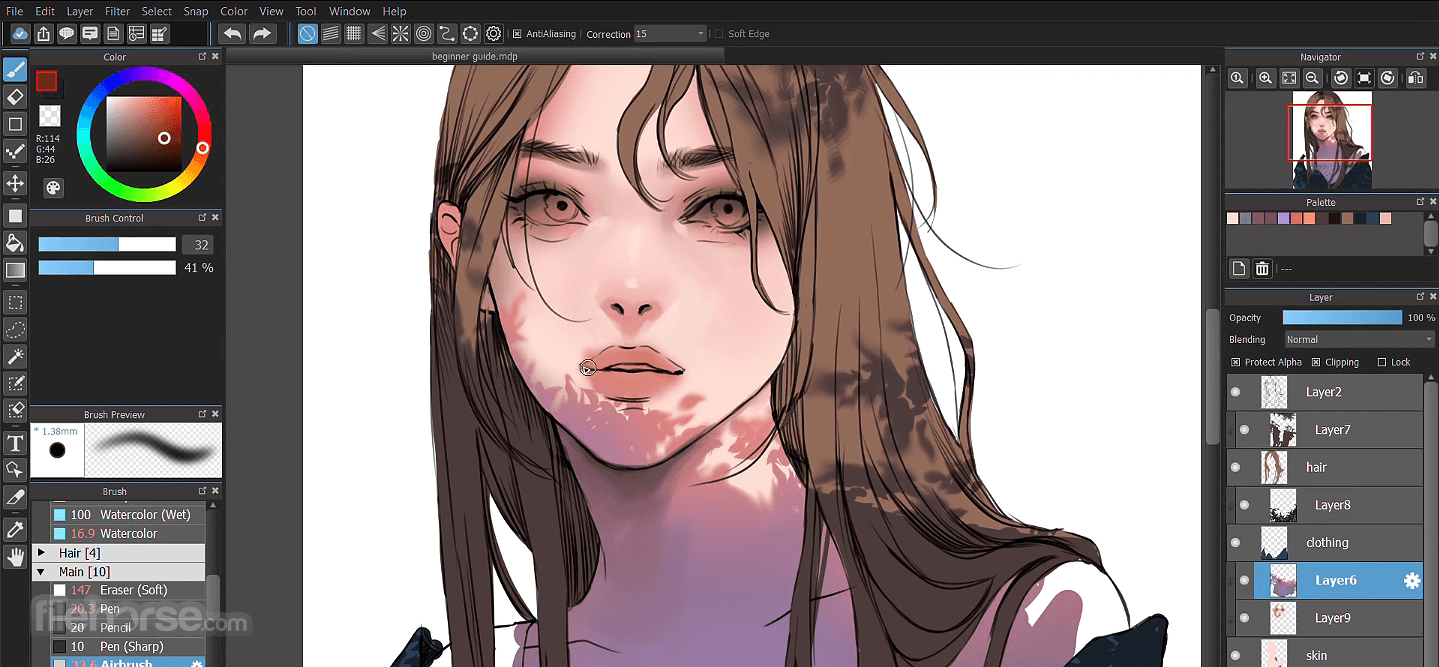
The core tool that has enabled MediBang Paint Pro to attract a large international audience is its brush tool, which consists of 50 unique shapes and paint application patterns.
This includes the popular GPen, Watercolor brush, Mapping Pen for inking, and many others. To make art creation flexible and adaptable to your needs, all brushes and many other tools can be edited and customized to your specific needs.
If you have the need for it, you can even create brand new brushes that can help you more quickly realize your visual ideas.
To speed up comic creation, the panel separation tool enables you to quickly slice across the screen and create the exact panel arrangement of your choice, and support for working with multiple layers, pre-made elements (speech bubbles, emoticons, and more), image filters, text tools, and other features is present and constantly updated with a new version of the app.
MediBang Paint Pro has integrated support for its own native file format, .mdp, but it can also work with popular image formats such as PNG, JPG, BMP, GIF, PSD, TIFF, and WebP.
As for the input method, users are encouraged to precisely control their painting with a Wacom Pen Tablet, but full mouse and keyboard support is also present.
Features and Highlights
Installation and Use
The app is distributed online as a small installation package that weighs less than 100 MB. To install it on your PC, make sure that you have at least 100MB of free space on your local storage (2GB is recommended), between 4-8 GB of RAM, and an Internet connection if you wish to make a connection to MediBang Paint’s cloud services.
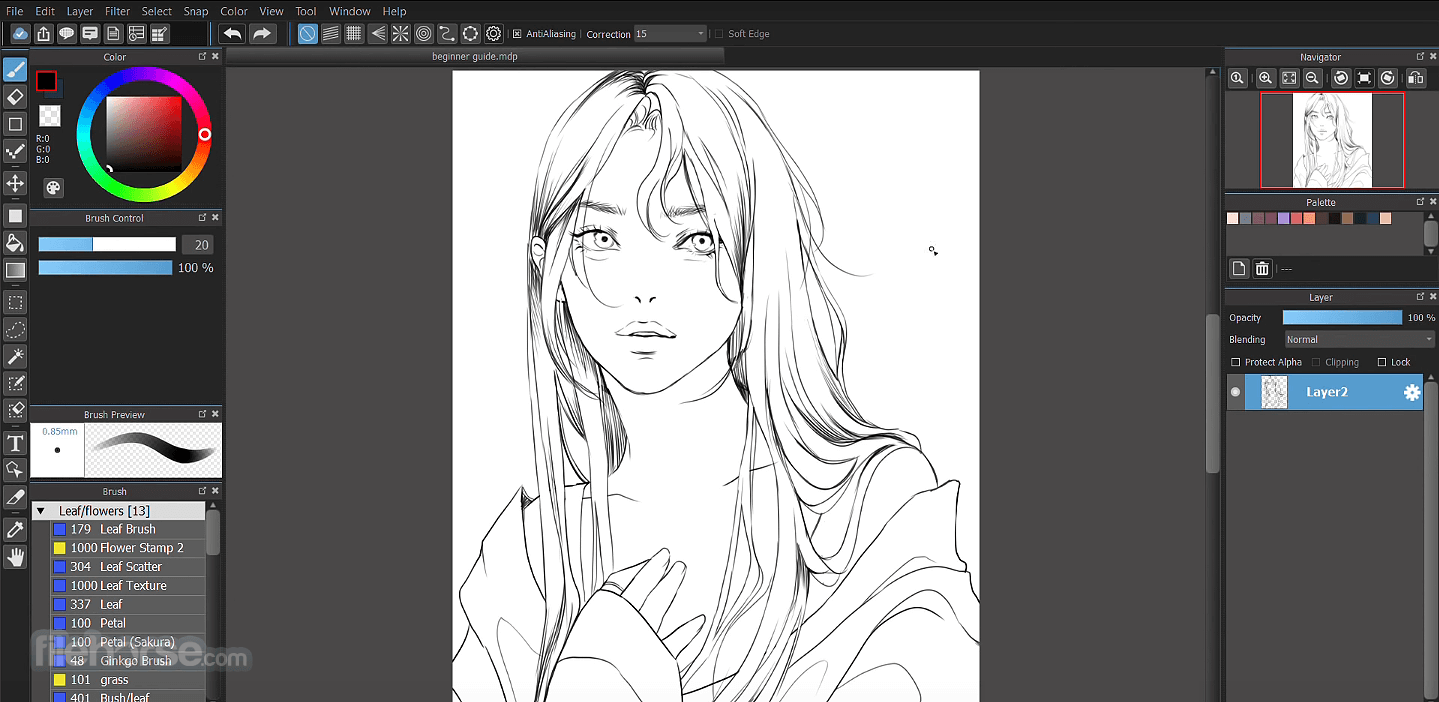
The user interface of MediBang Paint Pro is traditional and will be instantly recognizable to any digital artist who has learned the basics of painting inside Adobe Photoshop or any other similar painting and compositing app.
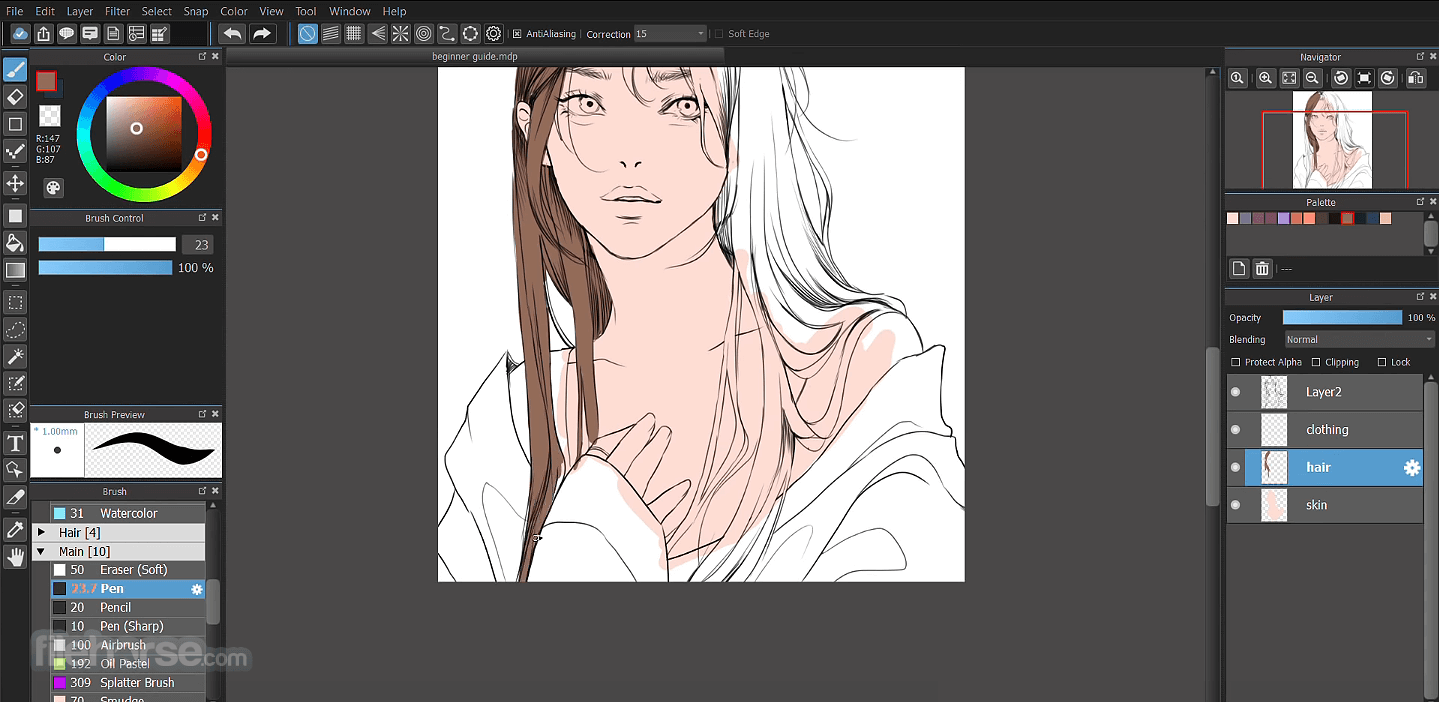
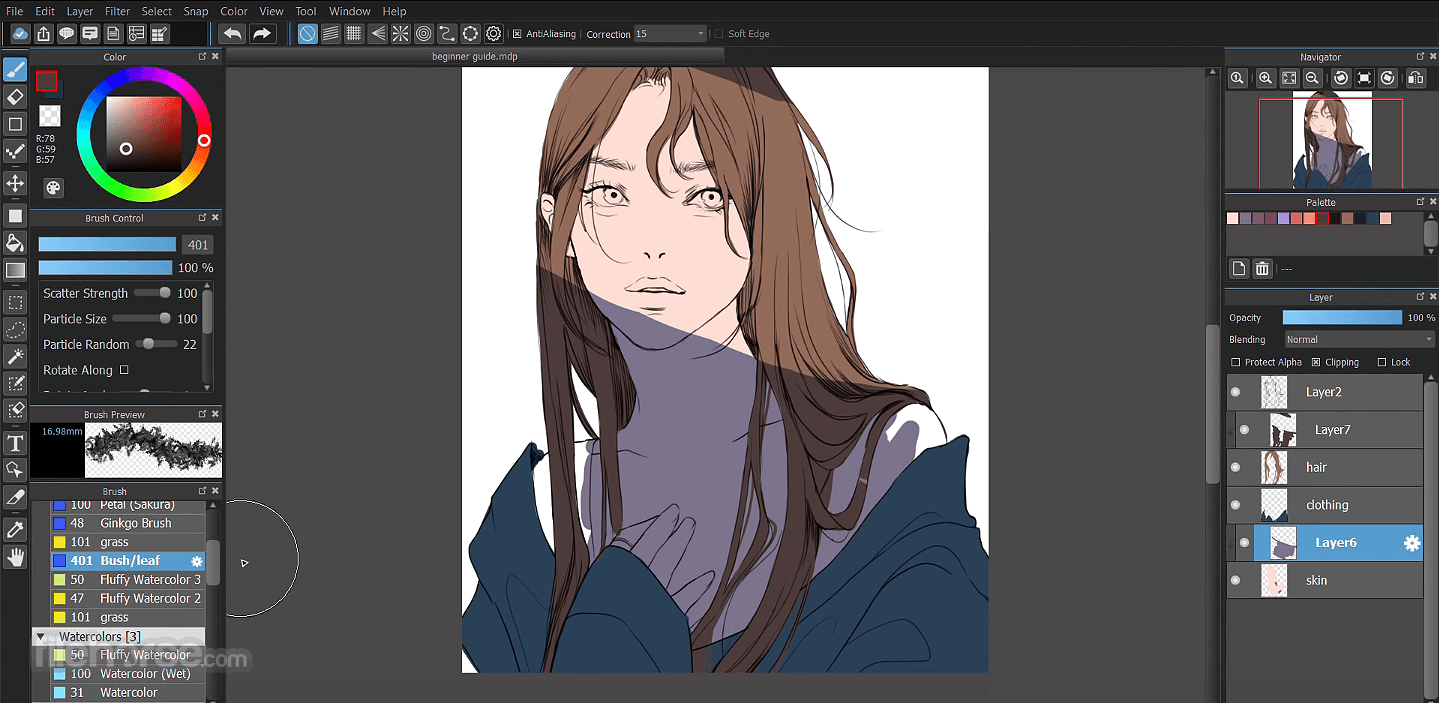
The center of the app is left for the large painting canvas, with a tool selection row on the far left, and various properties and layer management mini-tabs on the far right.
Alternatives
Adobe Photoshop - A comprehensive image editing software with advanced features and extensive capabilities, suitable for professional photographers and designers.
Luminar Neo - A creative photo editing software with AI-enhanced editing tools and a variety of presets and filters for quick and easy enhancements.
GIMP - A free, open-source image editor with a wide range of tools and plugins, available for Windows, Mac, and Linux.
Affinity Photo - A professional-grade photo editing software with non-destructive editing, RAW processing, and advanced retouching tools.
Capture One - A RAW image editing and asset management software favored by professional photographers for its powerful editing capabilities and customizable workflow.
System Requirements
Requires a 64-bit processor and operating system
Download MediBang Paint Pro Latest Version Why is this app published on FileHorse? (More info)
Note: The latest version is paid on the Microsoft Store, but we still have the older FREE version.
With over 85 million downloads in 150+ countries, create stunning illustrations and comics on multiple platforms! Enjoy 180 default brushes, 1,000 screentones, and 60 fonts, along with Steam-exclusive features like gradient maps, onion skin mode, and more!
Even though this app is 100% FREE and can be used for commercial uses, it comes with a wide array of brushes, fonts, pre-made backgrounds, and other resources that will enable the fast creation of comic art.
As an added benefit, the app also brings with it access to the large MediBang art community, where users can access their cloud storage, effortlessly share and browse online art, find like-minded artists, create groups, and much more.
The core tool that has enabled MediBang Paint Pro to attract a large international audience is its brush tool, which consists of 50 unique shapes and paint application patterns.
This includes the popular GPen, Watercolor brush, Mapping Pen for inking, and many others. To make art creation flexible and adaptable to your needs, all brushes and many other tools can be edited and customized to your specific needs.
If you have the need for it, you can even create brand new brushes that can help you more quickly realize your visual ideas.
To speed up comic creation, the panel separation tool enables you to quickly slice across the screen and create the exact panel arrangement of your choice, and support for working with multiple layers, pre-made elements (speech bubbles, emoticons, and more), image filters, text tools, and other features is present and constantly updated with a new version of the app.
MediBang Paint Pro has integrated support for its own native file format, .mdp, but it can also work with popular image formats such as PNG, JPG, BMP, GIF, PSD, TIFF, and WebP.
As for the input method, users are encouraged to precisely control their painting with a Wacom Pen Tablet, but full mouse and keyboard support is also present.
Features and Highlights
- All-in-one digital painting solution for comic and manga artists.
- Collection of over 50 brushes, with built-in support for making your own.
- Full support for layers and advanced layer management.
- Snap guides that make painting straight lines a breeze.
- Lightweight and fast, perfect for older PCs and laptops.
- Streamlined comic panel creation.
- Large library of comic-friendly fonts.
- Built-in comic page management.
- Access to a library of pre-made backgrounds.
- Support for cloud-based storage and sharing tools.
- Tools for collaboration with other artists.
- 100% FREE!
Installation and Use
The app is distributed online as a small installation package that weighs less than 100 MB. To install it on your PC, make sure that you have at least 100MB of free space on your local storage (2GB is recommended), between 4-8 GB of RAM, and an Internet connection if you wish to make a connection to MediBang Paint’s cloud services.
The user interface of MediBang Paint Pro is traditional and will be instantly recognizable to any digital artist who has learned the basics of painting inside Adobe Photoshop or any other similar painting and compositing app.
The center of the app is left for the large painting canvas, with a tool selection row on the far left, and various properties and layer management mini-tabs on the far right.
Alternatives
Adobe Photoshop - A comprehensive image editing software with advanced features and extensive capabilities, suitable for professional photographers and designers.
Luminar Neo - A creative photo editing software with AI-enhanced editing tools and a variety of presets and filters for quick and easy enhancements.
GIMP - A free, open-source image editor with a wide range of tools and plugins, available for Windows, Mac, and Linux.
Affinity Photo - A professional-grade photo editing software with non-destructive editing, RAW processing, and advanced retouching tools.
Capture One - A RAW image editing and asset management software favored by professional photographers for its powerful editing capabilities and customizable workflow.
System Requirements
Requires a 64-bit processor and operating system
- OS: Windows 11/10
- Memory: 8 GB RAM
- Storage: 150 MB available space
- Wide variety of brushes and tools.
- Cloud storage for artwork.
- Free with professional features.
- User-friendly interface.
- Collaboration support for teams.
- Limited text editing features.
- Requires a stable internet connection for the cloud.
- Occasional performance issues.
- Fewer 3D modeling options.
Download MediBang Paint Pro Latest Version Why is this app published on FileHorse? (More info)
##
畫面截圖
- 2025-09-08 MediBang Paint Pro 29.1 41.88 MB
- 2023-06-09 MediBang Paint Pro 28.7 41.87 MB
- 2023-03-02 MediBang Paint Pro 28.6 54.18 MB
- 2022-12-14 MediBang Paint Pro 28.4 (64-bit) 53.06 MB
- 2022-12-14 MediBang Paint Pro 28.4 (32-bit) 47.02 MB
- 2022-10-24 MediBang Paint Pro 28.3 (64-bit) 53.06 MB
- 2022-10-24 MediBang Paint Pro 28.3 (32-bit) 47.02 MB
- 2022-08-02 MediBang Paint Pro 28.2 (64-bit) 53.05 MB