⚠ 這是歷史版本頁面 — 查看 MeGUI 最新版本 →

- 目前版本2896
- 更新日期2018-12-09
- 檔案大小105.94 MB
- 檔案名稱MeGUI-2896-32.zip
- 作業系統Windows 7 / Windows 8 / Windows 10 / Windows 11
- 支援語系English
- 授權型式開源軟體
- 開發商 MeGUI Team
- 軟體分類Windows 軟體 / 影片軟體
##
編輯短評
MeGUI 是一款專為 Windows 設計的影片編碼工具,主要用來解決轉檔、壓縮與處理多媒體檔案的需求。它涵蓋從新手到進階用戶的廣泛功能,最鮮明的特色是能自動化批次轉檔,並內建強大的濾鏡處理,適合將高畫質影片或 DVD、藍光轉成其他裝置可播放的格式。作為開源軟體,它由社群持續維護,但近期更新頻率不高,使用者評價中等,在同類工具中屬於中段班的選擇。
這套軟體適合需要精細控制編碼參數的進階使用者,例如要將影片轉成特定播放器或行動裝置格式,或想對影片套用濾鏡調整畫質的人。與 KMPlayer、K-Lite Codec Pack 等偏重播放或解碼的工具不同,MeGUI 專注於編碼轉檔,功能更專業但學習曲線較陡。它採開源授權、免費下載,僅支援 Windows 平台,且介面只有英文,使用前需留意語言門檻。
##
翻譯排程處理中,以下暫以英文原文呈現
軟體介紹
MeGUI is a comprehensive and versatile video encoding utility designed primarily for Windows PCs. It offers a wide range of features for both novice and advanced users, making it a popular choice for encoding, transcoding, and processing multimedia files.
MeGUI for PC is open-source software, which means it's free to download and use, and it's actively developed by a community of contributors.
Highlights
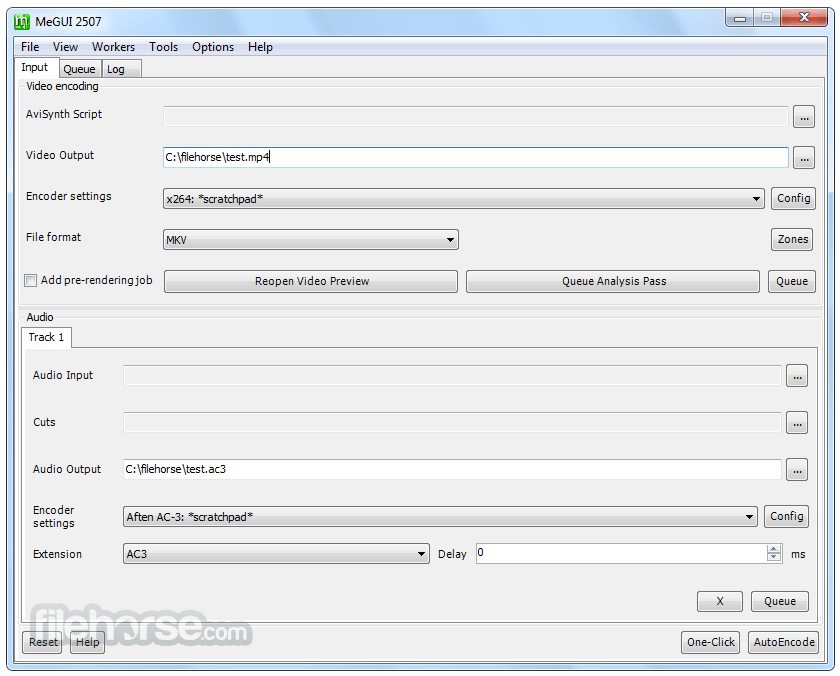
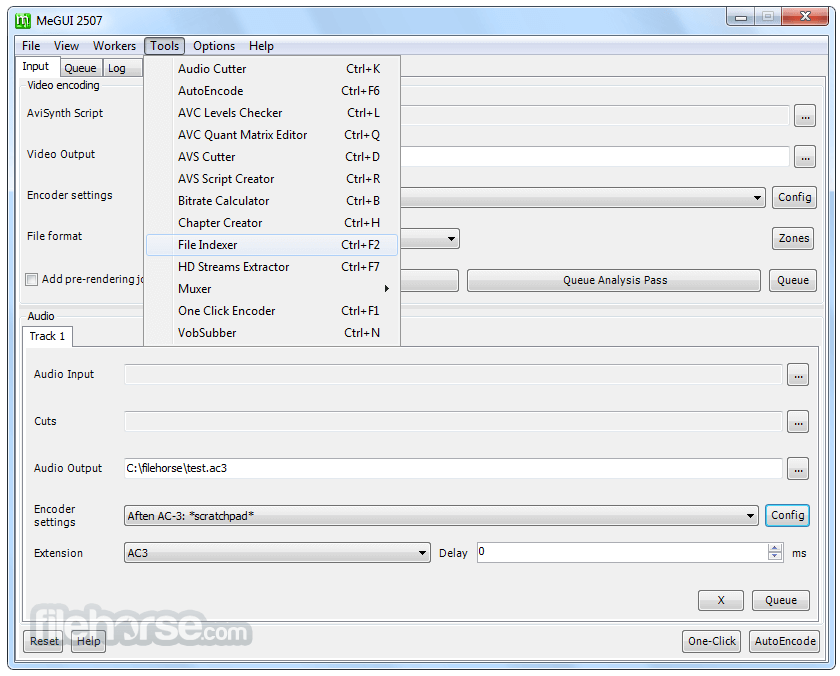
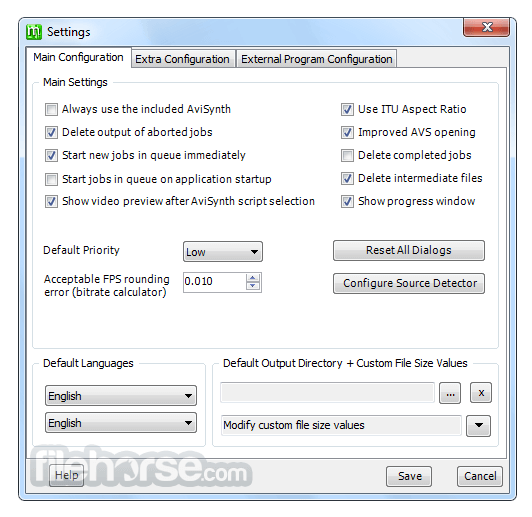
It features a clean and intuitive user interface, with a layout that is easy to navigate even for beginners. The main window is divided into sections for video, audio, and subtitle settings, with clear labels and tooltips to guide users through the encoding process.
Additionally, it offers a customizable interface, allowing users to adjust the layout and appearance according to their preferences.
Installation and Setup
Installing this tool is straightforward and can be done by downloading the latest version from the official website or FileHorse and following the on-screen instructions.
The setup process includes selecting installation options such as language preferences and shortcut creation. Once installed, it may prompt users to download additional codec libraries and updates for optimal performance.
How to Use
FAQ
Is MeGUI compatible with Windows 11/10?
Yes, this software is fully compatible with Windows 11 and 10, as well as previous versions of Windows.
Can I use MeGUI to convert videos for playback on mobile devices?
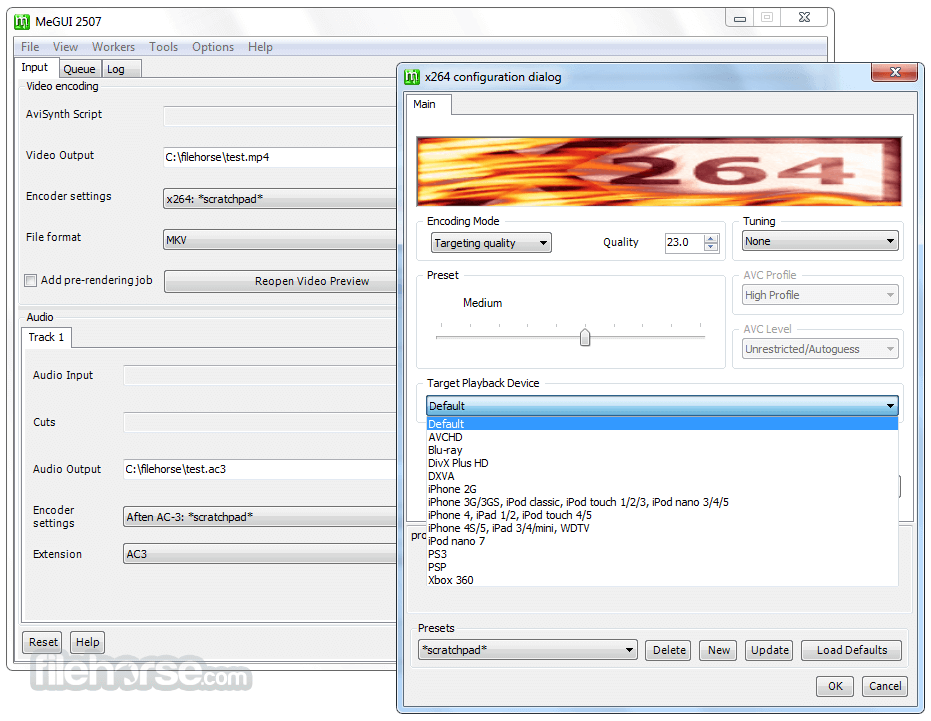
Absolutely, it supports a wide range of output formats suitable for various devices, including smartphones and tablets.
Does MeGUI support hardware acceleration for faster encoding?
Yes, it can leverage hardware acceleration technologies such as Intel Quick Sync Video and NVIDIA NVENC for faster encoding performance.
Are there any limitations on the file size or duration for encoding with MeGUI?
MeGUI does not impose strict limitations on file size or duration, but users should consider hardware capabilities and storage space when encoding large or lengthy videos.
Can I create custom presets for encoding settings in MeGUI?
Yes, it allows users to create and save custom encoding presets for quick and easy access to preferred settings.
Alternatives
HandBrake: A popular open-source video transcoder with a user-friendly interface and broad format support.
FFmpeg: A powerful command-line tool for encoding, decoding, and transcoding multimedia files.
Adobe Media Encoder: A professional-grade encoding software included in the Adobe Creative Cloud suite, offering advanced features and integration with other Adobe products.
Pricing
This app is free to download and use, as it is open-source software.
Users can contribute to the project or participate in the community to support its development.
System Requirements
The tool is designed to run on Windows operating systems and requires moderate system resources.
The exact system requirements may vary depending on the size and complexity of the video files being processed.
PROS
MeGUI is a powerful and versatile video encoding tool that offers a wide range of features for both casual users and professionals. With its intuitive interface, extensive customization options, and active community support, the tool is a valuable asset for anyone looking to encode, transcode, or process multimedia files on Windows PCs.
While it may require some time to master its advanced features, the benefits of using MeGUI for video encoding far outweigh any learning curve. Whether you're a hobbyist filmmaker, a video enthusiast, or a professional editor, it has the tools you need to achieve high-quality results efficiently and effectively.
Download MeGUI Latest Version Why is this app published on FileHorse? (More info)
MeGUI for PC is open-source software, which means it's free to download and use, and it's actively developed by a community of contributors.
Highlights
- Converts files for your iPod and all the other media players
- Processes high-quality HD-video/audio files or your DVD and Blu-ray rips
- Automatizes all your conversion jobs
- Adds powerful filters to improve your results
- Speeds up your tasks by creating multiple threads for your multi-core CPU
- Creates ISO MPEG-4 and MKV files by using efficient and free codecs (Video: x264, XviD; Audio: AAC, AC-3, and many more)
- Supports MPEG-4 ASP (xvid), MPEG-4 AVC (x264), AAC, MP2, MP3, Flac, Vorbis, and AC3 audio and various common containers such as MP4, MKV, AVI or M2TS
- Video Encoding: It supports a variety of video codecs and containers, allowing users to encode their video files into different formats such as MP4, MKV, AVI, and more.
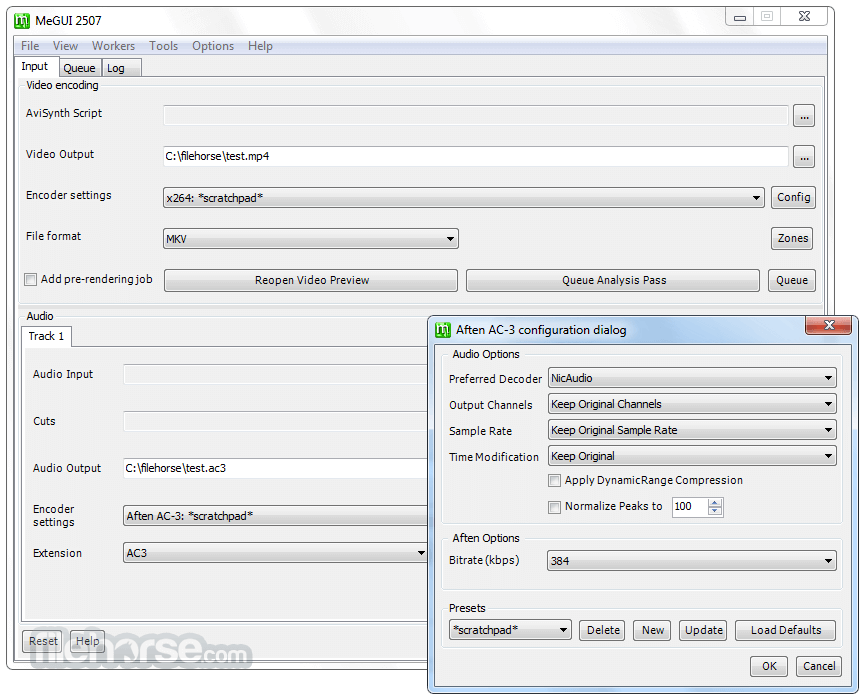
- Audio Encoding: Alongside video encoding, it also enables users to encode audio files into various formats, including AAC, MP3, FLAC, and more.
- Batch Processing: Users can queue multiple encoding tasks and process them simultaneously, saving time and effort.
- Subtitle Support: It allows users to add subtitles to their videos and supports various subtitle formats for both input and output.
- Advanced Configuration: For power users, it provides extensive options for fine-tuning the encoding process, including bitrate control, advanced filters, and more.
It features a clean and intuitive user interface, with a layout that is easy to navigate even for beginners. The main window is divided into sections for video, audio, and subtitle settings, with clear labels and tooltips to guide users through the encoding process.
Additionally, it offers a customizable interface, allowing users to adjust the layout and appearance according to their preferences.
Installation and Setup
Installing this tool is straightforward and can be done by downloading the latest version from the official website or FileHorse and following the on-screen instructions.
The setup process includes selecting installation options such as language preferences and shortcut creation. Once installed, it may prompt users to download additional codec libraries and updates for optimal performance.
How to Use
- Import Media: Start by importing your video file into the app using the "File" menu or drag-and-drop functionality.
- Configure Settings: Choose your desired output format, codec, bitrate, and other settings according to your preferences.
- Add Subtitles: If needed, add subtitles to your video by selecting the subtitle file and configuring subtitle settings.
- Start Encoding: Once everything is set up, add the encoding task to the queue and start the encoding process.
- Monitor Progress: It provides real-time feedback on the encoding progress, allowing users to monitor the status of their tasks and make adjustments if necessary.
FAQ
Is MeGUI compatible with Windows 11/10?
Yes, this software is fully compatible with Windows 11 and 10, as well as previous versions of Windows.
Can I use MeGUI to convert videos for playback on mobile devices?
Absolutely, it supports a wide range of output formats suitable for various devices, including smartphones and tablets.
Does MeGUI support hardware acceleration for faster encoding?
Yes, it can leverage hardware acceleration technologies such as Intel Quick Sync Video and NVIDIA NVENC for faster encoding performance.
Are there any limitations on the file size or duration for encoding with MeGUI?
MeGUI does not impose strict limitations on file size or duration, but users should consider hardware capabilities and storage space when encoding large or lengthy videos.
Can I create custom presets for encoding settings in MeGUI?
Yes, it allows users to create and save custom encoding presets for quick and easy access to preferred settings.
Alternatives
HandBrake: A popular open-source video transcoder with a user-friendly interface and broad format support.
FFmpeg: A powerful command-line tool for encoding, decoding, and transcoding multimedia files.
Adobe Media Encoder: A professional-grade encoding software included in the Adobe Creative Cloud suite, offering advanced features and integration with other Adobe products.
Pricing
This app is free to download and use, as it is open-source software.
Users can contribute to the project or participate in the community to support its development.
System Requirements
The tool is designed to run on Windows operating systems and requires moderate system resources.
The exact system requirements may vary depending on the size and complexity of the video files being processed.
PROS
- Comprehensive set of encoding options.
- Support for batch processing.
- Active development and community support.
- Free and open-source.
- Lack of official support and updates.
- Steeper learning curve for advanced features.
- Limited platform availability (Windows only).
- Occasional stability issues with beta releases.
MeGUI is a powerful and versatile video encoding tool that offers a wide range of features for both casual users and professionals. With its intuitive interface, extensive customization options, and active community support, the tool is a valuable asset for anyone looking to encode, transcode, or process multimedia files on Windows PCs.
While it may require some time to master its advanced features, the benefits of using MeGUI for video encoding far outweigh any learning curve. Whether you're a hobbyist filmmaker, a video enthusiast, or a professional editor, it has the tools you need to achieve high-quality results efficiently and effectively.
Download MeGUI Latest Version Why is this app published on FileHorse? (More info)
##
畫面截圖
- 2025-05-13 MeGUI 2944 111.83 MB
- 2023-03-31 MeGUI 2933 119.01 MB
- 2020-01-19 MeGUI 2913 106.63 MB
- 2018-12-09 MeGUI 2896 105.94 MB
- 2018-09-15 MeGUI 2876 102.3 MB
- 2018-04-22 MeGUI 2836 89.48 MB
- 2018-03-11 MeGUI 2828 89.81 MB
- 2017-12-30 MeGUI 2808 85.32 MB