⚠ 這是歷史版本頁面 — 查看 Microsoft Power BI Desktop (64-bit) 最新版本 →

Microsoft Power BI Desktop 2.144.679.0 (64-bit)
v 2.144.679.0 (64-bit)
Windows
未分類
8.38/10 (114)
- 目前版本2.144.679.0 (64-bit)
- 更新日期2025-06-10
- 檔案大小796 MB
- 檔案名稱PBIDesktopSetup_x64.exe
- 作業系統Windows 7 64 / Windows 8 64 / Windows 10 64 / Windows 11
- 支援語系English
- 授權型式未分類
- 開發商 Microsoft Corporation
- 軟體分類Windows 軟體 / 辦公商務
##
編輯短評
Microsoft Power BI Desktop是一款专为Windows平台设计的商业智能与数据可视化工具,主要协助使用者连接多种数据来源(如Excel、SQL数据库、云端服务),将原始资料转换成有意义的洞察,并制作出互动式报告与仪表板。其最具辨识度的特色在于强大的数据连接能力,能整合分散的资料来源,让分析流程更顺畅。该软件由Microsoft长期维护,更新相当活跃,在同分类中属于热门选择,使用者评价普遍不错。
这套工具特别适合分析师、数据专业人员以及需要做业务决策的使用者,常用于将复杂的数据集视觉化,并有效率地分享报告。与同分类的替代软件如Microsoft Office系列相比,Power BI更专注于数据分析和视觉呈现,但Office则偏向一般文书处理,取舍在于专业度与通用性。需要注意的是,目前仅支援英文介面,且授权状态未明确标示,下载前最好确认使用环境与需求。
##
翻譯排程處理中,以下暫以英文原文呈現
軟體介紹
Microsoft Power BI Desktop is a powerful business intelligence and Windows data visualization tool that allows users to connect to various data sources, transform raw data into meaningful insights, and create interactive reports and dashboards.
Get 15% off with promo code: FILEHORSE15
Designed for Windows PCs, Microsoft Power BI Desktop 64bit is widely used by analysts, data professionals, and business decision-makers to visualize complex datasets and share reports efficiently.
Key Features
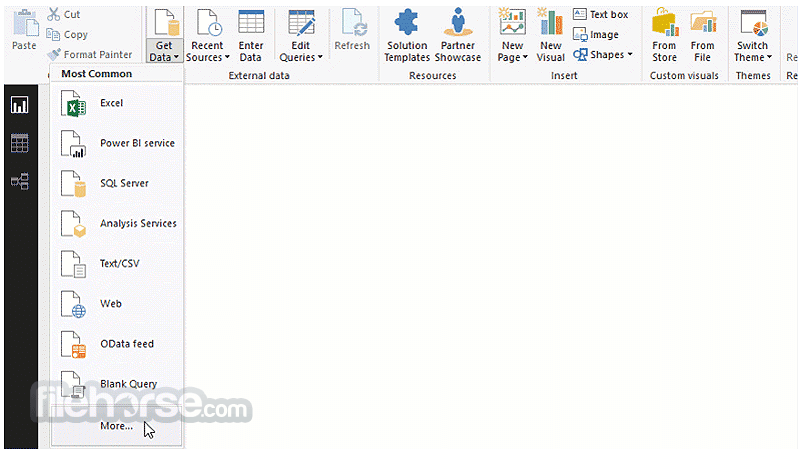
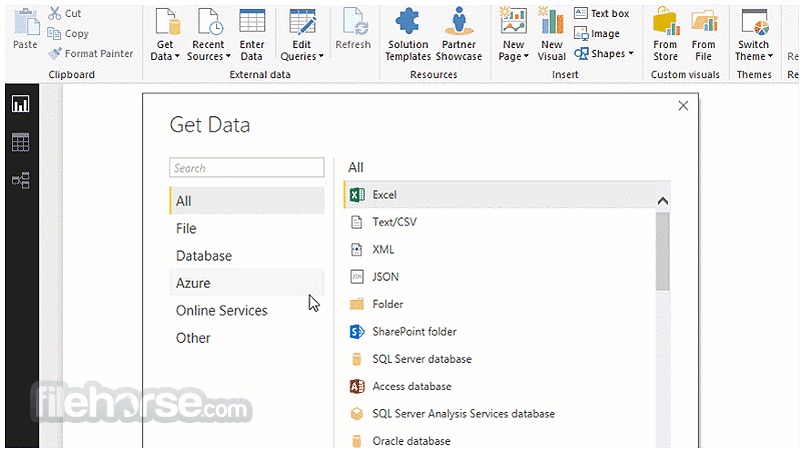
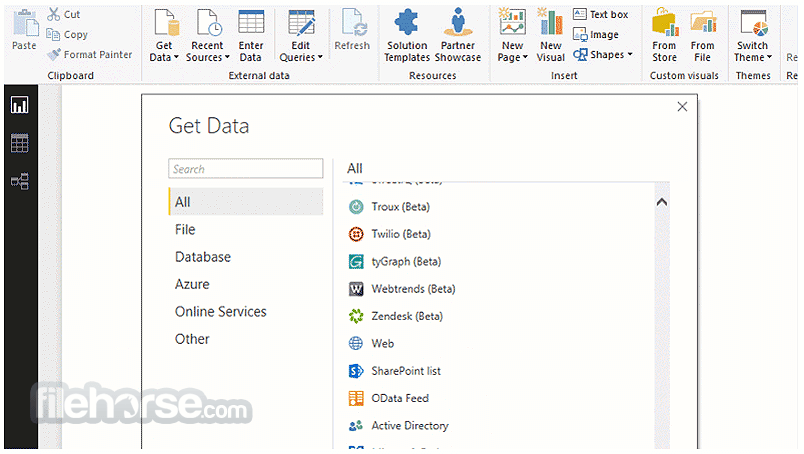
Data Connectivity: Connect to a variety of data sources, including Excel, SQL databases, cloud services, and APIs.
Data Transformation: Use Power Query Editor to clean and shape data before analysis.
Advanced Analytics: Utilize DAX (Data Analysis Expressions) to perform complex calculations and data modeling.
Interactive Dashboards: Create visually appealing reports with dynamic charts, graphs, and filters.
AI Insights: Leverage built-in AI features for predictive analytics and automated insights.
Data Sharing & Collaboration: Publish reports to the Power BI service and collaborate with team members.
Custom Visualizations: Extend capabilities with third-party visuals and integrate with Python or R.
User Interface
Report View: Design and customize reports with drag-and-drop visualizations.
Data View: Inspect and refine datasets.
Model View: Manage relationships between different data tables.
Query Editor: Transform and manipulate data using Power Query.
Installation and Setup
Connect to Data: Import or connect to external data sources.
Transform Data: Use Power Query Editor to clean and shape your data.
Build Visuals: Drag and drop fields onto the report canvas to create charts and graphs.
Enhance with DAX: Write custom measures and calculated columns for advanced analysis.
Publish & Share: Upload reports to Power BI Service for collaboration and accessibility.
FAQ
Is Microsoft Power BI Desktop 64bit free?
Yes, the software is free to download and use. However, publishing reports to the Power BI Service requires a paid plan.
Can I use Power BI Desktop offline?
Yes, it works offline, but cloud-based collaboration and sharing features require an internet connection.
What is the difference between Power BI Desktop and Power BI Pro?
This program is a standalone report-building tool, while Power BI Pro includes collaboration and cloud-sharing capabilities.
Can I connect Power BI Desktop to Google Analytics?
Yes, it supports Google Analytics integration through API connectors.
Does Power BI Desktop support real-time data updates?
The software does not offer real-time updates, but Power BI Service supports scheduled refreshes and real-time streaming datasets.
Alternatives
Tableau: A robust data visualization tool with a user-friendly drag-and-drop interface.
Pricing
Power BI Desktop: Free
Power BI Pro: $10 per user/month
Power BI Premium: Starts at $20 per user/month or $4,995 per capacity/month for enterprises.
System Requirements
Microsoft Power BI Desktop is a leading business intelligence tool that empowers users to analyze and visualize data with ease. Its deep integration with the Microsoft ecosystem and extensive customization options make it an excellent choice for data professionals.
While beginners may require some learning, the free version offers substantial functionality for personal and professional use. For teams and enterprises needing collaboration, a paid subscription unlocks the full potential of Power BI.
Note: A business account and an Office 365 user ID and password are required to publish reports.
Also Available: Microsoft Power BI Desktop (32-bit)
Download Microsoft Power BI Desktop (64-bit) Latest Version Why is this app published on FileHorse? (More info)
Get 15% off with promo code: FILEHORSE15
Designed for Windows PCs, Microsoft Power BI Desktop 64bit is widely used by analysts, data professionals, and business decision-makers to visualize complex datasets and share reports efficiently.
Key Features
Data Connectivity: Connect to a variety of data sources, including Excel, SQL databases, cloud services, and APIs.
Data Transformation: Use Power Query Editor to clean and shape data before analysis.
Advanced Analytics: Utilize DAX (Data Analysis Expressions) to perform complex calculations and data modeling.
Interactive Dashboards: Create visually appealing reports with dynamic charts, graphs, and filters.
AI Insights: Leverage built-in AI features for predictive analytics and automated insights.
Data Sharing & Collaboration: Publish reports to the Power BI service and collaborate with team members.
Custom Visualizations: Extend capabilities with third-party visuals and integrate with Python or R.
User Interface
Report View: Design and customize reports with drag-and-drop visualizations.
Data View: Inspect and refine datasets.
Model View: Manage relationships between different data tables.
Query Editor: Transform and manipulate data using Power Query.
Installation and Setup
- Download this program from the official Microsoft website or FileHorse.
- Run the installer and follow the on-screen instructions.
- Launch the application and sign in with a Microsoft account (optional but recommended for cloud-based services).
- Connect to a data source and start building reports.
Connect to Data: Import or connect to external data sources.
Transform Data: Use Power Query Editor to clean and shape your data.
Build Visuals: Drag and drop fields onto the report canvas to create charts and graphs.
Enhance with DAX: Write custom measures and calculated columns for advanced analysis.
Publish & Share: Upload reports to Power BI Service for collaboration and accessibility.
FAQ
Is Microsoft Power BI Desktop 64bit free?
Yes, the software is free to download and use. However, publishing reports to the Power BI Service requires a paid plan.
Can I use Power BI Desktop offline?
Yes, it works offline, but cloud-based collaboration and sharing features require an internet connection.
What is the difference between Power BI Desktop and Power BI Pro?
This program is a standalone report-building tool, while Power BI Pro includes collaboration and cloud-sharing capabilities.
Can I connect Power BI Desktop to Google Analytics?
Yes, it supports Google Analytics integration through API connectors.
Does Power BI Desktop support real-time data updates?
The software does not offer real-time updates, but Power BI Service supports scheduled refreshes and real-time streaming datasets.
Alternatives
Tableau: A robust data visualization tool with a user-friendly drag-and-drop interface.
Pricing
Power BI Desktop: Free
Power BI Pro: $10 per user/month
Power BI Premium: Starts at $20 per user/month or $4,995 per capacity/month for enterprises.
System Requirements
- Operating System: Windows 10, Windows 11, or Windows Server
- Processor: 1.6 GHz or faster CPU
- RAM: 4GB (8GB recommended)
- Disk Space: At least 2GB free space
- .NET Framework: Version 4.7.2 or later
- Free to use with powerful BI capabilities.
- Seamless integration with Microsoft ecosystem (Excel, Azure, SQL Server, etc.).
- Extensive data connectivity options.
- Robust visualization and reporting tools.
- AI-powered insights and automation.
- Learning curve for beginners unfamiliar with DAX and Power Query.
- Requires Pro or Premium subscription for sharing and collaboration.
- Performance can slow down with very large datasets.
- Limited support for macOS.
Microsoft Power BI Desktop is a leading business intelligence tool that empowers users to analyze and visualize data with ease. Its deep integration with the Microsoft ecosystem and extensive customization options make it an excellent choice for data professionals.
While beginners may require some learning, the free version offers substantial functionality for personal and professional use. For teams and enterprises needing collaboration, a paid subscription unlocks the full potential of Power BI.
Note: A business account and an Office 365 user ID and password are required to publish reports.
Also Available: Microsoft Power BI Desktop (32-bit)
Download Microsoft Power BI Desktop (64-bit) Latest Version Why is this app published on FileHorse? (More info)
##
畫面截圖
- 2026-07-22 Microsoft Power BI Desktop (64-bit)
- 2025-06-10 Microsoft Power BI Desktop 2.144.679.0 (64-bit) 796 MB