
- 目前版本6.31
- 更新日期2007-11-02
- 檔案大小1.65MB
- 檔案名稱mirc631.exe
- 作業系統Windows 7 / Windows 8 / Windows 10 / Windows 11
- 支援語系English
- 授權型式商業試用
- 開發商 mIRC Co Ltd
- 軟體分類Windows 軟體 / 社群通訊
編輯短評
mIRC 是歷史悠久的 IRC(網路中繼交談)用戶端軟體,主要用來連上 IRC 伺服器與全球各地的使用者進行即時文字聊天。它提供簡單實用的介面、聯絡人清單、基本檔案傳輸與自訂音效,並支援多伺服器、代理伺服器、SSL 加密與 UTF-8 編碼,讓老牌通訊協定在現代環境下仍能順暢運作。這款軟體長期維護、更新活躍,在同類工具中屬於經典且具代表性的選擇,雖然使用者評分不算突出,但仍有穩定的愛用者社群。
mIRC 適合需要連上特定 IRC 頻道參與技術討論、開源專案或老牌社群的玩家與開發者,尤其當你偏好輕量、免安裝的純文字通訊時,它比現代即時通訊軟體更不佔資源。與 Yahoo! Messenger 或 WhatsApp 等主流工具相比,mIRC 的介面與操作較有學習曲線,且僅提供英文介面,對不熟悉英文的使用者較不友善。它採試用授權,需留意試用期限與付費機制;平台僅限 Windows,若你使用其他系統則需另尋替代方案。
軟體介紹
由 Khaled Mardam-Bey 開發,mIRC 提供了一個功能強大且可自訂的平台,可透過 IRC 網路進行即時通訊。
雖然隨著現代訊息應用程式的興起,IRC 的主流使用率有所下降,但由於其強大的腳本功能、低資源使用率以及對 IRC 標準的廣泛支援,它在開發者、線上社群和愛好者之間仍然具有相關性。
Discord 是 mIRC 的現代替代品,但功能範圍更廣。
主要功能
多伺服器連線:同時連線到多個 IRC 網路。
自訂腳本語言:透過 mIRC 腳本自動化任務並建立自訂指令。
檔案傳輸:支援 DCC(直接客戶端對客戶端)檔案傳輸和聊天。
記錄:自動記錄對話,以便保存紀錄或進行管理。
事件觸發器和警示:設定關鍵字、使用者加入/離開或自訂事件的警示。
SSL 支援:使用 SSL 加密保護您的連線。
頻道和暱稱管理:用於管理頻道成員資格和暱稱的工具。
使用者介面
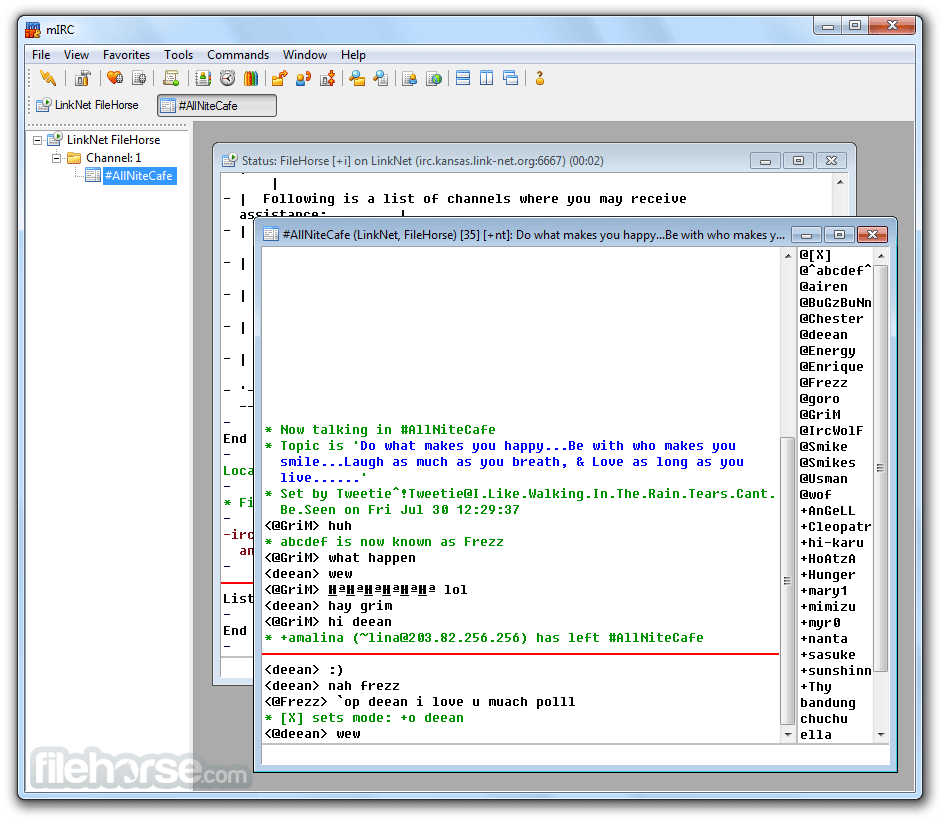
mIRC 的介面簡潔且實用,不過仍保留了經典、實用的 Windows 98 時代美學。主視窗分為伺服器清單、頻道清單和聊天窗格。
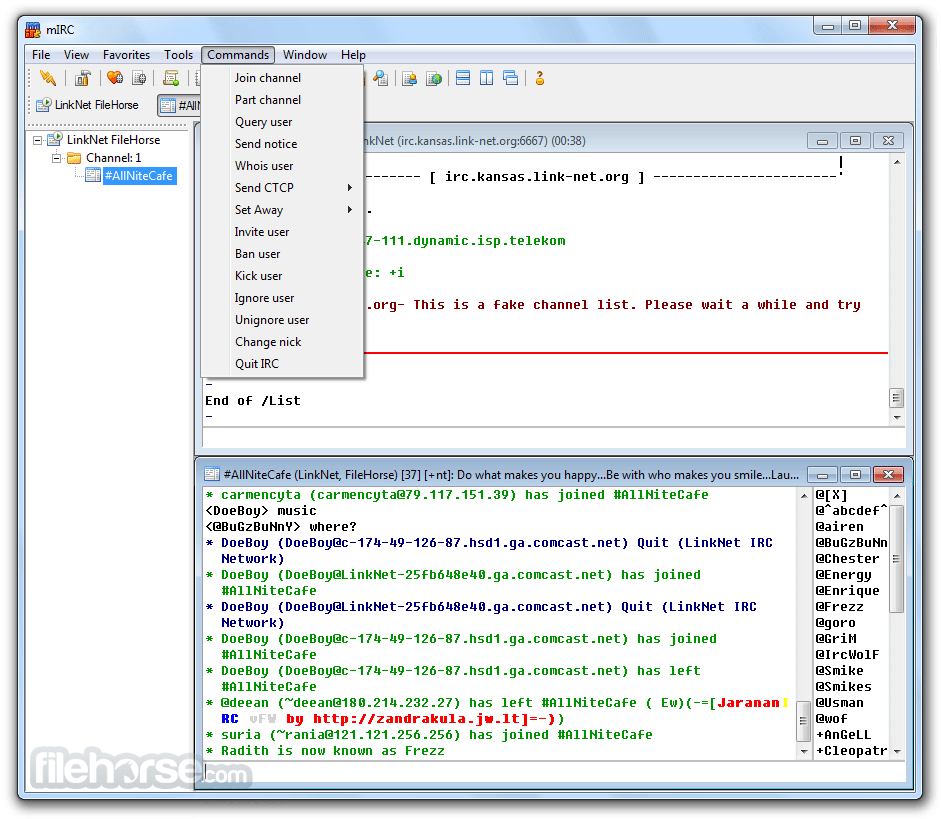
可自訂的工具列和分頁介面有助於管理多個對話和網路。雖然不花俏,但對於有經驗的 IRC 使用者來說,其佈局很直觀,但對新手來說可能感覺過時或複雜。
新增功能
- 新增 Windows 10/11 的深色模式支援
- 修正執行清單中空白項目導致的當機問題
- 修正選項/DCC 對話方塊中無法運作的選項按鈕
- 啟用載入 WebP 影像檔案
- 解決每個伺服器設定的啟動連線問題
- 修正開啟記錄檢視對話方塊中的大型記錄檔時發生的當機問題
- 恢復顯示事件行中遺失的控制碼
- 在顯示/選項對話方塊中新增交替行陰影選項
- 修正狀態視窗系統選單中缺少的預設記錄選單項目
安裝 mIRC 很簡單。從官方網站下載安裝程式,執行它,然後依照逐步精靈操作。首次設定會提示使用者輸入暱稱、備用暱稱和 IRC 伺服器資訊。
設定選項很詳細,但易於瀏覽。連線到伺服器後,使用者可以加入頻道或發起私人聊天。
使用方法
- 連線到 IRC 伺服器(例如 irc.libera.chat)。
- 使用指令 /join #channelname 進入聊天室。
- 若要發起私人訊息,請輸入 /msg username your message。
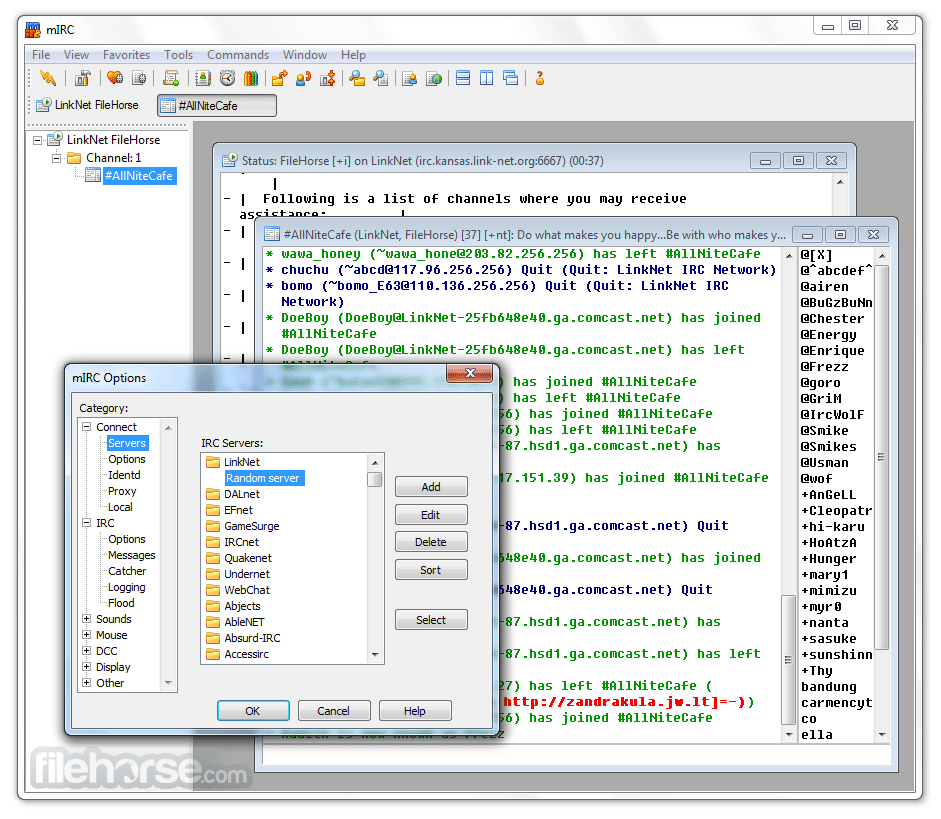
- 透過「選項」選單自訂設定,包括記錄、顏色、音效等。
- 學習並應用 mIRC 腳本,以建立自動化和自訂指令。
常見問題
mIRC 可以免費使用嗎?
它提供 30 天免費試用。之後需要一次性註冊費,但如果未付費,它仍會以有限模式運作。
我可以使用 mIRC 下載檔案嗎?
可以,透過 DCC 檔案傳輸,不過由於可能被濫用,此功能常被現代安全工具封鎖。
mIRC 安全嗎?
它支援 SSL 進行加密通訊,但 IRC 本質上並非完全安全。對於敏感聊天,請使用私人伺服器或加密。
mIRC 可以在 Windows 11 上運作嗎?
可以,此程式與所有現代 Windows 版本相容,包括 Windows 11。
我可以搭配 mIRC 使用機器人嗎?
當然可以。應用程式的腳本功能允許建立和控制聊天機器人,用於管理或自動化。
價格
免費試用:30 天
授權費用:一次性支付 19.95 美元(終身授權)
系統需求
作業系統:Windows 7、8、10 或 11
CPU:1 GHz 或更快
記憶體:至少 512 MB
磁碟空間:約 5 MB
優點
- 輕量且快速
- 強大的腳本功能
- 穩定且成熟
- 出色的自訂能力
- 活躍的社群支援
- 過時的介面
- 對一般使用者吸引力有限
- IRC 需要技術知識
- 不支援行動裝置
- 試用後需付費授權
mIRC 是一款功能豐富、經過實戰考驗的 IRC 用戶端,適合重視靈活性、腳本和穩定性的 Windows 使用者。雖然與現代訊息平台相比,其介面和核心技術感覺過時,但該軟體仍在利基社群、開發團隊和精通技術的使用者圈中蓬勃發展。
對於需要可靠且具有強大自訂功能的 IRC 用戶端,並能適應更技術性聊天環境的人來說,這是一個絕佳的工具。
注意:免費 30 天全功能試用版。
下載 mIRC 最新版本 為什麼這個應用程式發佈在 FileHorse 上?(更多資訊)
畫面截圖
更新日誌
6.31 mIRC is back with a new face! :-) mIRC now has a shiny new mIRC logo and new interface icons, updated and designed by the good people at Turbomilk. To match the new icons, we also decided to redesign the mIRC website to bring it into the 21st century... we hope you like the new look!
In addition to the visual changes in mIRC and the website, this new version of mIRC also addresses the various issues that were reported for the last release.
For scripters, we hope you like the changes to the script editor. The interface has been improved, it is now cleaner and easier to read, we added Check Bracket/Sort Variables items to Edit menu, line numbers to the margin, and enter/home key indentation support. The editor also no longer flickers when resized.
Various other changes include:
A "Hide tips when locked" option to the lock dialog,
An SSL option to automatically accept invalid certificates,
Tips now shade each alternate message that is added to an existing tip to make it easier to distinguish individual messages,
When bars are locked the drag bars are now hidden from view,
Changed behaviour of "Hide minimized desktop windows" option so that query, message, and chat windows remain visible when they are first opened minimized on the desktop.
In total there have been over 50 changes to this version and although most of them are only small fixes and tweaks, we hope that they result in a more useful and stable mIRC for you.
____________________________
Full list of Fixes, Changes and Additions in mIRC 6.31:
1.Fixed tooltips bug in toolbar.
2.Fixed /background window name bug.
3.Fixed remote.ini scripts folder bug.
4.Fixed dns pool message bug during connect retry.
5.Fixed notify window taking focus every time you connect to a
server. The notify window also no longer automatically closes
when you disconnect from all servers.
6.Fixed tips control codes bug.
7.Fixed if/elseif error display bug.
8.Fixed /window -dh not hiding desktop window.
9.Changed $tip() $null parameters so that they are now optional.
10.Fixed script editor Windows taskbar display bug.
11.Fixed /dll crash bug with self-calling dlls.
12.Fixed on START event not being triggered before all other events
on startup for loaded scripts.
13.Fixed while loop break/continue bugs.
14.Fixed /writeini error handling bug.
15.Fixed ial not being updated by protect/ignore/etc. commands.
16.Added @wid support to /setlayer.
17.Added /tips [on|off] and $tips identifier.
18.Added "Hide tips when locked" option to lock dialog.
19.Fixed editbox/listbox focus bug when switching windows.
20.Fixed $inellipse() bug by enabling floating point consistency
option in compiler.
21.Fixed /hinc bug.
22.Fixed -nouninst backward compatibility bug.
23.Fixed flickering in channel nickname, channels list, and all
other window listboxes.
24.Changed script editor interface slightly, now cleaner and easier
to read. Added Check Bracket/Sort Variables items to Edit menu,
line numbers to margin, and enter/home key indentation support.
No longer flickers when resized.
25.Updated to PNG 1.2.22 and PCRE v7.4 libraries.
26.Fixed double-click on treebar notify nicks bug, now triggers
correct Clicks dialog notify list alias.
27.Fixed on ^filesent/rcvd not /halting text bug.
28.Fixed treebar notify nicks menu not having $1 set as nick.
29.Fixed installer bug with mIRC/help file not being launched on
install completion.
30.Fixed unicode encoding bug when pasting large amounts of text.
31.Fixed unicode not being copied to clipboard correctly from a
@window with no editbox.
32.Changed right-click behaviour in custom dialog listboxes to allow
selecting an item without checking its radio/check box.
33.The default text for /list numerics 321 and 323 can now be halted.
34.Added SSL option to automatically accept invalid certificates.
35.Fixed @window tabs display bug.
36.Tips now shade each alternate message that is added to an existing
tip to make it easier to distinguish individual messages.
37.When bars are locked the drag bars are now hidden from view.
38.Added /abook -h switch to open highlight dialog.
39.Fixed background picture display bug when loading large images.
40.Fixed line width/height measurement bug in @windows, now the same
as non-@windows.
41.Fixed /splay and /sound error display bug.
42.Fixed saving tray/maximized window state bug.
43.Fixed /drawtext clipping bug when using tabs.
44.Fixed tray icon click multi-monitor bug.
45.Fixed reload log files bug when lock log files option is enabled.
46.Fixed Editor "Monitor File Changes" memory bug.
47.Changed behaviour of "Hide minimized desktop windows" option so
that query, message, and chat windows remain visible when they are
first opened minimized on the desktop.
48.Fixed /hinc and /hdec maximum value bug.
49.Fixed clipboard handling bug.
50.Fixed $longfn() routine not appending / slash to the result when
it is a directory.
51.Updated the mIRC icon and over seventy other icons in the toolbar,
switchbar, tray, and window icons.
52.Fixed treebar focus bug when selecting item in treebar while mIRC
is not active application.
53.Fixed some settings in editor dialog not being remembered if it
was closed using the cancel button.
54.Fixed favorites dialog gpf bug when editing folder name.