⚠ 這是歷史版本頁面 — 查看 MPC-BE 1.9.1 (64-bit) 最新版本 →

MPC-BE 1.8.8 (64-bit)
v 1.8.8 (64-bit)
Windows
開源軟體
7.98/10 (70)
- 目前版本1.8.8 (64-bit)
- 更新日期2025-10-26
- 檔案大小19.12 MB
- 檔案名稱MPC-BE.1.8.8.x64.exe
- 作業系統Windows 7 64 / Windows 8 64 / Windows 10 64 / Windows 11
- 支援語系English
- 授權型式開源軟體
- 開發商 MPC-BE Team
- 軟體分類Windows 軟體 / 影片軟體
##
編輯短評
MPC-BE 是 Media Player Classic 系列的分支之一,由志願者團隊獨立維護,定位是輕量、開源且功能完整的 Windows 影片播放器。它繼承了 MPC 與 MPC-HC 的傳統,但介面與操作邏輯經過重新設計,整體更貼近現代使用習慣。核心特色在於播放體驗乾淨俐落,沒有廣告、沒有多餘的綑綁元件,同時保留高度的可自訂性,從一般觀看到進階使用者都能調整出適合自己的播放環境。目前更新相當活躍,近一年內持續釋出多個版本,在同類工具中屬於口碑穩定、評價普遍不錯的小眾選擇。
這套軟體適合重視播放器輕量與純粹的人,尤其是電腦效能有限、或厭倦主流播放器夾帶廣告與額外功能的使用者。與 KMPlayer 或 K-Lite Codec Pack 相比,MPC-BE 本身不綁解碼包,而是仰賴系統或外部解碼器,因此安裝更精簡,但遇到特殊格式時可能需要自行補齊對應元件。它僅提供英文介面,沒有正體中文語系,對依賴中文選單的人來說是主要門檻;授權為開源軟體,可免費使用,且僅支援 Windows 平台。
##
翻譯排程處理中,以下暫以英文原文呈現
軟體介紹
MPC-BE, short for Media Player Classic – Black Edition, is an open-source, lightweight, and feature-rich media player for Windows.
It is a fork of the original Media Player Classic (MPC) and MPC-HC (Home Cinema), redesigned with a modern aesthetic and additional functionality.
MPC-BE aims to offer users an efficient, customizable, and powerful media playback experience without unnecessary bloat or ads.
Developed by an independent team of volunteers, MPC-BE focuses on improving performance, compatibility, and usability for all types of users, from casual viewers to power users.
Its core strength lies in its ability to play virtually any media format out of the box using built-in decoders.
Key Features
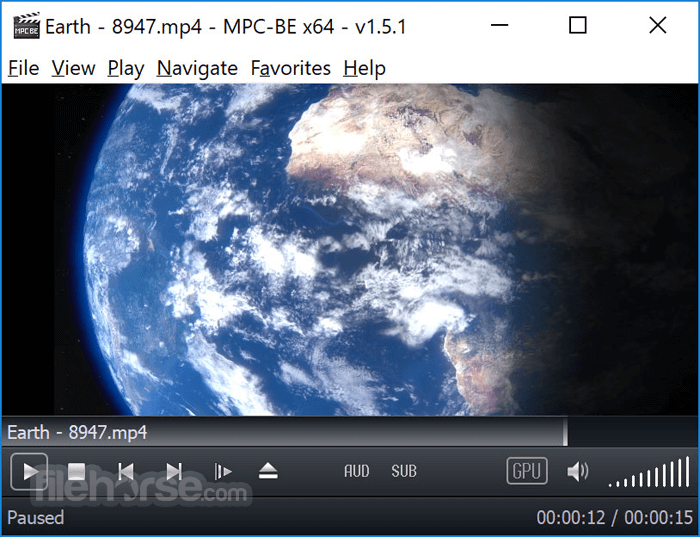
The program retains the classic MPC layout while introducing a sleeker, dark-themed interface. The controls are intuitively arranged, with responsive playback buttons, clean menus, and minimal clutter.
Advanced configuration options are nested in well-organized tabs, catering to both novices and experts. While the UI may appear basic at first glance, its simplicity contributes to smooth performance and low resource usage.
Installation and Setup
It offers a straightforward installation process. The official installer is small and fast.
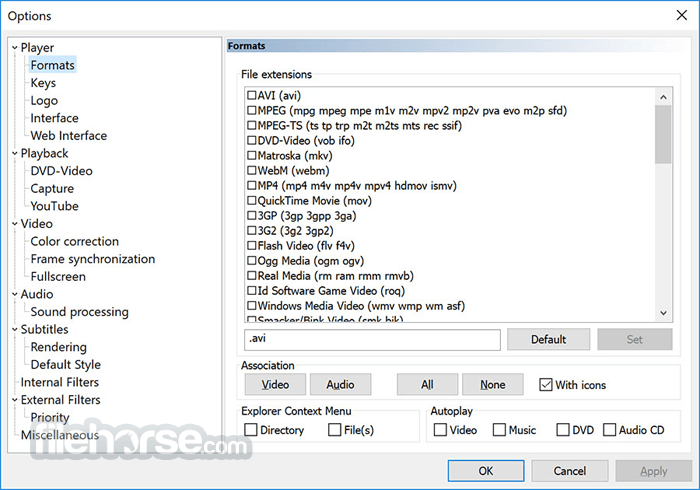
During setup, users can choose between standard or custom installs, with options to associate file types and configure shortcuts. No bundled software or ads are included.
After installation, MPC-BE is ready to use immediately. No additional codecs are needed, as the software includes its own internal filters and decoders.
How to Use
FAQ
Does MPC-BE require external codecs?
No, it has built-in codecs for most media formats.
Can it play 4K or HDR content?
Yes, with proper hardware and settings, MPC-BE supports 4K and HDR playback.
Is MPC-BE regularly updated?
Yes, updates are released periodically by the developer team to enhance performance and fix bugs.
Can I customize the interface?
Yes, you can adjust themes, icons, controls, and many playback settings.
Does it support streaming?
It can open online streams via URL, though it's not optimized for streaming platforms.
Alternatives
VLC Media Player – Popular open-source media player with broad format support.
PotPlayer – Feature-rich player with advanced video options and skinning.
KMPlayer – Multimedia player with 3D playback and subtitle tools.
MPV Player – Lightweight player with scriptable configuration and high performance.
System Requirements
UI may feel outdated to some
Limited streaming capabilities
Occasional compatibility issues with rare formats
Conclusion
MPC-BE stands as one of the best lightweight media players available for Windows. It combines stability, broad format support, and powerful customization into a simple, ad-free package.
Ideal for users who want full control over their playback experience without the distractions or bloat of more commercial alternatives, MPC-BE is a top choice for local media playback.
Download MPC-BE Latest Version Why is this app published on FileHorse? (More info)
It is a fork of the original Media Player Classic (MPC) and MPC-HC (Home Cinema), redesigned with a modern aesthetic and additional functionality.
MPC-BE aims to offer users an efficient, customizable, and powerful media playback experience without unnecessary bloat or ads.
Developed by an independent team of volunteers, MPC-BE focuses on improving performance, compatibility, and usability for all types of users, from casual viewers to power users.
Its core strength lies in its ability to play virtually any media format out of the box using built-in decoders.
Key Features
- Support for a wide range of video and audio formats (MKV, AVI, MP4, FLAC, MP3, etc.)
- Enhanced subtitle support (SRT, ASS, embedded subs)
- Integrated audio and video filters for post-processing
- Customizable keyboard shortcuts and mouse controls
- Support for hardware acceleration (DXVA, Intel QuickSync, NVIDIA CUVID)
- Playlist management and bookmarks
- Frame-by-frame playback
- Seek preview and thumbnail navigation
- Dark mode and modern UI themes
- Extensive settings and codec tweaking options
The program retains the classic MPC layout while introducing a sleeker, dark-themed interface. The controls are intuitively arranged, with responsive playback buttons, clean menus, and minimal clutter.
Advanced configuration options are nested in well-organized tabs, catering to both novices and experts. While the UI may appear basic at first glance, its simplicity contributes to smooth performance and low resource usage.
Installation and Setup
It offers a straightforward installation process. The official installer is small and fast.
During setup, users can choose between standard or custom installs, with options to associate file types and configure shortcuts. No bundled software or ads are included.
After installation, MPC-BE is ready to use immediately. No additional codecs are needed, as the software includes its own internal filters and decoders.
How to Use
- Launch MPC-BE from the Start menu or desktop shortcut.
- Drag and drop a video/audio file into the window or use File > Open File.
- Playback begins instantly with default settings.
- Use keyboard shortcuts (e.g., spacebar for pause/play, arrows for seeking) or right-click for playback options.
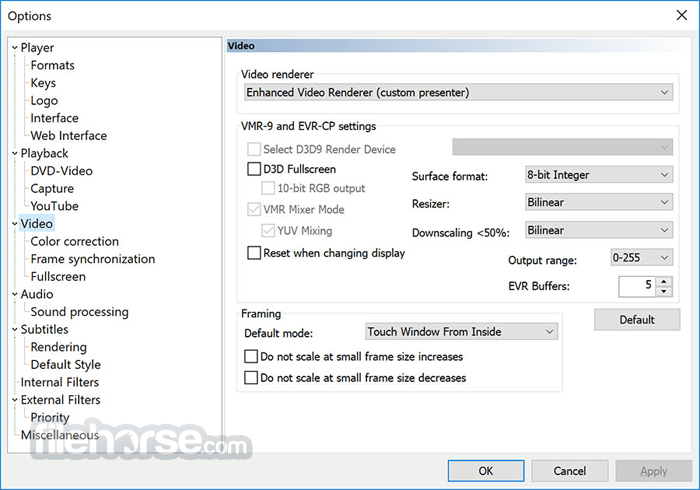
- Access settings under Options to adjust video renderer, audio filters, subtitles, or customize controls.
FAQ
Does MPC-BE require external codecs?
No, it has built-in codecs for most media formats.
Can it play 4K or HDR content?
Yes, with proper hardware and settings, MPC-BE supports 4K and HDR playback.
Is MPC-BE regularly updated?
Yes, updates are released periodically by the developer team to enhance performance and fix bugs.
Can I customize the interface?
Yes, you can adjust themes, icons, controls, and many playback settings.
Does it support streaming?
It can open online streams via URL, though it's not optimized for streaming platforms.
Alternatives
VLC Media Player – Popular open-source media player with broad format support.
PotPlayer – Feature-rich player with advanced video options and skinning.
KMPlayer – Multimedia player with 3D playback and subtitle tools.
MPV Player – Lightweight player with scriptable configuration and high performance.
System Requirements
- OS: Windows 7, 8, 10, or 11 (32-bit and 64-bit versions available)
- CPU: Dual-core processor recommended
- RAM: 1 GB minimum
- GPU: DirectX 9-compatible for hardware acceleration
- Storage:
- Lightweight and fast
- No ads or bloatware
- Built-in codec support
- Highly customizable
- Excellent subtitle support
UI may feel outdated to some
Limited streaming capabilities
Occasional compatibility issues with rare formats
Conclusion
MPC-BE stands as one of the best lightweight media players available for Windows. It combines stability, broad format support, and powerful customization into a simple, ad-free package.
Ideal for users who want full control over their playback experience without the distractions or bloat of more commercial alternatives, MPC-BE is a top choice for local media playback.
Download MPC-BE Latest Version Why is this app published on FileHorse? (More info)
##
畫面截圖
- 2026-08-09 MPC-BE 1.9.1 (32-bit) 17.95 MB
- 2026-08-09 MPC-BE 1.9.1 (64-bit) 19.47 MB
- 2026-06-28 MPC-BE 1.9.0 (32-bit) 17.92 MB
- 2026-06-28 MPC-BE 1.9.0 (64-bit) 19.44 MB
- 2025-12-30 MPC-BE 1.8.9 (32-bit) 17.74 MB
- 2025-12-30 MPC-BE 1.8.9 (64-bit) 19.26 MB
- 2025-10-26 MPC-BE 1.8.8 (32-bit) 17.63 MB
- 2025-10-26 MPC-BE 1.8.8 (64-bit) 19.12 MB