⚠ 這是歷史版本頁面 — 查看 MultiMC 5 最新版本 →

- 目前版本0.6.13
- 更新日期2021-09-24
- 檔案大小13.3 MB
- 檔案名稱mmc-stable-win32.zip
- 作業系統Windows 7 / Windows 8 / Windows 10 / Windows 11
- 支援語系English
- 授權型式免費軟體
- 開發商 MultiMC Team
- 軟體分類Windows 軟體 / 遊戲
##
編輯短評
MultiMC 5 是一款專為 Minecraft 設計的進階啟動器,主要解決玩家需要同時管理多個遊戲實例的麻煩。它最大的特色是能建立彼此獨立的遊戲環境,每個實例都能各自掛載不同的 mod、存檔、材質包與玩家設定,並提供內建工具協助除錯與管理進行中的遊戲會話。這款工具由社群團隊長期維護,雖然更新步調不算頻繁,但評價普遍不錯,只是評分人數不多,屬於小眾但穩定的選擇。
如果你常需要切換不同版本的 Minecraft,或想在同一台電腦上測試多組 mod 組合,MultiMC 5 會比官方啟動器更有效率。相較於其他整合型遊戲平台,它專注在實例管理,介面較為樸素,但功能直接。要注意的是它僅提供英文介面,且目前僅支援 Windows 平台,使用上需要一些英文基礎。授權為免費軟體,適合喜歡自行掌控遊戲環境的玩家。
##
翻譯排程處理中,以下暫以英文原文呈現
軟體介紹
MultiMC is a game utility for the popular sandbox creative game Minecraft. It serves the role of the advanced launcher for Minecraft that gives every player the ability to create multiple and separate instances of Minecraft, with built-in tools for managing and troubleshooting all of the active game sessions.
In addition to handling stock versions of game servers, the app also has support for managing individual extensions for each active instance - including their custom mods, saves, texture packs, player numbers, and more.
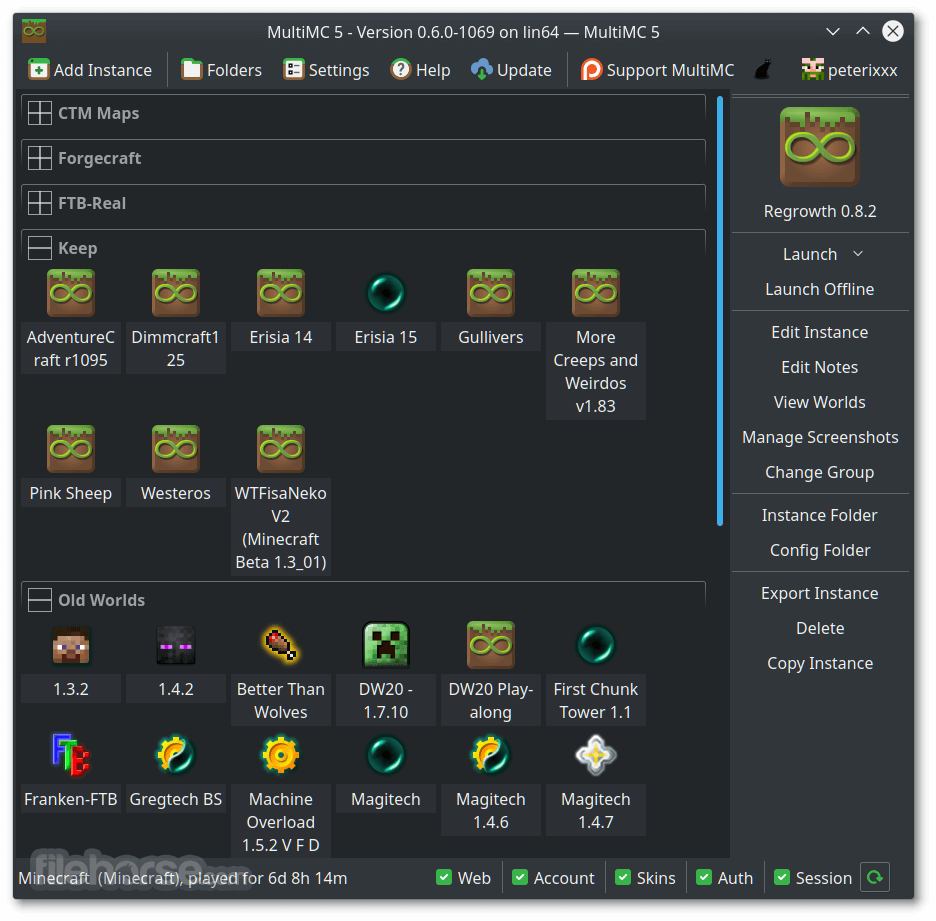
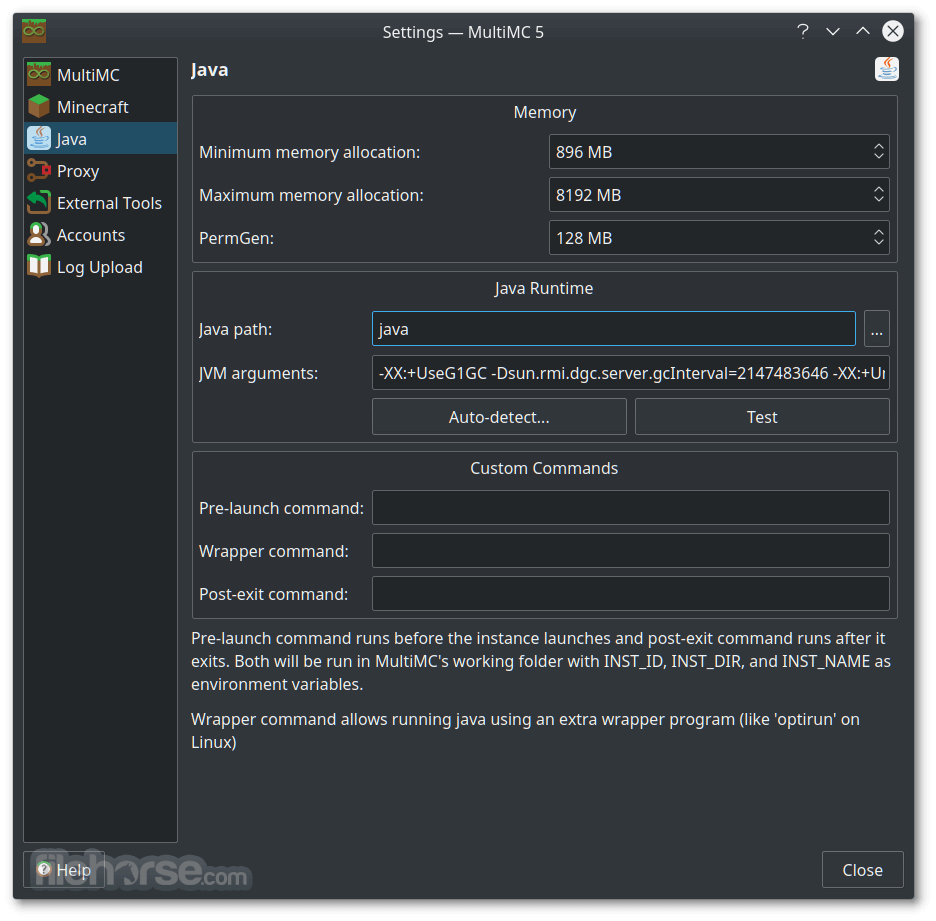
To achieve all this, MultiMC comes as a standalone dashboard that is full of easy-to-reach tools and a clear listing of currently active instances. On top of the app, you can access the row of the primary buttons for the general management of the servers (Add Instance, Folders, Settings, and Update).
The majority of the app’s UI is taken up by the listing screen, which includes the names of the instances and all installed and active mods they have. On the far right, you get an in-depth option for each selected instance, with easy-to-reach access to server launch controls, and Instance tools for editing, managing screenshots, exporting instances, and more.
During the years of development under an open-source license, MultiMC has grown considerably.
Today, it enables users to start Minecraft with a custom resolution, change numerous Java runtime options, show color-coded console output, custom groups and icons for all instances, automatic installation and mod management, exporting, and importing of Minecraft instances, mod management, and support for every version of Minecraft.
If you are a serious Minecraft player who feels that the default game launcher is not giving you the options that you require to satisfy your gaming needs, Multi MC will be a perfect utility for you.
MultiMC is 100% FREE and is very resource-light. It can be easily used on any desktop or laptop Windows PC that can run Minecraft.
How to Use
What is MultiMC?
MultiMC is an open-source launcher for Minecraft that lets you manage multiple installations of the game with ease. It allows users to create separate instances for different modpacks or versions, ensuring better organization and stability when switching between configurations.
How do I install mods using MultiMC?
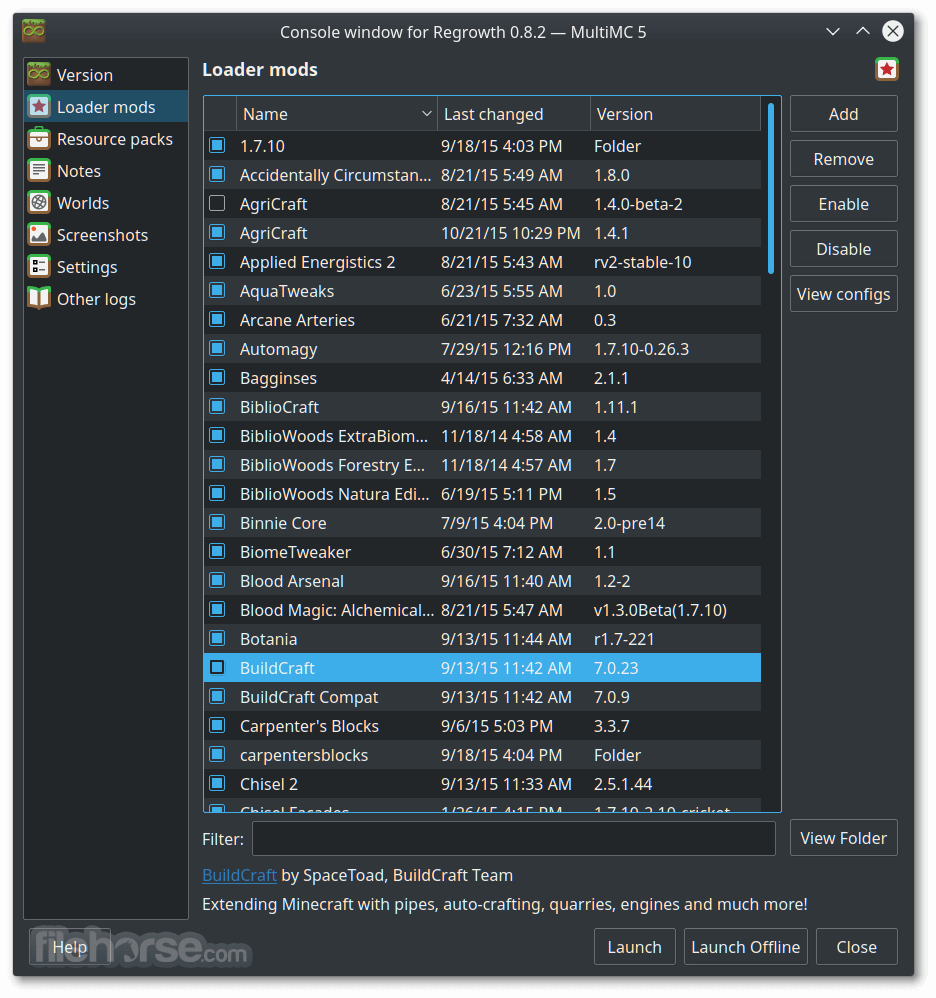
You can install mods by opening an instance, selecting “Edit Instance,” and then adding mods under the “Loader Mods” section. MultiMC supports popular mod loaders like Forge, Fabric, and Quilt, making it flexible for all kinds of modded Minecraft setups.
Is MultiMC available on all operating systems?
Yes, MultiMC works on Windows, macOS, and Linux. The installation process differs slightly for each OS, but all versions maintain the same interface and feature set for consistent usability across platforms.
Can I import modpacks from other launchers?
Yes, MultiMC allows you to import modpacks from other launchers such as CurseForge or Technic. You can drag and drop ZIP files or use import features, which makes it convenient for players migrating from other platforms.
Is MultiMC free to use?
Absolutely. MultiMC is completely free and open-source software, developed and maintained by a community of contributors. You can download, use, and modify it without any cost or subscription requirements.
The top alternatives to MultiMC:
ATLauncher - User-friendly launcher with mod pack support.
Technic Launcher - Popular launcher for modded Minecraft packs.
TLauncher - Versatile Minecraft launcher with mod options.
CurseForge App - Official launcher for CurseForge mod packs.
Badlion Client - Enhanced client with mods and optimizations.
Minecraft Launcher - Official launcher by Mojang Studios.
FTB Launcher - The official launcher for Feed The Beast modpacks.
PROS
Download MultiMC Latest Version Why is this app published on FileHorse? (More info)
In addition to handling stock versions of game servers, the app also has support for managing individual extensions for each active instance - including their custom mods, saves, texture packs, player numbers, and more.
To achieve all this, MultiMC comes as a standalone dashboard that is full of easy-to-reach tools and a clear listing of currently active instances. On top of the app, you can access the row of the primary buttons for the general management of the servers (Add Instance, Folders, Settings, and Update).
The majority of the app’s UI is taken up by the listing screen, which includes the names of the instances and all installed and active mods they have. On the far right, you get an in-depth option for each selected instance, with easy-to-reach access to server launch controls, and Instance tools for editing, managing screenshots, exporting instances, and more.
During the years of development under an open-source license, MultiMC has grown considerably.
Today, it enables users to start Minecraft with a custom resolution, change numerous Java runtime options, show color-coded console output, custom groups and icons for all instances, automatic installation and mod management, exporting, and importing of Minecraft instances, mod management, and support for every version of Minecraft.
If you are a serious Minecraft player who feels that the default game launcher is not giving you the options that you require to satisfy your gaming needs, Multi MC will be a perfect utility for you.
MultiMC is 100% FREE and is very resource-light. It can be easily used on any desktop or laptop Windows PC that can run Minecraft.
How to Use
- Launch MultiMC and configure settings such as memory allocation.
- Add a New Instance by clicking "Add Instance" and selecting a Minecraft version.
- Install Mods by clicking "Edit Instance" and adding Forge, Fabric, or individual mods.
- Manage Accounts under "Settings" → "Accounts" to log in with your Minecraft credentials.
- Customize Settings like Java version, RAM allocation, and resolution in "Settings."
- Launch Minecraft by selecting an instance and clicking "Launch."
- Create and Manage Instances to keep different modpacks and versions separate.
- Import Modpacks from ZIP files or CurseForge for quick setup.
- Backup and Export instances to save progress and transfer setups easily.
What is MultiMC?
MultiMC is an open-source launcher for Minecraft that lets you manage multiple installations of the game with ease. It allows users to create separate instances for different modpacks or versions, ensuring better organization and stability when switching between configurations.
How do I install mods using MultiMC?
You can install mods by opening an instance, selecting “Edit Instance,” and then adding mods under the “Loader Mods” section. MultiMC supports popular mod loaders like Forge, Fabric, and Quilt, making it flexible for all kinds of modded Minecraft setups.
Is MultiMC available on all operating systems?
Yes, MultiMC works on Windows, macOS, and Linux. The installation process differs slightly for each OS, but all versions maintain the same interface and feature set for consistent usability across platforms.
Can I import modpacks from other launchers?
Yes, MultiMC allows you to import modpacks from other launchers such as CurseForge or Technic. You can drag and drop ZIP files or use import features, which makes it convenient for players migrating from other platforms.
Is MultiMC free to use?
Absolutely. MultiMC is completely free and open-source software, developed and maintained by a community of contributors. You can download, use, and modify it without any cost or subscription requirements.
The top alternatives to MultiMC:
ATLauncher - User-friendly launcher with mod pack support.
Technic Launcher - Popular launcher for modded Minecraft packs.
TLauncher - Versatile Minecraft launcher with mod options.
CurseForge App - Official launcher for CurseForge mod packs.
Badlion Client - Enhanced client with mods and optimizations.
Minecraft Launcher - Official launcher by Mojang Studios.
FTB Launcher - The official launcher for Feed The Beast modpacks.
PROS
- Easy Mod Management and Version Control
- Lightweight Launcher with Minimal Resource Usage
- Multiple Account and Instance Support
- Customizable Settings and Advanced Features
- Portable with No Installation Required
- Lacks Built-in Marketplace for Mods and Add-ons
- No Automatic Updates for Installed Mods
- Requires Manual Setup for Certain Features
- Limited Integration with Official Minecraft Launcher
- Advanced Settings Can Be Overwhelming for Beginners
Download MultiMC Latest Version Why is this app published on FileHorse? (More info)
##
畫面截圖
- 2025-11-05 MultiMC 5 0.7.0 13.5 MB
- 2021-12-09 MultiMC 5 0.6.14 13.4 MB
- 2021-09-24 MultiMC 5 0.6.13 13.3 MB
- 2021-03-22 MultiMC 5 0.6.12 13.29 MB
- 2020-03-29 MultiMC 5 0.6.11 13.15 MB
- 2020-02-09 MultiMC 5 0.6.8 13.18 MB
- 2019-08-11 MultiMC 5 0.6.7 13.2 MB
- 2019-07-11 MultiMC 5 0.6.6 13.1 MB